







































































Content ITV PRO
This is Itvedant Content department
Learning Outcome
4
Apply proper evidence handling and chain of custody.
3
Describe disk, memory, and network evidence collection.
2
Differentiate live and dead box acquisition.
1
Explain the importance of evidence collection and preservation.
5
Understand write blockers, hashes, and data integrity.
You come home and find your favorite vase broken on the floor. You want to find out what happened.
Broken vase = Potential Evidence
Before touching anything, you take photos and make sure nobody disturbs the area.
Evidence Preservation = Protecting evidence from being changed, damaged, or deleted.
You carefully collect the broken pieces, a nearby baseball, and a note from the table.
Evidence Collection = Safely gathering relevant evidence for examination.
After examining everything, you discover that the baseball broke the vase while your younger brother was playing.
Evidence Analysis = Examining evidence to understand what happened.
When a computer is hacked, investigators preserve the original data and collect logs, files, emails, and disk data without altering the original evidence.
Preserve first, collect carefully, then investigate.
Crime Scene Preparation
Crime Scene Preparation is the first stage of digital forensic investigation
Objectives
Ensure investigator safety
Protect digital evidence
Prevent unauthorized access
Maintain evidence integrity
It involves securing the scene, protecting digital evidence, and preparing investigators and forensic equipment before collection. Proper preparation prevents damage, contamination, or evidence loss and ensures authorized access.
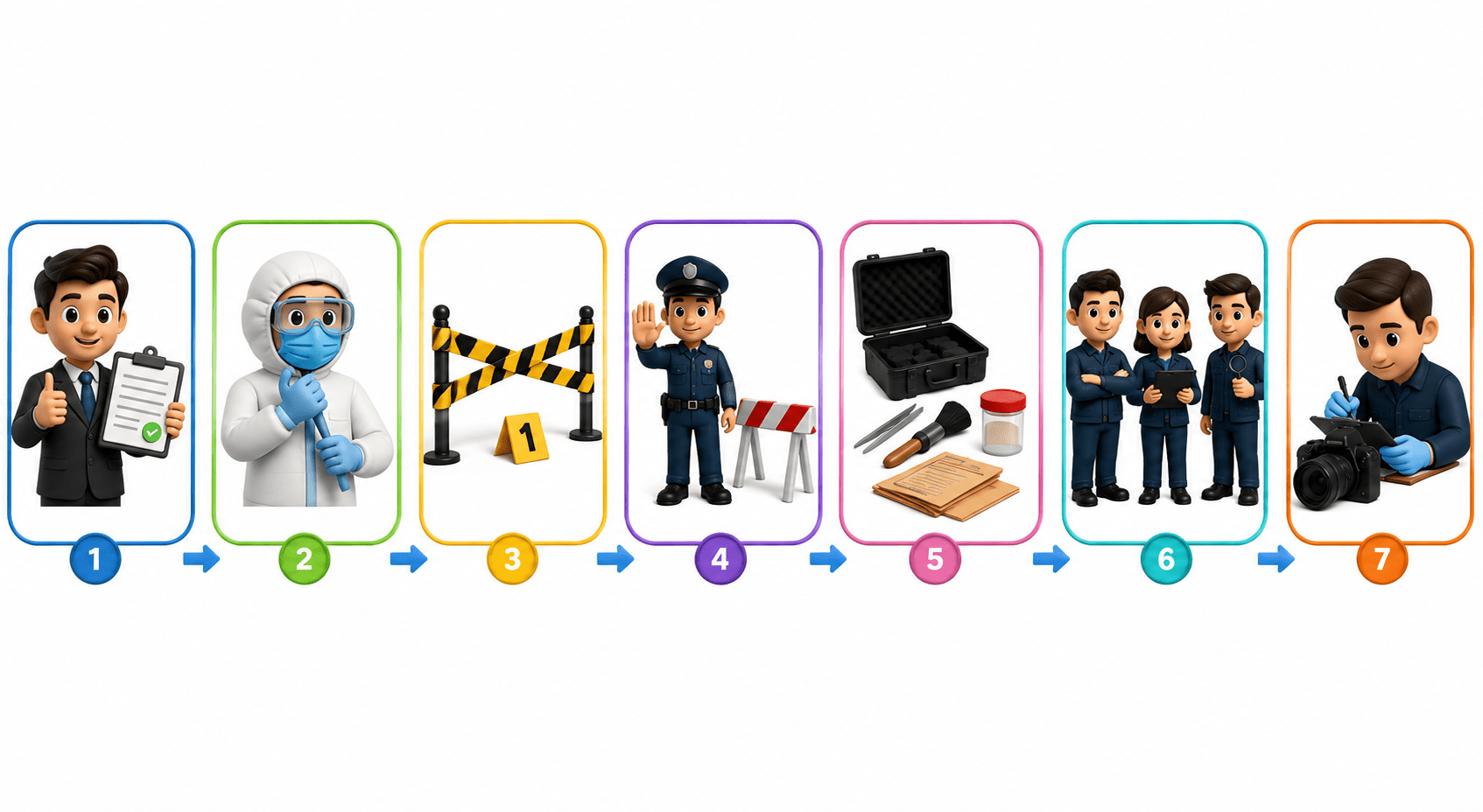
Obtain legal authorization if required
Wear protective equipment
Secure the crime scene
Restrict unauthorized personnel
Prepare forensic tools and labels
Assign investigator roles
Begin documentation
Preparation Steps:
Best Practices:
Do not power on unknown devices
Photograph devices before touching them
Document every action
Digital Crime Scene Assessment
Digital Crime Scene Assessment examines the environment to identify potential digital evidence. Investigators check device conditions, power status, network connections, and storage media to plan safe evidence collection.
Objectives
Identify digital devices
Check device status
Identify network connections
Locate external storage
Detect cloud-connected systems
Common Evidence Sources
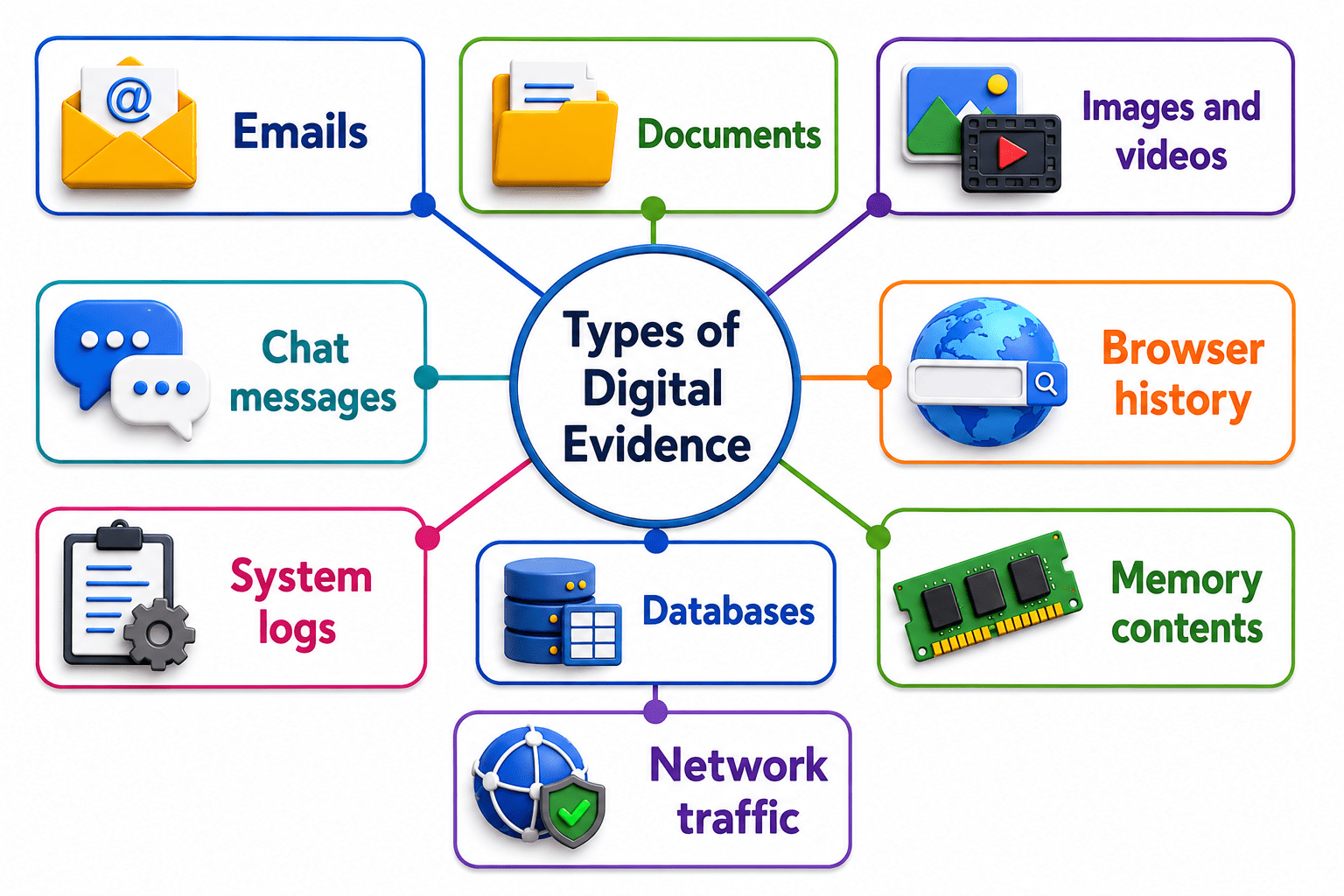
Computers and laptops
Mobile phones and tablets
USB drives and hard disks
Routers and servers
CCTV systems and IoT devices
Documentation
Record:
Evidence Identification Techniques
Evidence Identification is the process of locating digital information relevant to an investigation while avoiding modification or destruction of original data.
Identification Techniques
Visual inspection
Device inventory
Log analysis
File system examination
Network discovery
User account analysis
Best Practices
Identify all possible evidence sources
Avoid modifying data
Document evidence immediately
Evidence Prioritization
Evidence Prioritization determines the order in which evidence should be collected. Volatile evidence, such as RAM and active network connections, may disappear when a system is powered off.
Collection Priority
RAM
Running processes
Network connections
Temporary files
Hard drives
External storage
Cloud data
Importance
Preserves volatile evidence
Reduces data loss
Improves investigation efficiency
Live Data Collection Procedures
Live Data Collection acquires evidence while a device is powered on. It captures volatile information that may disappear after shutdown.
Live Evidence
RAM contents
Running processes
Logged-in users
Network sessions
Open files
Encryption keys
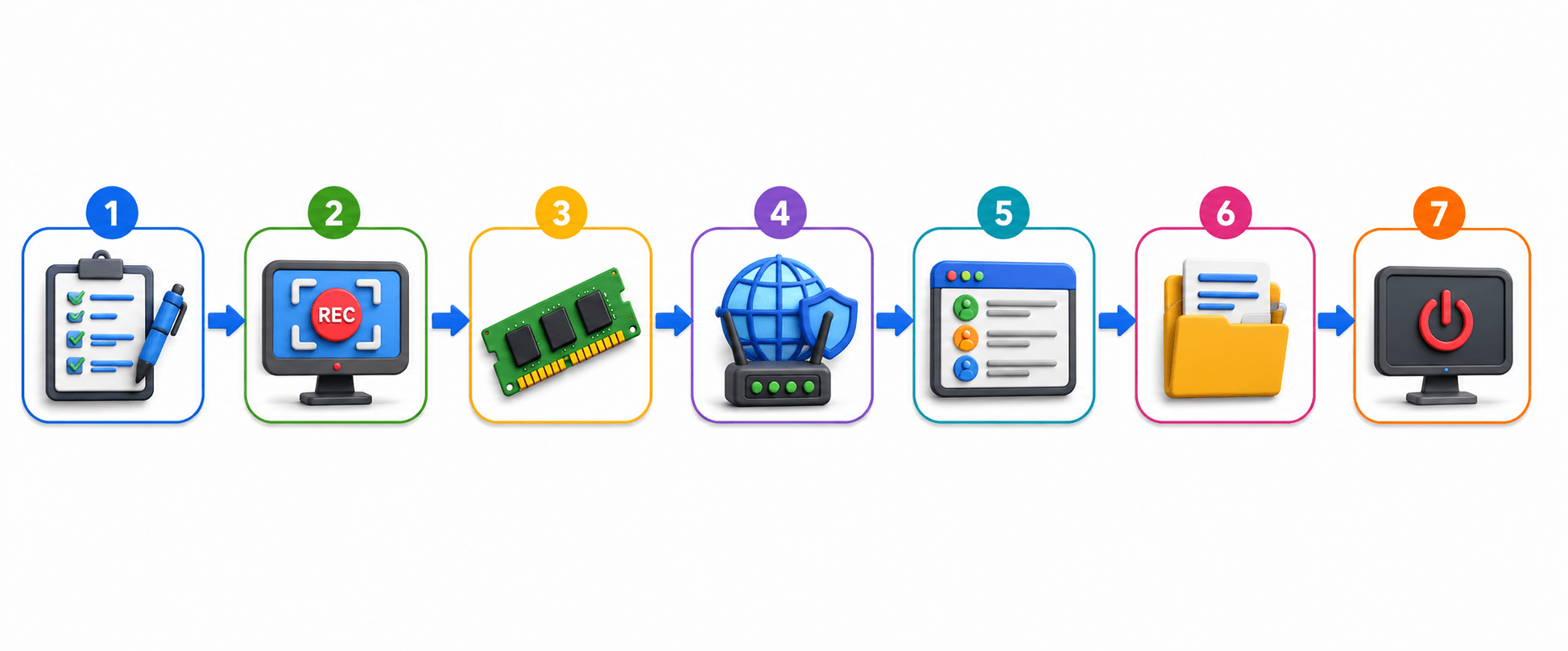
Document the system
Record screen information
Capture RAM
Record network connections
Save running processes
Collect system logs
Shut down if required
Procedure:
Advantages
Captures volatile data
Retrieves encryption keys
Preserves active sessions
Limitations
May change system state
Requires specialized tools
Dead Box Acquisition Methods
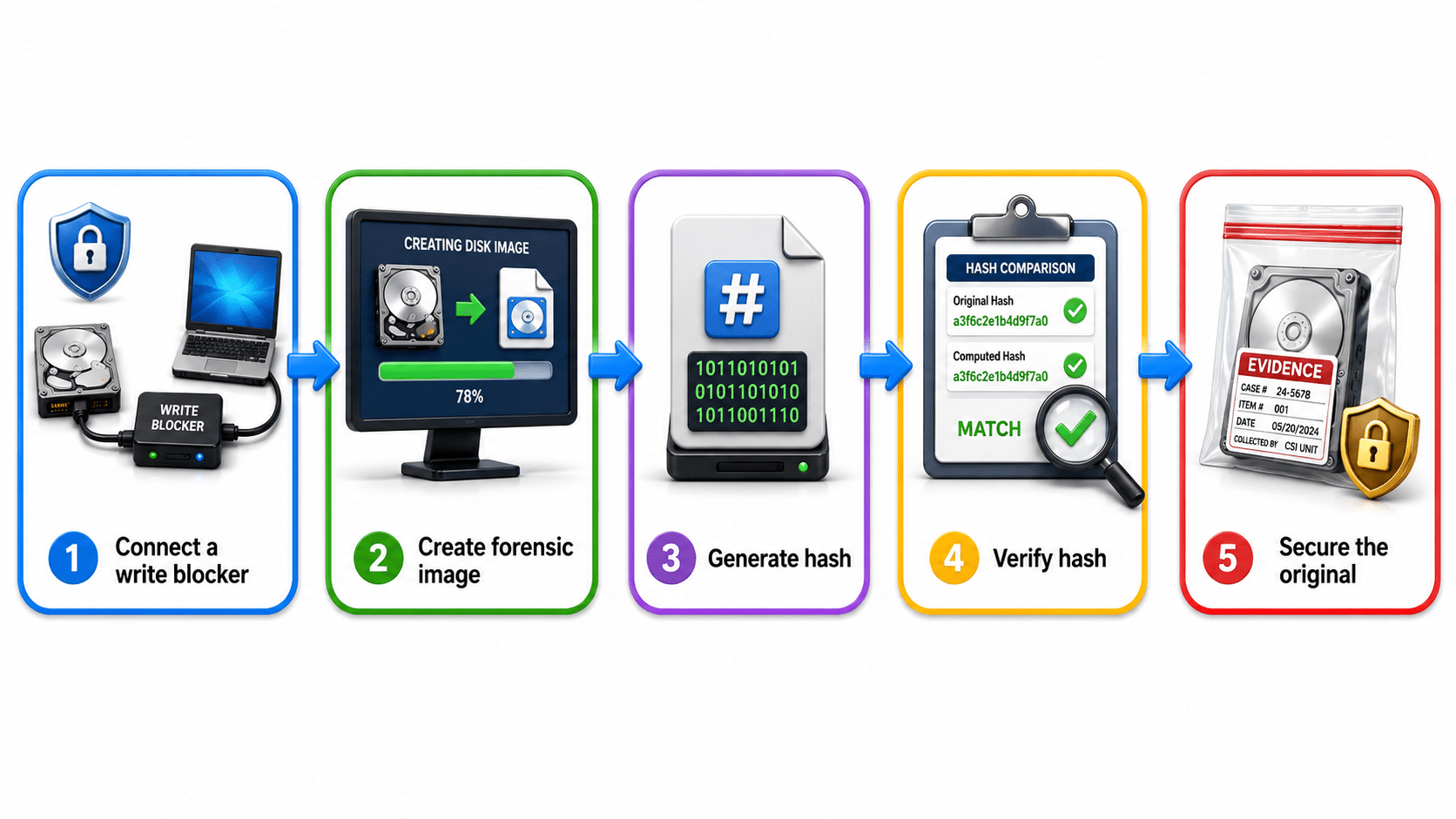
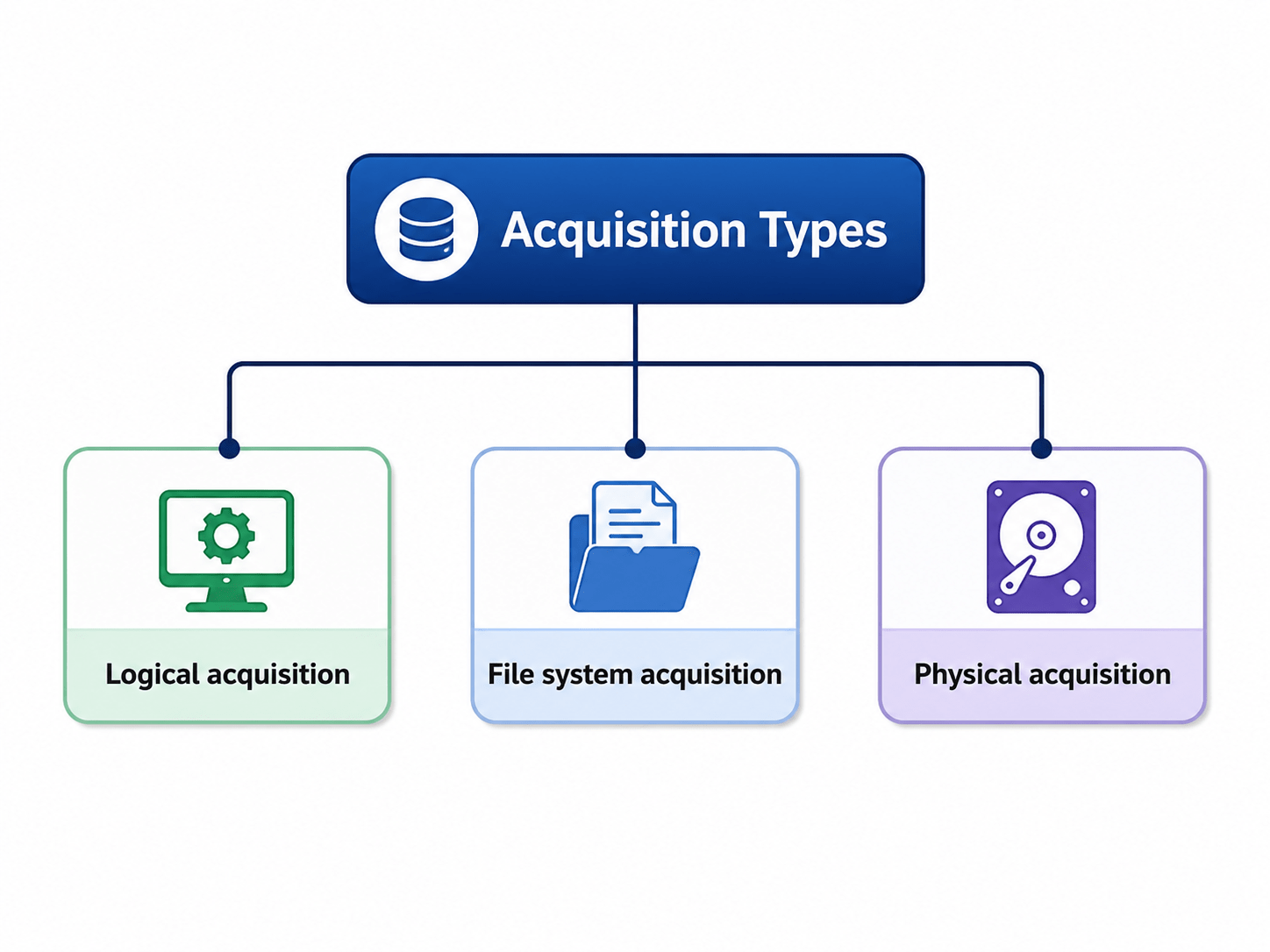
Dead Box Acquisition collects evidence from a device after it has been safely powered off. Investigators create a forensic copy without modifying the original data.
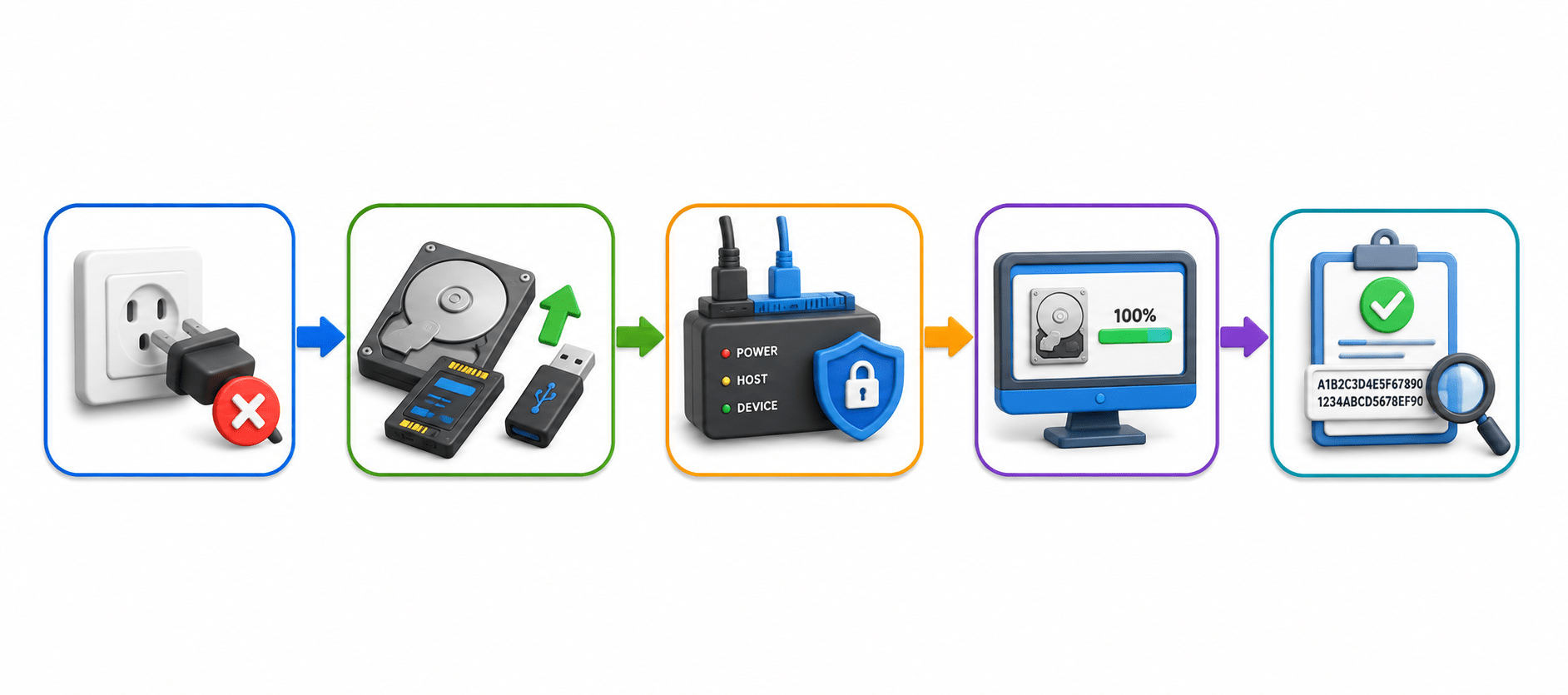
Disconnect power
Remove storage media
Use a write blocker
Create a forensic image
Verify using hashes
Procedure:
Advantages
Prevents evidence modification
Provides safer acquisition
Supports forensic imaging
Limitations
Volatile memory is lost
Active sessions cannot be recovered
Disk Imaging Fundamentals
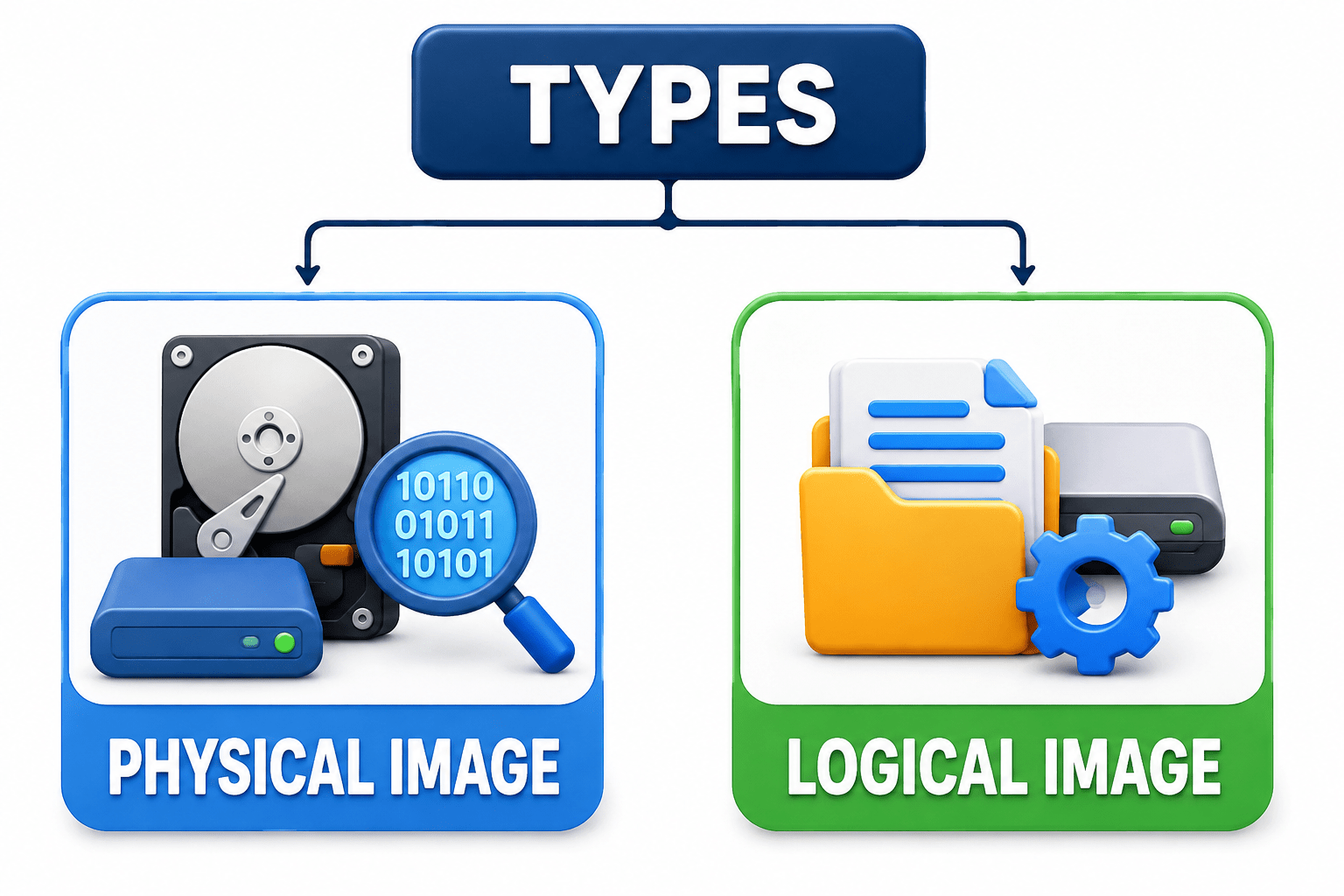
Disk Imaging creates an exact bit-by-bit copy of a storage device for forensic analysis. Investigators examine the image instead of the original to prevent modification.
Purpose:
Enable safe analysis
Maintain forensic integrity
Common Formats
RAW (DD)
E01
AFF
Memory Acquisition Basics
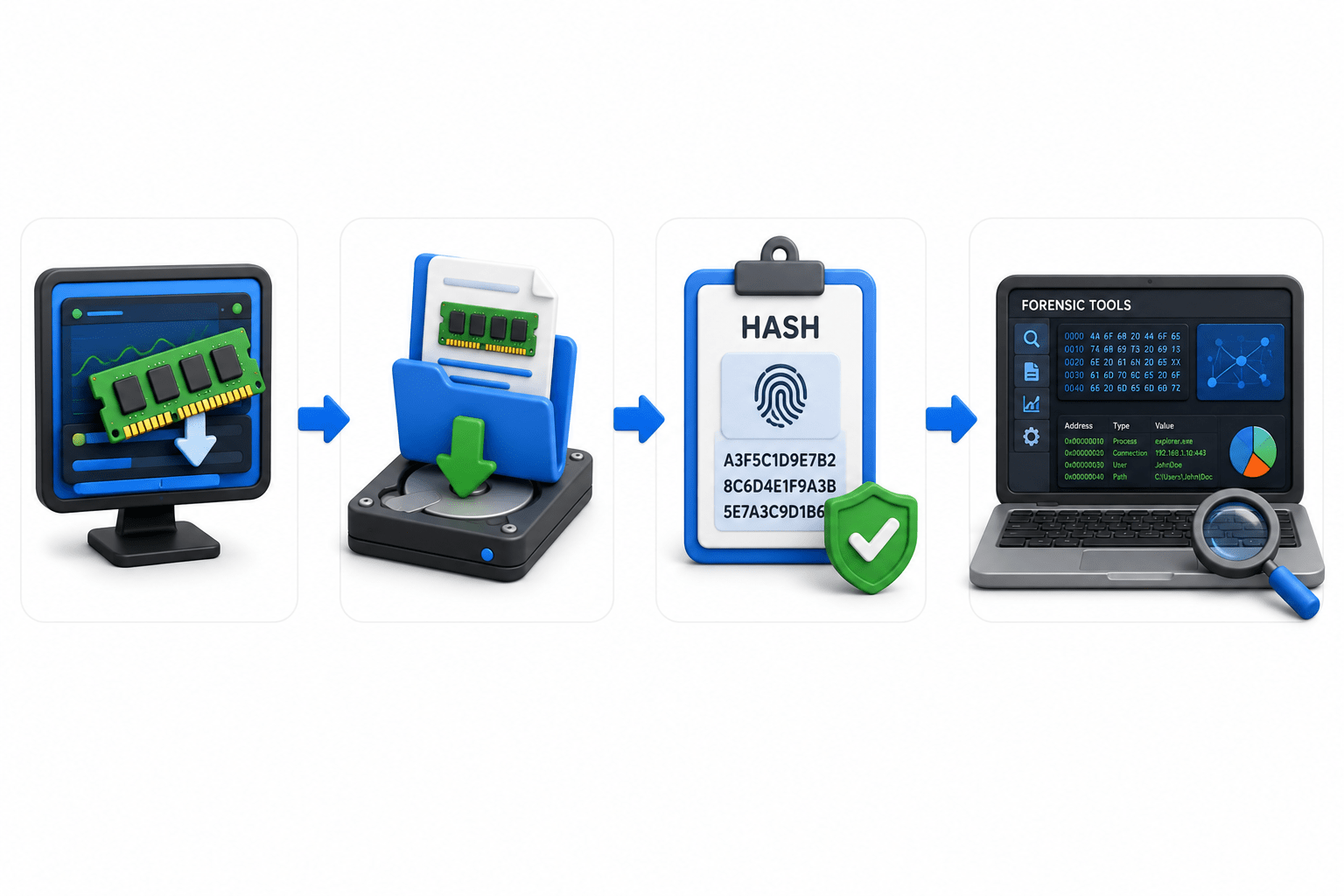
Memory Acquisition captures the contents of RAM during an investigation. RAM contains volatile information such as processes, passwords, encryption keys, malware, and network connections.
Information Found
Running programs
Passwords
Encryption keys
Malware
Network connections
Steps:
Capture RAM
Save memory image
Generate hash
Analyze with forensic tools
Network Data Collection
Network Data Collection captures and preserves information transmitted across a network. It helps investigators identify suspicious activity and reconstruct attack timelines.
Evidence Includes
Packet captures
Firewall logs
IDS/IPS logs
Router logs
DNS records
Collection Methods
Packet sniffing
Log collection
Flow monitoring
Network monitoring tools
Importance
Detect attacks
Identify communication patterns
Trace attacker activity
Mobile Device Data Acquisition
Mobile Device Data Acquisition collects evidence from smartphones, tablets, and other mobile devices.
Evidence Includes
Contacts
SMS
Call logs
Photos and videos
App data
Challenges
Encryption
Screen locks
Cloud synchronization
Frequent software updates
Cloud Data Acquisition Considerations
Cloud Data Acquisition collects digital evidence from cloud storage, virtual machines, SaaS, email services, and cloud logs. Cloud investigations may involve shared systems, different locations, and legal jurisdictions, so proper legal and forensic procedures are required.
Sources
Multiple jurisdictions
Data ownership
Encryption
Challenges
Best Practices:
Obtain legal authorization
Preserve logs
Document acquisition methods
Evidence Handling Procedures
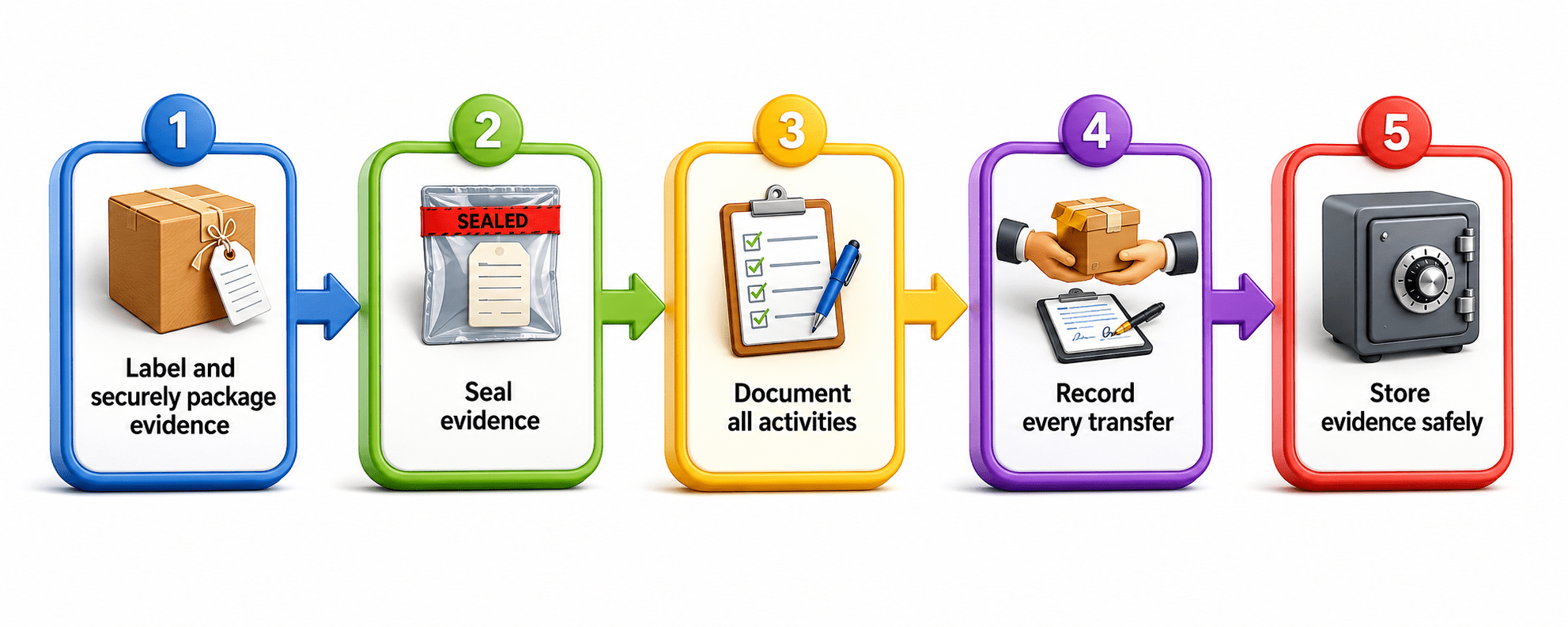
Evidence Handling involves safely managing digital evidence after collection. Proper labeling, packaging, transportation, storage, and examination help maintain evidence integrity and Chain of Custody.
Procedures
Best Practices:
Avoid unnecessary handling
Prevent contamination
Maintain Chain of Custody
Packaging and Transportation of Evidence
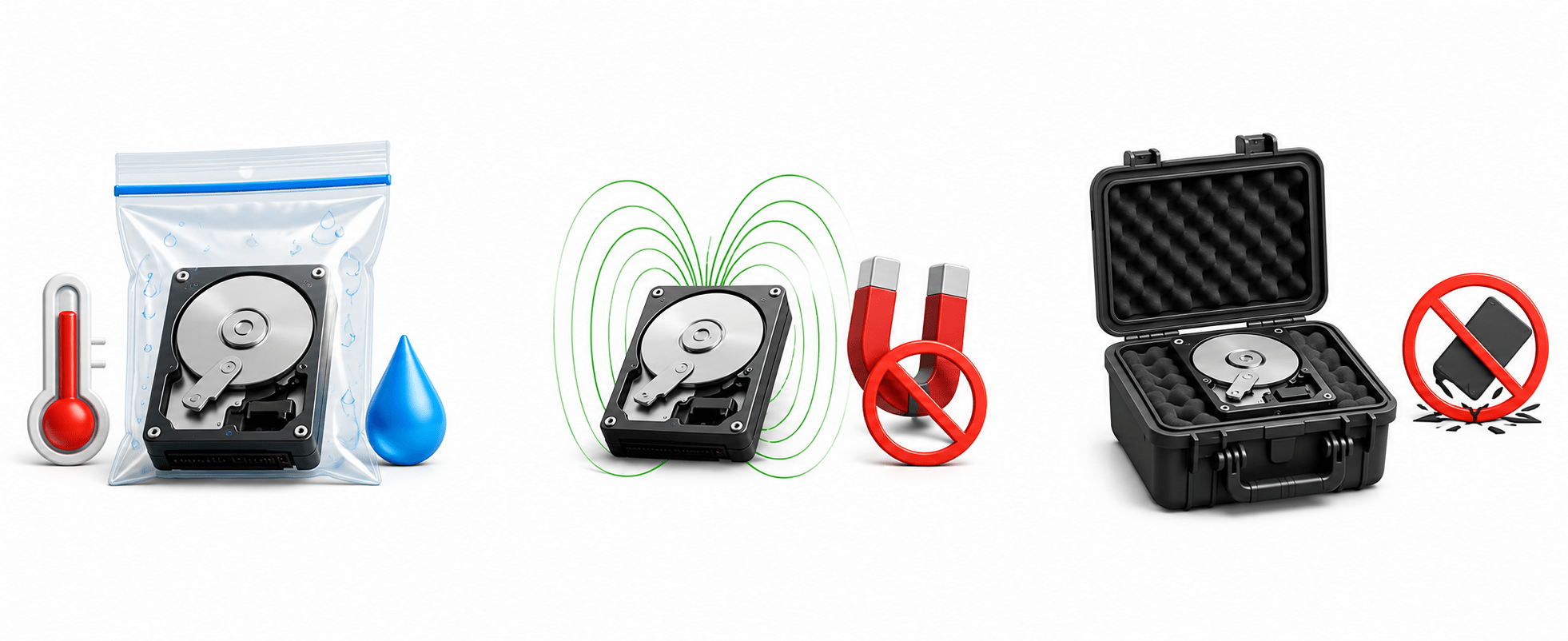
Packaging and Transportation protect digital devices and storage media from damage, corruption, or contamination during movement.
Packaging Guidelines
Use anti-static bags
Use padded containers
Seal packages
Label clearly
Transportation Precautions
Protect from heat and moisture
Avoid magnetic fields
Prevent physical shocks
Storage and Retention Practices
Digital evidence must be securely stored with restricted access and environmental protection. Retention follows legal and organizational requirements.
Storage Requirements
Locked evidence room
Access control
Environmental protection
Retention
Evidence should be retained according to:
Organizational policies
Legal requirements
Investigation needs
Write Blocker Usage
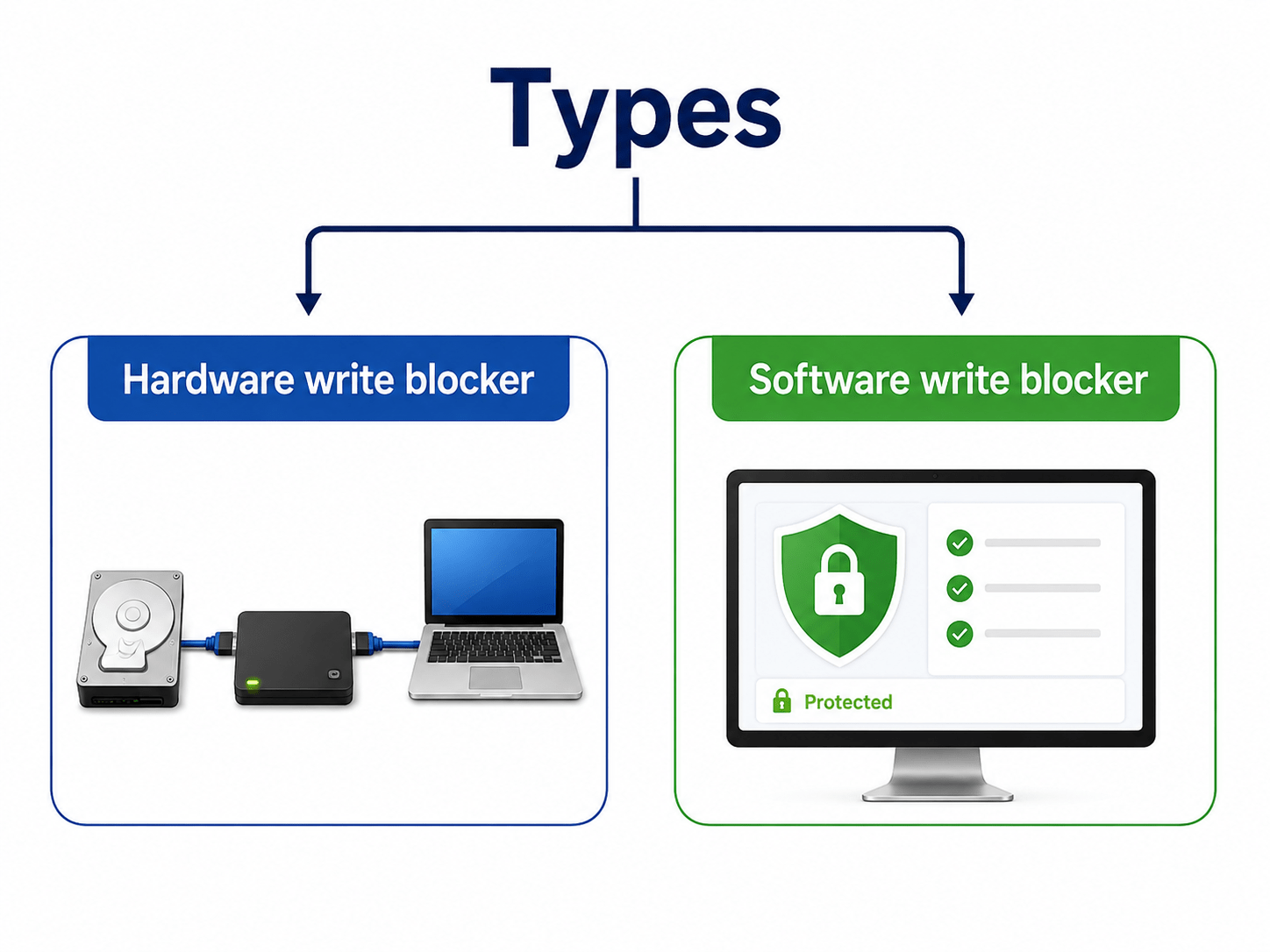
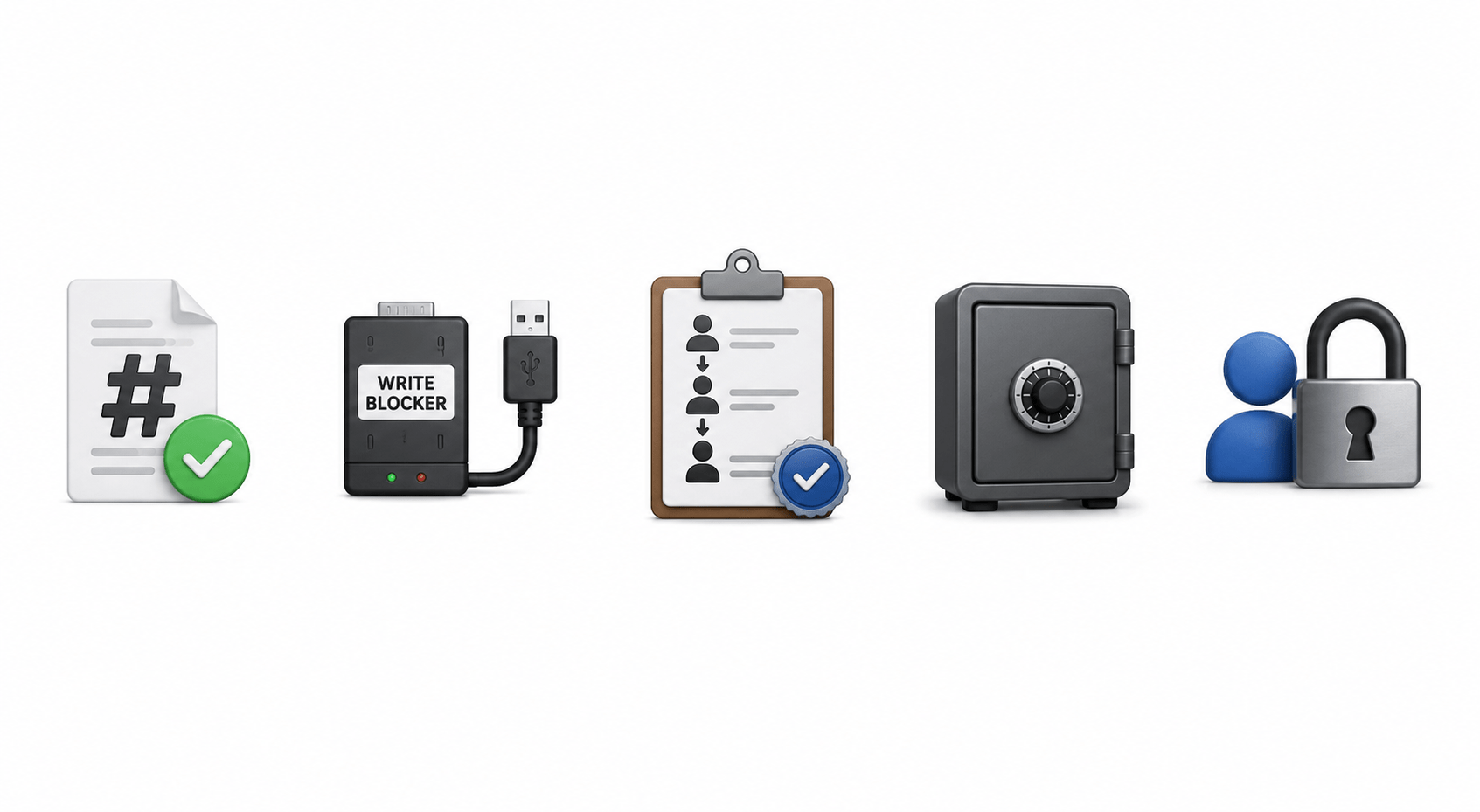
A Write Blocker allows investigators to read storage devices without changing their contents. It protects original evidence during acquisition and helps maintain forensic integrity.
Purpose
Prevent accidental changes
Protect original evidence
Maintain forensic integrity
Benefits
Preserves original data
Maintains authenticity
Supports legal admissibility
Hash Value Generation and Verification
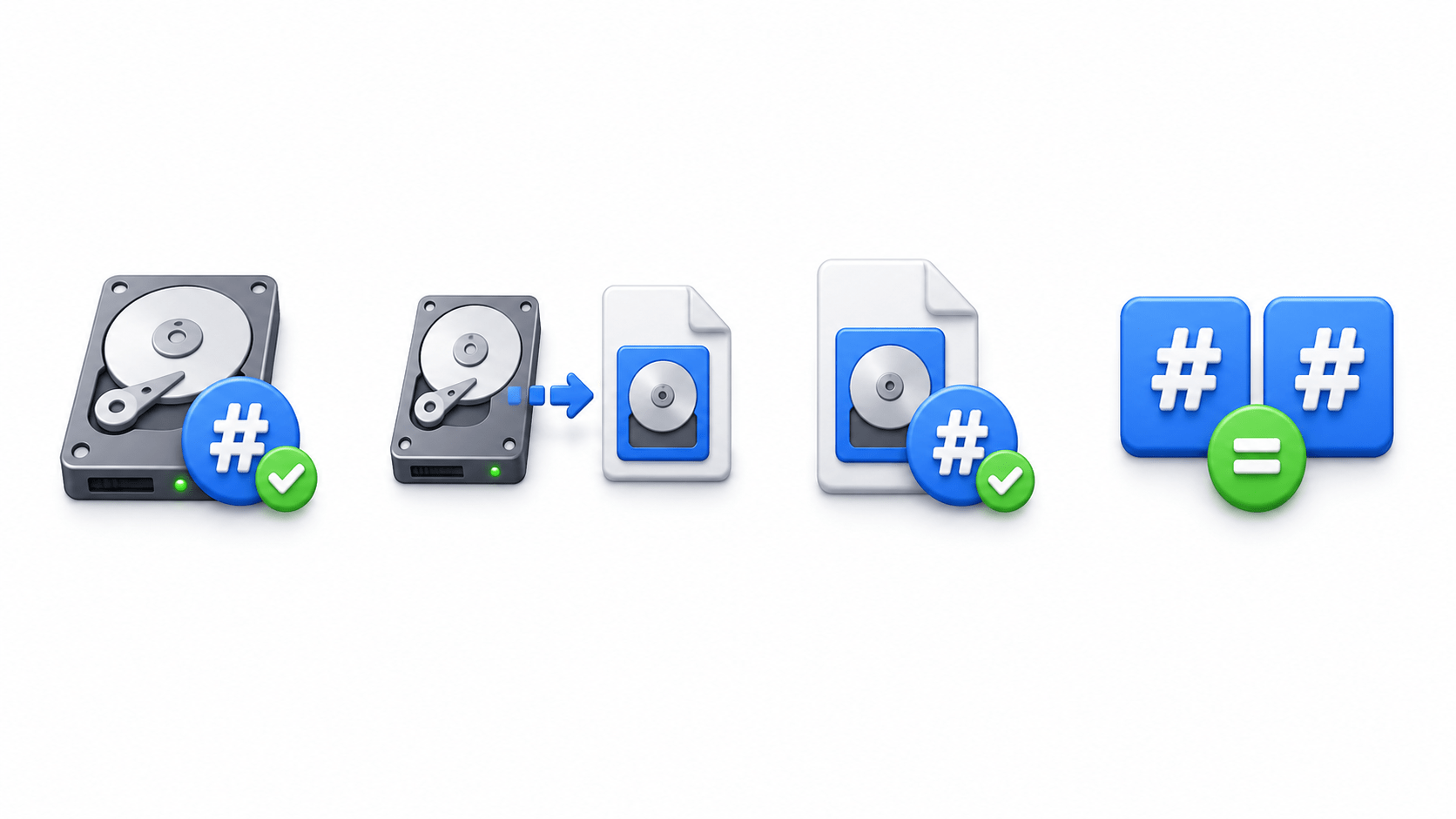
Hashing verifies that digital evidence has not been modified.
A hash value acts as a digital fingerprint of a file or storage device.
Common Algorithms
MD5
SHA-1
SHA-256
Create a forensic image.
Compare both hashes.
Hash the original evidence.
Hash the copied image.
Data Integrity Protection Techniques
Data Integrity Protection ensures digital evidence remains accurate, complete, and unchanged throughout an investigation.
Hash verification
Write blockers
Chain of Custody
Secure storage
Protection Techniques:
Benefits
Prevents tampering
Ensures authenticity
Supports legal admissibility
Maintains trust in evidence
Contamination Prevention Methods
Evidence contamination occurs when digital evidence is altered, damaged, deleted, or modified during collection, handling, storage, or analysis. Preventing contamination maintains evidence authenticity and legal admissibility.
Common Causes
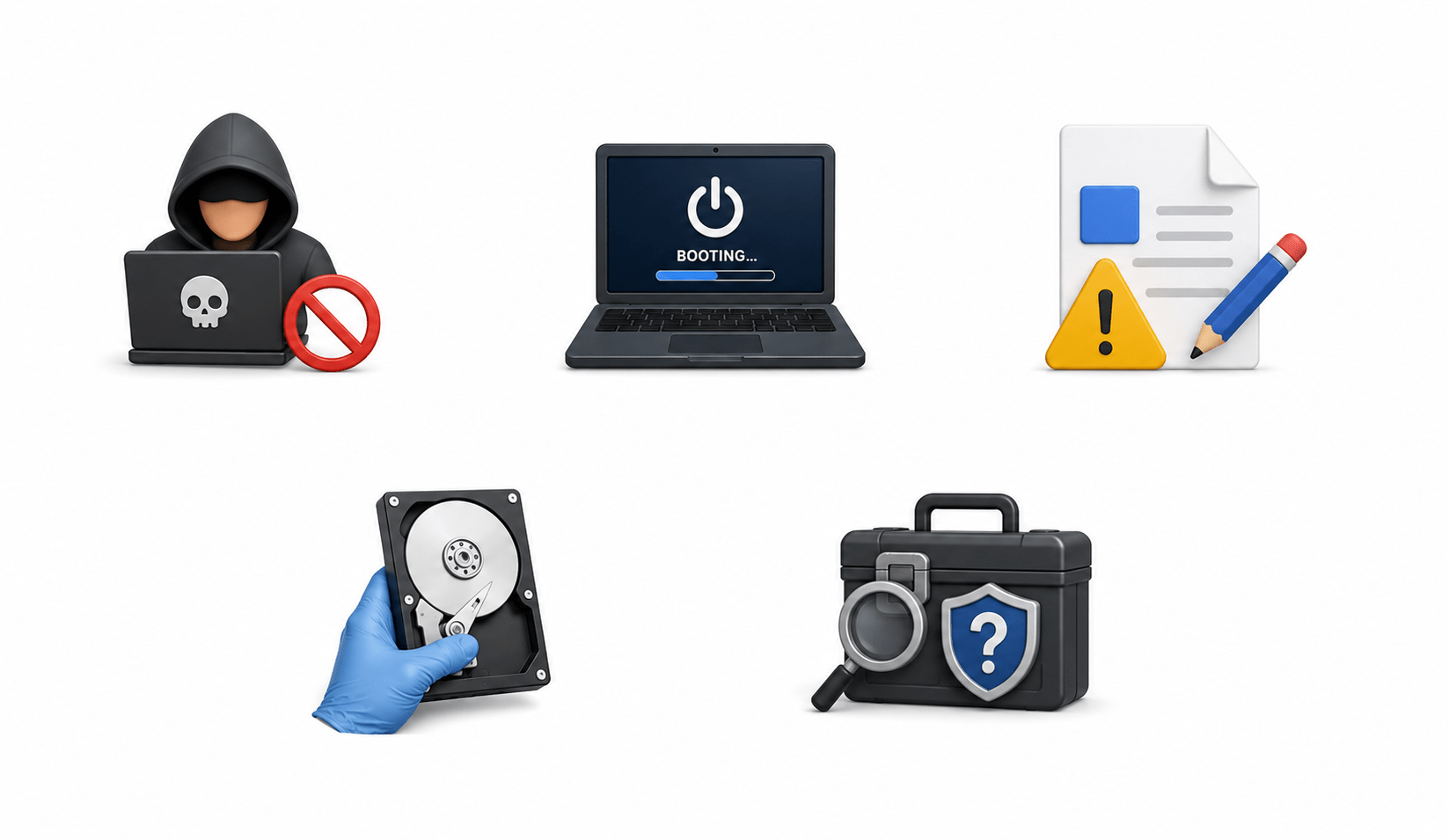
Unauthorized access
Booting seized devices
Accidental file modification
Improper device handling
Untrusted forensic tools
Prevention Methods
Use PPE: Protect devices from physical damage and contamination.
Use Write Blockers: Prevent changes to original storage data.
Avoid Booting Seized Devices: Booting may change files, timestamps, or logs.
Use Anti-Static Bags: Protect devices from electrostatic damage.
Limit Handling: Only authorized investigators should handle evidence.
Importance
Preserves evidence integrity
Prevents accidental modification
Maintains authenticity
Improves investigation reliability
Evidence Documentation Standards
Evidence documentation records how digital evidence was identified, collected, handled, examined, stored, and presented. It provides a permanent record and allows investigations to be understood or reproduced.
What Should Be Documented?
Investigator Details
Date and Time
Device Details
Unique Identifiers
Name
Organization
Contact information
Signature
Collection
Examination
Transfer
Storage
Type
Make and model
Condition
Storage capacity
Serial number
Asset number
IMEI
MAC address
Collection Method
Live acquisition
Dead box acquisition
Disk imaging
Memory acquisition
Hash Values
Record hashes before and after acquisition.
Chain of Custody
Photographs
Transfers
Authorized handlers
Storage locations
Dates, times, and signatures
Crime scene
Device location
Connected cables
Device condition
Evidence labels
Observations
Running applications
Suspicious findings
Best Practices
Record information immediately
Use clear and accurate language
Do not alter documentation
Include timestamps
Demonstrates proper procedures
Supports evidence authenticity
Verifies Chain of Custody
Importance
Common Collection Challenges
Digital evidence collection can face technical, legal, and operational challenges that affect evidence preservation and investigation.
Major Challenges
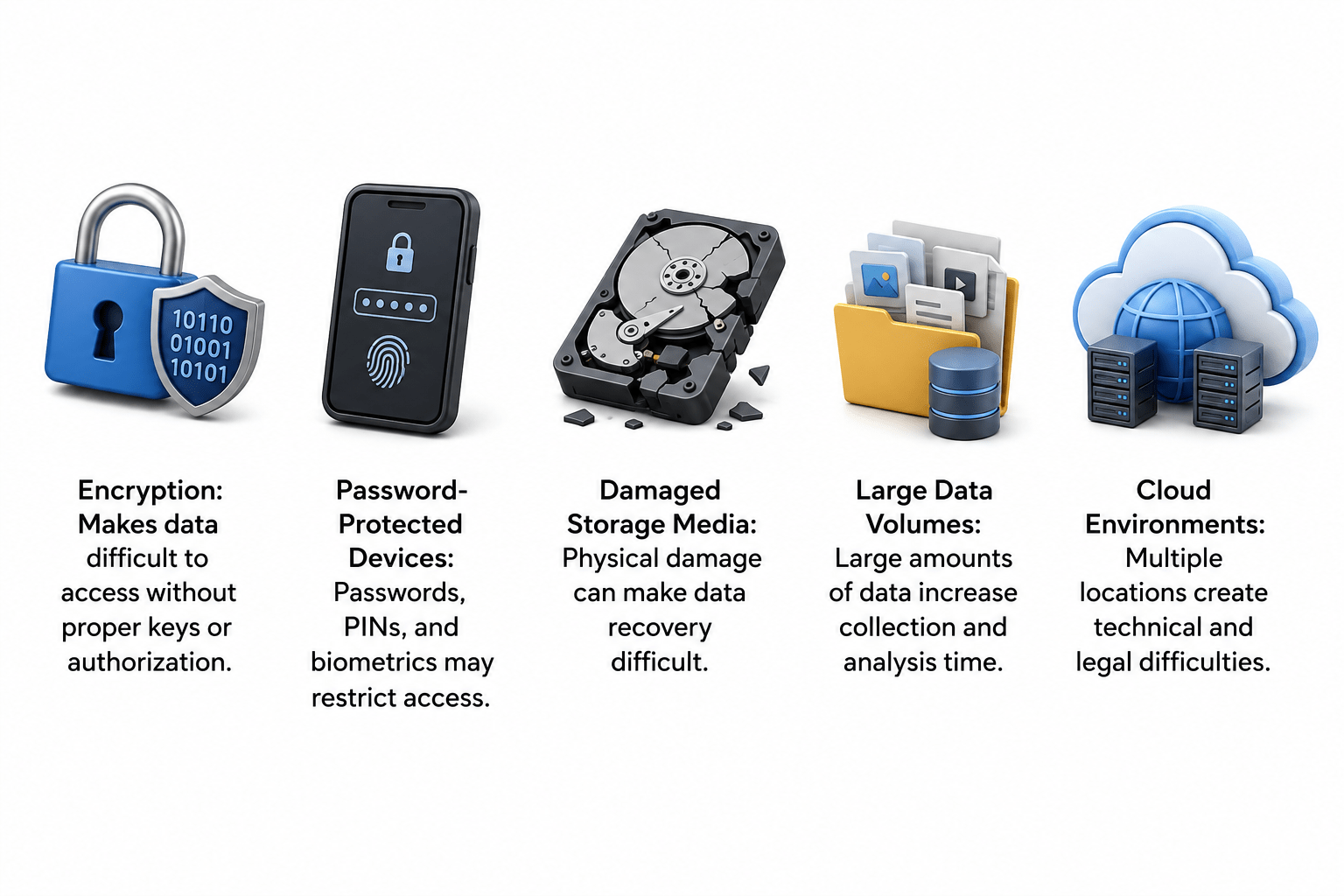
Encryption: Makes data difficult to access without proper keys or authorization.
Password-Protected Devices: Passwords, PINs, and biometrics may restrict access.
Damaged Storage Media: Physical damage can make data recovery difficult.
Large Data Volumes: Large amounts of data increase collection and analysis time.
Ways to Overcome Challenges:
Use validated forensic tools
Prioritize volatile evidence
Maintain complete documentation
Summary
5
Use write blockers to prevent changes.
4
Handle and store evidence properly.
3
Create exact copies using disk imaging.
2
Collect volatile evidence first.
1
Collect evidence carefully to prevent loss or alteration.
Quiz
What is the primary goal of evidence preservation?
A. Increase storage space
B. Improve system performance
C. Maintain evidence integrity
D. Delete unnecessary files
Quiz-Answer
C. Maintain evidence integrity
A. Increase storage space
B. Improve system performance
D. Delete unnecessary files
What is the primary goal of evidence preservation?
By Content ITV