Content ITV PRO
This is Itvedant Content department
Explore methods to discover active devices and scan networks effectively
Business Scenario
Welcome!
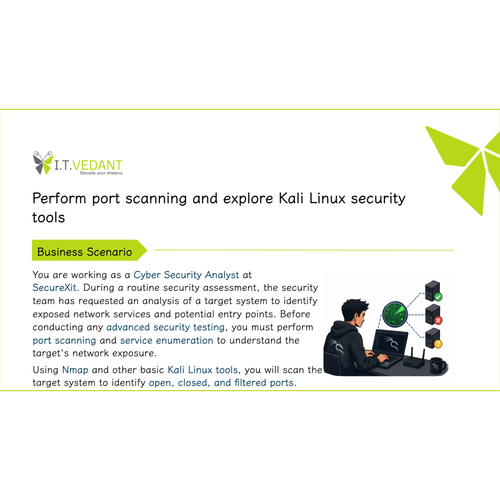
You are working as a Junior Cyber Security Analyst at SecureXit, you need to perform an initial network reconnaissance assessment on a test network. Using Nmap, you will discover live hosts, identify active systems within a specified IP range, and gather basic network device information. The results will help the security team maintain an accurate asset inventory and improve network visibility before conducting further security testing.
Pre-Lab Preparation
Topic : Kali Linux and Security Tools
1) Network scanning using Nmap.
2) Host discovery and port scanning.
3) Using Kali Linux tools.
Task 1: Understanding Nmap Manual
1
Open the Kali Linux Terminal
Launch the Terminal application in Kali Linux from the desktop or application menu.
2
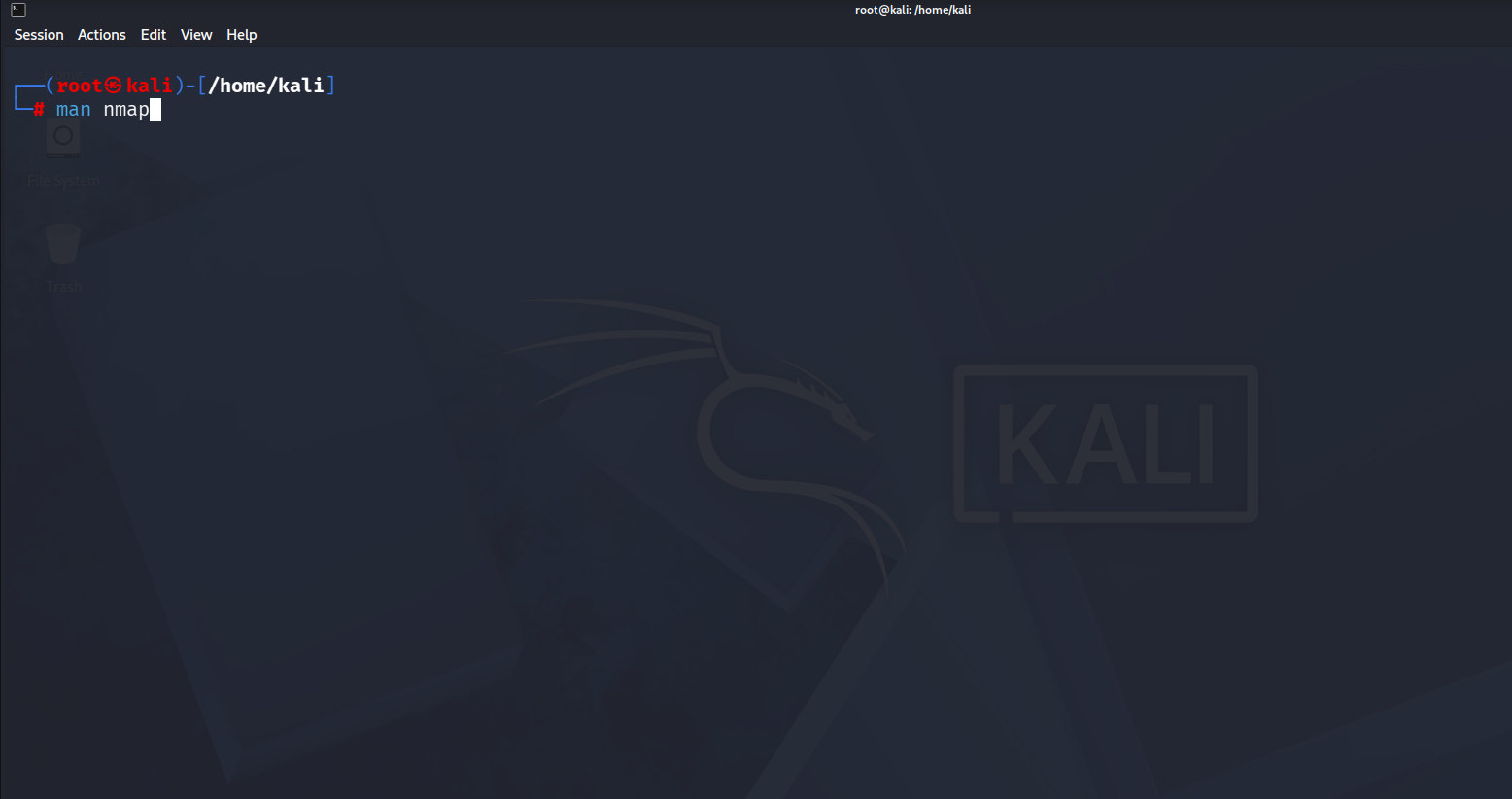
View the Nmap Manual
Execute the following command:
3
Review Basic Information
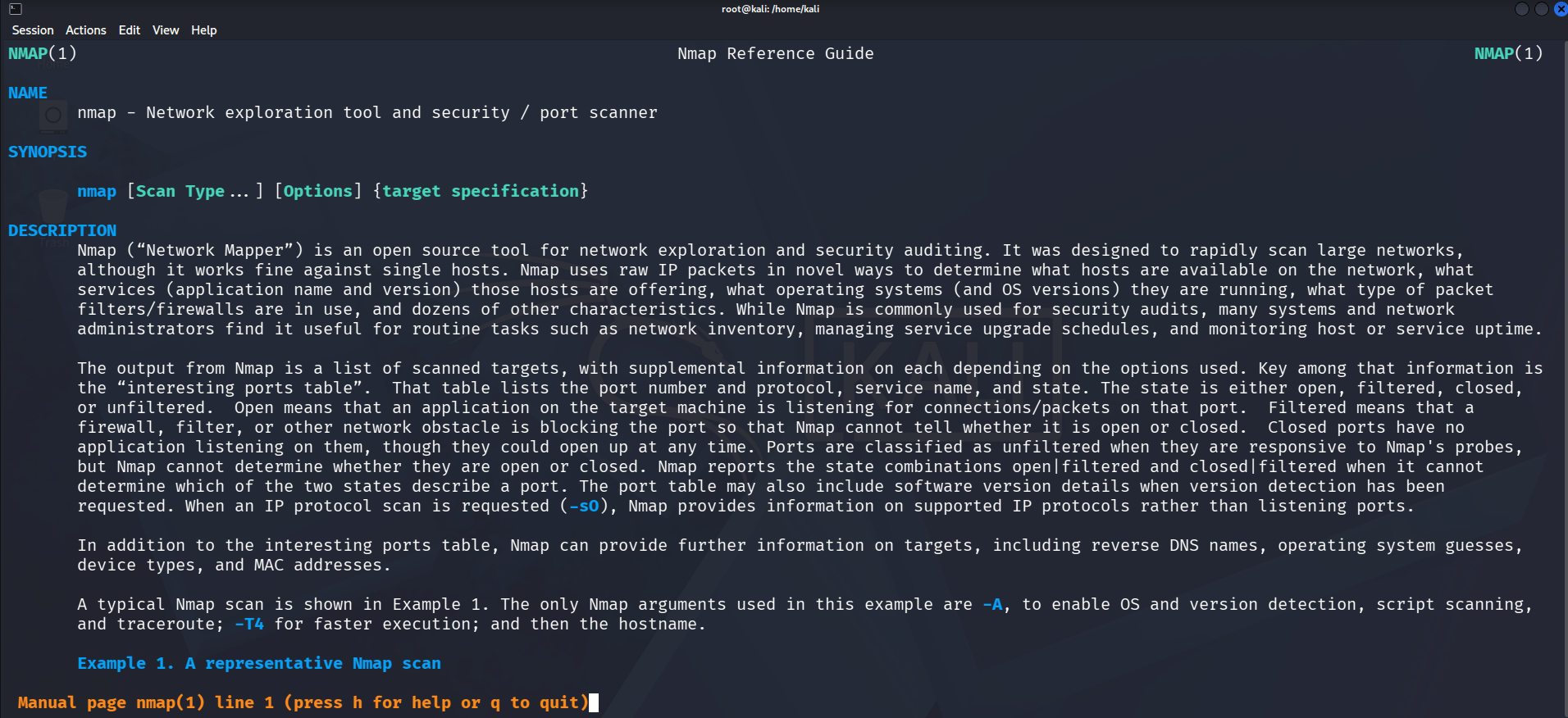
This command opens the Nmap manual page, which provides information about Nmap's purpose, syntax, options, and scanning techniques.
man nmapRead the manual and identify the following:
Purpose of Nmap
Basic command syntax
Host discovery options
Port scanning options
Commonly used scan types
Press Q to exit the manual page after reviewing the information.
Task 2: Scan a Specific Port Using Nmap
1
Open the Kali Linux Terminal
Launch the Terminal application in Kali Linux.
2
Scan a Specific Port
Execute the following command:
nmap -p 80 192.168.0.1This command scans port 80 on the target host to determine whether the port is open or closed.
3
Analyze the Results
Review the port status and document the findings in the lab report.
Task 3: Scan All Ports Using Nmap
1
Open the Kali Linux Terminal
Launch the Terminal application in Kali Linux.
2
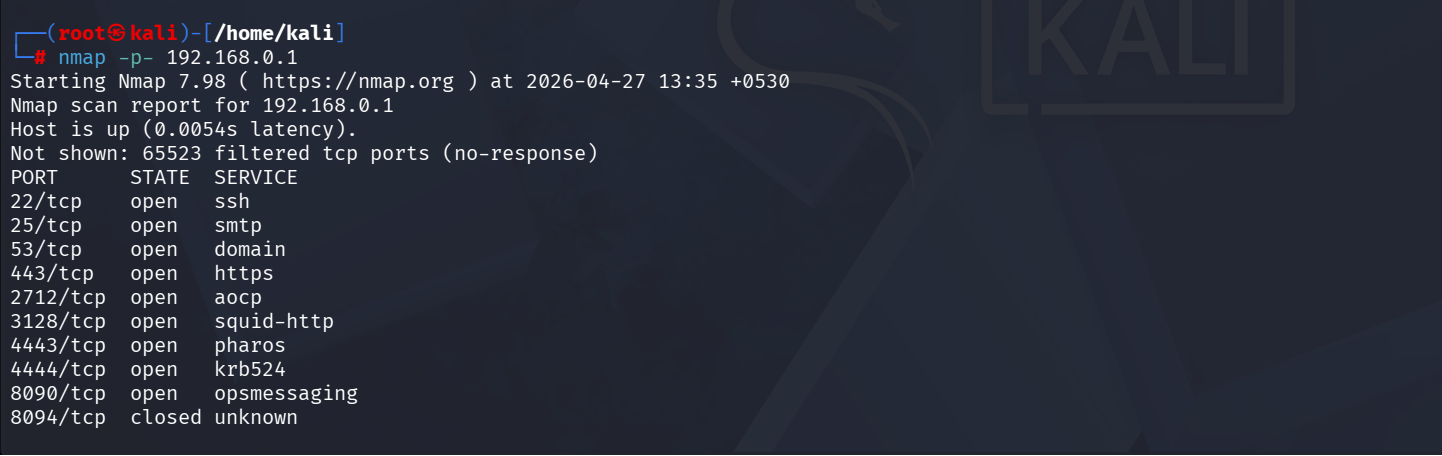
Scan All TCP Ports
nmap -p- 192.168.0.1Execute the following command:
This command scans all 65,535 TCP ports on the target system.
3
Analyze the Results
Review the open ports and associated services discovered during the scan.
Task 4: Perform a Fast Scan Using Nmap
1
Open the Kali Linux Terminal
Launch the Terminal application in Kali Linux.
2
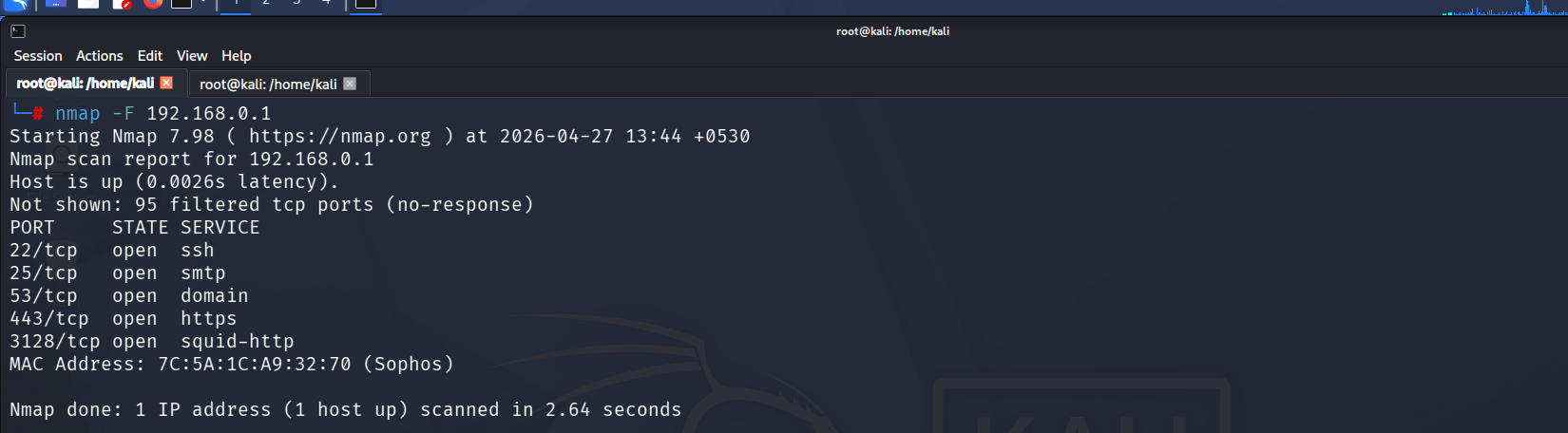
Run a Fast Scan
Execute the following command:
nmap -F 192.168.0.13
Analyze the Results
Review the discovered open ports and compare the results with previous scans.
Task 5: Scan the Top 2000 Ports Using Nmap
1
Open the Kali Linux Terminal
Launch the Terminal application in Kali Linux.
2
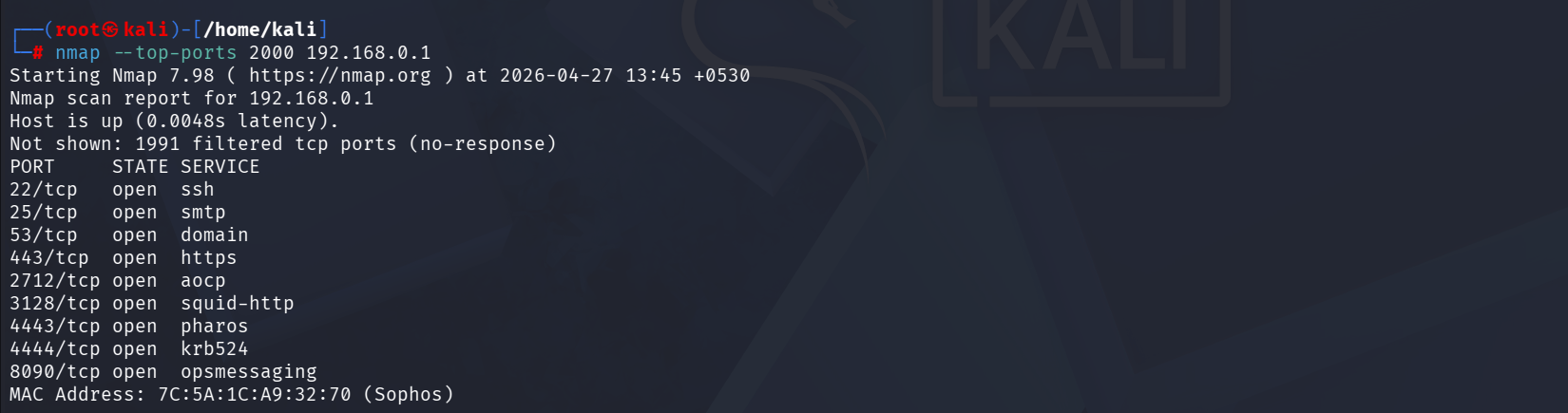
Scan the Top 2000 Most Common Ports
Execute the following command:
nmap --top-ports 2000 192.168.0.1This command scans the 2000 most frequently used ports on the target host.
3
Analyze the Results
Review the open ports and running services identified during the scan and document the findings in the lab report.
Task 6: Scan Random Hosts Using Nmap
1
Open the Kali Linux Terminal
Launch the Terminal application in Kali Linux.
2
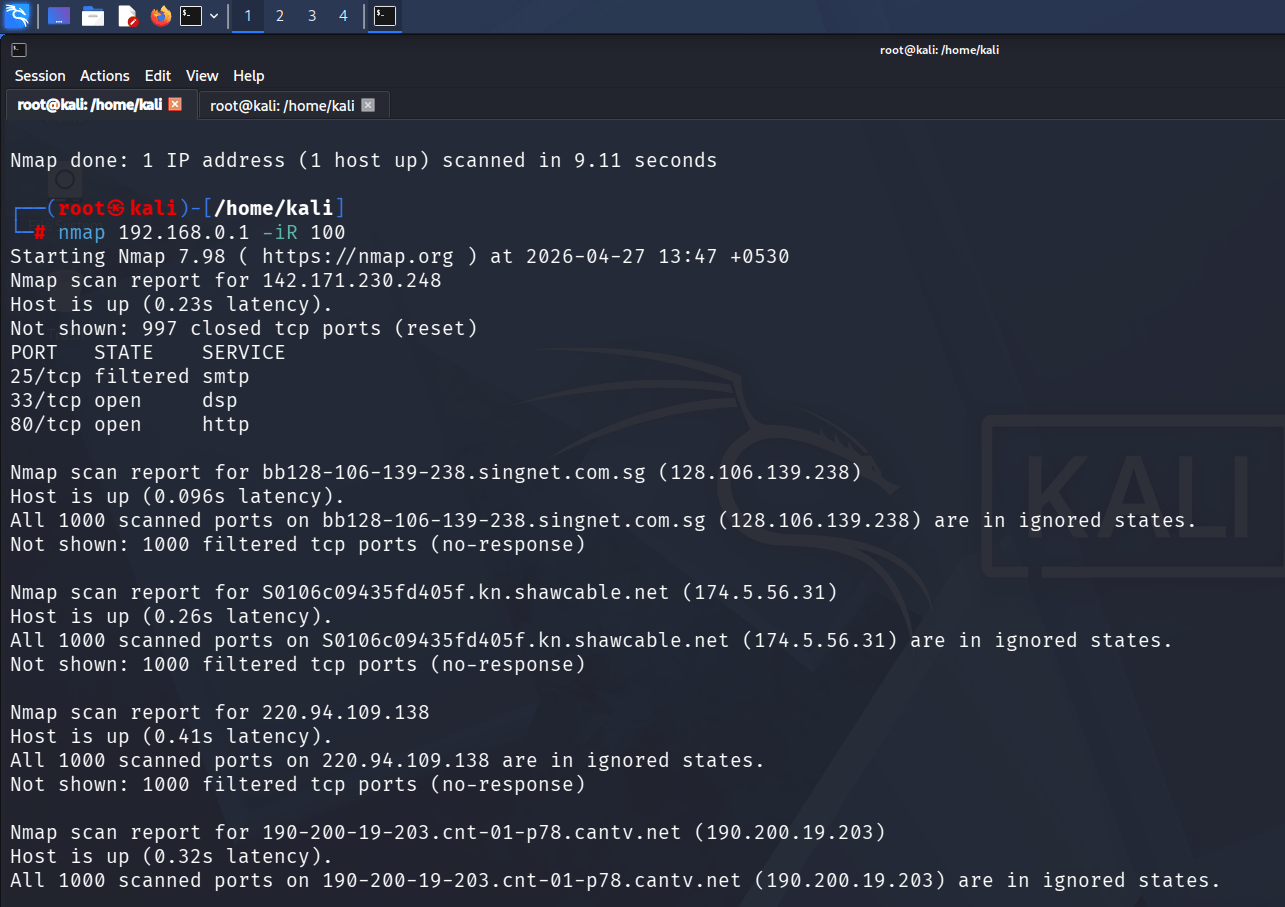
Scan Randomly Generated Hosts
Execute the following command:
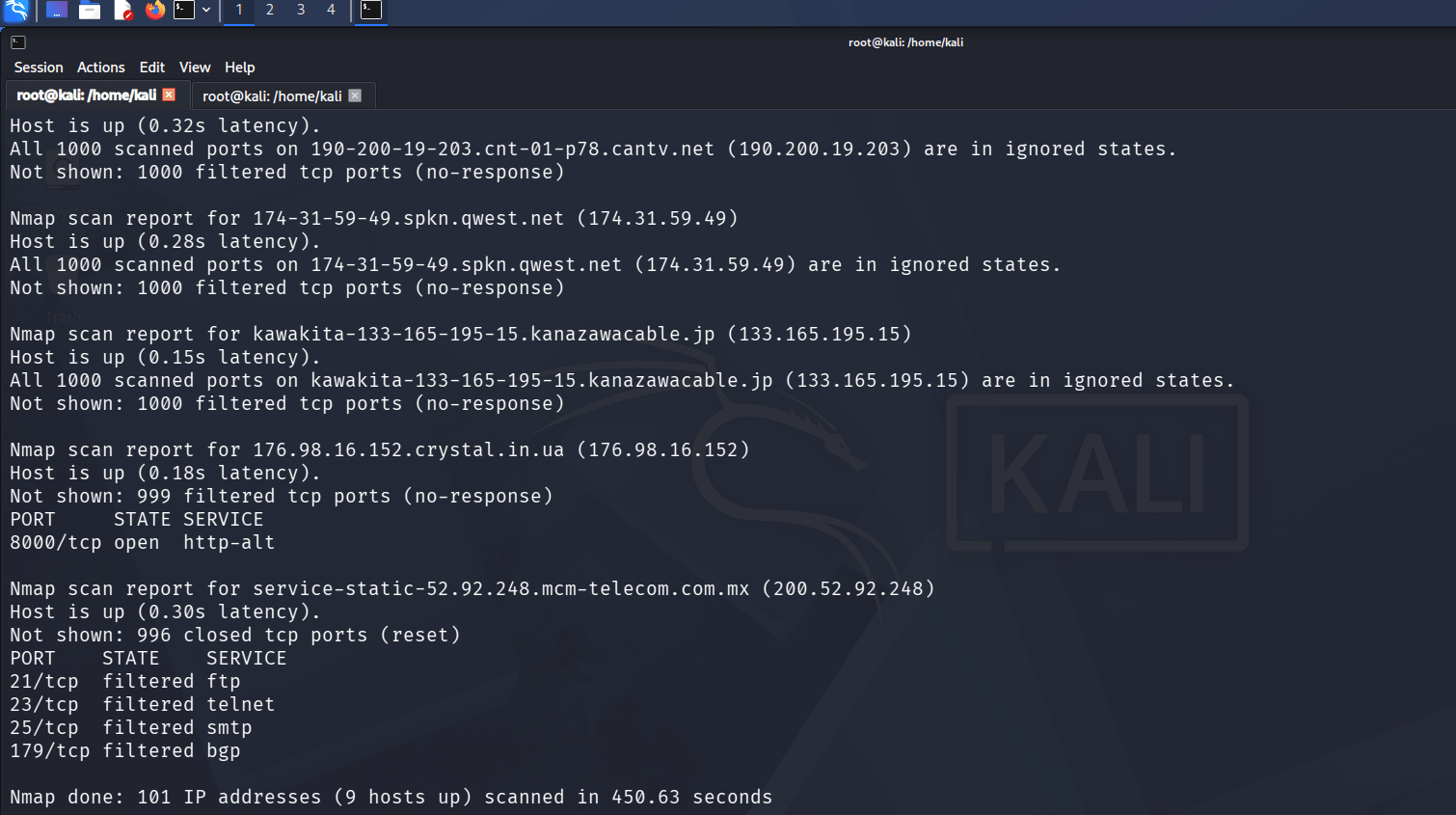
nmap -iR 100This command instructs Nmap to randomly select and scan 100 IP addresses from the internet to identify live hosts and open services.
3
Analyze the Results
Review the scan output and observe the discovered hosts, open ports, and running services. Document the findings and note how Nmap can be used to discover active systems across large networks.
Task 7: Host Discovery Scan Using Zenmap
1
Open Zenmap
Launch Zenmap from the Kali Linux applications menu.
2
Perform a Host Discovery Scan
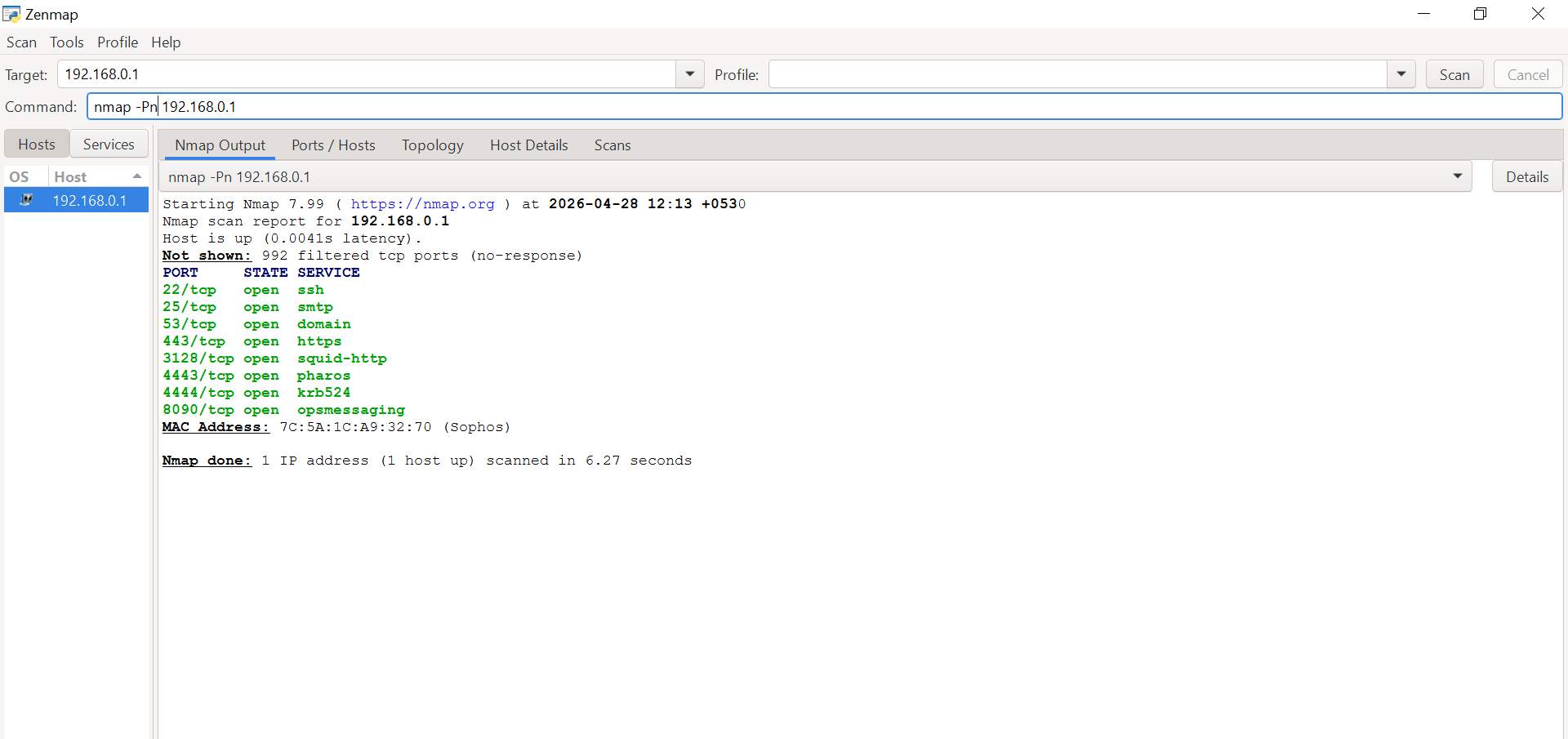
Enter the target IP address and command in the command field:
nmap -Pn 192.168.0.1Click Scan to start the scan.
3
Analyze the Results
Review the output and identify the host status, open ports, and detected services. Record the findings in the lab report.
Task 8: Scan Ports 21–1000 Using Zenmap
1
Open Zenmap
Launch Zenmap from the Kali Linux applications menu.
2
Scan a Range of Ports
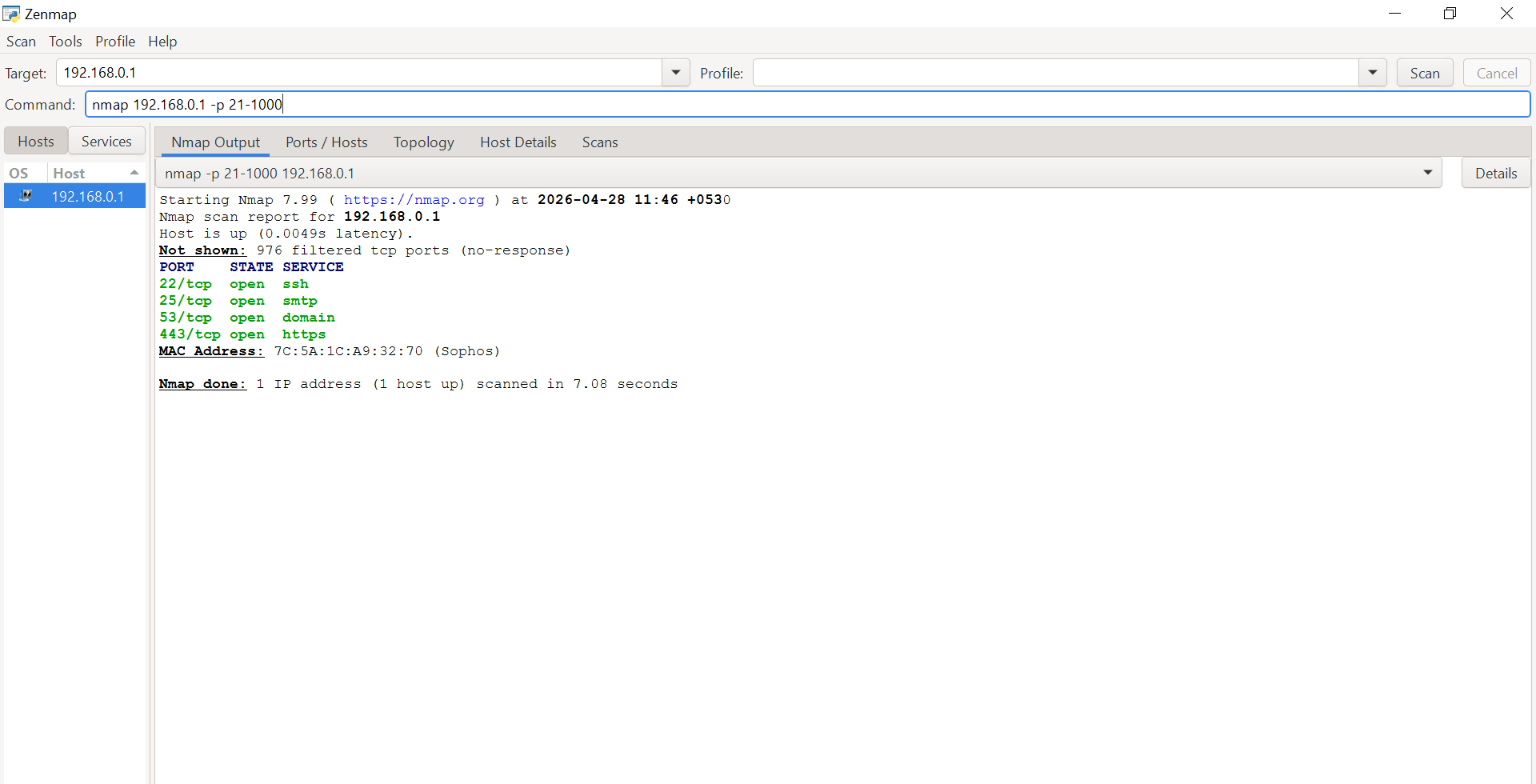
Enter the following command in the command field:
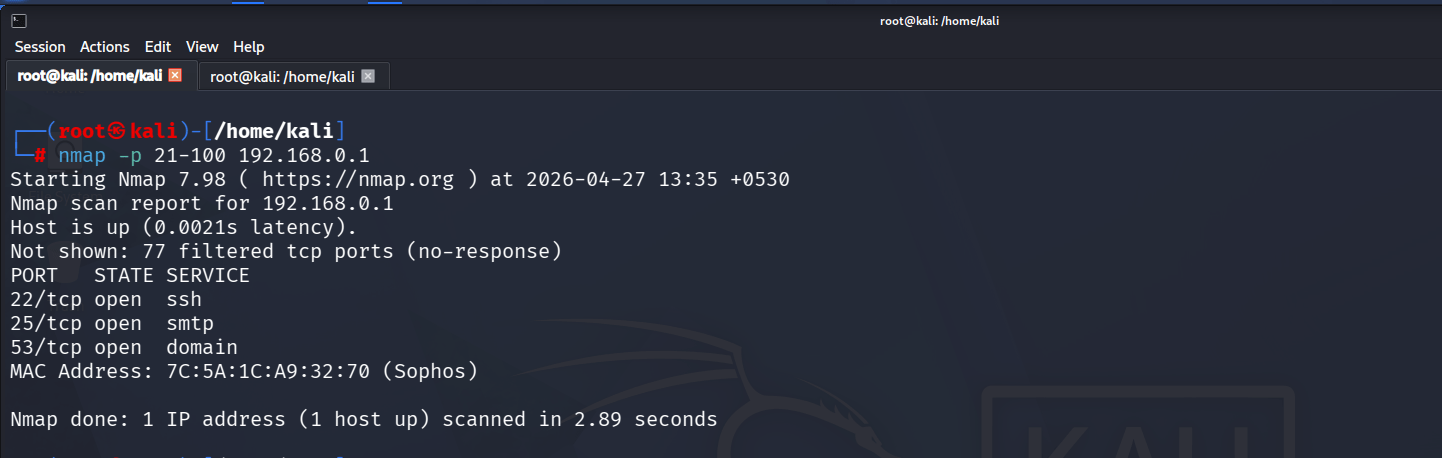
nmap -p 21-1000 192.168.0.1Click Scan to begin scanning ports 21 through 1000 on the target host.
3
Analyze the Results
Review the open ports and associated services discovered within the specified port range and document the findings.
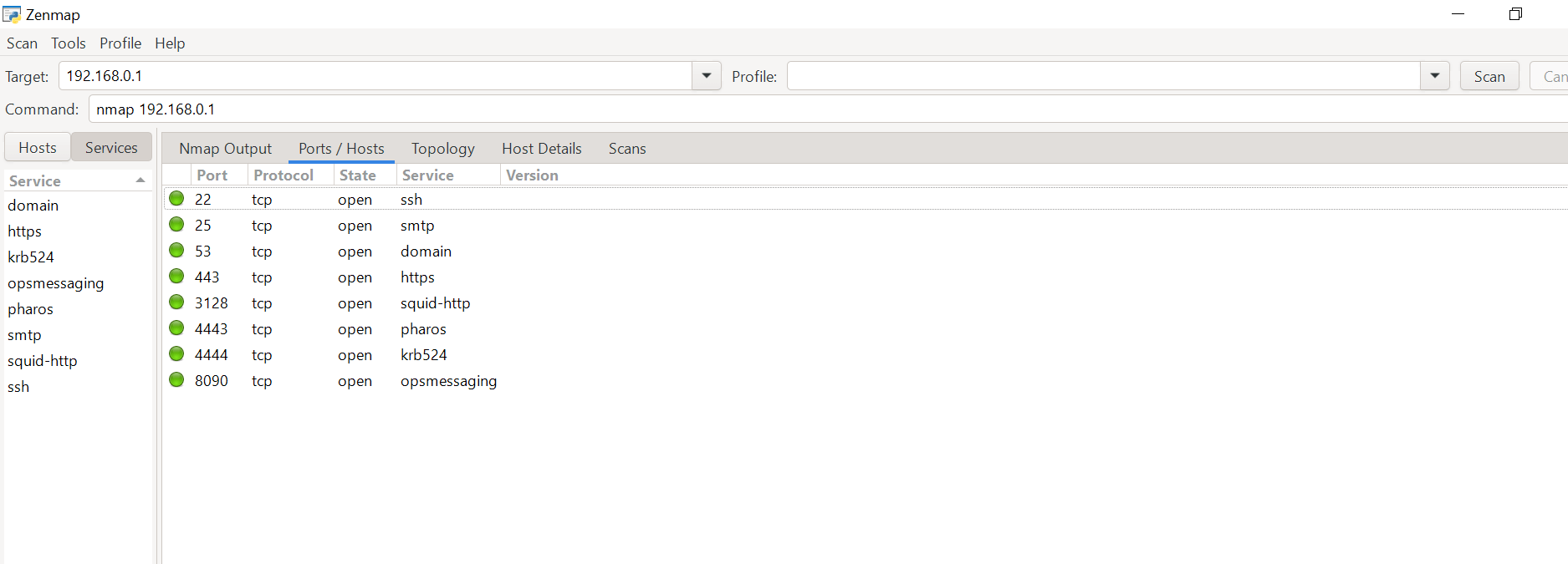
Task 9: Basic Network Scan Using Zenmap
1
Open Zenmap
Launch Zenmap from the Kali Linux applications menu.
2
Perform a Basic Scan
Enter the following command in the command field:
nmap 192.168.0.1Click Scan to start the basic Nmap scan.
3
Analyze the Results
Review the scan output to identify active services, open ports, and host information. Record the results in the lab report for further analysis.
=
Great job!
You have successfully completed your lab on Network Scanning using Nmap and Zenmap.
In this lab, you have: Performed Host Discovery and Network Scanning, Identified Live Hosts and Open Ports on Target Systems, Conducted Port Scanning and Service Enumeration, Used Nmap and Zenmap for Network Reconnaissance, Analyzed Network Services and Port Information, Explored Various Scanning Techniques and Nmap Commands, Gained Hands-on Experience with Graphical Scanning through Zenmap, Gathered Essential Information about Network Devices and Systems.
You are now ready to move to the next stage of Network Enumeration, Vulnerability Assessment, and Security Testing.
Checkpoint
Next-Lab Preparation
Topic : Kali Linux and Security Tools
1) Network scanning using Nmap.
2) Host discovery and port scanning.
3) Using Kali Linux tools.
By Content ITV