













Content ITV PRO
This is Itvedant Content department
Learning Outcome
5
Choose the correct mode for different business scenarios
4
Compare performance, freshness, and flexibility
3
Identify benefits and limitations of each mode
2
Understand how each mode works internally
1
Explain Import, DirectQuery, and Live Connection clearly
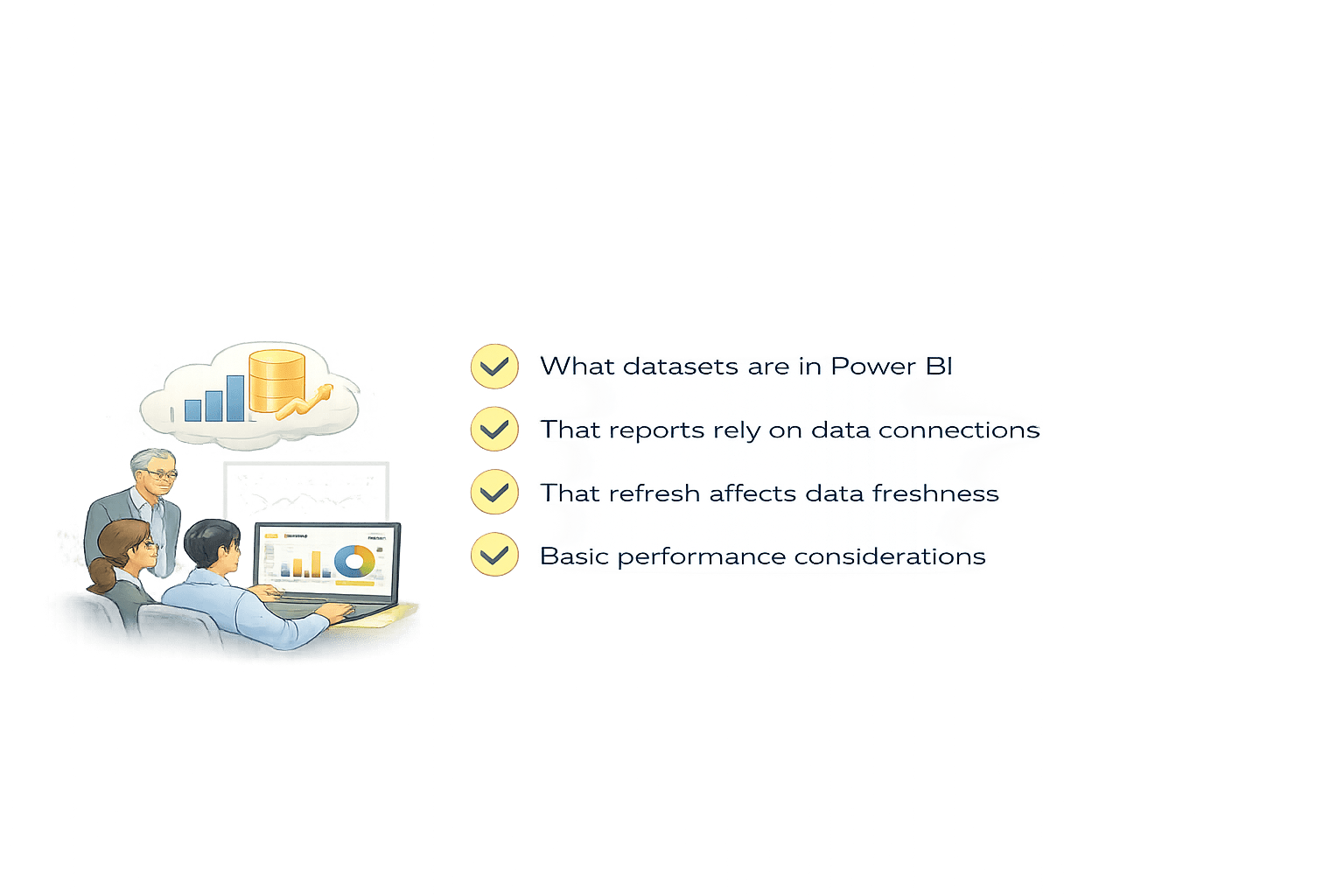
What datasets are in Power BI
That reports rely on data connections
That refresh affects data freshness
Students already know:
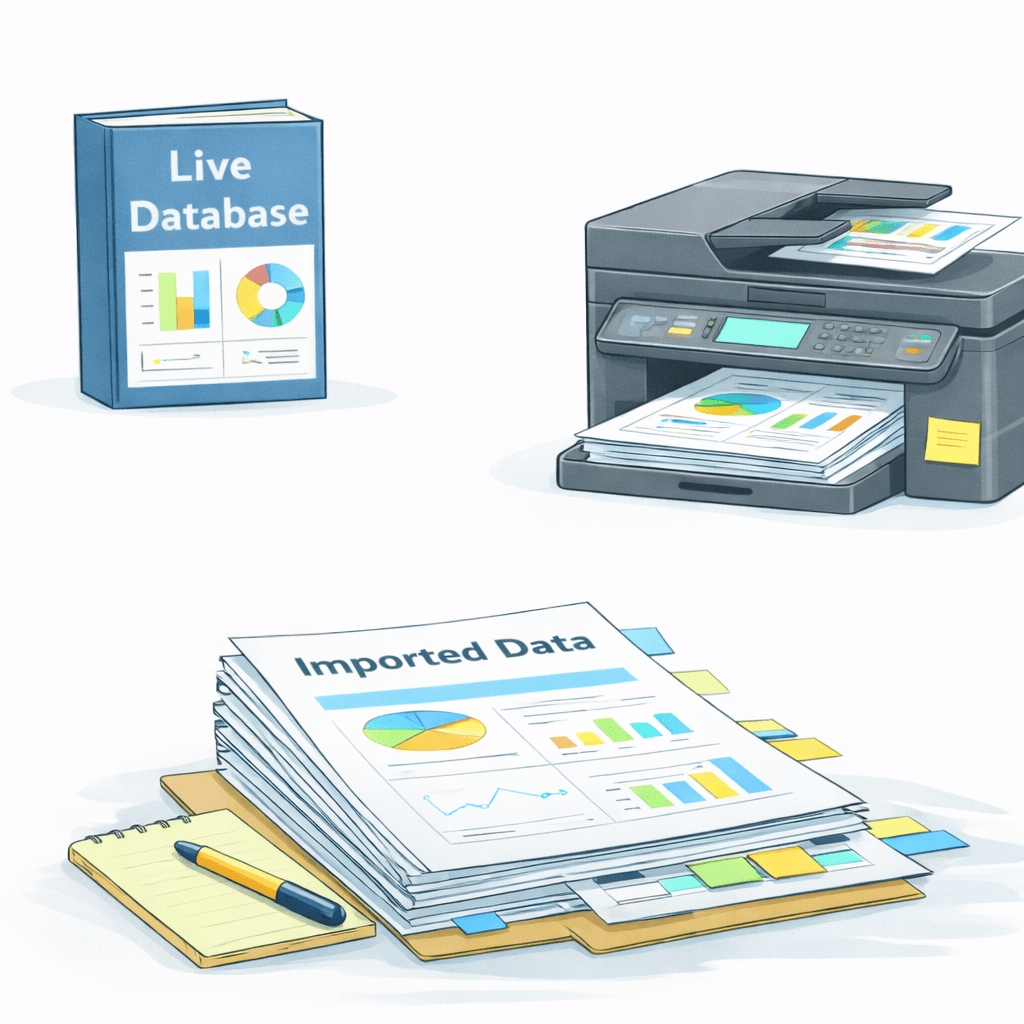
Imagine you need answer from large book
You photocopy the entire book.
It’s right there on your desk.
You can flip pages instantly.
You can highlight, annotate, rearrange.
But the book changes tomorrow.
Your copy doesn’t.
Now Imagine you don’t copy the book.
Instead, you call the library every time you need a page.
You always get the latest data, because it stays in the original system.
But:
Sometimes the system is busy
Sometimes the query takes time
Performance depends on the source
Now You don’t read the book at all.
You just ask questions.
But you can’t rewrite the book.
A librarian has already
studied it deeply.
They’ve summarized everything.
Defined the rules.
Fast Answer
If the data is the same:
Why would Power BI give you three completely different ways to access it?
Because how you access data changes speed, control, and trust.
These are Import Mode, DirectQuery, and Live Connection.
The connection mode defines performance, freshness, and freedom.
Power BI is flexible because no single mode fits all scenarios
Each mode is a trade-off
How each mode works technically
What you gain
What you lose
When to use each
The core section explains:
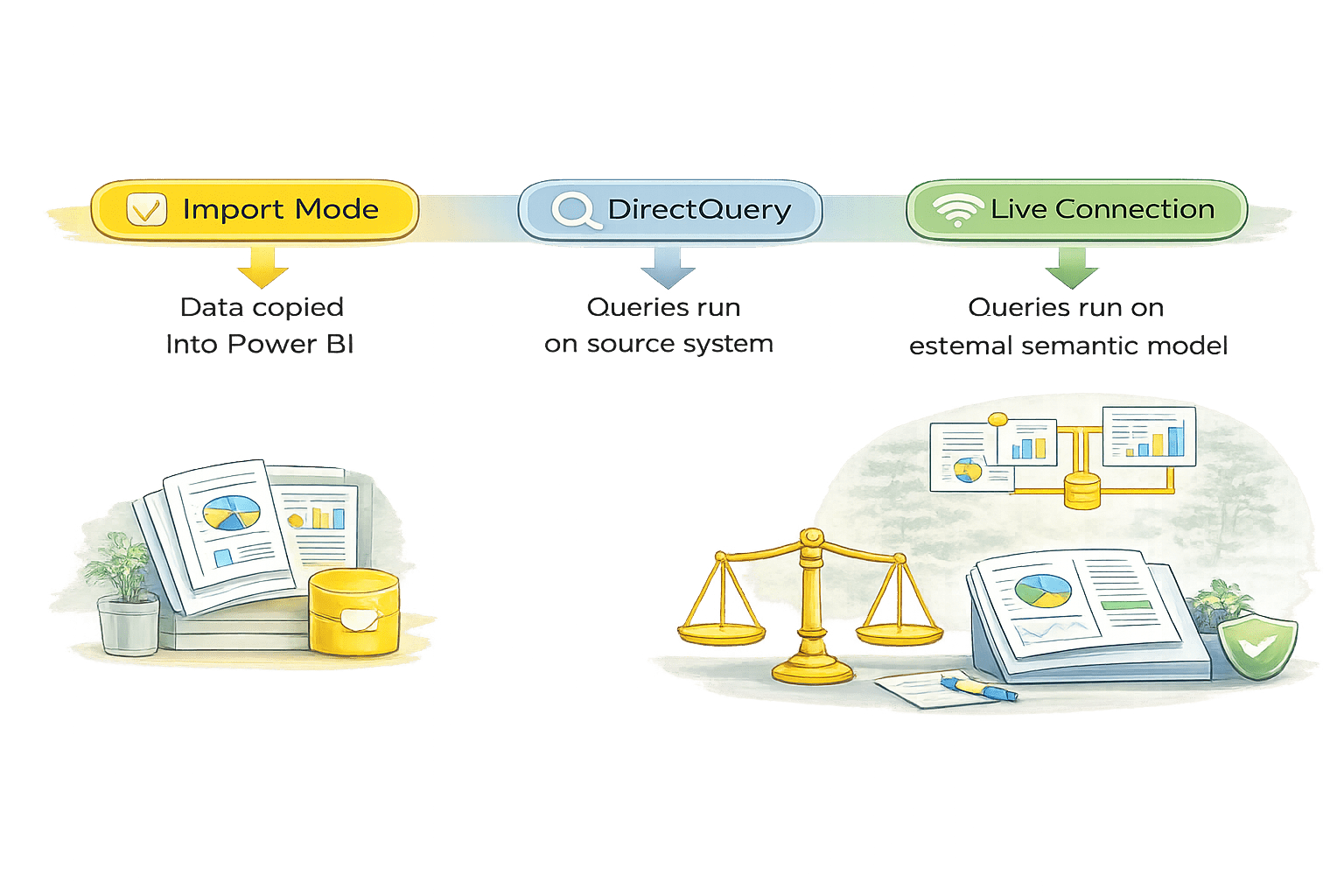
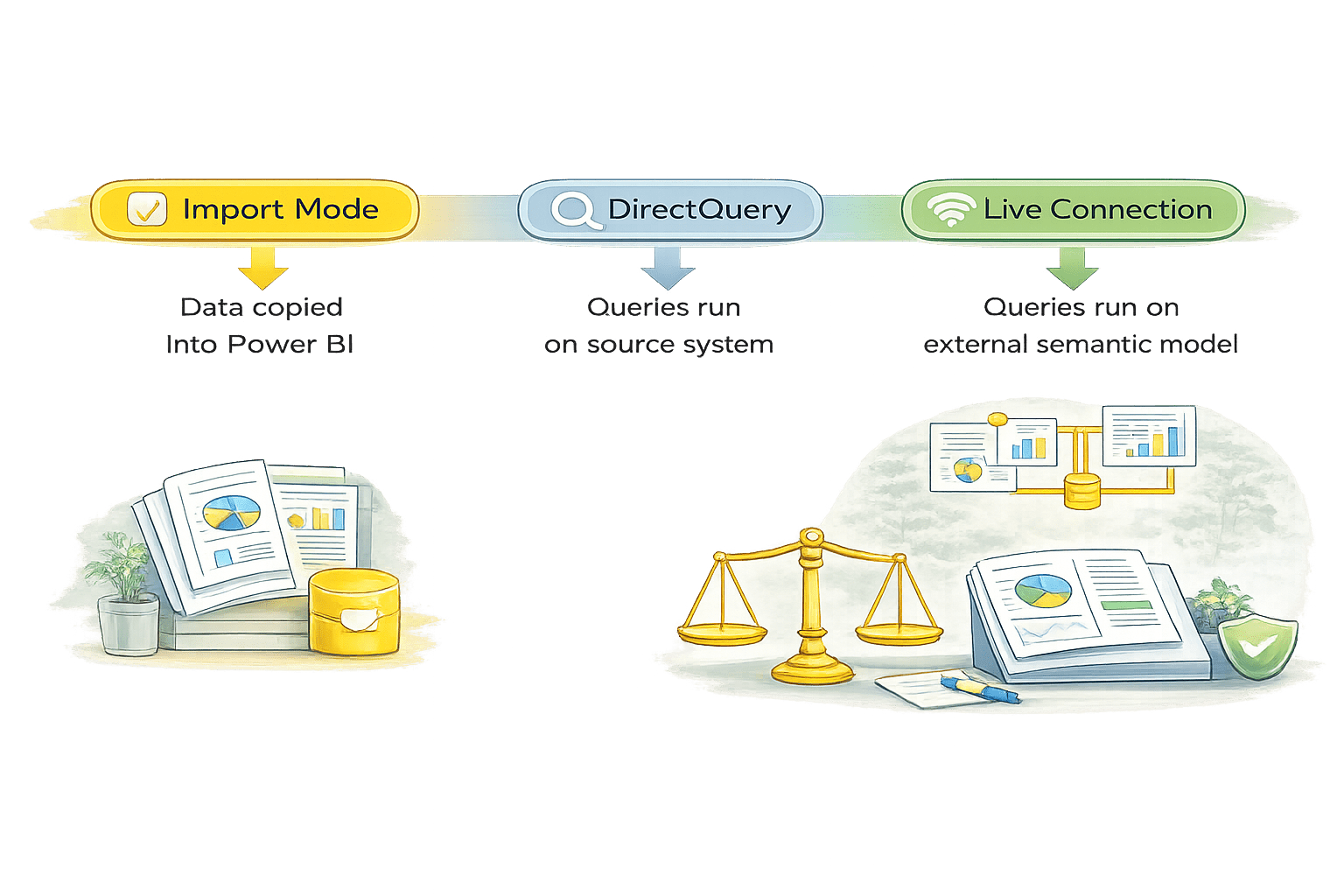
Power BI supports three primary modes:
Each mode balances:
Speed
Freshness
Feature availability
Governance
Overview of Power BI Connection Modes
Import Mode
Data is copied into Power BI’s in-memory engine
Stored in a compressed, columnar format
Power BI queries this local data, not the source
Once imported, all reports and visuals use the copied data, not the original source system.
How Import Mode Works
Data is extracted from the source
Transformed using Power Query
Loaded into Power BI dataset
Reports query
in-memory data
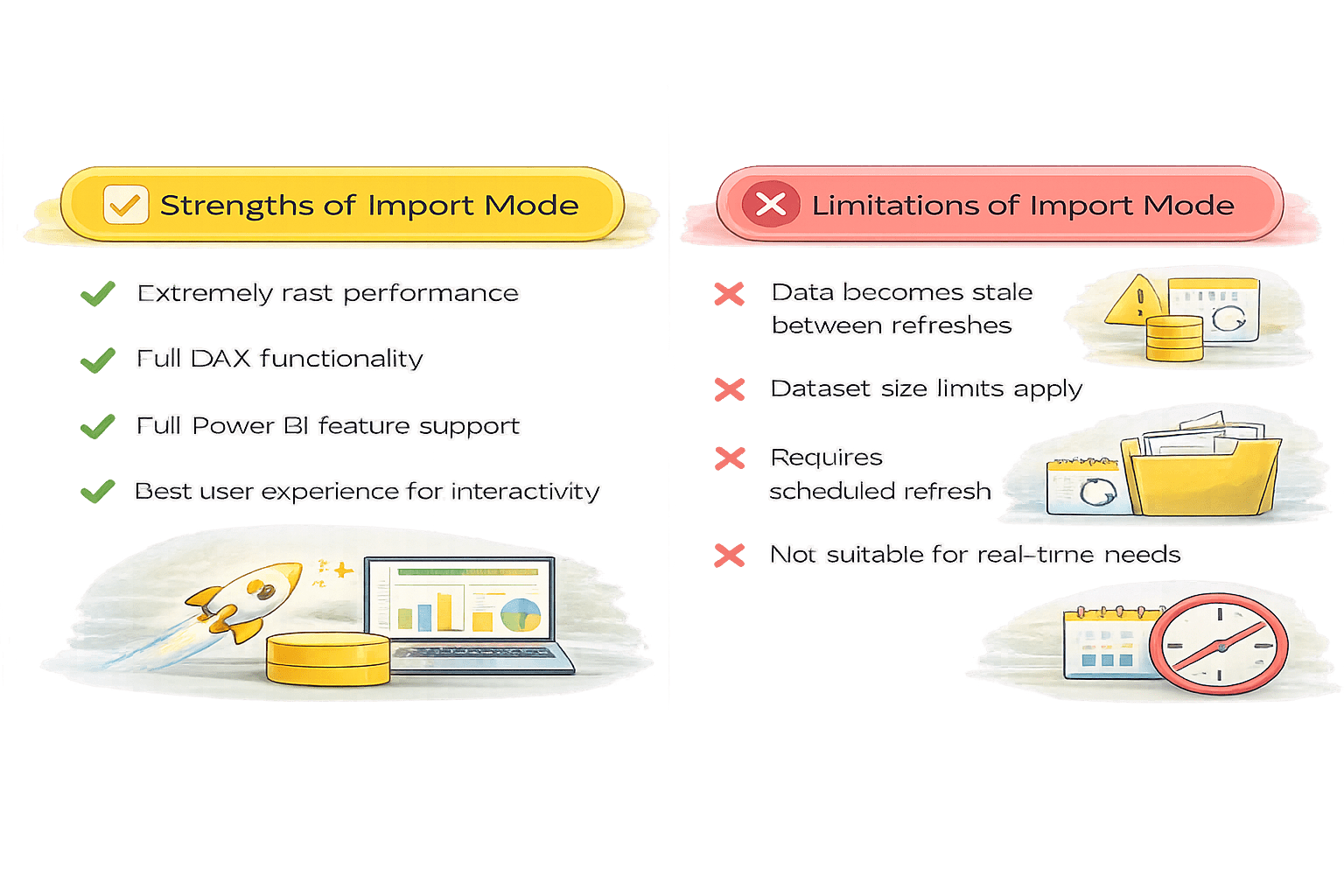
Extremely fast performance
Best user experience for interactivity
Full Power BI feature support
Full DAX functionality
Extremely fast performance
Best user experience for
interactivity
Full Power BI feature support
Full DAX functionality
Data becomes stale between refreshes
Requires scheduled refresh
Dataset size limits apply
Not suitable for real-time needs
Best Use Cases for Import Mode
Mostly used in all business intelligence scenarios
DirectQuery
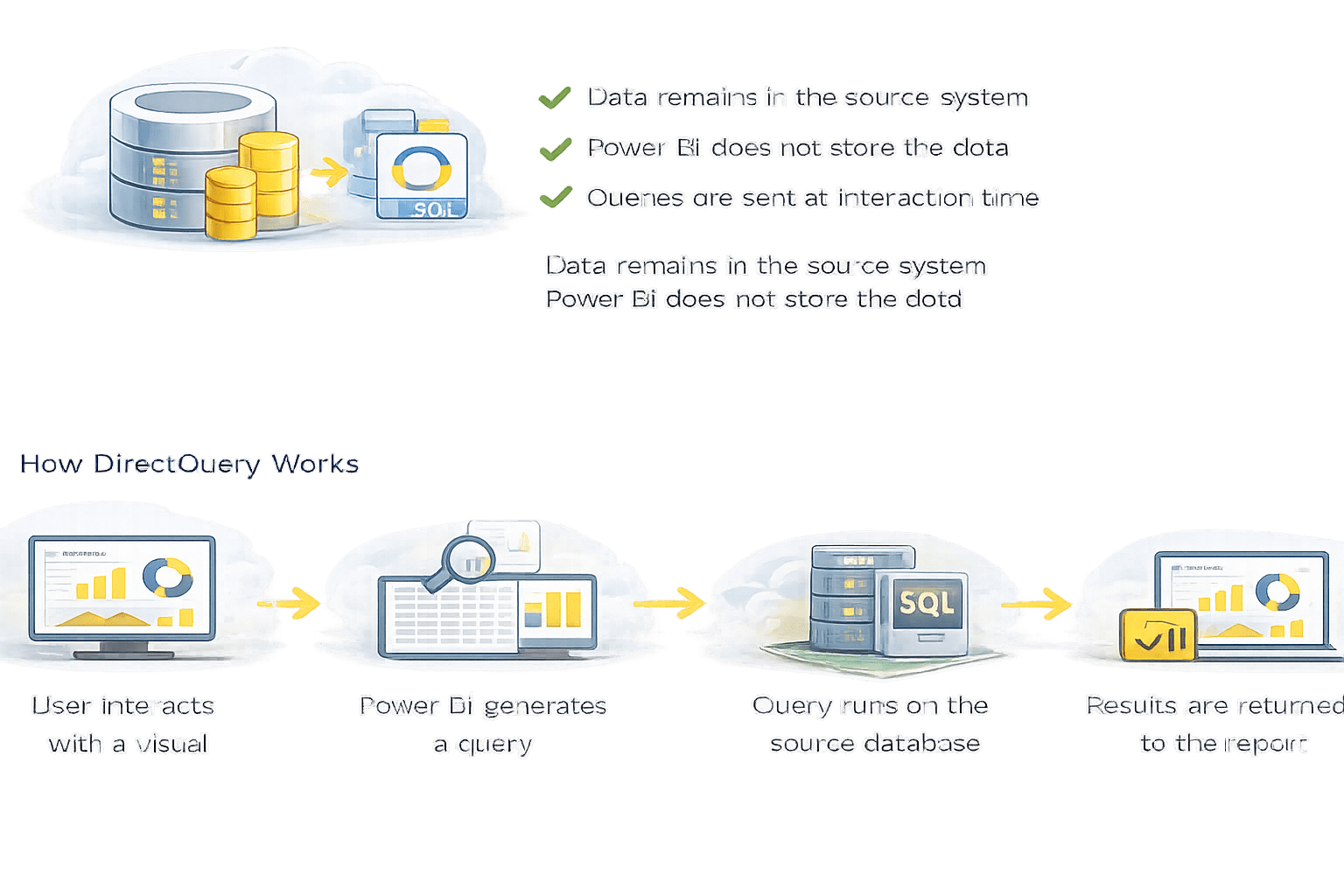
User interacts with a visual
Results are returned to the report
Query runs on the source database
Power BI generates a query
How Direct Query Works
Data remains in the source system
Power BI does not store the data
Data remains in source system
Power bi does not stores the data
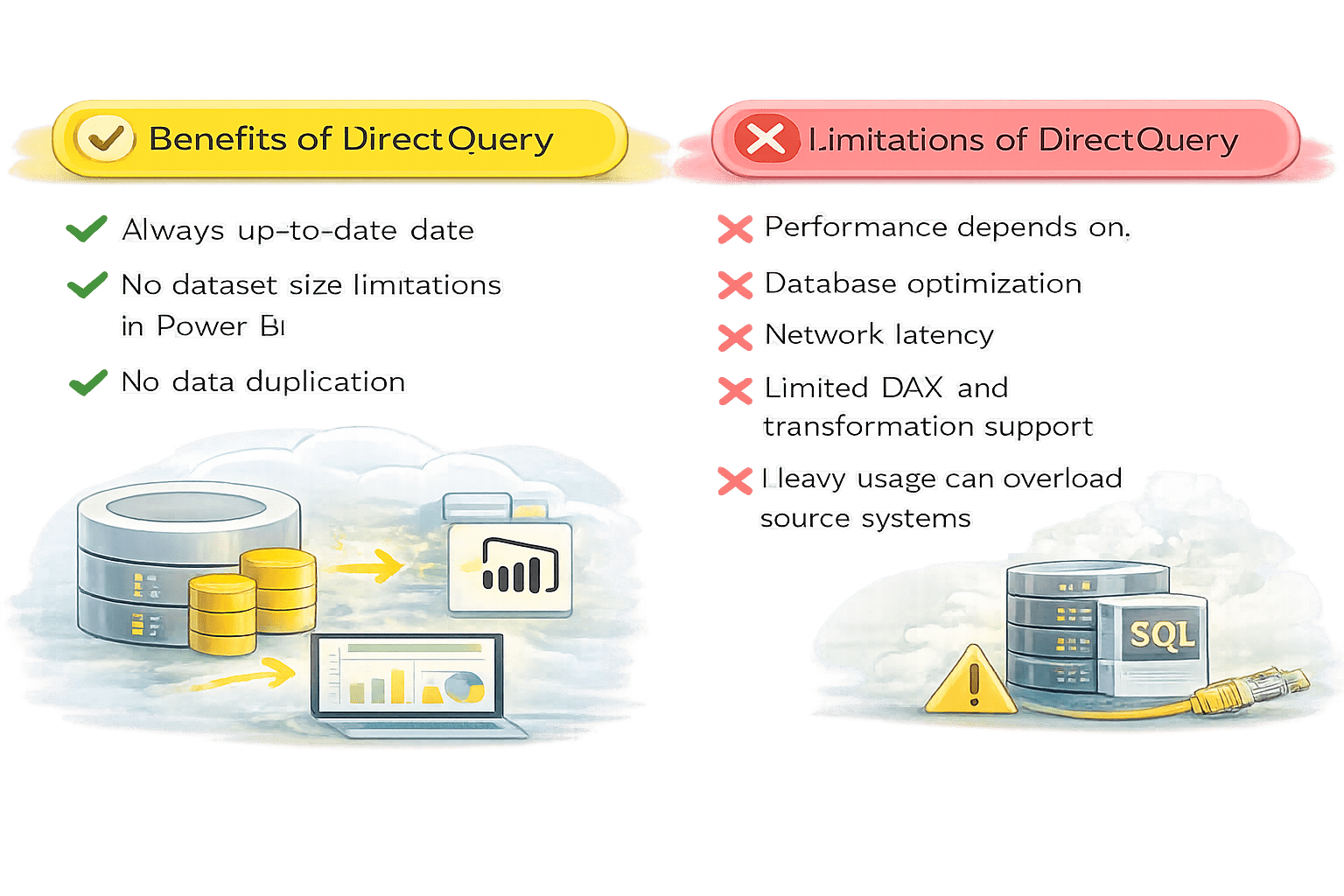
Always up-to-date data
No dataset size limitations in Power BI
No data duplication
Performance depends on:
Database optimization
Network latency
Limited DAX and transformation support
Heavy usage can overload source systems
Best Use Cases for DirectQuery
Operational dashboards
Financial systems
Very large datasets
Near real-time reporting
DirectQuery sends queries to the source database in real time and returns results instantly to the Power BI report when users interact with visuals.
Live Connection
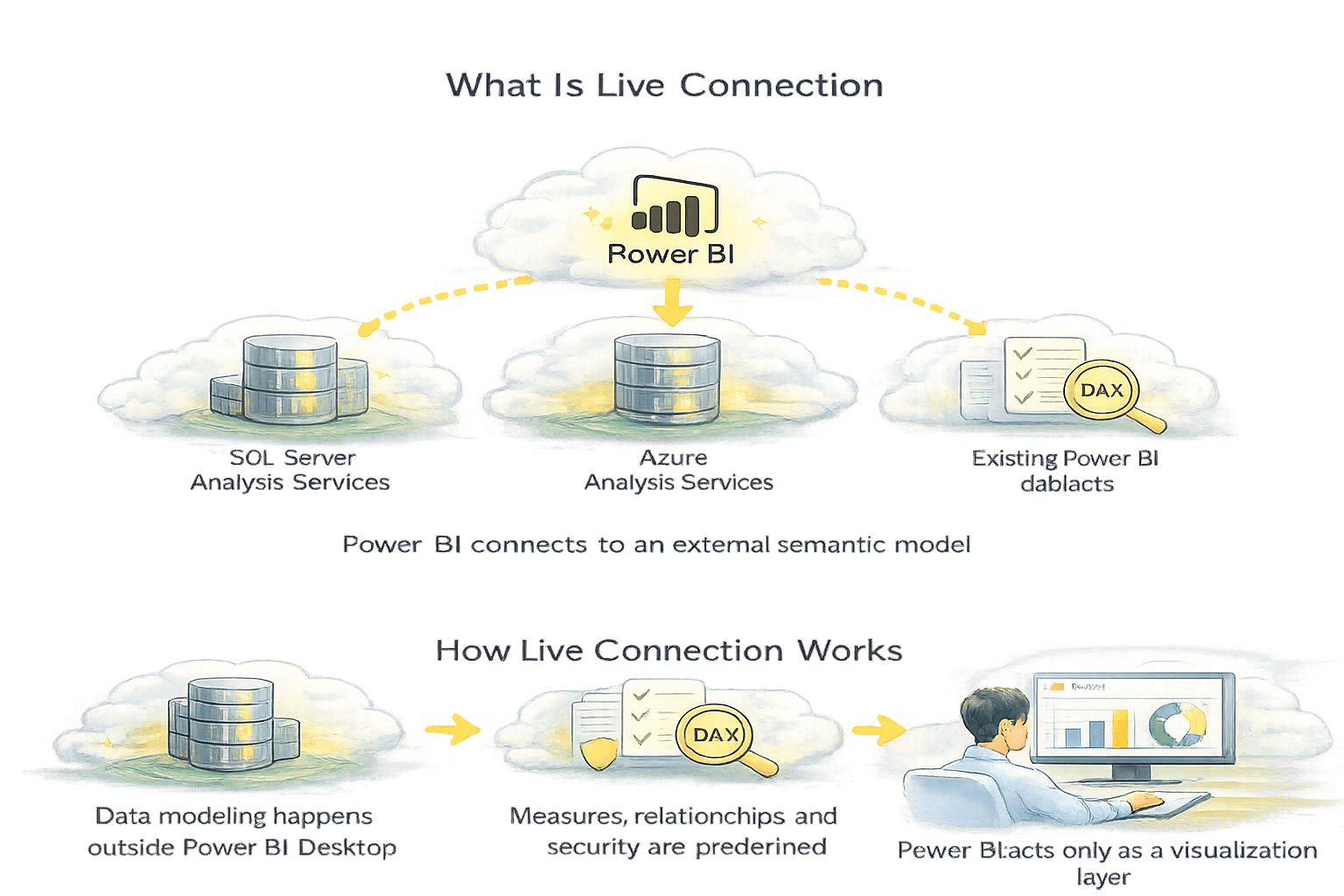
Power BI connects to an external semantic model
How Live Connection Works
Data modeling happens outside Power BI Desktop
Measures, relationships, and security are predefined
Power BI acts only as a visualization layer
SQL Server Analysis Services
Azure Analysis Services
Existing Power BI datasets
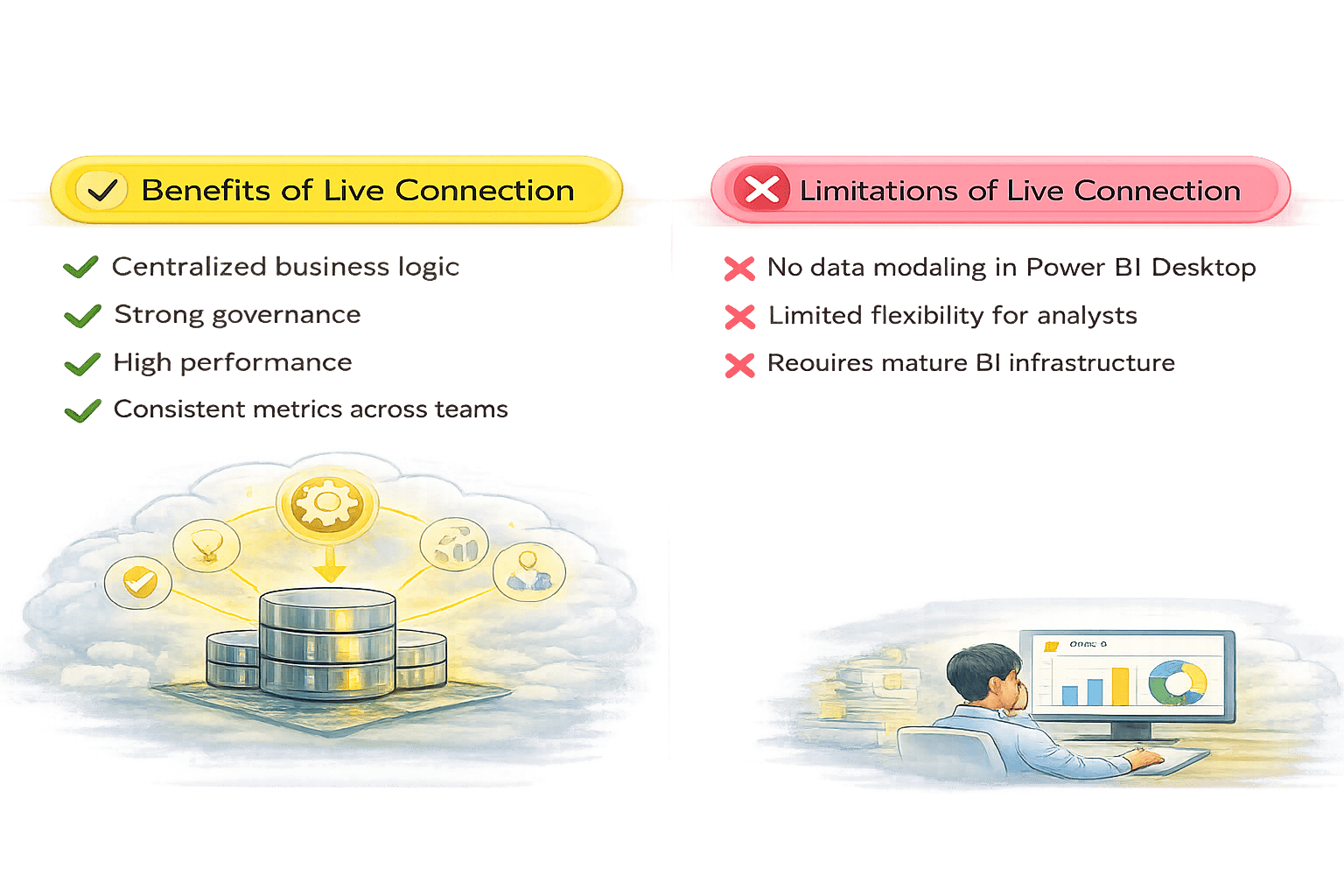
Consistent metrics across teams
High performance
Centralized business logic
Strong governance
Requires mature BI infrastructure
Limited flexibility for analysts
No data modeling in Power BI Desktop
Best Use Cases for Live Connection
Enterprise BI
Large, centralized BI
models managed by
a dedicated team
Shared Corporate Metrics
Single semantic model
used across
many reports
Highly Governed Environments
Strict security, version
control, and centralized
data governance
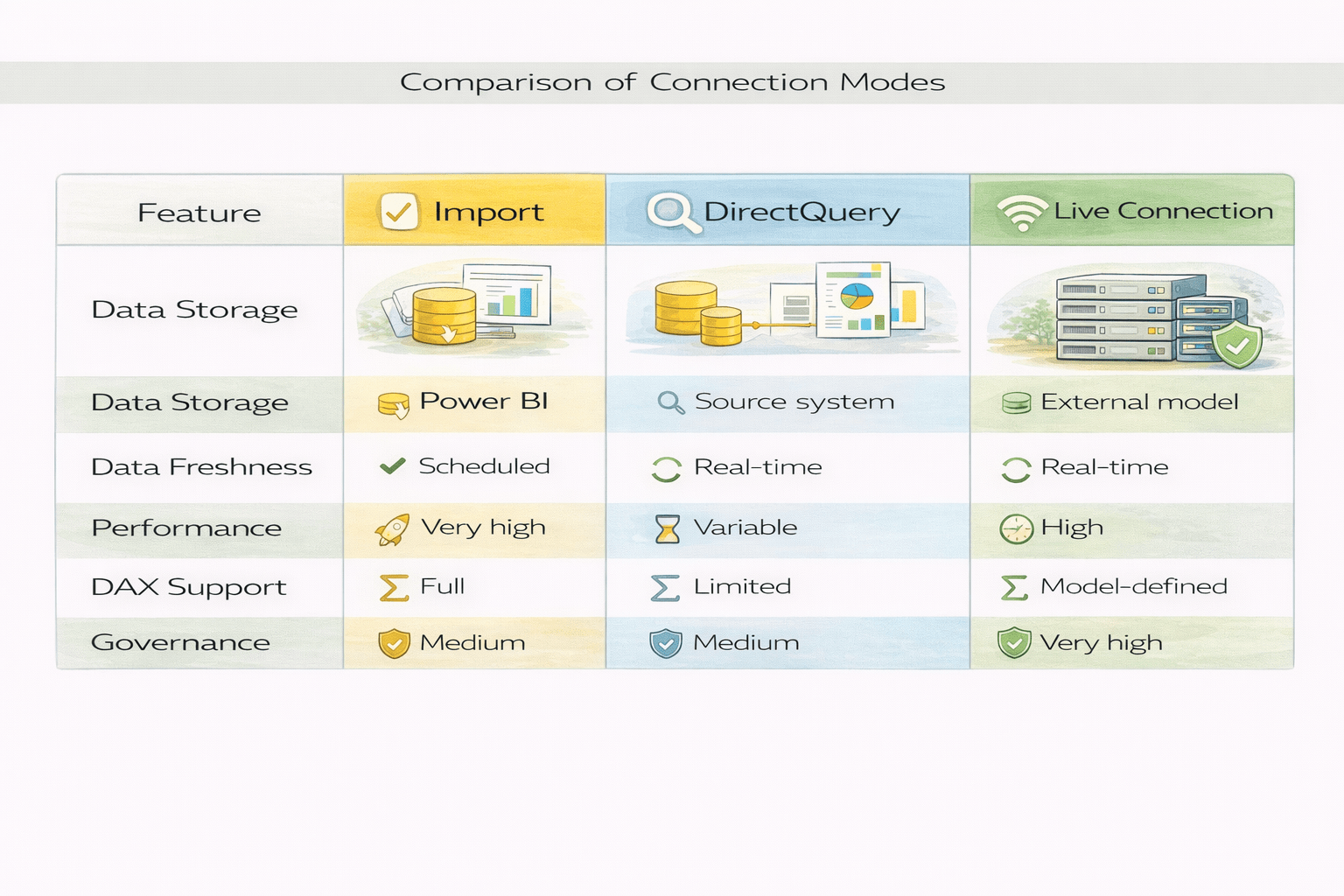
Comparison of Connection Modes
Choosing the Right Connection Mode
Summary
4
The connection mode shapes the entire Power BI experience
3
Live Connection ensures centralized, governed analytics
2
DirectQuery provides live access with performance trade-offs
1
Import Mode is fastest and most flexible
Quiz
Which mode queries the source at interaction time
A. Import Mode
B. DirectQuery
C. Live Connection
D. All of the above
Which mode queries the source at interaction time
A. Import Mode
B. DirectQuery
C. Live Connection
D. All of the above
Quiz-Answer
By Content ITV