










Content ITV PRO
This is Itvedant Content department
Learning Outcome
5
4
Analyze and validate API responses
3
2
1
Understand what an API is and how it works
Explain why API testing is important
Understand the basics of API testing
Identify and validate API requests
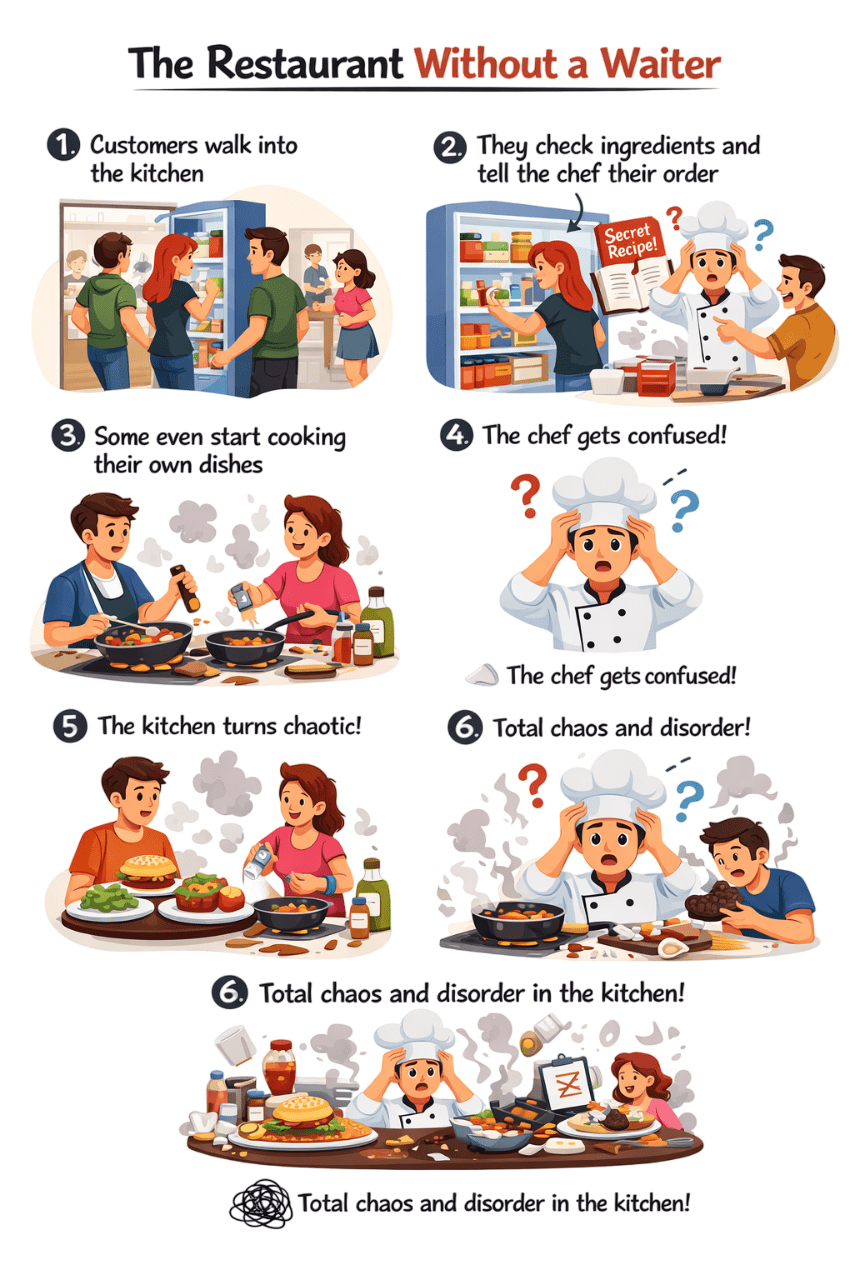
The Kitchen without Waiter
Some even start cooking their own dishes
Chef Confused which order to make first
Customer walks into kitchen
They check ingredients & tell chef their order directly
Kitchen turns chaotic
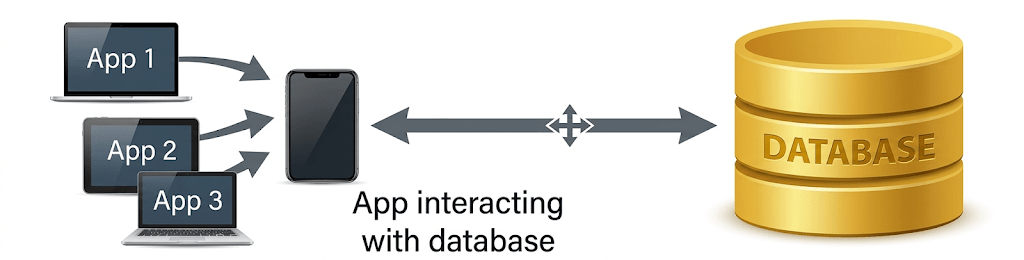
Just like the chaotic kitchen, problems occur when applications directly access the database
No validation or control
Tightly coupled systems
Security & data integrity risks
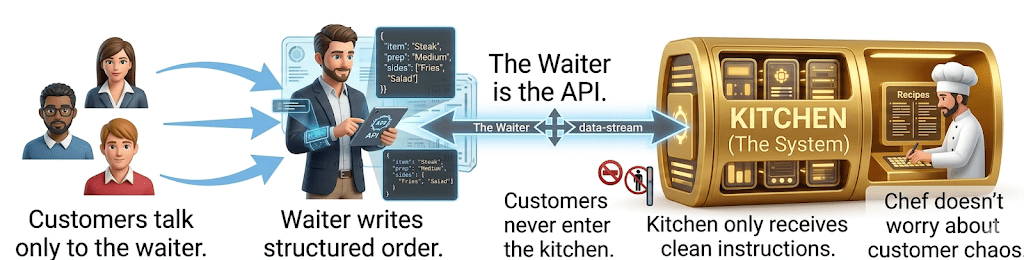
Now Imagine..
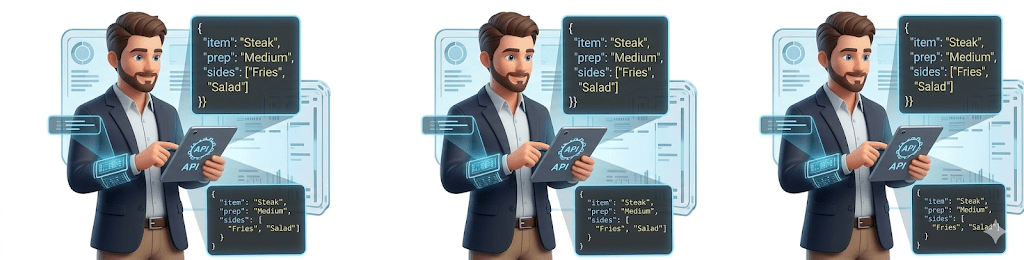
The waiter is the API.
The waiter is the API.
Validates order
Ensures correct format
Controls access
Protects the kitchen (database)
What is an API?
API stands for Application Programming Interface.
Allows communication between systems via request and response
Request
Response
Client
Server
It’s a contact between two systems
Types of APIs
Example:
Google Maps API,
Twitter API
Enables interaction over the web using HTTP. Provides
communication between applications via the internet
Web API
Example:
GitHub REST API
Lightweight and widely used. Uses HTTP methods (GET, POST,
PUT, DELETE). Works with JSON/XML data.
REST API
Types of APIs
Example:
Payment gateways,
Banking services
Protocol-based, highly secure and structured. Uses XML for
messaging. Supports ACID-compliant transactions.
SOAP API
Example:
Facebook Graph API
OpenWeather API
Available for external developers. Promotes third-party
integration.
OPEN API
(Public API)
Now, let’s explore REST APIs.
REST API
REST stands for Representational State Transfer.
It's a set of rules allowing systems to communicate over HTTP.
REST APIs are stateless and follow client-server architecture.
They're widely used in web and mobile applications
Let’s look at the tools used for API testing.
Client
Server
Request
Response
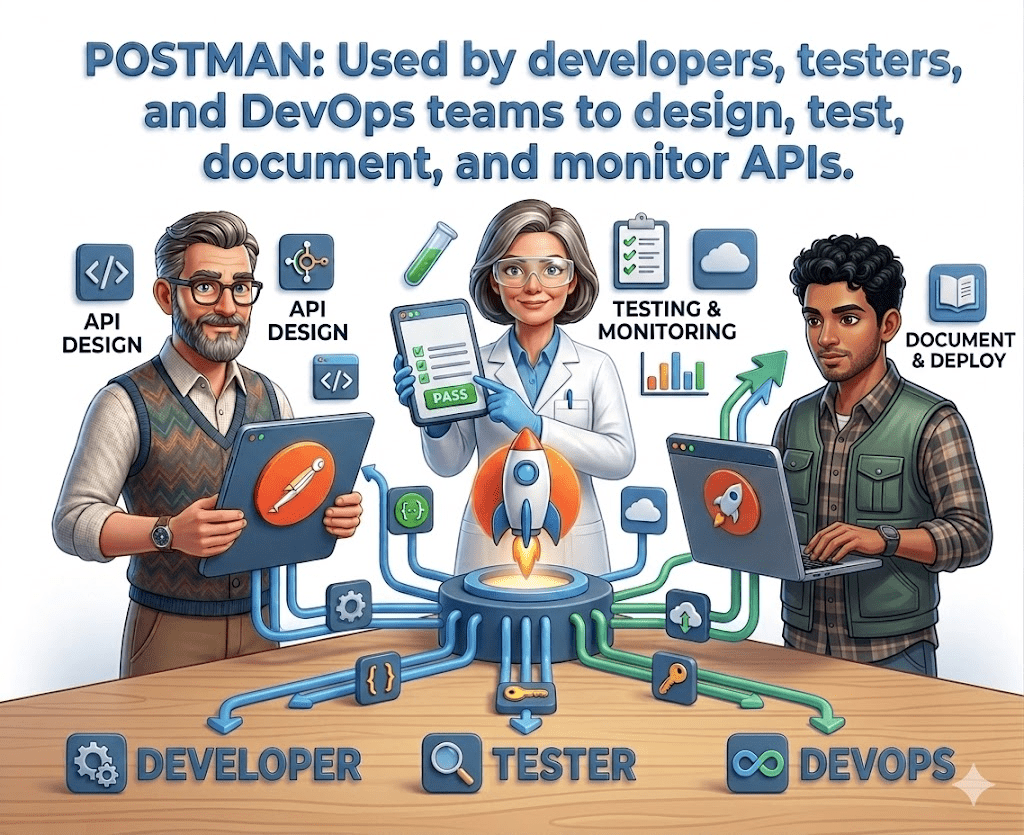
Postman
Postman is a popular API development and testing platform
Initially released as a Chrome extension (2012), now a full-featured standalone application.
Used by developers, testers, and DevOps teams to design, test.
document, and monitor APIs.
Simplifies the process of sending requests and analyzing responses
without writing complex code
Understanding the HTTP Protocol
Client sends request to server
Client
Server
Server returns status code, headers, and data
Server processes the request
Request
Response
Processing
Now, let’s understand the full API flow.
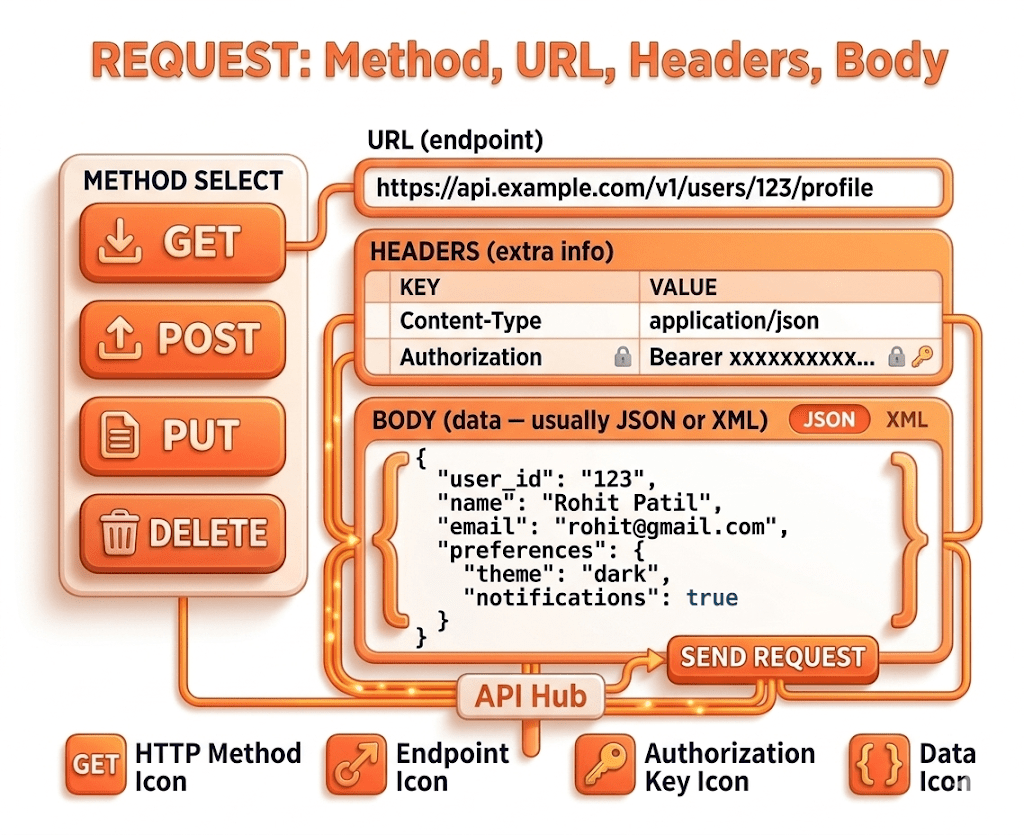
Request
A Request is a message sent by the client to the server asking for something.
Example:
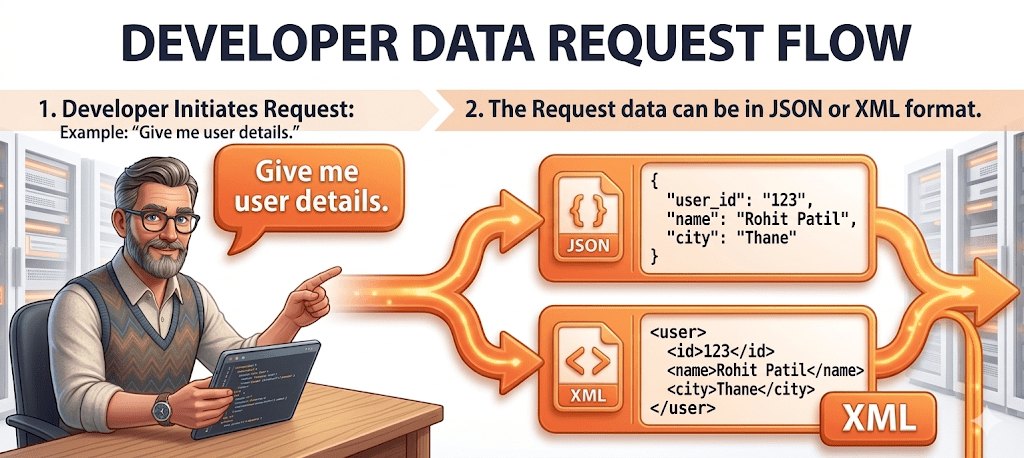
Why JSON and XML
When a client sends a request to a server, the server responds with data.
That data must be in a structured format so both systems can understand it.
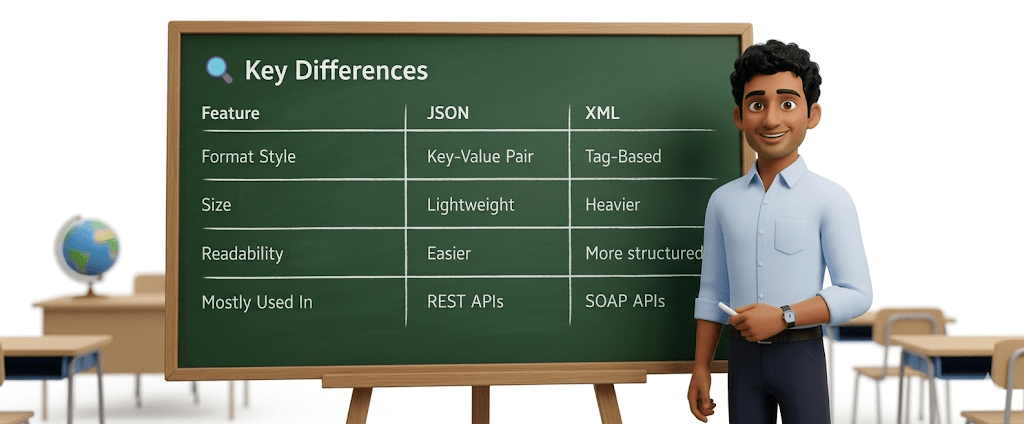
🔹 Lightweight
🔹 Easy to read
🔹 Mostly used in modern REST APIs
Why JSON is popular
Less bulky
Faster to parse
Human-readable
Works very well with web and mobile apps
🔹 Tag-based structure
🔹 Older but still widely used
🔹 Common in SOAP APIs and enterprise systems
XML (Extensible Markup Language)
Characteristics:
Uses opening and closing tags
More verbose (larger size)
Server
A Server is a system that:
Receives the request
Processes the logic
Validates authentication
Accesses database if needed
Prepares response
Sends response back
Server listens → Processes → Responds
Response
A Response is what the server sends back to the client.
Status Code (200, 404, 500, etc.)
Headers
Body (Data in JSON or XML)
Error message (if something failed)
It contains:
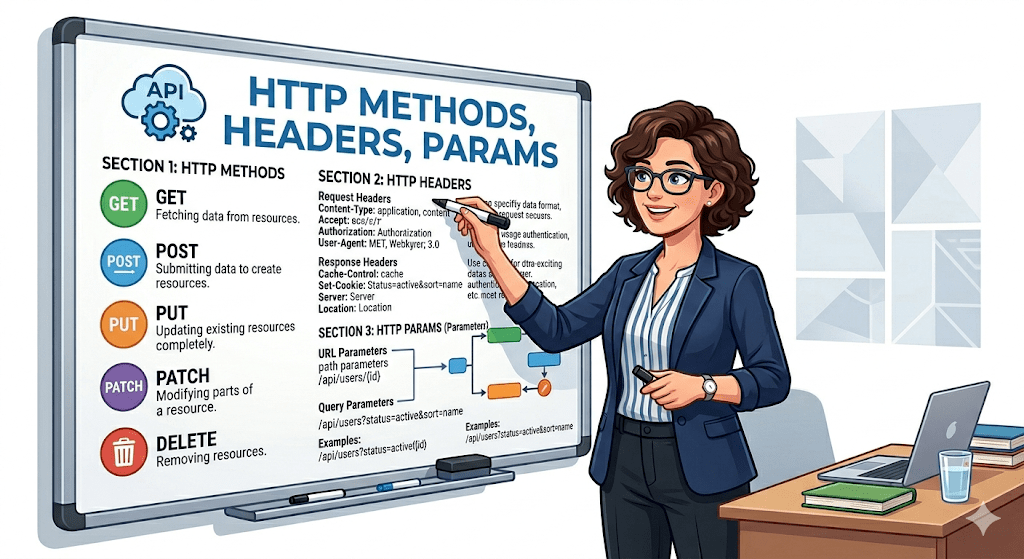
HTTP Methods
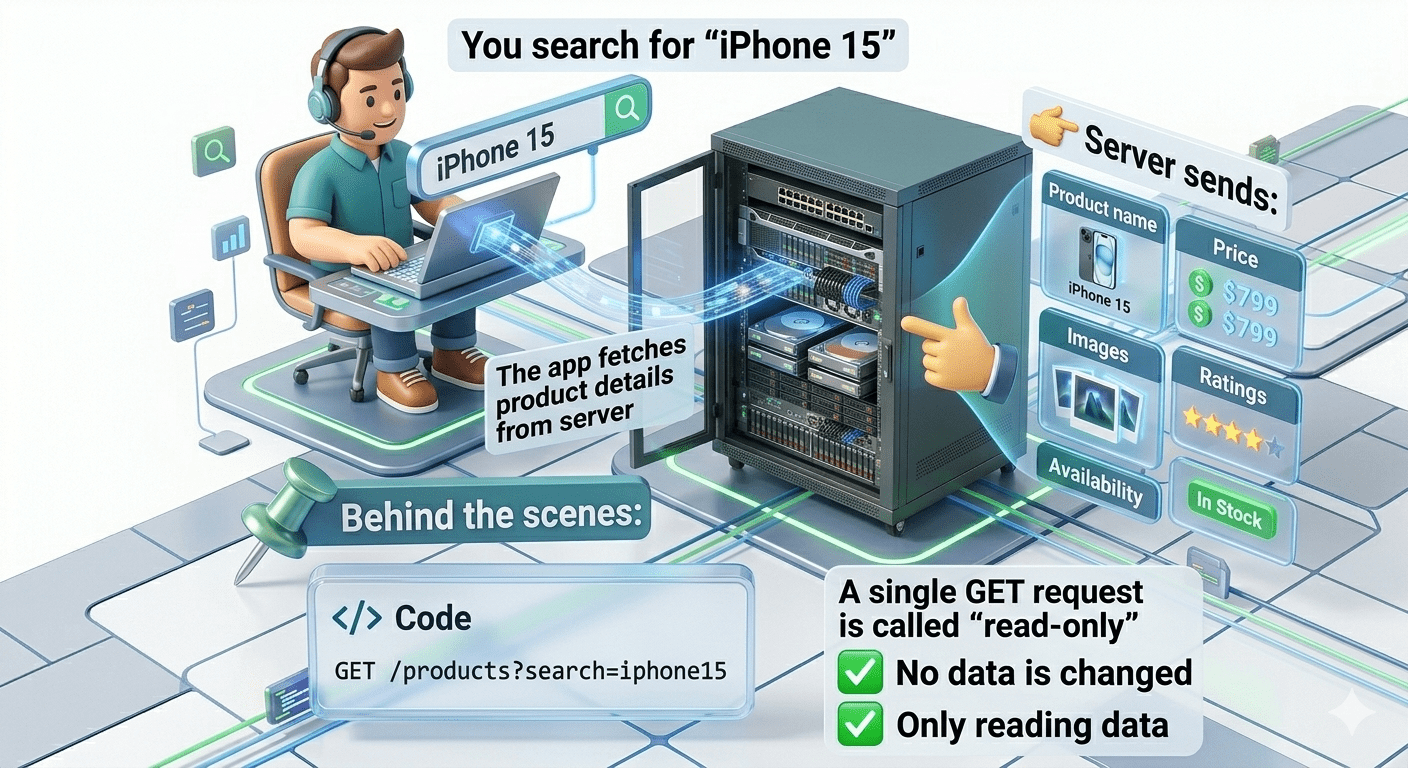
Used to retrieve data
Does NOT modify data
Data is visible in URL
Safe and idempotent
HTTP Methods
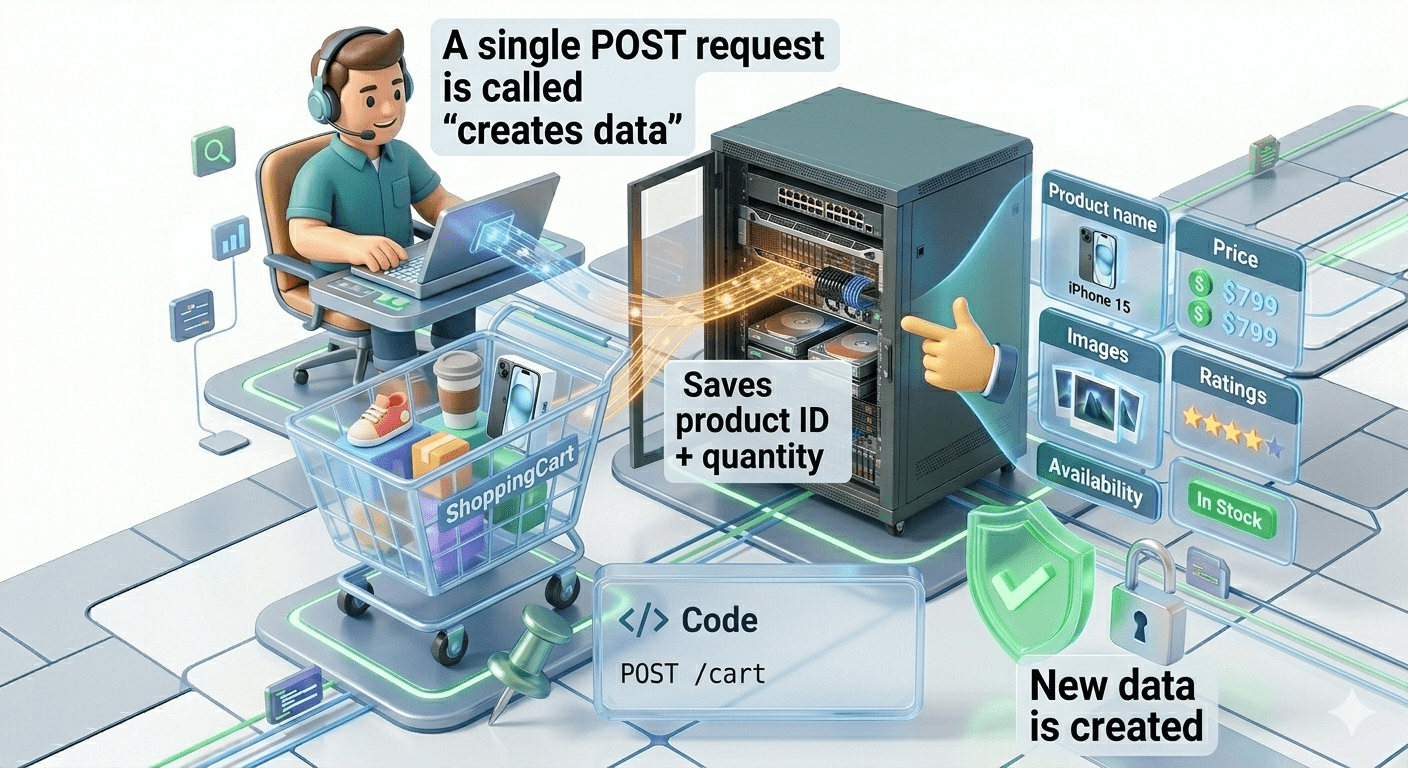
Used to create new data
Data is sent in request body
Not idempotent
HTTP Methods
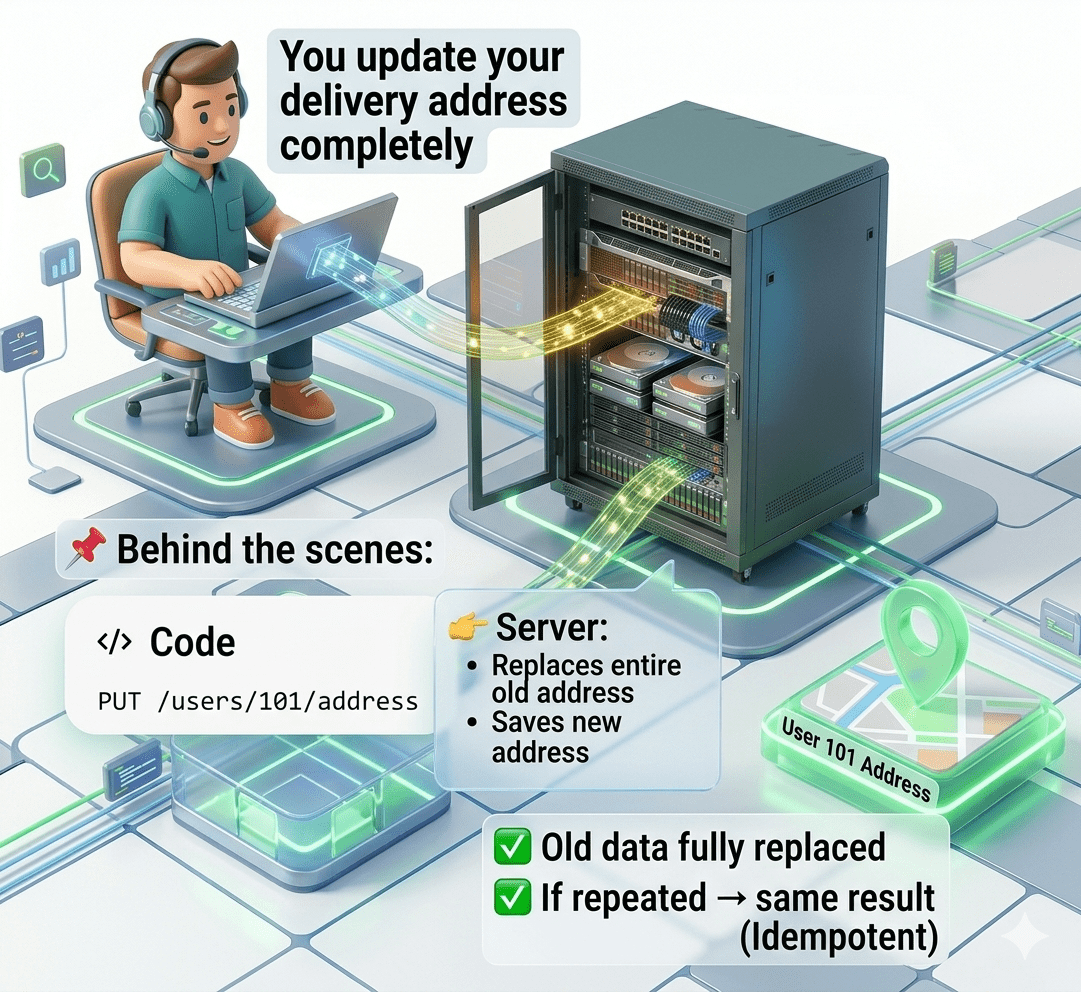
Used to update entire resource
Replaces old data completely
Idempotent
HTTP Methods
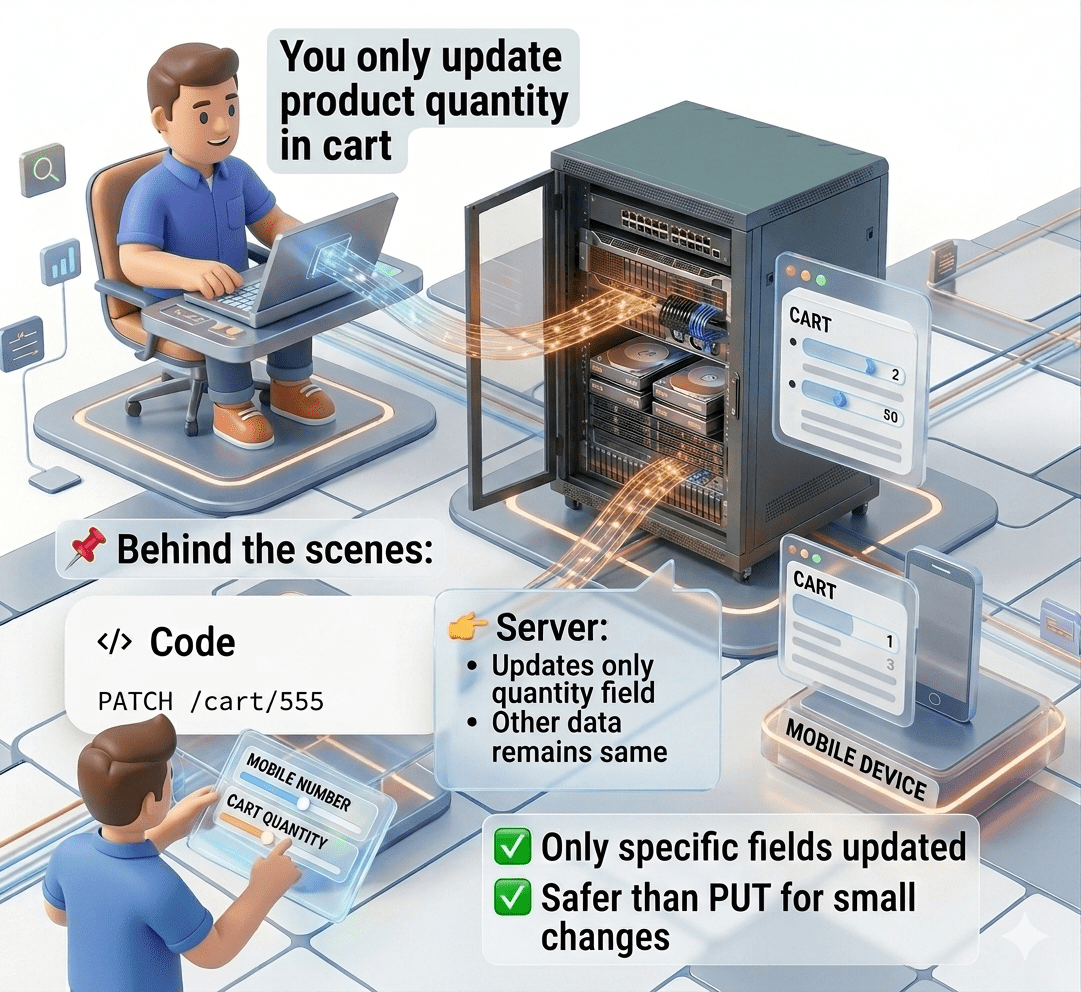
Used to partially update data
Updates only specific fields
Idempotent (generally)
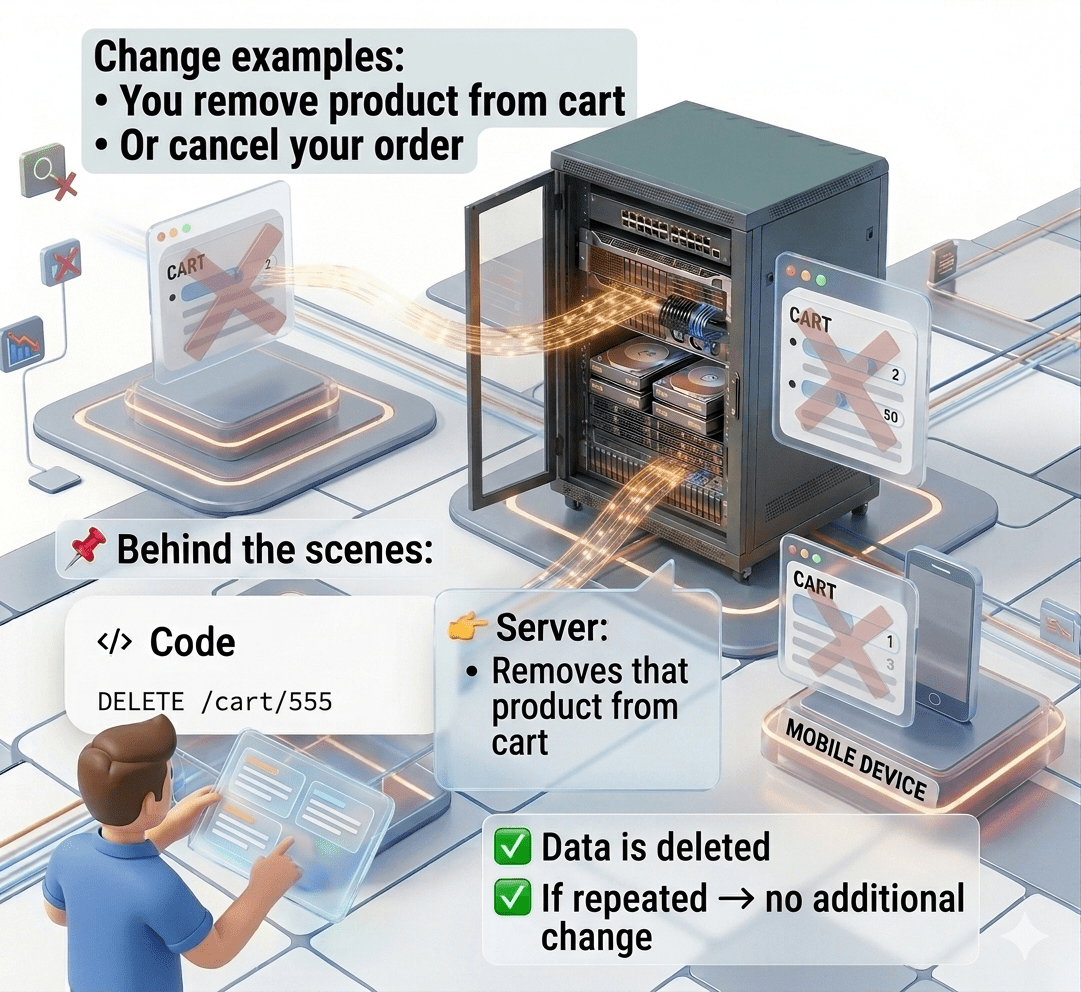
HTTP Methods
Used to remove data
Idempotent
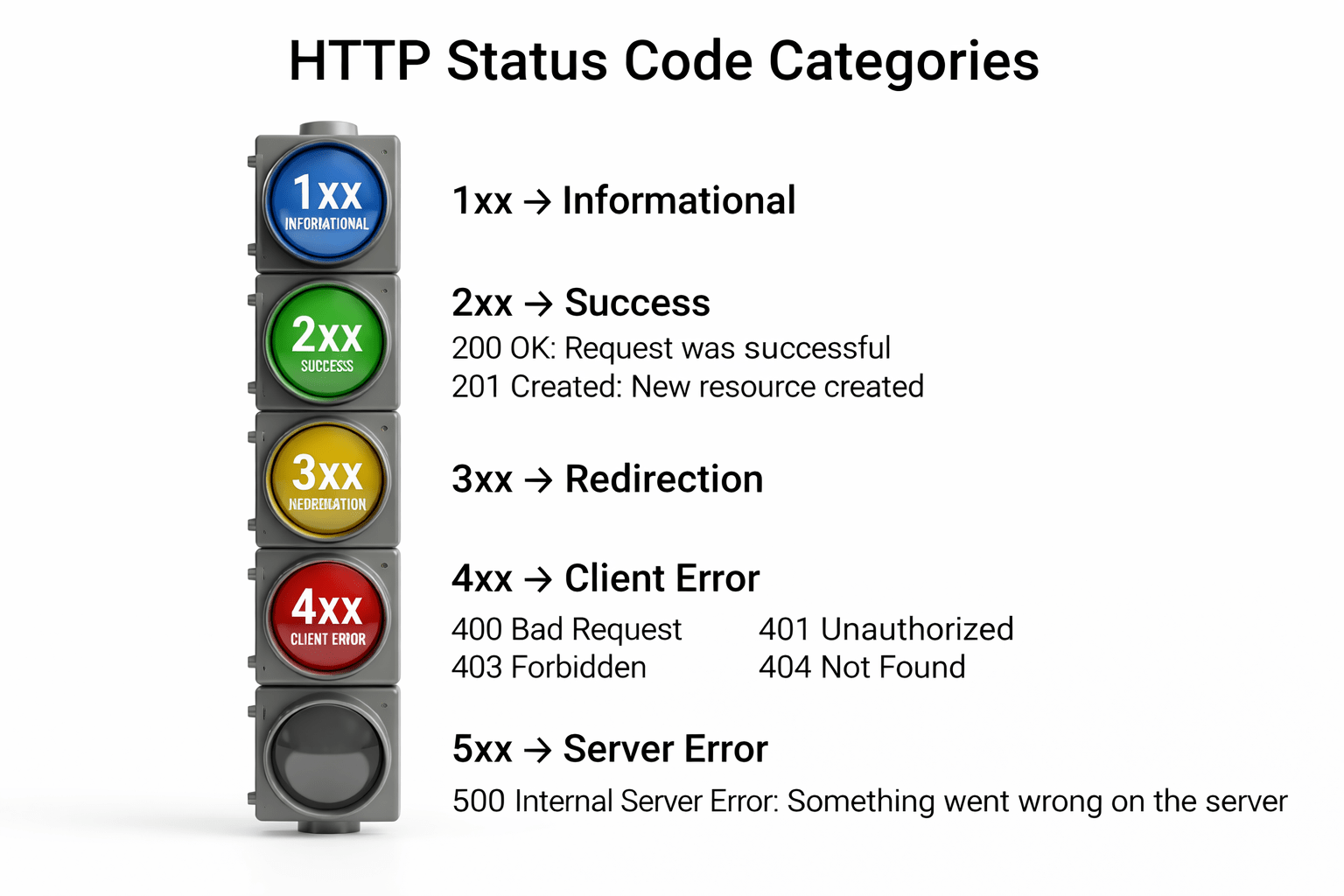
HTTP Status Code Categories
Summary
5
Build strong branding
4
Use different marketing channels
3
Target the right audience
2
Create and communicate value
1
Understand customer needs
Quiz
Which platform is mainly used for professional networking and B2B marketing ?
A. Facebook
B. Instagram
C. LinkedIn
D. Snapchat
Quiz-Answer
Which platform is mainly used for professional networking and B2B marketing ?
A. Facebook
B. Instagram
C. LinkedIn
D. Snapchat
By Content ITV