Content ITV PRO
This is Itvedant Content department
Identify Cloud Storage Misconfigurations and Data Exposure Risks
Business Scenario
Welcome!
You are a Junior Cloud Security Tester at CyberSecure Solutions. The company uses cloud storage to store documents, backups, and application data.
Your task is to review an authorized training cloud storage environment and identify public access, excessive permissions, and exposed sensitive data
Pre-Lab Preparation
Topic : Cryptography and Cloud Security
1) Cloud Architecture & Web Application Hosting
2) Access Control & Identity Exploitation
3) API Security in Cloud Environments Storage, Data Exposure & Misuse
4) Cloud Attack Simulation & Defense
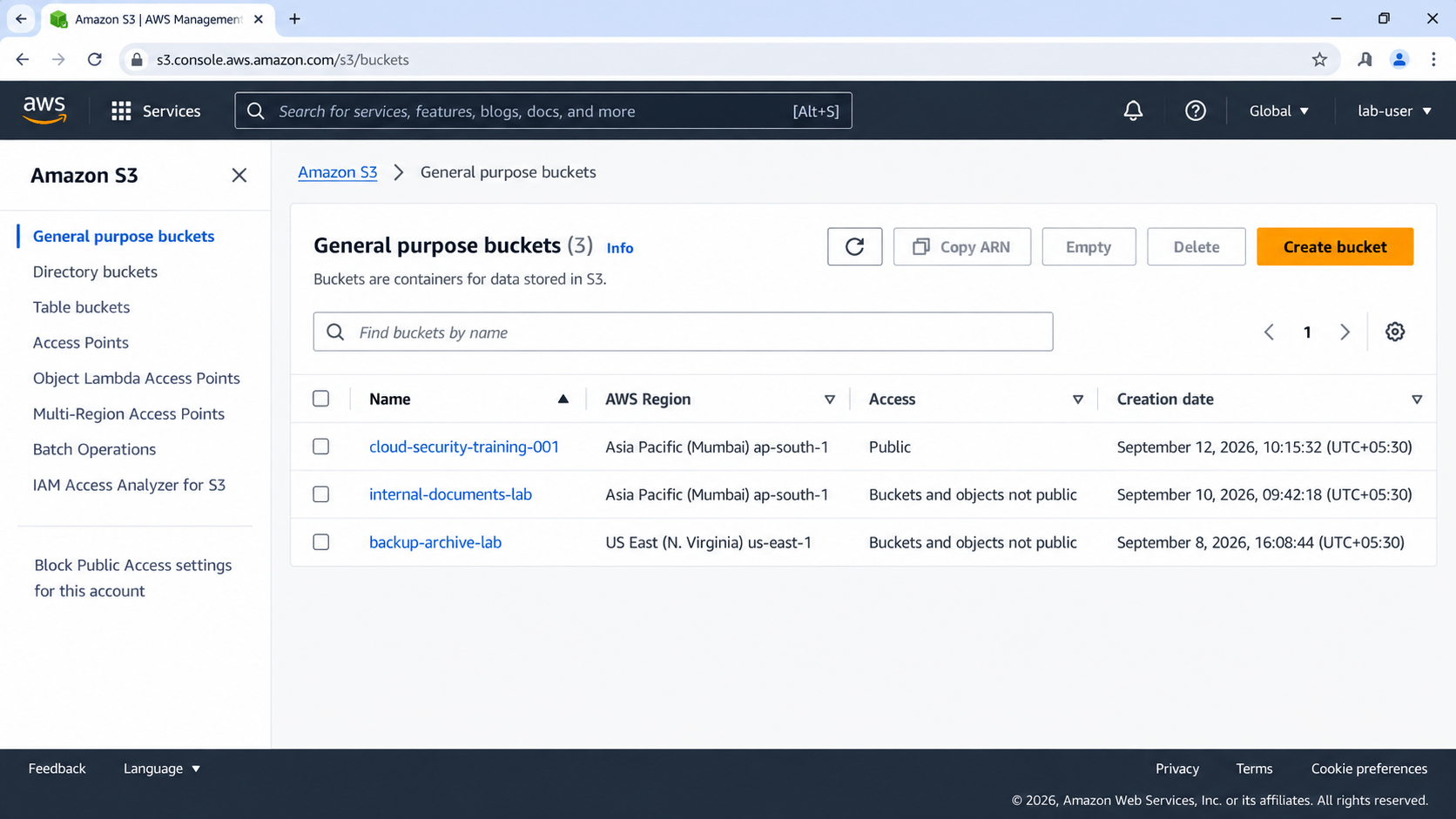
Task 1: Identify Cloud Storage
Understand the storage resources and their configuration.
1
Log in to the authorized cloud training account
2
Open the cloud storage service
3
Identify available buckets/containers
4
Record:
Storage name
a
Provider
b
Region
c
Public/Private status
d
Expected Output :-
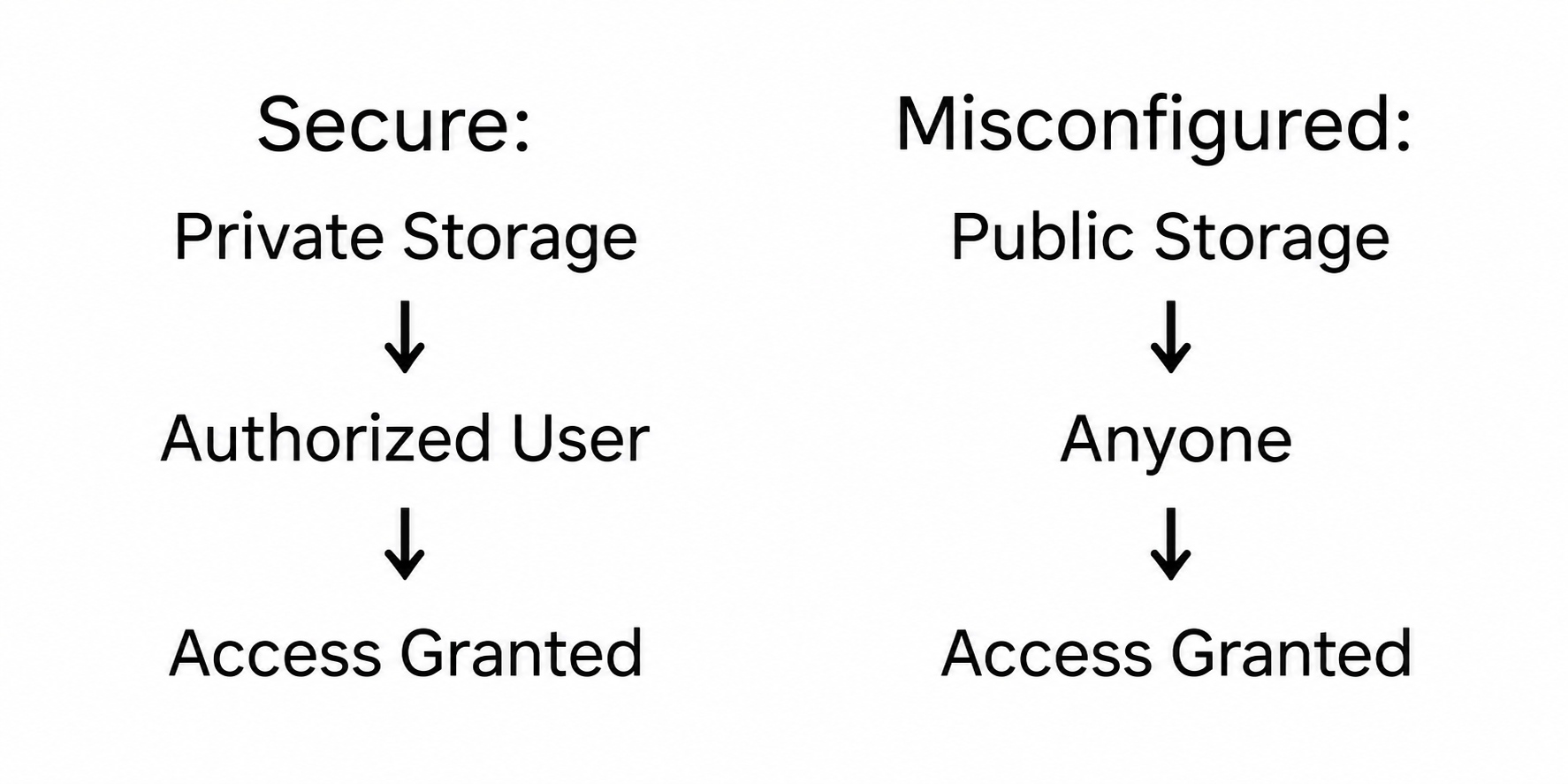
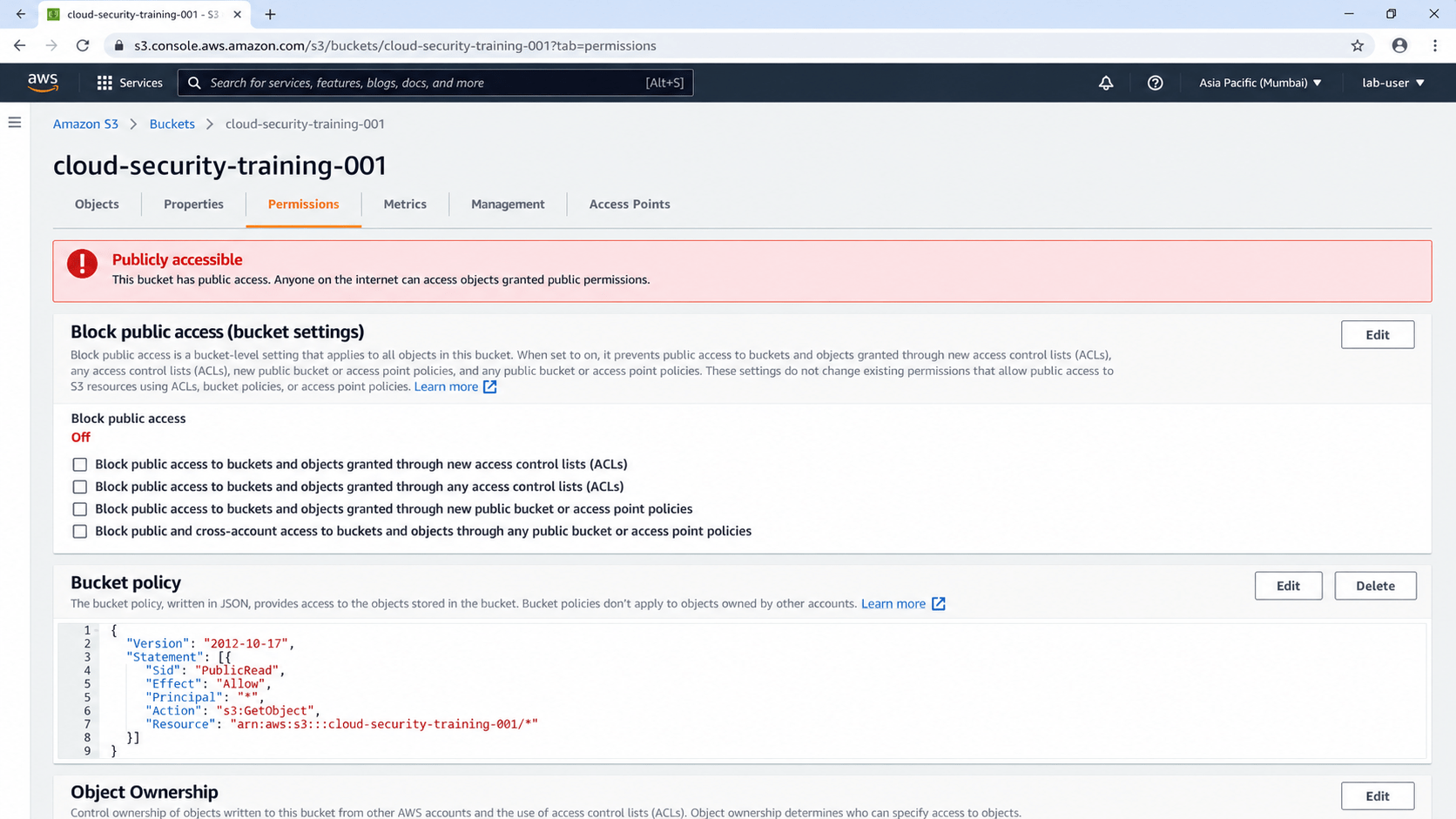
Task 2: Check Storage Permissions
Determine whether storage is accessible to unauthorized users.
1
Select the assigned bucket/container.
2
Open its Permissions/Access settings.
3
Check whether public access is enabled.
4
Review bucket/container permissions
5
Review object-level permissions
6
Record any overly broad permissions
Example :
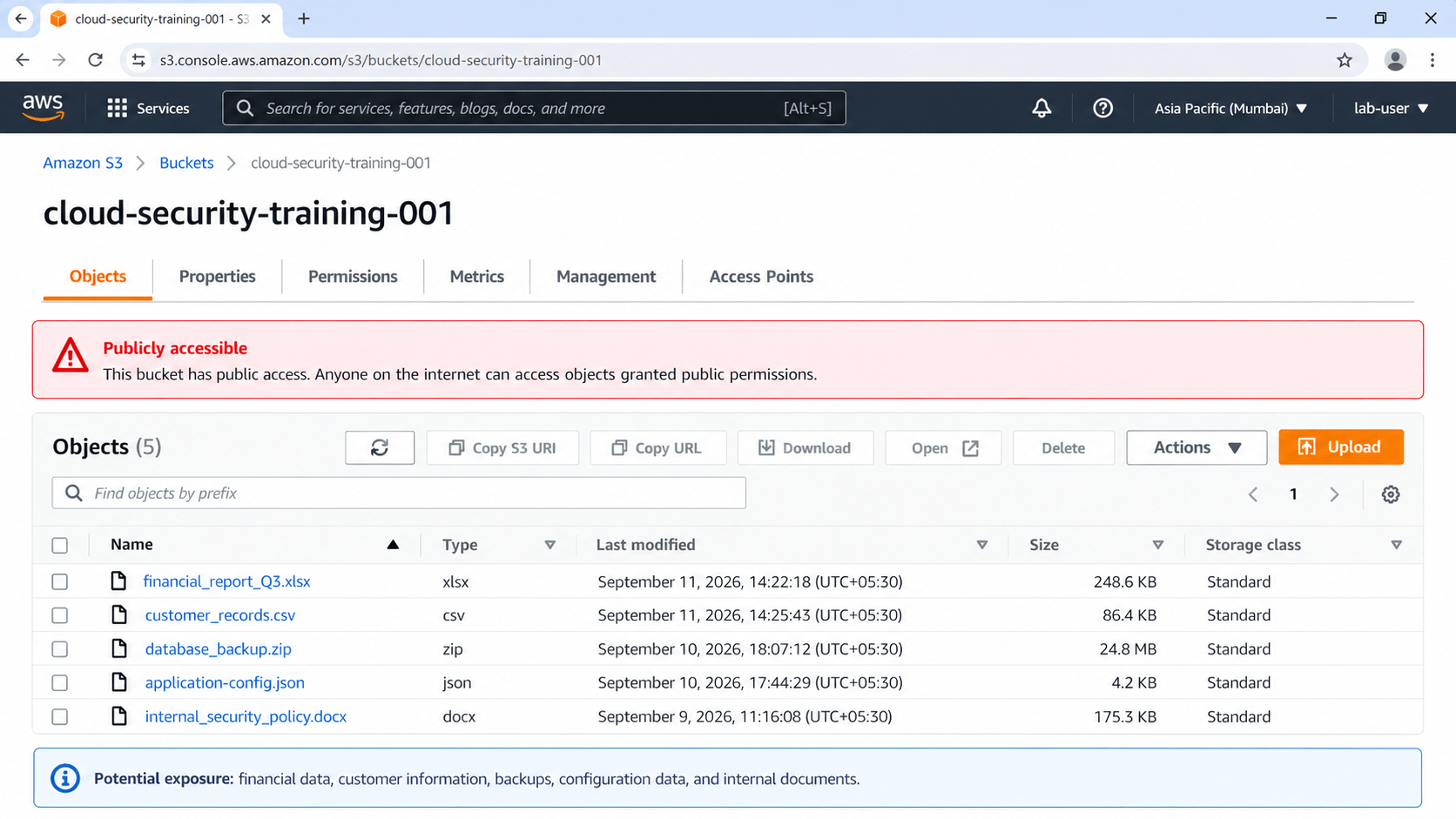
Expected Output :-
Task 3: Identify Data Exposure
Identify users with unnecessary or excessive permissions.
1
Review the files in the authorized training storage.
2
Identify potentially sensitive files such as:
Financial documents
a
Customer information
b
Backups
c
Configuration files
d
Internal documents
e
3
Check whether unauthorized users can access them
4
Record the type of exposed information and its potential impact
Expected Output :-
Task 4: Identify Misconfigurations
Find common cloud storage security weaknesses.
Check for:
Check for:
| Misconfiguration | Status | Risk |
|---|---|---|
| Public access | Enabled | High |
| Anonymous access | Enabled | High |
| Excessive permissions | Found | Medium |
| Logging | Disabled | Medium |
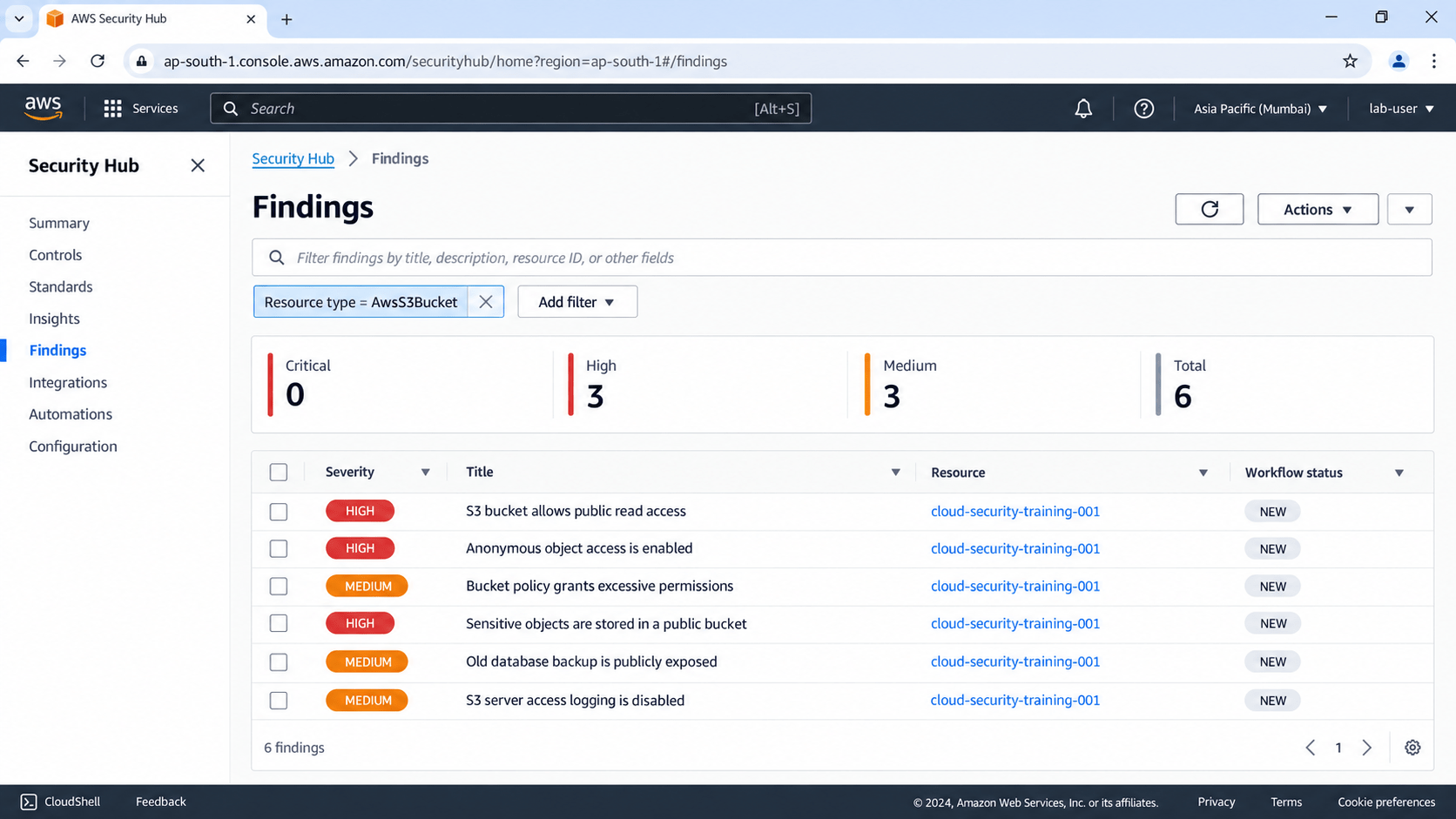
Expected Output :-
Task 5: Identify IAM Misconfigurations
Find common IAM security weaknesses.
1
Select an identified misconfiguration
2
Disable unnecessary public access
3
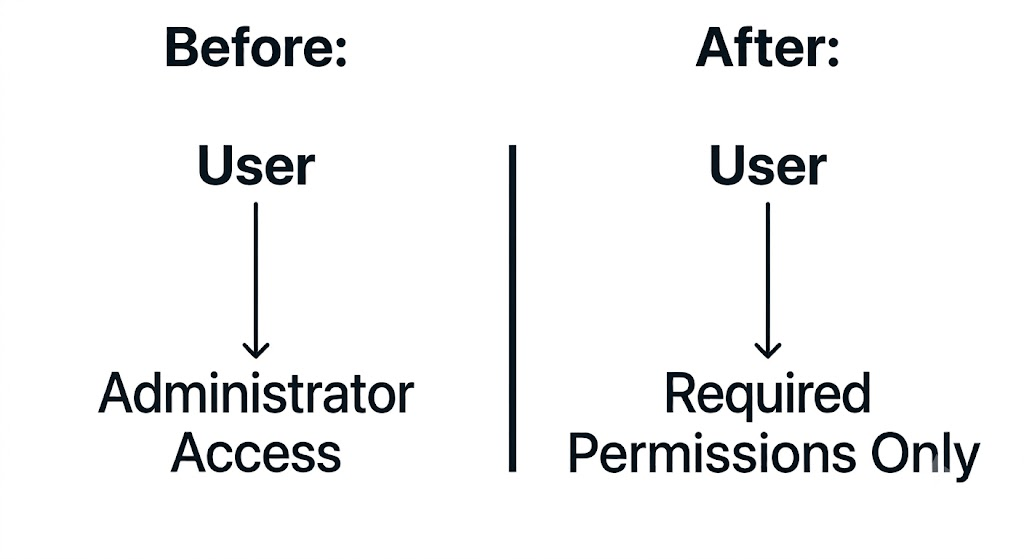
Apply least-privilege permissions
4
Save the configuration
5
Re-test access
6
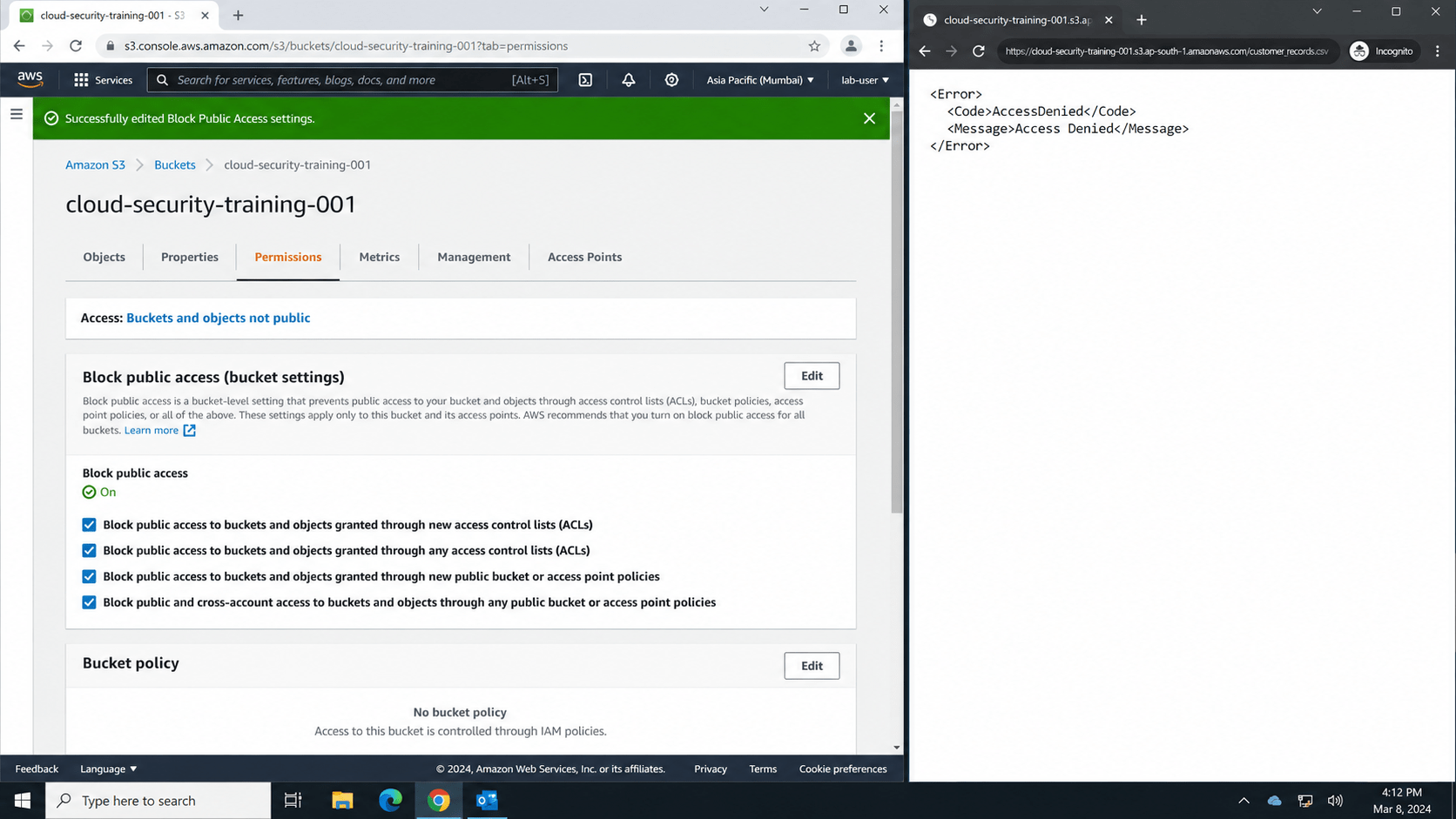
Verify that unauthorized users can no longer access the resource
Example :
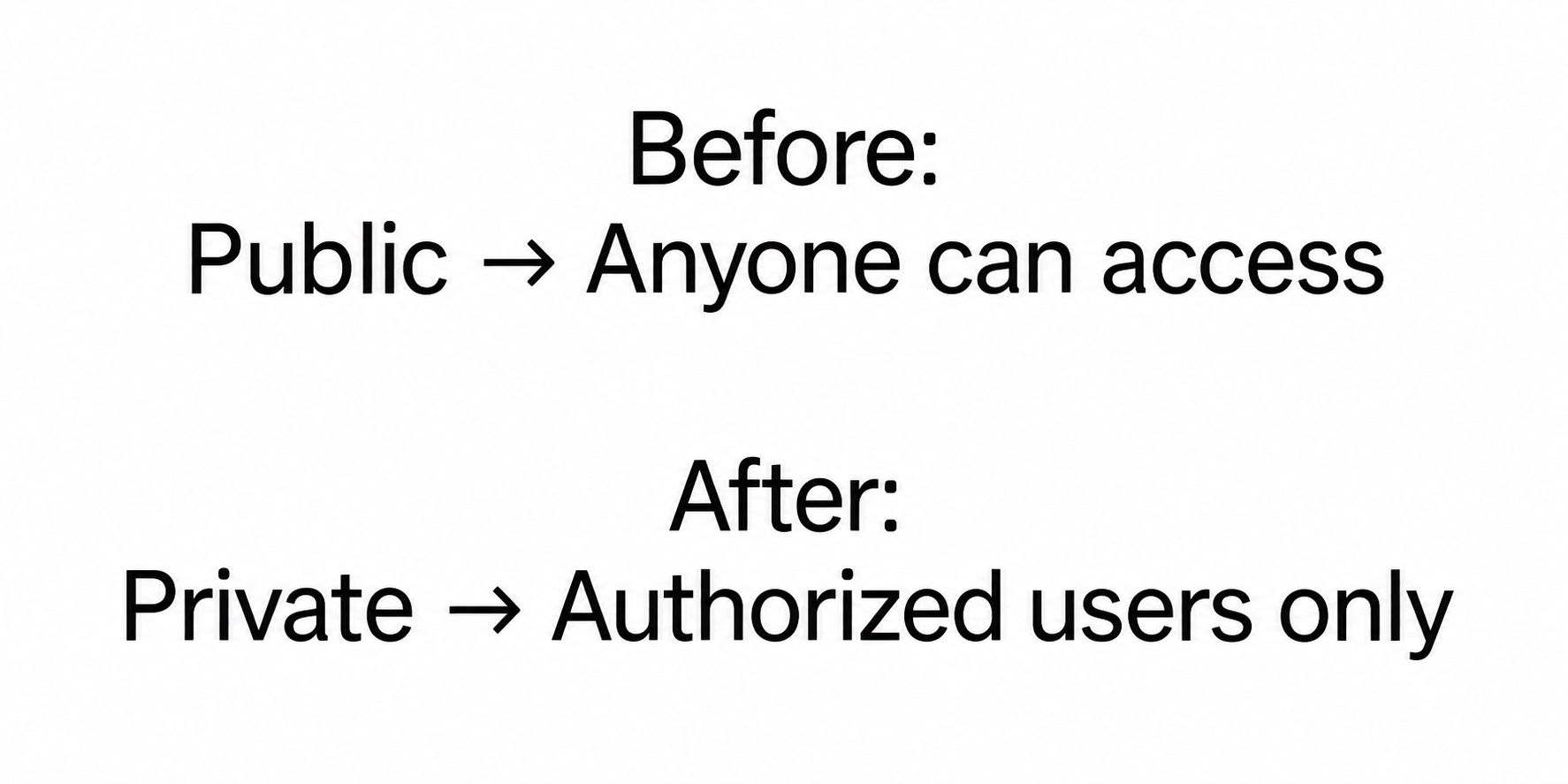
Expected Output :-
Task 6: Apply Least Privilege
Reduce unnecessary permissions.
1
Select an account with excessive permissions
2
Identify the permissions actually required
3
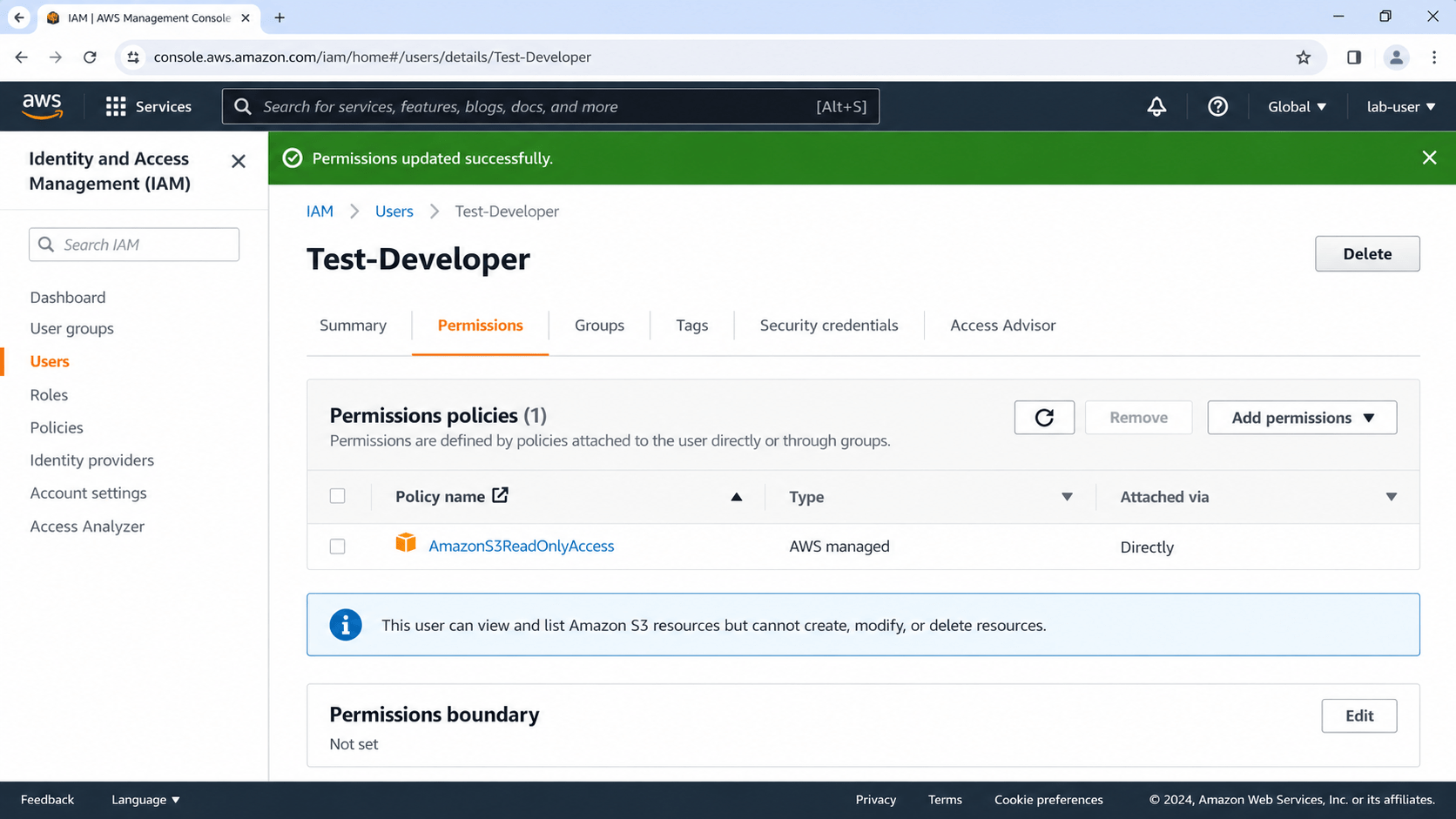
Remove unnecessary permissions in the training environment
4
Assign only the required permissions
5
Test the user's legitimate activity
6
Confirm that unnecessary actions are no longer allowed
Example :
Expected Output :-
Task 7: Document the Finding
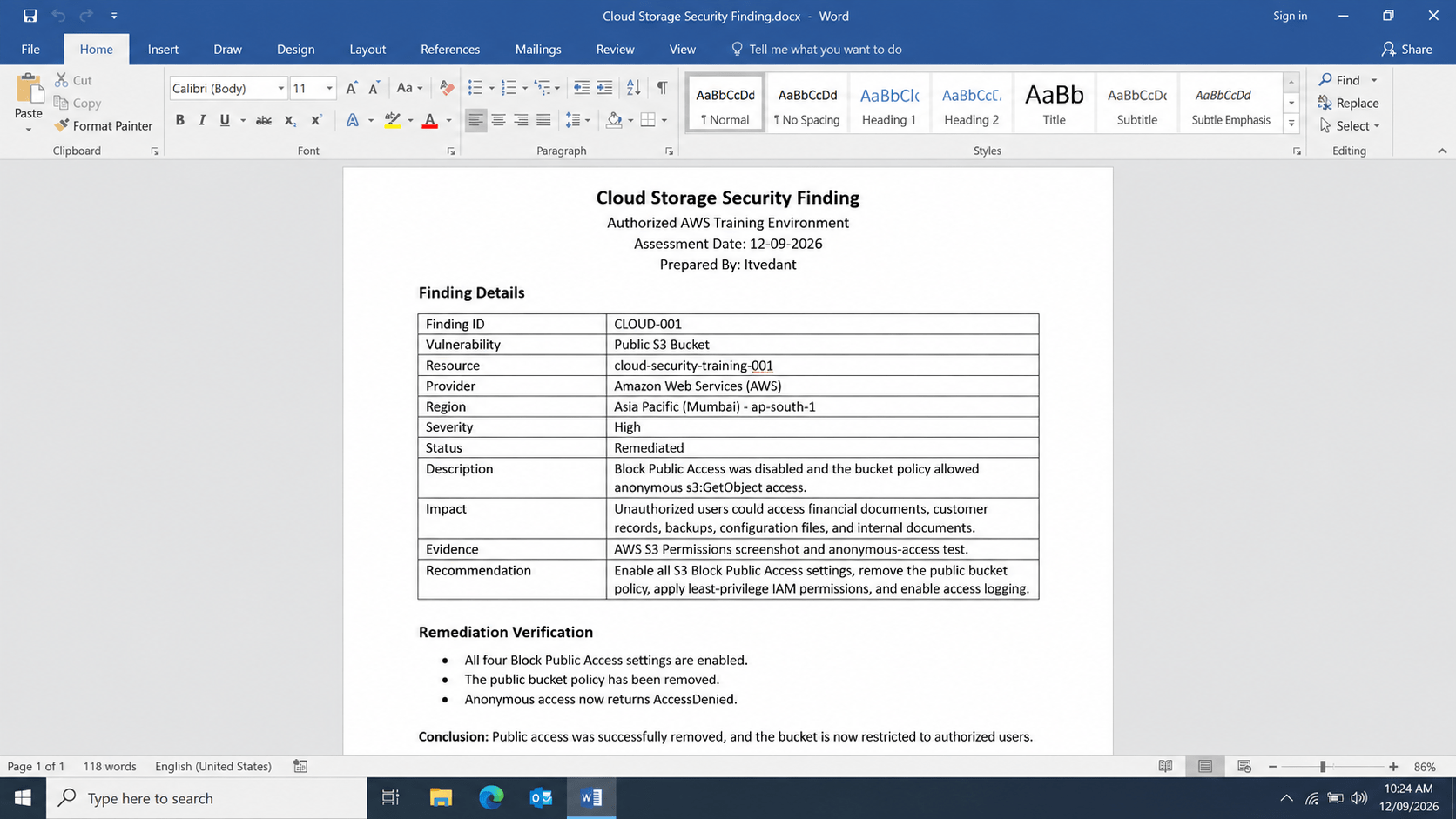
Create a simple cloud security finding.
Example :-
| Field | Example |
|---|---|
| Finding ID | CLOUD-001 |
| Vulnerability | Public Storage |
| Resource | Training Bucket |
| Severity | High |
| Description | Storage is publicly accessible |
| Impact | Unauthorized data access |
| Evidence | Screenshot |
| Recommendation | Disable public access |
For each vulnerability, record:
Example :-
Great job!
You have successfully completed your lab on Cloud Identity and Access Management (IAM) Security Assessment.
In this lab, you have: Reviewed the organization's IAM configuration, Examined users, groups, roles, and permissions, Identified excessive permissions and weak access controls, Detected IAM misconfigurations, and Performed the assessment within an authorized training cloud environment.
You are now ready to move to the next stage of cloud security assessment.
Checkpoint
Topic : Cryptography and Cloud Security
1) Cloud Architecture & Web Application Hosting
2) Access Control & Identity Exploitation
3) API Security in Cloud Environments Storage, Data Exposure & Misuse
4) Cloud Attack Simulation & Defense
Great job!
You have successfully completed your lab on Cloud Identity and Access Management (IAM) Security Assessment.
In this lab, you have: Reviewed the organization's IAM configuration, Examined users, groups, roles, and permissions, Identified excessive permissions and weak access controls, Detected IAM misconfigurations, and Performed the assessment within an authorized training cloud environment.
You are now ready to move to the next stage of cloud security assessment.
Checkpoint
Next Lab Preparation
By Content ITV