





















Content ITV PRO
This is Itvedant Content department
Learning Outcome
4
Explain how IPS detects and blocks malicious traffic
3
Identify different types of IPS
2
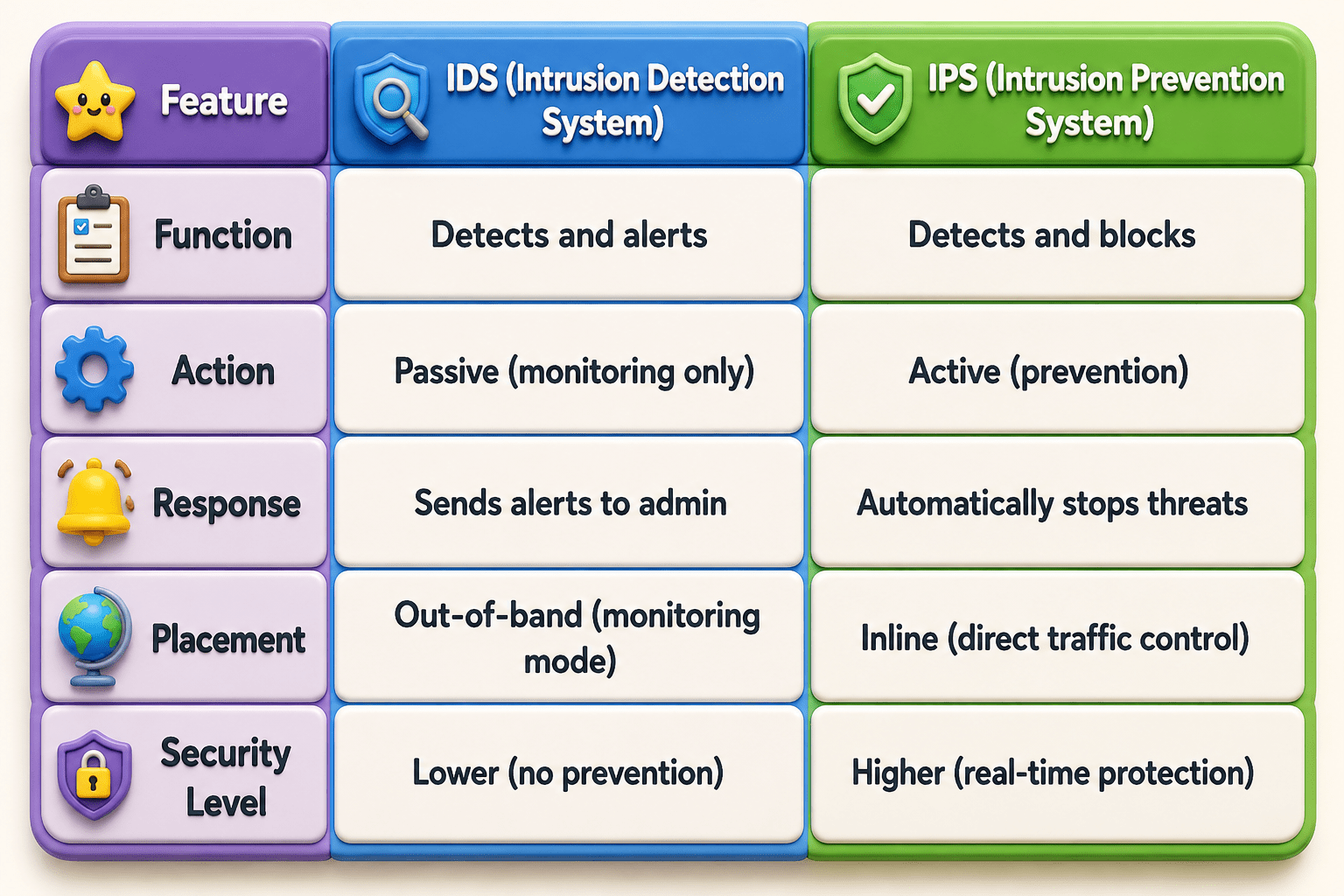
Differentiate between IDS and IPS
1
Understand what an Intrusion Prevention System (IPS) is
5
Relate IPS concepts to real-world cybersecurity protection
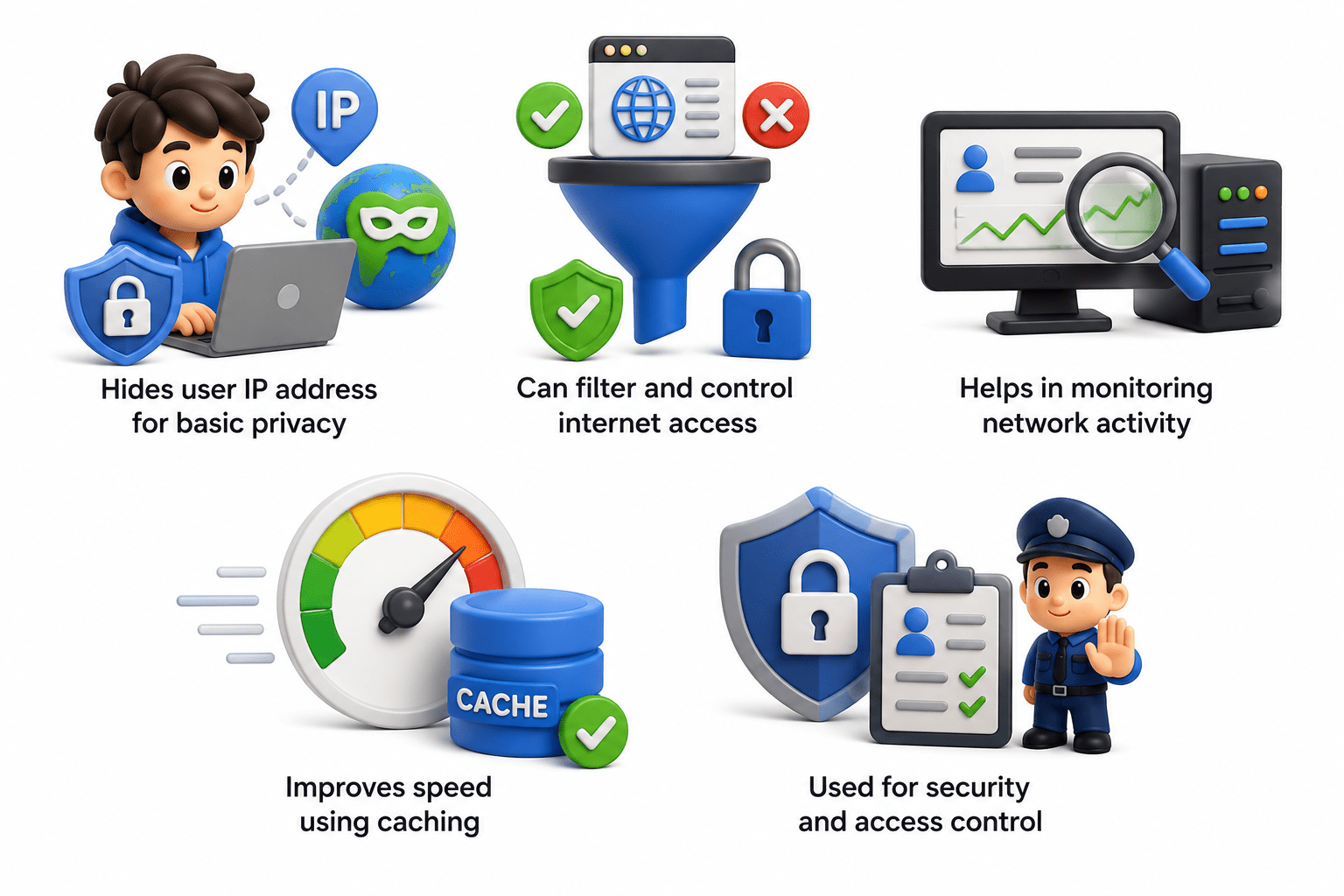
Let's recall proxy/proxy server
Rahul connects to free public Wi-Fi.
Many people are using the same network
The network owner can monitor traffic
Hackers may try to steal data
Rahul tries to open blocked website of his bank
Without VPN:
Rahul turns on a VPN app.
A secure hidden tunnel is created between: Rahul’s device VPN server
All data becomes encrypted
Rahul opens the website and logs into the bank.
The public Wi-Fi only sees:
Random encrypted data packets
Connection to VPN server
Nobody can read the actual information
VPN Server Helps
Public Wi-Fi never knows which website Rahul visited.
At the end, Rahul safely surfing
What is IPS?
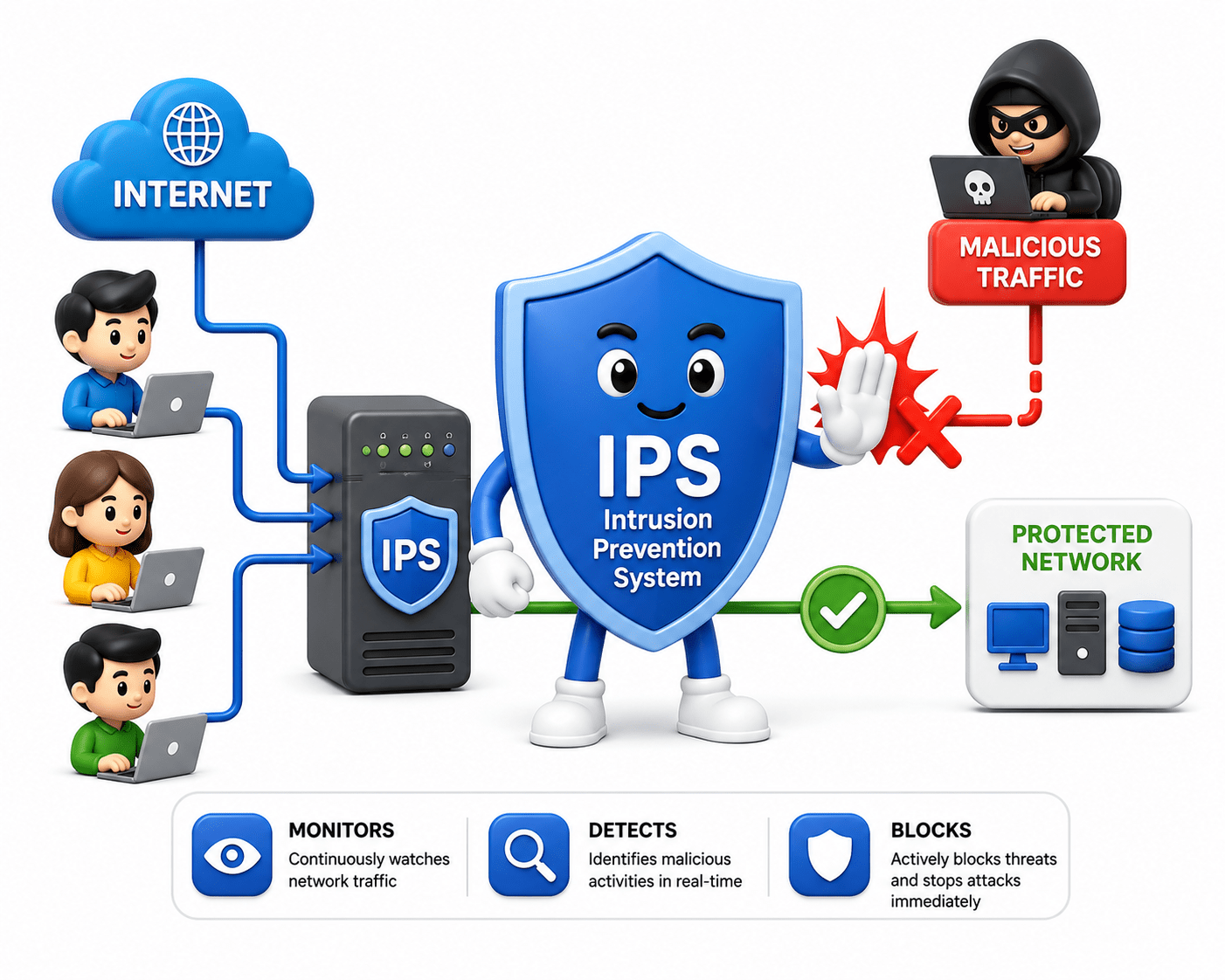
An Intrusion Prevention System (IPS) is a network security tool that monitors, detects, and actively blocks malicious traffic in real-time.
Unlike IDS, it not only identifies threats but also takes action to stop them immediately.
Difference between IDS and IPS
Types of IPS
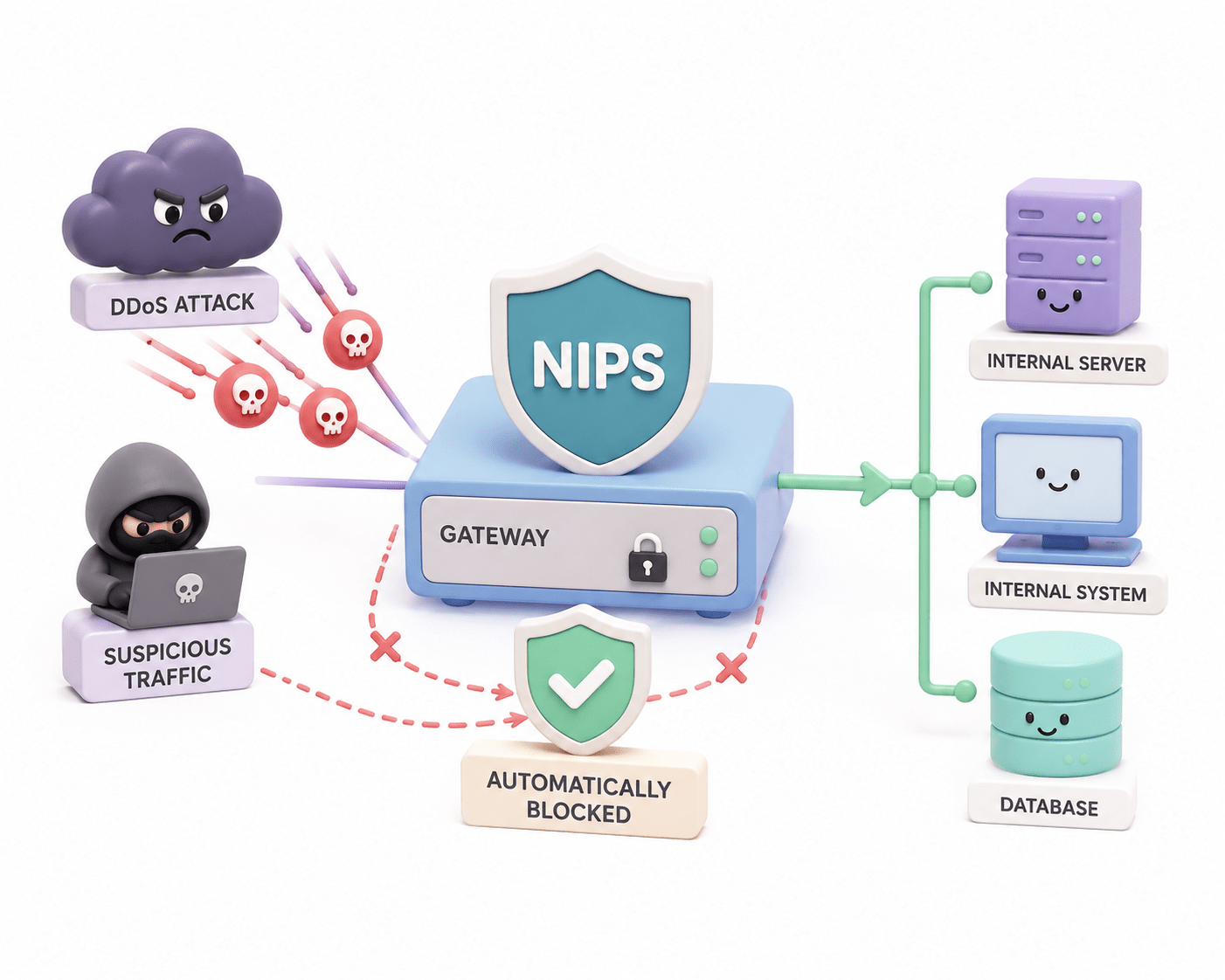
Network-based IPS (NIPS)
Monitors and inspects network-wide traffic in real-time to detect and prevent attacks
Deployed inline within the network, allowing it to directly control traffic flow
Blocks malicious packets before they reach internal systems or devices
Provides centralized protection for multiple systems across the network
Effective against large-scale and external network-based attacks
Example: A company uses a NIPS at its gateway to automatically block DDoS attacks and suspicious traffic before it reaches internal systems.
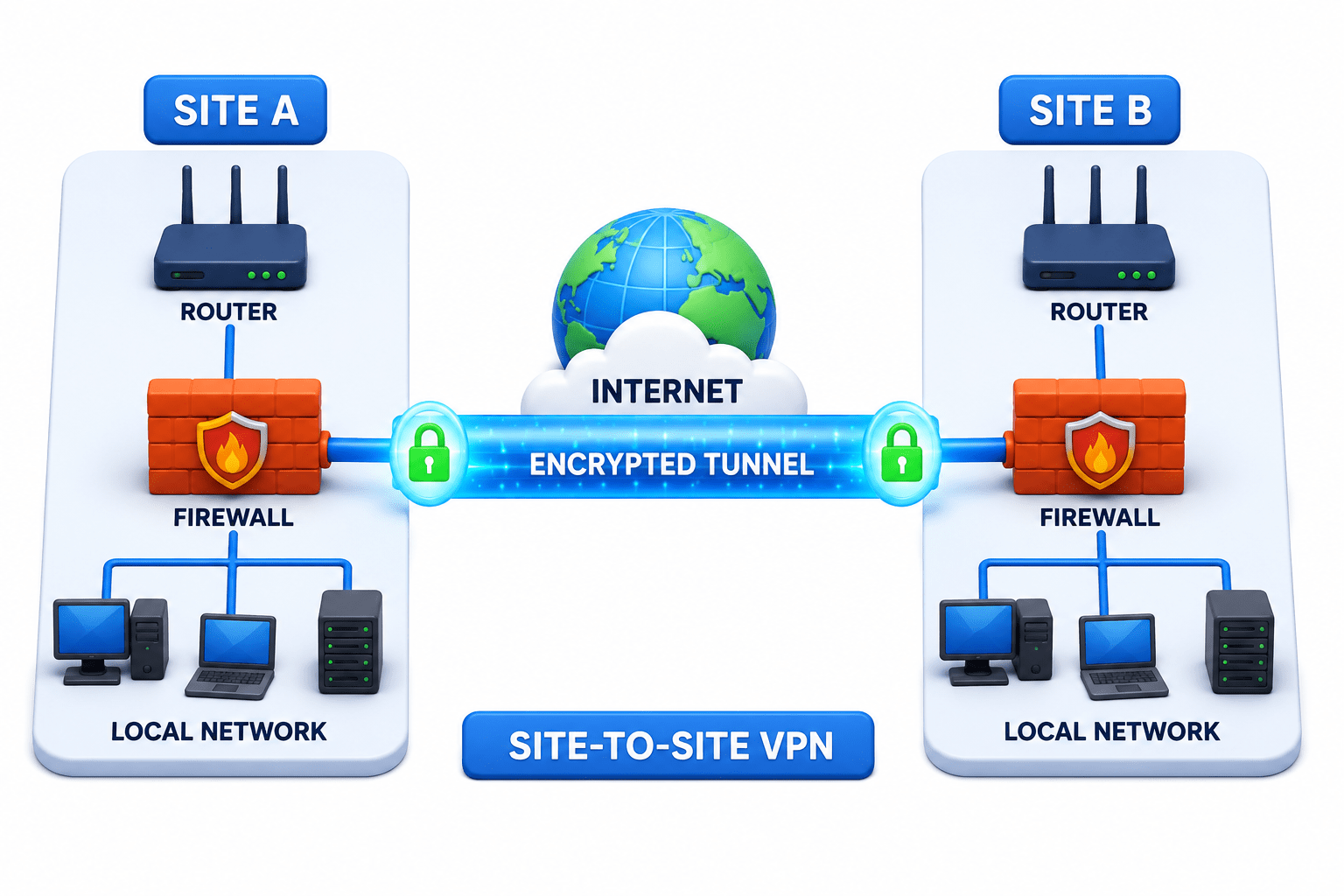
Site-to-Site VPN
A Site-to-Site VPN connects two or more networks in different locations, allowing them to communicate securely as if they were part of the same private network.
It uses encrypted tunnels between routers or gateways to transfer data safely between sites.
Used For:
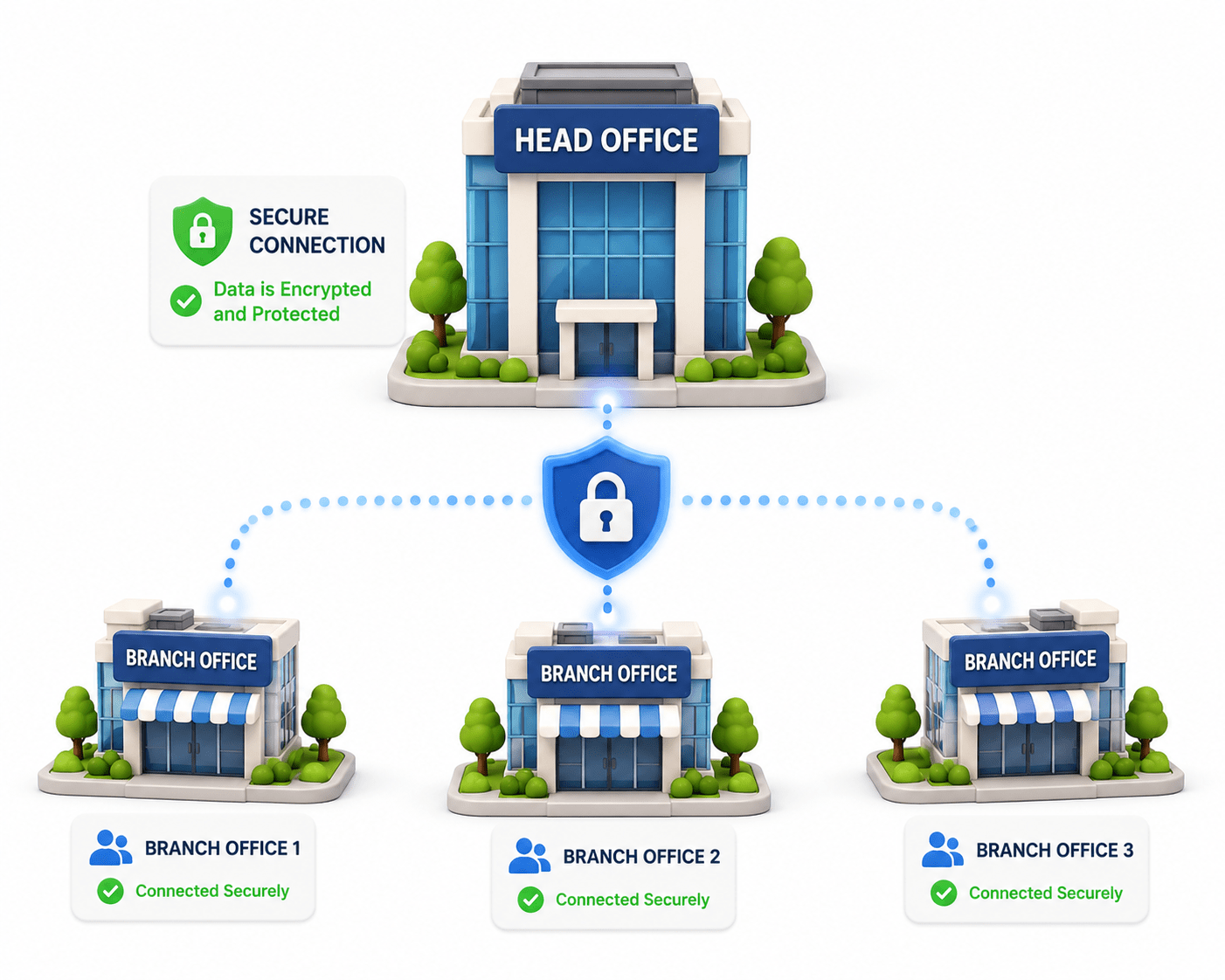
Companies with multiple branches
Connecting head office with branch offices
Sharing internal resources between locations
Key Idea:
Example:
A company’s head office is securely connected to its branch offices.
VPN Protocols
PPTP
(Point-to-Point Tunneling Protocol)
PPTP is one of the oldest VPN protocols, designed to create a simple tunnel between the user and the VPN server.
It is fast and easy to set up, but it uses weak encryption, making it less secure and mostly outdated for modern use.
Where it is used
“Used in older office networks or legacy systems where quick setup matters more than strong security.”
L2TP/IPSec
(Layer 2 Tunneling Protocol + IPSec)
L2TP combined with IPSec provides a more secure VPN connection by adding strong encryption to the tunneling process.
It creates a double layer (tunnel + encryption), improving security, but this also makes it slower compared to PPTP.
Where it is used
“Commonly used by companies to provide secure remote access for employees connecting from home or different locations.”
OpenVPN
OpenVPN is a modern and highly secure protocol that uses advanced encryption techniques to protect data.
It is open-source, flexible, and widely trusted, making it one of the most commonly used VPN protocols today.
Where it is used
“Used by modern VPN services and organizations for secure browsing and protecting data on public Wi-Fi.”
Benefits of VPN
Privacy
A VPN hides your real IP address by replacing it with the VPN server’s IP, making your identity harder to track.
Security
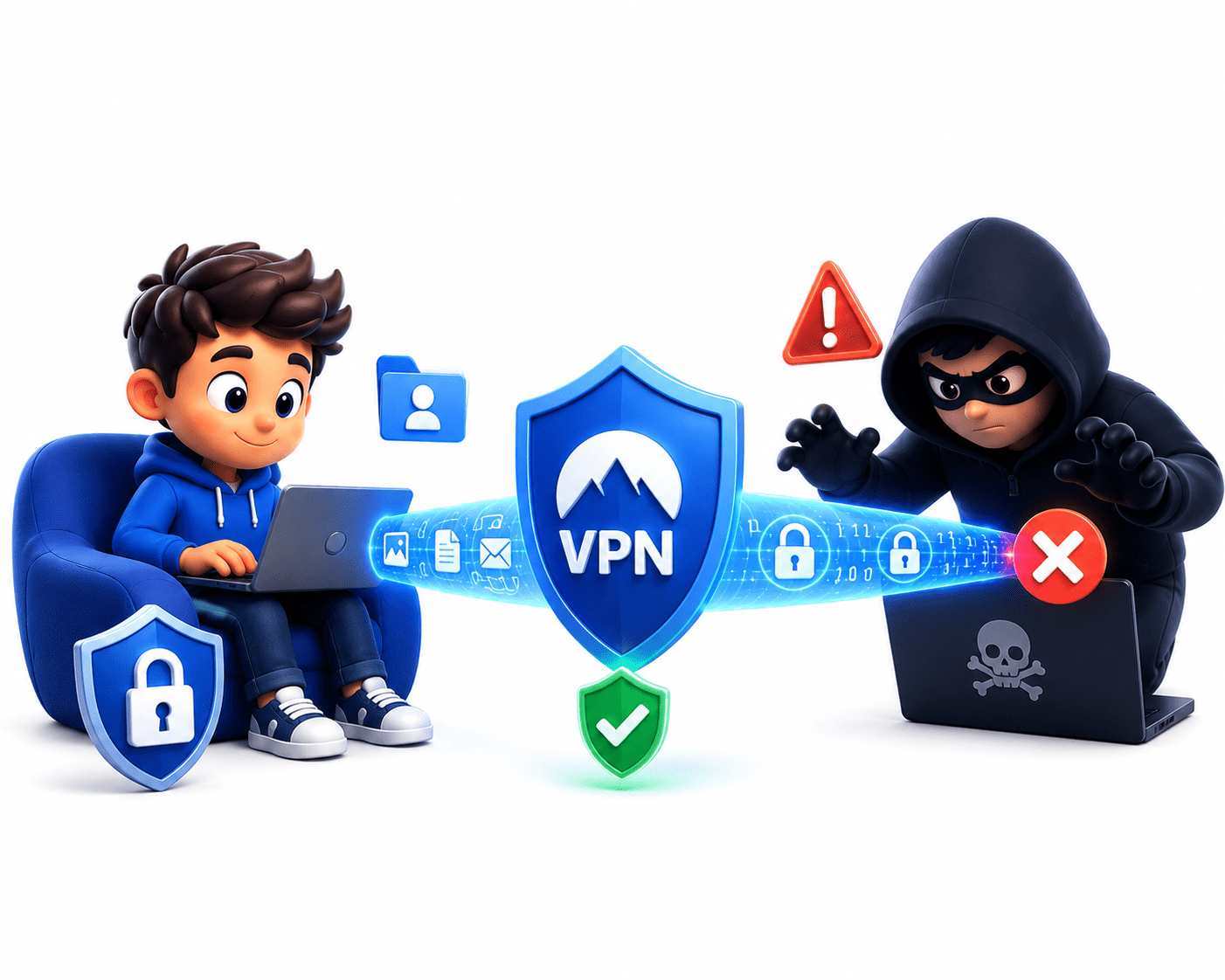
A VPN provides security by encrypting your data before transmission, ensuring that even if it is intercepted by hackers or attackers, it remains unreadable and protected.
Remote Access
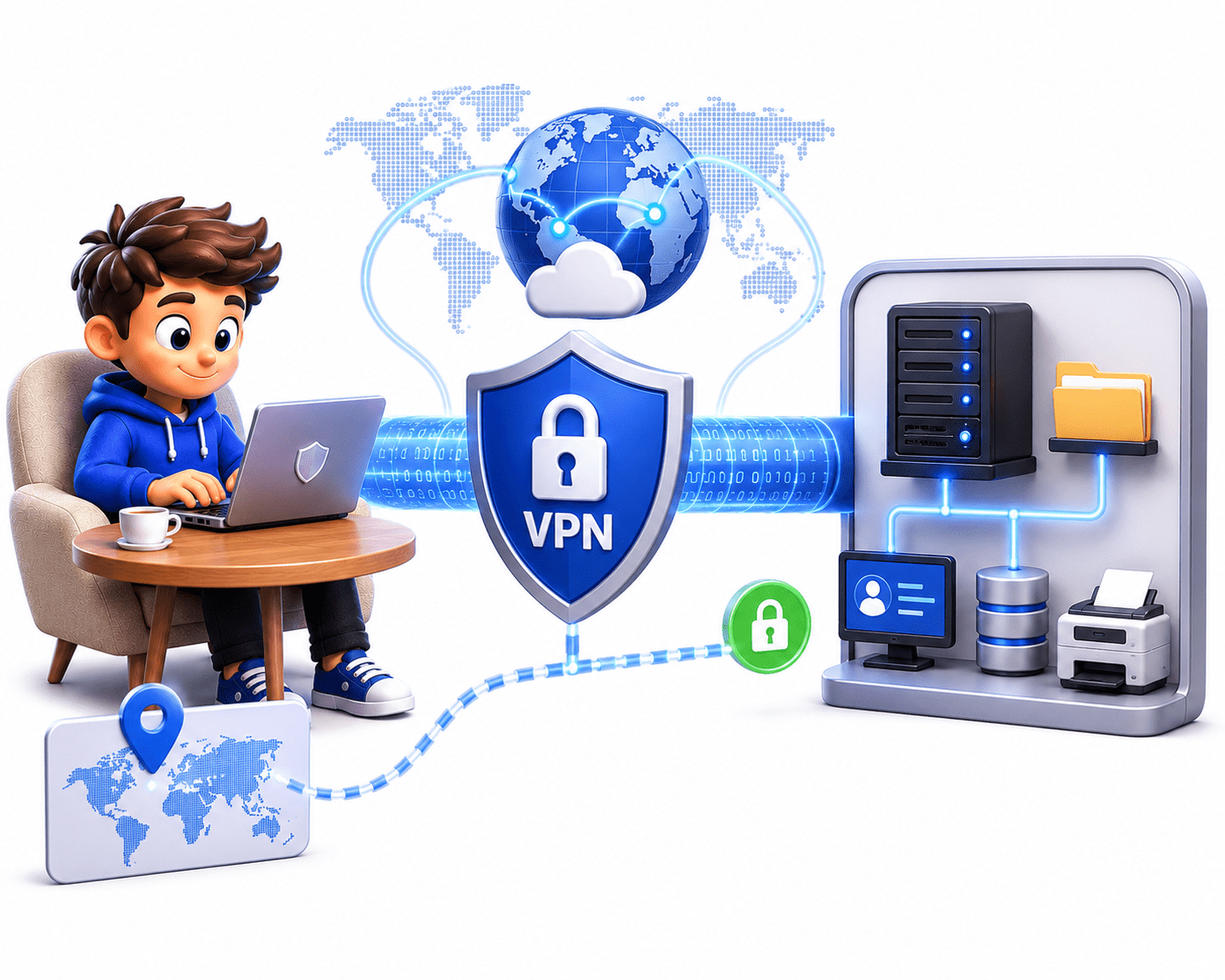
A VPN allows users to securely connect to private networks from remote locations, enabling access to internal systems, files, and resources as if they were physically present in the organization.
Safe Public Wi-Fi Usage
A VPN secures your connection on public networks by creating an encrypted tunnel, preventing attackers from capturing sensitive information like passwords or personal data on open Wi-Fi.
Disadvantages of VPN
Slow Internet Speed
A VPN may slow down internet speed because data is encrypted before transmission and routed through a VPN server, which adds extra processing time and distance.
Cost
Trusted and secure VPN services are often paid, while free VPNs may provide limited features, slower speeds, or weaker security.
Trust in VPN Provider
Although a VPN hides your activity from your ISP, the VPN provider itself may still be able to view your internet activity, making it important to choose a reliable provider.
Website Blocking
Some websites and online services can detect and block VPN traffic, preventing access while connected to a VPN.
Complex Setup
Installing and configuring a VPN can sometimes be confusing for beginners, especially when advanced settings are involved.
Not Complete Anonymity
A VPN improves online privacy and security, but it does not make a user completely anonymous or invisible on the internet.
Summary
5
PPTP, L2TP/IPSec, and OpenVPN vary in speed and security.
4
Remote Access VPN links users; Site-to-Site VPN links networks.
3
VPN encrypts internet traffic, making stolen data unreadable.
2
It hides your real IP address using the VPN server’s IP.
1
VPN creates a secure encrypted tunnel to protect data and privacy.
Quiz
Which protocol is considered modern and highly secure?
A. PPTP
B. FTP
C. OpenVPN
D. Telnet
Quiz-Answer
C. OpenVPN
Which protocol is considered modern and highly secure?
A. PPTP
B. FTP
D. Telnet
By Content ITV