


Content ITV PRO
This is Itvedant Content department
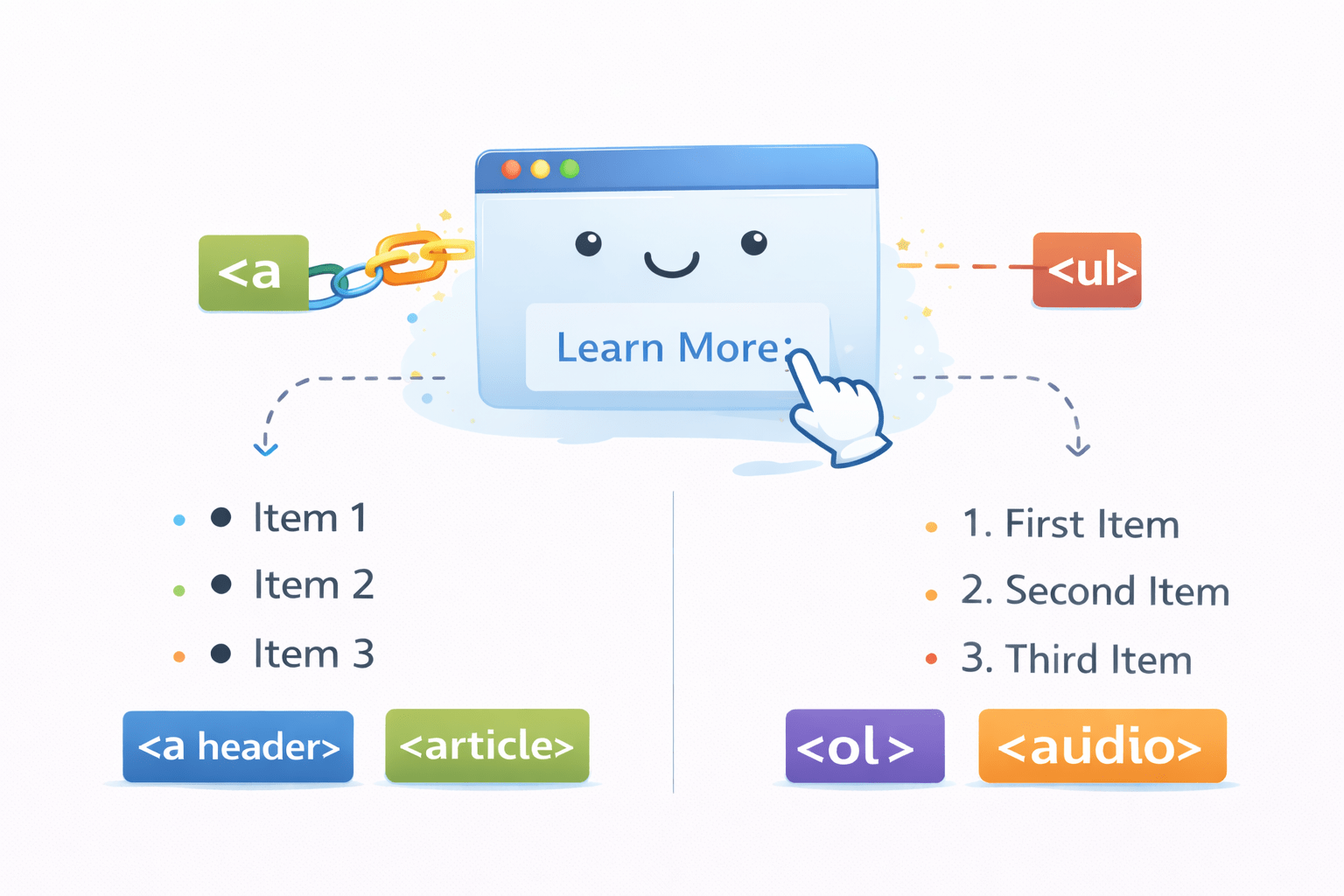
Linking and Listing it right using HTML
Learning Outcome
2
What is unordered list?
3
What is description list?
1
What is ordered list?
How To List An Item In HTML?
Different ways to create lists on website:
Ordered lists
Unordered lists
An item in a list is represented by <li> tag
Description lists
Defining An Ordered List In HTML
An ordered list in HTML is a numbered list of items that follow a specific sequence using <ol> tag
<!DOCTYPE html>
<html>
<head>
<title>Page Title</title>
</head>
<body>
<h3>Web Development Essentials</h3>
<ol>
  <li>HTML</li>
  <li>CSS</li>
  <li>Javascript</li>
</ol>
</body>
</html>
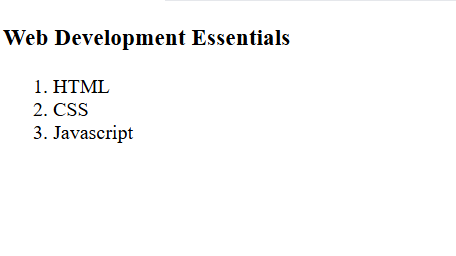
Output
By default the order is set to 1-2-3
How Can You Begin An Ordered List With A Specific Number?
By using the "start" attribute within the <ol> tag
<!DOCTYPE html>
<html>
<head>
<title>Page Title</title>
</head>
<body>
<h3>Web Development Essentials</h3>
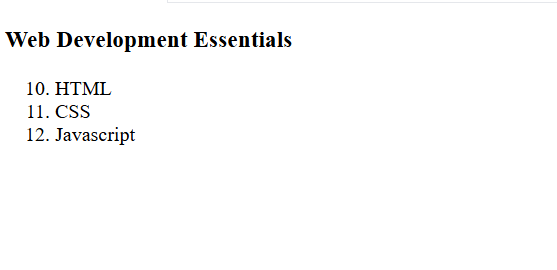
<ol start = 10>
  <li>HTML</li>
  <li>CSS</li>
  <li>Javascript</li>
</ol>
</body>
</html>
Output
The order is set to the start value
How Can We Change The Ordering Style Of An Ordered List?
By using the 'type' attribute with the <ol> tag
B. CSS
C. Javascript
A.HTML
b. CSS
c. Javascript
a.HTML
II. CSS
III. Javascript
I.HTML
<ol type = " i ">
ii. CSS
iii. Javascript
i.HTML
What If You Want Simply List Bullet Points
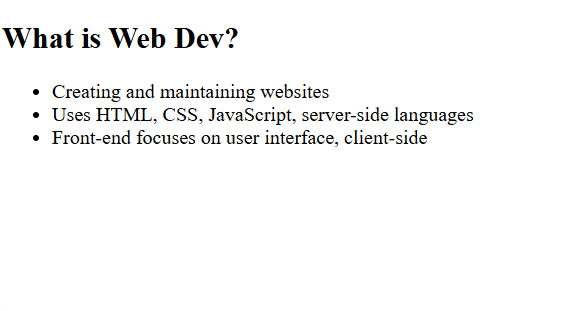
For simple bullet points in HTML, use an unordered list <ul> with <li> tags for each item
<!DOCTYPE html>
<html>
<head>
<title>Page Title</title>
</head>
<body>
<h2>What is Web Dev?</h2>
<ul>
  <li>Creating and maintaining websites</li>
  <li>Uses HTML, CSS, JavaScript, server-side languages</li>
  <li>Front-end focuses on user interface, client-side</li>
</ul>
</body>
</html>
What's Another Way to List Things?
By using description list
What Is Description List In HTML ?
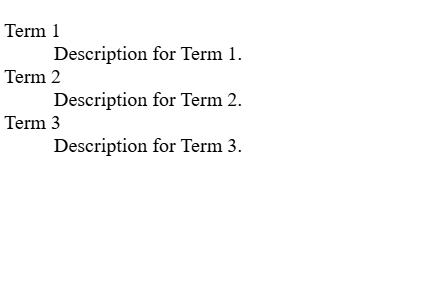
A description list in HTML is a way to organize terms and their corresponding descriptions using `<dl>`, `<dt>`, and `<dd>` tags
<dl>
    <dt>Term 1</dt>
    <dd>Description for Term 1.</dd>

    <dt>Term 2</dt>
    <dd>Description for Term 2.</dd>

    <dt>Term 3</dt>
    <dd>Description for Term 3.</dd>
</dl>
Starts a description list
Marks a term or name in the list
Provides the description or details for the term
What Is Description List In HTML?
A description list in HTML is a way to organize terms and their corresponding descriptions using `<dl>`, `<dt>`, and `<dd>` tags
<dl>
    <dt>Term 1</dt>
    <dd>Description for Term 1.</dd>

    <dt>Term 2</dt>
    <dd>Description for Term 2.</dd>

    <dt>Term 3</dt>
    <dd>Description for Term 3.</dd>
</dl>
What Is <a> Tag?
The `<a>` tag creates clickable hyperlinks in HTML, directing users to another location like a web page, section, file, or email address
But what Is Href?
<!DOCTYPE html>
<html>
<head>
    <title>Simple HTML Example</title>
    <link rel="stylesheet" type="text/css" href="styles.css">
</head>
<body>
    <h1>Welcome to My Website</h1>
    <p>This is a simple HTML example.</p>
</body>
</html>
/* styles.css */

body {
    font-family: Arial, sans-serif;
    background-color: #f4f4f4;
    margin: 0;
    padding: 0;
}

h1 {
    color: #333;
}

p {
    color: #666;
    font-size: 18px;
}
index.html
external.css
<a href="https://www.itvedant.com/">`href` stands for Hypertext Reference. In the `<link>` tag, it specifies the path to the linked resource, like the CSS file "styles.css"
The Target Attributes used in Anchor Tag
The Target attribute specifies where to open the linked document.
<a target="_blank"><a target="_self"><a target="_parent"><a target="_top">Opens the linked document in a new window or tab
Opens the linked document in the same frame as it was clicked (this is default)
Opens the linked document in the parent frame
Opens the linked document in the full body of the window
<a target="framename">Opens the linked document in the named iframe
By Content ITV