Content ITV PRO
This is Itvedant Content department
Sales Campaign
Business Scenario
The Spice Garden Restaurant has successfully created a product catalogue in Meta Commerce Manager. The next step is creating a Sales Campaign to encourage customers to complete valuable actions such as placing food orders, purchasing meal combos, or making online reservations. In this activity, you will create a Meta Sales Campaign, select the appropriate conversion location, define the target audience, and use the product catalogue to promote menu items.
Pre-Lab Preparation
Topic : Inorganic Marketing (Paid Ads)
1) Ad Manager Overview & Ad Objectives
2) Auction & Bidding Strategies
3) Awareness Ad Setup on Meta
4) Traffic Ad Setup on Meta
5) Lead Generation Ad Setup on Meta
6) Engagement Ad Setup on Meta
7) AB Testing on Meta
8) Campaign Budget Optimizatin/ Advantage Campaign Budget
9) Commerce Manager | Catalogue Creation
10) Sales Ad Setup on Meta
11) Payment Setup on Meta and Automation Rules
12) Awarness Ad Setup on LinkedIn
13) Lead Generation Ad Setup on LinkedIn
Task : Setup the Sales campaign for Spice Garden Products.
Objective:
To create a Meta Sales Campaign that drives online orders and conversions for Spice Garden Restaurant using the product catalogue.
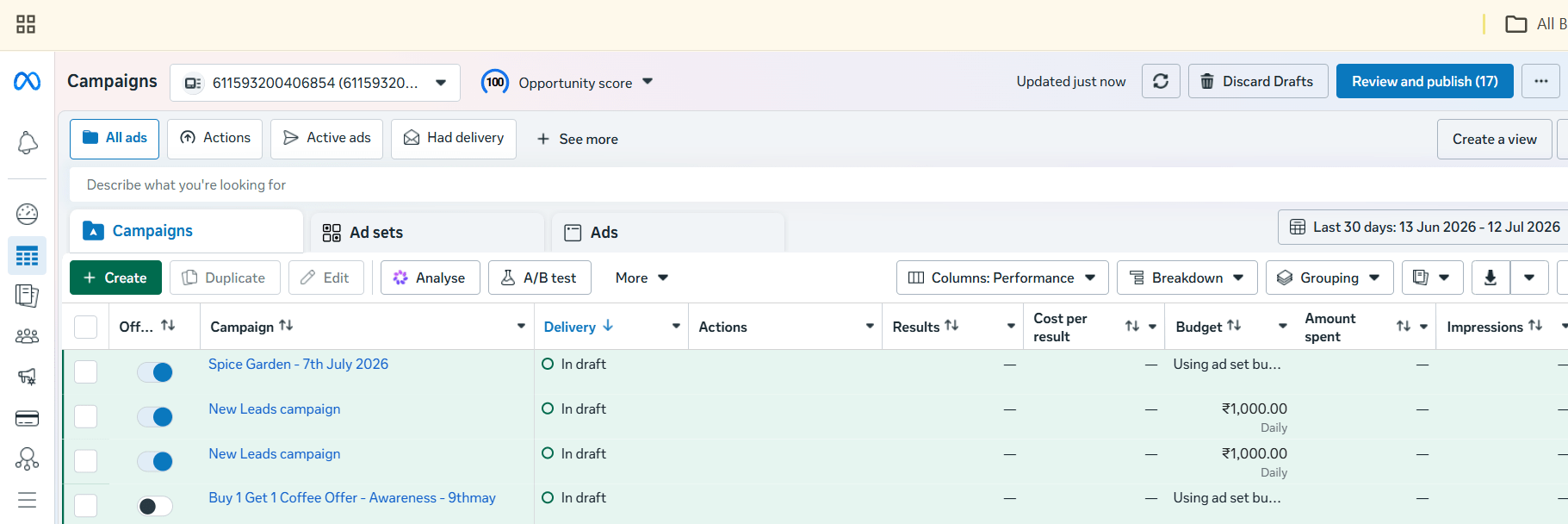
Open Meta Ads Manager
1
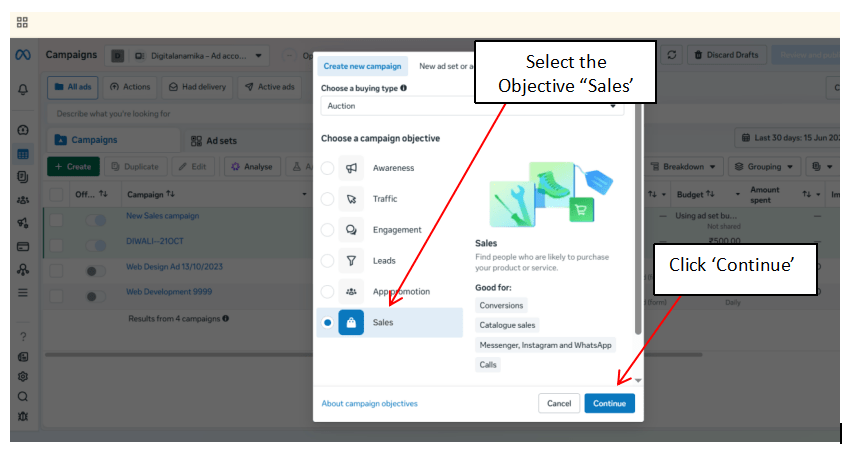
Select the Campaign Objective
2
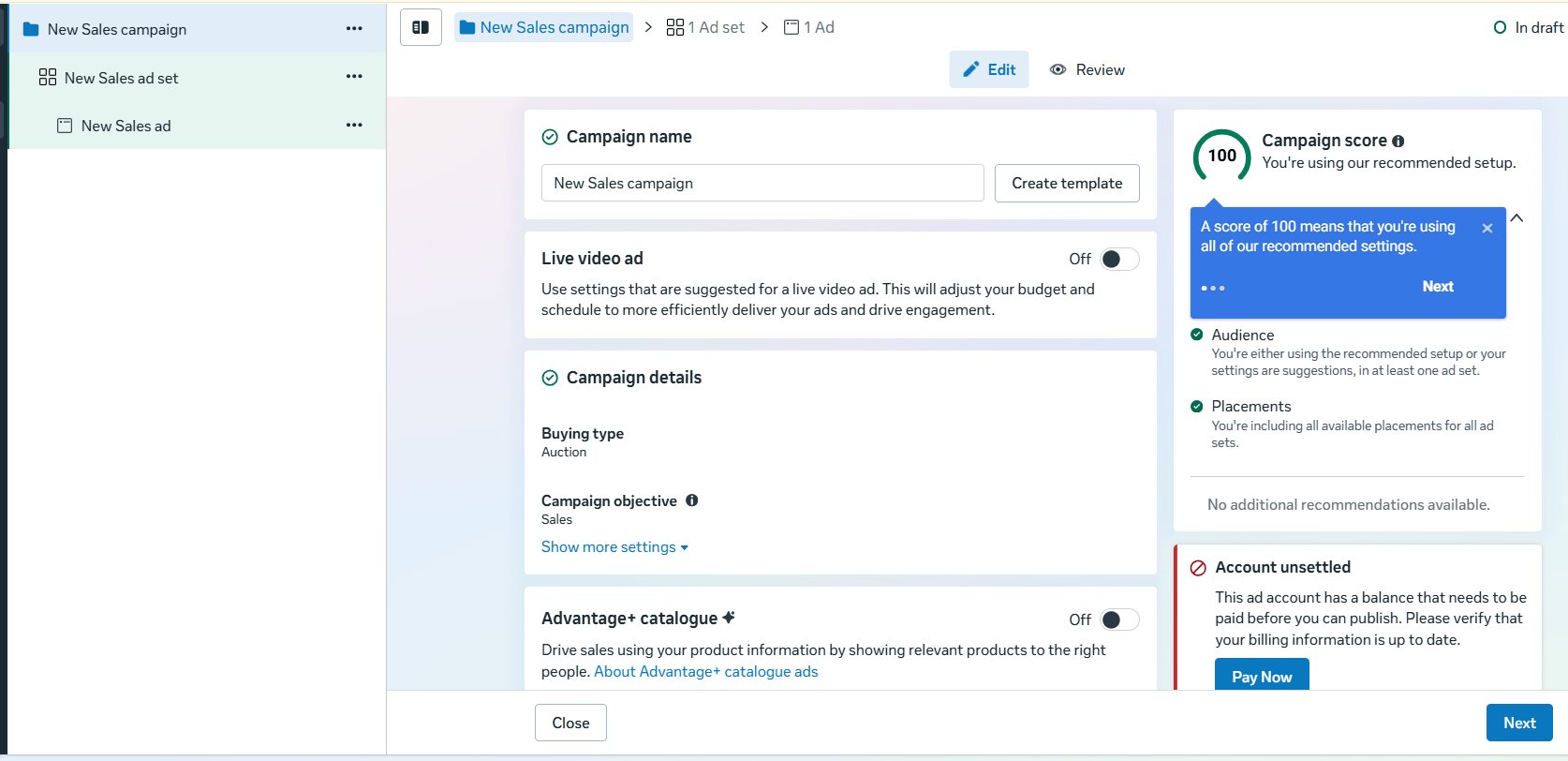
Configure Campaign Settings
3
Enter the campaign details.
Configure:
Campaign Name
Buying Type (Auction)
Campaign Objective (Sales)
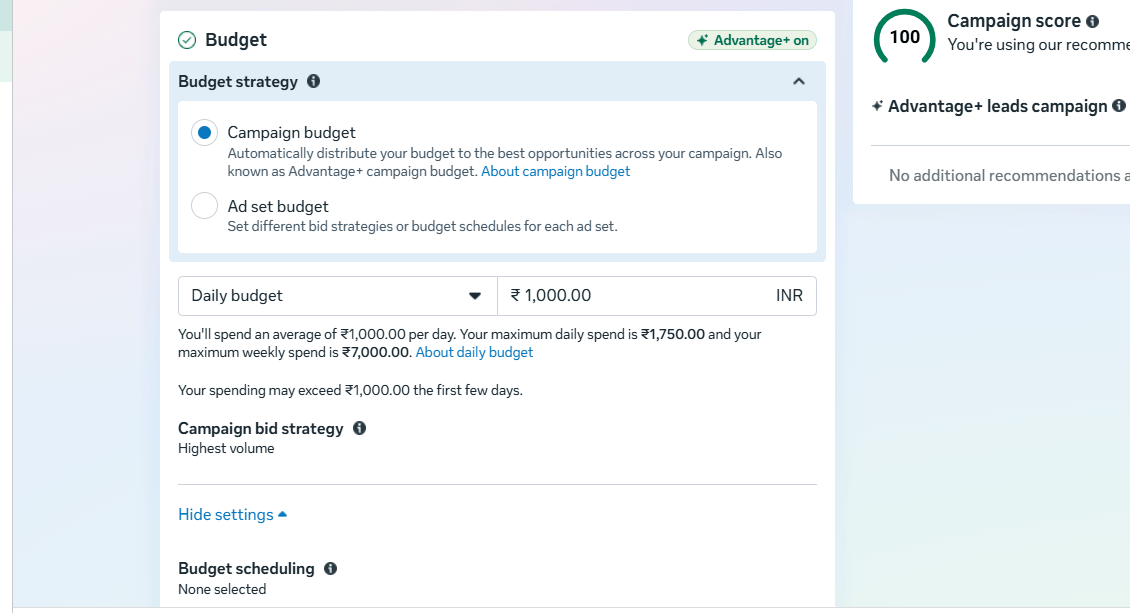
Enable Advantage Campaign Budget if required.
Set the campaign budget and schedule.
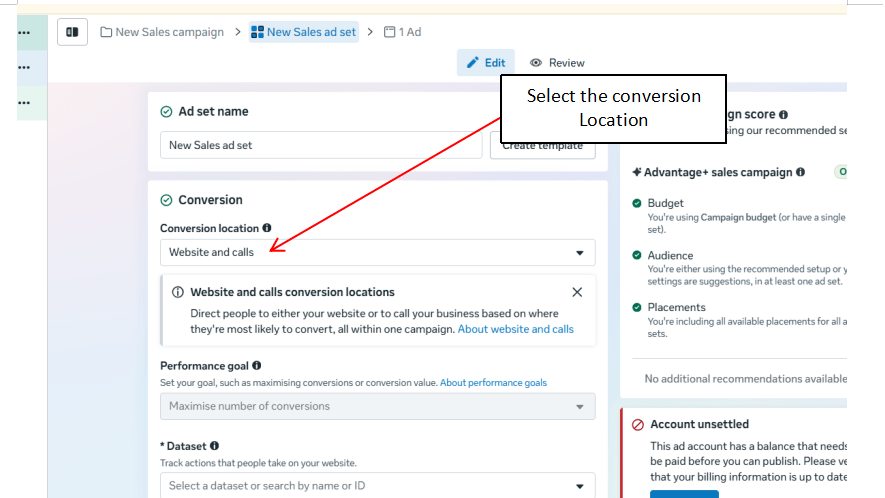
Select the Conversion Location
4
Choose where the conversion should occur.
Examples:
Website
Website and App (if applicable)
Select Website as the conversion location.
Choose the Meta Pixel configured for the Spice Garden website.
Select the conversion event to optimize for, such as:
Purchase
Place Order
Complete Reservation
Define the Target Audience
5
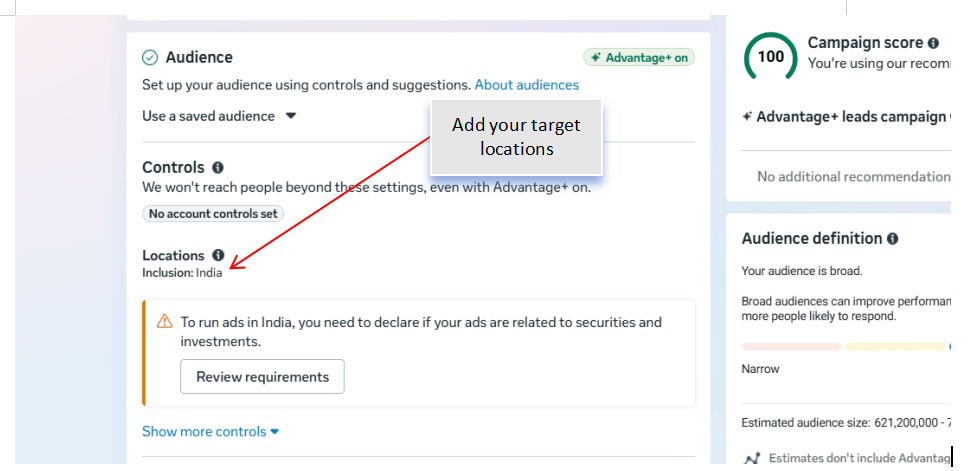
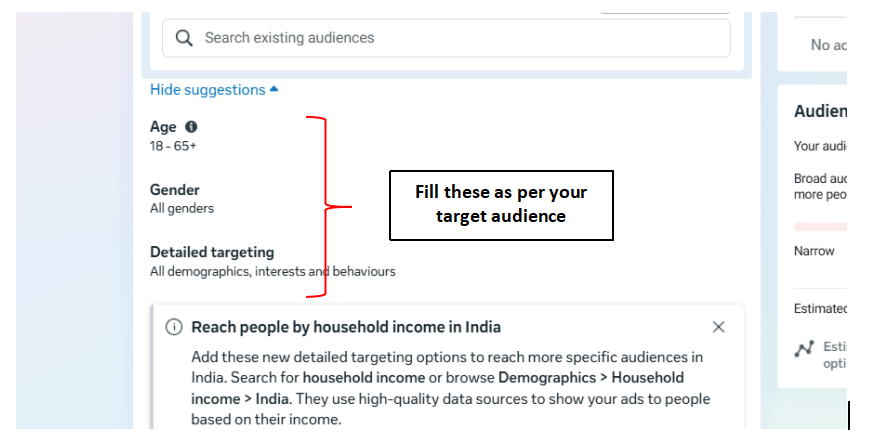
Configure the audience using:
Location
Age Group
Gender
Language
Interests
Examples:
Food Lovers
Restaurant Visitors
Online Food Ordering
Chinese Cuisine
Review the estimated audience size.
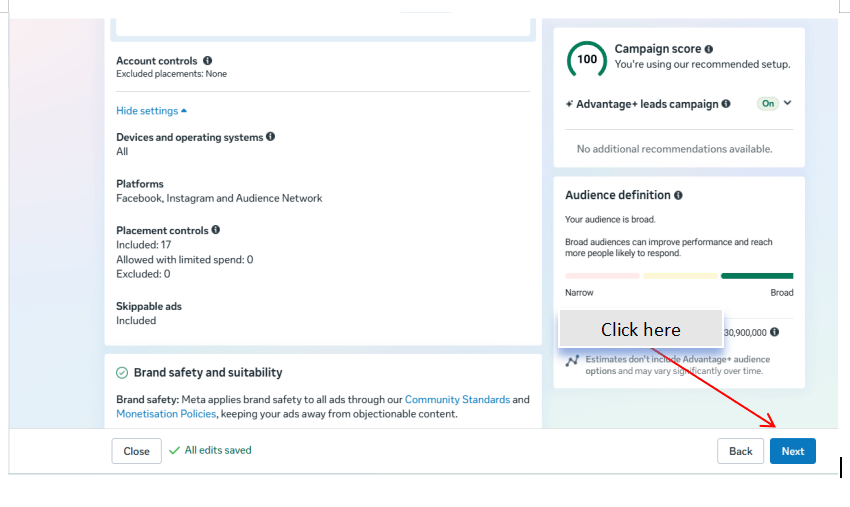
Configure Ad Placements
6
Select the placement option.
Choose:
Advantage+ Placements (Recommended)
or
Manual Placements
Review the available placements.
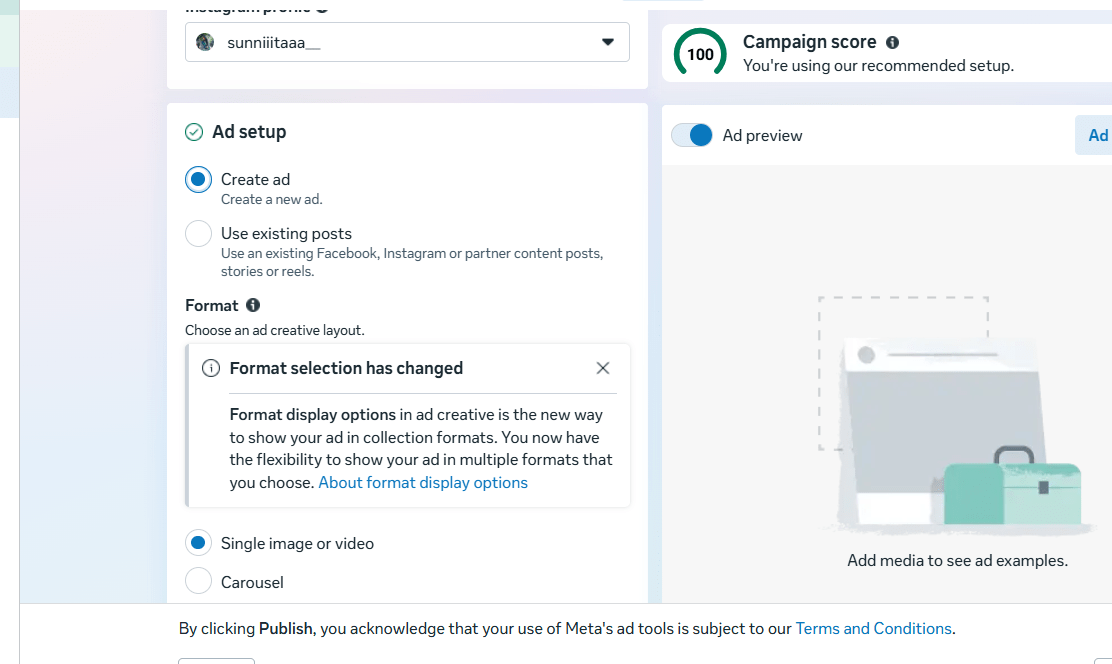
Create the Sales Advertisement
7
Create the advertisement by adding:
Campaign Image or Video
Primary Text
Headline
Description
Website URL
Call-to-Action
Examples of CTA:
Order Now
Book Now
Shop Now
Ensure the advertisement clearly promotes the restaurant's products or offers.
Use the Product Catalogue
8
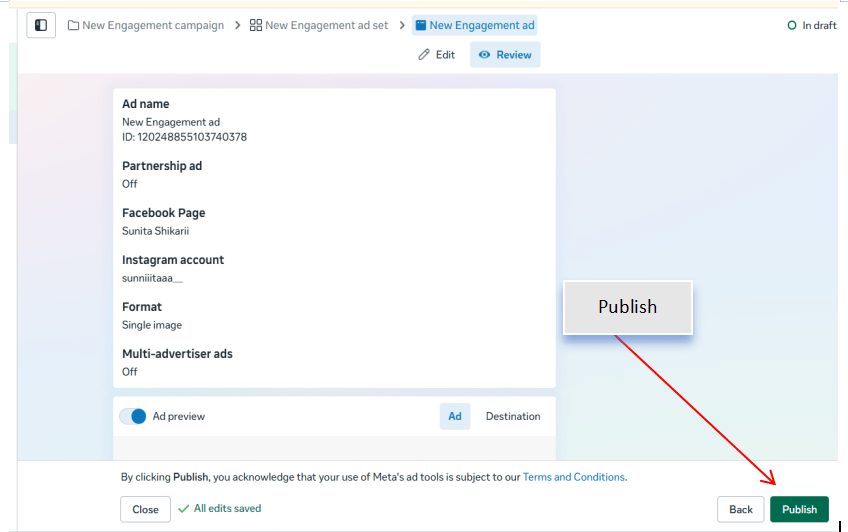
Review and Publish the Campaign
9
Before publishing, verify:
Campaign Objective
Conversion Event
Meta Pixel
Target Audience
Budget
Placements
Product Catalogue
Advertisement Creative
Click Publish to launch the campaign.
Monitor Campaign Performance
10
After the campaign starts delivering, monitor the following metrics in Ads Manager:
Purchases or Orders
Conversion Rate
Cost per Purchase
Return on Ad Spend (ROAS)
Click-Through Rate (CTR)
Reach and Impressions
Record the campaign performance for future optimization.
Activity
Now it's your turn!
Create a Meta Sales Campaign for Spice Garden Restaurant.
You need to:
Create a new Sales campaign
Configure campaign settings
Select the website as the conversion location
Choose the Meta Pixel and conversion event
Define the target audience
Configure ad placements
Create the sales advertisement
Attach the product catalogue
Review and publish the campaign
Monitor campaign performance
Congratulations!
You have successfully completed Sales Campaign LAB for Spice Garden.
In this LAB, you learned how to:
How to create a Sales Campaign in Meta Ads Manager
How to configure website conversion tracking
How to optimize a campaign for sales objectives
How to use a product catalogue in advertisements
Checkpoint
How to select conversion events
How to monitor campaign performance using sales metrics
By Content ITV