Tungsten & React
The Commons Ideas Behind Tungsten and React
Why React?
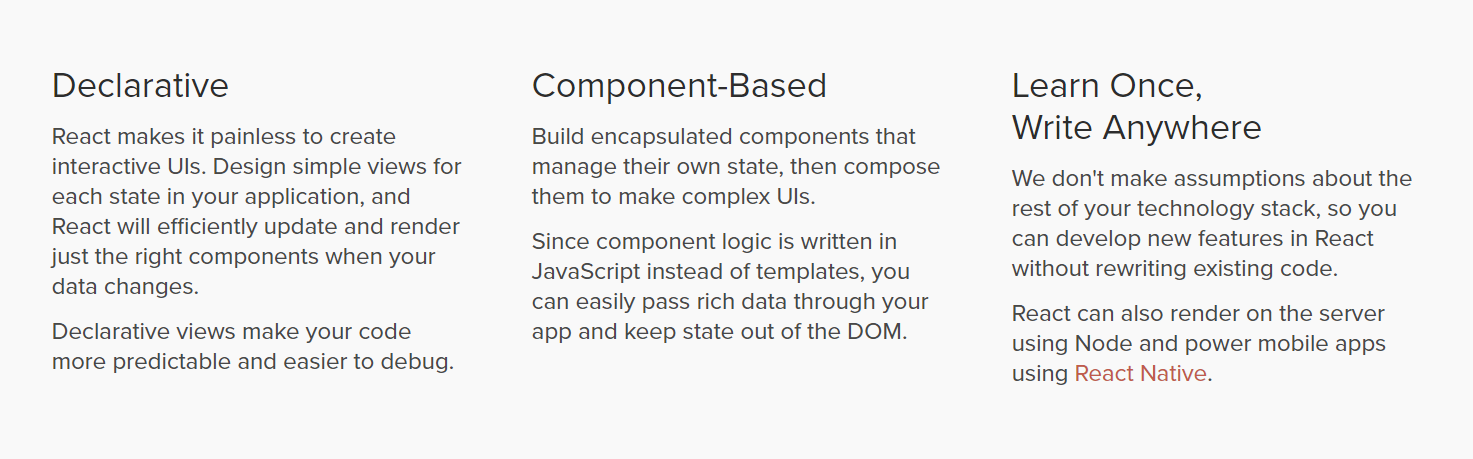
Declarative vs Imperative
- Imperative: describing how things work
- Declarative: describing what things look like
In Essence
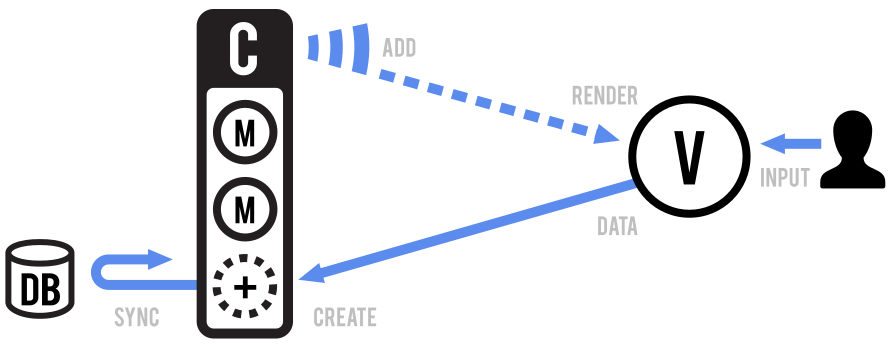
this.listenTo(this.todos, 'all', this.render); addTodo: function() {
if (this.newTodo) {
const todoModel = new Todo({
todo: this.newTodo
});
this.todos.add(todoModel);
}
}
In React
Component
setState()
render()
UI = f(state) or UI = f(model)
Declarative Programming Everywhere
Examples
- Mustache Data
- Request Dao
render: function() {
    const output = Mustache.render(
      mustacheTemplate,
      {todos: this.appModel.get('todos').toJSON(), newTodo: this.appModel.get('newTodo')}
    );
    this.$el.html(output);
    return this;
}
<div>
<div class="todo_app">
<h1>Todo List</h1>
<ul>
<li><span>grocery shopping</span><input type="checkbox"></li>
<li><span>pay electricity bill</span><input type="checkbox"></li>
</ul>
<input type="text" class="js-new-todo">
<button class="js-add-button">Add Todo</button>
</div>
</div><div>
</div><div>
<div class="todo_app">
<h1>Todo List</h1>
<ul>
<li><span>grocery shopping</span><input type="checkbox"></li>
<li><span>pay electricity bill</span><input type="checkbox"></li>
<li><span>pay phone bill</span><input type="checkbox"></li>
</ul>
<input type="text" class="js-new-todo">
<button class="js-add-button">Add Todo</button>
</div>
</div><div>
<div class="todo_app">
<h1>Todo List</h1>
<ul>
<li><span>grocery shopping</span><input type="checkbox"></li>
<li><span>pay electricity bill</span><input type="checkbox"></li>
</ul>
<input type="text" class="js-new-todo">
<button class="js-add-button">Add Todo</button>
</div>
</div><div>
<div class="todo_app">
<h1>Todo List</h1>
<ul>
<li><span>grocery shopping</span><input type="checkbox"></li>
<li><span>pay electricity bill</span><input type="checkbox"></li>
<li><span>pay phone bill</span><input type="checkbox"></li>
</ul>
<input type="text" class="js-new-todo">
<button class="js-add-button">Add Todo</button>
</div>
</div>VDOM
What's VDOM?
Plain Javascript objects that represents real DOM. Because it's just javascript objects, it's cheap to maintain them in memory.
{ type: ‘ul’, props: { ‘class’: ‘list’ }, children: [
  { type: ‘li’, props: {}, children: [‘item 1’] },
  { type: ‘li’, props: {}, children: [‘item 2’] }
] }
<ul className=”list”>
<li>item 1</li>
<li>item 2</li>
</ul>Create real DOM from VDOM
function createElement(node) {
  if (typeof node === 'string') {
    return document.createTextNode(node);
  }
  const $el = document.createElement(node.type);
  node.children.forEach(childNode => {
  	$el.appendChild(createElement(childNode));
  });
  return $el
};
The Diffing Algorithm
updateElement($parent, newNode, oldNode, index = 0) {...}The real DOM node where virtual is rendered into
The new virtual DOM node
The old virtual DOM node
The location where virtual DOM node in $parent
The Diffing Algorithm
updateElement($parent, newNode, oldNode, index = 0) {...}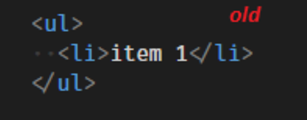
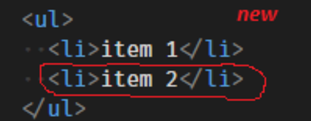
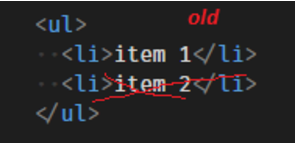
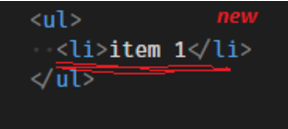
1. Only new node at index i - apendChild(...)
2. Only old node at index i- removeChild(...)
The Diffing Algorithm
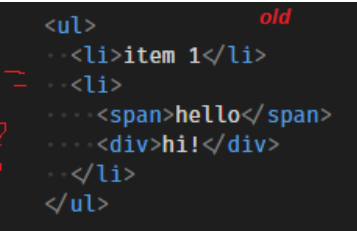
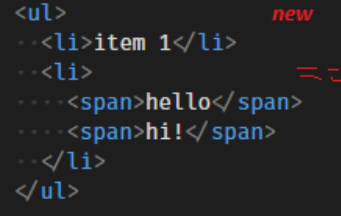
updateElement($parent, newNode, oldNode, index = 0) {...}3. Different nodes at index i - replaceChild(...)
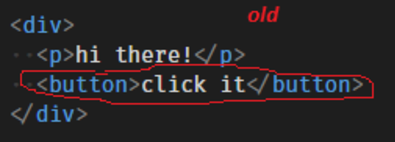
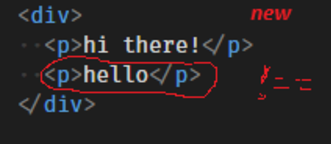
function changed(node1, node2) {
  return typeof node1 !== typeof node2 ||
         typeof node1 === 'string' && node1 !== node2 ||
         node1.type !== node2.type
}
The Diffing Algorithm
updateElement($parent, newNode, oldNode, index = 0) {...}- Can't tell - call updateElement(...) recursively
Where Virtual DOM is used?
Tungsten
React
JSX
render () {
  return (
    <ul>
      <li>pay bill</li>
      <li>buy milk</li>
    </ul>
  );
}
render () {
return React.createElement(
"ul",
null,
React.createElement(
"li",
null,
"pay bill"
),
React.createElement(
"li",
null,
"buy milk"
)
);
}Virtual DOM is fast, so real DOM is slow?
Virtual DOM is much faster than unefficient real DOM manipulation.
Things In Common
- Declarative programming
- Use of irtual DOM
The Differences
Tungstenjs
Model/Collection
View
Template
- stores and manages data (attributes)
- talk to the backend for data persistence
- observes models and updates DOM accordingly
- dispatch DOM events
- defines how the UI look like
Tungstenjs
Model/Collection
View
Template
Model/Collection
View
Template
Child Level
Root Level
...
relations: {
...
}
childViews: {
...
}{{ > ... }}React
Child Level
Root Level
...
ParentComponent
ChildComponent
render () {
  return (
    ...
    <ChildComponent>
    ...
  );
}
Mustache as Templates vs No Templates
Whenever conditions become too complex, it might be a good time to extract a component.
A good rule of thumb is that if a part of your UI is used several times (Button, Panel, Avatar), or is complex enough on its own (App, FeedStory, Comment), it is a good candidate to be a reusable component.
Thank you!
Wayfair React Presentation
By David Zheng
Wayfair React Presentation
Some thoughts about React and frontend in general