Microsoft Flow
Populate a Microsoft Word Template
Convert Word Document to PDF



Who am I?
- Originally from Ireland ☘️
- Studied a Social Science Degree and then jumped ship for a Computer Science Diploma.
- Worked at a government organization building websites / apps out of statistical data.
- Now working at Insight since September of 2018
Convert Word Document to PDF in Flow
This flow returns a pdf version of an office document that can come from a variety of sources, we are using a Sharepoint default document library in this case.
Make sure to have some documents in there before you try this.
- Create a new flow that triggers from within PowerApps

- Initialize two variables, one for file ID and another for folder path
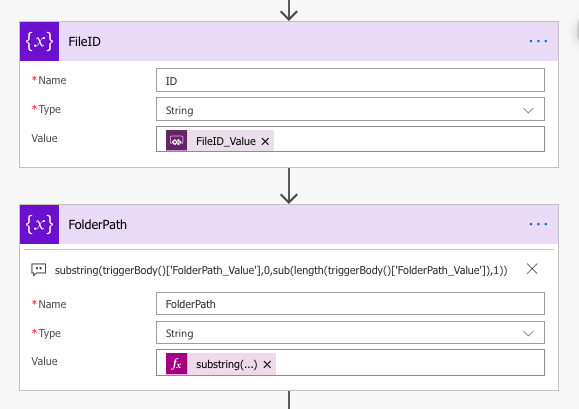
- The second variable is using a substring method to convert the folder path we provide, it removes the trailing forward slash
substring(
triggerBody()['FolderPath_Value'], 0, sub(length(triggerBody()['FolderPath_Value']), 1))
- Next we have to send an HTTP request to Sharepoint using their api service to convert the document
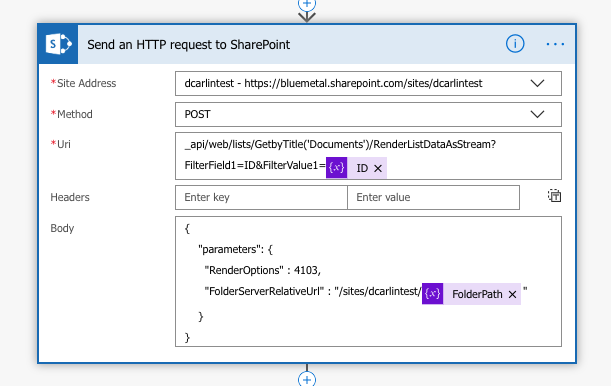
- At this point, we should run our flow using test data of ID "1" and folder path as "Shared Documents/" and copy the body content
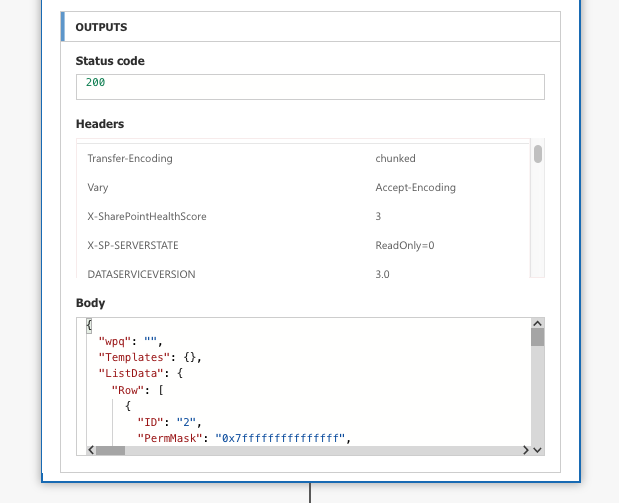
- That JSON payload we receive back is huge so now we need to parse it using another flow action, click use sample payload and paste the body in
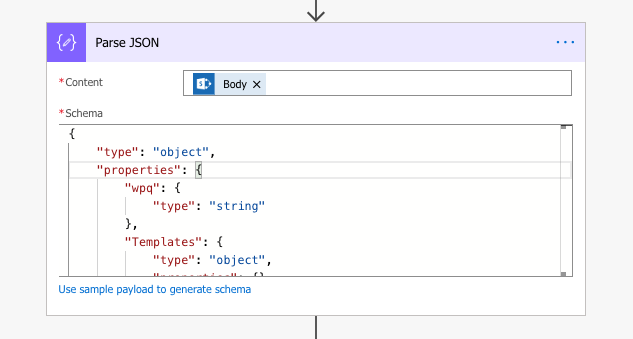
- The reason we need to parse the JSON is so we have access to all parts of the payload in object form in order to build a URL in another variable
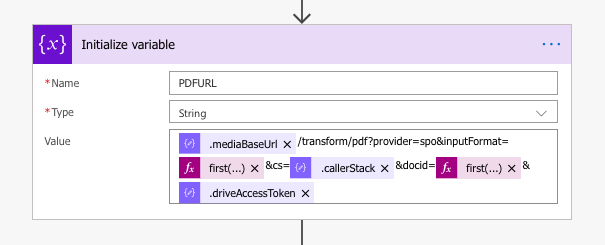
.mediaBaseUrl
https://eastus1-mediap.svc.ms
.callerStack
.driveAccessToken
first(body('Parse_JSON')?['ListData']?['Row'])?['File_x0020_Type']
first(body('Parse_JSON')?['ListData']?['Row'])?['.spItemUrl']
docx
https://bluemetal.sharepoint.com:443/_api/v2.0/drives/b!0
fFNQTw
eyJ0eXAiOiJKV1QiLCJhb....
https://eastus1-mediap.svc.ms/transform/pdf?provider=spo&inputFormat=docx&cs=fFNQTw&docid=https://bluemetal.sharepoint.com:443/_api/v2.0/drives/b!0x...?version=Published&access_token=eyJ0eXAiOiJ...
- Next we need to respond back to PowerApps with the PDF url we just created
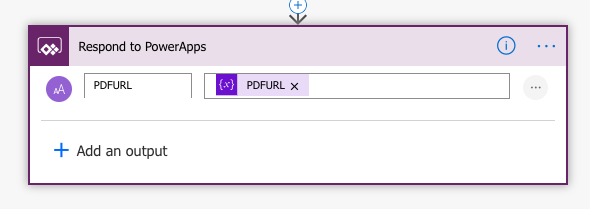
- In Powerapps you can set a variable to the flow
Set(varMyPDF,GetPDF.Run(ID, Path))
varMyPDF.pdfurl- Then use that in the PDF Viewer control in the Document property
Populate a Microsoft Word Template
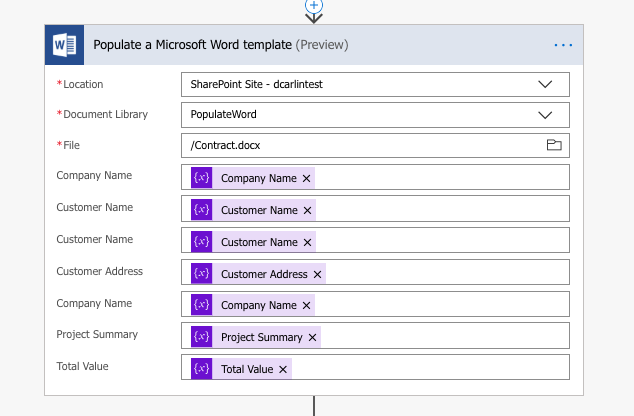
This flow populates a Microsoft Word Template from PowerApps using initialized variables in flow
- The Word Template needs to be setup using the developer tab in Word using Design Mode and Plain Text Controls
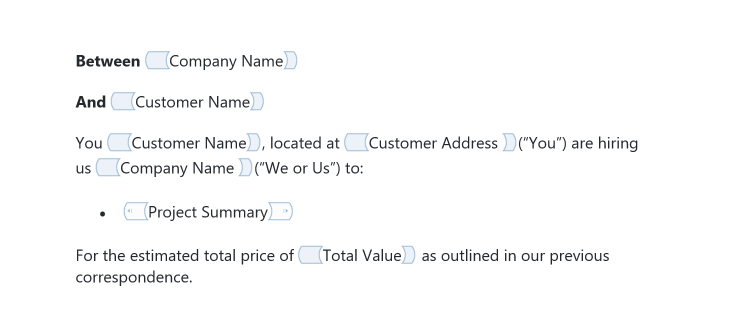
- Add this file as a docx to Sharepoint or similar
- Create a new flow that triggers from within PowerApps
- Initialize variables as need from your Microsoft Template and set the Value to ask in PowerApps
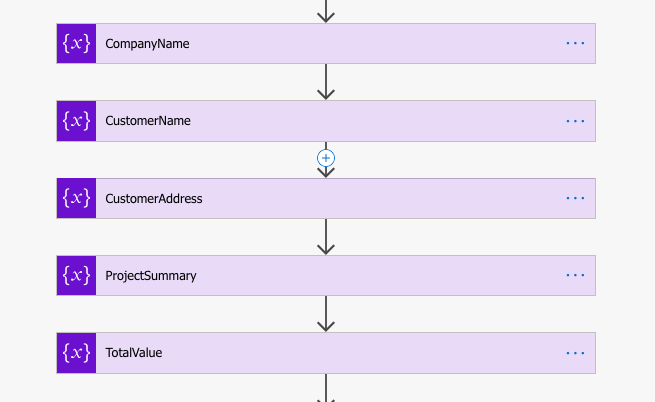
- Insert the Word action and enter the relevant information
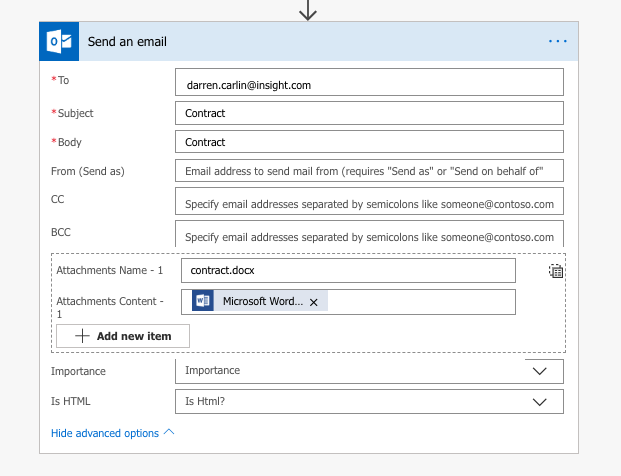
- Finally we use the Send an email action to create a copy elsewhere

Dog Tax (George)
Links
PDF Conversion
Populate Microsoft Template
Microsoft Flows - Word
By dazftw