



Sylvain DEDIEU
Frontend engineer – #ui-foundations 🛸
s.dedieu@criteo.com



Sylvain DEDIEU
Frontend engineer – #ui-foundation 🛸
@DedieuS
s.dedieu




Agenda
1
2
3
4
What is reactive programming ?
Why modern frameworks do need reactive programming
Comparison on how modern frameworks use reactivity
Focus on Angular, from Zone.JS to Signals

1
2
3
4
What is reactive programming ?
Why modern frameworks do need reactive programming
Comparison on how modern frameworks use reactivity
Focus on Angular, from Zone.JS to Signals

What is reactive programming ?
Welcome to 2051 !
Great Scott!

var a = 10;
var b <= a + 1;
a = 20;
Assert.AreEqual(21, b);
Example of P# code using a destiny operator
Welcome to 2051 1969 !
The future was there...
Problem
JS is not reactive by default
let a = 10
let b = 1
let c = a + b

expect(c).toEqual(11) // ✅

a = 20
expect(c).toEqual(21) // 💥

function update() {
  c = a + b
}

update()

expect(c).toEqual(21) // ✅
1
2
3
4
What is reactive programming ?
Why modern frameworks do need reactive programming
Comparison on how modern frameworks use reactivity
Focus on Angular, from Zone.JS to Signals

Why modern framework do need reactive programming ?
Error 404 - Reactivity is missing
<!-- index.html -->
<html>
  <body>
    <h1>Hello <span id="conference"></span>!</h1>
    <p>
      Counter: <span id="counter"></span>
      <button onclick="increment()">Increment</button>
    </p>
    <p>Counter is even: <span id="is-even"></span></p>

    <script type="text/javascript">
      // Init values and DOM
      let counter = 0;
      let isEven = counter % 2 == 0;
      const conference = 'Devfest Nantes';

      document.getElementById('conference').innerText = conference;
      document.getElementById('counter').innerText = counter;
      document.getElementById('is-even').innerText = isEven;

      // On button clicked
      window.increment = function () {
        counter++;
        isEven = counter % 2 == 0;
        console.log(`counter: ${counter}`);
        console.log(`isEven: ${isEven}`);
      };
    </script>
  </body>
</html>
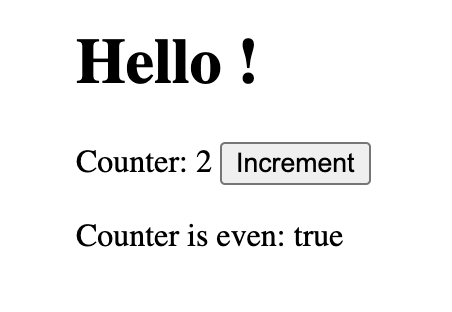
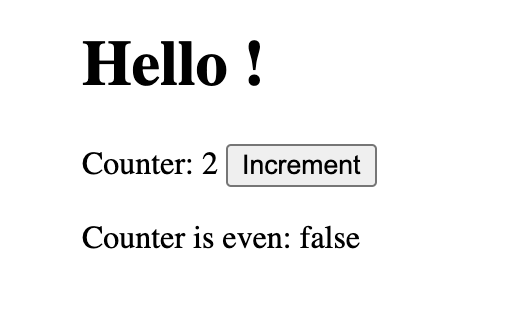
Rendering DOM (1/2)

Working solution
<html>
  <body>
    <h1>Hello <span id="conference"></span>!</h1>
    <p>
      Counter: <span id="counter"></span>
      <button onclick="increment()">Increment</button>
    </p>
    <p>Counter is even: <span id="is-even"></span></p>

    <script type="text/javascript">
     // Init values and DOM
      let counter = 0;
      let isEven = counter % 2 == 0;
      const conference = 'Devfest Nantes';
      document.getElementById('conference').innerText = conference;
      document.getElementById('counter').innerText = counter;
      document.getElementById('is-even').innerText = isEven;

      // On increment
      window.increment = function () {
        setCounter(counter + 1);
      };
      window.setCounter = function (value) {
        counter = value;
        document.getElementById('counter').innerText = counter;
        updateIsEven(counter);
      };
      window.updateIsEven = function (value) {
        isEven = value % 2 == 0;
        document.getElementById('is-even').innerText = isEven;
      };
    </script>
  </body>
</html>
Rendering DOM (2/2)
Data binding
{{AngularJS 2009}}
<html>
  <script src="https://ajax.googleapis.com/ajax/libs/angularjs/1.6.9/angular.min.js">
  </script>
  <body>
    <div ng-app="myApp" ng-controller="myCtrl">
      <h1>Hello <span id="conference">{{conference}}</span>!</h1>
      <p>
        Counter: <span id="counter">{{counter}}</span>
        <button ng-click="increment()">Increment</button>
      </p>

      <p>Counter is even: <span id="is-even">{{isEven}}</span></p>
    </div>

    <script>
      var app = angular.module('myApp', []);
      app.controller('myCtrl', function($scope) {
          $scope.conference = "Devfest Nantes";
          $scope.counter = 0;
          $scope.isEven = true;

          $scope.increment = function() {
            $scope.counter++;
          }
          $scope.$watch('counter', function(newValue, oldValue) {
            $scope.isEven = newValue % 2 === 0
          });
      });
    </script>
  </body>
</html>
Dirty checking
Clean on progress !

1
2
3
4
What is reactive programming ?
Why modern frameworks do need reactive programming
Comparison on how modern frameworks use reactivity
Focus on Angular, from Zone.JS to Signals

Comparison of different reactivity approaches
Value-based
Value-based

Value-based systems rely on storing the state in a local reference as a simple value.
🌶️ HOT TAKE: Dirty-checking is the only strategy that can be employed with value-based systems. Compare the last known value with the current value. This is the way.
Miško Hevery

Angular
Before
Compiled code (1/2)
@Pipe({
  name: 'isEven',
  standalone: true,
})
export class IsEvenPipe implements PipeTransform {
  transform(counter: number): boolean {
    return counter % 2 === 0;
  }
}
@Component({
  selector: 'app-root',
  standalone: true,
  imports: [IsEvenPipe],
  template: `
    <h1>Hello <span>{{conference}}</span>!</h1>
    <p>
      Counter: <span>{{counter}}</span>
      <button (click)="counter = counter + 1">Increment</button>
    </p>

    <p>Counter is even: <span>{{ counter | isEven }}</span></p>
  `,
})
export class AppComponent {
  counter: number = 0;
  conference: string = 'Devfest Nantes';
}
After
Compiled code (2/2)
import * as i0 from "@angular/core";

AppComponent.ɵcmp = i0.ɵɵdefineComponent({
  type: AppComponent,
  selectors: [["app-root"]],
  standalone: true,
  features: [i0.ɵɵStandaloneFeature],
  decls: 16,
  vars: 5,
  consts: [["onclick", "increment()"]],
  template: function AppComponent_Template(rf, ctx) {
    if (rf & 1) {
      i0.ɵɵelementStart(0, "h1");
      i0.ɵɵtext(1, "Hello ");
      i0.ɵɵelementStart(2, "span");
      i0.ɵɵtext(3);
      i0.ɵɵelementEnd();
      i0.ɵɵtext(4, "!");
      i0.ɵɵelementEnd();
      i0.ɵɵelementStart(5, "p");
      i0.ɵɵtext(6, " Counter: ");
      i0.ɵɵelementStart(7, "span");
      i0.ɵɵtext(8);
      i0.ɵɵelementEnd();
      i0.ɵɵelementStart(9, "button", 0);
      i0.ɵɵtext(10, "Increment");
      i0.ɵɵelementEnd()();
      i0.ɵɵelementStart(11, "p");
      i0.ɵɵtext(12, "Counter is even: ");
      i0.ɵɵelementStart(13, "span");
      i0.ɵɵtext(14);
      i0.ɵɵpipe(15, "isEven");
      i0.ɵɵelementEnd()();
    }
    if (rf & 2) {
      i0.ɵɵadvance(3);
      i0.ɵɵtextInterpolate(ctx.conference);
      i0.ɵɵadvance(5);
      i0.ɵɵtextInterpolate(ctx.counter);
      i0.ɵɵadvance(6);
      i0.ɵɵtextInterpolate(i0.ɵɵpipeBind1(15, 3, ctx.counter));
    }
  },
  dependencies: [IsEvenPipe],
  encapsulation: 2
});
Refresh View
function executeTemplate<T>(
    ..., rf: RenderFlags, context: T) {
  ...
  try {
    ...
    templateFn(rf, context);
  }
  ...
}
Change Detection (CD)
context == state (with new values)
export const enum RenderFlags {
  /* (e.g. create elements
   * and directives) */
  Create = 0b01,
  /* (e.g. refresh bindings) */
  Update = 0b10
}
What is Zone.js !
An execution context!

How it works !? (1/2)
Without Zone
function foo() {
  return new Promise((res) => setTimeout(res(), 0))
    .then(bar);
}

function bar() {
  throwError();
}

function throwError() {
  throw new Error();
}

foo()
Javascript code throwing nested Error not using Zone.js.
How it works !? (2/2)
With Zone
import 'zone.js';
import 'zone.js/dist/long-stack-trace-zone.js';

function foo() {
  return new Promise((res) => setTimeout(res(), 0))
    .then(bar);
}
function bar() {
  throwError();
}
function throwError() {
  throw new Error();
}
Zone.current
  .fork({
    name: 'error',
    onHandleError: function (
      parentZoneDelegate,
      currentZone,
      targetZone,
      error
    ) {
      console.log(error.stack);
    },
  })
  .fork(Zone.longStackTraceZoneSpec)
  .run(foo);
Javascript code throwing nested Error using Zone.js.
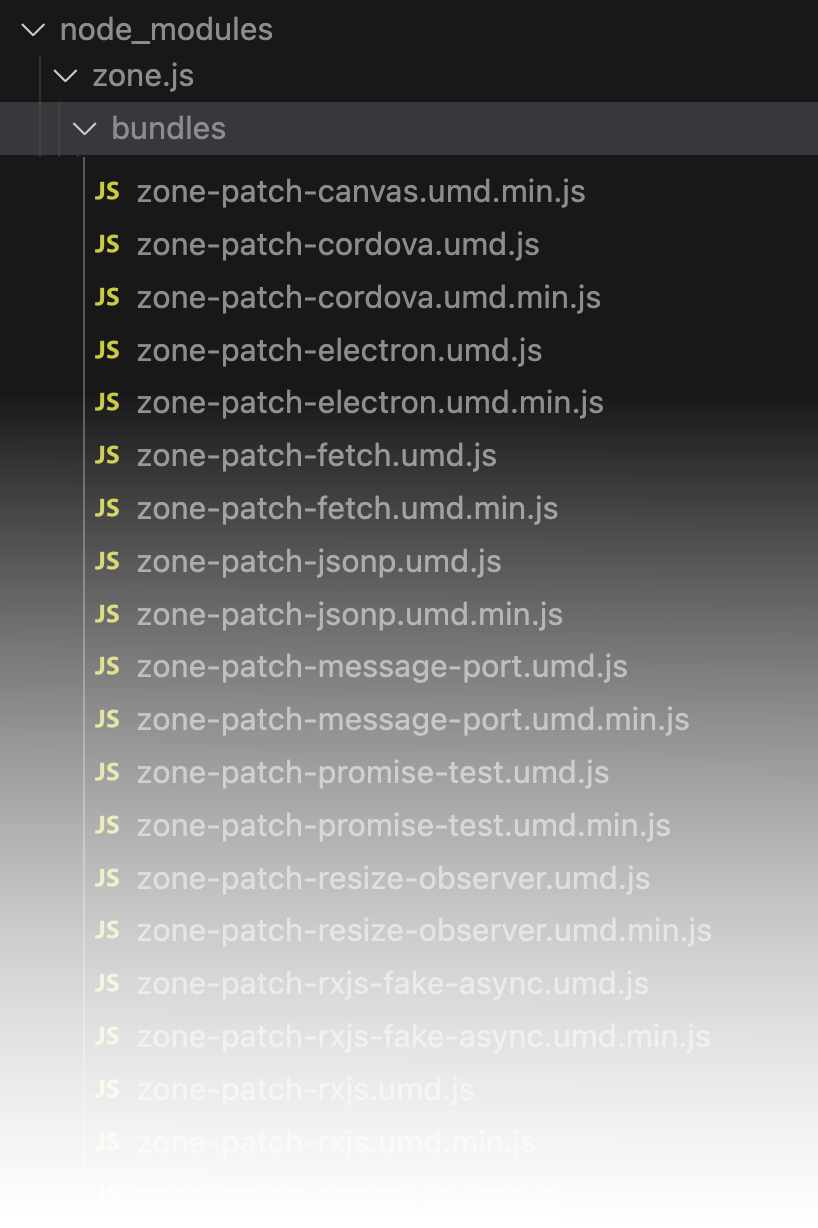
Let's patch everything !
\o/


Change detection strategy (1/3)
DOM Refreshing
C
C
C
C
C
C
C
EVENT
C
C
C
C
C
C
C
C
Change detection strategy (2/3)
OnPush
C
C
OnPush
C
C
EVENT
C
C
C
C
C
OnPush
OnPush
Only updated if:
- @Input reference has changed
- Component or one of its children triggers an event handler
- Change detection is triggered manually
- An observable linked to the template via the async pipe emits a new value
@Component({
  ...
  changeDetection: ChangeDetectionStrategy.OnPush,
  ...
})
export class OnPushComponent {}Change detection strategy (3/3)
@Component({
  selector: 'app-header',
  standalone: true,
  changeDetection: ChangeDetectionStrategy.OnPush,
  template: `
    <h1>Hello <span>{{conference()}}</span>!</h1>
  `,
})
export class HeaderComponent {
  conference(): string {
    console.log('title refreshed');
    return 'Devfest Nantes';
  }
}
@Component({
  selector: 'app-root',
  standalone: true,
  imports: [IsEvenPipe, HeaderComponent],
  template: `
    <app-header></app-header>
    <p>
      Counter: <span>{{counter}}</span>
      <button (click)="counter = counter + 1">Increment</button>
    </p>

    <p>Counter is even: <span>{{ counter | isEven }}</span></p>
  `,
})
export class AppComponent {
  counter: number = 0;
}

bootstrapApplication(AppComponent);
Demo
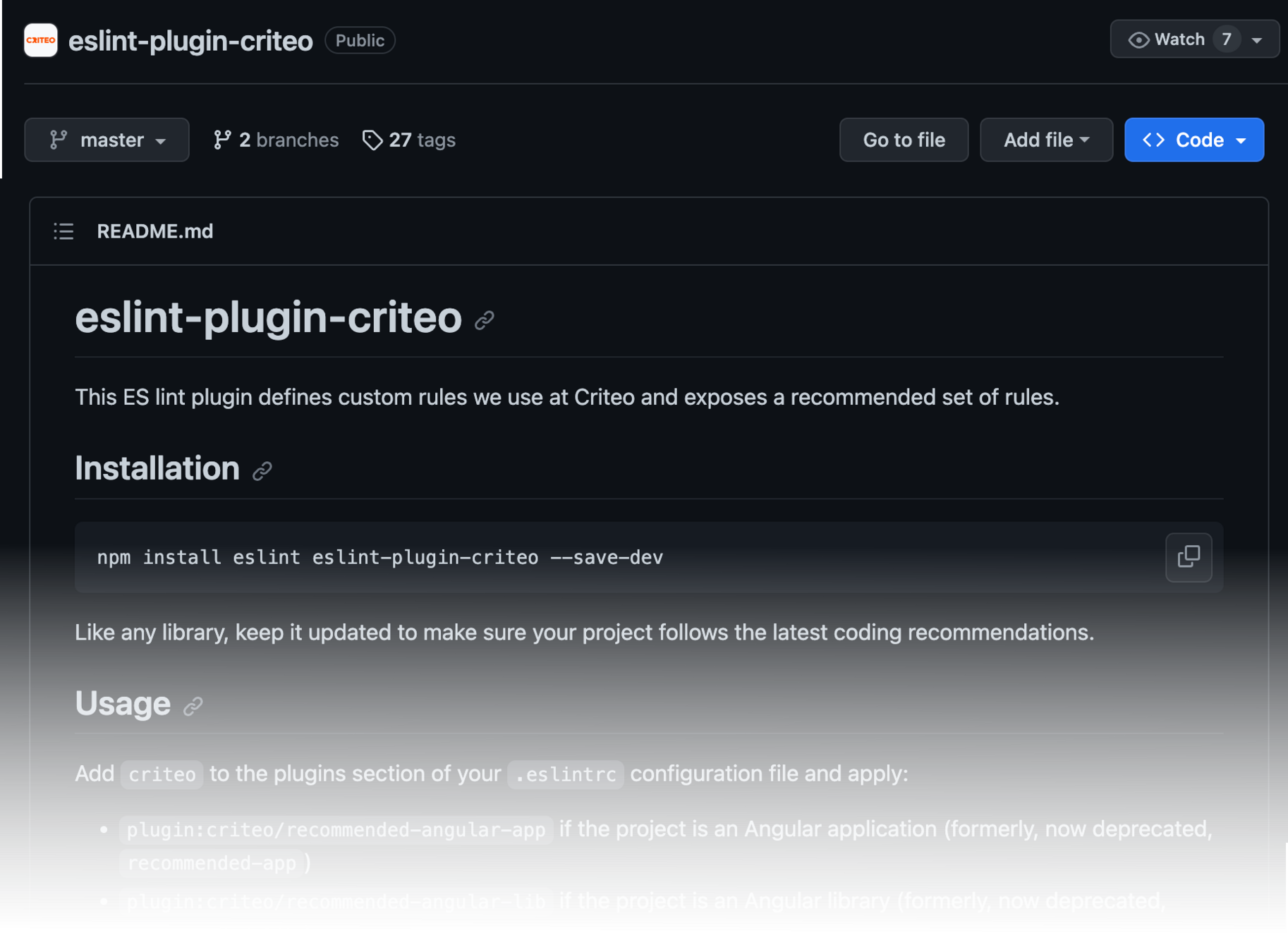
Use our eslint rules
Self promotion



React
setState
React
C
C
C
C
C
C
C
C
SetState
In React, the user triggers the change detection by calling the setState function
Trigger & Commit
React
- It’s the component’s initial render.
- Component’s (or one of its ancestors’) state has been updated.
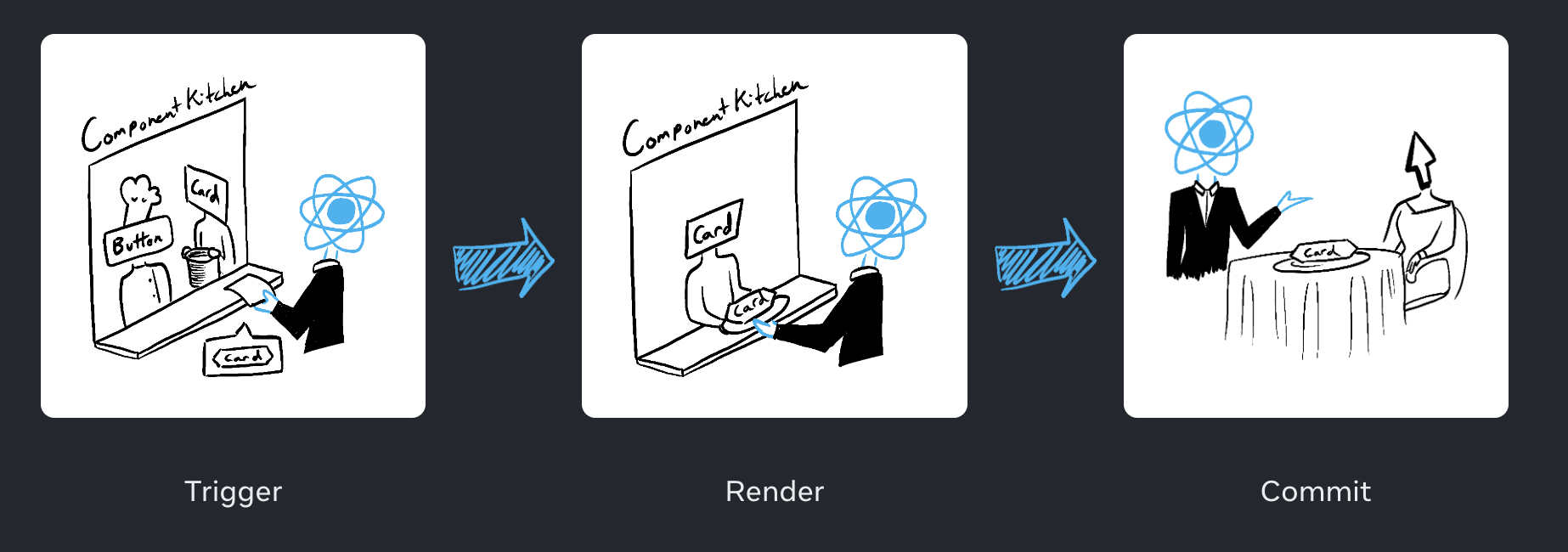
- On initial render, React will call the root component.
- For subsequent renders, React will call the function component whose state update triggered the render.
-
For the initial render, React will use the
appendChild()to put all the DOM nodes it has created on screen. - For re-renders, React will apply the minimal necessary operations to make the DOM match the latest rendering output.
setState
React
const Counter = () => {
  const conference = 'Devfest Nantes';
  const [counter, setCounter] = useState(0);

  const isEven = useMemo(() => counter % 2 === 0, [counter]);

  return (
    <div>
      <h1>
        Hello <span>{conference}</span>!
      </h1>
      <p>
        Counter: <span>{counter}</span>
        <button onClick={() => setCounter(counter + 1)}>Increment</button>
      </p>

      <p>
        Counter is even: <span>{isEven.toString()}</span>
      </p>
    </div>
  );
}
Redraw everything under the affected node
React
const Header = () => {
  const conference = () => {
    console.log('conference called');
    return 'Devfest Nantes';
  };

  return (
    <h1>
      Hello <span>{conference()}</span>!
    </h1>
  );
}

const Counter = () => {
  const [counter, setCounter] = useState(0);
  const isEven = useMemo(() => counter % 2 === 0, [counter]);

  return (
    <div>
      <Header />
      <p>
        Counter: <span>{counter}</span>
        <button onClick={() => setCounter(counter + 1)}>Increment</button>
      </p>

      <p>
        Counter is even: <span>{isEven.toString()}</span>
      </p>
    </div>
  );
}
shouldComponentUpdate
React
const Header = React.memo((props) => {
  const conference = () => {
    console.log('conference called');
    return 'Devfest Nantes';
  };

  return (
    <h1>
      Hello <span>{conference()}</span>!
    </h1>
  );
}, (prev, next) => true);

const Counter = () => {
  const [counter, setCounter] = useState(0);
  const isEven = useMemo(() => counter % 2 === 0, [counter]);

  return (
    <div>
      <Header />
      <p>
        Counter: <span>{counter}</span>
        <button onClick={() => setCounter(counter + 1)}>Increment</button>
      </p>

      <p>
        Counter is even: <span>{isEven.toString()}</span>
      </p>
    </div>
  );
}
React
Reactive or not reactive ?
Some popular libraries implement the “push” approach where computations are performed when the new data is available. React, however, sticks to the “pull” approach where computations can be delayed until necessary.


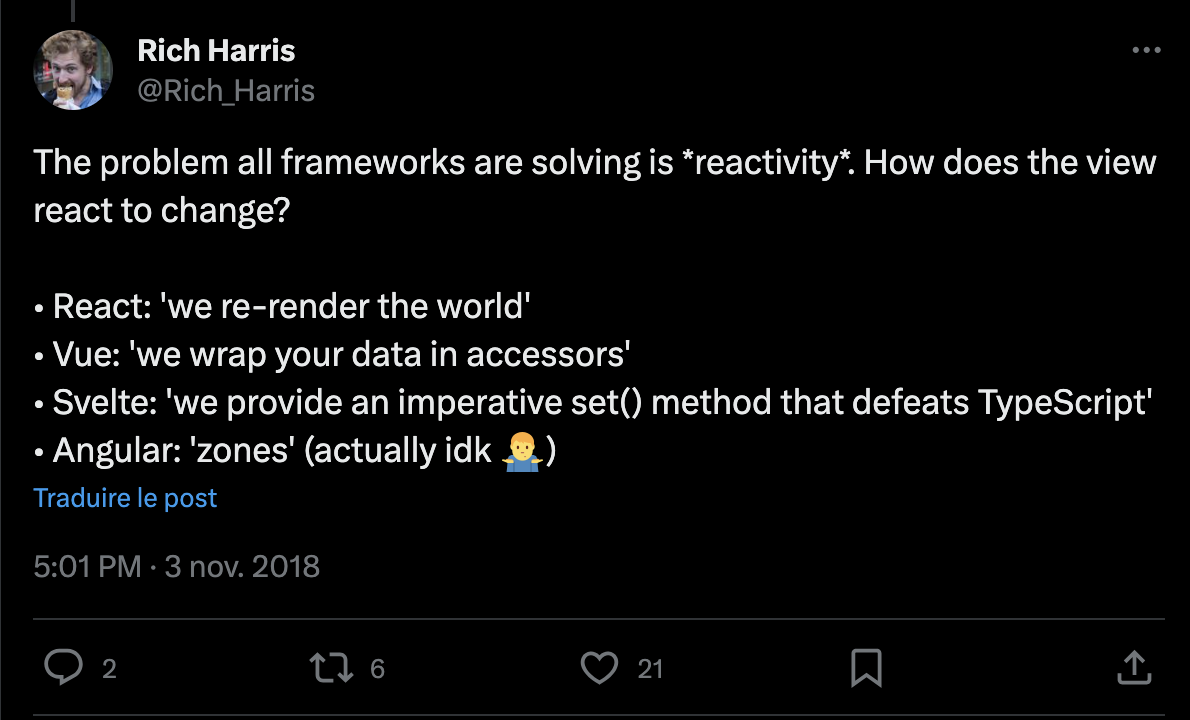
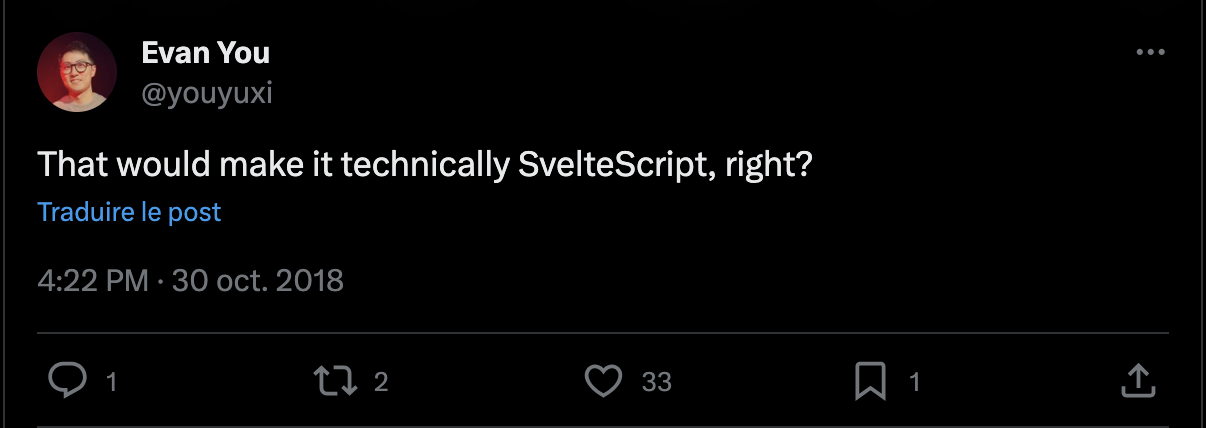
React is a terrible name for React.
Rich Harris

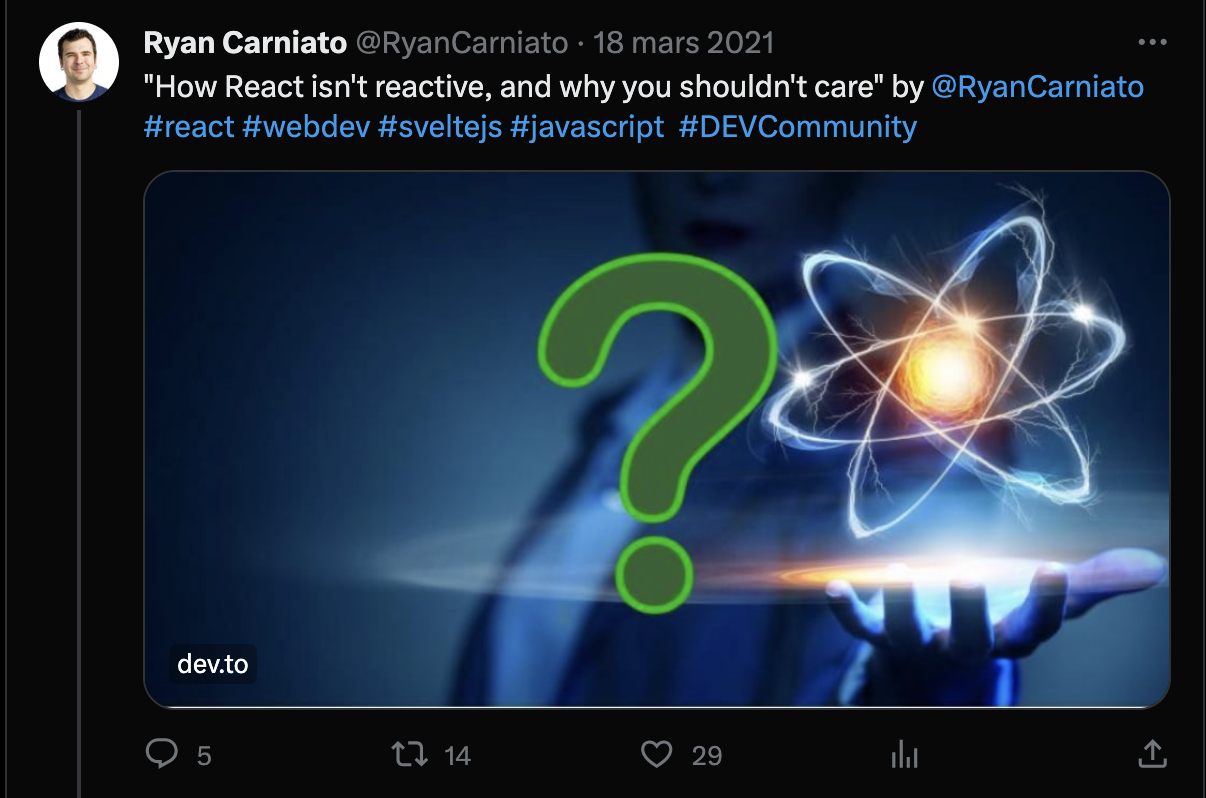
Reactive Programming is a declarative programming paradigm built on data-centric event emitters.
Ryan Carniato
Value-based
Pro & cons
Pros:
- It just works: You don't have to wrap objects in special containers, they are easy to pass around, and they are easy to type.
- Hard to fall off: It is hard to fall off the reactivity cliff. You are free to write code in many different ways with expected results.
- Easy to explain mental model: consequences of the above are easy to explain.
Cons:- Performance foot-guns: Performance slows down over time and requires "optimization refactoring”, which creates "performance experts.” For this reason, these frameworks provide "optimization"/"escape hatch" APIs to make things faster.
- Once you start optimizing, one can fall off the "reactivity-cliff" (UI stops updating, so in that sense, it is the same as signals)
Miško Hevery
Observable-based
Observable-based
Miško Hevery
RxJS
Subscription
const a$ = new BehaviorSubject(10);
const b$ = new BehaviorSubject(1);

const c$ = a$.pipe(
  combineLatestWith(b$),
  map(([a,b]) => a + b)
);

c$.subscribe(console.log);
// outputs: 11

a$.next(20);
// outputs: 21
Svelte
We love $
Svelte
<script>
  const conference = () => {
    console.log('title refreshed');
    return 'Devfest Nantes'
  }
  let counter = 0
  const increment = () => {
    counter += 1
  }
  $: isEven = counter % 2 == 0
</script>

<main>
  <h1>
    Hello <span>{conference()}</span>!
  </h1>
  <p>
    Counter: <span>{counter}</span>
    <button on:click={increment}>Increment</button>
  </p>
  <p>
    Counter is even: <span>{isEven}</span>
  </p>
</main>In the heart of the software (1/2)
Svelte
// src/runtime/internal/Component.ts
const $$invalidate = (key, ret, value = ret) => {
  if ($$.ctx && not_equal($$.ctx[key], value)) {
    // 1. update the variable in $$.ctx
    $$.ctx[key] = value;
    // ...
    // 2a. mark the variable in $$.dirty
    make_dirty(component, key);
  }
  // 4. return the value of the assignment
  // or update expression
  return ret;
};

// src/runtime/internal/Component.ts
function make_dirty(component, key) {
  if (!component.$$.dirty) {
    dirty_components.push(component);
    // 3. schedule an update
    schedule_update();
    // initialise $$.dirty
    component.$$.dirty = blank_object();
  }
  // 2b. mark the variable in $$.dirty
  component.$$.dirty[key] = true;
}$$invalidate
Mark component key as dirty
Schedule an update
In the heart of the software (2/2)
Svelte
// src/runtime/internal/scheduler.ts
export function schedule_update() {
  if (!update_scheduled) {
    update_scheduled = true;
    // NOTE: `flush` will do the DOM update
    // we push it into the microtask queue
    resolved_promise.then(flush);
  }
}

// src/runtime/internal/scheduler.ts
function flush() {
  // for each component in `dirty_components`
  update(component.$$);
}

// src/runtime/internal/scheduler.ts
function update($$) {
  if ($$.fragment !== null) {
    // ...
    // calls the `p` function
    $$.fragment && $$.fragment.p($$.dirty, $$.ctx);
    // resets `$$.dirty`
    $$.dirty = null;
    // ...
  }
}
Update
(call the p function)
Schedule an update
async
Remove the dirty state
Observable-based
Pro & cons
Pros:
- Values over time is a compelling concept that can express very complex scenarios and is a good fit for the browser event system, which is events over time.
Cons:- Observables are not a good fit for UI. The UI represents a value to be shown now, not values over time.
- Observables are complicated. They are hard to explain. There are dedicated courses on observables alone.
- The explicit
subscribe()is not a good DX as it requires subscribing (allocating callbacks) for each binding location.- The need for
unsubscribe()is a memory-leak footgun.
Miško Hevery
Signal-based
Signal-based
Signals are like synchronous cousins of Observables without the subscribe/unsubscribe.
Miško Hevery
Vue
Proxies
This is the VueJS way
function reactive(obj) {
  return new Proxy(obj, {
    get(target, key) {
      track(target, key)
      return target[key]
    },
    set(target, key, value) {
      target[key] = value
      trigger(target, key)
    }
  })
}
function ref(value) {
const refObject = {
get value() {
track(refObject, 'value')
return value
},
set value(newValue) {
value = newValue
trigger(refObject, 'value')
}
}
return refObject
}Proxies
Track & trigger
function track(target, key) {
  if (activeEffect) {
    const effects = getSubscribersForProperty(target, key)
    effects.add(activeEffect)
  }
}

function trigger(target, key) {
  const effects = getSubscribersForProperty(target, key)
  effects.forEach((effect) => effect())
}

function whenDepsChange(update) {
  const effect = () => {
    activeEffect = effect
    update()
    activeEffect = null
  }
  effect()
}Proxies
Et voila !
import { ref, watchEffect, computed } from 'vue'

const A0 = ref(0)
const A1 = ref(1)
const A2 = ref()

watchEffect(() => {
  // tracks A0 and A1
  A2.value = A0.value + A1.value
})

// triggers the effect
A0.value = 2

// The more declarative way
const A2 = computed(() => A0.value + A1.value)

A0.value = 2Proxies
Render
import { ref, watchEffect } from 'vue'

const count = ref(0)

watchEffect(() => {
  document.body.innerHTML = `count is: ${count.value}`
})

// updates the DOM
count.value++Composition API
Vue
// App.vue
<template>
  <div>
    <Header />
    <p>
      Counter: <span>{{ counter }}</span>
      <button @click="counter++">Increment</button>
    </p>
    <p>Counter is even: <span>{{ isEven }}</span></p>
  </div>
</template>

<script setup>
import Header from './components/Header.vue';
import { ref, computed } from 'vue';

const counter = ref(0);
const isEven = computed(() => counter.value % 2 == 0);
</script>

// Header.vue
<template>
  <h1>Hello <span>{{ conference() }}</span>!</h1>
</template>

<script setup>
import { onMounted } from 'vue';

const conference = () => 'Devfest Nantes';

onMounted(() => {
  console.log(`Header is mounted.`);
});
</script>
Solid
Bring reactivity to another level
Solid
import { Component, createMemo, createSignal } from 'solid-js';

const Header: Component = () => {
  const conference = () => {
    console.log('conference called');
    return 'Devfest Nantes';
  };

  return (<h1>Hello <span>{conference()}</span>!</h1>);
};

const App: Component = () => {
  const [counter, setCounter] = createSignal(0);
  const isEven = createMemo(() => counter() % 2 === 0);

  return (
    <div>
      <Header />
      <p>
        Counter: <span>{counter()}</span>
        <button onClick={() => setCounter(counter() + 1)}>Increment</button>
      </p>

      <p>
        Counter is even: <span>{isEven().toString()}</span>
      </p>
    </div>
  );
};Signal-based
Pro & cons
Pros:
- Always performant/no need to optimize: Performance out of the box.
- A very good fit for the UI transactional/synchronous update model.
Cons:- More rules than "value-based". Not following rules results in a broken reactivity.
Miško Hevery
1
2
3
4
What is reactive programming ?
Why modern frameworks do need reactive programming
Comparison on how modern frameworks use reactivity
Focus on Angular, from Zone.JS to Signals
Focus on Angular, from Zone.JS to Signals
We are in the Zone (.js)
Remember ?

The need for a change
The limit

Matteo Collina (Node.js Technical Steering Committee member) warning against monkey patching global objects.
RFC ngular Signals
Angular RFC Signals

Signals For Angular Reactivity
Requirements for a new reactivity primitive
- It must be able to notify Angular about model changes affecting individual components (per overall goals).
- It must provide synchronous access to the model, because template bindings must always have a current value.
- Reading values must be side-effect free.
- It must be _glitch fre_e: reading values should never return an inconsistent state.
- Dependency tracking should be ergonomic.
Options considered
- Improving zone.js
- setState-style APIs
- Signals
- RxJS
- Compiler-based reactivity
- Proxies

Why not RxJS since it is already here ?
import { BehaviorSubject, combineLatest, map } from 'rxjs';

const counter$ = new BehaviorSubject(0);
const isEven$ = counter$.pipe(map((value) => value % 2 === 0));
const message$ = combineLatest(
  [counter$, isEven$],
  (counter, isEven) => `${counter} is ${isEven ? 'even' : 'odd'}`
);

message$.subscribe(console.log);
counter$.next(1);

// 0 is even
// 1 is even
// 1 is odd
The Signals API - Writable signals
interface WritableSignal<T> extends Signal<T> {
  /**
   * Directly set the signal to a new value, and notify any dependents.
   */
  set(value: T): void;
  /**
   * Update the value of the signal based on its current value, and notify any dependents.
   */
  update(updateFn: (value: T) => T): void;
  /**
   * Return a non-writable `Signal` which accesses this `WritableSignal` but does not allow
   * mutation.
   */
  asReadonly(): Signal<T>;
}

// Create a new Signal
function signal<T>(
  initialValue: T,
  options?: {equal?: (a: T, b: T) => boolean}
): WritableSignal<T>;

// create a writable signal
const counter = signal(0);

// set a new signal value, completely replacing the current one
counter.set(5);

// update signal's value based on the current one (avoid counter.set(counter() + 1))
counter.update(currentValue => currentValue + 1);
The Signals API - Computed signals
function computed<T>(
  computation: () => T,
  options?: {equal?: (a: T, b: T) => boolean}
): Signal<T>;

const counter = signal(0);

// creating a computed signal
const isEven = computed(() => counter() % 2 === 0);

// computed properties are signals themselves
const color = computed(() => isEven() ? 'red' : 'blue');

// providing a different, even value, to the counter signal means that:
// - isEven must be recomputed (its dependency changed)
// - color don't need to be recomputed (isEven() value stays the same)
counter.set(2);
The Signals API - Effects
function effect(
  effectFn: (onCleanup: (fn: () => void) => void) => void,
  options?: CreateEffectOptions
): EffectRef;

// Usage example:

const firstName = signal('John');
const lastName  = signal('Doe');

// This effect logs the first and last names,
// and will log them again when either (or both) changes.
effect(() => console.log(firstName(), lastName()));
Effects have a variety of use cases, including:
- synchronizing data between multiple independent models
- triggering network requests
- performing rendering actions

RxJS + Signals interoperability
// toSignal
const mySignal = toSignal(myObservable$);
try {
  mySignal();
} catch (e: unknown) {
  // Handle the error from the observable here
}

// toObservable
const count: Observable<number> = toObservable(counterObs);

// One effect for all subscribers
const obs = toObservable(mySignal).pipe(
  shareReplay({refCount: true, bufferSize: 1})
);
The Signals API - Computed signals async
const productId = signal(123);
// does not work if getProduct is async
const product = computed(() => this.productService.getProduct(productId());
// throws an error
const product = computed(() => toSignal(this.productService.getProduct(productId()))());

// working solution
const product = toSignal(
    toObservable(productId).pipe(
      switchMap(
        (productId) =>
          this.productService.getProduct(productId)
      )
    ),
    { initialValue: null }
 );

// even better with @appstrophe/ngx-computeasync
product = computedAsync(() =>
    this.productService.getProduct(productId())
);

Angular without ZoneJS
import { Component, computed, signal, WritableSignal, provideExperimentalZonelessChangeDetection, ChangeDetectionStrategy } from '@angular/core';
import { bootstrapApplication } from '@angular/platform-browser';

@Component({
  selector: 'my-app',
  standalone: true,
  template: `
  <h1>Hello <span>{{conference()}}</span>!</h1>
  <p>
    Counter: <span>{{counter()}}</span>
    <button (click)="increment()">Increment</button>
  </p>

  <p>Counter is even: <span>{{ isEven() }}</span></p>
  `,
  changeDetection: ChangeDetectionStrategy.OnPush,
})
export class App {
  counter: WritableSignal<number> = signal(0);
  conference: WritableSignal<string> = signal('Devfest Nantes');
  isEven = computed(() => this.counter() % 2 === 0);

  increment() {
    this.counter.update((counter) => counter + 1);
  }
}

bootstrapApplication(App, {
  providers: [provideExperimentalZonelessChangeDetection()],
});
Signal Based Component
@Component({
  selector: 'app-root',
  standalone: true,
  signals: true,
  template: `
    <h1>Hello <span>{{conference()}}</span>!</h1>
    <p>
      Counter: <span>{{counter()}}</span>
      <button (click)="increment()">Increment</button>
    </p>

    <p>Counter is even: <span>{{ isEven() }}</span></p>
  `
})
export class AppComponent {
  counter: WritableSignal<number> = signal(0);
  conference: WritableSignal<string> = signal('Devoxx');
  isEven = computed(() => this.counter() % 2 === 0);

  increment() {
    this.counter.update(counter => counter + 1);
  }
}
Thank You !

References
- Paul Stovell - What is reactive programming : https://paulstovell.com/reactive-programming/
- Apple Macintosh - Microsoft Multiplan v1.01 : https://www.youtube.com/watch?v=pZBzcGkLuYs
- Rene Pardo & Remy Landau - LANPAR : https://www.historyofinformation.com/detail.php?id=5478
- Evan You - VueJS reactivity in depth : https://vuejs.org/guide/extras/reactivity-in-depth.html
- Alex Rickabaugh - How the Angular compiler works : https://blog.angular.io/how-the-angular-compiler-works-42111f9d2549
- Ryan Carniato - Why React isn't reactive, and why you should not care : https://dev.to/this-is-learning/how-react-isn-t-reactive-and-why-you-shouldn-t-care-152m
- React - Design principles : https://legacy.reactjs.org/docs/design-principles.html#scheduling
- Brian Ford - What is ZoneJS : https://www.youtube.com/watch?v=3IqtmUscE_U&t=150s
- Rich Harris - Rethinking reactivity : https://www.youtube.com/watch?v=AdNJ3fydeao
- Tan Li Hau - Compile Svelte in your head : https://lihautan.com/compile-svelte-in-your-head-part-2/
- Miško Hevery - My Take on a Unified Theory of Reactivity : https://www.builder.io/blog/unified-reactivity-theory
- Michael Hoffmann - The last guide for Angular change detection you will ever need : https://mokkapps.de/blog/the-last-guide-for-angular-change-detection-you-will-ever-need
- Andrew Scott, Alex Rickabaugh, Pawel Kozlowski, Jeremy Elbourn, Dylan Hunn - Angular Signals RFC : https://github.com/angular/angular/discussions/49685
Give me feedbacks 🙏

s.dedieu@criteo.com
Sylvain DEDIEU
Frontend engineer – #ui-foundation 🛸
s.dedieu@criteo.com
s.dedieu@criteo.com
Deep dive into modern frameworks reactivity
By Dedieu Sylvain