Programming Basics
Where do we code?


Variables and Types
- String
- Character
- Integer
- Float
- Boolean
- Array
Where do we use these? Open up this webpage, and we'll connect the form fields to the types
Variables
Dynamic storage of information. We name memory that holds information we wish to use later, or will change with our code.
int x = 1;

x = 5;
String
A sentence made up of characters
e.g. "Hello world!"
This is represented by the String type.
In many programming languages this is case sensitive (note the capital S).
String hw = "Hello world!";Character
A single letter, symbol, textual number etc.
e.g. 'A' '*' '4'
This is represented by the char type.
char bloop = 'a';Integer
A whole number, (no decimal).
e.g. 9
This is represented by the int type.
Given that it's a whole number, there are issues using Integers in things like division, which leave remainders.
int y = 2;Float
Floating-point number. Like an integer, but with more precision (allows decimal).
e.g. 96.25
This is represented by the float type.
So...why do we have integers?
float y = 67.12;Boolean
True or False.
This is represented by the boolean type.
This the essential building block for conditions and loops, which we'll see later.
boolean valid = true;Array
Lists of items.
e.g. colors, numbers etc.
Arrays are usually zero-based for indexing.
That means the first item is at the 0th position.
We'll revisit how to create and work with arrays later, as they are language dependent.
["blue", "green", "red"];Strongly typed
Explicit declaration of types prior to assignment.
Weakly typed
All things are variables, and its type is inferred.
Language Differences
String[] colors = new String[3];

colors[0] = "red";
colors[1] = "blue";
colors[2] = "green";
var cars = ["Saab", "Volvo", "BMW"];Assignment and Equality
int x = 5; //x's value is now 5

x == 5; //true
The equals sign works a little differently than in math.
"x is equal to 5"...what does this mean?
A single equals sign is assignment.
Two equals signs is equality.
Conditionals
int x = 5;

if(x == 5){
  println("x equals 5!");
}
If condition is true, then do this.
You can execute code on false conditions.
if(x == 5){
  println("x equals 5!");
}
else{
  println("uh oh!");
}
x equals 5!Loops
int i = 0;

while (i < 5) {
  println(i);
  i++;
}
How do we process lists? With loops.
An example while loop.
An example for loop.
for(int i=1; i<11; i++){
  println("Count is: " + i);
}
0
1
2
3
4Functions
void addNumbers(int x, int y){
  int z = x + y;
  println(z);
}

addNumbers(5, 12);
How do we group commonly used code together?
We'll be investigating the syntax that makes functions work in the next few slides.
17Scope
void print5(){
  int x = 5;
  println(x); //prints 5
}

println(x); //this wont work!
How do we separate code?
The x variable is not accessible outside the print5 function, due to the braces (curly brackets, e.g. {}) encapsulating its creation and assignment.
Parameters
void printInts(int x, int y){
  println(x); //prints x
  println(y); //prints x
}
How do we pass values to functions? With parameters.
In our code example x and y are the parameters we pass to the printInts funciton.
Return Values
int addNumbers(int x, int y){
  int z = x + y;
  return z;
}
How do we get results from functions? We define it's return value.
We defined addNumbers so that it returns an int, then we sent one back when our code completed.
Code Comments
void printInts(int x, int y){
  println(x); //outputs x to the console
  println(y); //outputs y to the console
}
Code can be complicated. We can explain what it does with comments.
In this code, we made it clear what println does, as it's name is a little confusing.
Comments in code are not executed, and usually are indicated with something like the double backslash.
void stop(){
  //hammer time
}
Code Formatting
void printInts(int x, int y){println(x); println(y);}

//is the same as

void printInts(int x, int y){
  println(x);
  println(y);
}
Code can have style! But most languages have an expected layout.
As developers, you should try and stick with convention, and ensure code is readable. It makes sharing code much easier.
Semicolons
void printInts(int x, int y){println(x); println(y);}How does the computer know when to stop? Each statement is finished with a semi-colon.
In our code here, we can see the semicolons allow the computer to know how to separate the logic.
Not all languages use them however!
Errors!
int x = 5; int y = 3 //<-- missing a semicolon!

println(x); //this code won't run due to the syntax error
Errors can, and will, happen in your code. There are syntax errors and there are logic errors.
Can you see how we could fix the logic error in the code below?
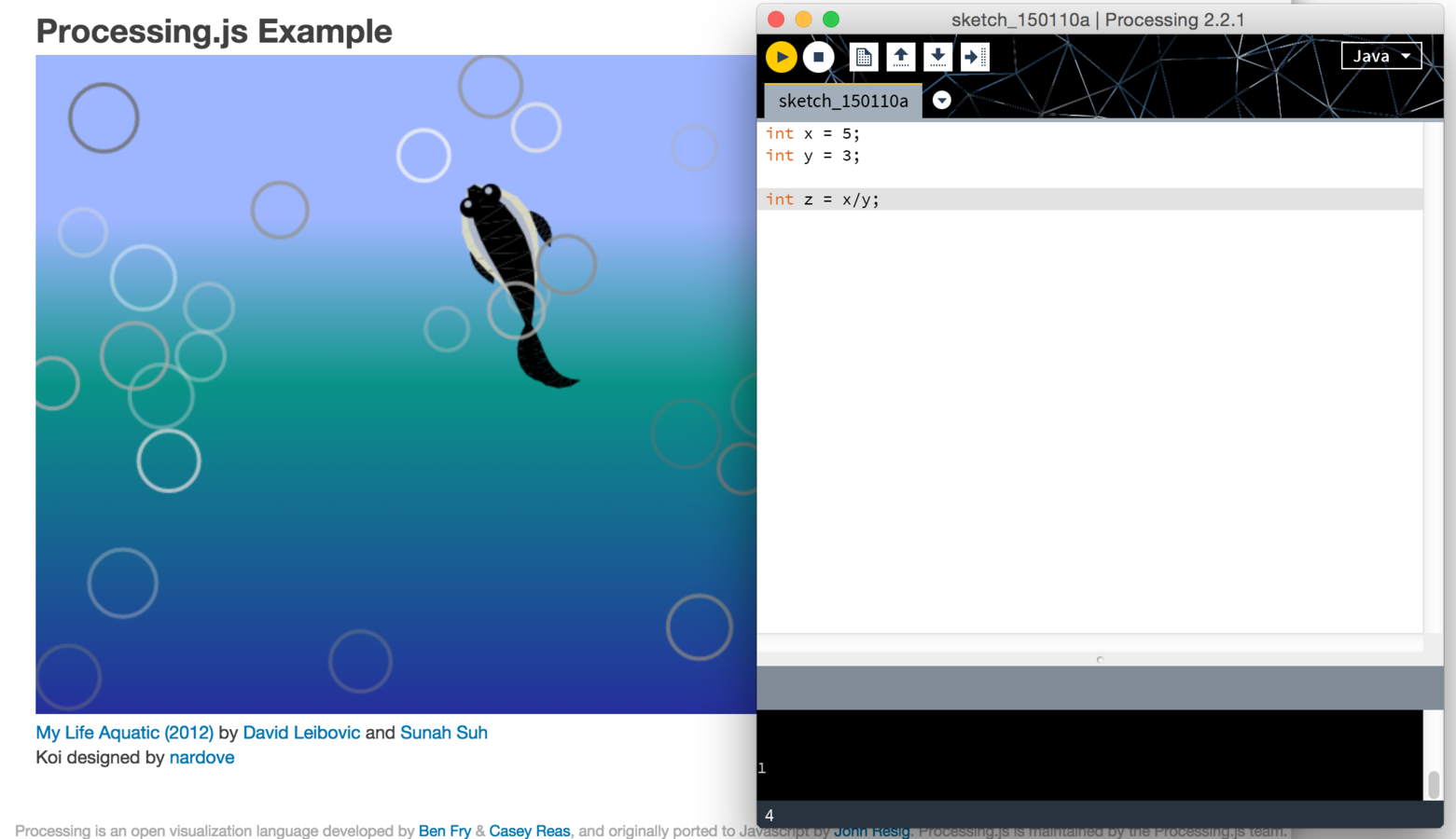
int x = 5;
int y = 3;

int z = x/y;

println(z); //prints 1, not 1.667...woops
Programming Basics
By dgcliff