입문자를 위한 웹 프론트엔드 1
HTML & CSS

웹 개발의 시작
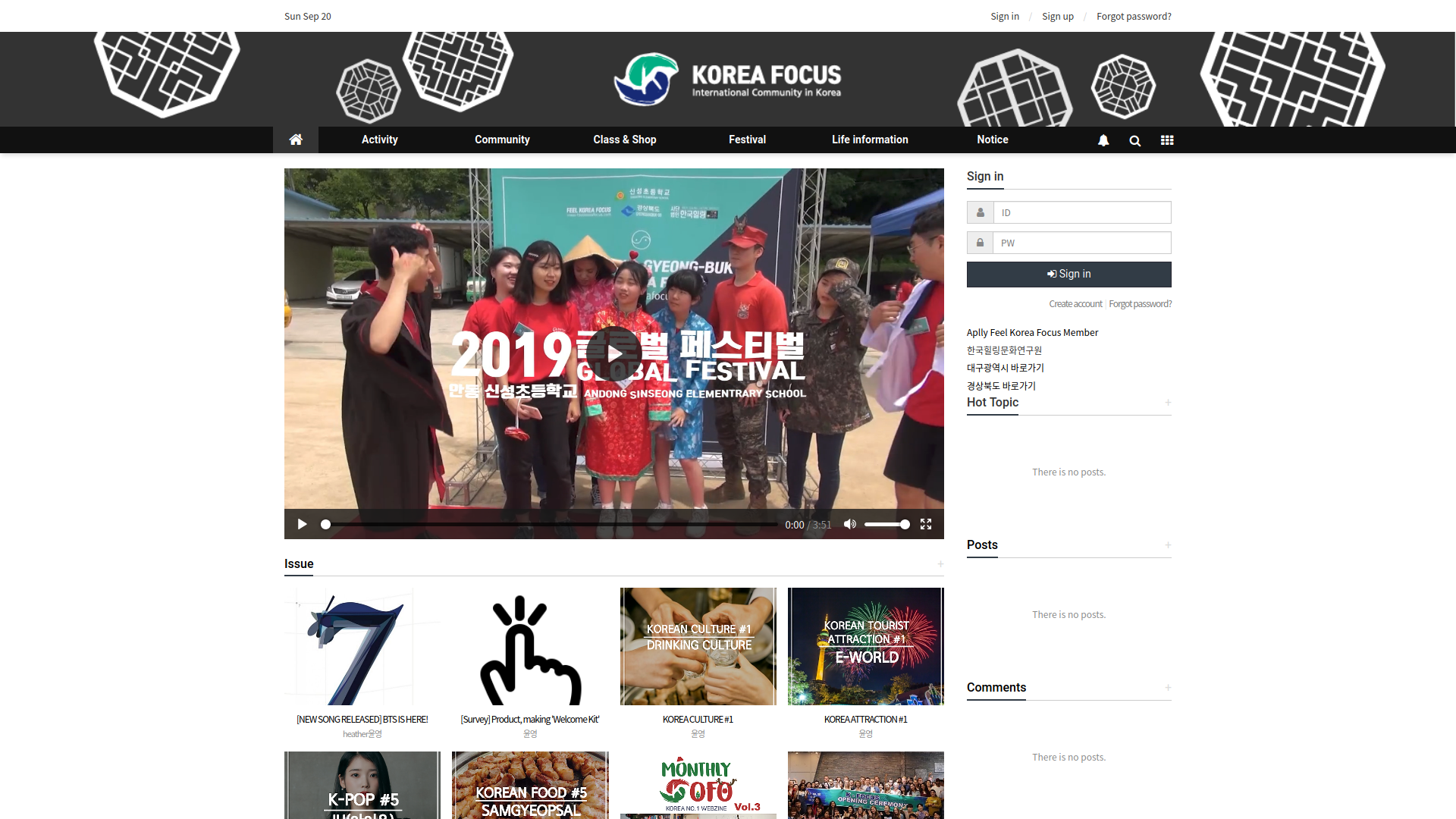


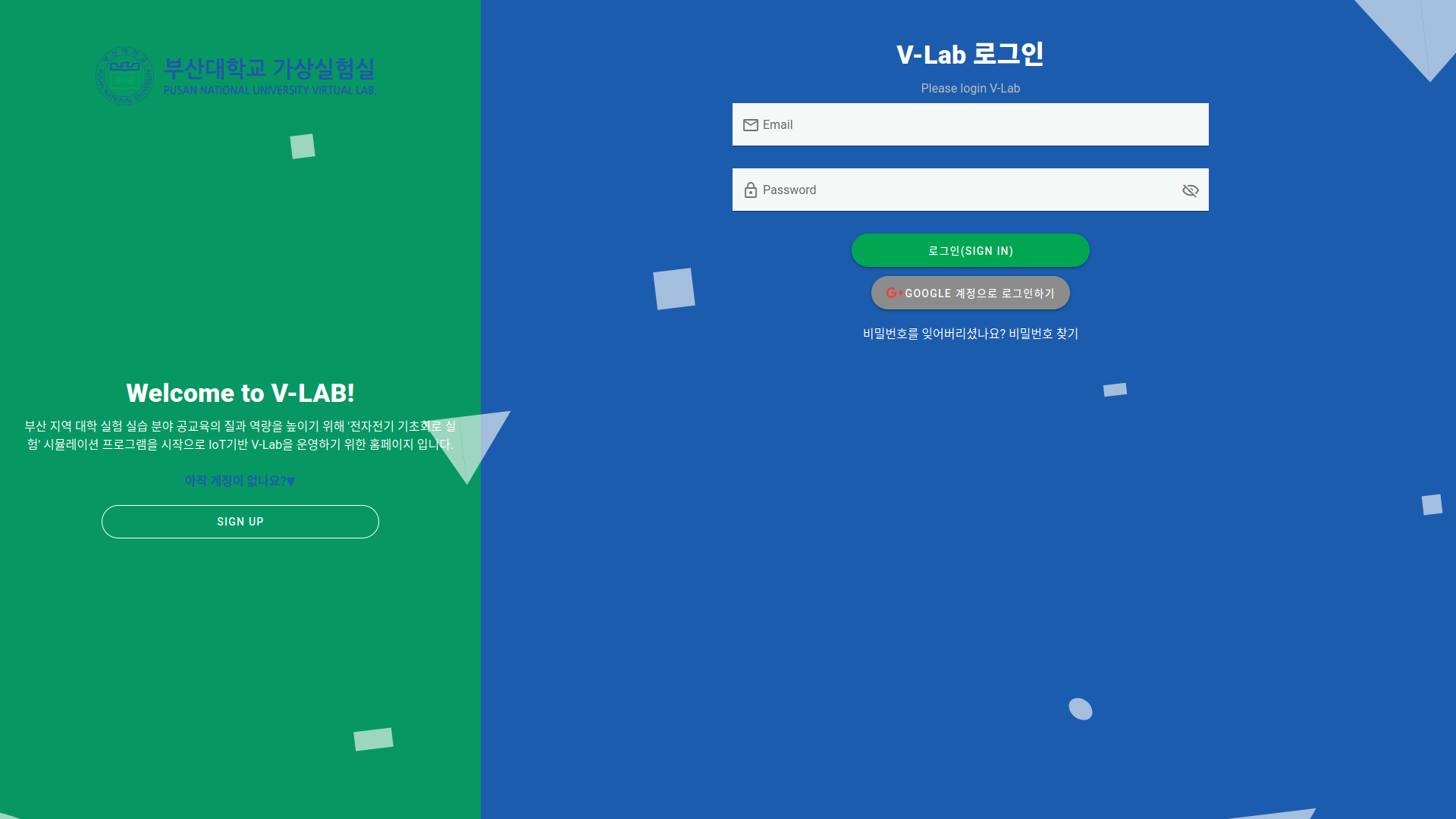
+ 미처 사진을 찍어 두기 전 운영을 중단한 몇몇 사이트
프론트엔드란?
서버
프론트엔트
백엔드
클라이언트 (유저)
엔드포인트
프론트엔트
백엔드
프론트엔드의 역할
클라이언트의 요청을
백엔드로 전달하고
백엔드에서 받은 데이터를
클라이언트에게 보여주기
HTML의 세계
Hyper Text?
HTTP?


Hyper Text Markup Language
<!DOCTYPE HTML PUBLIC "-//W3C//DTD HTML 4.01//EN" "http://www.w3.org/TR/html4/strict.dtd">
<HTML>
  <HEAD>
    <TITLE>My first HTML document</TITLE>
  </HEAD>
  <BODY>
    <P>Hello world!
  </BODY>
</HTML>
<!DOCTYPE html>
<html>
<head>
<title>HTML 5</title>
</head>
<body>
<p>hello, world!</p>
</body>
</html>HTML
HTML 4.01
HTML 5
<?xml version="1.0" encoding="UTF-8"?>
<!DOCTYPE html PUBLIC "-//W3C//DTD XHTML 1.0 Strict//EN" "http://www.w3.org/TR/xhtml1/DTD/xhtml1-strict.dtd">
<html xmlns="http://www.w3.org/1999/xhtml" xml:lang="en" lang="en">
  <head>
    <title>Virtual Library</title>
  </head>
  <body>
    <p>Moved to <a href="http://example.org/">example.org</a>.</p>
  </body>
</html>
XHTML 1.0
HTML 5
HTML 5

HTML 5
Semantic Web
<body>
  <div id="header">
    <div id="nav">...</div>
  </div>
  <div id="content">...</div>
  <div id="sidebar">...</div>
  <div id="footer">...</div>
</body>
<body>
<header>
<nav>...</nav>
</header>
<main>
<section>
<article>...</article>
<article>...</article>
</section>
</main>
<aside>...</aside>
<footer>...</footer>
</body>Semantic Web - ARIA
Accessibility (a11y)
WAI-ARIA
Accessible Rich Internet Application
Semantic Web - ARIA
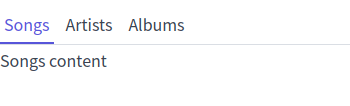
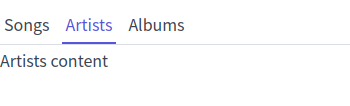
<nav>
  <ul class="tab">
    <li class="tab-item active">
      <a href="#songs">Songs</a>
    </li>
    <li class="tab-item">
      <a href="#artists">Artists</a>
    </li>
    <li class="tab-item">
      <a href="#albums">Albums</a>
    </li>
  </ul>
</nav>
<main>
  <article id="songs">Songs content</article>
  <article id="artists">Artists content</article>
  <article id="albums">Albums content</article>
</main>
Semantic Web - ARIA
<nav>
  <ul class="tab" role="tablist">
    <li id="tab-songs" role="tab" aria-selected="true" class="tab-item active">
      <a href="#songs">Songs</a>
    </li>
    <li id="tab-artists" role="tab" class="tab-item">
      <a href="#artists">Artists</a>
    </li>
    <li id="tab-albums" role="tab" class="tab-item">
      <a href="#albums">Albums</a>
    </li>
  </ul>
</nav>
<main>
  <article id="songs" role="tabpanel" aria-labelledby="tab-songs">
    Songs content
  </article>
  <article id="artists" role="tabpanel" aria-labelledby="tab-artists">
    Artists content
  </article>
  <article id="albums" role="tabpanel" aria-labelledby="tab-albums">
    Albums content
  </article>
</main>
<nav>
  <ul class="tab">
    <li class="tab-item active">
      <a href="#songs">Songs</a>
    </li>
    <li class="tab-item">
      <a href="#artists">Artists</a>
    </li>
    <li class="tab-item">
      <a href="#albums">Albums</a>
    </li>
  </ul>
</nav>
<main>
  <article id="songs">Songs content</article>
  <article id="artists">Artists content</article>
  <article id="albums">Albums content</article>
</main>
W3C Markup Validation
Search Engine Optimization
-
semantic
-
accessibility
-
robots.txt
-
sitemap.xml
-
schema.org
<head>
  <title>title</title>
  <meta name="description" content="description">

  <link href="https://example.com" rel="canonical">
  ...
</head>
Open Graph

<head>
  <meta property="og:title" content={pageTitle} />
  <meta property="og:description" content={pageDescription} />
  <meta property="og:type" content={type} />
  <meta property="og:url" content={pageUrl} />
  <meta property="og:image" content={`${meta.siteUrl}/image.png`} />
  <meta property="og:image:type" content="image/png" />
  <meta property="og:image:width" content="1280" />
  <meta property="og:image:height" content="640" />
  <meta property="og:locale" content="ko_KR" />
</head>
Analytics
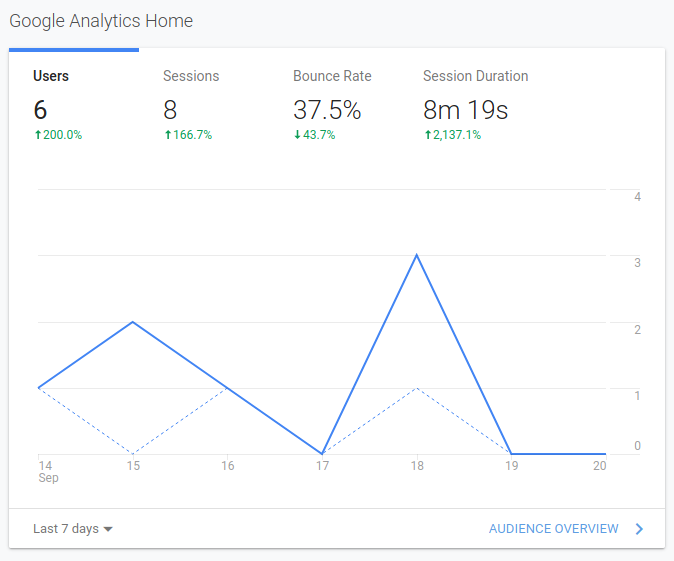
Analytics - Behavior

Styles
<body>
  <p style="text-align: center;">
    paragraph
  </p>
</body>
<head>
<style>
.text {
text-align: center;
}
</style>
</head>
<body>
<p class="text">
paragraph
</p>
</body><!-- index.html -->
<head>
<link rel="stylesheet" href="styles.css" />
</head>
<body>
<p class="text">paragraph</p>
</body>
/* styles.css */
.text {
  text-align: center;
}
Inline
Internal
External
CSS
Cascading Style Sheets
CSS
<head>
  <link rel="stylesheet" href="styles.css" />
</head>
<body>
  <div class="first">
    first
    <div class="second-1">second 1</div>
    <div class="second-2">
      second 2
      <div class="third">third</div>
    </div>
  </div>
</body>
.first {
  color: #0f4c81;
  background-color: #ff6f61;
}

.second-1 {
  background-color: #88b04b;
}

.second-2 {
  color:#5f4b8b;
  font-size: 20px;
}

.third {
  background-image: linear-gradient(#f7caca, #93a9d1);
}
CSS - Position
<head>
  <link rel="stylesheet" href="styles.css" />
</head>
<body>
  <div class="absolute">
    absolute parent
    <div class="absolute__child">absolute child</div>
  </div>
  <div class="relative">
    relative parent
    <div class="relative__child">relative child</div>
  </div>
</body>
.absolute {
  position: static;
}

.absolute__child {
  position: absolute;
  bottom: 10px;
  right: 10px;
}

.relative {
  position: relative;
}

.relative__child {
  position: absolute;
  bottom: 10px;
}
Layout
<table>...?</table>
float
display: table
Layout - Flex
<head>
  <link rel="stylesheet" href="styles.css" />
</head>
<body>
  <div class="container">
    <header>header</header>
    <div class="wrapper">
      <aside>aside</aside>
      <main>main</main>
    </div>
  </div>
</body>
.container {
  display: flex;
  flex-direction: column;
  min-height: 100vh;
}

.wrapper {
  display: flex;
  flex: 1;
}

main {
  flex: 1;
}
Responsive Layout
-
%
-
em
-
rem
-
vw
-
vh
@media ...
Layout Lab
Methodology
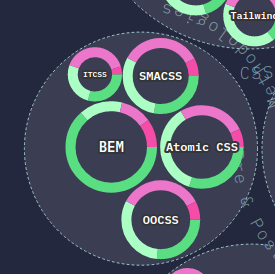
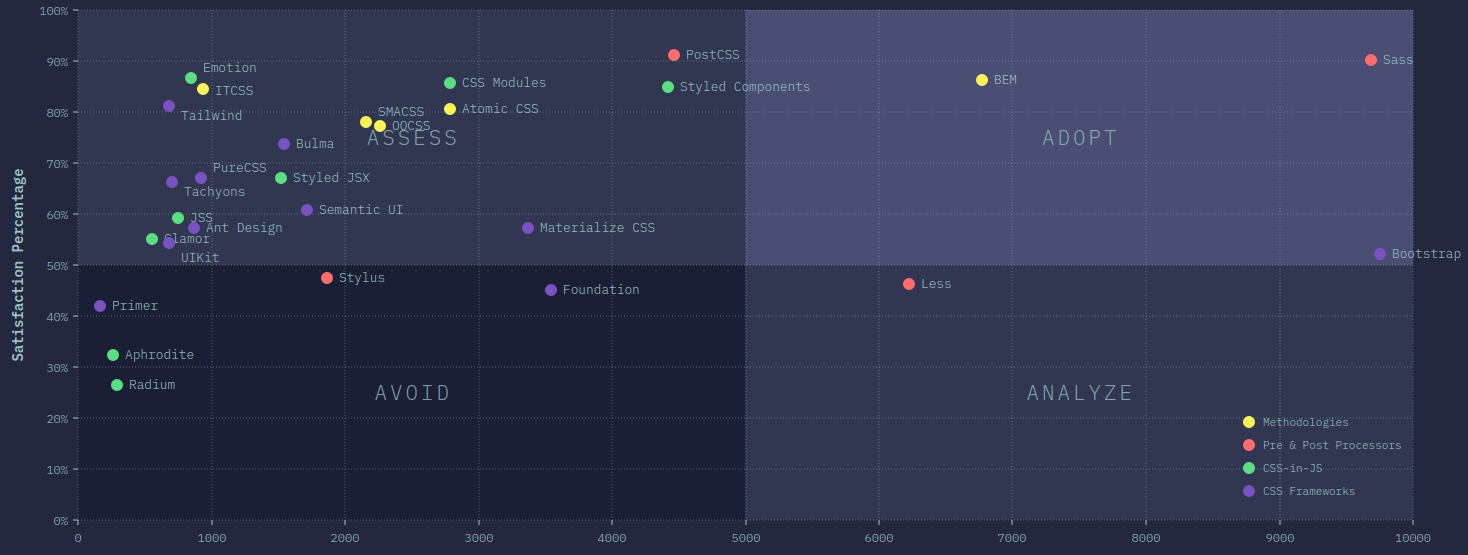
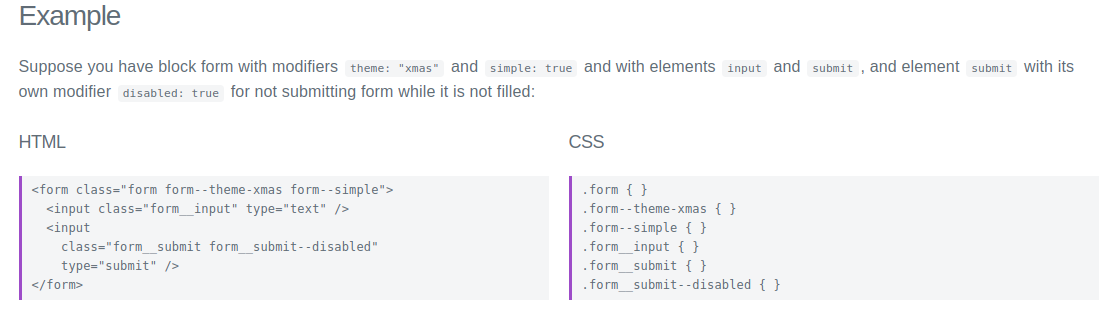
Methodology - BEM
Pre / Postprocessing


CSS in JS
Coding Convention(Style)
Linter & Formatter

References
HTML & CSS
By Dong-Young Kim