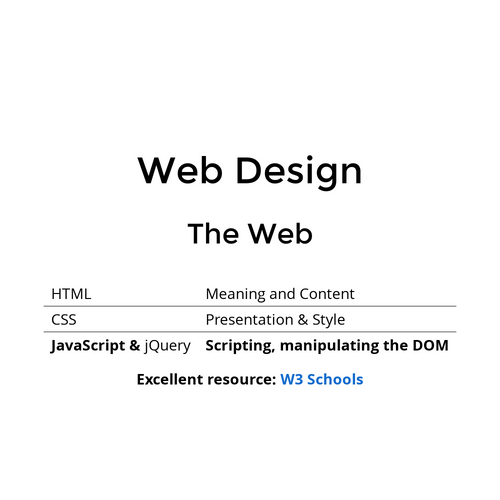
Web Design
The Web
| HTML | Meaning and Content |
| CSS | Presentation & Style |
| JavaScript & jQuery |
Scripting, manipulate the DOM |
Excellent resource: W3 Schools
jQuery
A DOM manipulation library
-
jQuery is a JavaScript Library.
-
jQuery greatly simplifies JavaScript programming.
-
jQuery is easy to learn.
-
Easier to access elements (re-using CSS Selectors)
- Provides effects, animations, and other things if desired
Link to the CDN
We have linked the jQuery library when we set up Bootstrap. If we had not taken this step, we would add jQuery the same way we have other files, using the CDN (Content Delivery Network).
<head>
...other elements...
<script src="https://cdn.jsdelivr.net/npm/jquery@3.7.0/dist/jquery.slim.min.js"></script>
</head>
jQuery Syntax
- A $ sign to define/access jQuery
- A (selector) to "query (or find)" HTML elements
- A jQuery action() to be performed on the element(s)
-
Examples:
$("p").hide()- hides all <p> elements.$(".test").hide()- hides all elements with class="test".$("#test").hide()- hides the element with id="test".
jQuery Selectors
- $("p") - select all
<p>elements on a page - $("#test") - uses the id attribute of an HTML tag to find the specific element
- $(".test") - finds elements with a specific class
- $"p.intro") - Selects all <p> elements with class="intro"
- $("p:first") - Selects the first <p> element
- $("ul li:first") - Selects the first <li> element of the first <ul>
- $("ul li:first-child") - Selects the first <li> element of every <ul>
- $("[href]") - Selects all elements with an href attribute
jQuery Events
What are Events?
- Actions that a web page responds to are called events.
- The event happens at the precise moment something happens
- For Example:
- moving a mouse over an element
- selecting a radio button
- clicking on an element
- clicking a button
Here are some common DOM events:
| Mouse Events | Keyboard Events | Form Events | Document/Window Events |
|---|---|---|---|
| click | keypress | submit | load |
| dblclick | keydown | change | resize |
| mouseenter | keyup | focus | scroll |
| mouseleave | blur | unload |
Syntax for event methods
Most DOM Events have equivalent jQuery methods
Assign a click event to all paragraphs on a page - $("p").click();
Now we have to create a function for what happens on that click:
$("p").click(function(){ $("p").click(function(){
// action goes here!! $(this).hide();
}); });
jQuery Effects - Hide and Show
$("#hide").click(function(){
$("p").hide();
});
$("#show").click(function(){
$("p").show();
});
What do these refer to?
$(selector).hide(speed,callback);
$(selector).show(speed,callback);
The optional callback parameter is a function to be executed after the hide() or show() method completes (out of scope for this class)
Speed parameter specifies the speed of the hiding/showing, and can take the following values: "slow", "fast", or milliseconds.
Additional effects
fadeIn()
fadeOut()
fadeToggle()
fadeTo()
$(selector).fadeIn(speed,callback);
slideDown()
slideUp()
slideToggle()
$(selector).slideDown(speed,callback);
fadeToggle()
$(selector).animate({params},speed,callback);
$("button").click(function(){
$("div").fadeToggle("slow");
});
https://www.w3schools.com/jquery/tryit.asp?filename=tryjquery_animation1
Where do we put these functions?
<div class="container-fluid">
    <div class="row">
        <div class="colImg">
            <img src="images/Bodhi.JPG" alt="Majestic White Cat" class="center">
            <button type="button">Click here</button>
        </div>
    </div>
</div>
This is the html referred to in the functions
<head>
  <title>Page Title</title>
  <script>
      $(document).ready(function () {
              $("img").slideToggle("slow");
              })
          $(function () {
              $("nav").append("WOW, this is amazing!!!");
          });
      });
  </script>
</head>
You can add the functions to the head tag
<nav>
    <a id="index" style="font-style: italic;" href="./index.html">Index |</a>
    <a id="feeding" href="./feeding.html">Feeding |</a>
    <a id="playing" href="./playing.html">Play Time |</a>
</nav>
<div class="container-fluid">
    <div class="row">
      <div class="colImg">
            <img src="images/Bodhi.JPG" alt="Majestic White Cat" class="center">
            <button type="button">Click here</button>
      </div>
    </div>
</div>
You can add the functions at the end of your code right before the </body> tag
<body>


  <script>
      $(document).ready(function () {
              $("img").slideToggle("slow");
              })
          $(function () {
              $("nav").append("WOW, this is amazing!!!");
          });
      });
  </script>
</body>
<nav>
<a id="index" style="font-style: italic;" href="./index.html">Index |</a>
<a id="feeding" href="./feeding.html">Feeding |</a>
<a id="playing" href="./playing.html">Play Time |</a>
</nav>
<div class="container-fluid">
<div class="row">
<div class="colImg">
<img src="images/Bodhi.JPG" alt="Majestic White Cat" class="center">
<button type="button">Click here</button>
</div>
</div>
</div>
This is the html referred to in the functions
You can add the functions to an external .js file
$(document).ready(function () {
$("button").click(function () {
$("img").slideToggle("slow");
})
$(function () {
$("nav").append("WOW, this is amazing!!!");
});
});
This is the html referred to in the functions
<nav>
    <a id="index" style="font-style: italic;" href="./index.html">Index |</a>
    <a id="feeding" href="./feeding.html">Feeding |</a>
    <a id="playing" href="./playing.html">Play Time |</a>
</nav>
<div class="container-fluid">
    <div class="row">
      <div class="colImg">
            <img src="images/Bodhi.JPG" alt="Majestic White Cat" class="center">
            <button type="button">Click here</button>
      </div>
    </div>
</div>
jQuery
By drmorgan
jQuery
- 28