Basics of the HTML Language
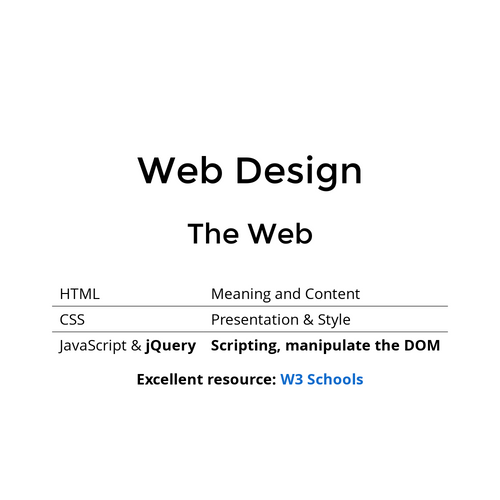
The Web
| HTML | Meaning and Content |
| CSS | Presentation & Style |
| Javascript | Scripting, manipulate the DOM |
| HTTP | Transport, client-server behavior |
Hypertext Markup Language
- Mark up language → Description language
- Rendered by web browsers, etc.
- Early 1990's by Tim Berners-Lee
- International standard: HTML5
- Constantly evolving
Document
- Source code text file (.html)
- Returned by a web server in response to a HTTP request
- Can just open a .html file locally
- "View Page Source" in any browser
Language Elements
- Data types, variables, control structures, ...?
- Character data for: numbers, colors, dates, times,...
- Page or document structure (required elements)
- Set of Elements + rules about how they can be nested
- Document is a tree of Elements
Element Syntax
<p>Some text content here</p>


<img>


<img width="300">
Required Elements
<!DOCTYPE html>
<html lang="en">
    <head>
        <title>Page Title</title>
    </head>
    <body>

    </body>
</html>
Nesting
<div>
    <div></div>
    <div>
        <p><span></span></p>
    </div>
</div>

<ol>
    <li></li>
    <li></li>
    <li></li>
</ol>HTML
<!DOCTYPE html>
<html lang="en">
    <head>
    <meta charset="UTF-8">
        <title>The Title</title>
    </head>
    <body>
        <h1>A Main Heading</h1>
        <p>Some text in a paragraph.</p>
        <ol>
            <!--This is a comment -->
            <li>First item</li>
            <li>Second item</li>
        </ol>
        <a href="https://www.google.com">Link to Google</a>
    </body>
</html>Element Attributes
Elements have name / value pair attributes
<!-- Double quoted attributes -->
<p lang="en-us" class="main-content">Some paragraph</p>

<!-- Unquoted and a boolean attribute-->
<p id=extra_info hidden>More stuff</p>

<!-- A void element with unquoted and single quoted values -->
<input type=submit value='Submit'>

<!-- Use this style though: -->
<input type="text" name="the username" maxlength="30">id Attribute
A global attribute. Used to uniquely identify an element (from CSS or Javascript).
class Attribute
Used to make this element a member of a named class. Also a global attribute.
Common use of id attribute
<form action="/form-handler-page" method="post">
    <label for="msg">Message:</label>
    <textarea id="msg" name="user_message"></textarea>
    <button type="submit">Send your message</button>
</form>
Common use of class attribute
<div class="container">
    <div class="row">
        <div class="col-sm">
            One of three columns
        </div>
        <div class="col-sm">
            <span class="text-center text-uppercase text-danger">One of three columns<span/>
        </div>
        <div class="col-sm">
            One of three columns
        </div>
    </div>
</div> Layout Algorithm
Two categories of elements:
- Block Level Elements
- Always start on a new line, they stack vertically
- Inline Elements
- Appear to continue on the same line as their neighboring elements, placed horizontally until the end of the line
Block Level Elements
Examples include
<form> |
<p> |
<table> |
<hr> |
<h1> |
<ol> |
<li> |
<div> |
Inline Elements
Examples include
<a> |
<em> |
<strong> |
<img> |
<sub> |
<button> |
<input> |
<span> |
Copy of HTML
By drmorgan
Copy of HTML
Introduction to HTML for CS366
- 14