Previously:
- Future of Flash
- Flash Drawing Tools
- Published 'Hello World' SWF file
- Intro to Timeline, Library and Layers
- Creates keyframes and tween animations
TODAY:
- Graphic Positioning Tools/Layer Tools
- Animating MovieClip Effects/Properties
- Import external Image Files
- Generate Animations using external files
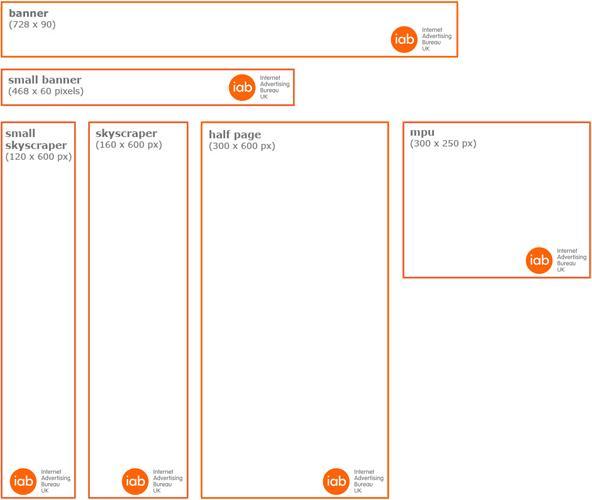
- Banner Ads (Standard sizes)
- Class Assignment for next week
Class Review Exercise:
Create a Jumping Jacks Animation Loop
Intro to Timeline Actionscript (pt 1)
- The stop() frame
- Inserting Framelabels
Graphic PositioningTools
- Rulers
- Grids
- Alignment Panel
Animating MovieClips Properties/Effects
Position/Size
Rotation/Skew
Color Effects:
Alpha/Brightness/Tint
Filter Effects:
Blur/Glow/Drop Shadow/Bevel
Class Exercise:
Use the Jumping Jack MovieClip to explore the
different ways to animate properties and effects.
Timeline Layer Tools
- Folders
- Motion Tween
- Custom Paths
- Layer Masks
Importing external Image Files
Flash can import these image files:
- Adobe Illustrator .ai
- Adobe Photoshop .psd
- PNG .png
- JPEG .jpg
- Bitmap .bmp
- GIF and animated GIF .gif
- Flash Player .swf
Importing external Image Files
Other types of images files:
- QuickTime Image .qtif
- TIFF .tif
- AutoCAD® DXF .dxf
- Windows Metafile .wmf
- Adobe XML Graphic file .fxg
- Enhanced Windows Metafile .emf
Constructing Animations from Images
- Importing Individual Images into Flash Library
- Importing Image Sequences into Flash Timeline
- Importing Layers into Flash Timeline
- Create MovieClips using the imported images
- Make Keyframes on the Timeline
-
Add Tweens to the Timeline
Class Exercises:
Animate a Mask over cocktail.jpg


Animate a Fog Effect over spooky.jpg
Class Exercises:
Animate Position and Blur Effects using laptop.psd
Animate with Motion Paths using icons.psd
Animate a run cycle using run1.png-run10.png
When an html page is dynamically generated with formatting
and content it will also include coded links called Ad Tags
http://ad.doubleclick.net/ABC/publisher/zone;topic=abc;sbtpc=def;cat=ghi;kw=xyz;tile=1;slot=728x90.1;sz=728x90;ord=7268140825331981?
This points to an Ad Server that decides which ads to display and fetches the Ad from a stored Ad Inventory of swfs and images.
The first banner ad appeared in 1994.
1.1 trillion display ads are shown online each quarter.
$13 billion ad business allows the internet content to be 'free'
Class Assignment - Due Feb 26th
Generate your own Ad Creative inside a layered PSD/AI file (300 x 250)
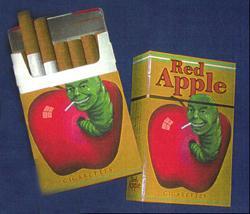
based on a mock brand found in a TV show or Movie.




Flash - Lecture 2
By fdu