Fresh Hot CSS Features!
(AKA things you may have missed in the last 5+ years)
Slides:

Vibe Check
-
display:flex;
-
display:grid;
-
var(--custom-property);
-
@container
-
@layer :has()<select>
No, but seriously...
Why so many improvements?
Interop 2026?
This talk will cover:
- Custom Properties
- CSS Grid
- Nesting
- :has()
- @container
- @layer
-
<select>
-
Maybe More?
Custom Properties
(AKA CSS Variables)
body {
  color: #000000;
  background-color: #ffffff;
}

.invert {
  color: #ffffff;
  background-color: #000000;
}
Custom Properties
The Original Way
// _vars.scss
$color-ink: #000000;
$color-paper: #ffffff;

// _style.scss
body{
  color: $color-ink;
  background-color: $color-paper;
}

.invert{
  color: $color-paper;
  background-color: $color-ink;
}
Custom Properties
Preprocessed Variables (SCSS)
:root{
  --color-ink: #000000;
  --color-paper: #ffffff;
}

body{
  color: var(--color-ink);
  background-color: var(--color-paper);
}

.invert{
  color: var(--color-paper);
  background-color: var(--color-ink);
}
Custom Properties
Modern CSS
Custom Properties
Support:
Custom Properties
More Info:
Bonus round?
(Type Safety!)
@property
(AKA type safe custom properties)
(Bonus Round)
@property
@property --my-color{
  syntax: "<color>";
  inherits: true;
  initial-value: black;
}

p{
  color: var(--my-color);
}
@property
@property
Support:
@property
More Information:
CSS Grid
(AKA Better layout tools)
CSS Grid
CSS Grid
Bootstrap 5 Example
CSS Grid
Using Grid
CSS Grid
Example: Bar charts
(Credit: Miriam Suzanne)
CSS Grid
Example: Mondrian Art
(Credit: Jen Simmons)
CSS Grid
Example: Center Things
CSS Grid
Example: Overlay Things
CSS Grid
Support:
CSS Grid
More Information:
- MDN: https://developer.mozilla.org/en-US/docs/Learn/CSS/CSS_layout/Grids
- CSS-Tricks: https://css-tricks.com/snippets/css/complete-guide-grid/
- Grid By Example: https://gridbyexample.com/
- Layout Breakouts with CSS Grid: https://ryanmulligan.dev/blog/layout-breakouts/
Bonus Round?
(🔥Fresh Hot Masonry!🔥)
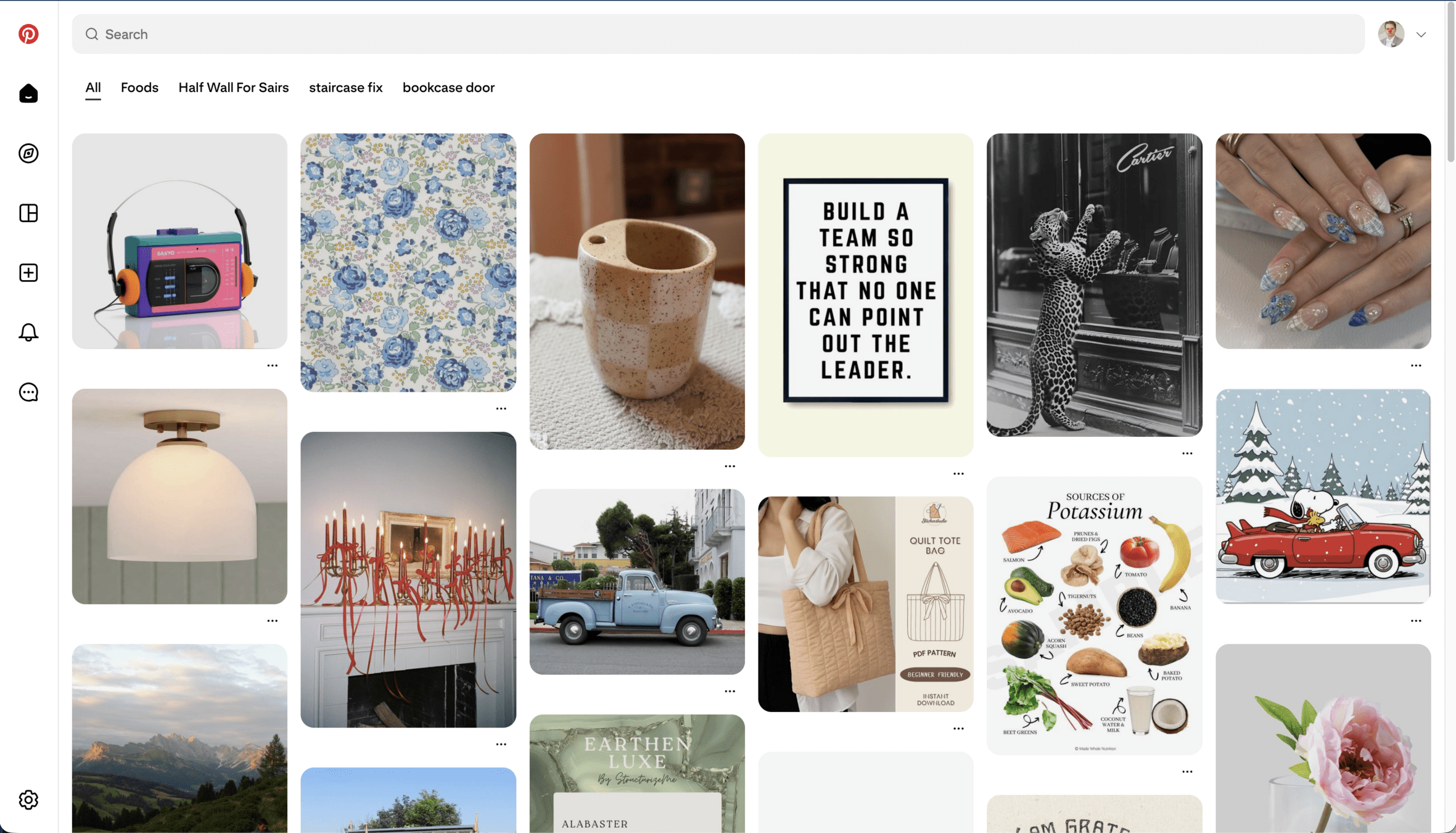
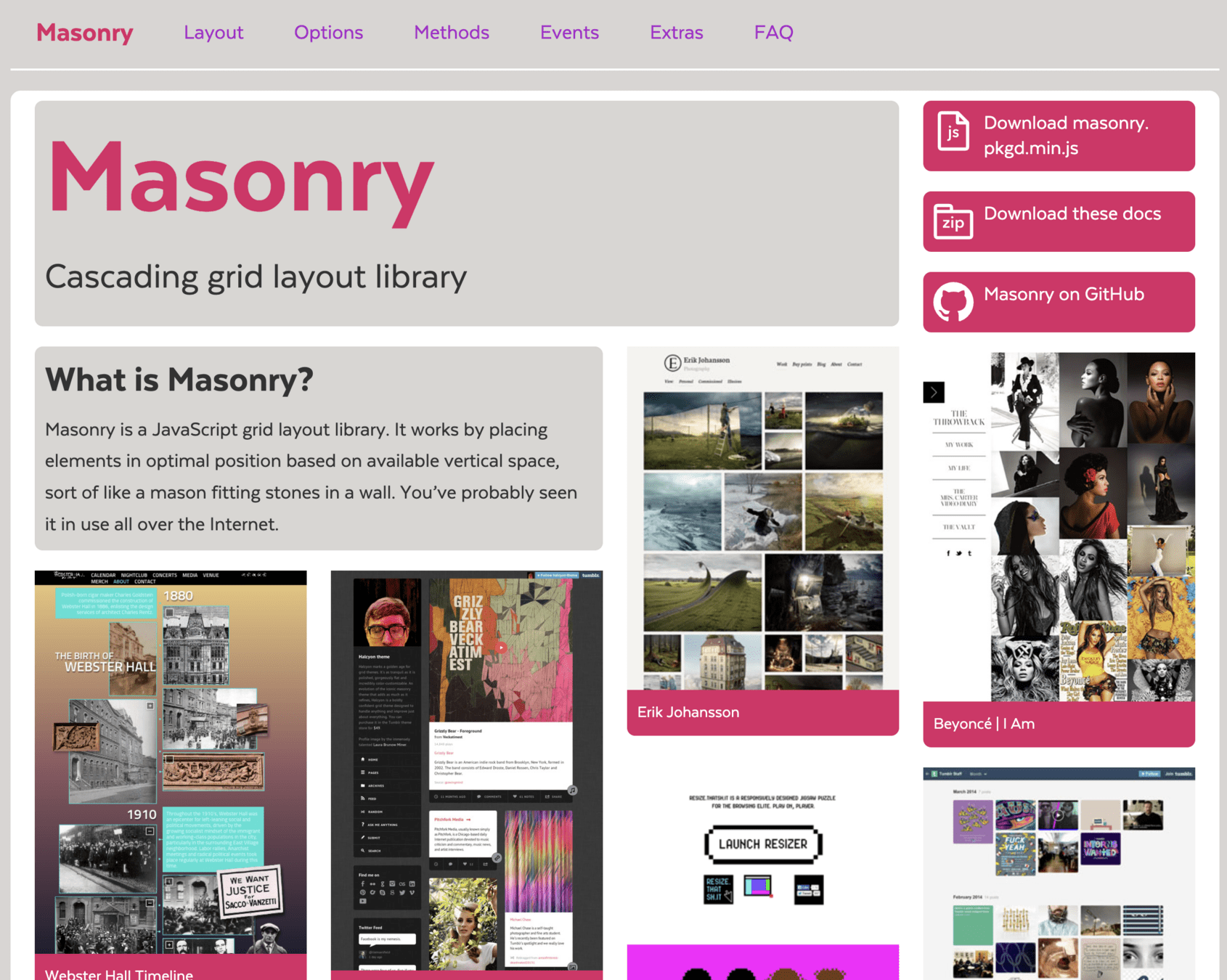
CSS Grid Lanes
(AKA The Pinterest Masonry Layout)
(Bonus Round)
CSS Grid Lanes
CSS Grid Lanes
/* grid masonry */
display: grid;
grid-template-columns: repeat(3, 1fr);
grid-template-rows: masonry;

/* non-grid masonry */
display: masonry;
masonry-tracks: repeat(3, 1fr);
masonry-direction: column;
Old Proposed Syntax
CSS Grid Lanes
display: grid-lanes;
grid-template-columns: repeat(3, 1fr);
Finalized(?) Syntax
CSS Grid Lanes
Alex, do the demo!
(you need Safari Technical Preview)
- Codepen Example - https://codepen.io/editor/fimion/pen/019bc251-0375-7af5-a4f6-ddcd731ea487
- Webkit Examples - https://webkit.org/demos/grid3/photos/
CSS Grid Lanes
Support:
CSS Grid Lanes
More Information:
Nesting
(AKA like sass! but not like sass!)
Nesting
/* before.... */

.wrapper .title{
  /* styles */
}

.wrapper .content{
  /* styles */
}

.wrapper .actions{
  /* styles */
}
Nesting
/* after.... */
.wrapper {

  .title{
    /* styles */
  }
  .content{
    /* styles */
  }
  .actions{
    /* styles */
  }
}
Nesting
Support:
Nesting
More Information:
Detour?
Logical Properties
Parent Selector
Onward!
Logical Properties
(AKA It's Okay to forget Left and Right)
Let's talk about
RTL Languages
Logical Properties
Logical Properties
Block
Inline
Logical Properties
Block properties
- *-block
- *-block-start (*-top)
- *-block-end (*-bottom)
Inline properties
- *-inline
- *-inline-start (*-left)
- *-inline-end (*-right)
Logical Properties
Logical Properties
Logical Properties
Properties for sizing
- block-size
- inline-size
- max-block-size
- max-inline-size
- min-block-size
- min-inline-size
Properties for margins
- margin (logical Experimental keyword)
- margin-block
- margin-block-end
- margin-block-start
- margin-inline
- margin-inline-end
- margin-inline-start
Properties for paddings
- padding (logical Experimental keyword)
- padding-block
- padding-block-end
- padding-block-start
- padding-inline
- padding-inline-end
- padding-inline-start
Properties for borders
- border-block
- border-block-color
- border-block-end
- border-block-end-color
- border-block-end-style
- border-block-end-width
- border-block-start
- border-block-start-color
- border-block-start-style
- border-block-start-width
- border-block-style
- border-block-width
- border-color
- border-inline
- border-inline-color
- border-inline-end
- border-inline-end-color
- border-inline-end-style
- border-inline-end-width
- border-inline-start
- border-inline-start-color
- border-inline-start-style
- border-inline-start-width
- border-inline-style
- border-inline-width
- border-style
- border-width
Properties for border radius
- border-radius
- border-start-start-radius
- border-start-end-radius
- border-end-start-radius
- border-end-end-radius
Properties for positioning
- inset
- inset-block
- inset-block-end
- inset-block-start
- inset-inline
- inset-inline-end
- inset-inline-start
Properties for size containment
- contain-intrinsic-block-size
- contain-intrinsic-inline-size
Properties for scrolling
- overflow-block
- overflow-inline
- overscroll-behavior-block
- overscroll-behavior-inline
Properties for floating
- clear (inline-end and inline-start keywords)
- float (inline-end and inline-start keywords)
Other properties
- caption-side (inline-end and inline-start keywords)
- resize (block and inline keywords)
- text-align (end and start keywords)
Logical Properties
Support:
Logical Properties
More Information:
:has()
(AKA "The Parent Selector")
A Common Problem
.input-wrapper:has(input:invalid)
<div class="input-wrapper">
<input type="email" value="alex" />
</div>
:has()
This:has(a.solution)
:has()
Support:
:has()
More Information:
@container
(AKA box-size media queries)
@container
@container
@container
@container
@container
@container
@container
.blue-box{
  display:grid;
  grid-template-columns: 1fr;
}

@media screen and (min-width: 450px) and (max-width: 1023px){
  .blue-box{
    grid-template-columns: 1fr 1fr;
  }
}

@media screen and (min-width: 1024px) and (max-width: 1439px){
  .blue-box{
    grid-template-columns: 1fr;
  }
}

@media screen and (min-width: 1440px){
  .blue-box{
    grid-template-columns: 1fr 1fr;
  }
}
@container
.blue-box-wrapper{
  container-type: inline-size;
  container-name: blue-box;
}
.blue-box{
  display:grid;
  grid-template-columns: 1fr;
}

@container blue-box (min-width: 450px) {
  .blue-box {
    grid-template-columns: 1fr 1fr;
  }
}
@container
@container
Support:
@container
More Information:
@layer
(AKA Stop using !important)
@layer
.text-red{
  color:red;
}

.my-class{
  color:blue;
}
@layer
.text-red{
  color:red !important;
}

.my-class{
  color:blue;
}
@layer
.my-class{
  color:blue;
}

.text-red{
  color:red;
}
@layer
.my-wrapper .my-class{
  color:blue;
}

.text-red{
  color:red;
}
@layer
@layer style, utility;

@layer style {
  .my-wrapper .my-class{
    color:blue;
  }
}

@layer utility{
  .text-red{
    color:red;
  }
}
@layer
@layer style, utility;

@layer utility{
  .text-red{
    color:red;
  }
}

@layer style {
  .my-wrapper .my-class{
    color:blue;
  }
}
@layer
@layer framework, style, utility;

@import url('framework.css') layer(framework);

@layer utility{
  .text-red{
    color:red;
  }
}

@layer style {
  .my-wrapper .my-class{
    color:blue;
  }
}
@layer
Support:
Yay! It was finally resolved by CSSWG to add strong custom cascade layers in #CSS, using a ^ symbol at the beginning, like
— Roma Komarov (@kizu.front-end.social.ap.brid.gy) February 12, 2025 at 12:16 PM@layer ^top, which will make it possible to put things over the default layer: https://github.com/w3c/csswg-drafts/issues/6323#issuecomment-2654364266
@layer
@layer
More Information:
color functions
(AKA "Can you make that a little lighter?")
color functions
/* in scss */

$primary: #639;
$primary-hover: lighten($primary, 25%);

body{
  background-color: $primary;
}

body:hover{
  background-color: $primary-hover;
}
color functions
/* compiled CSS */

body {
  background-color: #639;
}

body:hover {
  background-color: #a679d2;
}
color functions
color functions
:root{
  --c-primary: #639;
  --c-primary-hover: hsl(from var(--c-primary) h s calc(l + 25));
}

body{
  background-color: var(--c-primary);
}

body:hover{
  background-color: var(--c-primary-hover);
}
color functions
color functions
Relative colors
Support:
color-mix()
Support:
color functions
More Information:
- color-mix() MDN: https://developer.mozilla.org/en-US/docs/Web/CSS/color_value/color-mix
- relative colors MDN: https://developer.mozilla.org/en-US/docs/Web/CSS/CSS_colors/Relative_colors
- Lea Verou - Generating text colors with CSS: https://lea.verou.me/blog/2024/contrast-color/
- Daniel Yuschick - https://www.smashingmagazine.com/2022/06/simplify-color-palette-css-color-mix/
The <select> Element
Part of the
HTML 2.0 standard
in 1995
Things Achieved by Humanity Since 1995
- Sequencing of the Human Genome
- 23 missions to mars
- Taken a photo of a black hole
- Proved the existence of the Higgs Boson
- The entire life cycle of the iPod
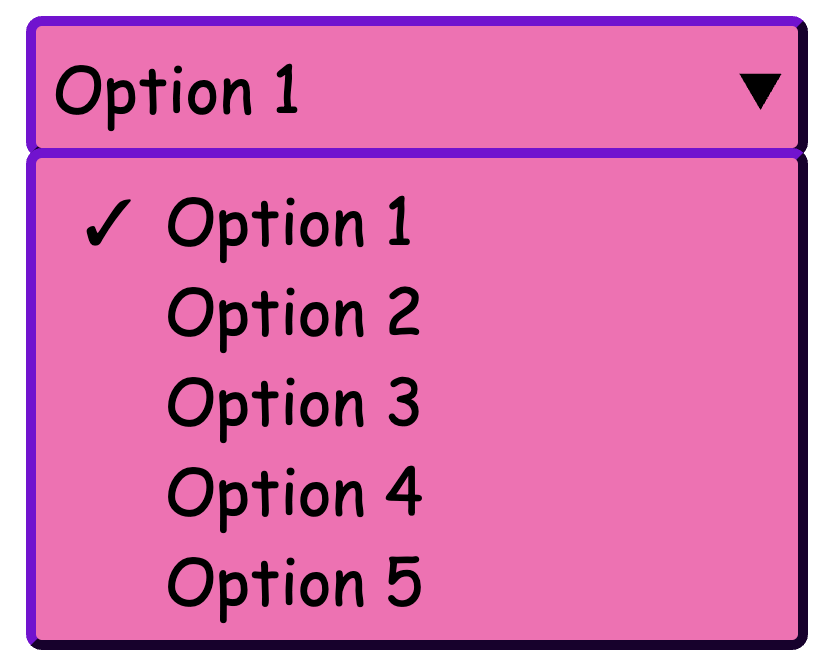
And yet, we can't make a <select> do this:
Customizable Selects
(Aka FREAKING FINALLY)
Customizable Selects
A Basic Select with some style
Customizable Selects
appearance: base-select
Customizable Selects
::picker(select)
Customizable Selects
<selectedcontent>
Customizable Selects
Support:
Customizable Selects
More Information:
- MDN: https://developer.mozilla.org/en-US/docs/Learn_web_development/Extensions/Forms/Customizable_select
- Chrome for Developers (Adam Argyle): https://developer.chrome.com/blog/a-customizable-select
- OpenUI: https://open-ui.org/components/customizableselect/
Thank You!
Jon Neal - For making an app that says the date when features were added to the browser
Slides:
Deets:
Alex Riviere
- @fimion on GitHub, CodePen
- @fimion@notacult.social on mastodon
- @dangitalex.wtf on bsky
- alex.party
CodePens:
Anchor Positioning
(AKA "Put this thing next to that thing")
?
<button
        type="button"
        class="tooltip-button">
  ?
</button>
Anchor Positioning
A Common Problem
?
Look at me, I'm a tooltip!
<button
        type="button"
        class="tooltip-button">
  ?
</button>
<p class="tooltip">
  Look at me, I'm a tooltip!
</p>
Anchor Positioning
A Common Problem
?
Look at me, I'm a tooltip!
<button
        type="button"
        class="tooltip-button">
  ?
</button>
<p class="tooltip">
  Look at me, I'm a tooltip!
</p>
Anchor Positioning
A Common Problem
?
Look at me, I'm a tooltip!
<button
        type="button"
        class="tooltip-button">
  ?
  <p class="tooltip">
    Look at me, I'm a tooltip!
  </p>
</button>
Anchor Positioning
A Common Problem
?
Look at me, I'm a tooltip!
<button
        type="button"
        class="tooltip-button relative">
  ?
  <p class="tooltip absolute">
    Look at me, I'm a tooltip!
  </p>
</button>
Anchor Positioning
A Common Problem
| Data | Data | Data |
|---|---|---|
| Data | Data | Data |
| Data | Data | Data |
?
Look at me, I'm a tooltip!
Header 1
?
Header 2
?
Header 3
Anchor Positioning
A Common Problem
Anchor Positioning
A simple example
.tooltip-button {
  anchor-name: --tooltip-button;
}

.tooltip {
  position: absolute;
  position-anchor: --tooltip-button;
  left: anchor(right);
  align-self: anchor-center;
}
Anchor Positioning
A simple example (forked from web.dev)
Anchor Positioning
A different way
.tooltip-button {
  anchor-name: --tooltip-button;
}

.tooltip {
  position: absolute;
  position-anchor: --tooltip-button;
  left: anchor(right);
  align-self: anchor-center;
}
Anchor Positioning
A different way
.tooltip-button {
  anchor-name: --tooltip-button;
}

.tooltip {
  position: absolute;
  position-anchor: --tooltip-button;
  position-area: right center;

}
Anchor Positioning
A different way
Anchor Positioning
Support:
Anchor Positioning
More Information:
- MDN: https://developer.mozilla.org/en-US/docs/Web/CSS/CSS_anchor_positioning/Using
- Chrome for Developers (Una Kravets): https://developer.chrome.com/docs/css-ui/anchor-positioning-api
- CSS Tricks (Juan Diego Rodríguez): https://css-tricks.com/css-anchor-positioning-guide/
Popover API
(Aka Menus not Selects)
Popover API
Basic Popover
Popover API
Manual Popover Options
Popover Api
Popover with Anchor Positioning
Popover Api
Support:
Popover API
More Information:
Slides:
Deets:
Alex Riviere
- @fimion on GitHub, CodePen
- @fimion@notacult.social on mastodon
- @dangitalex.wtf on bsky
- alex.party
CodePens:
@scope
(AKA scoped styles)
@scope
<style>
p{
  color:red;
}
</style>
<p>This is red text!</p>
@scope
<style>
p{ color:red; }
</style>
<p>This is red text!</p>

<div>
  <style>
    @scope{
      p{ color: blue; }
    }
  </style>
  <p>
    This text is blue!
  </p>
</div>
@scope
@scope
Support:
@scope
More Information:
Slides:
Deets:
Alex Riviere
- @fimion on GitHub, CodePen
- @fimion@notacult.social on mastodon
- @dangitalex.wtf on bsky
- alex.party
CodePens:
min(), max(), clamp()
(AKA write fewer media queries)
Definitions
- min(): Give me the minimum value from a list of number values
- max(): Give me the maximum value from a list of number values
- clamp(): Give me a number value based on a dynamic measurement, but stop at the minimum and maximum sizes given.
min() Example
max() Example
clamp() Example
min(), max(), clamp()
Support:
min(), max(), clamp()
More Information:
- MDN:
- Stephanie Eckles: https://moderncss.dev/practical-uses-of-css-math-functions-calc-clamp-min-max/
- Ryan Mulligan: https://ryanmulligan.dev/blog/layout-breakouts/
Slides:
Deets:
Alex Riviere
- @fimion on GitHub, CodePen
- @fimion@notacult.social on mastodon
- @dangitalex.wtf on bsky
- alex.party
CodePens:
Trig Functions
(AKA math for very smart people)
Trig Functions
-
sin()
-
cos()
-
tan()
-
asin()
-
acos()
-
atan()
-
atan2()
Trig Functions
Support:
Trig Functions
More Information:
- MDN:
- sin : https://developer.mozilla.org/en-US/docs/Web/CSS/sin
- cos: https://developer.mozilla.org/en-US/docs/Web/CSS/cos
- tan: https://developer.mozilla.org/en-US/docs/Web/CSS/tan
- asin: https://developer.mozilla.org/en-US/docs/Web/CSS/asin
- acos: https://developer.mozilla.org/en-US/docs/Web/CSS/acos
- atan: https://developer.mozilla.org/en-US/docs/Web/CSS/atan
- atan2: https://developer.mozilla.org/en-US/docs/Web/CSS/atan2
- Web.dev: https://web.dev/articles/css-trig-functions
Slides:
Deets:
Alex Riviere
- @fimion on GitHub, CodePen
- @fimion@notacult.social on mastodon
- @dangitalex.wtf on bsky
- alex.party
CodePens:
Fresh Hot CSS Features - Codemash 2026
By Alex Riviere