<GetCTRL: Google Homework>
Google Docs Assignment
Press the -> on your keyboard to move to the next slide
Assignment #1
Click on the link below:
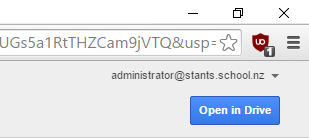
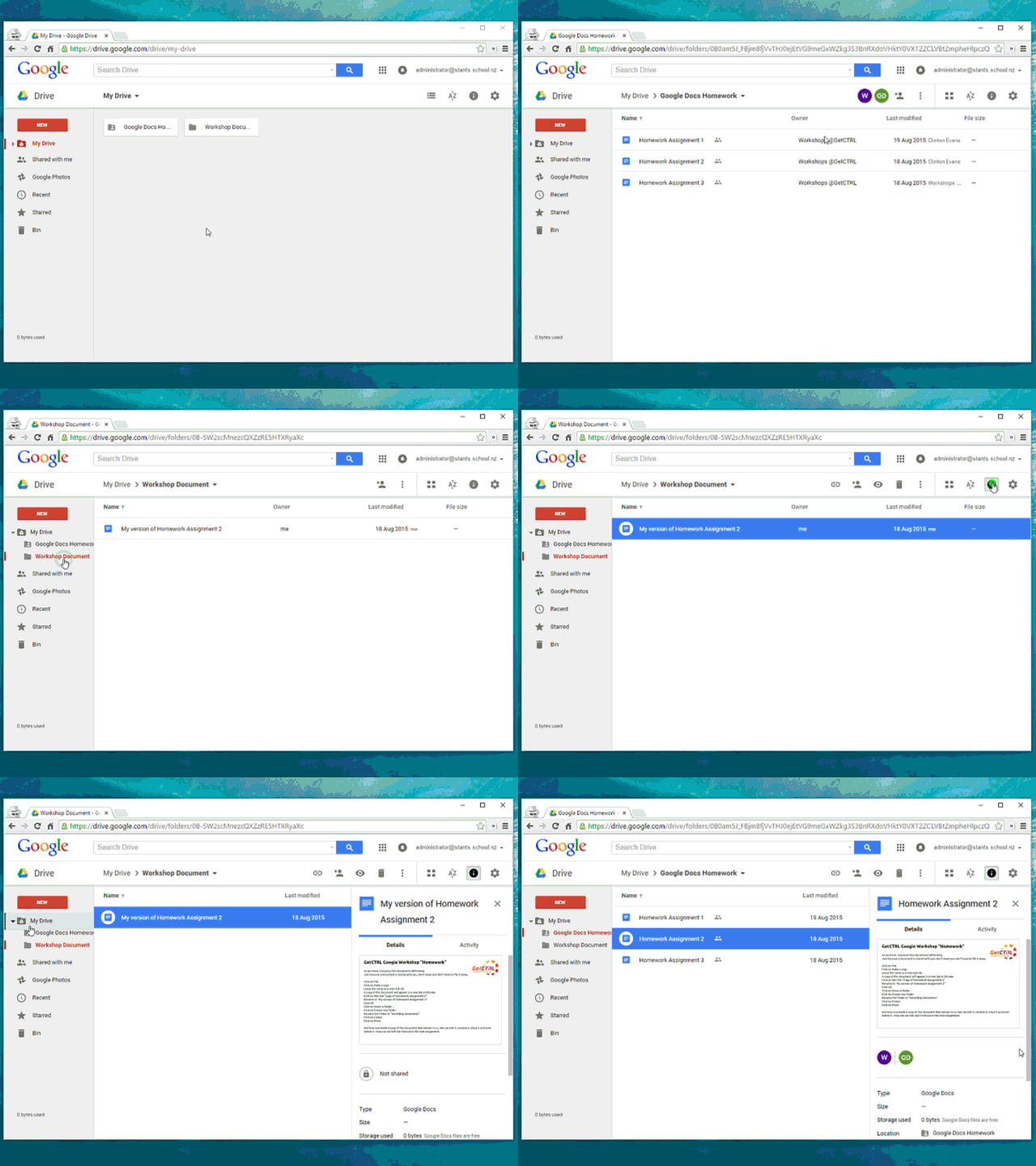
Click me please and then click on Add to Drive then Open in Drive as per screenshots below.
Come back to this slide and press -> when done
Assignment #1
- Go back to your Google Drive in your web browser
- Double click on the Homework Assignment 1
- Read it
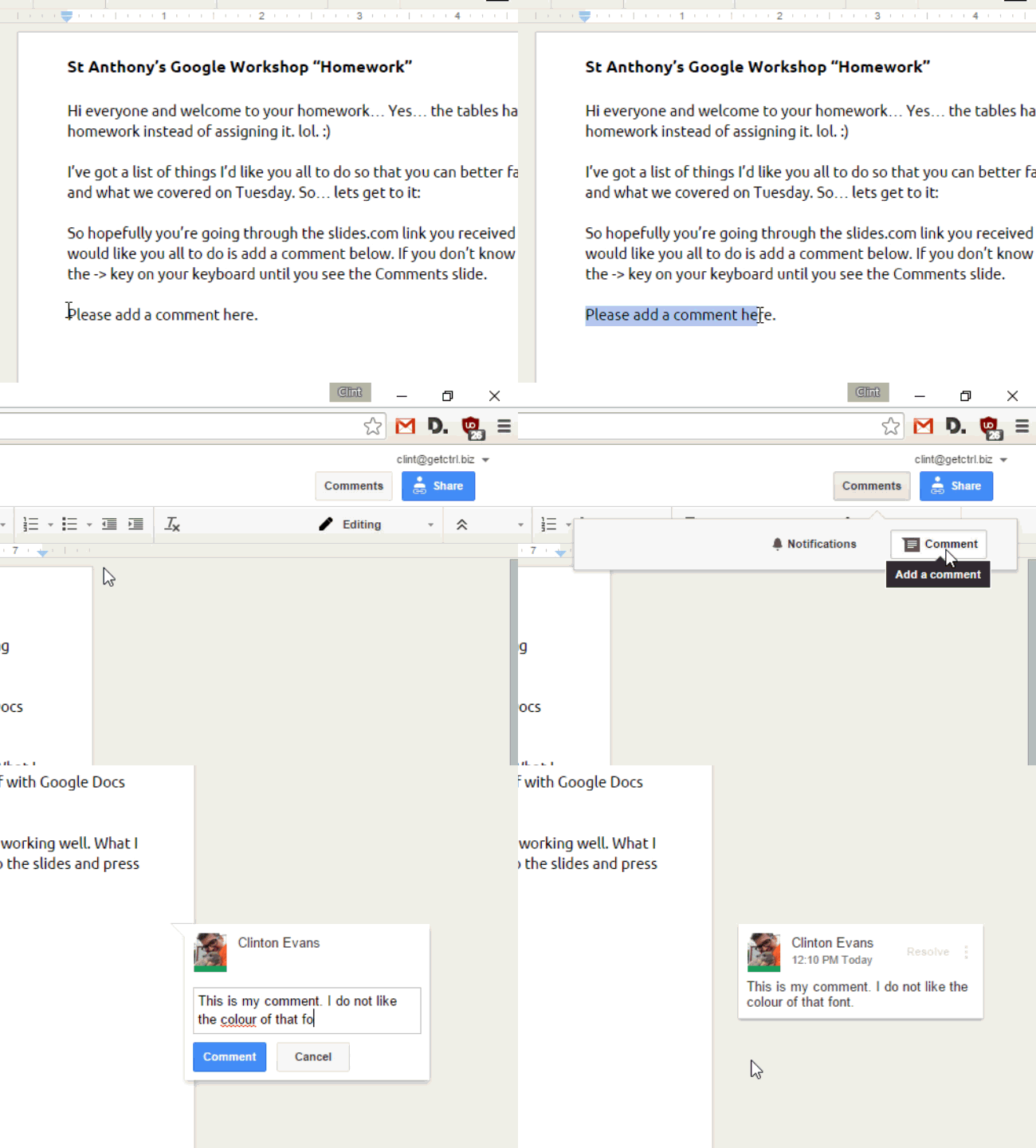
- Add a comment
How it's done:
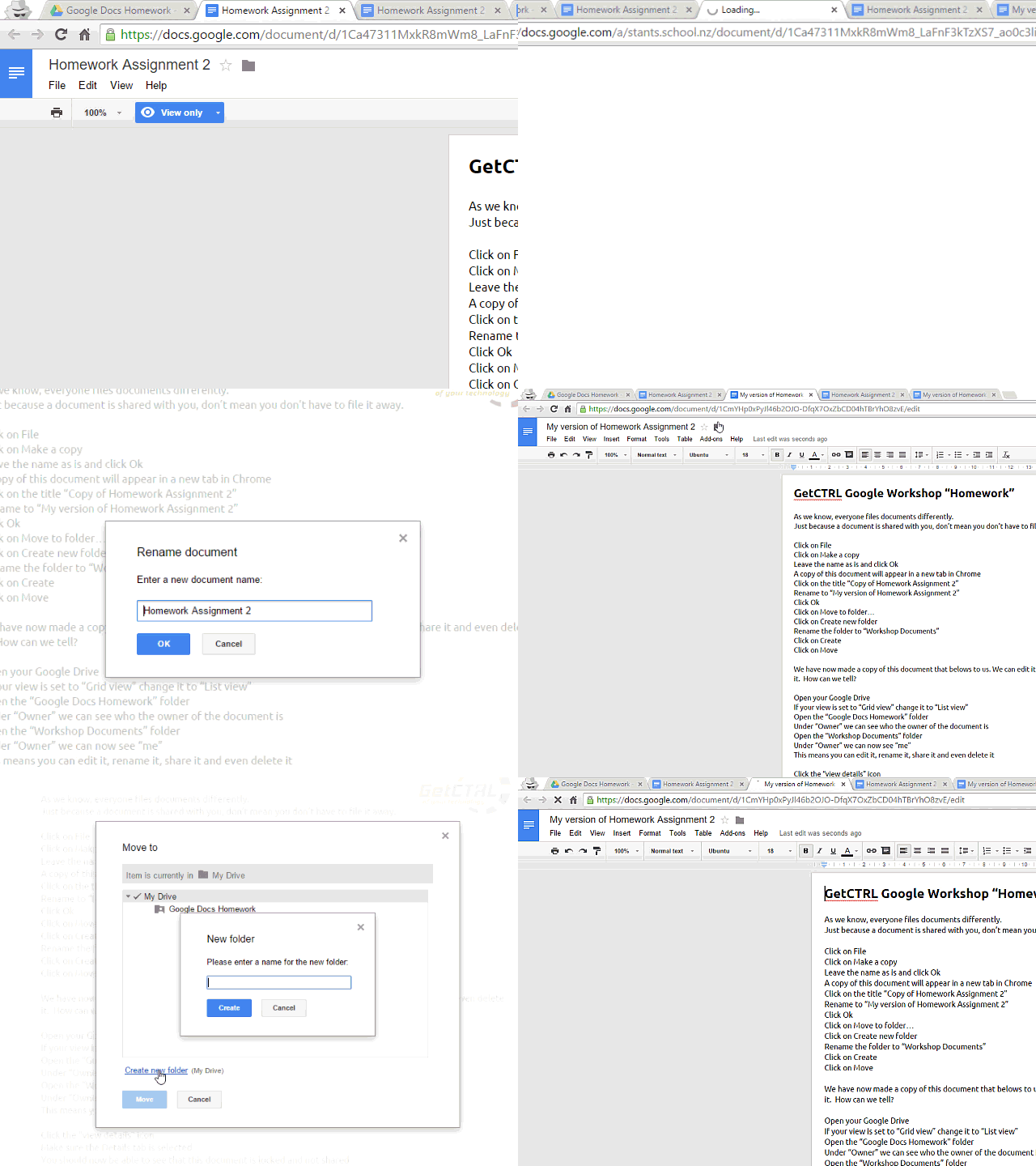
Assignment #2
- Go back to your Google Drive in your web browser
- Double click on the Homework Assignment 2
- Good luck
How it's done:
Assignment #3
- Go back to your Google Drive in your web browser
- Double click on the Homework Assignment 3
- Good luck
How it's done:
GetCTRL Google Docs Homework
By GetCTRL
GetCTRL Google Docs Homework
Homework assignment for GetCTRL Google Docs workshops