




Baraka M Mulumia
I'm a Full-Stack Software Developer, Tech Mentor and Enthusiast. My biggest drive is being able to create amazing software products to shape the future
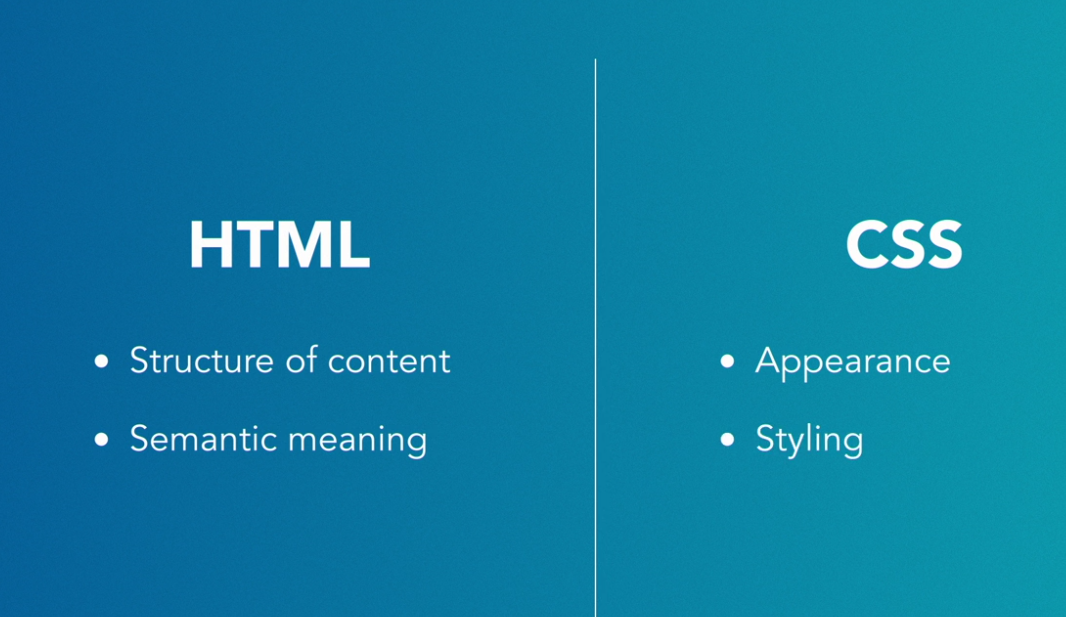
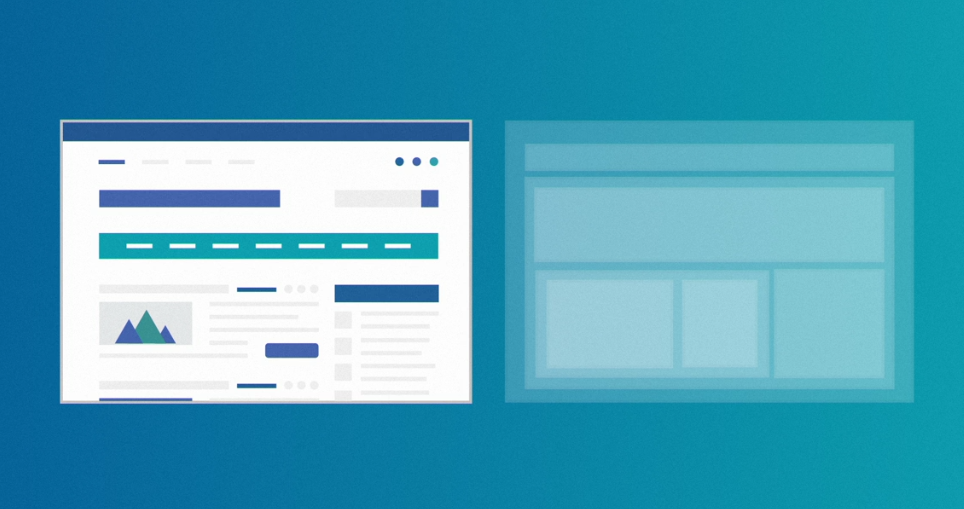
Okay, now we've began putting HTML elements on a page. Using our house-building analogy, this is like we have all the materials now in a pile in front of our house. However a pile of lumber does not make a house. We're going to start reasoning about how to put together these things, how to create our blueprints, our plans. CSS is really powerful and can accomplish a wide variety of things: colors, sizes, order, positioning, hiding, showing, animation, etc. We'll scratch the surface here, but know you can do a lot with just CSS. It's a deep subject and a powerful tool.
Like HTML, CSS is not a programming language. It's a list of rules that you give the browser. You'll provide rules to the browser like "all h1s will be colored red." We'll explore why this is different than JavaScript later, but know that's the gist.
CSS is a fundamental part of web design because it controls how your web pages look. Without it, websites would only be able to display text on white backgrounds. Use CSS to take your plain HTML websites to the next level. Whether you're just trying to customize your Squarespace page or contemplating a career switch, learning the fundamentals of CSS from the ground up gives you the ability to do everything from tweaking existing CSS to writing your own
HTML & CSS
You can write HTML without CSS but you cant write css without html
<!DOCTYPE html>
<html lang="en">
  <head>
    <meta charset="UTF-8">
    <meta name="viewport" content="width=device-width, initial-scale=1.0">
    <title>Basic HTML Page</title>
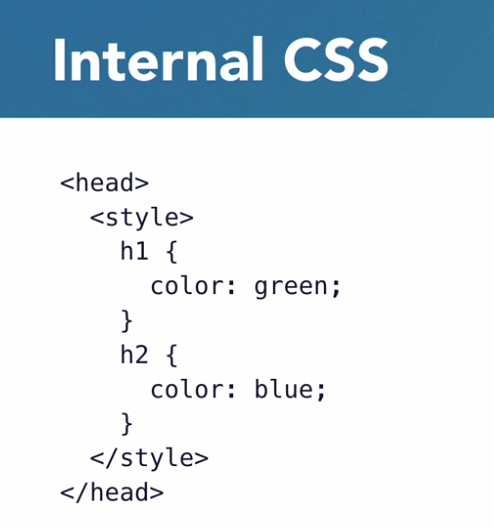
    <style>
      h1 {
        color: green;
      }
    </style>
  </head>
  <body>
    <h1>Heading 1</h1>
    <h2>Heading 2</h2>
    <h3>Heading 3</h3>
    <h4>Heading 4</h4>
    <h5>Heading 5</h5>
    <h6>Heading 6</h6>

    <p>Paragraph with placeholder text. Lorem ipsum dolor sit amet, <a href="#">link</a>! Consectetur adipisicing elit. Nisi voluptatem dignissimos non totam id, cum doloribus minima illum sequi provident similique ipsam porro ducimus animi nemo ipsum corporis aliquid culpa.</p>

    <ul>
      <li>unordered list</li>
      <li>unordered list</li>
      <li>unordered list</li>
    </ul>

    <ol>
      <li>ordered list</li>
      <li>ordered list</li>
      <li>ordered list</li>
    </ol>
  </body>
</html>
Right now I have this page open in Chrome, Developer tools may vary among browsers but mostly function in the same way. You can access them a few different ways, but the most consistent way across browsers is to right-click anywhere on the page and select inspect or inspect element.
h1 {
  font-family: Helvetica;
  color: red;
  font-size: 50px;
  text-align: right;
}
p {
  font-family: Comic Sans MS;
  font-size: 30px;
  background-color: black;
  color: white;
}<!DOCTYPE html>
<html lang="en">
<head>
<meta charset="UTF-8">
<meta name="viewport" content="width=device-width, initial-scale=1.0">
<title>Add a relevant page title</title>
</head>
<body>
<main>
<!-- *********************** ABOUT / PROFILE *********************** -->
<header>
<h1>Your Name</h1>
<h2>Job title or tagline</h2>
<p>Add your profile copy here. Add more paragraphs or links as needed. Here is some dummy text: Lorem ipsum dolor sit amet, consectetur adipiscing elit. Praesent bibendum, diam ut gravida efficitur, risus neque scelerisque erat, ut rhoncus erat odio ac justo. Nunc scelerisque vestibulum augue, sit amet hendrerit ante.</p>
<p>Add another paragraph if needed.</p>
</header>
<!-- ******************** PROJECTS / PORTFOLIO ********************* -->
<section>
<h2>Featured Projects</h2>
<p>Optional paragraph for the Projects summary. Delete if not being used.</p>
<!-- Copy the whole <section> block to add more projects. -->
<section>
<h3>Project Name</h3>
<img src="project-thumbnail.png" alt="description of image">
<p>Summary or description of the project and/or your role in it. Add as many paragraphs as you need.</p>
<a href="#" target="_blank">View project / case study</a>
</section>
<!-- End of Project block. -->
</section>
<!-- *********************** WORK EXPERIENCE *********************** -->
<section>
<h2>Work Experience</h2>
<p>Optional paragraph for work experience summary. Not a part of the job details. Delete if not being used.</p>
<!-- Copy this whole <section> block to add more jobs. -->
<section>
<h3>Job title</h3>
<p>Company Name</p>
<p>Date at job</p>
<p>Job summary goes here. Add as many paragraphs as you need.</p>
<p>Optional list:</p>
<ul>
<li>Delete this list if you don't need it.</li>
<li>Created...</li>
<li>Lead...</li>
<li>Responsible for...</li>
</ul>
</section>
<!-- End of Job block. -->
</section>
<!-- ****************** EDUCATION & CERTIFICATIONS ****************** -->
<section>
<h2>Education</h2>
<!-- Copy this whole <section> block to add more schools. -->
<section>
<h3>School name - City</h3>
<p>Designation received or program name, year attended</p>
<p>Summary or accomplishments.</p>
</section>
<!-- End of School block. -->
</section>
<!-- ***************** CONTACT INFO / SOCIAL MEDIA ***************** -->
<footer>
<h2>Let's Keep in Touch!</h2>
<!-- Social media and contact links. Add or remove any networks. -->
<ul>
<li><a href="mailto:email@example.com">email@example.com</a></li>
<li><a href="http://yourwebsite.com" target="_blank">yourwebsite.com</a></li>
<li><a href="#" target="_blank">Twitter</a></li>
<li><a href="#" target="_blank">LinkedIn</a></li>
<li><a href="#" target="_blank">Facebook</a></li>
</ul>
</footer>
</main>
</body>
</html>
Customize the starter html code
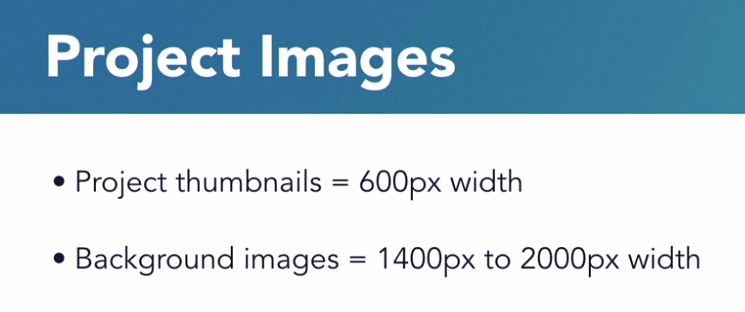
Image optimization and retina display
When using images within your websites, there are many ways to optimize for performance and search engine optimization. This post has ten great tips, and I suggest you read them all. But the one I want to talk about is choosing the right dimension for your design.
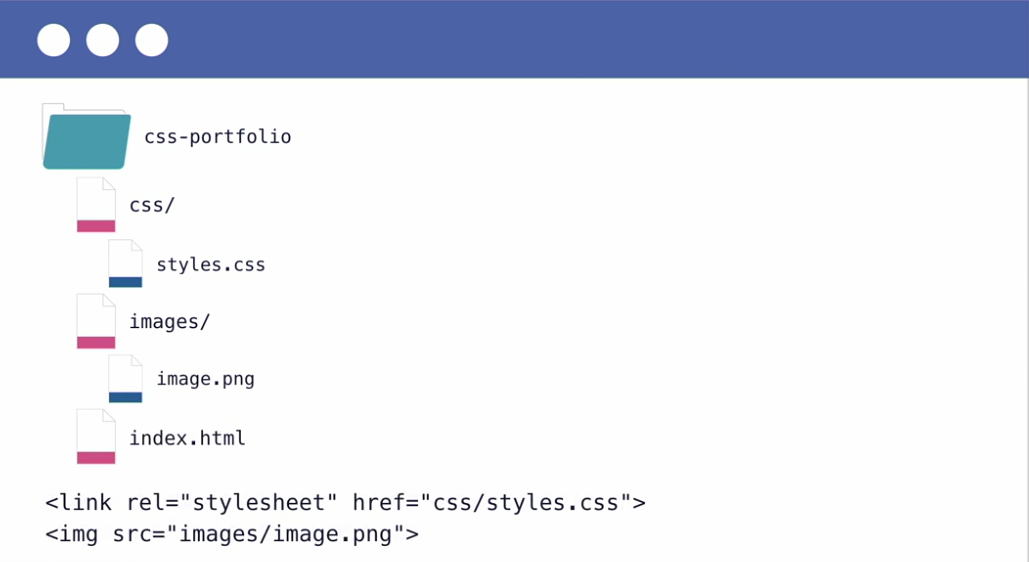
Reltive Paths
Update images file path and alt text
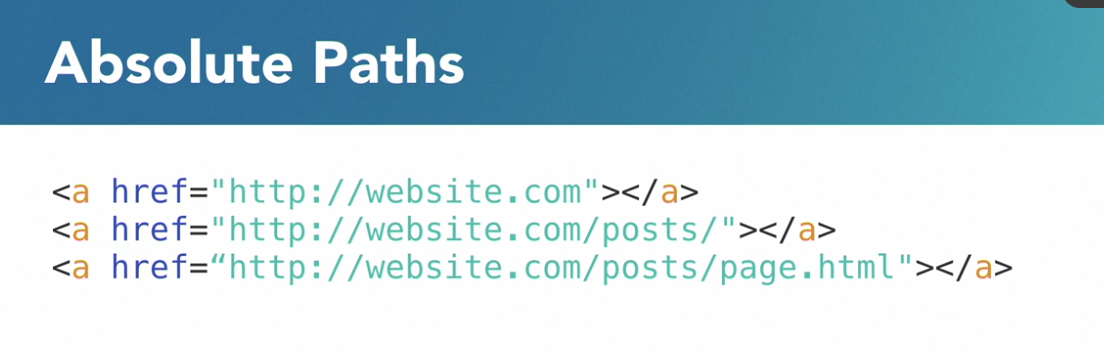
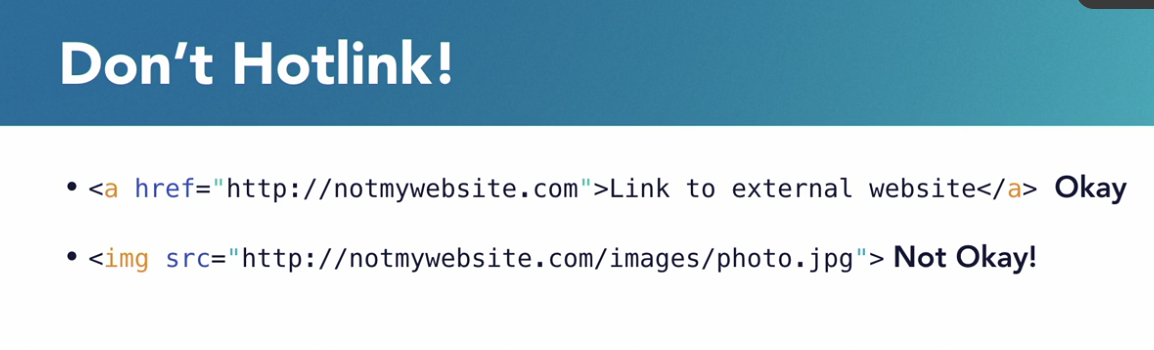
Absolute paths
Hotlink
CSS SPEC
So let's go over the official CSS publishing documentation process to help better understand where CSS specifications come from and how to stay informed and updated.
CSS SYNTAX
img {
  width: 300px;
}
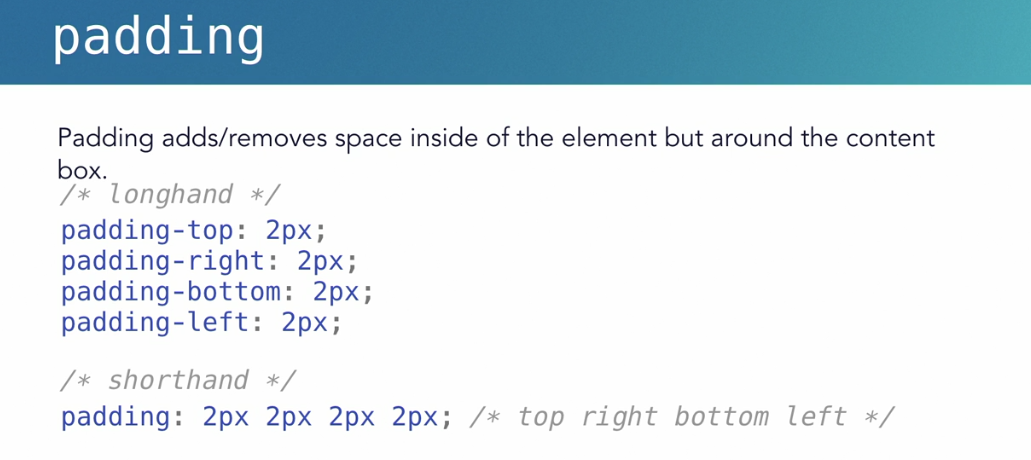
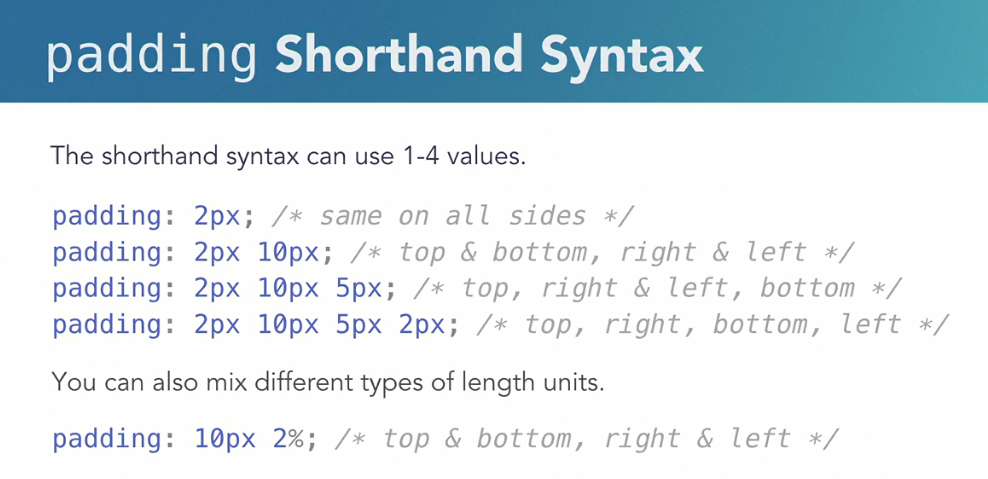
shothand and longhand syntax
/* Long Hand */
 a {
   padding-top: 10px;
   padding-bottom: 10px;
   padding-left: 10px;
   padding-right: 10px;
 }

 /* SHORTHAND */
  a {
    padding: 10px 20px;
  }
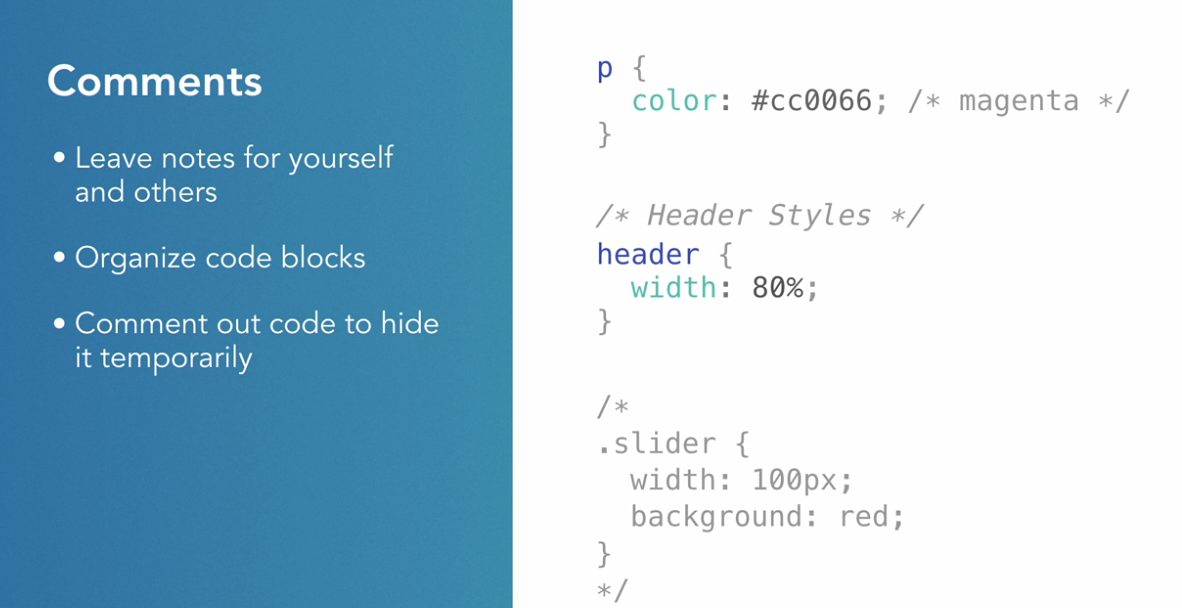
CSS Comments
/** This is a comment */Formatting CSS
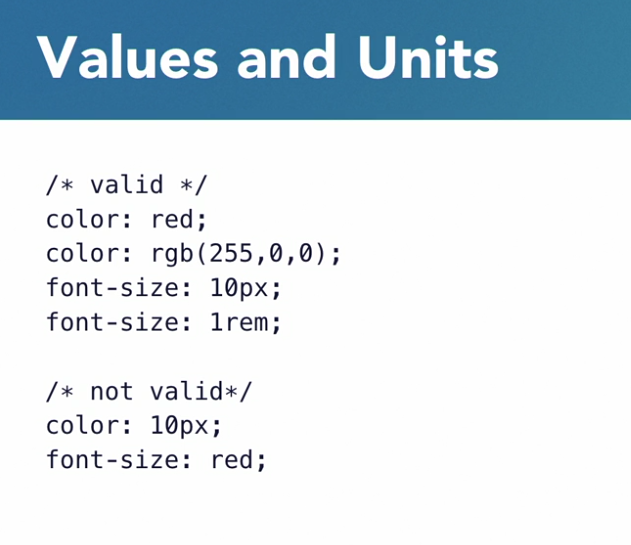
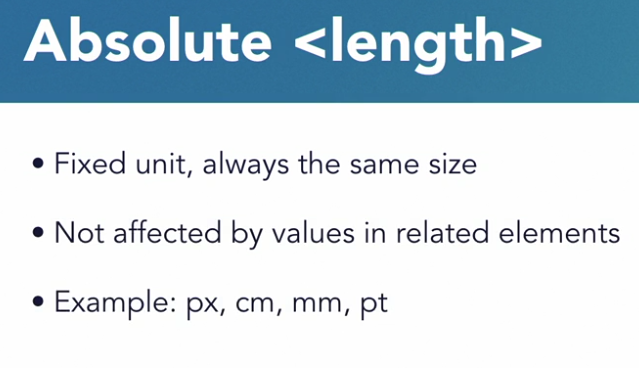
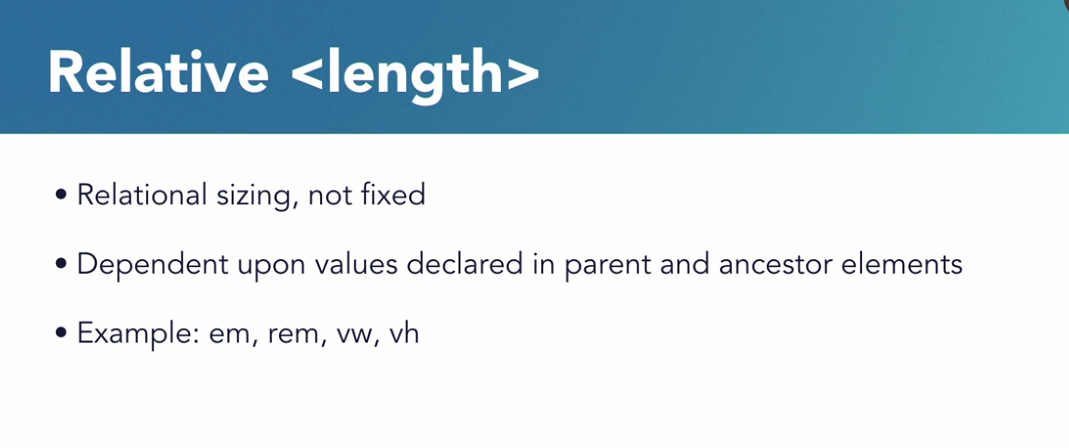
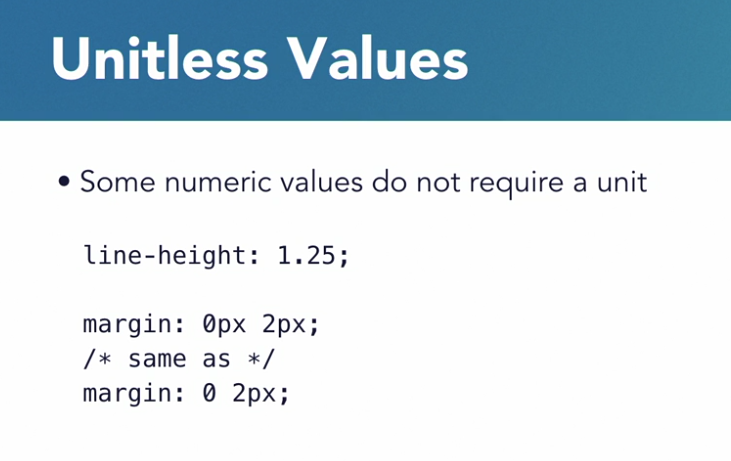
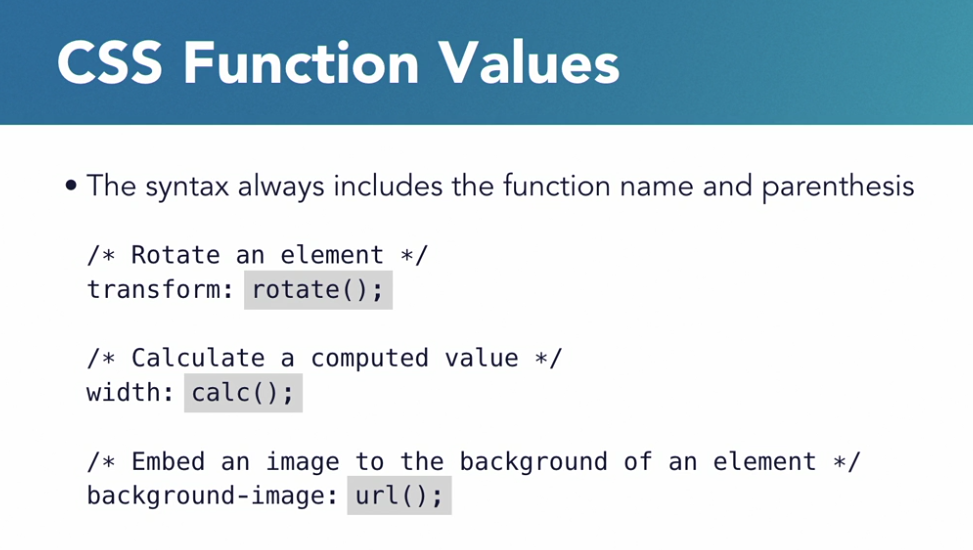
Values & Units
Values & Units
Values & Units
Values & Units
Values & Units
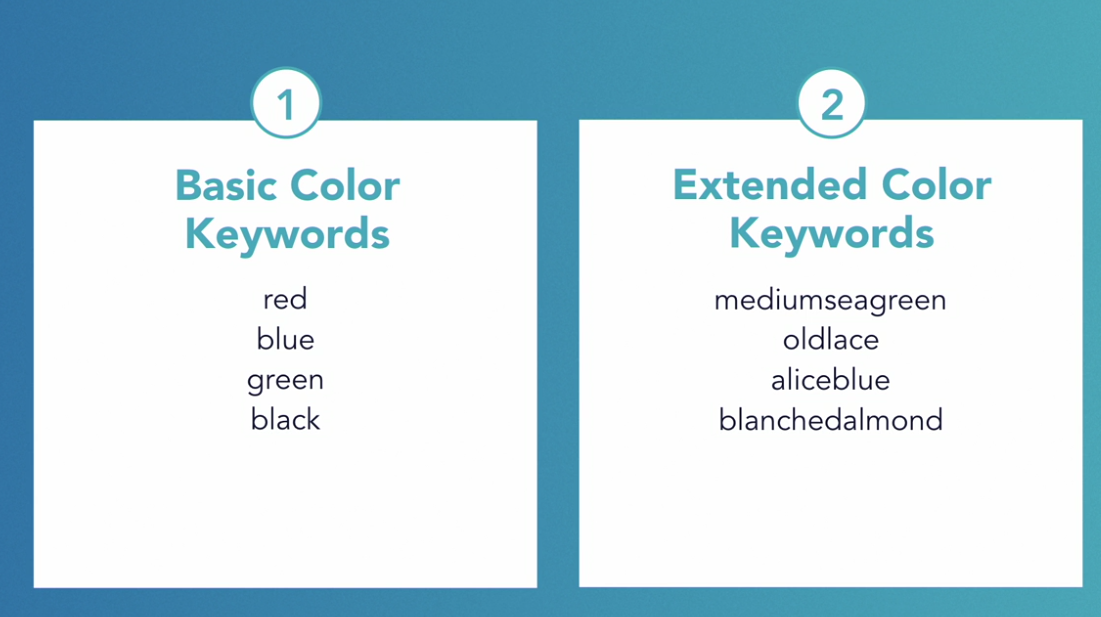
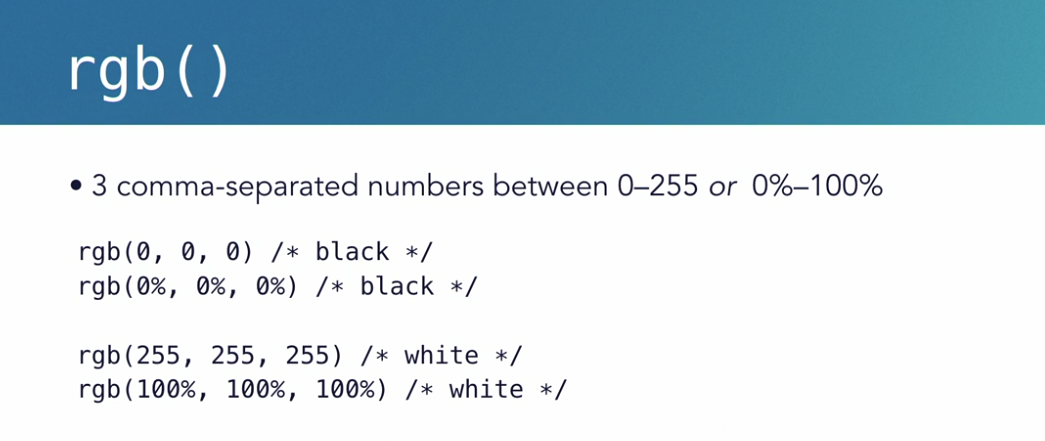
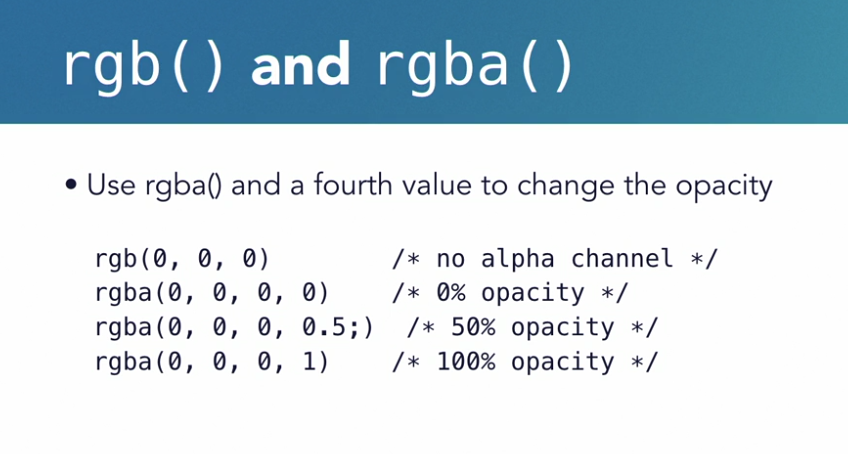
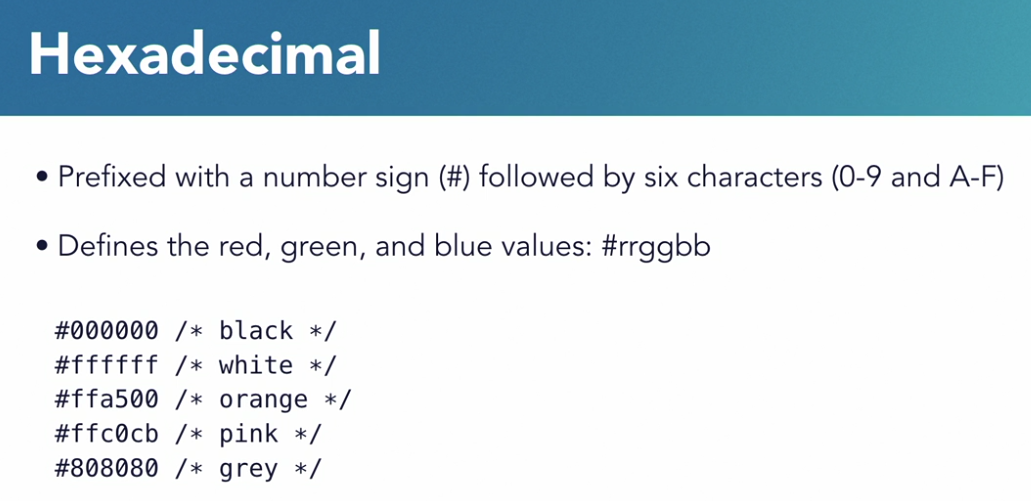
Colors
Colors
Colors
Colors
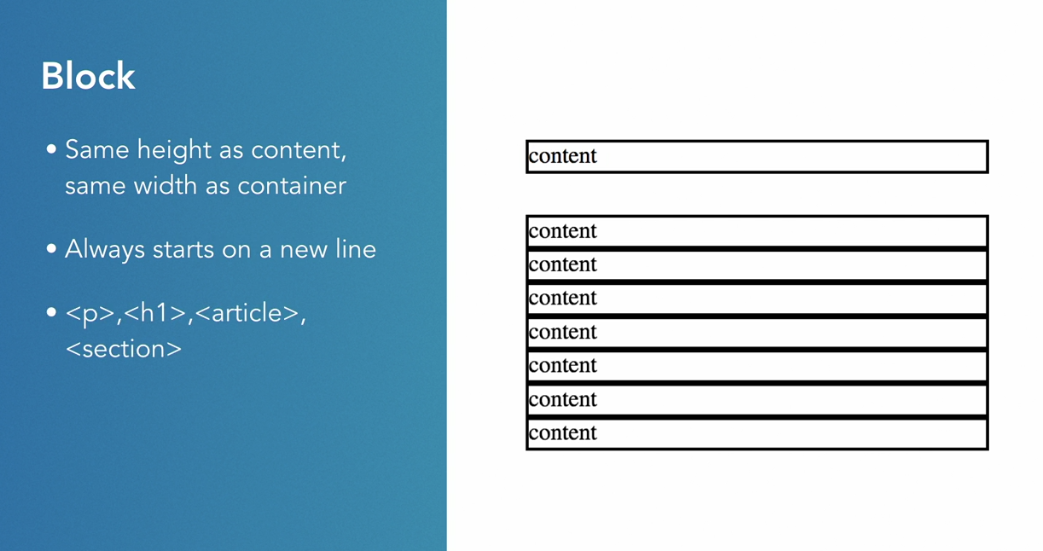
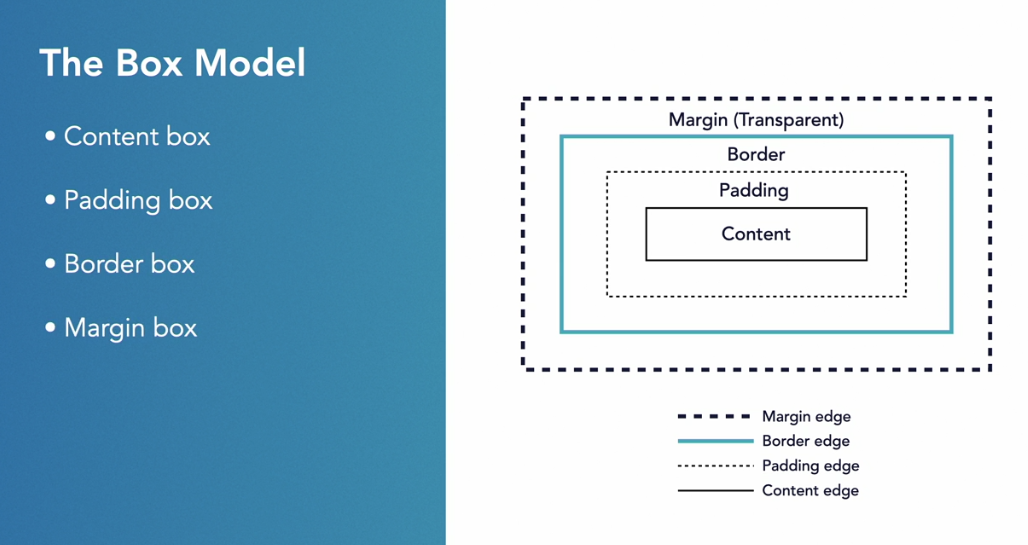
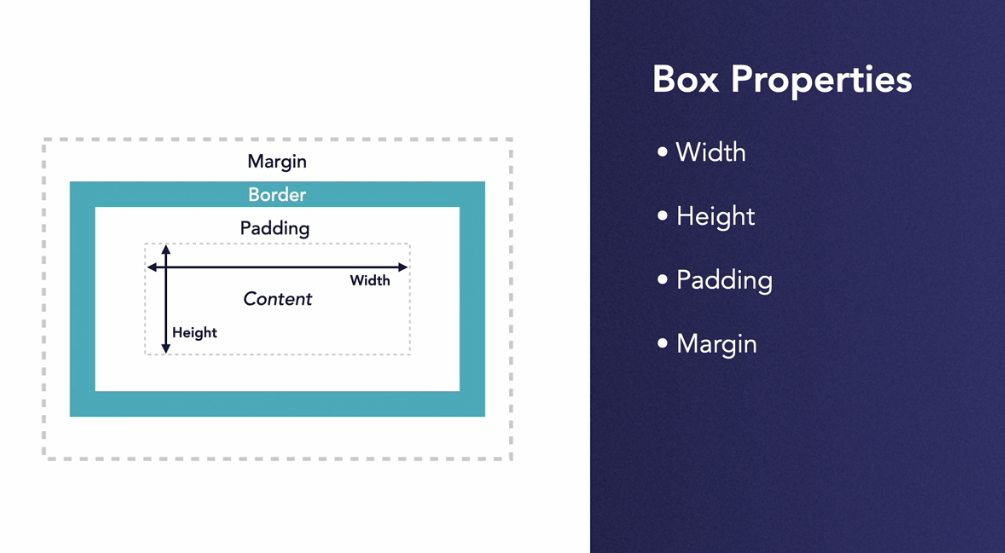
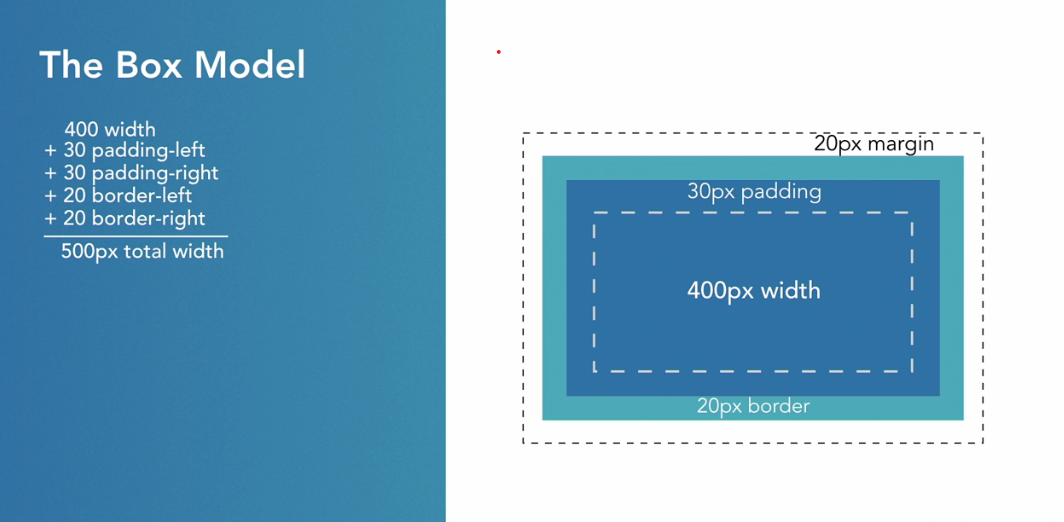
To the browser everything is a box
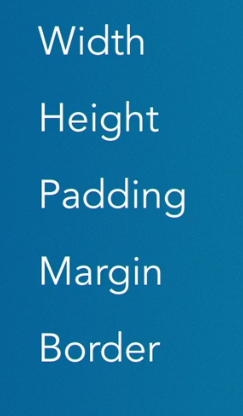
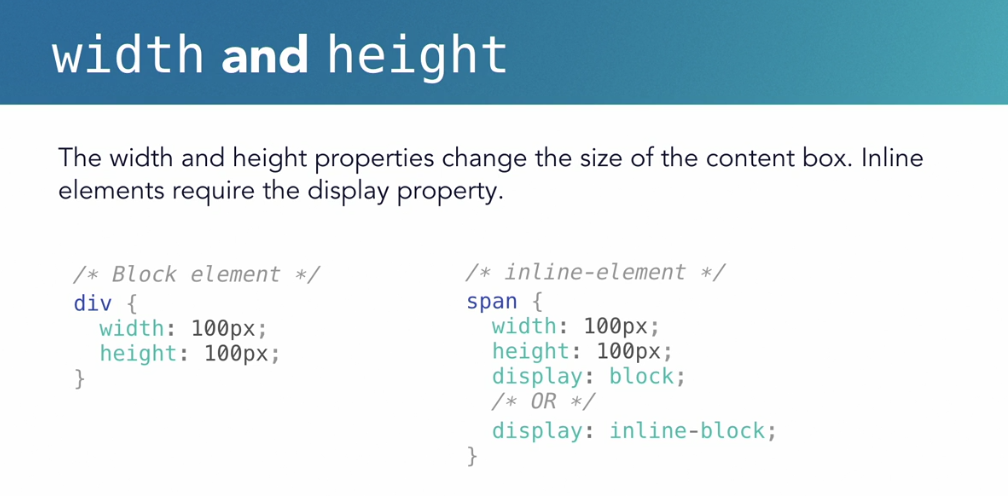
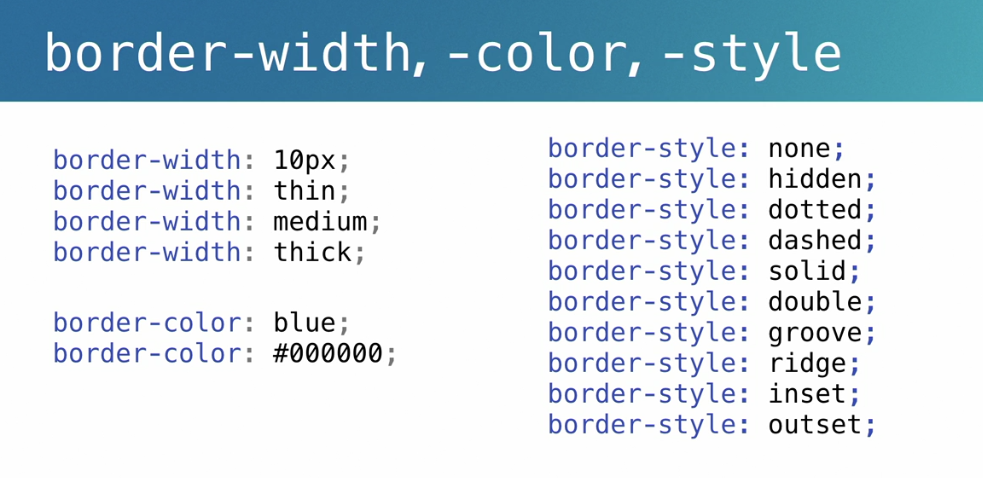
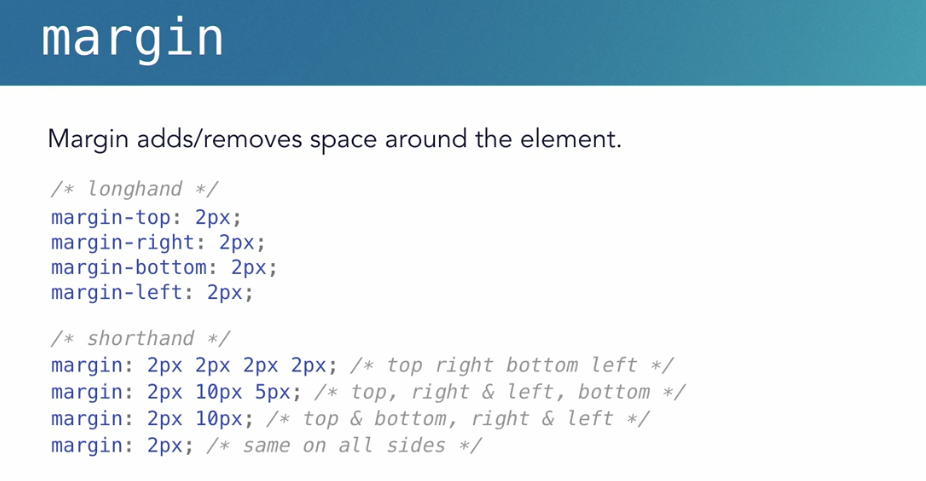
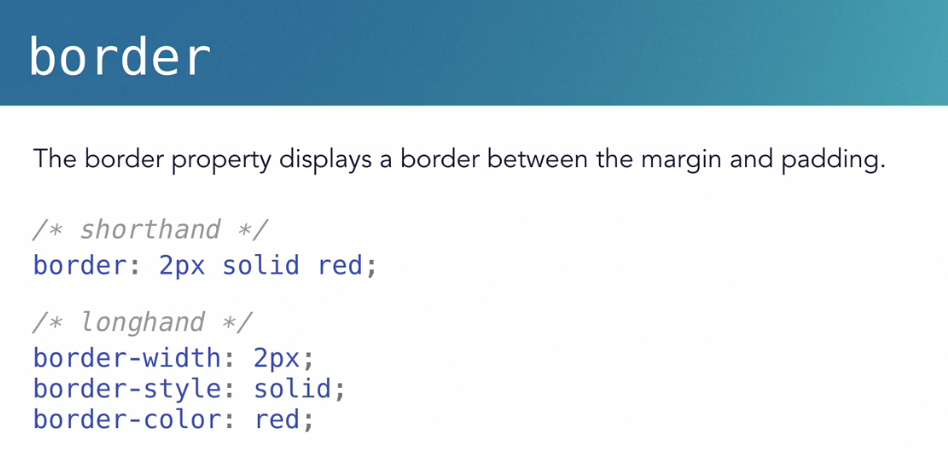
5 properties that make the box model
/*CSS RESET*/
* {
  padding: 0;
  margin: 0;
  box-sizing: border-box;
}

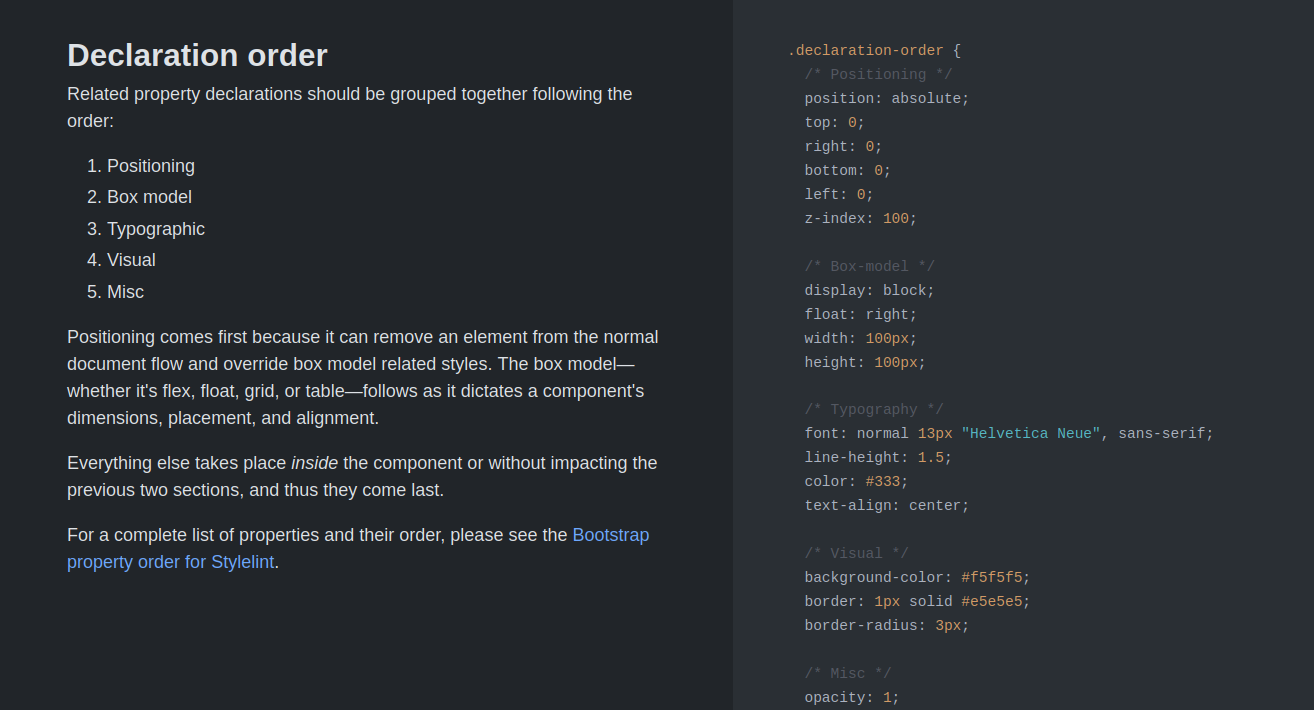
/* Global styles
**************************/
body {
  color: #343434;
}

img {
  width: 600px;
}

a {
  color: #ffe66d
}

.content-wrap {
  width: 800px;
  margin: 0 auto;
  padding: 60px 0;
}


/*
Profile styles
***************************** */
header {
  width: 100%;
  height: 50vh;
  background-color: #483d8b;
  color: #ffffff;
  margin: 0;
  padding: 16px;
}

header h1 {
  margin: 16px 0;
}

header h2 {
  margin: 8px 0;
}

header p {
  margin: 10px 0;
}By Baraka M Mulumia