Igor Tykhonov




skype - igor.tihonov.v
email - tikhonov.kh@gmail.com


Intro to Angular and TypeScript

TypeScript
npm install -g typescript
tsc
- string
- boolean
- number
- enum
- interface
- type
- class
- module
- void
- generics
vs
any
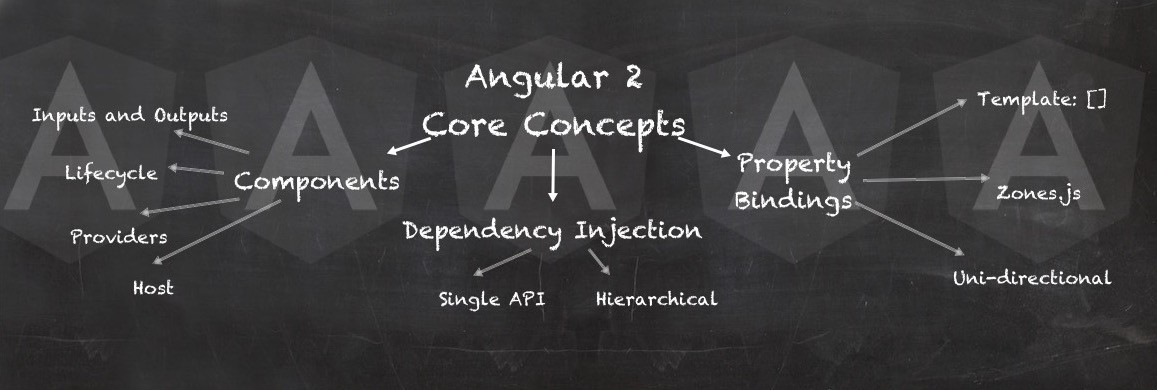
Angular Fundamentals Overview
- Architecture
- CLI
- Modules
- Components
- Directives
- Services
- Pipes
- Dependency Injection
Components, Data Handling and, Events Handling
- Data binding in components
- Template Variables
- Communication between components
- Parent and Child
- Independent components
- View Encapsulation
- Content Projection
- View Child and View Children
- Content Child and Content Children
- Life cycle of a component

Directives and Pipes
- Directives Overview
- Built-in Directives
- Custom Directives
- Pipes
- Custom Pipes
Angular Routing and Services
- Routing
- Router outlet
- Configuring Routes
- Activated Route
- Router parameters
- Optional and Query string Parameters
- Routing Guards
- Service
Angular Forms Module
- Angular Forms
- Reactive Forms
- Form Validations
- Custom Validators

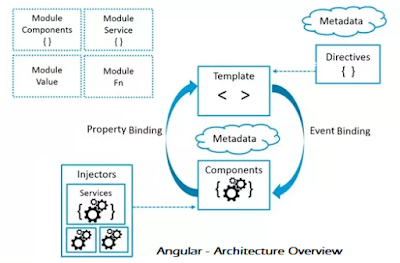
Architecture overview
Modules
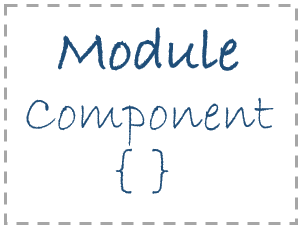
In a general essence, the module is used to group the related classes together to achieve the functionality. The same definition is applicable for angular as well. In Angular, a module is a mechanism to group the related components, directives, pipes, services, etc together.
NgModule is a decorator function that takes a single metadata object whose properties describe the module. The most important properties are:
-
declarations - the view classes that belong to this module. Angular has three kinds of view classes: components, directives, and pipes.
-
exports - the subset of declarations that should be visible and usable in the component templates of other modules.
-
imports - other modules whose exported classes are needed by component templates declared in this module.
-
providers - creators of services that this module contributes to the global collection of services; they become accessible in all parts of the app.
-
bootstrap - the main application view, called the root component, that hosts all other app views. Only the root module should set this bootstrap property.
import { NgModule } from '@angular/core';
import { BrowserModule } from '@angular/platform-browser';
@NgModule({
imports: [ BrowserModule ],
providers: [ Logger ],
declarations: [ AppComponent ],
exports: [ AppComponent ],
bootstrap: [ AppComponent ]
})
export class AppModule { }
Angular libraries
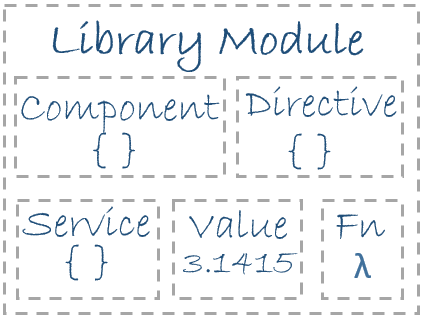
Angular ships as a collection of JavaScript modules. You can think of them as library modules.
Each Angular library name begins with the @angular prefix.
You install them with the npm package manager and import parts of them with JavaScript import statements.
For example, import Angular's Component decorator from the @angular/core library like this:
import { Component } from '@angular/core';
You also import Angular modules from Angular libraries using JavaScript import statements:
import { BrowserModule } from '@angular/platform-browser';
Components
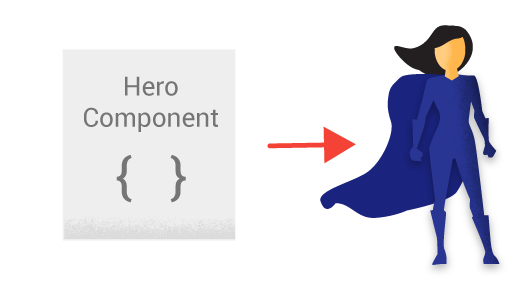
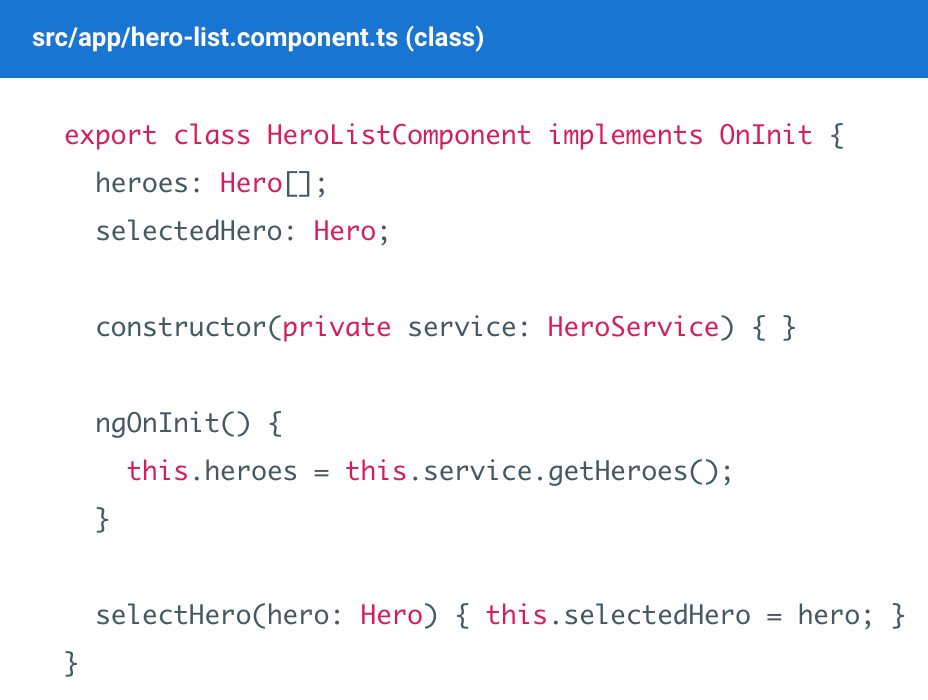
Components play a key role in Angular.
Every Angular app must have at least one component.
In Angular, a component represents a specific portion of the user interface (UI).
Each component will contain a selector that will represent the HTML associated with the component. To make a class a component, we need to add @Component({}), decorator.
Templates
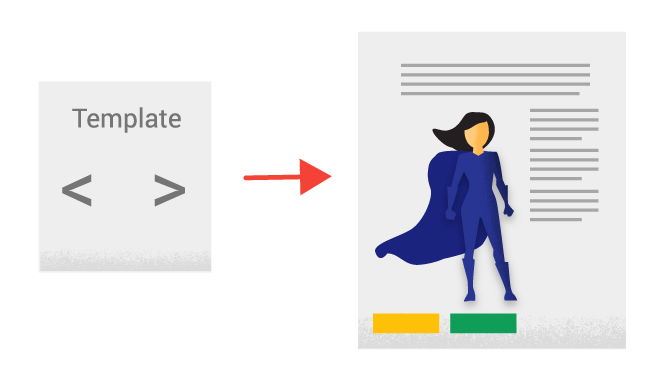
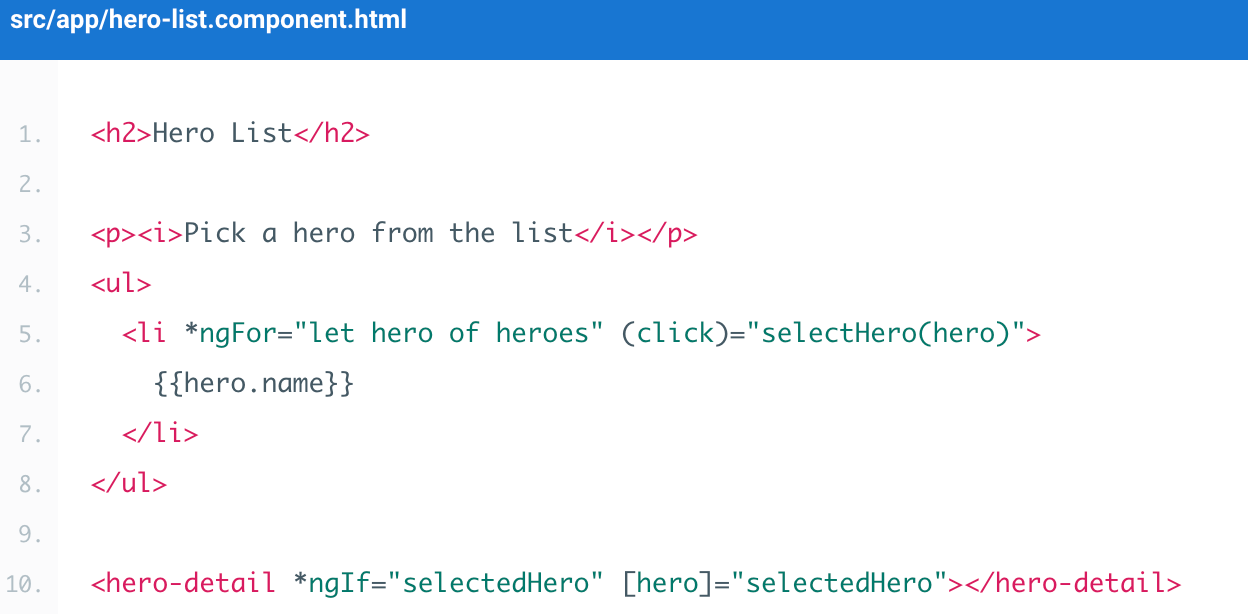
The template contains the HTML that needs to be displayed on the user screen. In Angular, the template contains the HTML elements and Angular custom tags/expressions as part of the template. Before projecting the template content, angular transform expressions, and custom tags will be replaced by the associated HTML.
In short, template is a combination of HTML tags + Angular Expressions + Custom tags defined using Angular
Metadata

Metadata is used to decorate a class so that it can configure the expected behavior of the class. Following are the different parts for metadata.
In general, metadata termed as data about data. In Angular, metadata used to specify how a class needs to be processed by the Angular framework. A class decorator is used to define the metadata about the class. For example, any class that has @Component class decorator attached to it known as a Component.
Metadata defines how a class needs to be processed by the angular framework
export class AppComponent {
   @Environment(‘test’)
   appTitle: string = 'Welcome';
}
export class AppComponent {
   constructor(@Environment(‘test’  private   appTitle:string) { }
}
@Component ({
   selector: 'my-app',
   templateUrl: 'app/app.component.html'
})
Data binding
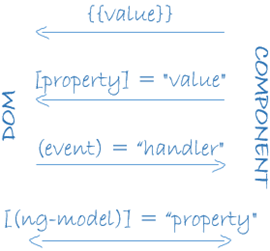
Data binding concepts are used to bind the data from your component class to the template that is associated with the component. Below are the various way to bind the data to the view/template
String Interpolation — represented as “{{ }}” also known as a mustache syntax. Angular process the expressions/variables insides the “{{}}” and insert the output into HTML.
Property Binding — Allows binding the properties of an HTML element/Angular custom element.
Event Binding — Allow the application to respond to user actions and inputs.
Directives

Directives are used to add additional behavior to your HTML.
Here additional behavior may be altering the layout page by adding/deleting the HTML elements or additional functionality to your HTML element.
There are two types of Directives
Structural directives can alter the layout of the page by adding/removing the HTML elements. Structural directives prefix with ‘*’
Attribute directives provide additional behavior or modify the appearance of your HTML elements.
Services

In Angular, Services are singleton objects which get instantiated only once during the application lifetime. It contains data that needs to be shared across the application.
The primary objective of service is to organize and share the Business logic, and data with different components of an angular application.
Dependency Injection
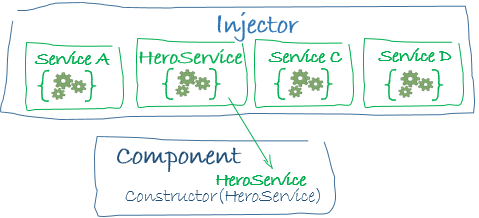
Dependency Injection is a process of injecting the dependent objects into a class from an external framework/ class. So that the class can focus on primary responsibility assigned to it. Dependency Injector will take of handling the lifetime of injected dependencies.
using dependency injection, we can externalize the injecting the dependencies to the classes and managing their lifetime.
Resources
Intro to Angular and TypeScript
By Igor Tikhonov