Flutter introduction
Ihor Vitruk
20.02.2019
Get started
OS to develop: Linux, WIndows, OS X
IDE: Any (xcode, App Code, Android Studio, Visual Studio, sublime etc)
Programming language: Dart
| Flutter | React Native | |
|---|---|---|
| Language | Dart | JavaScript |
| Developer | ||
| Alpha release | 2017 | 2015 |
| 1.0.0 release | December 2018 | Still <1.0.0 (0.58) |
| Performance | Seperior | Have problems |
| Time-to-Market App | Faster | Slower |
| Documentation | Precise, up-to-date | Imprecise, up-to-date |
| Who uses | Alibaba, Reflectly, Google Greentea, Tencentt, Google Ads, App Tree | Facebook, Instagram, Pinterest, Uber, Tesla, Walmart etc |
| Additional | Very simple SDK, closer for iOS/Android native devs | Require to learn html, css, javascript, to so close for mobile devs |
UI View
| Android | iOS | Flutter |
|---|---|---|
| View | UIView | Widget (has State) |
Architecture
Google Flutter recommends BLOC. Its very similar to MVVM pattern.
Could be any: VIPER, Clean Architecture, Redux
On Presentation: MVP, MVC, MVVM, MVI
Architecture examples:
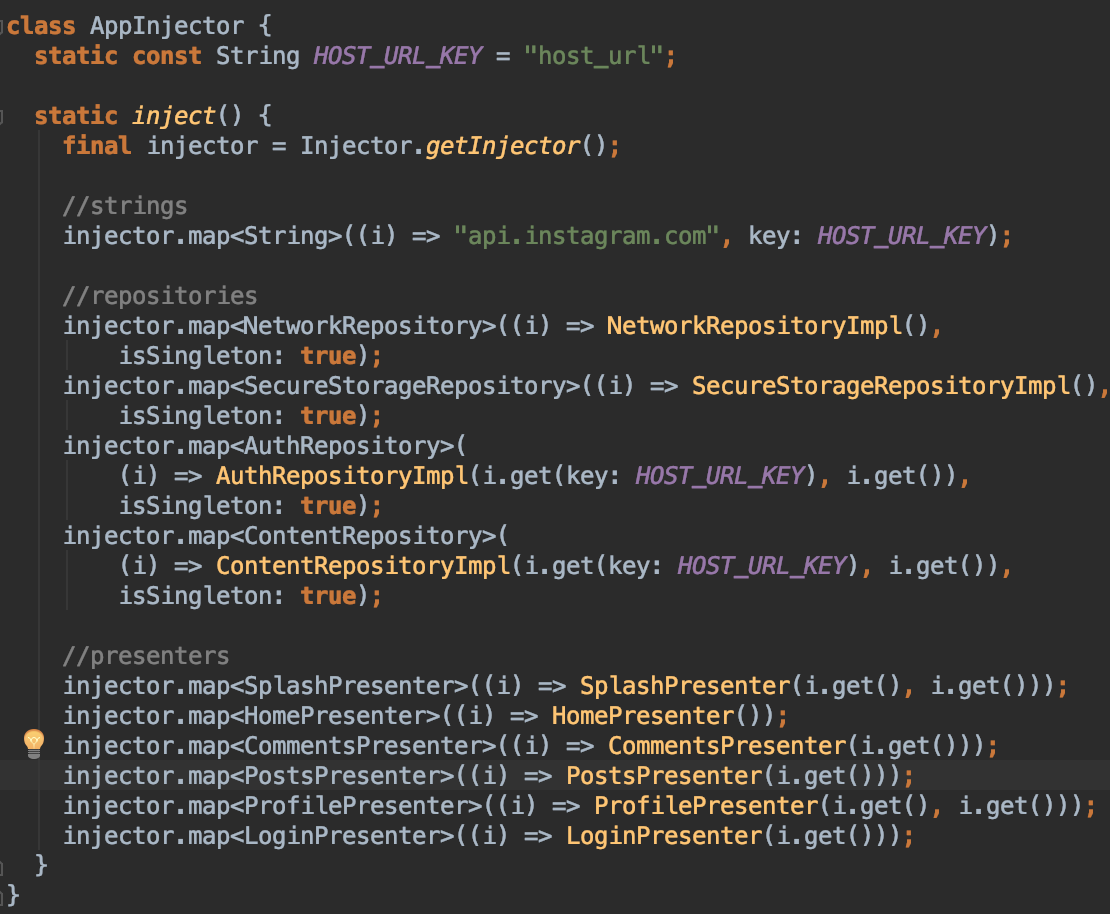
Dependency injection
| Android | iOS | Flutter |
|---|---|---|
| dagger2, koin, kodein |
swinject, typhoon |
a big variety from community. |
Run platform code
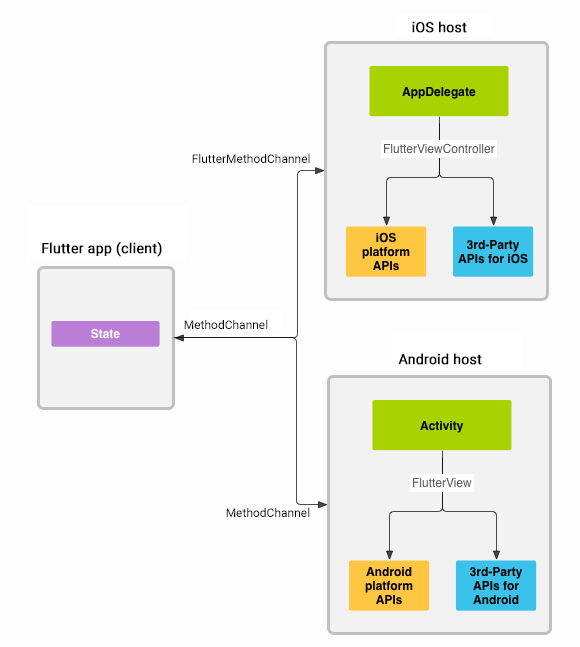
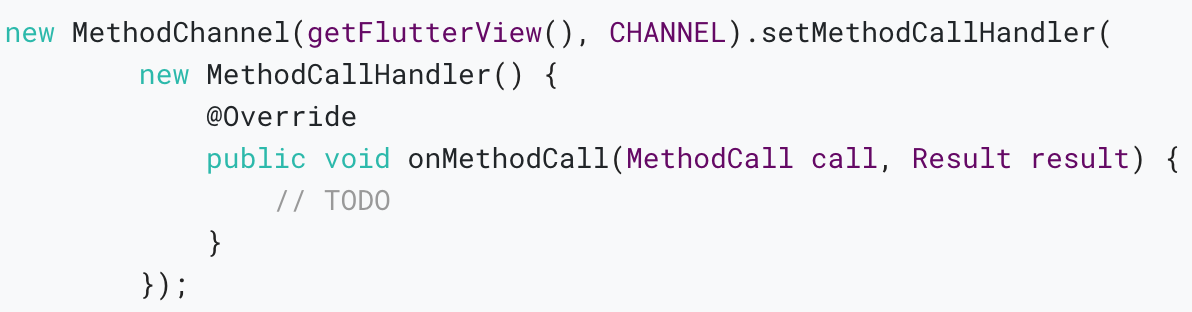
Done through
platform channels
1. Create method channel in Flutter.
2. Define return result type.
3. Implement method handling in android/iOs (activity, VC)
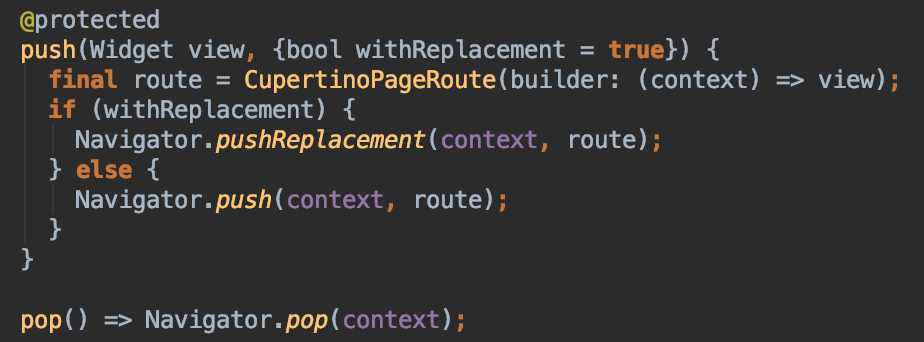
Navigation
| Android | iOS | Flutter |
|---|---|---|
| Intents, backstack, Android Navigation Component |
UINavigationController | Navigator, routes |
Async UI, background work
| Android | iOS | Flutter |
|---|---|---|
| threads, executors, rx, coroutines, livedata | rx, iOS SDK | async/await, future, streams, Isolates |
Isolates - Concurrent programming using isolates: independent workers that are similar to threads but don't share memory, communicating only via messages.
Async / await - language keywords. Async return future. await waits for future execution and return data result.
Streams implements Subscription/Subscriber approach
Stateful Widget lifecycle
| createState() | When Flutter is instructed to build a StatefulWidget, it immediately calls createState(). This method must exist. A StatefulWidget rarely needs to be more complicated than this. |
|---|---|
| mounted == true | When createState creates the state class, a buildContext is assigned to that state. |
| initState() | This is the first method called when the widget is created (after the class constructor, of course.) |
| didChangeDependencies() | The didChangeDependencies method is called immediately after initState on the first time the widget is built. |
| build() | This method is called often (think fps + render). It is a required, @override and must return a Widget. |
| didUpdateWidget() | didUpdateWidget() is called if the parent widget changes and has to rebuild this widget (because it needs to give it different data), but it's being rebuilt with the same runtimeType, then this method is called. |
| setState() | The 'setState()' method is called often from the Flutter framework itself and from the developer. |
| deactivate() | This is rarely used. 'deactivate()' is called when State is removed from the tree |
| dispose() | 'dispose()' is called when the State object is removed, which is permanent. |
| mounted == false | The state object can never remount, and an error is thrown is setState() is called. |
HTTP Client, Json Parsing
| Android | iOS | Flutter |
|---|---|---|
| OkHttp, Retrofit, Jackson, Gson |
Alamofire, Swifty Json |
http package, |

Debug, release build difference
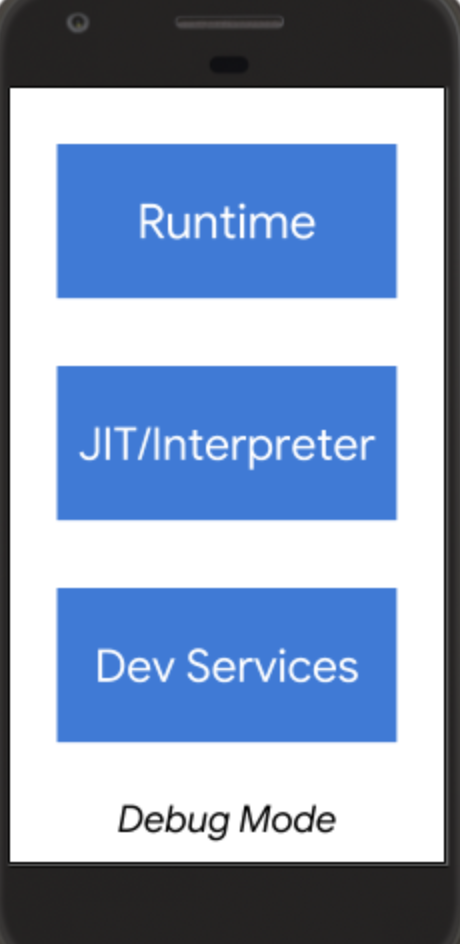
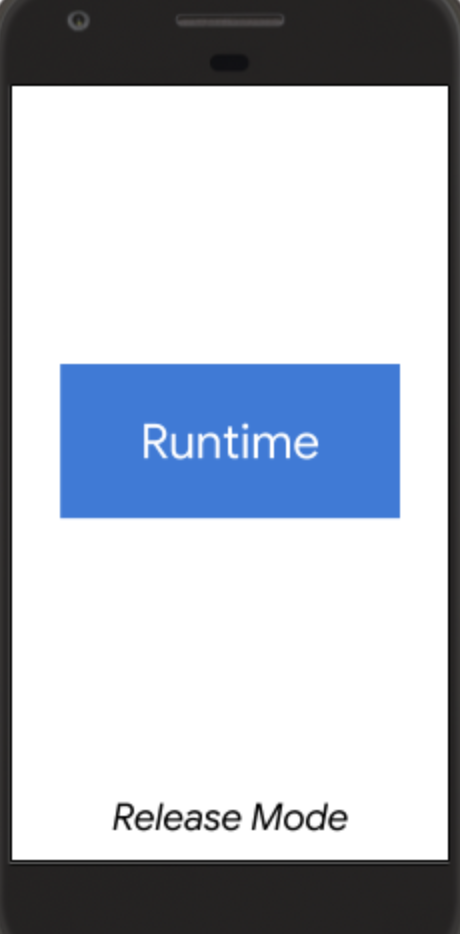
-
App size,
-
Reload / hot reload speed
- Profile / Debug possibility
Resolution dependency
| Android | iOS | Flutter |
|---|---|---|
| dp | ppi | devicePixelRatio |
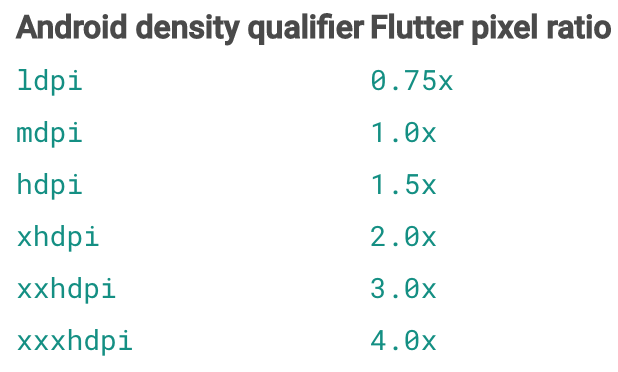
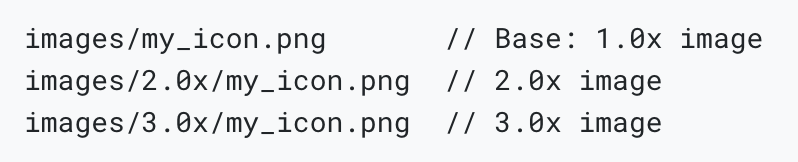
devicePixelRatio - The number of device pixels for each logical pixel. This number might not be a power of two. Indeed, it might not even be an integer. For example, the Nexus 6 has a device pixel ratio of 3.5.
Secure storage
| Android | iOS | Flutter |
|---|---|---|
| KeyStore (> API 18) | KeyChain | flutter_secure_storage |
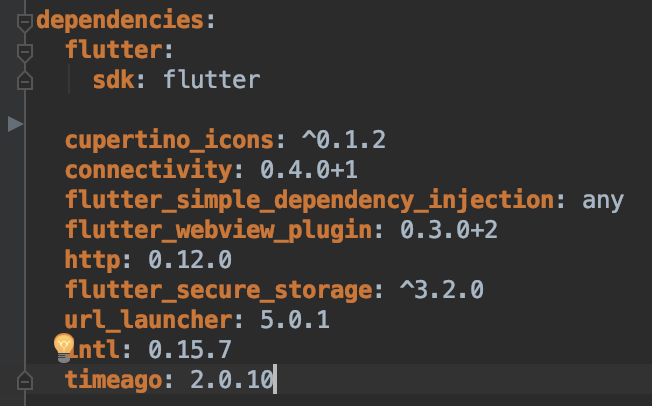
Dependencies
| Android | iOS | Flutter |
|---|---|---|
| Gradle build file dependencies, google, maven repositories | CocoaPots | pubspec.yaml |
List View
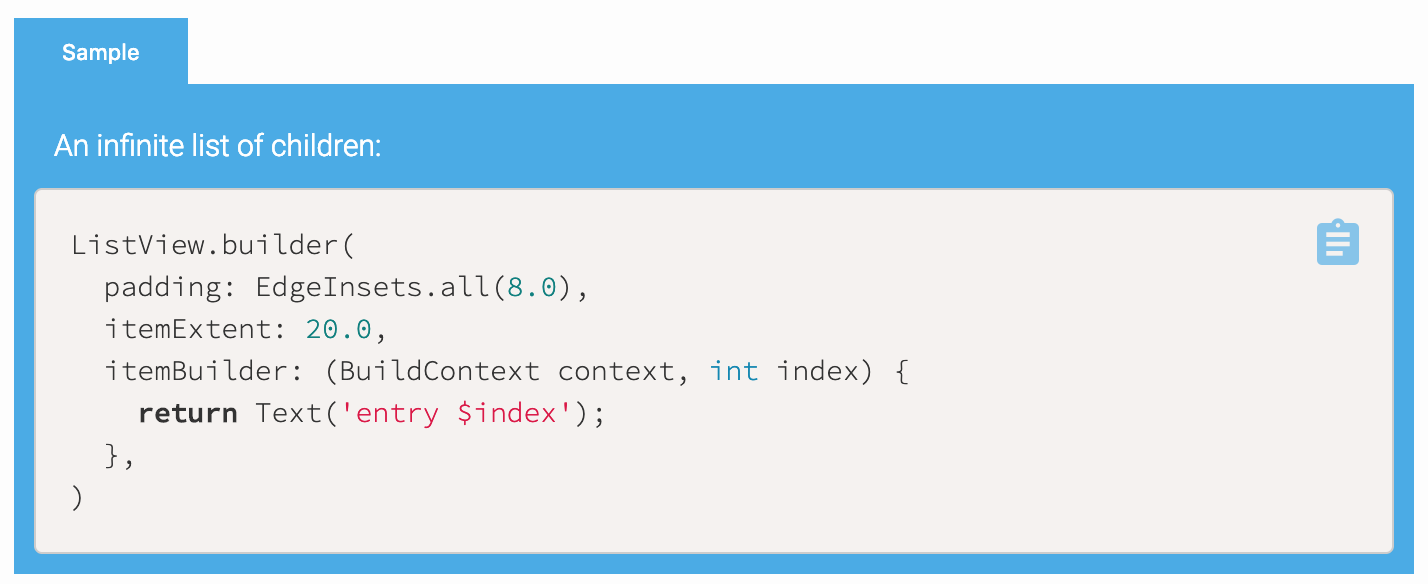
| Android | iOS | Flutter |
|---|---|---|
| RecyclerView, ListView | UITable, UICollectionView | ListView |
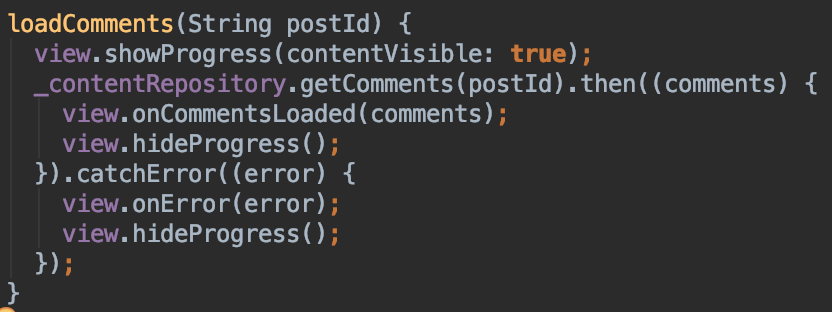
Error handling
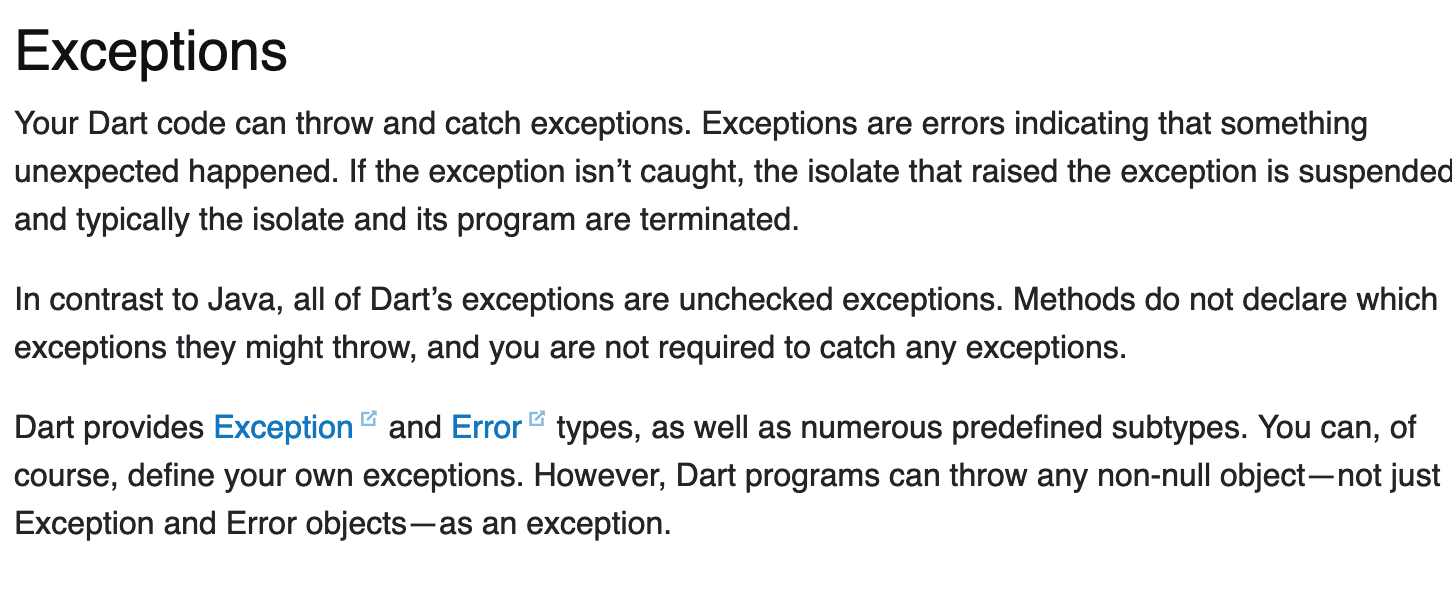
from flutter docs:
Error handling
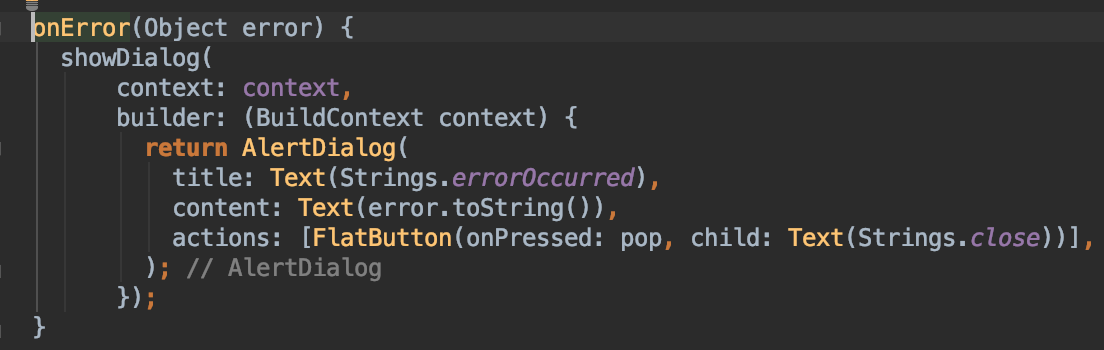
Wraps platform specific error (for example Socket exception from Android).
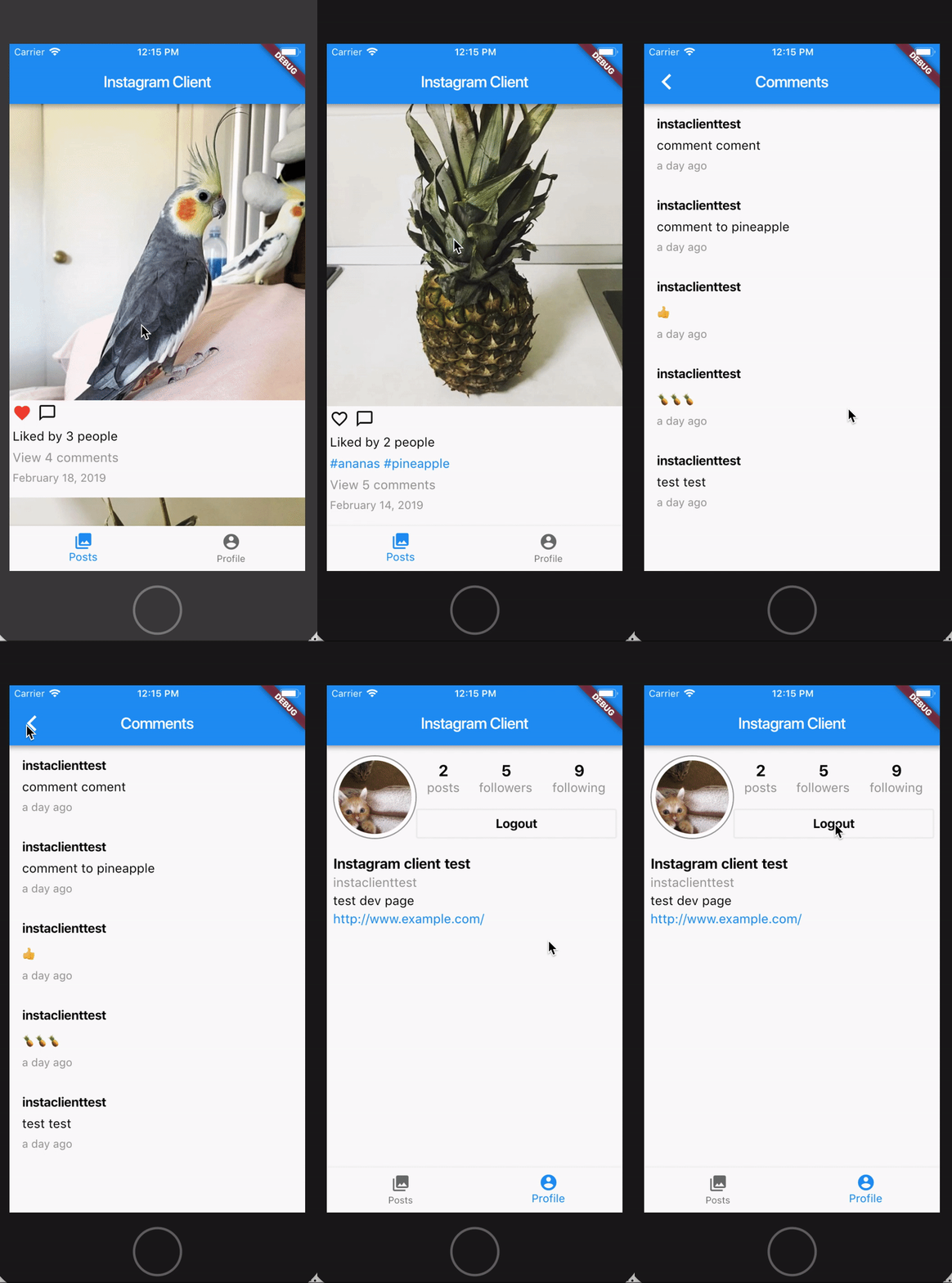
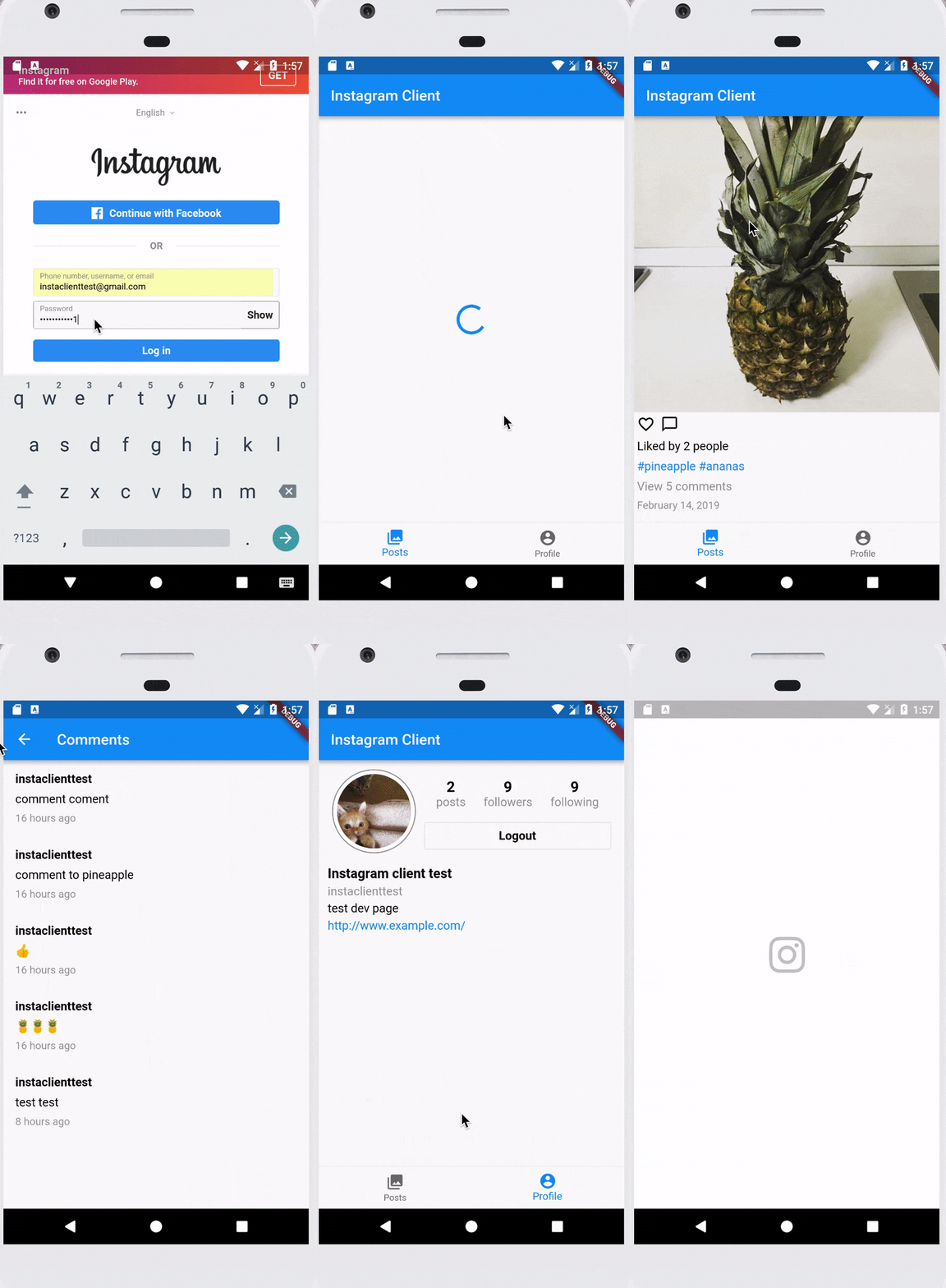
Flutter simple app example
https://github.com/ihorvitruk/Flutter-Instagram-Client
- Clean architecture (MVP on a presentation layer). Base classes.
- Dependency injection
- UI Widgets like ListView, Image, AppBar, BottomBar, Scaffold etc
- Strings in separated file (ready for localization)
- HTTP requests, JSON parsing
- Secure storage of access token
- WebView oAuth authorization
Run on iOS
Run on Android
What's next
- Unit testing in Flutter
- Error handling within Clean Architecture
- Build variants (targets) in Flutter app
- Localization
- Platform specific code integration (with some example)
- Animations
- Garbage Collector investigation
Thank's for attention
Questions and discussion time
?
Externals sources
1. https://flutter.io/docs - Flutter docs
2. https://www.dartlang.org/guides/language/language-tour - Dart language tour
3. https://flutterbyexample.com/stateful-widget-lifecycle - Stateful Widget Lifecycle
4. https://github.com/flutter/samples/blob/master/INDEX.md - App samples on Github
5. https://github.com/Solido/awesome-flutter - Awesome flutter guides and plugins
6. https://soundcloud.com/flutterdevpodcast - Flutter dev podcast (Russian)
Flutter introduction
By Ihor Vitruk