Why learn Native principals is important to a RN developer?


=
+
+

What we gonna see here...

iOS Development
Data Streams
Arch
Frameworks

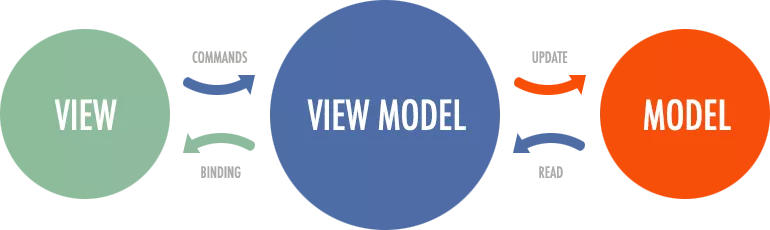
But first, let me answer the question asking more questions!

When to choose React Native?


Some benefits...
- Big companies use the framework ( Wallmart, Uber, etc...)
- Facebook maintains and uses the framework ( Market Places )
- Big community
- Write once run anywhere (Windows, Web, Android, iOS)
- Web-like ( Declarative )
- Write only in one programing language (JS or TS)
- Live reload & Hot reload
What to consider if you decide to develop in React Native?
UPDATES!!!

Diffs, diffs and more diffs...
When is native mobile development better?
- Apps with complex user interfaces
- Utilities and media players
- Memory control
Why did Airbnb drop React Native?
React Native Bridge in a simple way
View
UIView
ViewPager
import React from 'react';
import { View, Text, StyleSheet } from 'react-native';

const styles = StyleSheet.create({
    container: {
        flex: 1,
        justifyContent: 'center',
        alignItens: 'center',
    }
})

function HelloWorld(){
    return(
        <View style={styles.container}>
            <Text>Hello world</Text>
        </View>
    );
}
HelloWorld.js
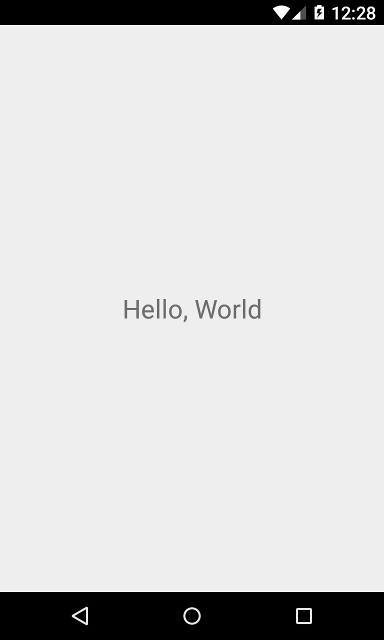
And in Native iOS...
How Native development works?
StoryBoard Code
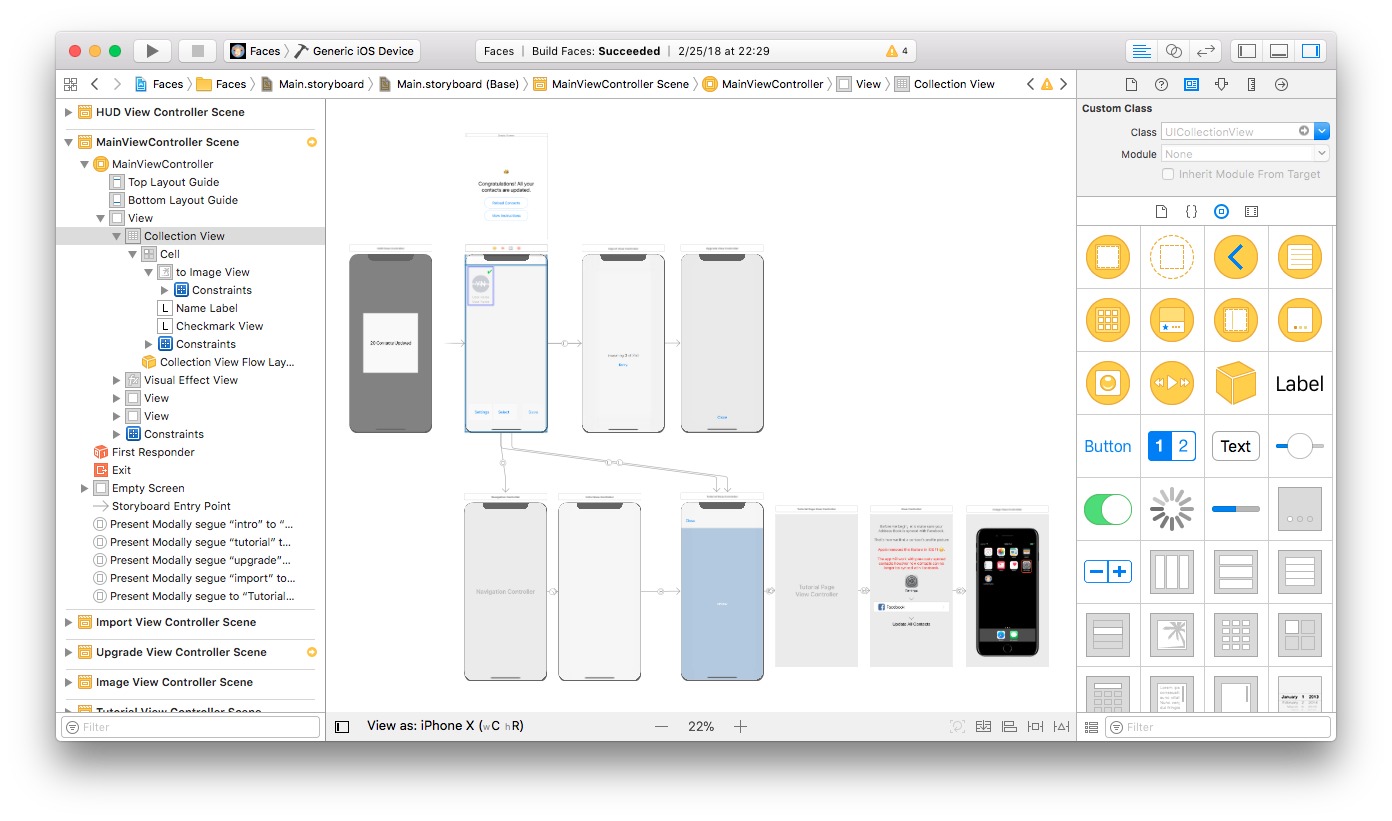
View Code
final class MyViewController: UIViewController {
    private let myButton: UIButton = {
        //
    }()

    private let myView: UIView = {
        //
    }()

    //Mais umas 10 views aqui...

    override func viewDidLoad() {
        super.viewDidLoad()
        setupViews()
    }

    private func setupViews() {
        setupMyButton()
        setupMyView()
        //Setup para todas as outras views...
    }

    private func setupMyButton() {
        view.addSubview(myButton)
        //Umas 10 linhas de constraints….
    }

    private func setupMyView() {
        view.addSubview(myView)
        //Outras 10 linhas de constraints...
    }

    //Todos os outros setups...

    //Toda lógica de ViewModel (se aplicável)...

    //Toda a lógica de toque de botões e afins...
}
And that's how RN does it
import React from 'react';
import { View, Text, StyleSheet } from 'react-native';

const styles = StyleSheet.create({
    container: {
        flex: 1,
        justifyContent: 'center',
        alignItens: 'center',
    }
})

function HelloWorld(){
    return(
        <View style={styles.container}>
            <Text>Hello world</Text>
        </View>
    );
}
RCTView
React native framework developers already coded, so we use the reference to create or own style on Screen.
Native Modules
- Toast
- Bluetooth
- Network info
Native UI Components
- TextInput
- Date picker
- Bottom Sheet
Working with the brigde
Bottom Sheet
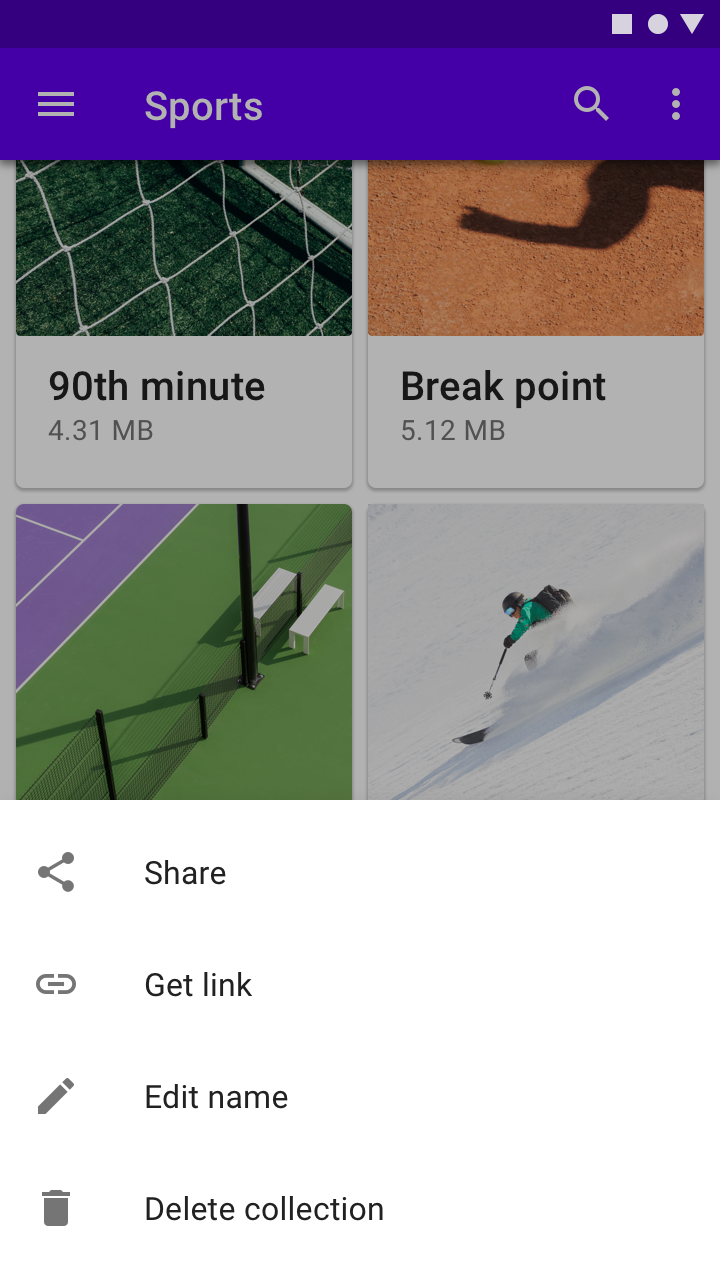
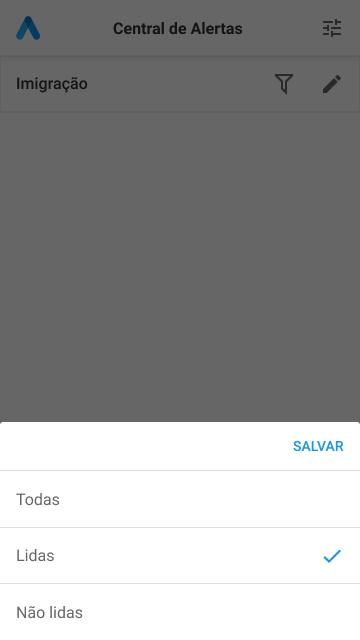
What were the problems?
- RN does not have a library that implements the native module for this
- We have to handle gestures
- We have to handle Fade Animations to dismiss the Sheet
How do we solve it?
- Created our own calculation to get the size of the screen and the action area for the gestures
- Created a Screen with the already implemented by the RNCore Modal.
But even with the great result...
- Hard to test it
- Performance
- Only one scope ( List )
- Not scalable

This could be solved with Native modules!
class MainActivity : AppCompatActivity() {

    lateinit var sheetButton: Button

    override fun onCreate(savedInstanceState: Bundle?) {
        super.onCreate(savedInstanceState)
        setContentView(R.layout.activity_main)

        sheetButton = btn_open_sheet

        val dialog = RoundedBottomSheetDialog(this)
        val view = View(baseContext)
        dialog.setContentView(view)

        sheetButton.setOnClickListener {


            dialog.show()

        }

    }
}- Easier to Test
- Native performance
- Handle gestures Natively without complex calculations
- We could build anything with this implementation ( Scalable )
But... still have some problems

My final considerations
React Native
Native
- Fast development
- Easier to learn
- Nice UI with native performance
- Low cost
- Web-like
- Write in one language
- Powerfull IDE
- Freedom
- Complex UI
- Complex Animations
- Solid
- Huge community
- Latest Features
Sources
Documentation:

Fin.
Native Development for RNDevs
By Italo Lino