Linux

Setup
Go to https://termbox.io/ and create a new Ubuntu server
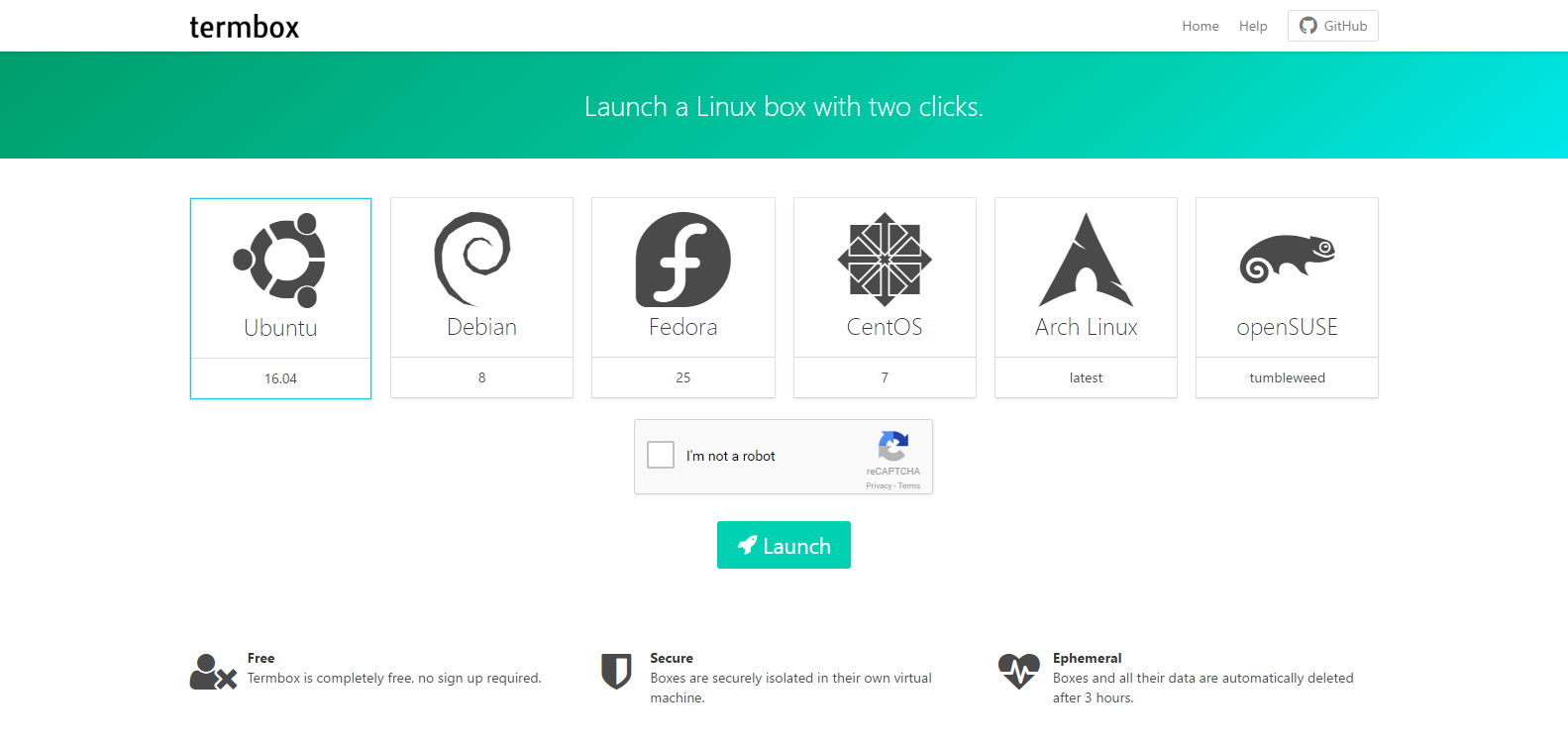
note: everything deletes after 3 hours
| Path | Use |
|---|---|
| /bin/ | Essential User Command Binaries |
| /boot/ | Static Files of the Bootloader |
| /dev/ | Device Files |
| /etc/ | Host-Specific System Config |
| /home/ | User Home Directories |
| /lib/ | Essential Shared Libraries and Kernel Modules |
| /media/ | Mount Point for Removeable Media |
| /mnt/ | Mount Point for Temporary Filesystems |
| /opt/ | Addon Application Software Packages |
| /sbin/ | System Binaries |
| /tmp/ | Temporary Files |
| /usr/ | Multiuser Utilities and Applications |
| /var/ | Variable Files |
| /root/ | Home Directory for the root user |
| /proc/ | Virtual Filesystem for documenting Kernel and Process Status |
File Manipulation
See all the files and folders in the folder with:
lsMake a new folder with:
mkdir <folder_name>Go into a folder with:
cd <folder_name>Create a new file with:
touch <file_name>Edit a file with: (CTRL + X then ENTER to save and quit)
nano <file_name>Remove a file with:
rm -r <folder_name>Remove a folder with:
rm <file_name>File Manipulation (continued)
See which folder you are in with:
pwdCopy files:
cp <path_to_file_to_copy> <path_to_new_file>
cp myfile.txt myfile2.txt
View file content:
cat <file_name>Pipes
Pipes are used for sending the output of a command to another command or into a file.
Sending output of one command to another command:
<command_1> | <command_2>

> echo "Hello World!" | cat

Hello World!
Sending output of a command to a file:
<command_1> > <file_name>

> echo "Hello World!" > myfile.txt

> cat myfile.txt

Hello World!
Try This
- Make a new file and put some text inside with the nano command. (Remember: CTRL + X then Enter to save and quit)
- Search through the file:
The grep command is used for searching through some text.
> cat myfile.txt

Hello World
This is a test file.

> cat myfile.txt | grep "Hello"

Hello World
Installing Packages
The apt command is very powerful and allows you to download commands and it is very simple to use.
Update package lists:
Install a package:
apt-get install <package_name>apt-get remove <package_name>Remove a package:
apt-get updateMaking Scripts
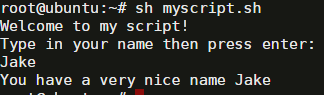
Make a new file called myscript with the following contents:
echo "Welcome to my script!"
echo "Type in your name then press enter: "
read name
echo "You have a very nice name $name"
Then run the script using: sh myscript.sh
Try and make a script that does some other commands.
If/Else
# Simple IF statement

if [ "$name" = "Bob" ]; then
    echo "Your name is really nice."
fi

# Simple IF ELSE statement

if [ "$name" = "Bob" ]; then
    echo "Your name is really nice."
else
    echo "I don't like your name."
fi
Linux
By Jake Walker