


Jon McLaren
Web Developer Advocate at HubSpot
Jon McLaren
Sr. Developer Advocate
Developers
Developers
Stop trying to multi-task, you can't. You're not a computer.
Developers
"Will someone die or be seriously physically or emotionally harmed if you are to respond or address it 15 minutes from now instead of right now."
Developers
If you get anxious like you have a desire to check your phone, or see your notifications, grab something you can fidget with instead or take notes.
Developers
Developers
Developers
Developers
Developers
React JS is an open-source JavaScript library for building user interfaces, developed by Meta. React allows developers to create reusable UI components in a declarative way.
Developers
Developers
Developers
Developers
Developers
Developers
// You have 1 button on a page, and an HTML output element
// that you're displaying text in once the button is clicked.
let button = document.getElementById("myButton");
let output = document.getElementById("output");
button.addEventListener("click",(e) => {
  output.textContent="The button was clicked!"
});Developers
Developers
// you have two buttons and an HTML output element you're displaying
// the current count in - determined by increment and decrement button clicks.
let incrementButton = document.getElementById("increment");
let decrementButton = document.getElementById("decrement");
let count=0;
let output = document.getElementById("output");
incrementButton.addEventListener("click",(e) => {
  count++;
  output.textContent=`The count is at: ${count}`;
});
decrementButton.addEventListener("click",(e) => {
  count--;
  output.textContent=`The count is at: ${count}`;
});Developers
Developers
import React, { useState } from "https://esm.sh/react@18.2.0";
import ReactDOM from "https://esm.sh/react-dom@18.2.0";

function App() {
  const [count, setCount] = useState(0);

  return (
    <>
      <button onClick={() => setCount(count + 1)}>Increment</button>
      <output> The count is at {count} </output>
      <button onClick={() => setCount(count - 1)}>Decrement</button>
    </>
  );
}

ReactDOM.render(<App />, document.getElementById("root"));
Developers
Developers
function App() {
  const [count, setCount] = useState(0);

  return (
    <>
      <button onClick={() => setCount(count + 1)}>Increment</button>
      <output> The count is at {count} </output>
      <button onClick={() => setCount(count - 1)}>Decrement</button>
    </>
  );
}fancy HTML in JavaScript with extra rules
| HTML | JSX |
|---|---|
<img src=""> |
<img src="" /> |
Developers
Developers
function App() {
  const [count, setCount] = useState(0);

  return (
    <div>
      <button onClick={() => setCount(count + 1)}>Increment</button>
      <output> The count is at {count} </output>
      <button onClick={() => setCount(count - 1)}>Decrement</button>
    </div>
  );
}fancy HTML in JavaScript with extra rules
| HTML | JSX |
|---|---|
<img src=""> |
<img src="" /> |
Developers
Developers
Developers
A React component is a reusable piece of code that describes the structure, and behavior of a part of a user interface in a web app or website. Components are abstractions that make writing and describing complicated structures in your code easier.
function MyButton({btnType,children}) {
  return (
    <button className={`btn btn-${btnType}`}>{children}</button>
  );
}
React component definition
Developers
Developers
HTML Element
More similar
<button class="btn btn--primary">Save</button><MyButton btnType="primary">Save</MyButton>HTML
React component
Developers
Developers
HTML Element
More similar
<button class="btn btn--primary">Save</button><MyButton btnType="primary">Save</MyButton>HTML
React component
Developers
Developers
<button class="btn btn--primary">Save</button><MyButton btnType="primary">Save</MyButton>HTML
React component
{% module "button" path="@hubspot/button" button_type="primary" button_text="Save" %}HubSpot Module in a template
HTML Element
HubSpot Module in CMS
More similar
Developers
Developers
<button class="btn btn--primary">Save</button><MyButton btnType="primary">Save</MyButton>HTML
React component
{% module "button" path="@hubspot/button" button_type="primary" button_text="Save" %}HubSpot Module in a template
HTML Element
HubSpot Module in CMS
More similar
Developers
Developers
<button class="btn btn--primary">Save</button><MyButton btnType="primary">Save</MyButton>HTML
React component
{% module "button" path="@hubspot/button" button_type="primary" button_text="Save" %}HubSpot Module in a template
<my-button data-type="primary">Save</my-button>Native Web component
HTML Element
HubSpot Module in CMS
Native Web Components
More similar
Developers
Developers
<button class="btn btn--primary">Save</button><MyButton btnType="primary">Save</MyButton>HTML
React component
{% module "button" path="@hubspot/button" button_type="primary" button_text="Save" %}HubSpot Module in a template
<my-button data-type="primary">Save</my-button>Native Web component
HTML Element
HubSpot Module in CMS
Native Web Components
More similar
Developers
Developers
<MyButton btnType="primary">Save</MyButton>React component
function MyButton({btnType,children}) {
  return (
    <button className={`btn btn-${btnType}`}>{children}</button>
  );
}
React component definition
<button class="btn btn-primary">Save</button>HTML Output
Developers
Developers
<MyButton btnType="primary">Save</MyButton>React component
function MyButton({btnType,children}) {
  return (
    <button className={`btn btn-${btnType}`}>{children}</button>
  );
}
React component definition
<button class="btn btn-primary">Save</button>HTML Output
Developers
Developers
<CounterButton></CounterButton>React component
function CounterButton() {
  const [count, setCount] = useState(0);

  function handleClick() {
    setCount(count + 1);
  }

  return (
    <button onClick={handleClick}>
      Button has been clicked {count} times
    </button>
  );
}
React component definition
<button>Button has been clicked {count} times</button>HTML Output
Developers
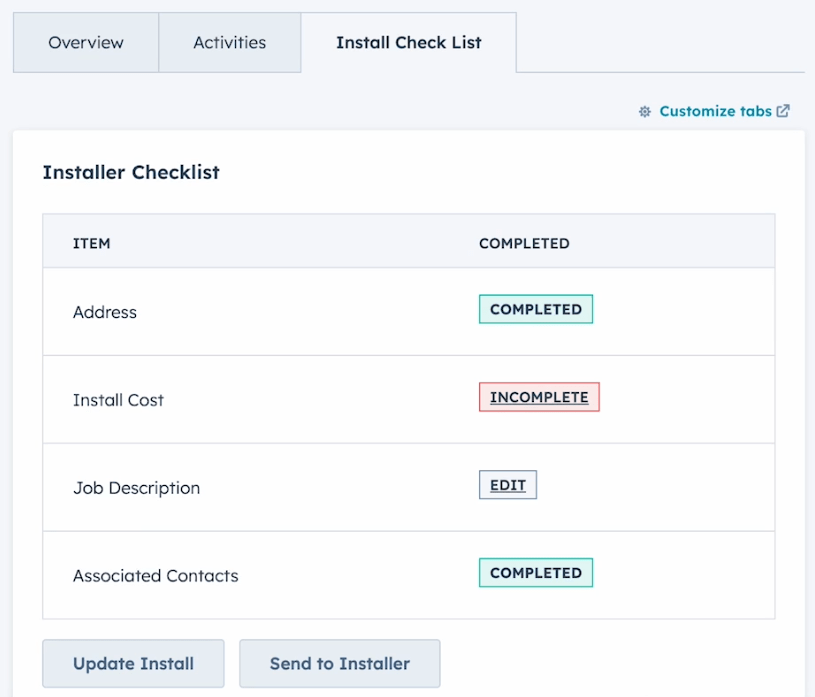
Build HubSpot hosted sites with server-side React
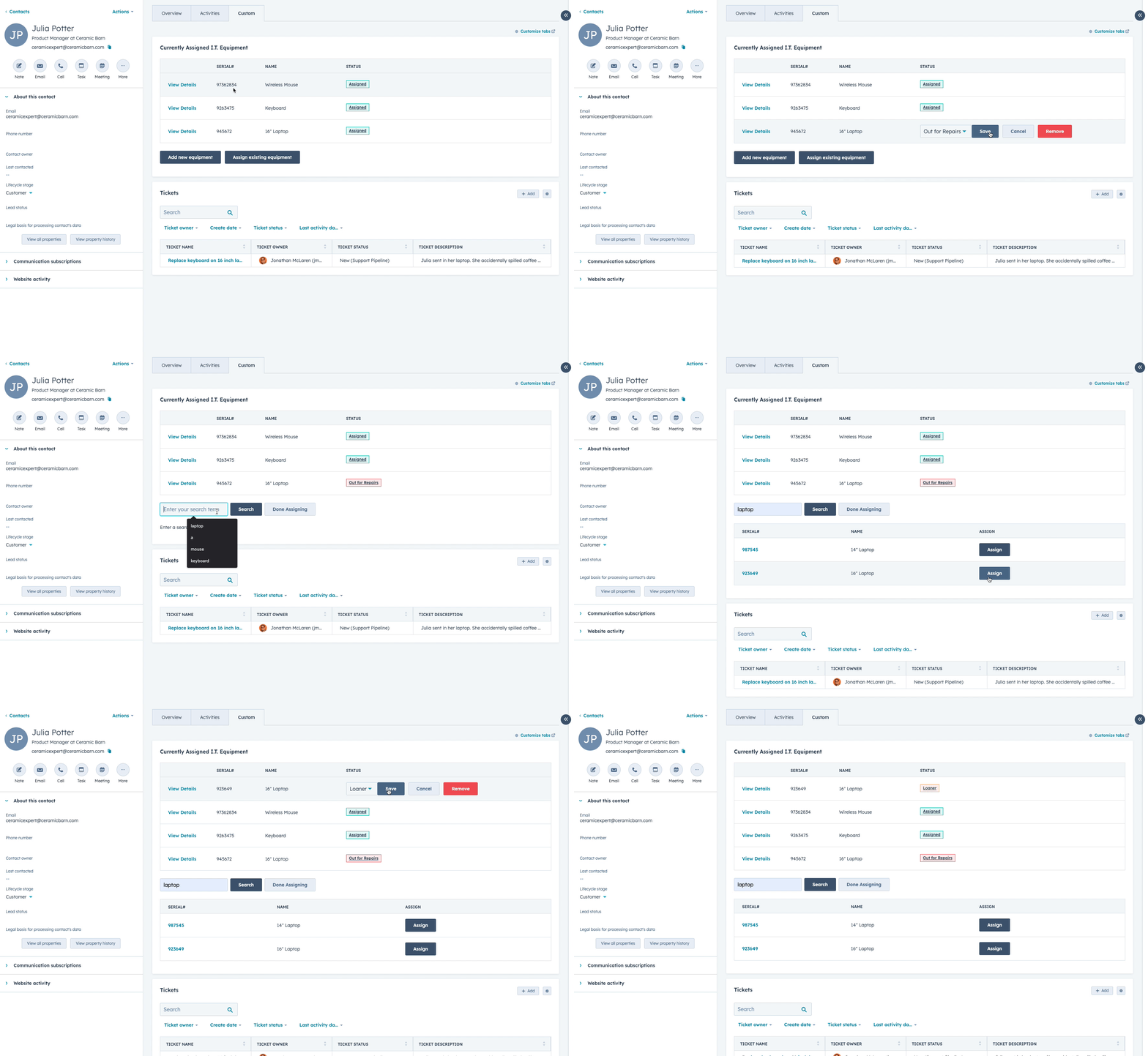
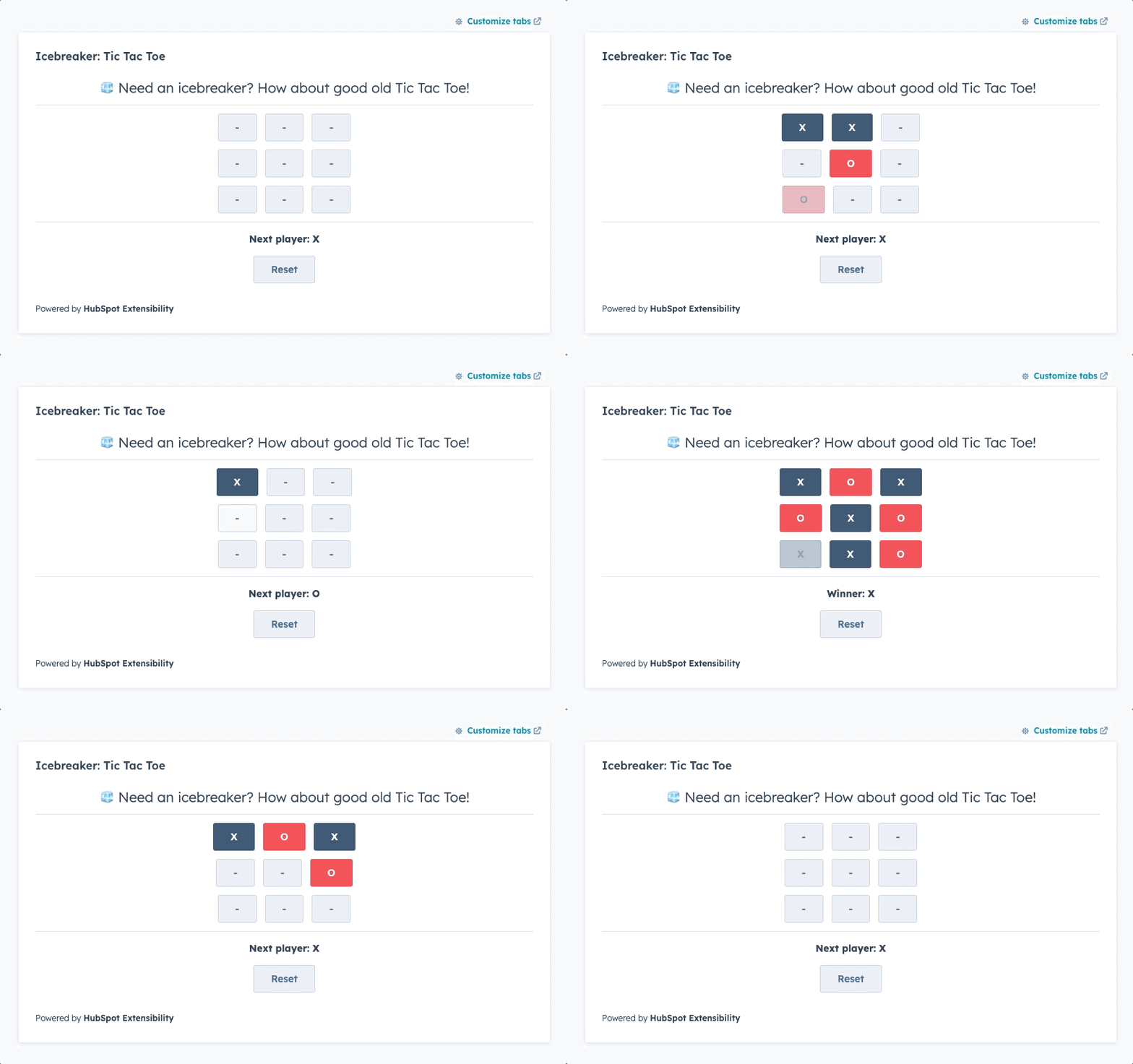
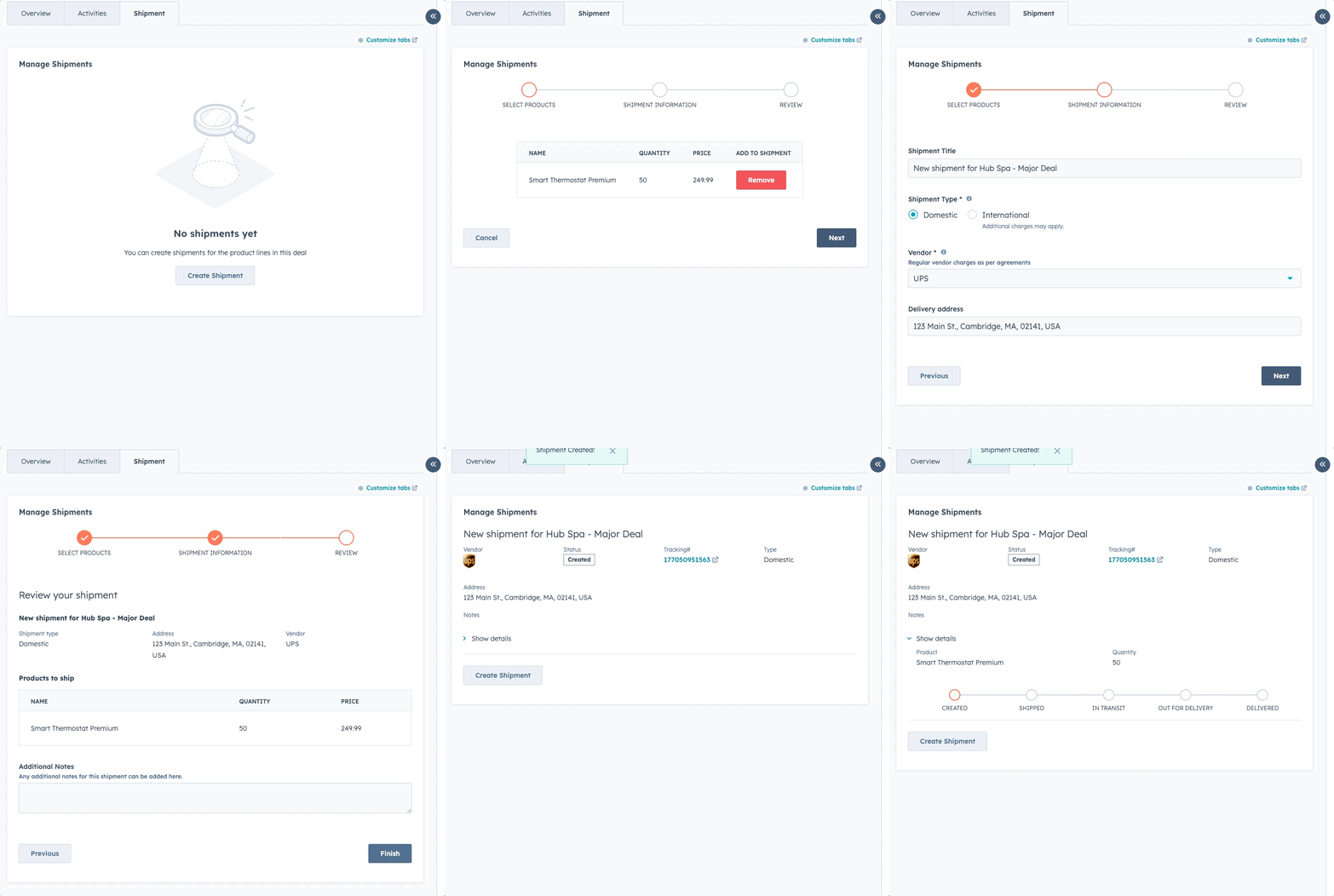
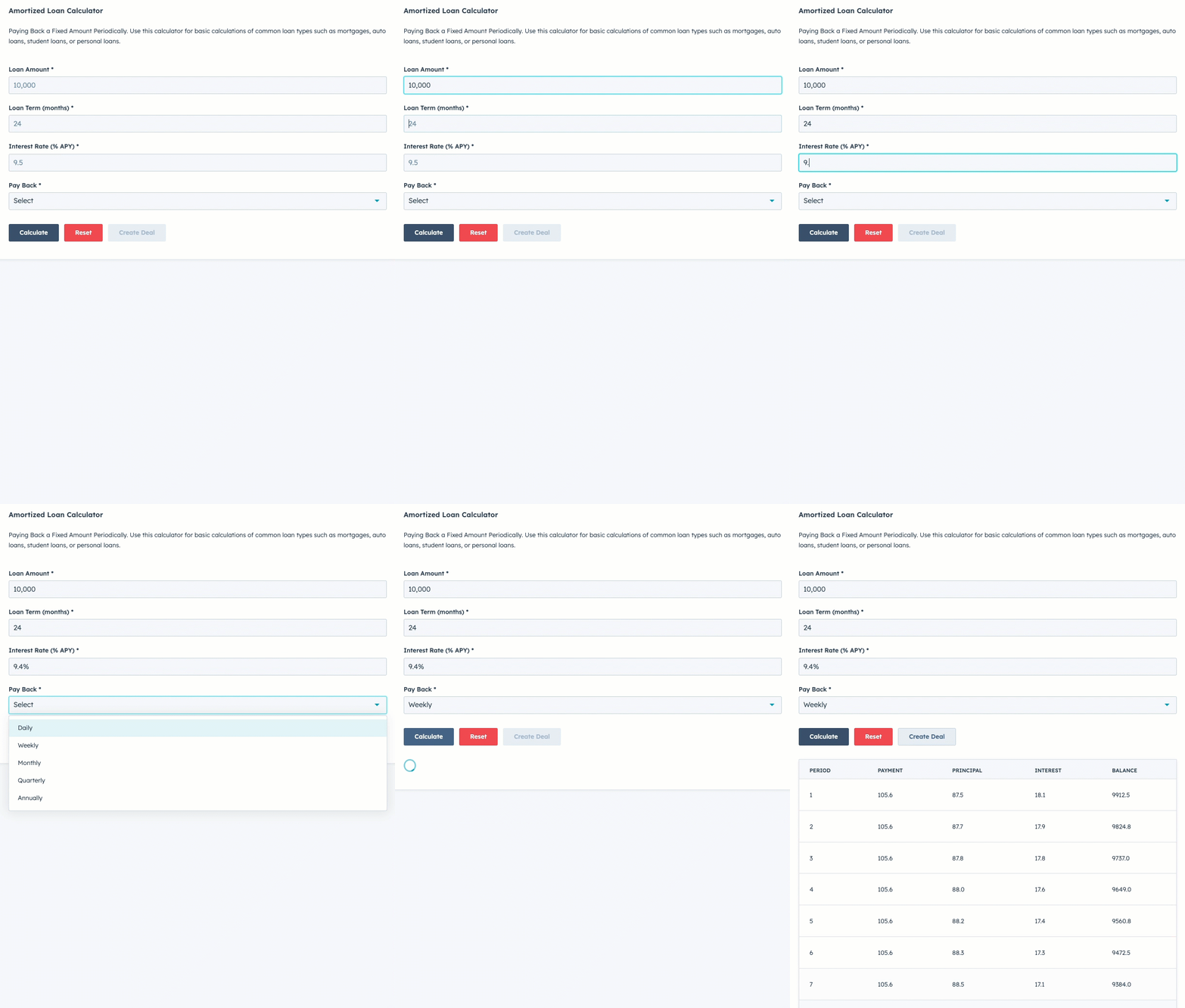
Build custom interfaces inside of HubSpot, displaying information stored both within and outside of HubSpot in useful ways and even making it interactive.
gif animation of UI Extension
import React, { useState } from "react";
import {
  Form,
  Flex,
  ButtonRow,
  Button,
  Tag,
  Table,
  TableHead,
  TableHeader,
  TableBody,
  TableRow,
  TableCell,
  LoadingSpinner,
  Link,
  Select,
  EmptyState
} from "@hubspot/ui-extensions";

// Component for the table of currently assigned assets
export const AssignedAssetTable = ({assetDetails, children}) => {
  // Create a subcomponent for a row of asset details, used for the assets already associated to the contact
  // shows a loading spinner if we're loading, and empty state if nothing is assigned, or the table of assigned equipment
  if (assetDetails === null){
    // still loading, show loading display
    return <LoadingSpinner label="Loading Equipment..." showLabel={true} />
  } else if (assetDetails.length === 0){
    // no assets, show default state
    return <EmptyState title="No assigned equipment" layout="vertical" reverseOrder={true} />
  } else {
    //
    return (
      <Table bordered={true}>
        <TableHead>
          <TableRow>
            <TableHeader width={150}></TableHeader>
            <TableHeader width={150}>Serial#</TableHeader>
            <TableHeader width={250}>Name</TableHeader>
            <TableHeader>Status</TableHeader>
          </TableRow>
        </TableHead>
        <TableBody>
          {children}
        </TableBody>
      </Table>
    )
  }
}

export const AssetDetailsRow = ( {item, props} ) => {
  // Show/hide form to update status for this specific asset
  const [isStatusFormVisible, setIsStatusFormVisible] = useState(false);
  // Show the form and make sure the form field for status always starts matching the asset's stored value
  const showStatusForm = () => {
    setChangeStatusValue(item.status ? item.status.value : "assigned")
    setIsStatusFormVisible(true);
  }
  // Hide the form
  const hideStatusForm = () => {
    setIsStatusFormVisible(false);
  }

  // Disable the form while it's processing
  const [disabledWhileWorking, setDisabledWhileWorking] = useState(false);

  // Track the value of the status form field for updating status
  const [changeStatusValue, setChangeStatusValue] = useState(item.status ? item.status.value : "assigned");

  // Build the link to the record page for the asset
  let recordUrl = `https://app.hubspot.com/contacts/${props.portalId}/record/${props.customObjectId}/${item.hs_object_id}/view/1`

  // Subcomponent for the status tag to handle the variant used based on status label
  // When the Tag is clicked, it switches to showing the form and save/cancel/remove buttons to change the status
  const EquipmentStatus = ({statusLabel}) => {
    let tagVariant ="default";

    if (statusLabel === "Out for Repairs") {
      tagVariant = "error";
    } else if (statusLabel === "Loaner") {
      tagVariant = "warning";
    } else if (statusLabel === "Assigned"){
      tagVariant = "success"
    }

    return(
      <Tag variant={tagVariant} onClick={showStatusForm}>{statusLabel}</Tag>
    )
  }

  // Handles the Save button click for updating status from its own component
  // This lets us get the asset recordId without using an input field for it
  const handleSubmitClick = () => {
    console.log("clicked save, status is:", changeStatusValue);
    setDisabledWhileWorking(true);
    props.updateAssetStatus(item.hs_object_id, changeStatusValue, resetRowState);
  }

  // Handles the remove button click, deletes the association and resets status to available
  // This lets us get the asset recordId without using an input field for it
  const sendAssetRemove = () => {
    setDisabledWhileWorking(true);
    props.removeAssetfromContact(item.hs_object_id, resetRowState);
  }

  const resetRowState = () =>{
    setDisabledWhileWorking(false);
    hideStatusForm();
  }

  // Renders the row in the main table
  // The status cell shows a tag component by default
  // onclick it switches to a form that lets you update the status for the record
  return(
    <TableRow key={item.hs_object_id}>
      <TableCell><Link href={recordUrl}>View Details</Link></TableCell>
      <TableCell>{item.serial_number}</TableCell>
      <TableCell>{item.name}</TableCell>
      <TableCell>
        {!isStatusFormVisible
          ? item.status ? <EquipmentStatus statusLabel={item.status.label} />: <EquipmentStatus statusLabel="None" />
          : <Form preventDefault={true}>
              <Flex direction="row" distance="extra-small">
                <Select
                  name="newStatus"
                  disabled={disabledWhileWorking}
                  options={props.statusOptions}
                  value={changeStatusValue}
                  required={true}
                  onChange={(e) => {setChangeStatusValue(e)}}
                />
                <ButtonRow>
                  <Button variant='primary' onClick={handleSubmitClick} disabled={disabledWhileWorking} >Save</Button>
                  <Button onClick={hideStatusForm} disabled={disabledWhileWorking} >Cancel</Button>
                  <Button variant='destructive' onClick={sendAssetRemove} disabled={disabledWhileWorking} >Remove</Button>
                </ButtonRow>
              </Flex>
            </Form>
        }
      </TableCell>
    </TableRow>
  )
}
Build custom interfaces inside of HubSpot, displaying information stored both within and outside of HubSpot in useful ways and even making it interactive.
Developers
Developers
By Jon McLaren