COMP3512
winter 2024
lec-js-06
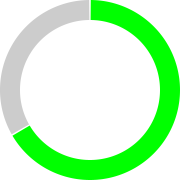
Is it Easter yet?
⚠️
⚠️
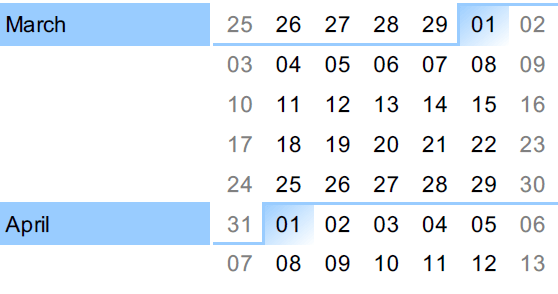
March 13th: Midterm 2 (JS)
March 15th: Withdraw Deadline
⚠️
⚠️
⚠️
April 5th: Project Submission
April 11th: Final Exam
let's talk about these things today:
◉ How can we react to form submissions?
Working with Events
◉ What is event propagation?
◉ What is event delegation?
◉ Why is event delegation useful?
Event Delegation
Let's finish off Monday's lecture
How can we react to form submissions?
When a user submits the form, the name they entered should appear as a tile on the game board.
We want to react to the submit event.
We want to add something to the DOM based on form input - but we DON'T want the form to make a request!
example
document.querySelector("form").addEventListener("submit", console.log);Let's start off as before, console.logging on the submit event.
Submit events happen with form elements.
What happens in the console when we submit the form?
What's going on here?
How can we stop it?
function stopSubmitAndLog(submitEvent) {
  console.log(submitEvent);
  submitEvent.preventDefault();
}
Tell the browser NOT to do its usual thing when a form is submitted!
Here's what happens now that we've prevented the default behaviour

This submit event - and as we'll see later, ALL events - have a very useful property: target.
The target property holds a reference to the element that first reacts to the event.
In this case, it's a reference to the form element.
These form elements are pretty convenient - for example, they let you access form elements easily:
function stopSubmitAndLogFieldValues(submitEvent) {

  let form = submitEvent.target;

  let name = form.name.value;
  let coord = form.coord.value;

  console.log("name:", name);
  console.log("coord:", coord);

  submitEvent.preventDefault();
}
We can ask the form for one of its input elements using that element's NAME. And we can get that input's value using the value property.
The target of a submit event is the form that was submitted.
01-submit
What is event propagation?
Let's look at some examples of event propagation.
It'll make more sense than just going over a definition.
02a-propagation
⚠️ BTW - we can have an element listen for more than one event. AND an element can run more than one handler on a given event, too!
02b-propagation
To summarize
Events propagate up ("bubble") from the target of an event, through all ancestor elements, right up to the document element.
If any ancestor element is listening for an event, they will "hear" it - and react to it - even if that event didn't directly happen to them.

BRAIN BREAK
What is event delegation?
Event delegation occurs when you tell the ancestor of an event target to handle an event and not the target itself.
Say we want the div's background colour to change to blue when the div is clicked.
03-simple-delegation
While it's true we could attach an event handler to the div to handle this...could we accomplish the same thing by attaching an event handler to the main?
Why is event delegation useful?
You might assume that this is just an unnecessary complication, and of no practical use.
But that assumption would be wrong!
Event delegation is useful when we have a container element of some sort with descendent elements that all need to behave in the same way
Let's look at 2 examples.
04a-no-delegation
In this example, we have many divs inside of a container. When someone clicks on a div, we want the background colour and font colour to change.
We could do this by attaching an event handler to every div we create.
🤔How many event handlers are we creating?
🤔Are event handlers "free"? Take a look at the Memory tab in our dev tools.
Example 1
04a-yes-delegation
Let's try doing this using event delegation instead.
🤔Now many event handlers are we creating?
🤔How are things looking in the Memory tab now?
Example 1, cont'd
05a-no-delegation
In this example, let's assume that we have a variety of elements that we'd like to possibly add to our page that may or may not be deleted by the user.
Notice that if we want to make something removable, we need to add JS code.
Example 2
We could do this by adding a handler to each type of element that is added to our page.
05a-no-delegation
🤔 If we want to make something removable now, what do we need to do?
Example 2
Let's try it now with event delegation.
🤔 Do we need to write JS to make something removable using this method?

lec-js-06
By Jordan Pratt
lec-js-06
Events 2 | Event Delegation