Load Testing

Kalil de lima
kalil@rootstrap.com - github.com/kaozdl


What can we do with this tool?
- Simulates how an application performs on a regular day
- Get insights about the general user experience
- Identify areas that need improvements
Oh, Like a stress test!
NO
- The goal is simulating user experience
- Is not trying to break the app
- Tested with normal workload
Load Test vs Stress Test
- The goal is finding the breakpoint
- Does not handle daily scenarios
- Not tested with normal workload
How Antel lines will perform at Christmas Midnight?
Examples:
How PedidosYa will perform on a Friday Night?
How can we perform such tests?
First we need a reality model
- How many users do we have?
- Are we dealing with rush/peak hours?
- How do users use the app?
We need information like:
Some considerations
- Several user bases are useful.
- User ramp-up is distributed across time.
- App will not be tested extensively.
- Runs against production-like infrastructure.
- Focus on performance and degradation, not bugs.
- Does not replace unit and integration tests.
Tools
- Postman on steroids
- Open Source
- Pre-define user flows
- Run user flows concurrently
- Distribute flows on timespan
What is Jmeter

New Relic
- Server monitoring tool
- Available on Heroku as addon
- Tracks errors and slow queries
- Integrates with Rails, Django, Node, PHP and Java among others
Our case study:
LOIL
JMeter Graphs, What can we read here?
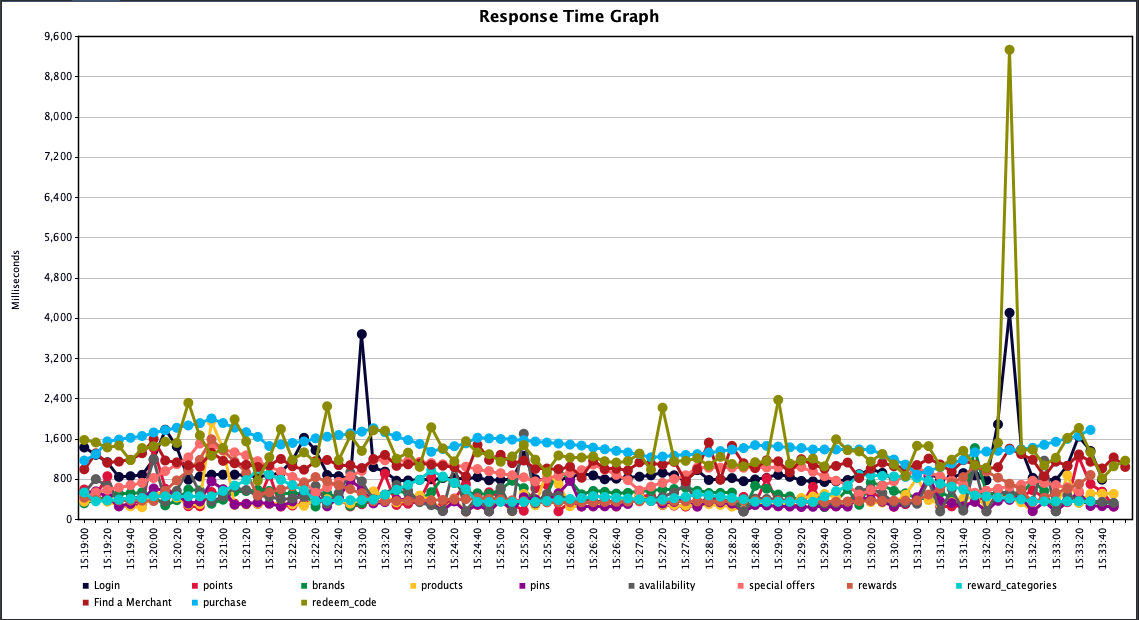
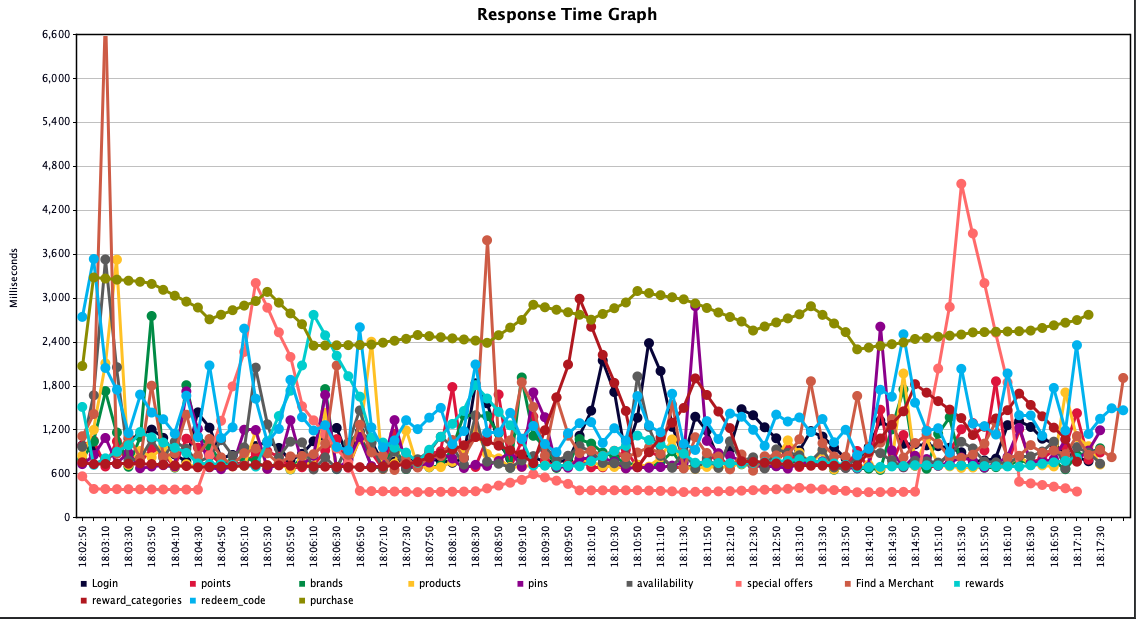
Taking a closer look
Evaluating how the app scales
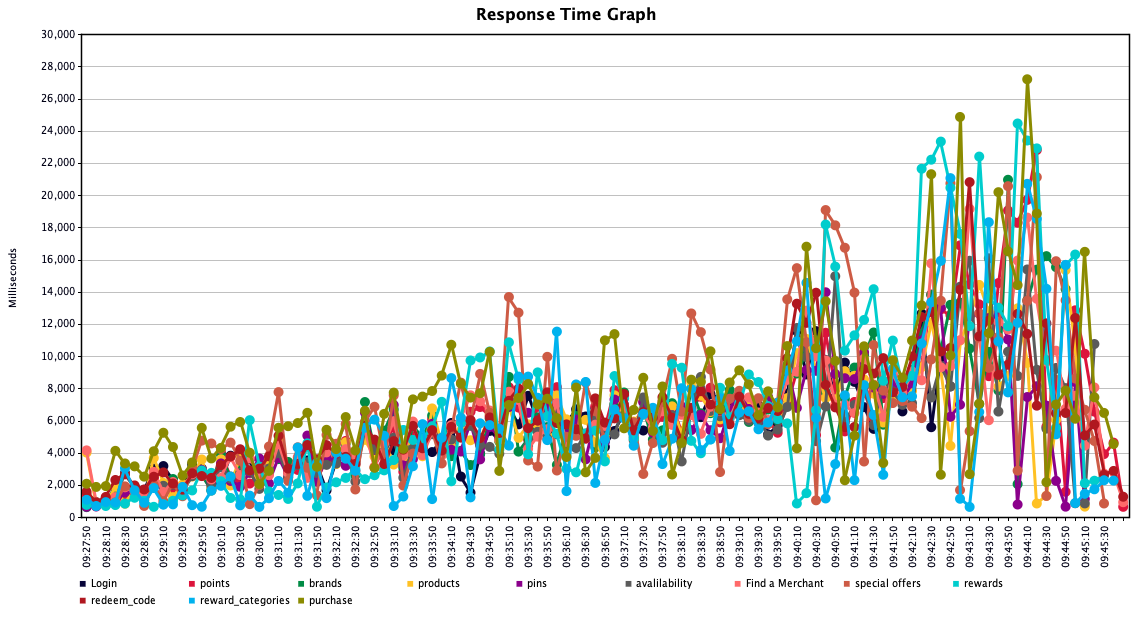
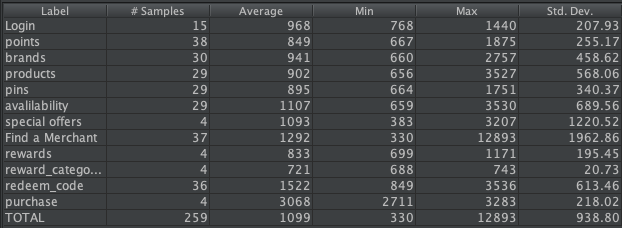
Result Tables
Error Rates

Conclusion
- Allows to simulate our user experience
- Identify bottlenecks
- Optimize smartly
- Gives insights to plan scaling
Our Toolbox
- Jmeter
- New Relic
- Logs
Load Testing with Jmeter
By Kalil De Lima