








Kattya Cuevas Montes
I am software developer. I love programming and promoting women participation in technology. Organizer of Startup Weekend, FuckupNights, Rails Girls, Django Girls & FLISOL Ica.
Kattya Cuevas
Backend developer
Ruby: 4 years
Python: 1 year
{
    "firstName": "Kattya",
    "lastName": "Cuevas",
    "age": 23,
    "isAdmin": False,
    "actualJob": null,
    "previousJob": [
        {
            "position": "Backend developer",
            "company": "Platzi"
        },
        {
            "position": "Software developer",
            "company": "devAcademy"
        }
    ]
}Top level
| DEBE | PUEDE |
|---|---|
| - data - errors - meta |
- jsonapi - links (self, related) - included |
Resource object
| DEBE | PUEDE |
|---|---|
| - id - type |
- attributes - relationships - links - meta |
Sorting
| /people?sort=page /people?sort=age,-name |
Pagination
| /articles?page[number]=3&page[size]=10 first, last, prev, next |
{
  "data": [{
    "type": "articles",
    "id": "1",
    "attributes": {
      "title": "JSON API paints my bikeshed!"
    },
    "links": {
      "self": "http://example.com/articles/1"
    },
    "relationships": {
      "author": {
        "links": {
          "self": "http://example.com/articles/1/relationships/author",
          "related": "http://example.com/articles/1/author"
        },
        "data": { "type": "people", "id": "9" }
      },
      "comments": {
        "links": {
          "self": "http://example.com/articles/1/relationships/comments",
          "related": "http://example.com/articles/1/comments"
        },
        "data": [
          { "type": "comments", "id": "5" },
          { "type": "comments", "id": "12" }
        ]
      }
    }
  }],
  "included": [{
    "type": "people",
    "id": "9",
    "attributes": {
      "first-name": "Dan",
      "last-name": "Gebhardt",
      "twitter": "dgeb"
    },
"links": {
"self": "http://example.com/people/9"
}
}, {
"type": "comments",
"id": "5",
"attributes": {
"body": "First!"
},
"relationships": {
"author": {
"data": { "type": "people", "id": "2" }
}
},
"links": {
"self": "http://example.com/comments/5"
}
}, {
"type": "comments",
"id": "12",
"attributes": {
"body": "I like XML better"
},
"relationships": {
"author": {
"data": { "type": "people", "id": "9" }
}
},
"links": {
"self": "http://example.com/comments/12"
}
}]
}$ rails new json-api --api
$ cd json-apiCrear un nuevo proyecto e ingresar en la carpeta
Crear scaffold con la estructura de datos básica de un blog
$ rails generate scaffold user first_name:string last_name:string
$ rails generate scaffold post title:string body:text user:references
$ rails generate scaffold comment body:text user:references post:references
$ rake db:migrateclass User < ApplicationRecord
has_many :posts
has_many :comments
endEditar los modelos. Primero en /app/models/user.rb
class Post < ApplicationRecord
  belongs_to :user
  has_many :comments
end
Luego en /app/models/post.rb
# Users
user1 = User.create(first_name: 'Juan', last_name: 'Ramirez')
user2 = User.create(first_name: 'Maria', last_name: 'Perez')

# Posts
post1 = user1.posts.create(title: 'Primero', body: 'Este es el primero')
post2 = user1.posts.create(title: 'Segundo', body: 'Este es el segundo')
post3 = user2.posts.create(title: 'Tercero', body: 'Este es el tercero')
post4 = user2.posts.create(title: 'Cuarto', body: 'Este es el cuarto')

# Comments
post1.comments.create(body: "No se entiende", user: user2)
post2.comments.create(body: "Muy buena explicación", user: user2)
post3.comments.create(body: "No se entiende", user: user1)
post4.comments.create(body: "Muy buena explicación", user: user1)
Llenamos con un poco de datos nuestro ejemplo. Para ello, editamos en /db/seeds.rb
Para que se ejecute, corremos en la terminal
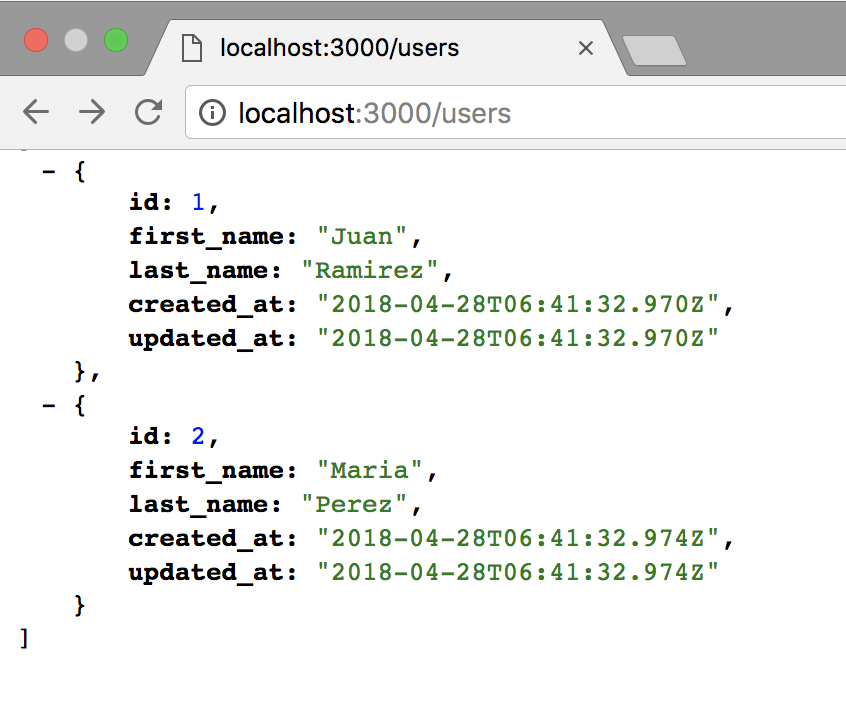
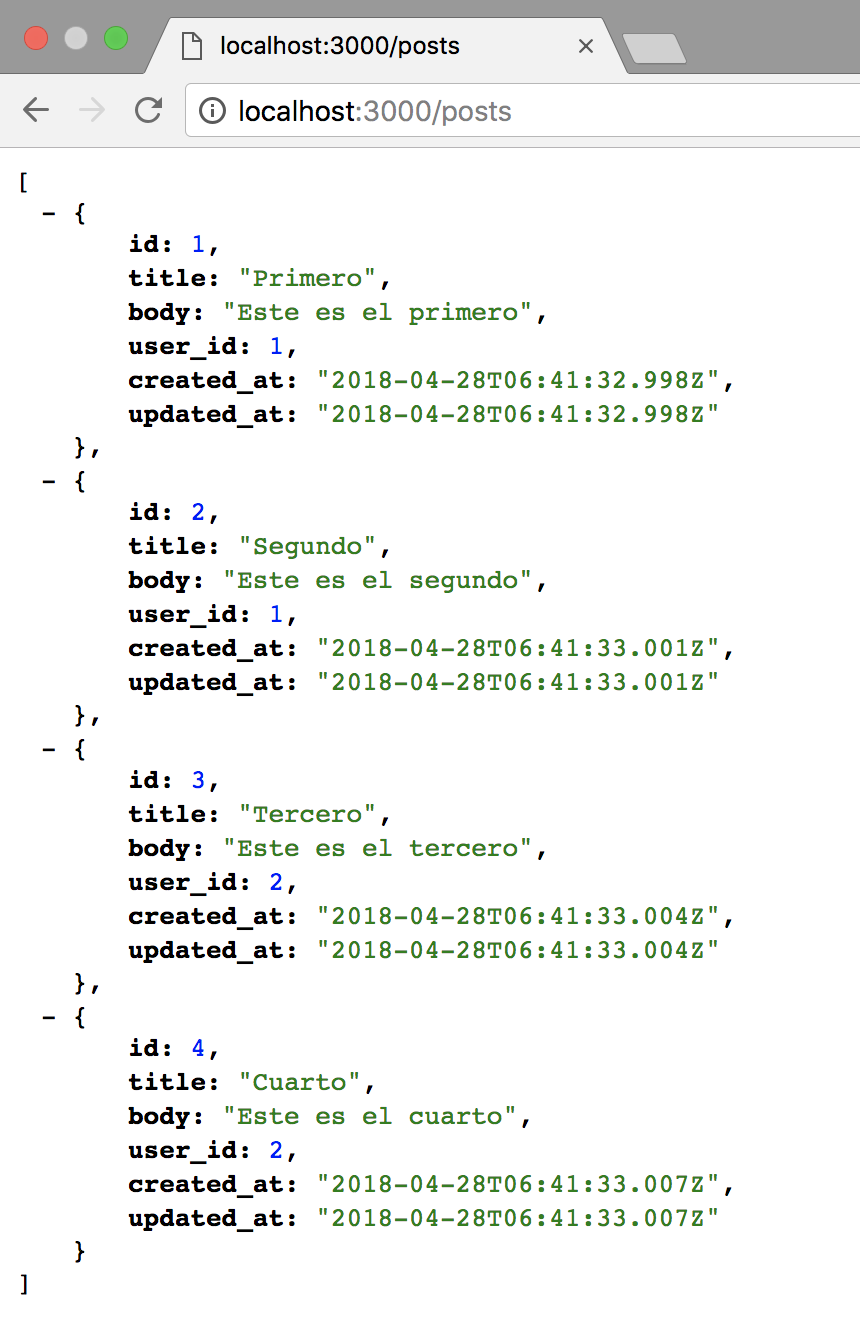
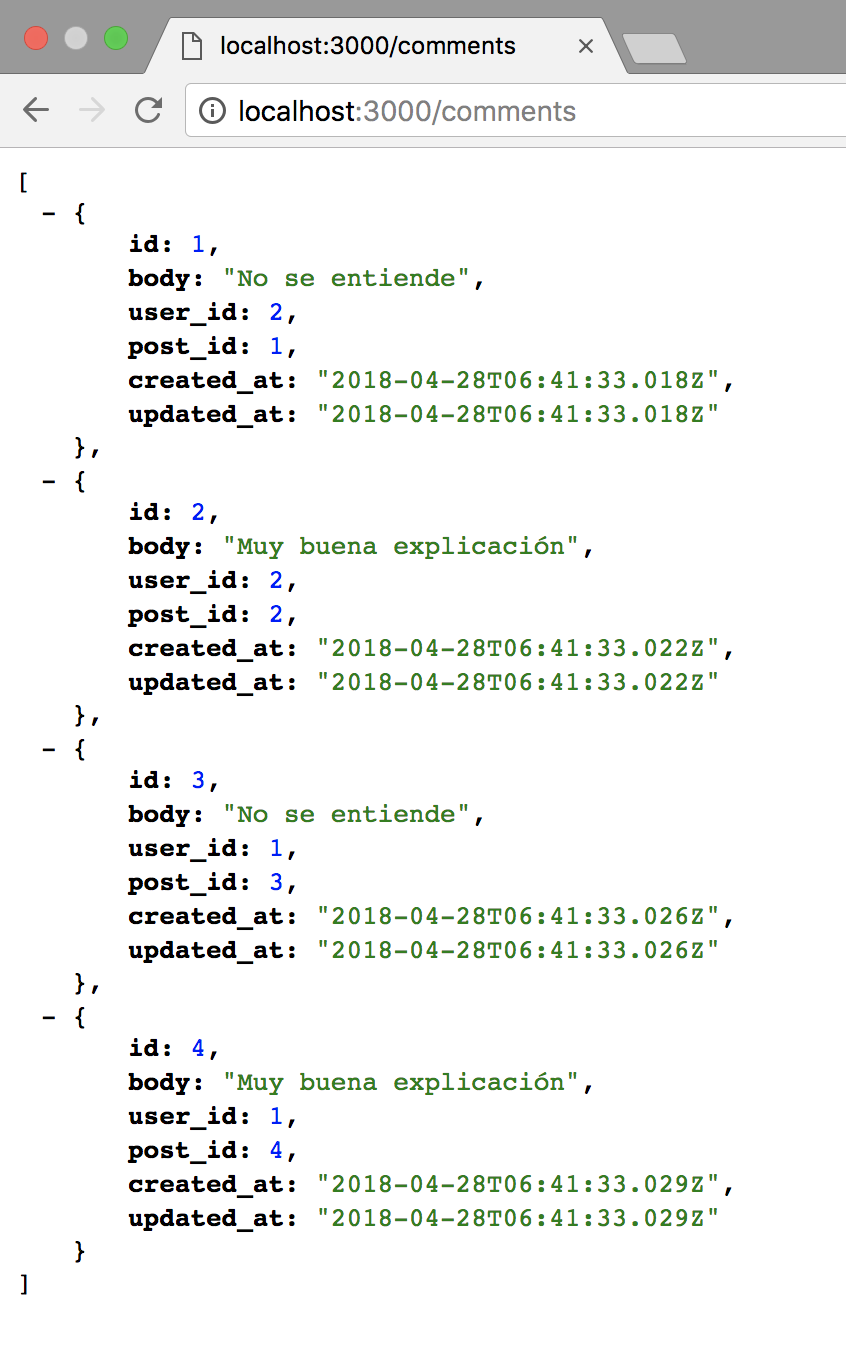
$ rake db:seedIniciamos el servidor local con rails server e ingresamos a las rutas creadas
gem 'active_model_serializers', '~> 0.10.0'Vamos a serializar el json generado. Agregamos una gema en el Gemfile
Corremos "bundle install" para que se agregue la gema y creamos los serializers
$ rails generate serializer user
$ rails generate serializer post
$ rails generate serializer comment
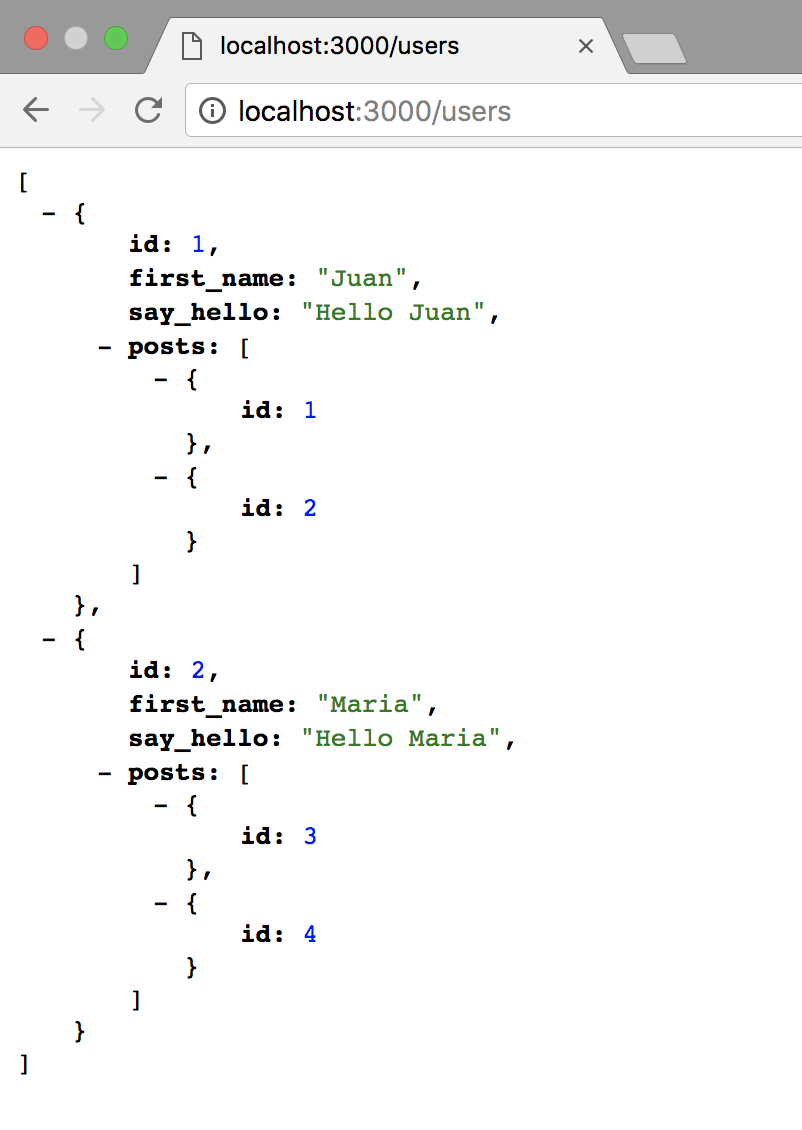
class UserSerializer < ActiveModel::Serializer
attributes :id, :first_name, :say_hello
has_many :posts
def say_hello
"Hello #{object.first_name}"
end
endEditamos el user_serializer para mostrar más datos del usuario
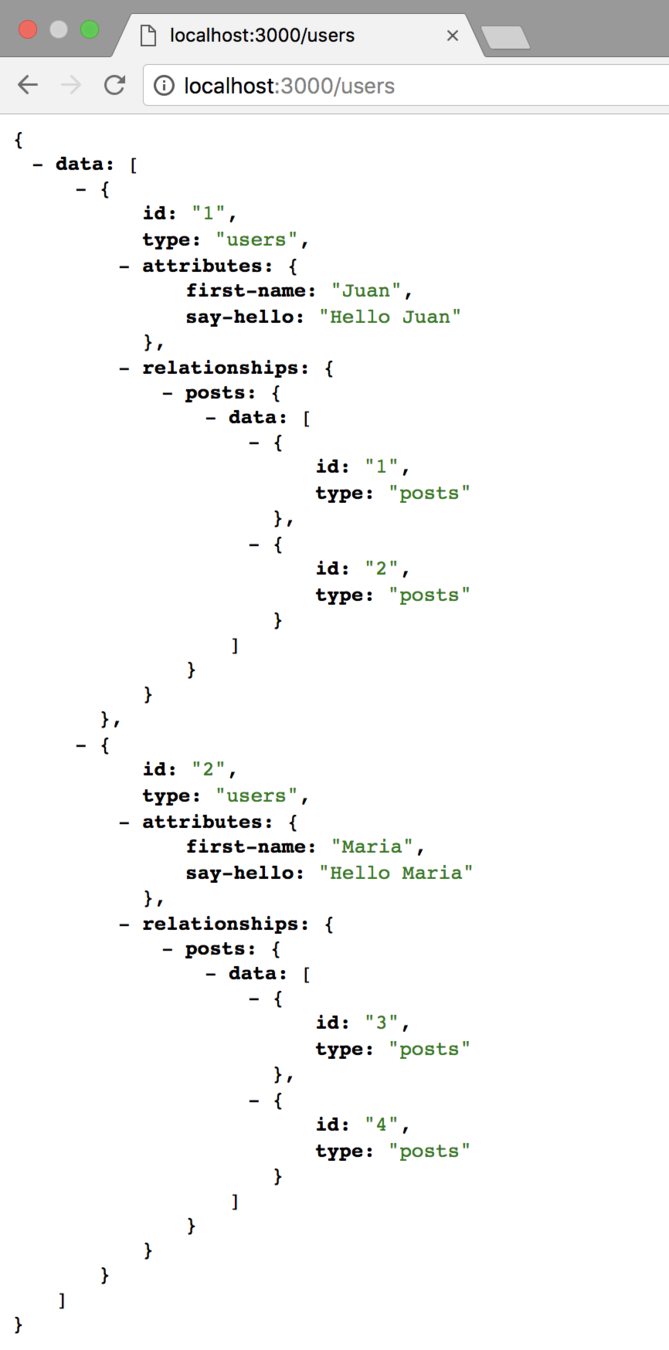
ActiveModel::Serializer.config.adapter = :json_apiCreamos un archivo llamado "active_model_serializers.rb" en /config/initializers y agregamos
Si van de nuevo a la lista de usuarios, verán el cambio
Rails.application.routes.default_url_options = {
  host: 'localhost',
  port: 3000
}
Para agregar los links en los objectos, configuramos la URL por defecto en /config/enviroments/development.rb agregando:
link(:self) { user_url(object) }Ahora editamos el user_serializer, para agregar los links de referencia:
By Kattya Cuevas Montes