Model-Driven Apps

Model-Driven Basics

  • Model-Driven apps only work with CDS, you must import any external data into CDS to use it in a Model-Driven app
     
  • You CAN'T use the 270 already built connectors in Model-Driven apps like you can in Canvas apps and Flow
     
  • Model-Driven apps are the replacement of the XRM development environment in Dynamics 365
     
  • Because Model-Driven apps are essentially the Dynamics customization engine, you have all the components available in Dynamics in your Model-Driven app!

Model-Driven Apps Features

  • The model-driven apps are built by composing multiple page types and components using several focused designers.
  • You can write and send emails from your Model-driven app and add the "App for Outlook". Not clear if you can do this with an "App" license.
  • Model-driven apps can integrate with SharePoint with Dynamics 365 license. Not sure about "App" license. See this post.
  • You can add interactive Power BI tiles to Model-driven dashboards if you have a Dynamics license.
  • You can embed a canvas app into a model-driven app with either a Dynamics 365 license or an "App" license.

Model-driven Designers

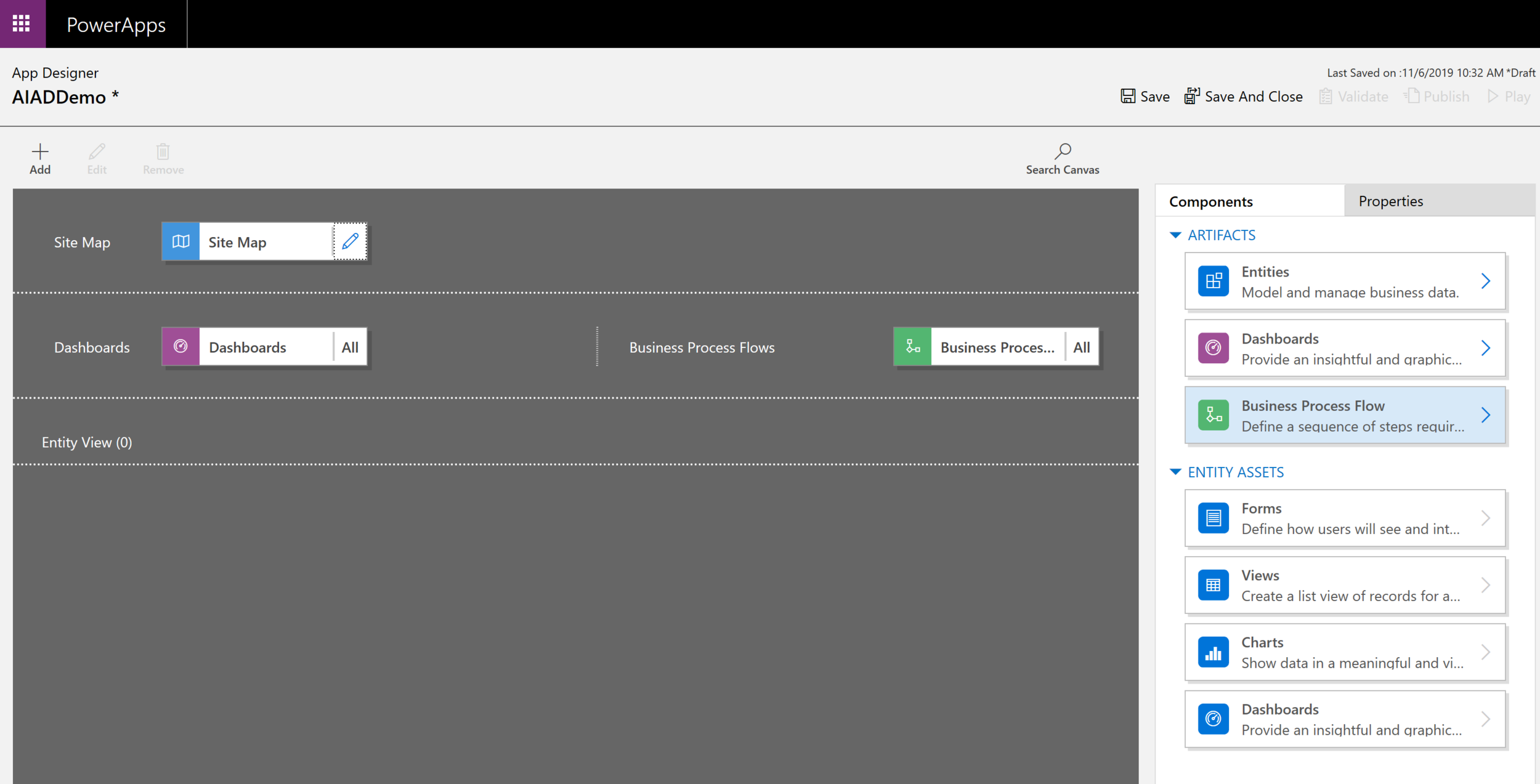
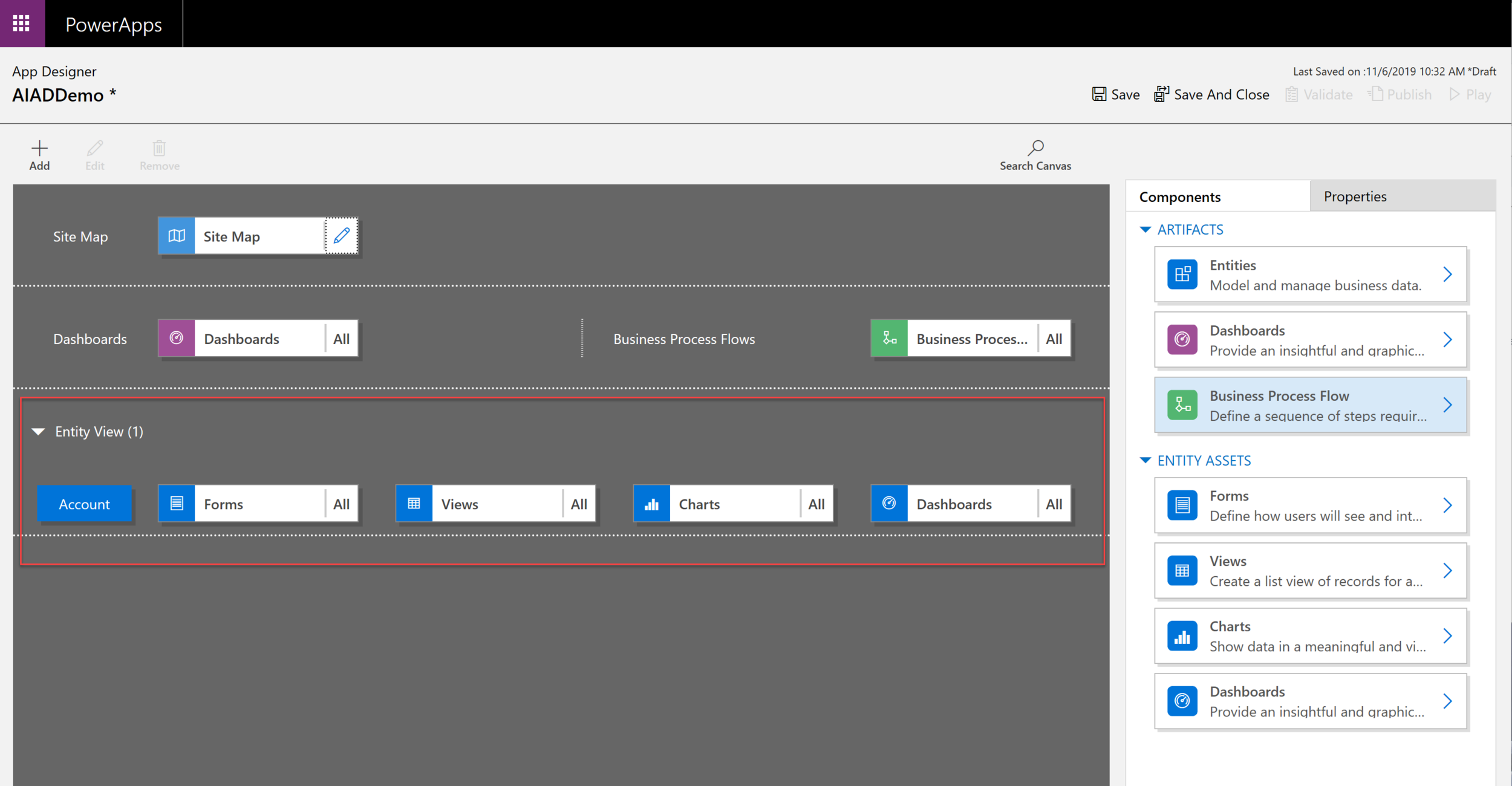
  • App Designer specifies the sitemap, global dashboards, business processes flows, and entity forms, views, and dashboards
  • Sitemap Designer provides the application navigation
  • Business Process Designer provides stages and steps to guide users consistently through common business processes within a form
  • Entity Designer defines the fields, relationships, and metadata for an entity
  • Business Rule Designer provides no-low business logic for an entity
  • View Designer specifies columns and filter conditions for a record list
  • Form Designer specifies the fields and controls along with layout for a single record
  • Dashboard Designer summaries one or more entities using charts, lists, etc.

Note that new features will frequently appear without warning! :-)

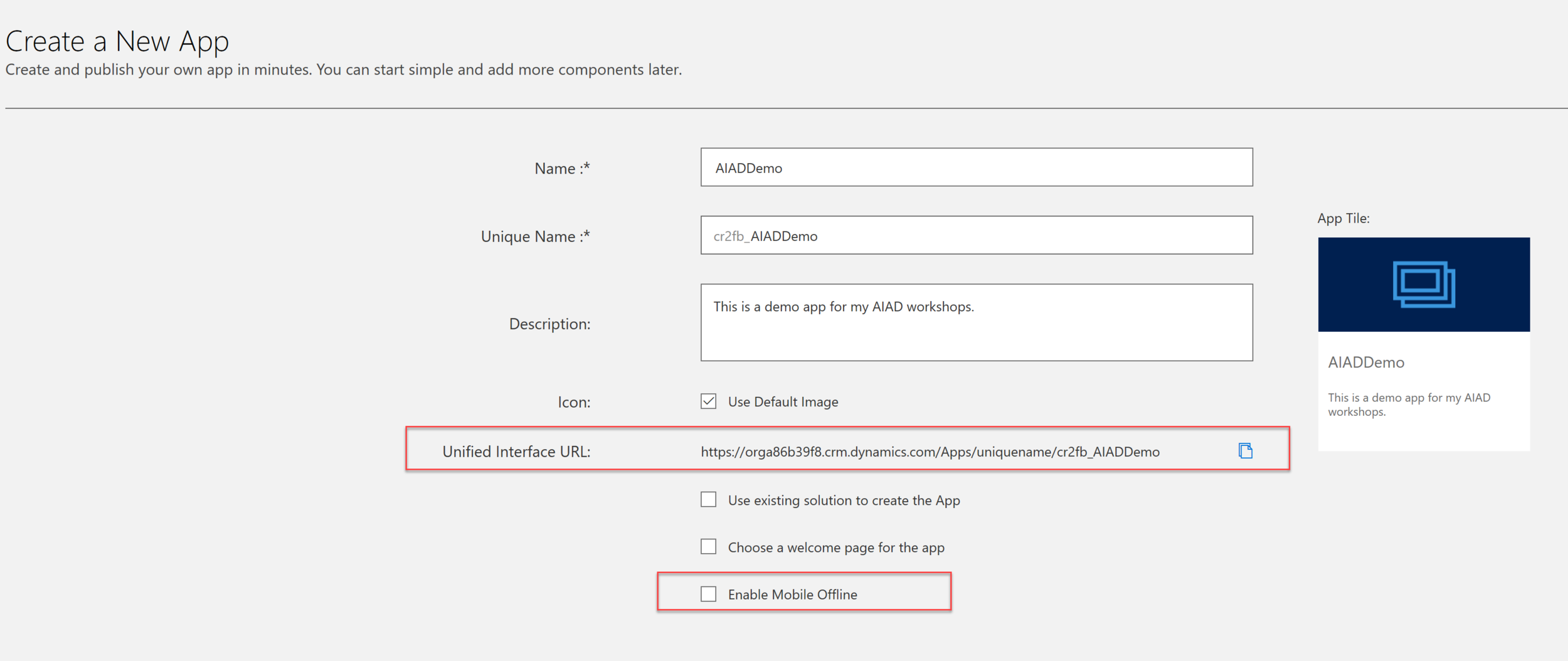
Create a new Model-Driven App

The first thing you see is the App Designer

Adding an Entity automatically adds Forms, Views, Charts and a Dashboard

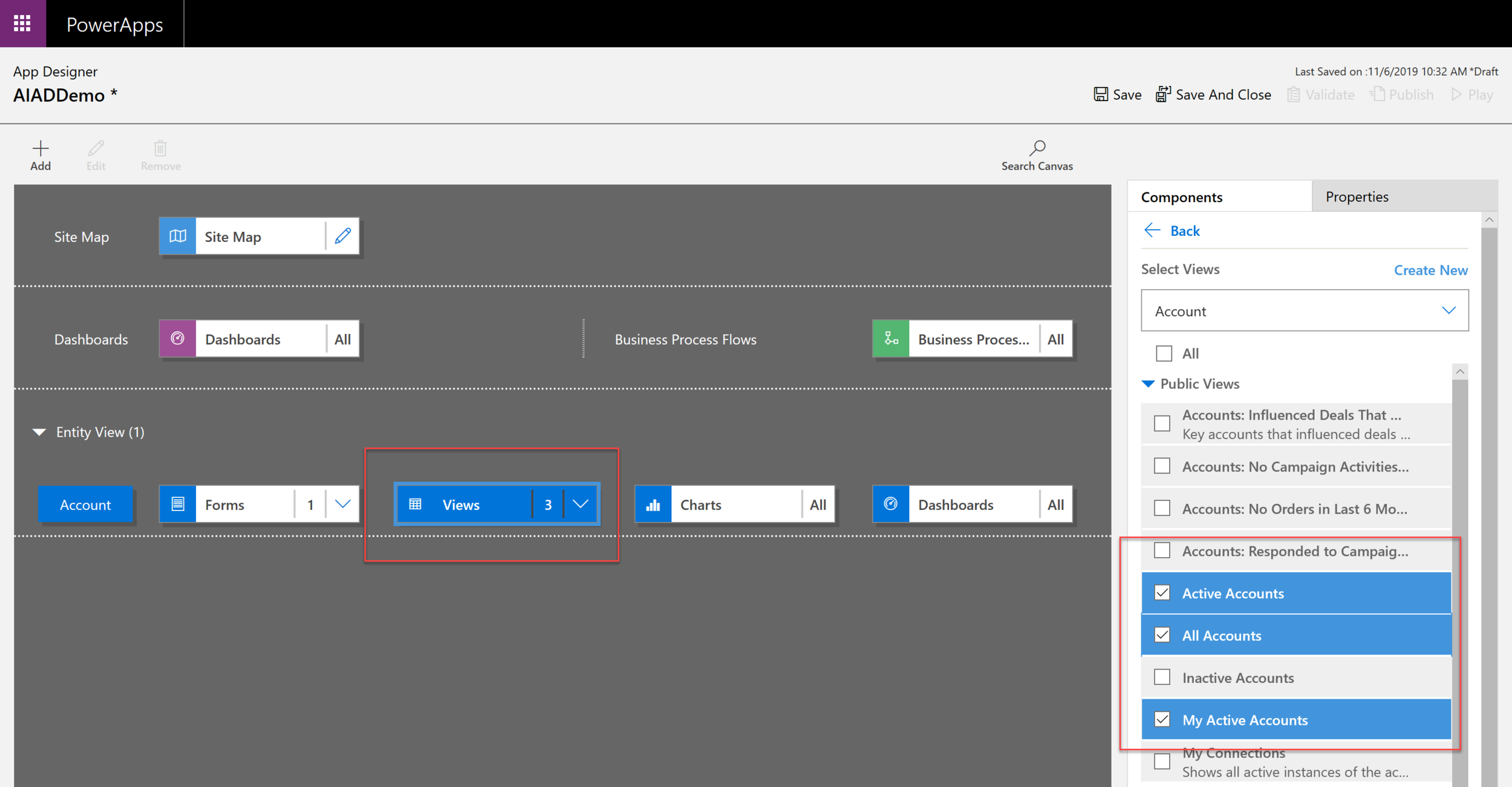
The next step is to choose the particular Forms, Views, etc. that you want in your app

Model-Driven App Links

  • Download and go through the AIAD Labs
     
  • YouTube video that basically goes through the labs
     
  • Comparison of Model-driven app features in PowerApps and Dynamics 365 from May 2018
     
  • Download this PDF for instructions on creating a trial environment with CDS and Model-Driven app capabilities

Model Driven Apps

By Kathryn Birstein

Model Driven Apps

This deck is about Microsoft PowerApps Model-Driven Apps
  • 227