PACKAGE MANAGEMENT
Linux Distros
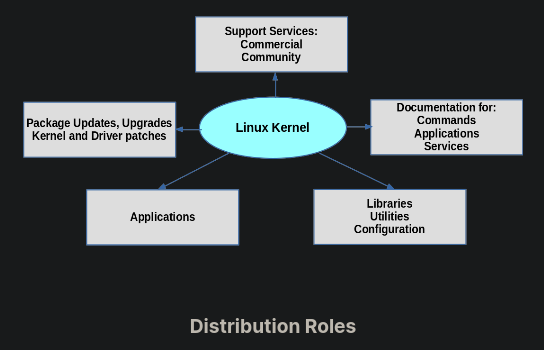
Linux,Distro?
Linux - Open source kernel.
Kernel - It is the interface between computer's hardware and it's processes.
Distro(Distribution) - Different operating systems which run on Linux kernel check here.
Popular Distro Families
Debian family-Debian,Ubuntu,Linux Mint.
SUSE family-SUSE linux,SUSE linux enterprise
Red hat family-Fedora,CentOS,Oracle Linux.
Arch Linux family-Endeavour os,Manjaro,archcraft.
The core parts of a Linux distribution and most of its add-on software are installed via the Package Management System.A package is an archive consists of-all files of application,metadata,installation files and directives for package managers.
Package managers are a collection of software tools that processes installing, upgrading, configuring, and removing computer programs for a computer's operating system in a consistent manner.
The major differences between various Linux distributions is package management.DEB files are installation files for Debian based distributions. RPM files are installation files for Red Hat based distributions.
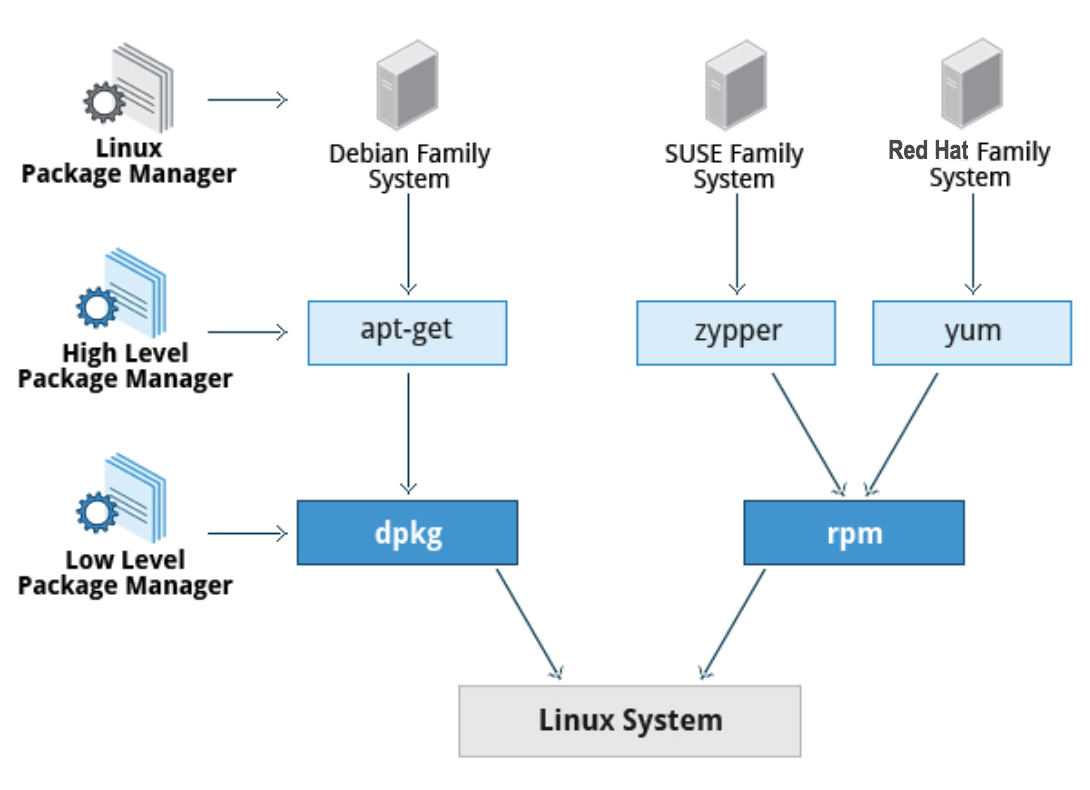
Low-level tool takes care of the details of unpacking individual packages, running scripts, getting the software installed correctly, while a high-level tool works with groups of packages, downloads packages from the vendor, and figures out dependencies.
Arch Linux Packagement Management System
~Arch packages are open source and can be found in community repository here.
~Users can upload their source code to AUR(Arch User Repository).See this for guidelines.If the maintainers think package is useful or it has good number of upvotes, then they add it to community repo.
~Manifest files are used to build packages.it contains metadata about the package.
~PKGBUILD is manifest file for arch packages.
~PACMAN-Package management tool in arch and arch based distros.pacman is open source tool,written in C.
It manages packages.
~Dependencies -other programs which are required during app run time or used to build package.
Useful Commands
/* -S flag refers to sync repos with main remote repository.
-y flag-refresh main package repository.
-u flag- upgrade the system.
-R flag-removes package.
-s flag removes unwanted dependencies. */
| Upgrade system | sudo pacman -Syu |
|---|---|
| Install packages | sudo pacman -S package-name |
| install multiple packages at a time | sudo pacman -S package-name-1 package-name-2 |
| Remove packages | sudo pacman -R pac-name-1 pac-name-2 |
| Remove package and it's dependencies which are not used by other programs | sudo pacman -Rs pac-name-1 |
| Query/search for package from remote server | sudo pacman -Ss pac-name |
|---|---|
| Query for installed package | sudo pacman -Qs pac-name |
| list all unwanted dependencies | sudo pacman -Qdt |
| Display info of a package (use -Q in place of -S for installed packages) |
sudo pacman -Si pac-name |
| Remove unwanted dependencies | sudo pacman -Rns $(pacman -Qtdq) |
/* -s flag-search package.
-Q flag- search for package database.
-d flag-dependencies.
-t flag- unrequired by system.
check manual of pacman - man pacman. */
TASK
~Update your system
~Install and remove a package
~Find version of some packages you installed in terminal
~List and remove unwanted dependencies
Ps-It is always good to update system before installing packages.
Cheat Sheet to pacman
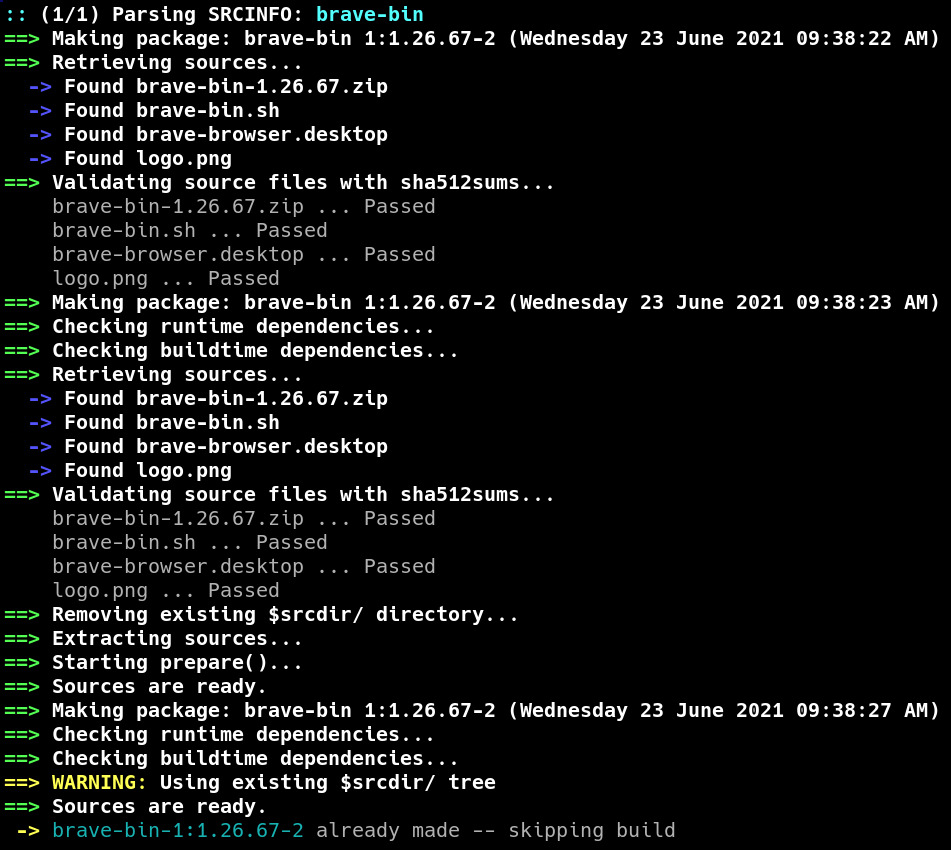
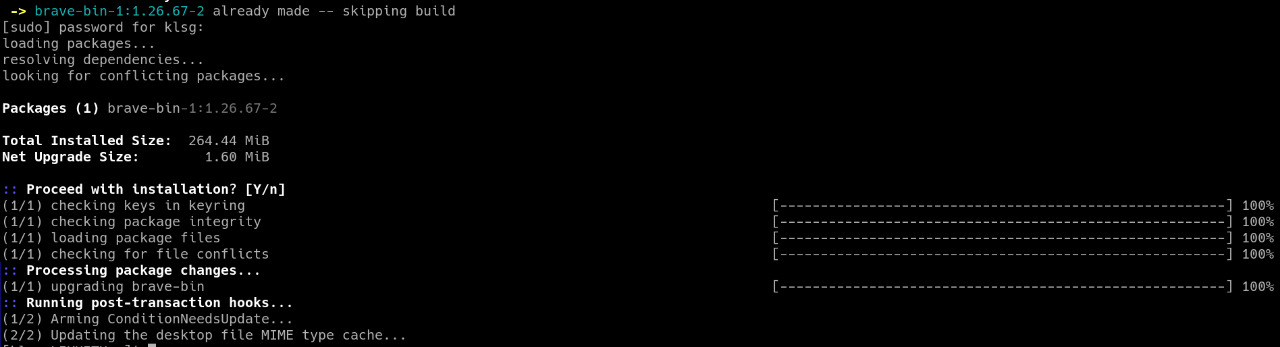
Command line when
we update packages.
~A PKGBUILD is a shell script containing the build information required by Arch Linux packages.
~makepkg command when run,checks for PKGBUILD file of a package in current directory(folder) and compiles it.
~So,pacman command simplfy process of building packges without makepkg ,in just a single comand.
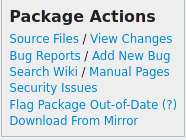
~pkgbuild file link is mentioned in the package's official link in arch repo.click on Source Files to head over to pkgbuild file.
~cat /usr/share/pacman/PKGBUILD.proto- check
output of this commmand.
# Maintainer: Felix Yan <felixonmars@archlinux.org>

pkgname=cutefish-calculator
pkgver=0.1
pkgrel=2
pkgdesc="CutefishOS Calculator"
arch=('x86_64')
url="https://github.com/cutefishos/calculator"
license=('GPL')
groups=('cutefish')
depends=('fishui' 'libcutefish')
makedepends=('extra-cmake-modules' 'ninja' 'qt5-tools')
source=("https://github.com/cutefishos/calculator/archive/$pkgver/$pkgname-$pkgver.tar.gz")
sha512sums=('30f54a2a62e1da5c41cb4a8b79cf9fad014cf59206c8f13d148ec7544754c042ce08126fde628b5ead0b1c4e6fee7e83c8154b45cc9be7a53ae258f726eb0aed')

build() {
  cd calculator-$pkgver

  cmake -DCMAKE_INSTALL_PREFIX=/usr .
  make
}

package() {
  cd calculator-$pkgver
  make DESTDIR="$pkgdir" install
}
A simple PKGBUILD file of cutefish-calculator
~Components:
#pkgname- name of package(only small letters,@,.,_,+,-).
#pkgver- version of package.
#pkgrel-release number,a positive integer number that allows to differentiate between consecutive builds of the same version of a package.
#pkgdesc-The description of the package.
#arch-array of architectures that the PKGBUILD is intended to build and work on.
#url-URL of the official site of the software being packaged.
#license-The license under which the software is distributed. commonly used licenses are installed under /usr/share/licenses/common/. If a package is licensed under one of these licenses, the value should be set to the directory name, e.g. license=('GPL').
#groups-group the package belongs to.
#depends-package required dependencies during run time.
#makedepends-packages required only to build the package.
#source-contains the location of the software source.
#sha512sums-variables which are checksum strings that will be used to verify the integrity of the respective files in the source array.
~Functions:
#build()-It is written is bash to compiler software and creates directory to which software is insatlled to.Firstly it changes directory to which it created.
#package()-put all compiled files in the directory.
TASK
~Find PKGBUILD files of visual-studio-code-bin package in aur,firefox package in community repo.
~Find out what is yay,how to install packages from AUR.
Ps-Pacman only install packages from community repo.It cannot install packages from AUR.
~Follow this link to know how to write pkgbuild files for your packages and submit it to AUR.
~All the links provided in these slides are really useful.Do not forget to check them later.
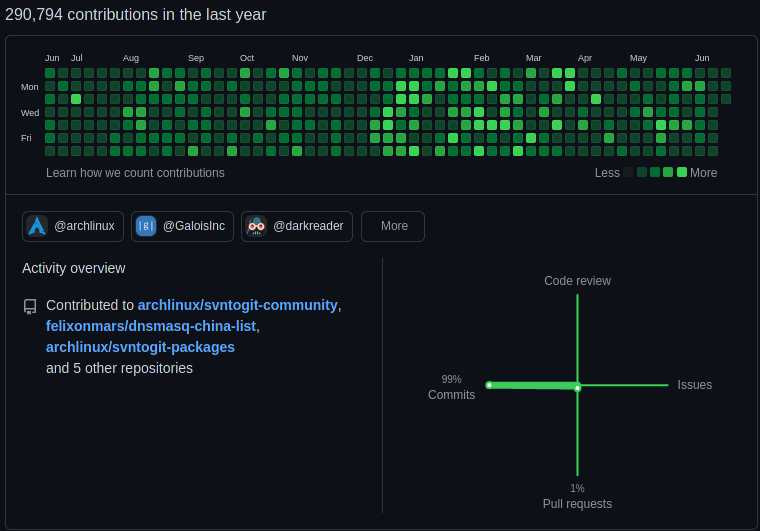
Stop down for a moment to thank Felix Yan
Felix Yan ,great arch linux developer,our saviuor.
Package-Management
By LIKHITH