









Evolução da Web
Sites Estáticos
Sites Dinâmicos
Ajax
Responsivo
PWA
O que é?
Uma metodologia de desenvolvimento de software
Pode ser vido como uma evolução híbrida entre as páginas da web
https://pt.wikipedia.org/wiki/Progressive_Web_App

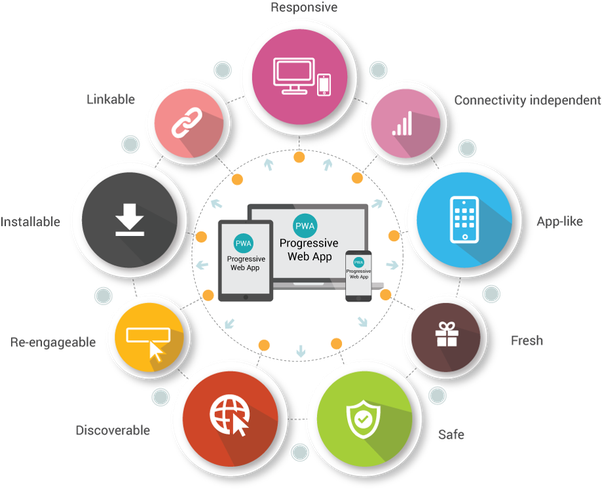
Progressive
Web
APIs
- Service Worker API
- Cache API
- Fetch API
- Notifications API
- Push API
- IndexedDB API
- Promises
Desenvolvendo uma API
-
Web Application Manifest
-
App Shell
-
Cache (Service Worker)
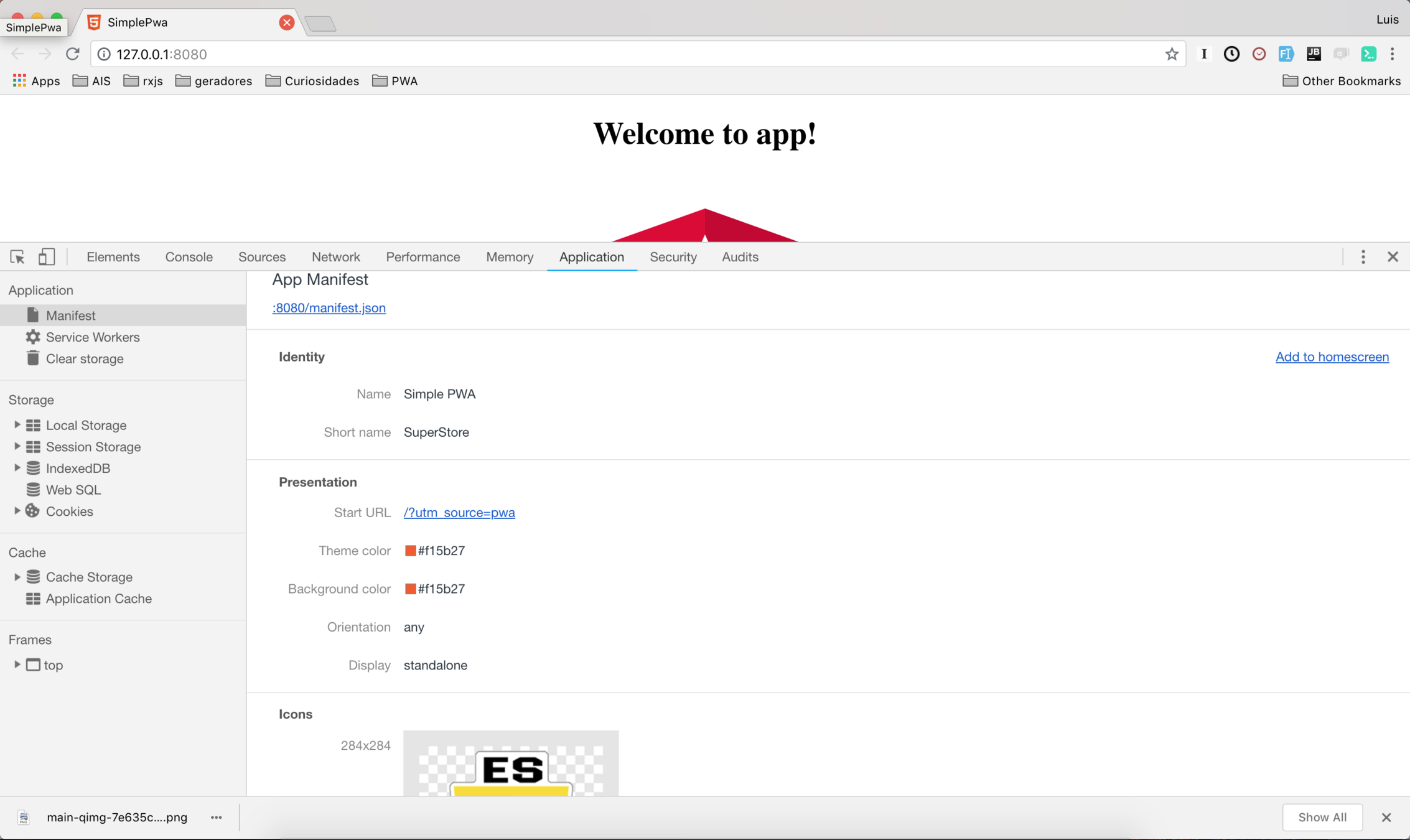
manifest.json
{
  "dir": "ltr",
  "lang": "pt",
  "name": "Simple PWA",
  "scope": "/",
  "display": "standalone",
  "start_url": "/?utm_source=pwa",
  "short_name": "SuperStore",
  "theme_color": "#f15b27",
  "description": "",
  "orientation": "any",
  "background_color": "#f15b27",
  "related_applications": [],
  "prefer_related_applications": false,
  "icons": [
    {
      "src": "/assets/icons/windows10/Square71x71Logo.scale-400.png",
      "sizes": "284x284"
    },
    {
      "src": "/assets/icons/windows10/Square71x71Logo.scale-200.png",
      "sizes": "142x142"
    },
    {
      "src": "/assets/icons/windows10/Square71x71Logo.scale-100.png",
      "sizes": "71x71"
    }
  ]
}
Informando ao Browser
Declaração do manifest dentro do <head>
<link rel="manifest" href="manifest.json">Geradores
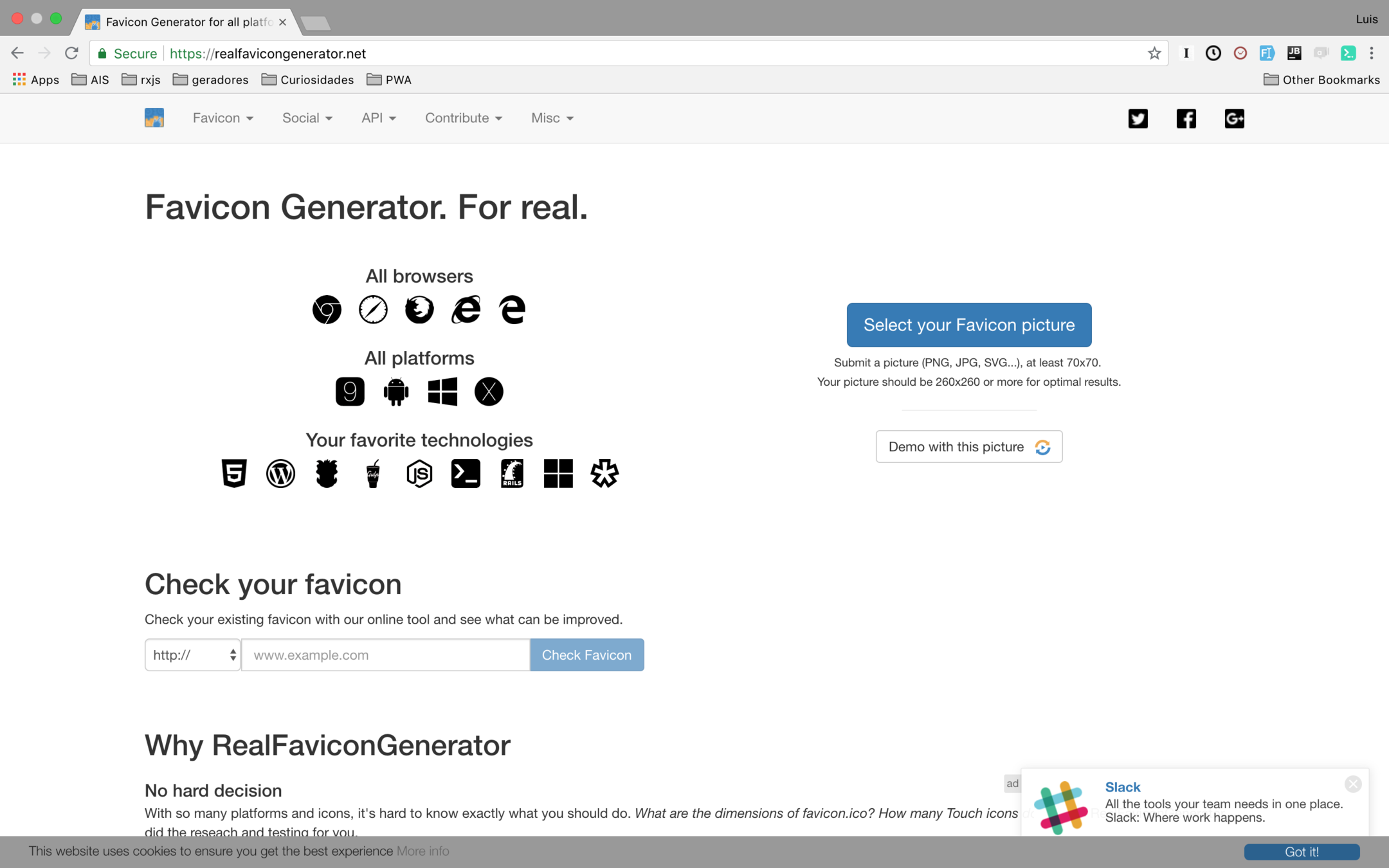
https://realfavicongenerator.net/
Customize seu manifest.json
https://realfavicongenerator.net/
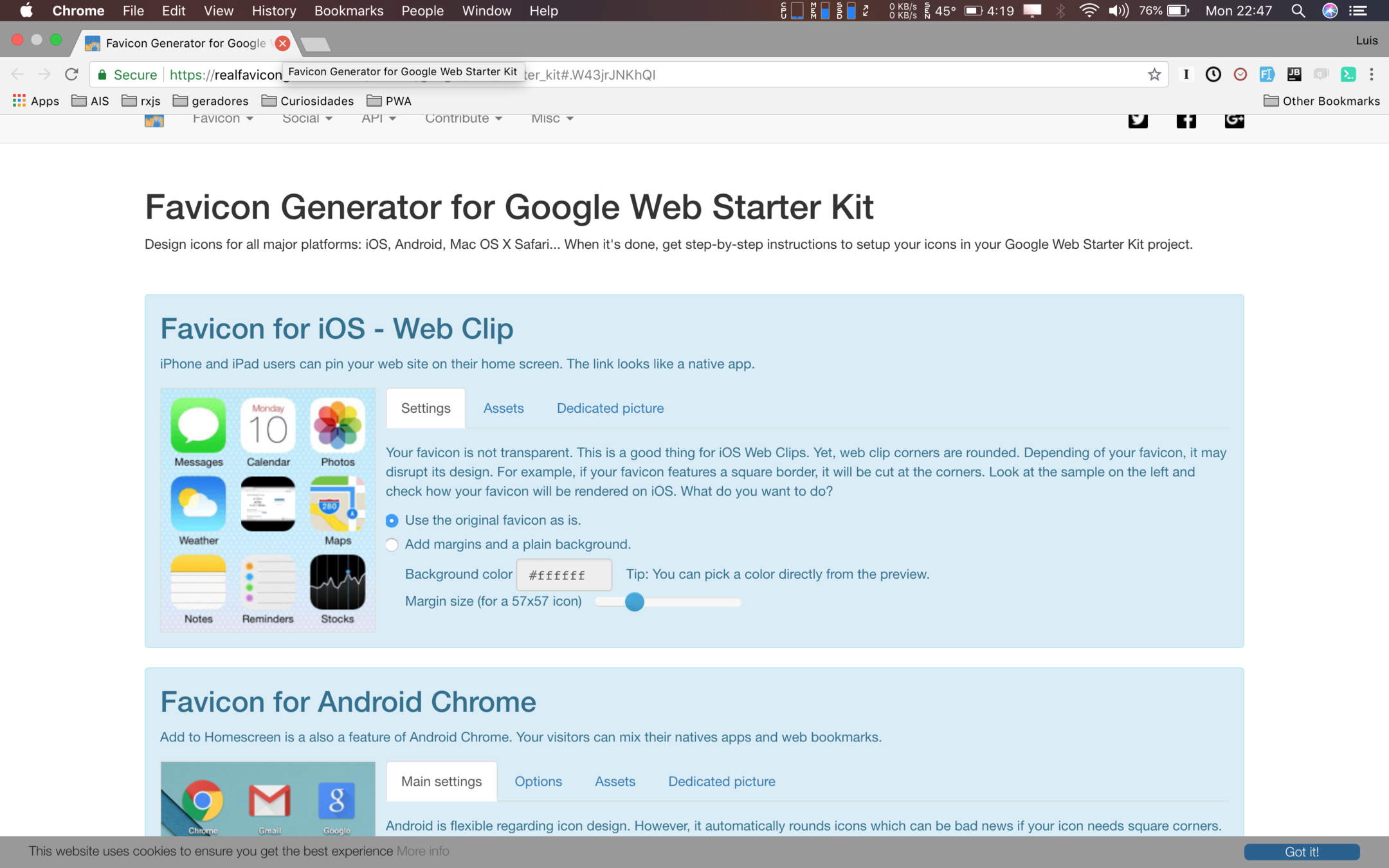
Android, IOS/Safari, Windows
manifest.json
App Shell
App Shell
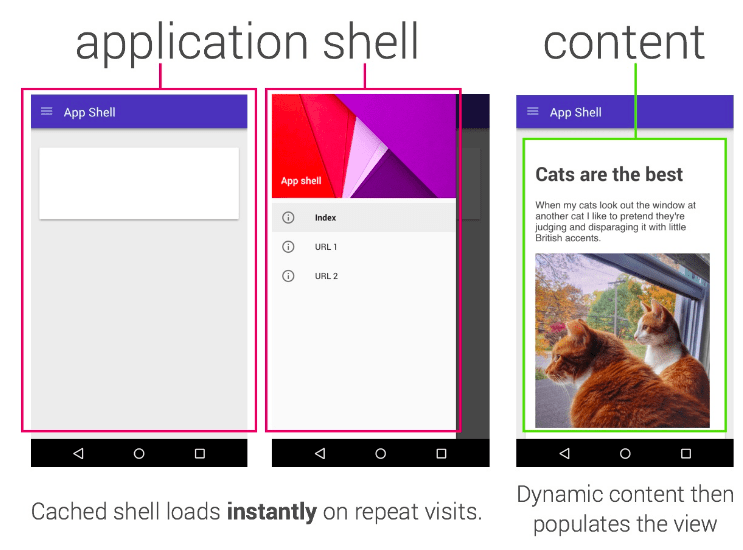
Arquivos Estáticos são cacheados
const cacheFiles = [
  'index.html',
  '**.js',
  '**.css',
  'assets/**',
  'manifest.json'
],;
Service Worker
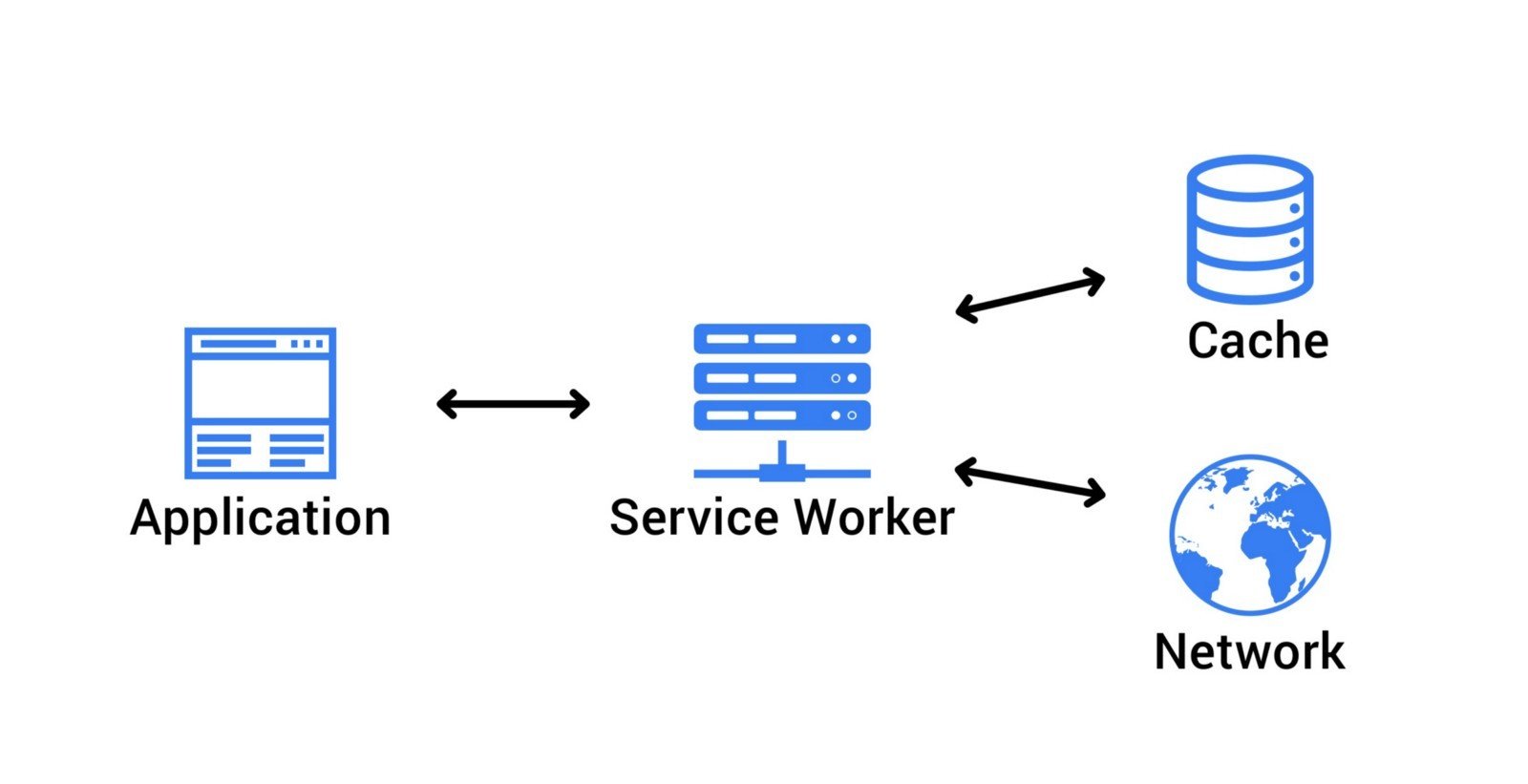
Proxy Client Side
Passo 1: Registrar
if( 'serviceWorker' in navigator) {
  navigator.serviceWorker
  .register('serviceWorker.js', {scope: '/'})
  .then( registration => {
    // SW Registrado
  })
}
Passo 2: Ciclo de Vida
self.addEventListener('install', event => {
    // SW foi baixado e instalado
    // Passo 1 é cachear o App Sheel
    // Preparar a app para funcionar offline

      event.waitUntil(new Promise((resolve, reject) => {
            // Abrindo o cache e salvando o conteúdo estático
            resolve();
      }));
});

self.addEventListener('activate', event => {
    // SW instalado e ativo
    // Podemos terminar o setup
    // Ou limpar o cachear
    event.waitUntil(new Promise((resolve, reject) => {
        // Limpando cache com conteúdo antigo

        resolve();
    });
});


self.addEventListener('fetch', event => {
    // Escuta a cada evento
    // E faz alguma coisa para cada request
    // Feito da app para API request

    event.waiUntil(new Promise((resolve, reject) => {
        // Interceptando requisição
        resolve();
    });

});
Passo 3: Cachear o App Sheel
const CACHE_NAME = 'cache_v1';

const CACHE_FILES = [
    'index.html',
    '3rdpartylicenses.txt'
    'main.5ac5850ccdc3e85a2dd1.js',
    'favicon.ico',
    'manifest.json',
    'polyfills.2f4a59095805af02bd79.js',
    'runtime.a66f828dca56eeb90e02.js',
    'styles.34c57ab7888ec1573f9c.css',
];

self.addEventListener('install', event => {
    event.awaitUntil(

        // Abre o cache
        caches.open(CACHE_NAME)

            // Adiciona os arquivos offline no cache
            .then(cache => cache.addAll(CACHE_FILES))

            // Arquivo já cacheado
            .then(() => self.skipWaiting())
    );
});
Passo 3: Cachear o App Sheel
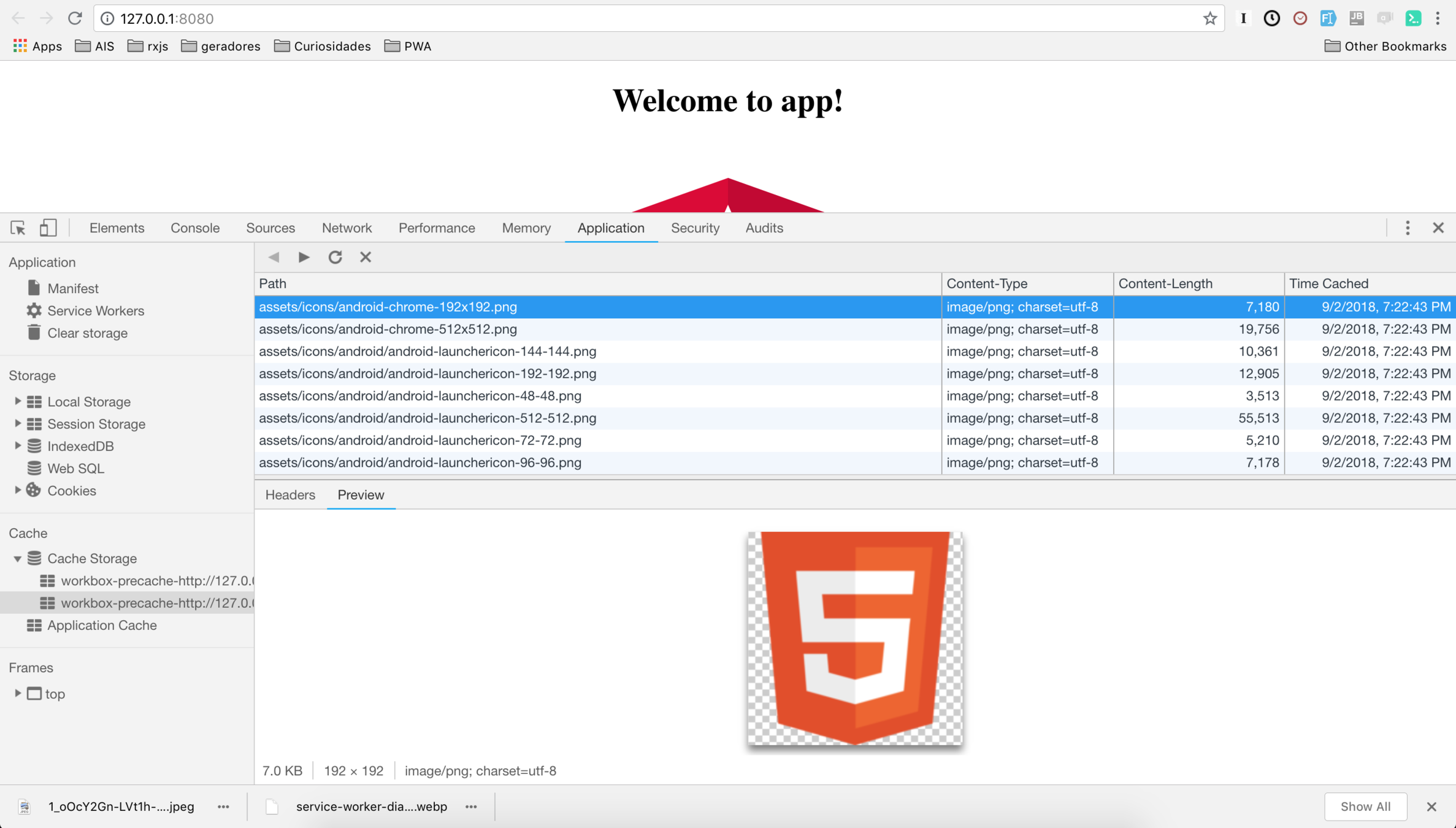
Passo 4: Fetch
self.addEventListener('fetch', event => {
  const requestUrl = new URL(event.request.url);
  const requestPath = requestUrl.pathname;

  // se for imagem, request online
  if(requestPath === imagePath) {
    event.respondWith(networkFirstStrategy(event.request));
  } else {
  // se for request, tenta cache primeiro e depois online
  event.respondWith(cacheFirstStrategy(event.request))
  }
});
Estratégias: Cache First ou Online First
Passo 4: Fetch
function cacheFistStrategy(request) {
  return caches.match(request).then(cacheResponse => {
    return cacheResponse || fetchRequestAndCache(request);
  });
}

function fetchRequestAndCache(request) {
  return fetch(request)
    .then(networkResponse => {
      caches.open(getChacheName(request)).then(cache => {
        cache.put(request, networkResponse);
      });
      return networkResponse.clone();
    });
}

function networkFirstStrategy(request) {
  return fetchRequestAndCache(request)
    .catch(() => caches.match(request));
}
Estratégias
Avançando nas Estratégias
Cache
const CACHE_GROUP = 'v1';

self.addEventListener('install', event => {
    event.waitUntil(
        caches.open(CACHE_GROUP)
            .then(cache => cache.addAll(['index.html', 'my-404.html'));
    );

});
Cache
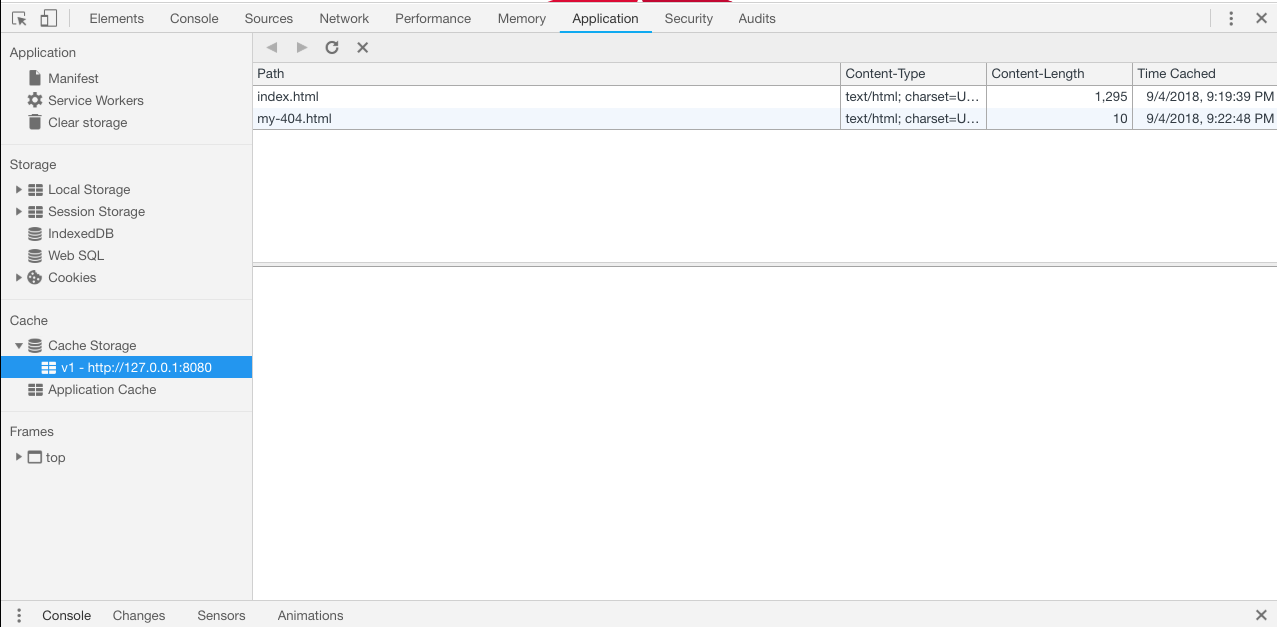
Lembram do App Shell?
Fetch From Cache
onst CACHE_GROUP = 'v1';
self.addEventListener('fetch', event => {
  const url = new URL(event.request.url);
  const NOT_FOUND = '/index.html';

  event.respondWith(
    caches.match(event.request)
      .then(response => response || fetch(event.request))
      .then(response => _saveRequestResponseOnCache(response.clone()))
  );

  function _saveRequestResponseOnCache(res) {
    if (res.status == 200) {
      console.log('res', res);
      caches.open(CACHE_GROUP)
        .then(cache => cache.put(event.request, res));
      return res;
    } else {
      return caches.match(NOT_FOUND);
    }
  }
});
Estratégias
- Offline First
- Online First
- Fastest

Exemplo: Webpack
const plugins = [
  new WorkboxPlugin({
    globDirectory, DIST_DIR,
    globPatterns: ['**/*.{html,js, css,json,png}'],
    swDest: path.join(DIST_DIR, 'sw.js')
  })
];
// ... another configurations

const workboxSW = new WorkboxSW();
const networkFirst = workboxSW.strategies.networkFirst();
workboxSW.router.registerRoute('/users', networkFirst);
Exemplo: node
const serviceWorkerBuild = require('workbox-build');

const cacheFiles = [
  'index.html',
  '**.js',
  '**.css',
  'assets/**',
  'manifest.json'
],;

serviceWorkerBuild.generateSW({
  navigateFallback: 'index.html',
  globDirectory: './dist/simple-pwa',
  globPatterns: cacheFiles,
  swDest: 'dist/simple-pwa/sw.js'

}).then(function () {
  console.log('Service Worker generated')
});
Obrigado ;-)
PWA
By Luis Henrique Gomes Camilo