COMP2511
Tutorial 1
Today
- Overview of the term
- Git Review
- Java Syntax
- Object-Oriented Paradigm

Introduction
- My name is Matt
-
4th Year Computer Science student
- Contacts
- Please do not message me on Teams outside of class hours (I need sleep 😭)
- Email: z5359356@ad.unsw.edu.au (Use the forums before emailing me, unless its for a personal reason)
- Include your zID somewhere so I can easily identify you
- I will usually take 24-48 hours at most to reply.
- Prefix your email's title with 2511-[CLASSNAME] (e.g., 2511-M11B)
- Course email: cs2511@cse.unsw.edu.au
How will it work?
- 1 Hour tutorial, 2 hour lab
- Tutorial: Consolidate recent lecture topics
- Lab: Lab exercises, marking & general help
- Slides:
- https://slides.com/matthewliu-1 (week 1 - 5)
- https://slides.com/matthewliu-2 (week 7 - 10)
- Repository:
- Coursework: 15%
- Lab exercises (must be marked within 2 weeks of it being due)
- Exam: 50%
- Tutorial and Lab content make up for at least 50% of the exam!
Suggestions
- Get to know the people in the tutorial. Make friends. You will be working in a pair for assignment 2/3 (optional for assignment 3).
- Make sure to keep up with lecture content.
- Read the course outline.
- Plan out your term, COMP2511 can take up a lot of time!
- Start assignments/projects early! (Looking at assignment 1)
- Ask lots of questions!
- Prepare to learn how to read documentation & google on your own.
Ice Breaker
- Name (or preferred name)
- Degree
- Favourite programming language & why
Or
Random interesting fact
Git
Git Revision
-
git add filename1, filename2, ...- Stage files
-
git commit -m commit_message- Commit the staged files
-
git push- Push your new commits to an online origin (GitLab, BitBucket, GitHub)
-
git pull- Pull changes from another branch (i.e. your team's main branch)
-
git status- State of current repository & branch
-
git log (or git log --oneline)- History of current branch
C and Java
Differences between C and Java
- Syntax
- Both use { and
}to describe code blocks
- Both use { and
- Classes:
- Java supports Object Oriented programming (OOP)
- Classes and inheritance
- C does not support classes. Closest thing is structs which are pure "data classes"
- All code within Java needs to exist within a class
- Java supports Object Oriented programming (OOP)
Differences between C and Java
- Type System:
- C and Java are statically typed
- Python is dynamically typed
- Memory:
- C allows manual memory allocation (
malloc, free) - Java has automatic memory management
- Garbage collector will periodically free all unused memory
- Garbage collector will periodically free all unused memory
- C allows manual memory allocation (
- Compilation
- C compiles into machine code
- Java compiles into byte code, which is interpreted
VSCode Config Tips
VSCode Config Tips
Ensure you have the correct Java extensions installed
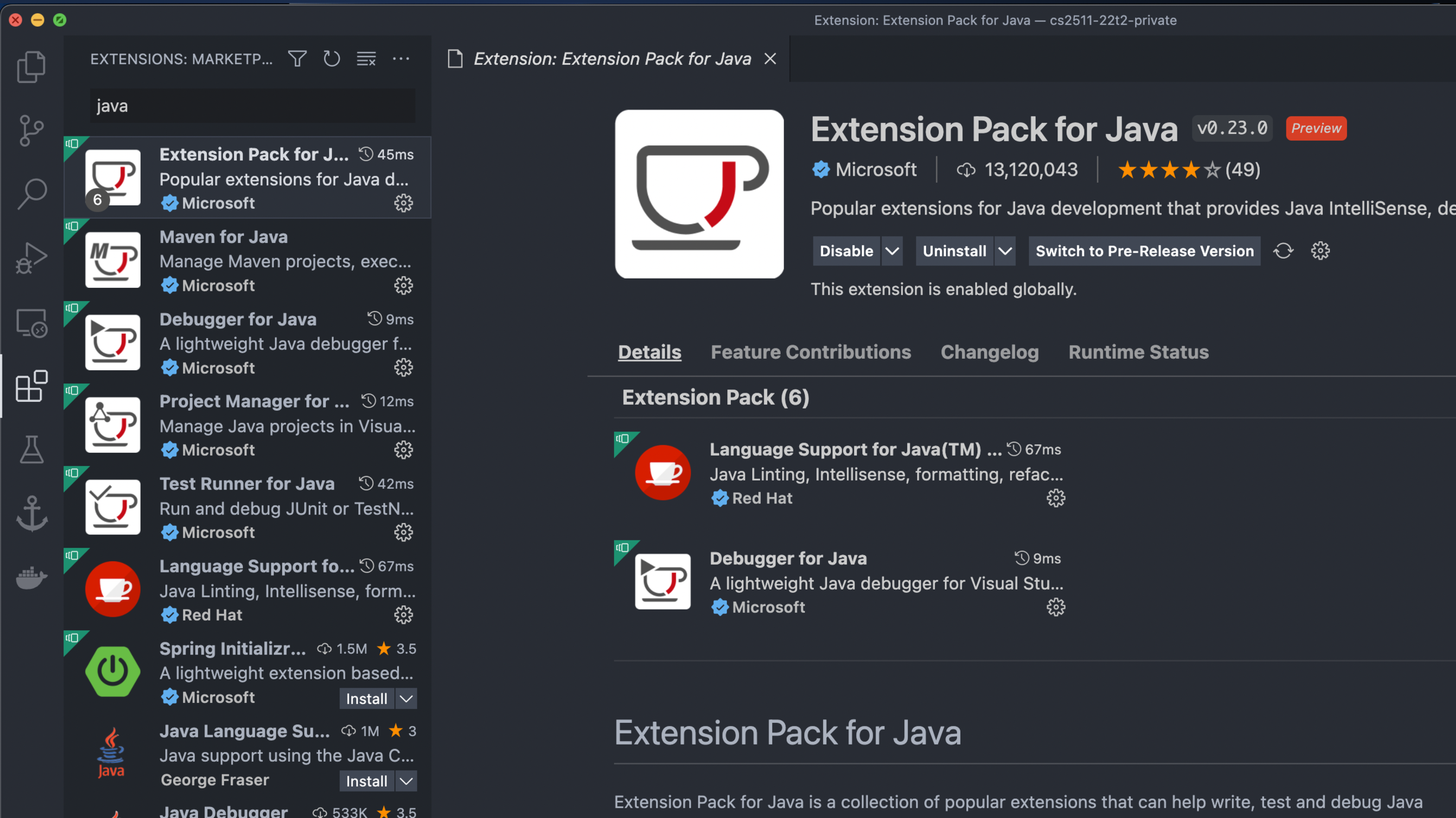
VSCode Config Tips
Ensure that you open the correct folder
example: cs2511-project
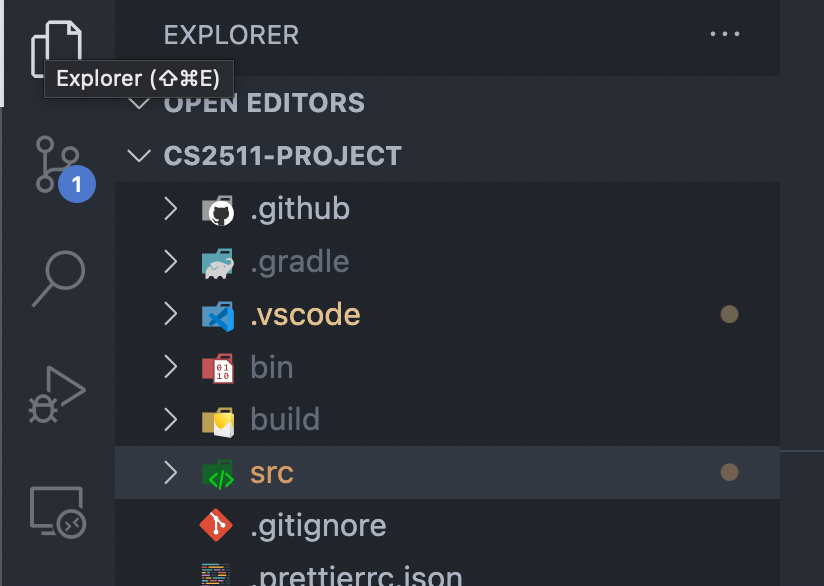
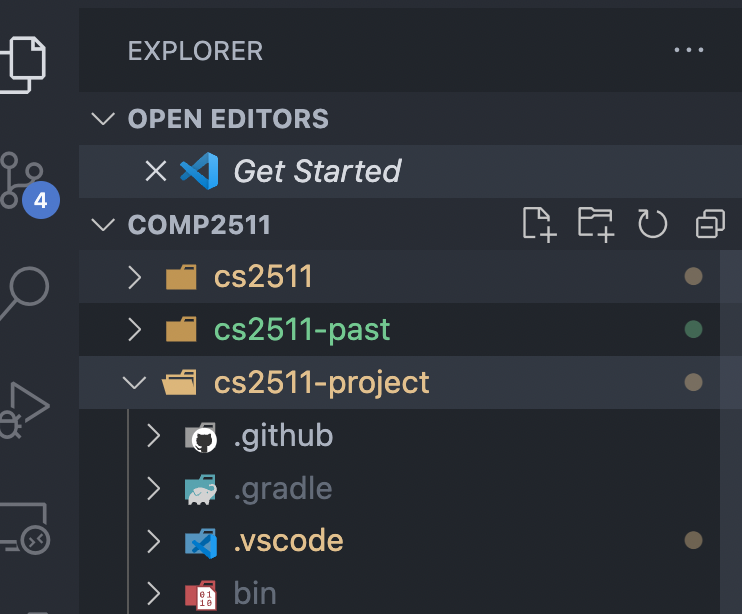
Good
Bad
Name of folder open
The folder I want to actually open
VSCode Config Tips
Ensure that you open the correct folder
example: cs2511-project
Good
Bad
Name of folder open
The folder I want to actually open
VSCode Config Tips
Ensure that you are running code using the "Run" button
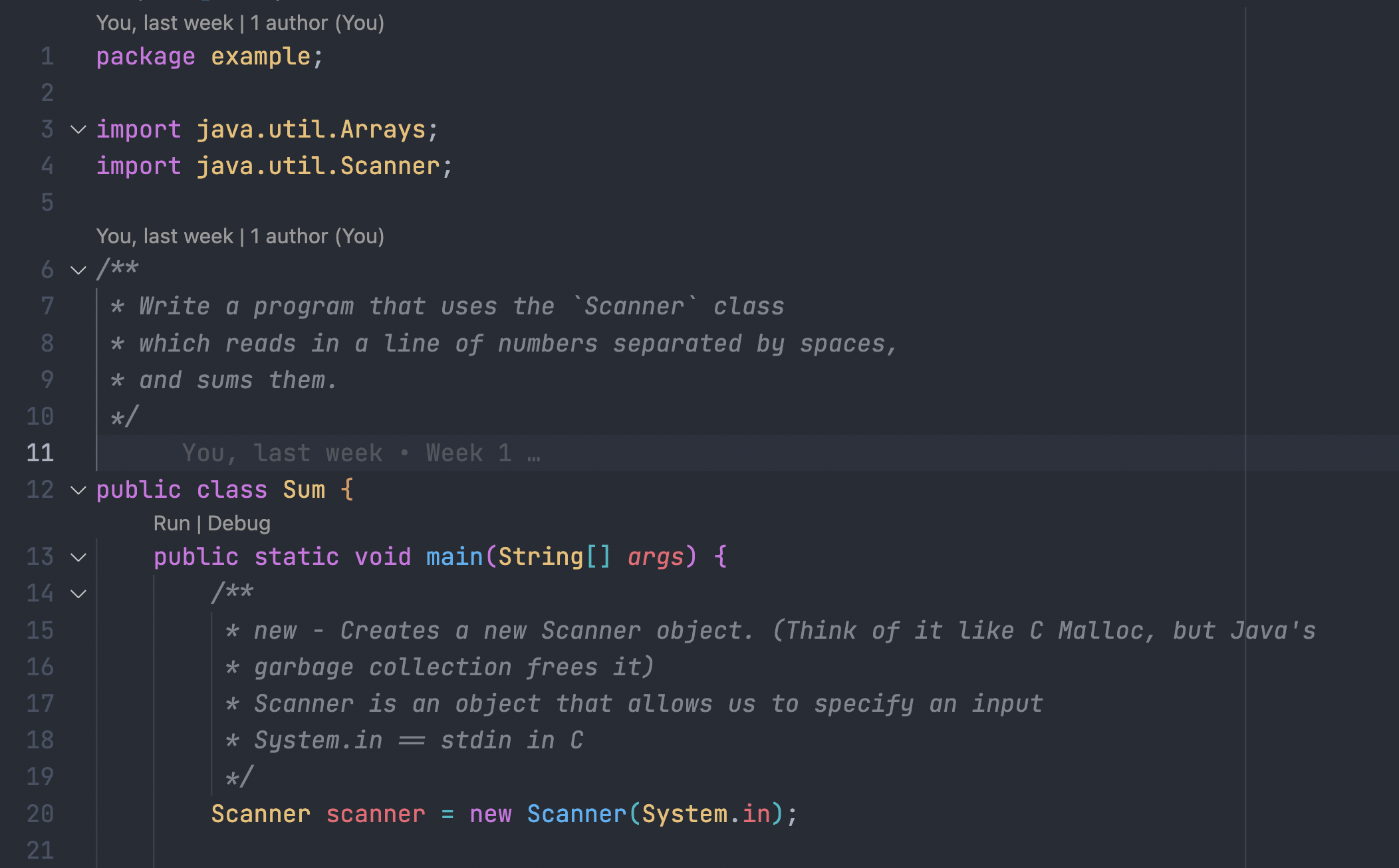
Always use this to run code in this course
Code Demo
HelloWorld.java
Code Demo
Make a simple Java program that prints "Hello World" in the HelloWorld class.
Code Demo
package example;

/**
 * Prints "Hello World" to the console.
 */
public class HelloWorld {
    public static void main(String[] args) {
        // Does it need a \n?
        // No, .println appends a \n to your string when it prints
        System.out.println("Hello World");
    }
}
Code Demo
Sum.java
Code Demo
Inside a new file called Sum.java, write a program that uses the Scanner class which reads in a line of numbers separated by spaces, and sums them.
package example;

import java.util.Arrays;
import java.util.Scanner;

/**
 * Write a program that uses the `Scanner` class
 * which reads in a line of numbers separated by spaces,
 * and sums them.
 */
public class Sum {
    public static void main(String[] args) {
        /**
         * new - Creates a new Scanner object. (Think of it like C Malloc, but Java's
         * garbage collection frees it)
         * Scanner is an object that allows us to specify an input
         * System.in == stdin in C
         */
        Scanner scanner = new Scanner(System.in);

        /**
         * Keeps reading input until it sees a \n
         *
         * Splits each string into an array of strings
         */
        String[] numbers = scanner.nextLine().split(" ");

        int sum = 0;
        for (String number : numbers) {
            sum += Integer.parseInt(number);
        }
        System.out.println("The sum is " + sum);

        // Advanced
        // Using streams
        int streamSum = Arrays.asList(numbers).stream().mapToInt(x -> Integer.parseInt(x)).sum();
        System.out.println(String.format("The sum is %d", streamSum));

        /**
         * Frees I/O resources
         * Java's garbage collector only manages memory, not other resources
         */
        scanner.close();
    }
}
Code Demo
Loop.java
Code Demo
public class LoopExample {
    public static void main(String[] args) {
        String[] myStrings = { "Hello", "World", "No" };

        // Index based looping
        for (int i = 0; i < myStrings.length; i++) {
            String current = myStrings[i];
            System.out.println(current);
        }

        // For-range / for-in loop
        for (String current : myStrings) { // Very python like
            System.out.println(current);
        }
    }
}- Always use for-range loops unless you need access to the index
- You can use a index based loop if you need to change the value while looping over a collection of items
Why Classes?
Why Classes?
Why do we use classes?
Ignoring OOP, Inheritance, Polymorphism, classes are useful for:
- Grouping "global variables" together
- Grouping relevant functions together
- Scoping of variables / functions
- Data hiding
Code Demo
Shouter.java
Code Demo
Inside a new file Shouter.java, Write a program that stores a message and has methods for getting the message, updating the message and printing it out in all caps. Write a main() method for testing this class.
package example;

public class Shouter {
    private String message;

    public Shouter(String message) {
        this.message = message;
    }

    public String getMessage() {
        // NOTE: You don't have to use the keyword `this`
        // But I use it because of clarity
        return this.message;
    }

    public void setMessage(String newMessage) {
        this.message = newMessage;
    }

    public String toString() {
        return String.format("Shouter message = %s", this.message);
    }

    public void printMe() {
        System.out.println(this.message);
    }

    public void shout() {
        System.out.println(this.message.toUpperCase());
    }

    public void printAndShout() {
        // NOTE: You don't have to use the keyword `this`
        // But I use it because of clarity
        this.printMe();
        this.shout();
    }

    public static void main(String[] args) {
        Shouter s = new Shouter("This is my message");
        s.printMe();
        s.shout();
        // When printing objects, Java will try and stringify
        // In this case, it calls the .toString() method
        System.out.println(s);
    }
}
The End
COMP2511 Tutorial 1
By Matthew Liu