Welcome!
Introductions
What is ExtReact?
It's not a framework 🎉
Instead, it's a set of over 100 robust, pre-built, professionally tested UI components, used to create stunning applications
Instead, it's a set of over 100 robust, pre-built, professionally tested UI components, used to create stunning applications
Instead, it's a set of over 100 robust, pre-built, professionally tested UI components, used to create stunning applications
Instead, it's a set of over 100 robust, pre-built, professionally tested UI components, used to create stunning applications
Instead, it's a set of over 100 robust, pre-built, professionally tested UI components, used to create stunning applications
Instead, it's a set of over 100 robust, pre-built, professionally tested UI components, used to create stunning applications
Instead, it's a set of over 100 robust, pre-built, professionally tested UI components, used to create stunning applications
There's also tooling to help with styling, debugging and testing
The components range from basics — like buttons, labels, panels and input fields...
through amazing and sophisticated components, like trees, grids, calendars, and charts
Let's take a look:
Licensing
Sencha offers flexible affordable licensing
And...
Your license includes experienced technical support — so there's someone to help if you need guidance
Mechanics
Before we start coding, let's cover a few mechanics
This is a series of videos that show how to create a simple Spotify app using ExtReact
What you'll be coding
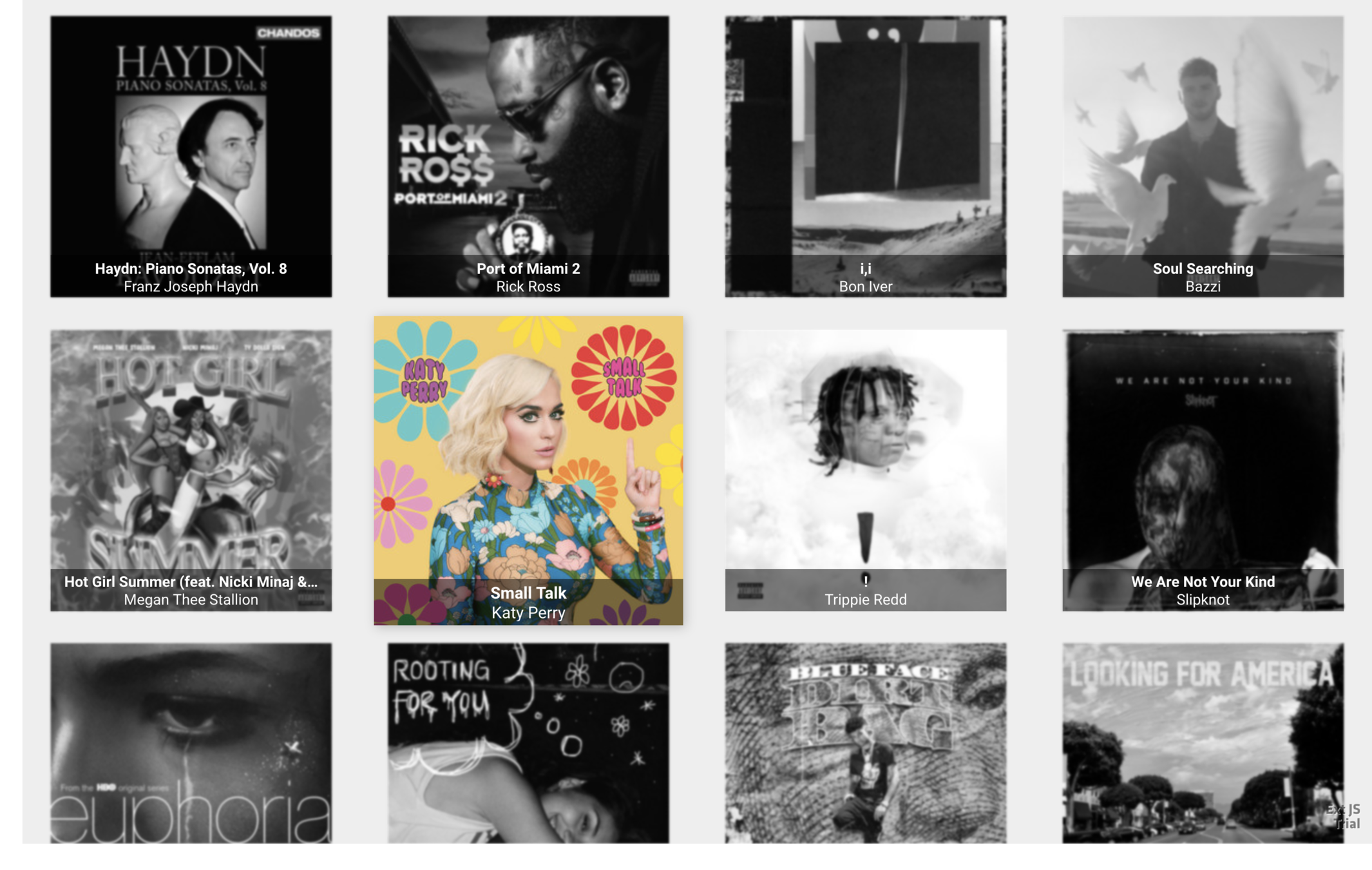
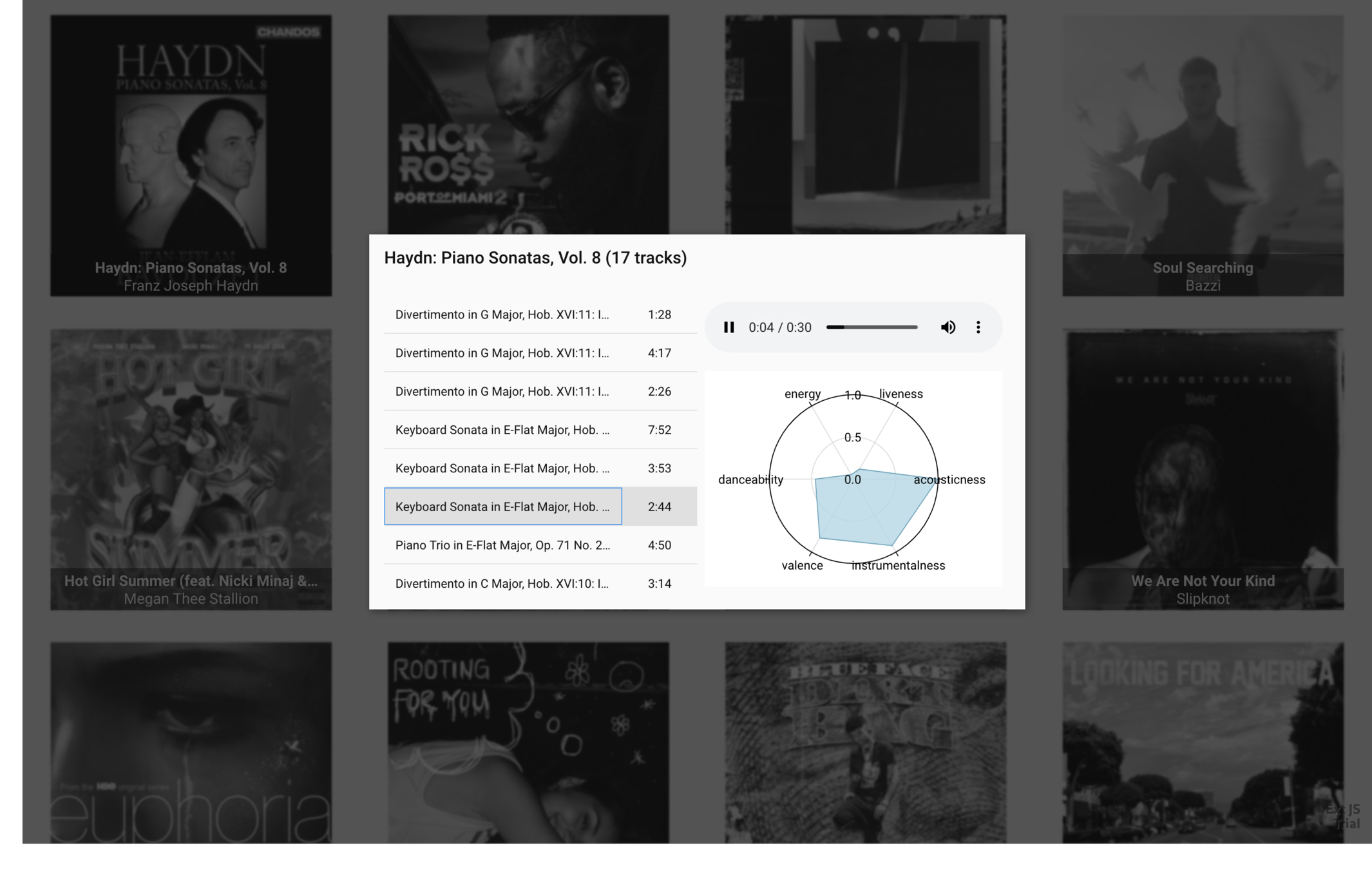
You'll find links to resources below, including links to the code
The presentation is done via these techniques
-
The two of us talking, and pair programming
-
Looking at API docs and other resources
-
These slides (which are the presentation outline)
Get starter app
Spotify
Use ExtReact
Set up Spotify
Get recent releases
Album as a class
Layout
Show tracks
Audio preview
Track features
DataView
Get ExtReact trial
Album details
Get starter app
Spotify
Use ExtReact
Set up Spotify
Get recent releases
Album as a class
Layout
Show tracks
Audio preview
Track features
DataView
Get ExtReact trial
Album details
Get access to the ExtReact npm repository.
Goals
-
Sign up for ExtReact trial
-
Receive confirmation email
-
Login and confirm
Steps
Get starter app
Spotify
Use ExtReact
Set up Spotify
Get recent releases
Album as a class
Layout
Show tracks
Audio preview
Track features
DataView
Get ExtReact trial
Album details
Get and run a React starter app.
Goals
-
Get a copy of the starter app
-
Run the app
Steps
Get starter app
Spotify
Use ExtReact
Set up Spotify
Get recent releases
Album as a class
Layout
Show tracks
Audio preview
Track features
DataView
Get ExtReact trial
Album details
Modify the starter app so it can use ExtReact.
Goals
-
Use launch()
-
Remove the root element
-
Add the <ExtReact> element
-
Use an ExtReact <Panel>
Steps
Get starter app
Spotify
Use ExtReact
Set up Spotify
Get recent releases
Album as a class
Layout
Show tracks
Audio preview
Track features
DataView
Get ExtReact trial
Album details
Set up Spotify user account, set up developer app, and modify starter app to authenticate.
Goals
-
Get a user account
-
Register an app
-
Authentication overview
-
Add authentication
Steps
Get starter app
Spotify
Use ExtReact
Set up Spotify
Get recent releases
Album as a class
Layout
Show tracks
Audio preview
Track features
DataView
Get ExtReact trial
Album details
Fetch new releases from Spotify.
Goal
-
Review the Spotify API
-
Use an Ext.data.Store
Steps
Get starter app
Spotify
Use ExtReact
Set up Spotify
Get recent releases
Album as a class
Layout
Show tracks
Audio preview
Track features
DataView
Get ExtReact trial
Album details
Goal
Show album art thumbnails of new releases.
-
Use a <DataView to show the store's records
-
Explain the usefulness of the spread operator
-
Code the <DataView> as its own class
Steps
Get starter app
Spotify
Use ExtReact
Set up Spotify
Get recent releases
Album as a class
Layout
Show tracks
Audio preview
Track features
DataView
Get ExtReact trial
Album details
Goal
Show a dialog as the user taps on an album
-
Listen to a <DataView> event
-
Use a <Dialog>
-
Dynamically show or hide the dialog
Steps
-
Move the dialog into its own class
Get starter app
Spotify
Use ExtReact
Set up Spotify
Get recent releases
Album as a class
Layout
Show tracks
Audio preview
Track features
DataView
Get ExtReact trial
Album details
Goals
Learn about layout managers and use hbox and vbox.
-
Discuss layout managers
Steps
-
Use hbox and vbox layouts (with placeholders)
Get starter app
Spotify
Use ExtReact
Set up Spotify
Get recent releases
Album as a class
Layout
Show tracks
Audio preview
Track features
DataView
Get ExtReact trial
Album details
Goals
Learn about grids and grid columns, and use them to show tracks.
-
Set a <Grid> and <Column>
-
Fetch album tracks
Steps
-
Use a column renderer
-
Add a package to webpack.config.js
Getting started
Spotify
Use ExtReact
Set up Spotify
Recent releases
DataView
Show album details
Layout
Show tracks
Audio preview
Track analysis
Goals
Learn about the <Audio> component, and use it to play the selected track.
-
Listen to grid event
-
Set up ref
-
Run <Audio> methods
Steps
Get starter app
Spotify
Use ExtReact
Set up Spotify
Get recent releases
Album as a class
Layout
Show tracks
Audio preview
Track features
DataView
Get ExtReact trial
Album details
Goals
Learn about charts and use a polar radar chart to show track features.
-
Fetch audio analysis as tracks are selected
-
Use a <Polar> chart
Steps
-
Add the charts package
🎉 Yay! 🎉
Copy of ExtReact Spotify
By Max Rahder