Marc Hauschildt
Web Technologies and Computer Software Development Instructor at Kirkwood Community College in Cedar Rapids, IA.
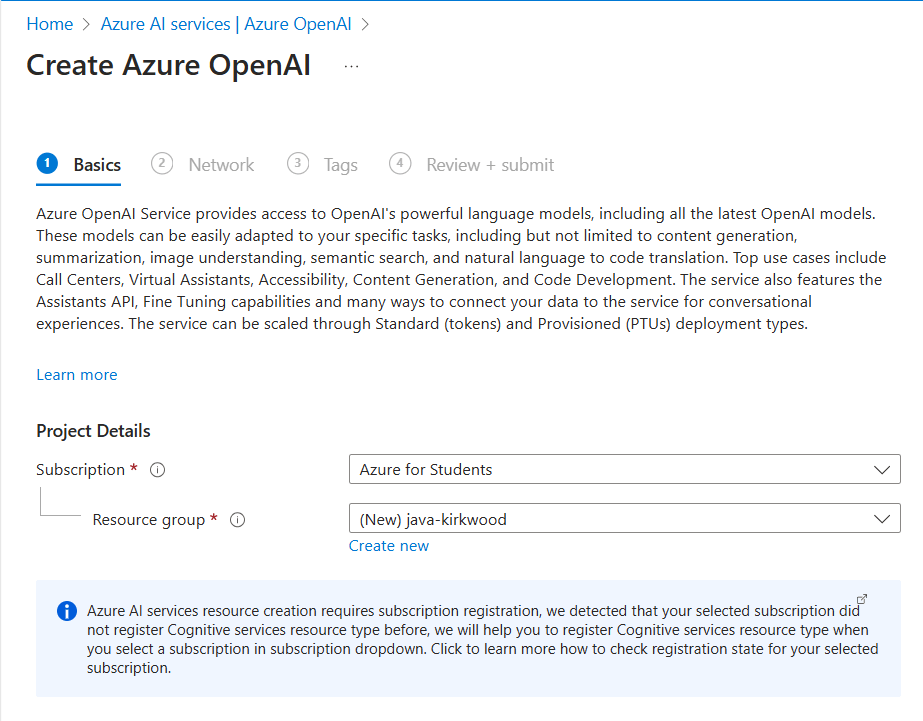
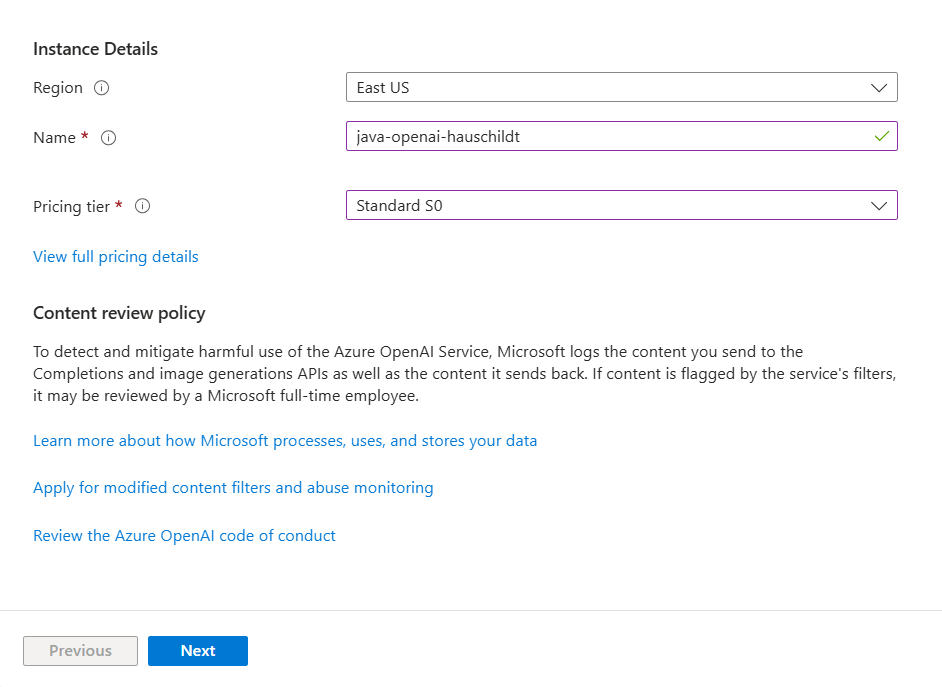
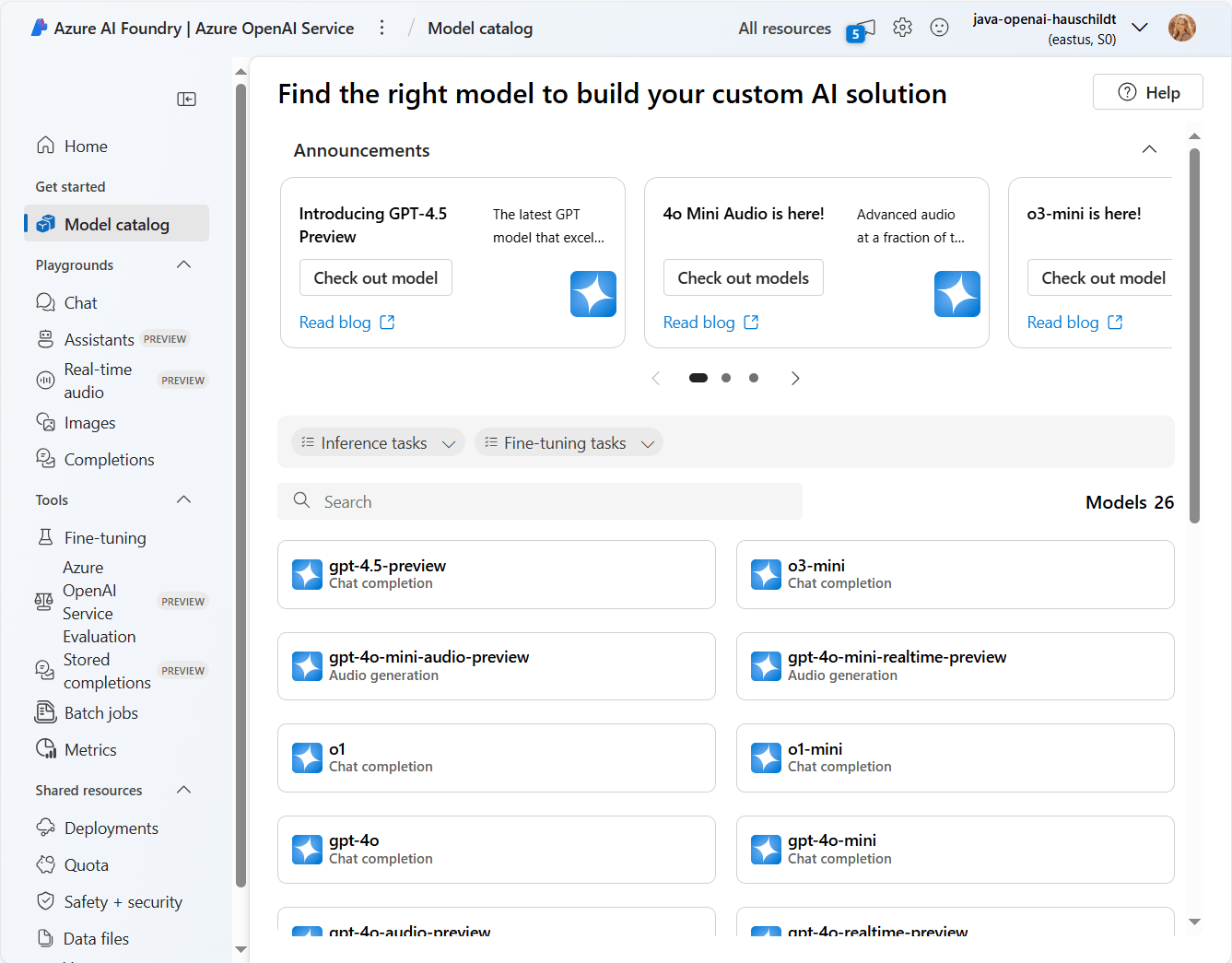
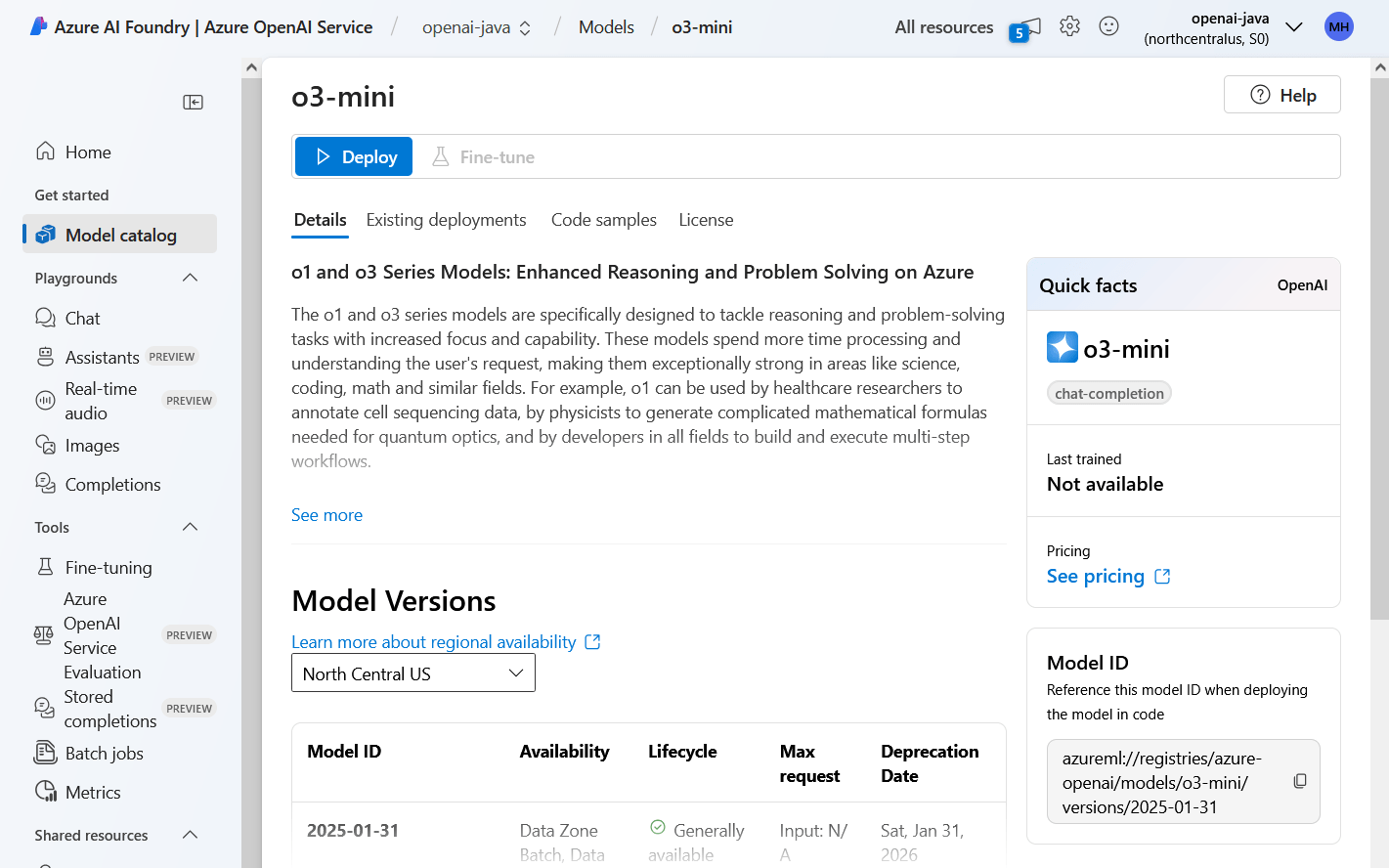
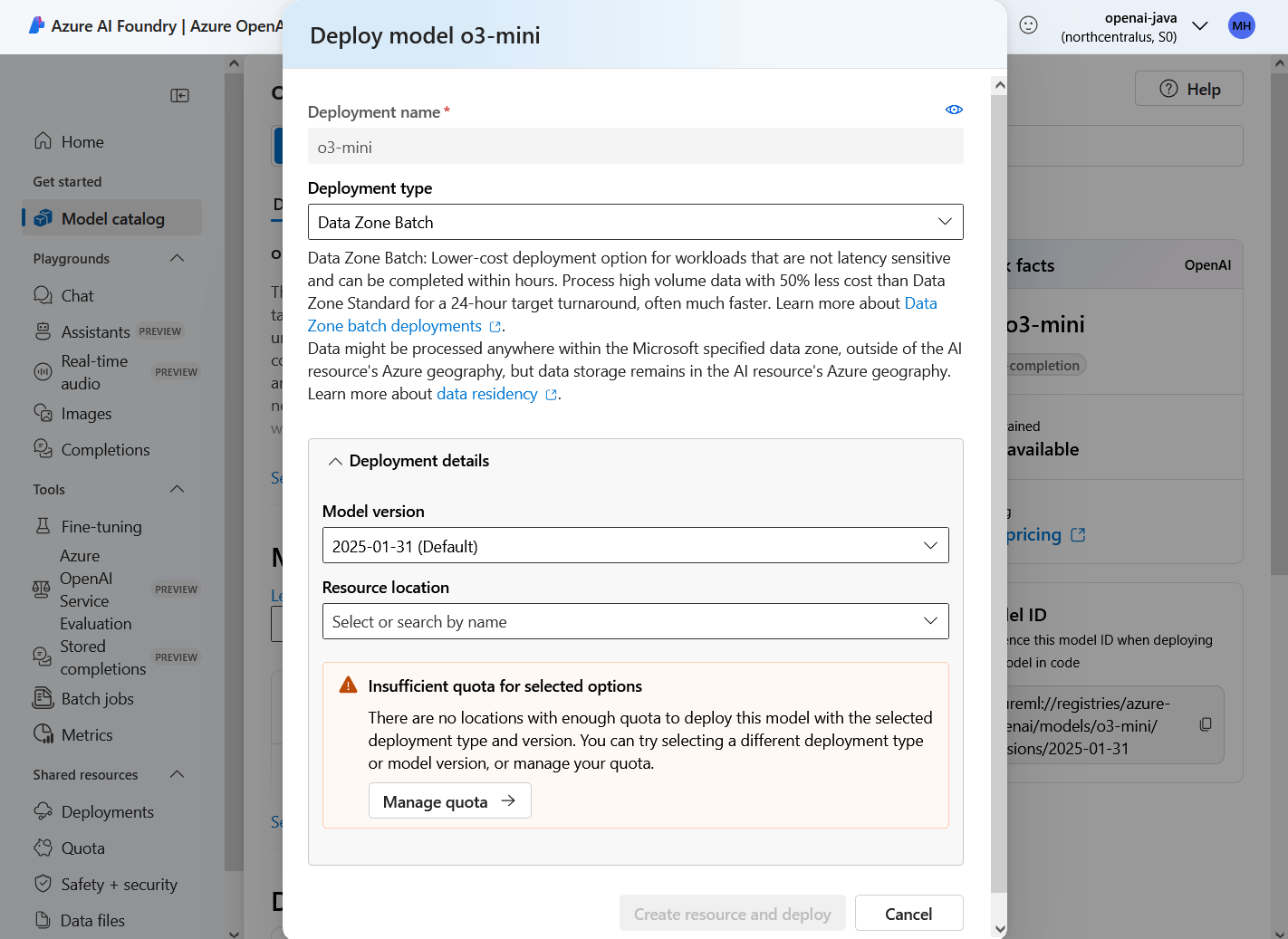
These are the models I could select with my student account.
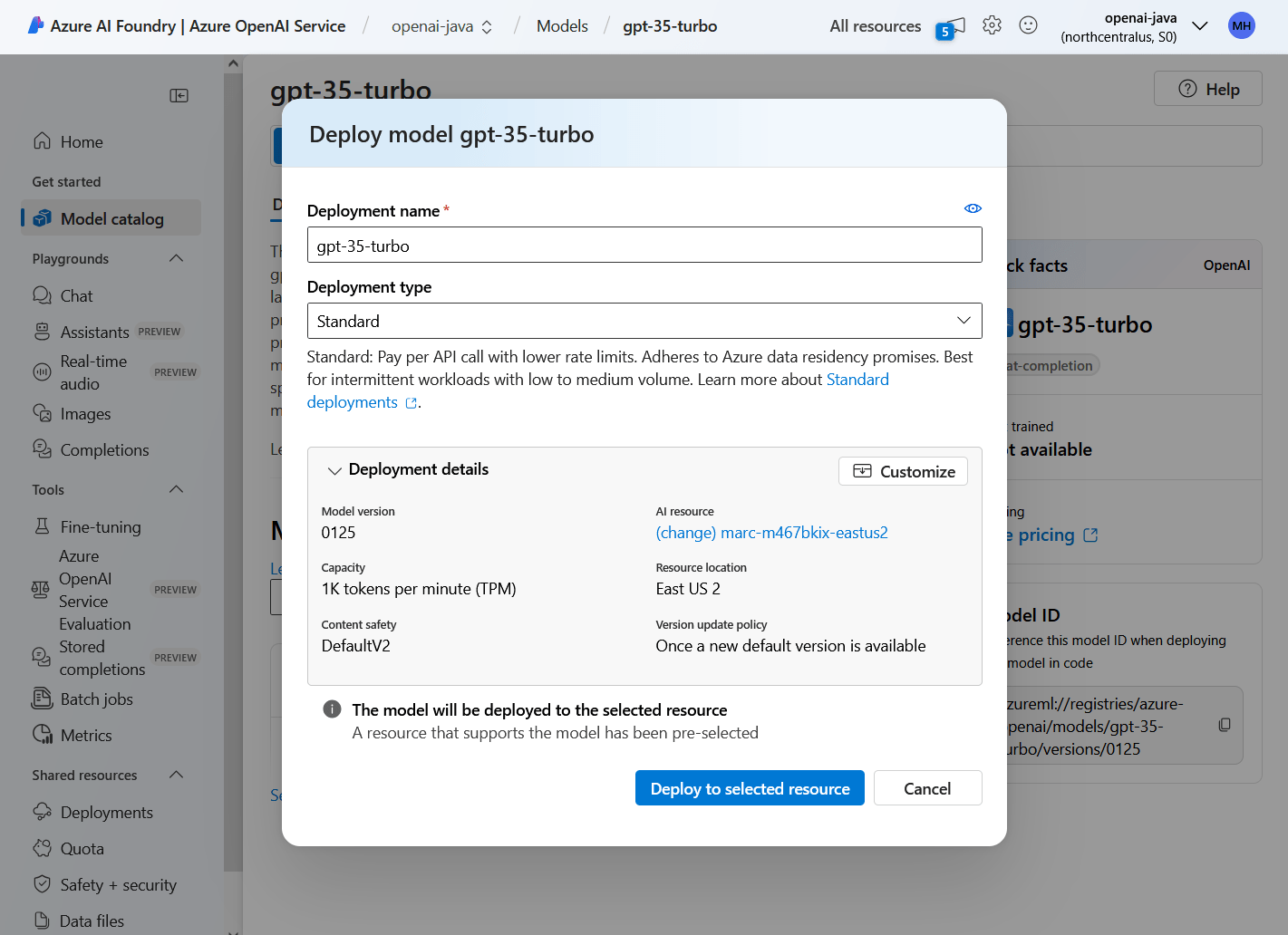
gpt-35-turbo
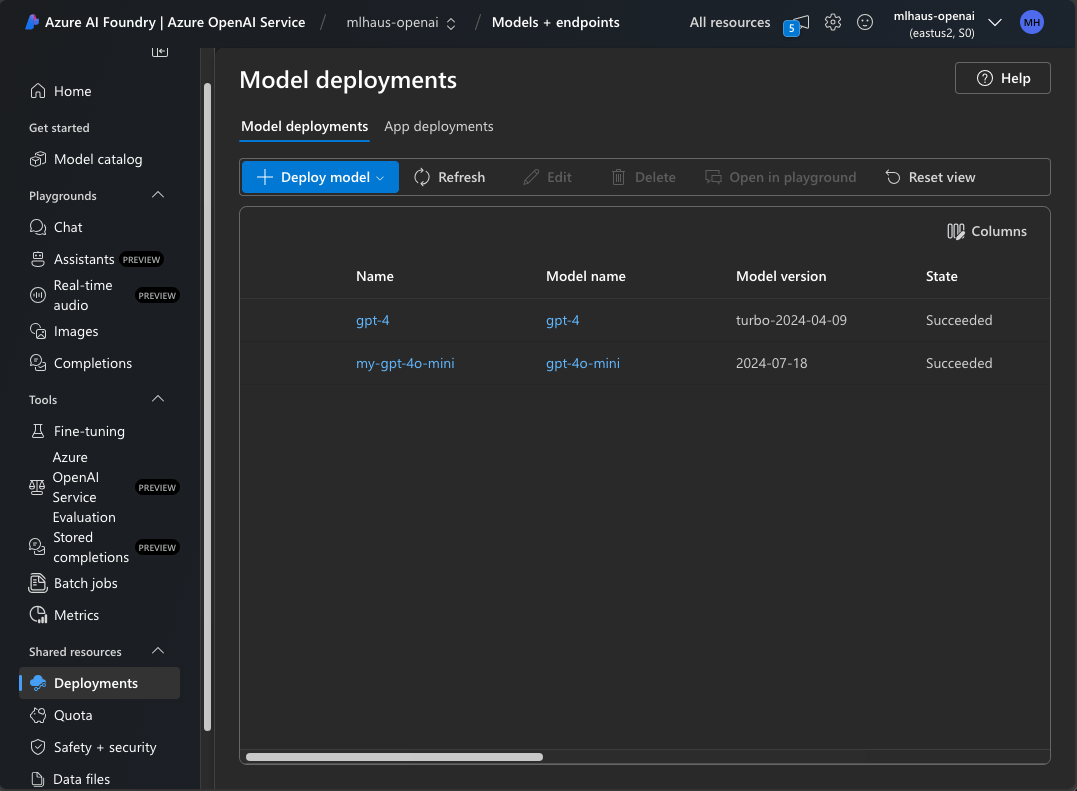
gpt-4
You may give the deployment a custom name.
Add the azure-ai-openai dependency to your pom.xml file.
I got this code to work with "gpt-4" and "gpt-4o-mini" created from my personal Azure account, and "gpt-35-turbo" created from my student account.
It failed with "gpt-4" from my student account, saying "Access denied due to invalid subscription key or wrong API endpoint."
import com.azure.ai.openai.OpenAIClient;
import com.azure.ai.openai.OpenAIClientBuilder;
import com.azure.ai.openai.models.*;
import com.azure.core.credential.AzureKeyCredential;

import java.util.Arrays;
import java.util.List;

public class AzureOpenAIExample1 {

    public static void main(String[] args) {
        String systemMessage = "You are a helpful language translating assistant.";
        String userMessage = "Translate the following English text to French: 'Hello, how are you?'";
        String response = callAzureOpenAI(systemMessage, userMessage);
        System.out.println("Azure OpenAI Response: " + response);
    }

    public static String callAzureOpenAI(String systemMessage, String userMessage) {
        String azureOpenAIKey = "<your-api-key>"; // Use environment variable
        String azureOpenAIEndpoint = "<your-endpoint-uri>"; // Use environment variable
        String deploymentName = "gpt-35-turbo"; // "gpt-4", "gpt-4o-mini", or a custom name

        OpenAIClient client = new OpenAIClientBuilder()
                .credential(new AzureKeyCredential(azureOpenAIKey))
                .endpoint(azureOpenAIEndpoint)
                .buildClient();

        List<ChatRequestMessage> chatMessages = new ArrayList<>();
        chatMessages.add(new ChatRequestSystemMessage(systemMessage));
        chatMessages.add(new ChatRequestUserMessage(userMessage));

        ChatCompletionsOptions options = new ChatCompletionsOptions(chatMessages);
        String response = client.getChatCompletions(deploymentName, options).getChoices().get(0).getMessage().getContent();
        return response;
    }
}In this code sample, I overloaded the callAzureOpenAI method to include a flag variable to display additional data.
import com.azure.ai.openai.OpenAIClient;
import com.azure.ai.openai.OpenAIClientBuilder;
import com.azure.ai.openai.models.*;
import com.azure.core.credential.AzureKeyCredential;

import java.util.ArrayList;
import java.util.List;

public class AzureOpenAIExample1 {

    public static void main(String[] args) {
        String systemMessage = "You are a helpful language translating assistant.";
        String userMessage = "Translate the following English text to French: 'Hello, how are you?'";
        String response = callAzureOpenAI(systemMessage, userMessage, true);
        System.out.println("Azure OpenAI Response: " + response);
    }

    public static String callAzureOpenAI(String systemMessage, String userMessage) {
        return callAzureOpenAI(systemMessage, userMessage, false);
    }

    public static String callAzureOpenAI(String systemMessage, String userMessage, boolean displayData) {
        String azureOpenAIKey = "<your-api-key>"; // Use environment variable
        String azureOpenAIEndpoint = "<your-endpoint-uri>"; // Use environment variable
        String deploymentName = "gpt-35-turbo"; // "gpt-4", "gpt-4o-mini", or a custom name

        OpenAIClient client = new OpenAIClientBuilder()
                .credential(new AzureKeyCredential(azureOpenAIKey))
                .endpoint(azureOpenAIEndpoint)
                .buildClient();

        List<ChatRequestMessage> chatMessages = new ArrayList<>();
        chatMessages.add(new ChatRequestSystemMessage(systemMessage));
        chatMessages.add(new ChatRequestUserMessage(userMessage));

        ChatCompletions chatCompletions = client.getChatCompletions(deploymentName, new ChatCompletionsOptions(chatMessages));

        if(displayData) {
            System.out.printf("Model ID: %s\nCreated: %s%n", chatCompletions.getId(), chatCompletions.getCreatedAt());
            CompletionsUsage usage = chatCompletions.getUsage();
            System.out.printf("Usage\n- number of prompt tokens (request): %d, "
                            + "\n- number of completion tokens (response): %d, "
                            + "\n- number of total tokens: %d.%n",
                    usage.getPromptTokens(), usage.getCompletionTokens(), usage.getTotalTokens());
            System.out.println();
        }

        String response = chatCompletions.getChoices().get(0).getMessage().getContent();
        return response;
    }
}After running the code a couple of times, go back to the Azure AI Foundry. Click the deployment name. Click the Metrics tab.
View the total requests and token count. Note the number of prompt and completion tokens.
Use the pricing page to estimate the cost.
Note how I gave the "gpt-4o-mini" model a custom name.
I ran the code on the previous pages using the custom name "my-gpt-4o-mini", instead of the model name "gpt-4o-mini".
The solution on this page makes a REST API request. It uses this dependency to handle the JSON for the request and response.
Uncomment "return response.body();" to study the response.
import java.net.URI;
import java.net.http.HttpClient;
import java.net.http.HttpRequest;
import java.net.http.HttpResponse;
import com.fasterxml.jackson.databind.ObjectMapper;
import com.fasterxml.jackson.databind.node.ObjectNode;
import com.fasterxml.jackson.databind.node.ArrayNode;

public class AzureOpenAIExample2 {

    public static void main(String[] args) {
        String systemMessage = "You are a helpful language translating assistant.";
        String userMessage = "Translate the following English text to French: 'Hello, how are you?'";
        String response = callAzureOpenAI(systemMessage, userMessage);
        System.out.println("Azure OpenAI Response: " + response);
    }

    public static String callAzureOpenAI(String systemMessage, String userMessage) {
        String azureOpenAIKey = "<your-api-key>"; // Use environment variable
        String azureOpenAIEndpoint = "<your-endpoint-uri>"; // Use environment variable
        String deploymentName = "<your-custom-deployment-name>";
        String model = "gpt-4o-mini";
        String apiVersion = "2024-02-01";

        try {
            ObjectMapper objectMapper = new ObjectMapper();

            // Create JSON requestBody
            ObjectNode requestBody = objectMapper.createObjectNode();

            // Add the model name to the requestBody
            requestBody.put("model", model);
            // Add optional properties to the requestBody
            requestBody.put("temperature", 1.0);
            requestBody.put("top_p", 1.0);
            requestBody.put("max_tokens", 1000);

            // Create messages array (Chat API format)
//            "messages": [
//                {
//                    "role": "system",
//                    "content": "You are a helpful language translating assistant."
//                },
//                {
//                    "role": "user",
//                    "content": "Translate the following English text to French: 'Hello, how are you?'"
//                }
//            ],

            ArrayNode messages = objectMapper.createArrayNode();

            ObjectNode systemMessageNode = objectMapper.createObjectNode();
            systemMessageNode.put("role", "system");
            systemMessageNode.put("content", systemMessage);
            messages.add(systemMessageNode);

            ObjectNode userMessageNode = objectMapper.createObjectNode();
            userMessageNode.put("role", "user");
            userMessageNode.put("content", userMessage);
            messages.add(userMessageNode);

            // Add the messages to the requestBody
            requestBody.set("messages", messages);

            // Construct the HTTP request
            HttpRequest request = HttpRequest.newBuilder()
                    .uri(URI.create(azureOpenAIEndpoint + "/openai/deployments/" + deploymentName + "/chat/completions?api-version=" + apiVersion))
                    .header("Content-Type", "application/json")
                    .header("api-key", azureOpenAIKey)
                    .POST(HttpRequest.BodyPublishers.ofString(objectMapper.writeValueAsString(requestBody)))
                    .build();

            // Send request and get response
            HttpClient client = HttpClient.newHttpClient();
            HttpResponse<String> response = client.send(request, HttpResponse.BodyHandlers.ofString());

            // View the JSON response
            // return response.body();

            // Parse and return the JSON response
            ObjectNode responseJson = objectMapper.readValue(response.body(), ObjectNode.class);
            return responseJson.get("choices").get(0).get("message").get("content").asText();

        } catch (Exception e) {
            return e.getMessage();
        }
    }
}By Marc Hauschildt