Blender - Switch Button Animation
Select the switch button stick
1
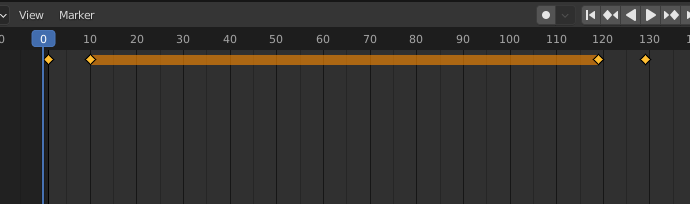
Locate on the specific key frame (Shown in the image below)
2
3
Locate on the next specific key frame (Shown in the image below)
5
6
4
Rotate the Switch Button Stick by setting the rotation Y to 60 degree
Rotation Y: -30 degree
Rotation Y: 60 degree
Rotation Y: 60 degree
Rotation Y: -30 degree
Blender - Switch Button
By Mr Peter