Mastering CSS
(Part 1)
From Trilogy : Lord of CSS
CSS
Previous Lesson
- Color & Background Color
- Margin & Padding
- Font
Background-image
.top{
    background-image: url("test.png");
}
Your image is smaller / larger than your div?
Don't worry, just define background-repeat
.top{
    background-image: url("test.png");
    background-repeat: no-repeat;
}
Border
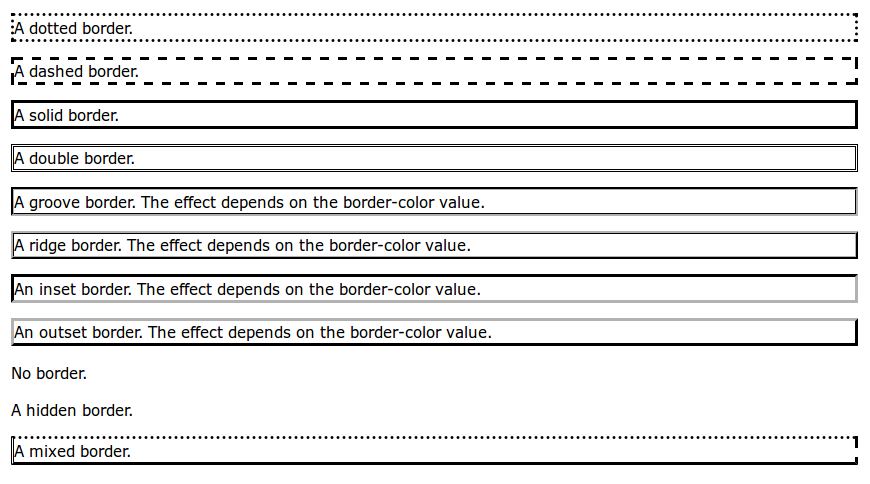
Border
.top{
    border: 2px solid #000000;
}
.top{
border-width: 5px;
border-style: dotted;
border-color: #000000;
}The choice is in your hand
Border Radius
div#image-wrapper{
    border-radius: 50%;
}

input[type="text"]{
    border-radius: 5px;
}
This is cool !
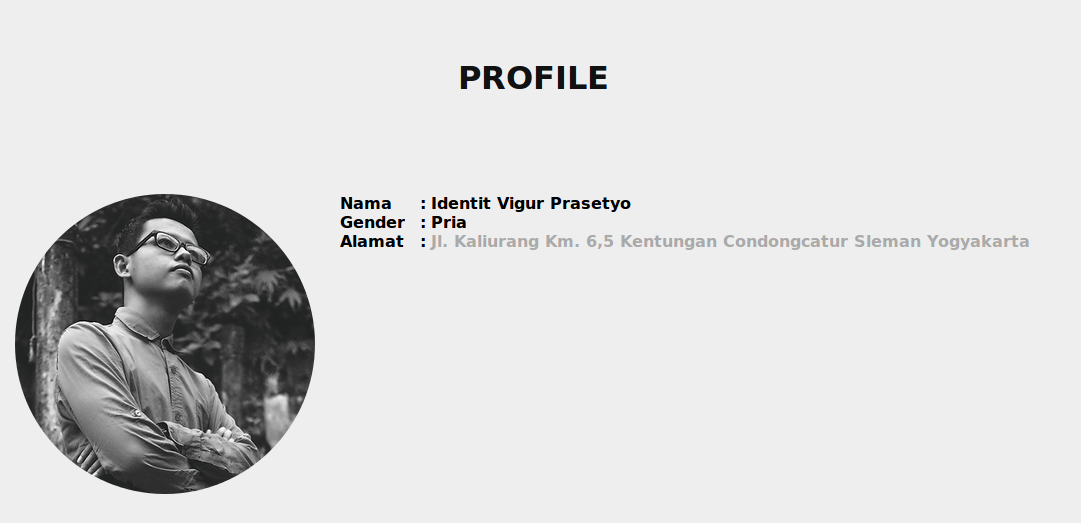
Now please try to make
your image in circle shape
Not satisfied yet ?
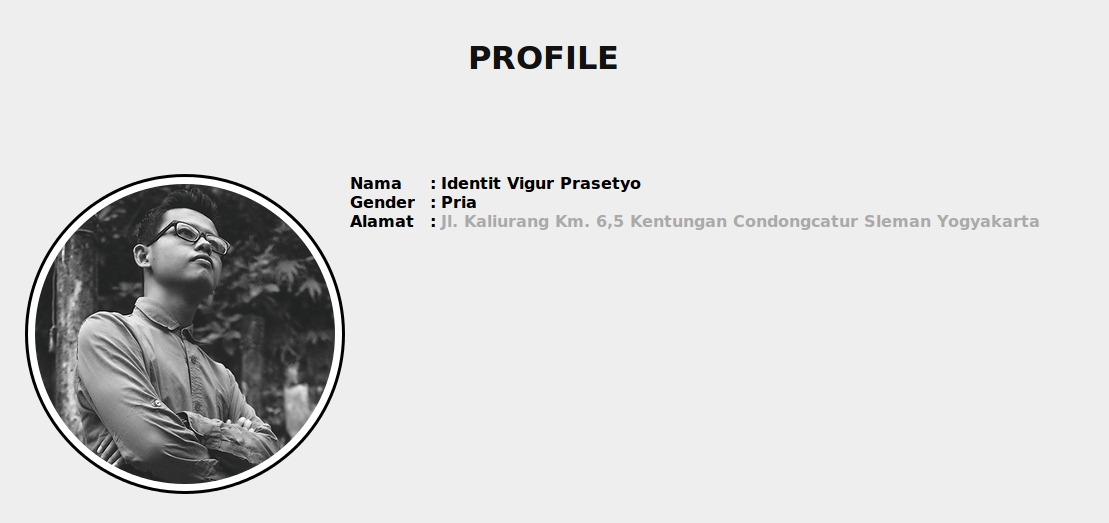
Make it even cooler !
Link Style
 /* unvisited link */
a:link {
    color: blue;
}

/* visited link */
a:visited {
    color: red;
}

/* mouse over link */
a:hover {
    color: green;
}

/* selected link */
a:active {
    color: yellow;
}
Now please make your link to look like a button
Go to extrainteger.com
Click bottom arrow to give up
Okay, I give up
Please show me the code
<a href="www.extrainteger.com" target="_blank" class="button1">Go to extrainteger.com</a>.button1{
font-family: Arial;
font-size: 24px;
padding: 15 25 15 25;
color: #000;
background-color: #F6B26B;
border: 5px solid #E69138;
text-decoration: none;
}
.button1:hover{
background-color: #E69138;
border: 5px solid #F6B26B;
}List Style
Please style this menu
<ul class="menu">
    <li>
        <a href="">Menu 1</a>
    </li>
    <li>
        <a href="">Menu 2</a>
    </li>
    <li>
        <a href="">Menu 3</a>
    </li>
</ul>
to look like this :
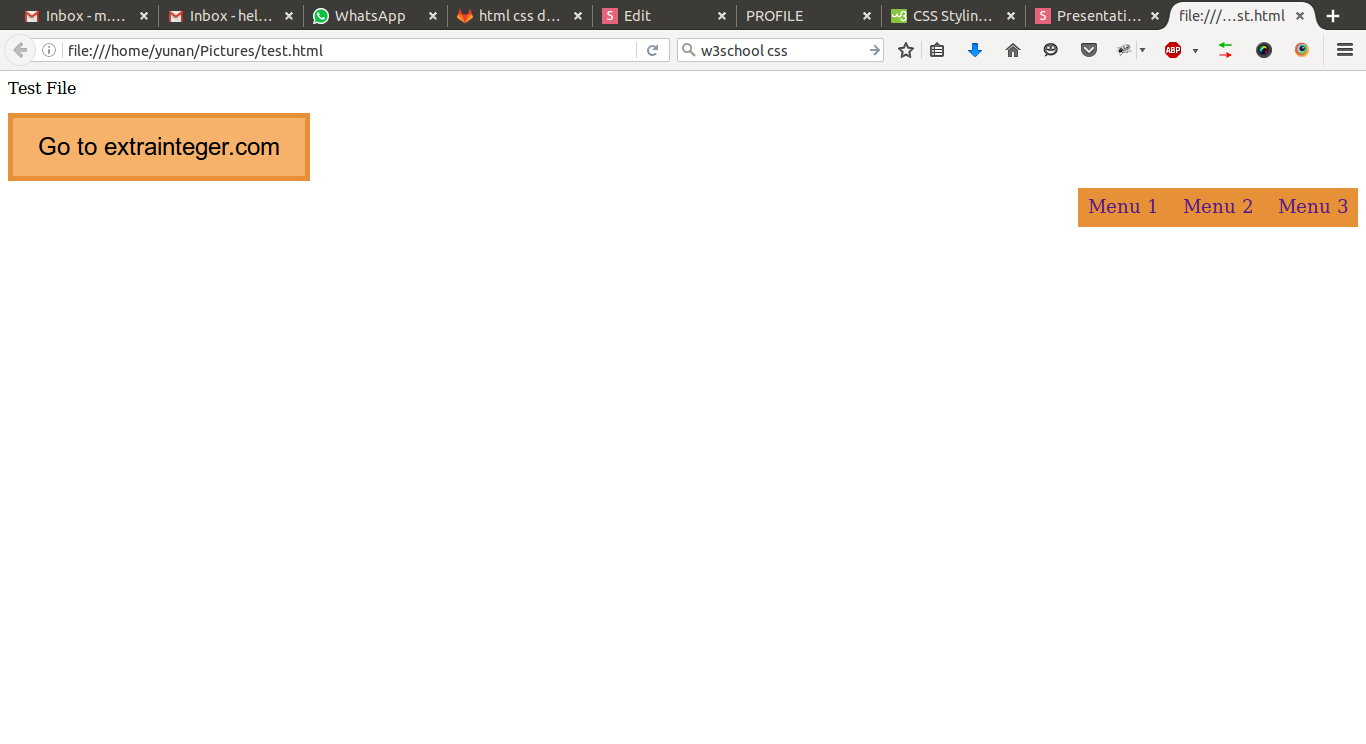
Click bottom arrow to give up
Sorry ! No give up chance this time
Hint :
- make ul with list-style none and float right
- add padding to li
- add decoration to a
- change background-color when li:hover
Position
Static
Relative
Absolute
Fixed
Position
Create plus button that float in the bottom right of your page even if you scroll
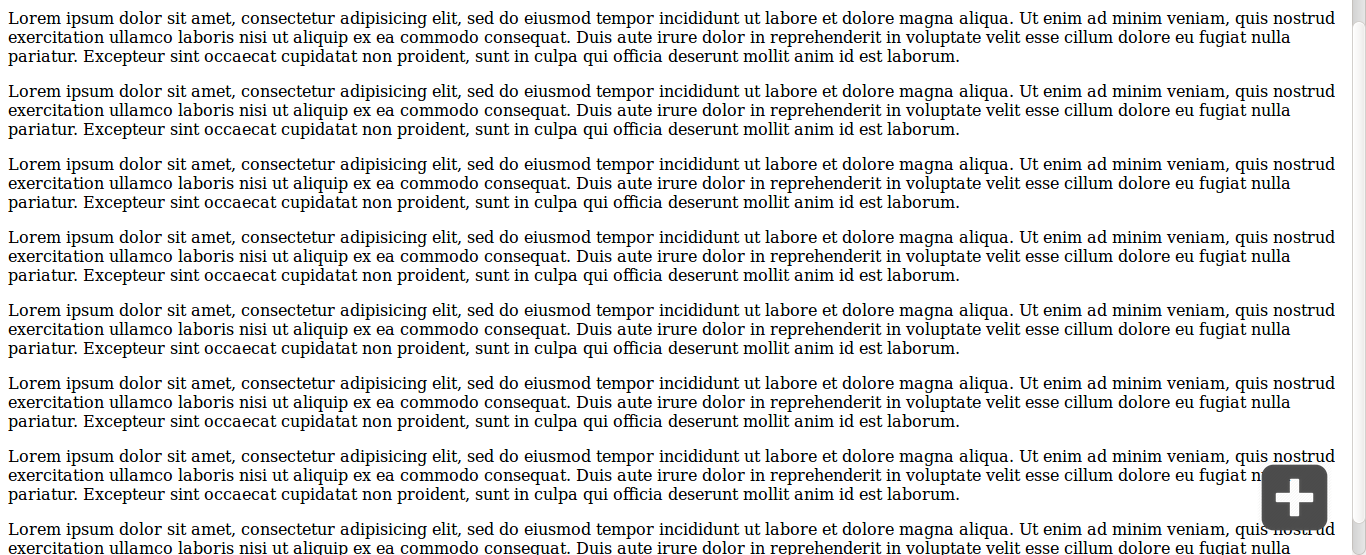
Now get back to this cool thing again
Please write your name on top of your image using absolute position
Get your double kill now !
Please write your name on top of your image using z-index
Level up !
- Create a new page contain a video (using HTML5)
- Style your video container (using border radius and border width)
- Create a link menu that appear in your personal profile and your video
- Decorate your menu using your imagination
CSS Warrior !
That's all for today
Now I shall call you ...

Mastering CSS
By Mukhammad Yunan Helmy