NextLeap
Frontend Software Development Program
— Muskein Singh
html
identify

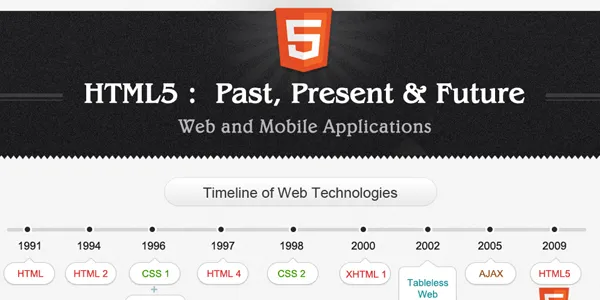
history
html
html 2
css 1
html 4
xhtml
browser
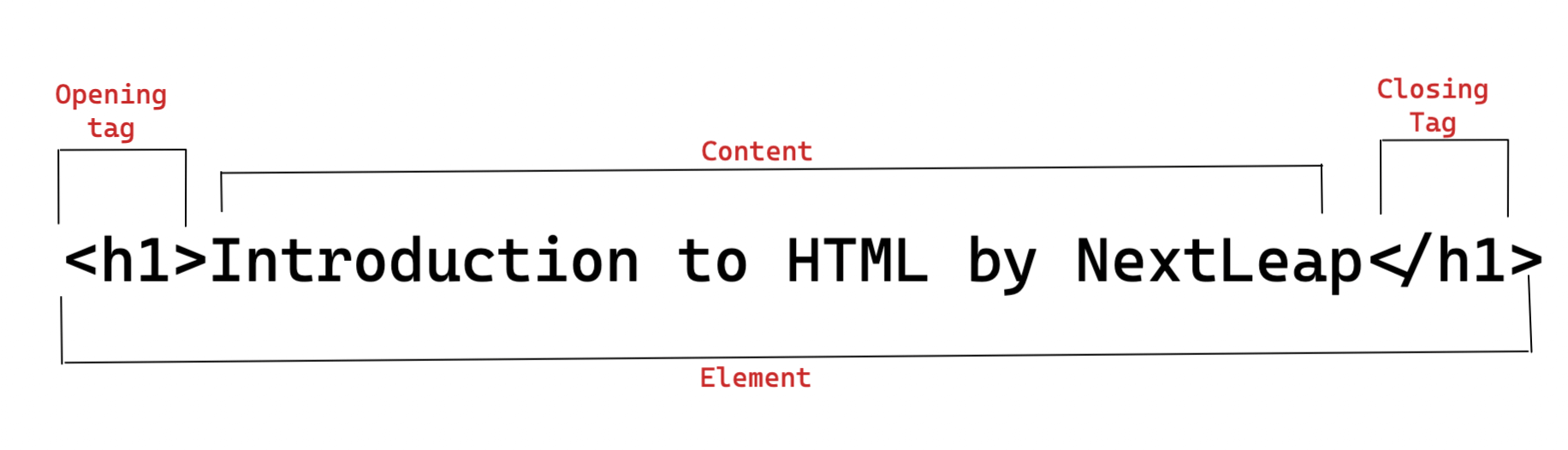
anatomy of html element
opening tag
this starts with the < symbol and includes the tag name, such as <p> or <h1>
1
content
this is the text or other HTML elements that are contained within the opening and closing tags.
2
closing tag
the closing tag is the same tag as the opening tag, preceded by a slash. this starts with the </ symbol and includes the tag name, such as </p> or </h1>.
3
html tag attributes
case sensitive
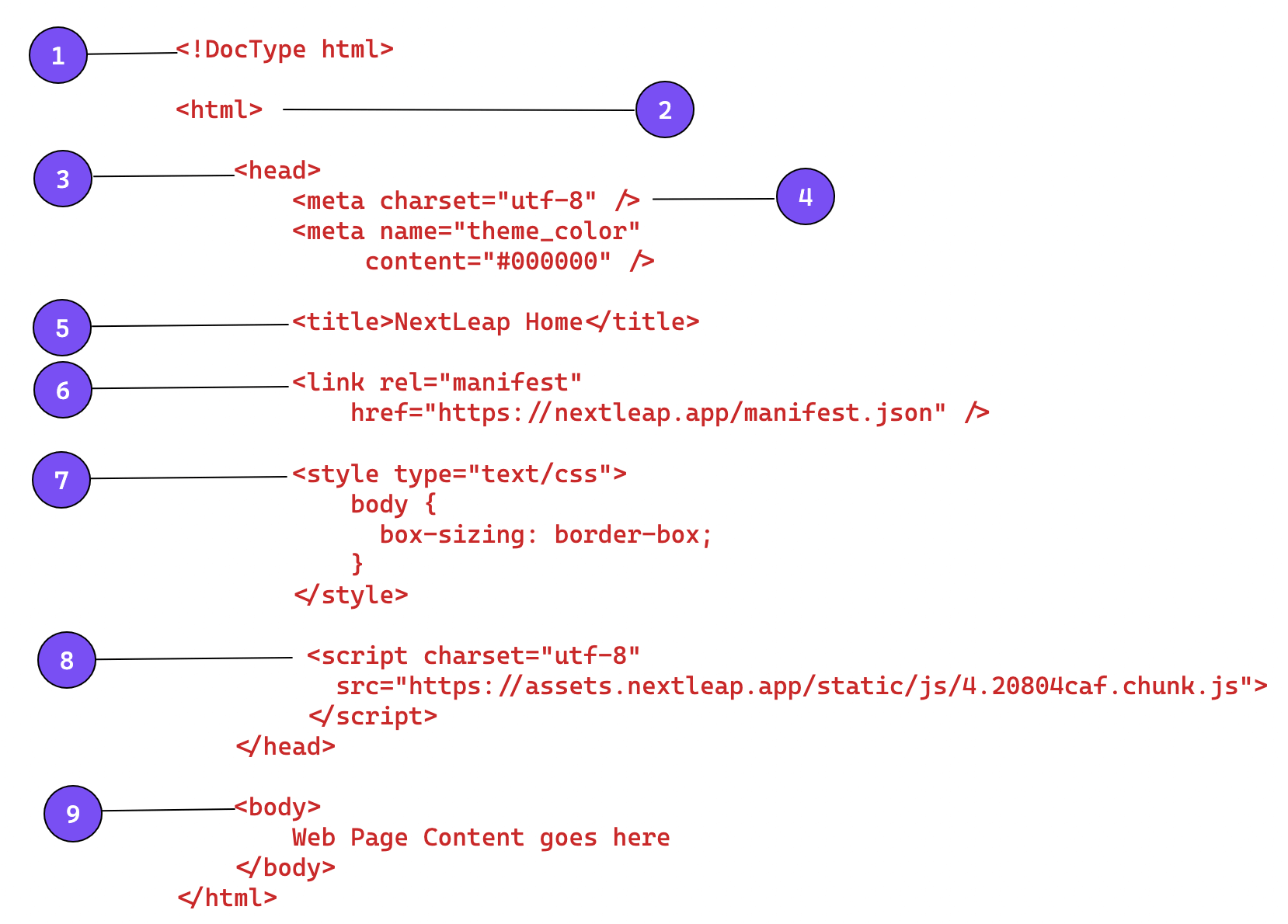
<!DOCTYPE>
<html>
nested elements
<head>
<meta>
void elements
<meta>
charset
<meta>
viewport
<meta>
author, description, keywords
<title>
<link>
<style>
<script>
<body>
block elements
<div>
inline elements
<span>
headings
paragraph
bold, italics, emphasis
quotes, citations
document structure
document object model (dom)
Thank You!
@muskein
history
html entities
unordered lists
ordered lists
type attribute
reversed, start attribute
description list
list item
html 5
tags are semantic, provide meaning to content
html spec
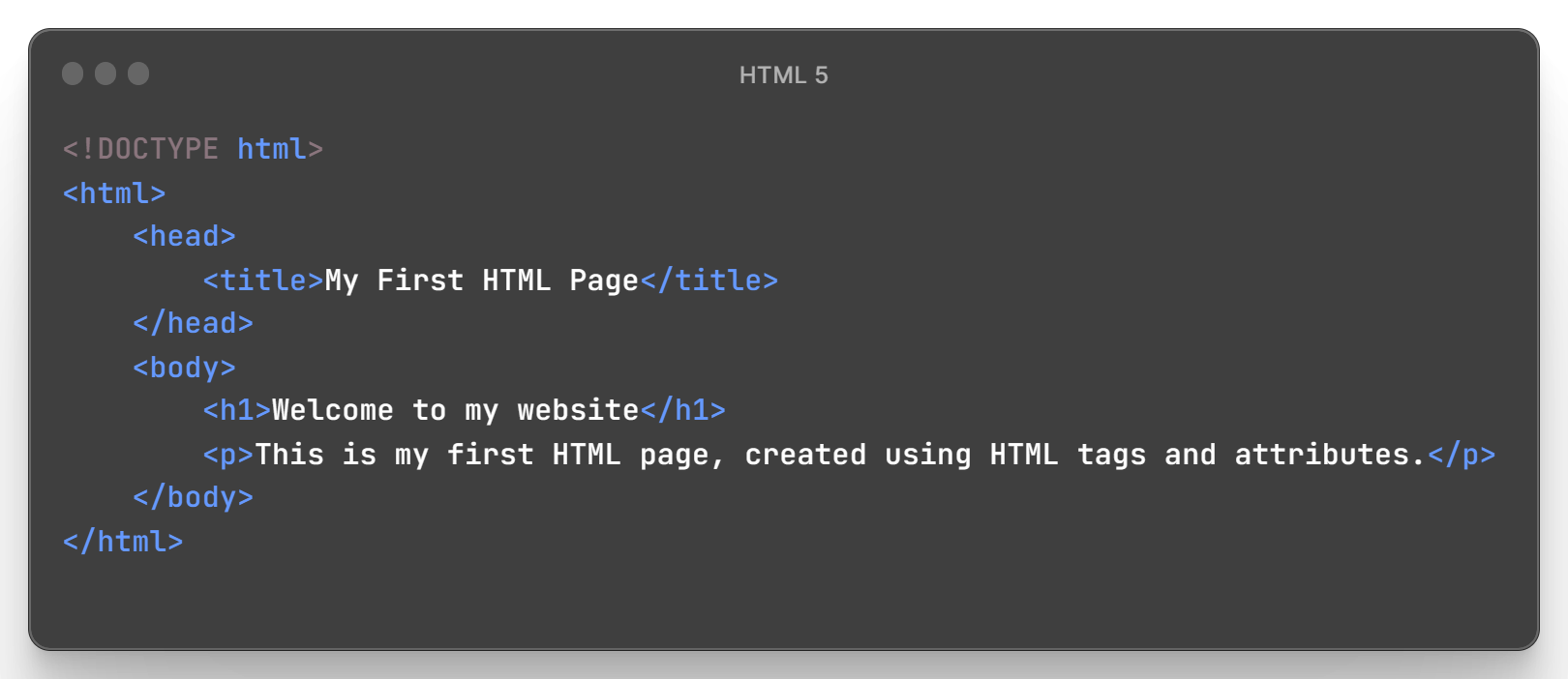
nested elements
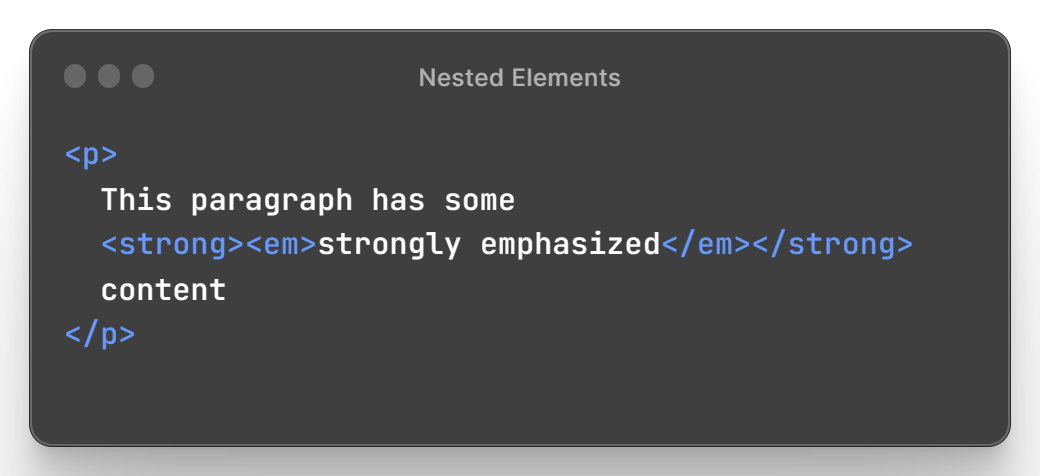
html tags should be closed in the reverse order of which they were opened.
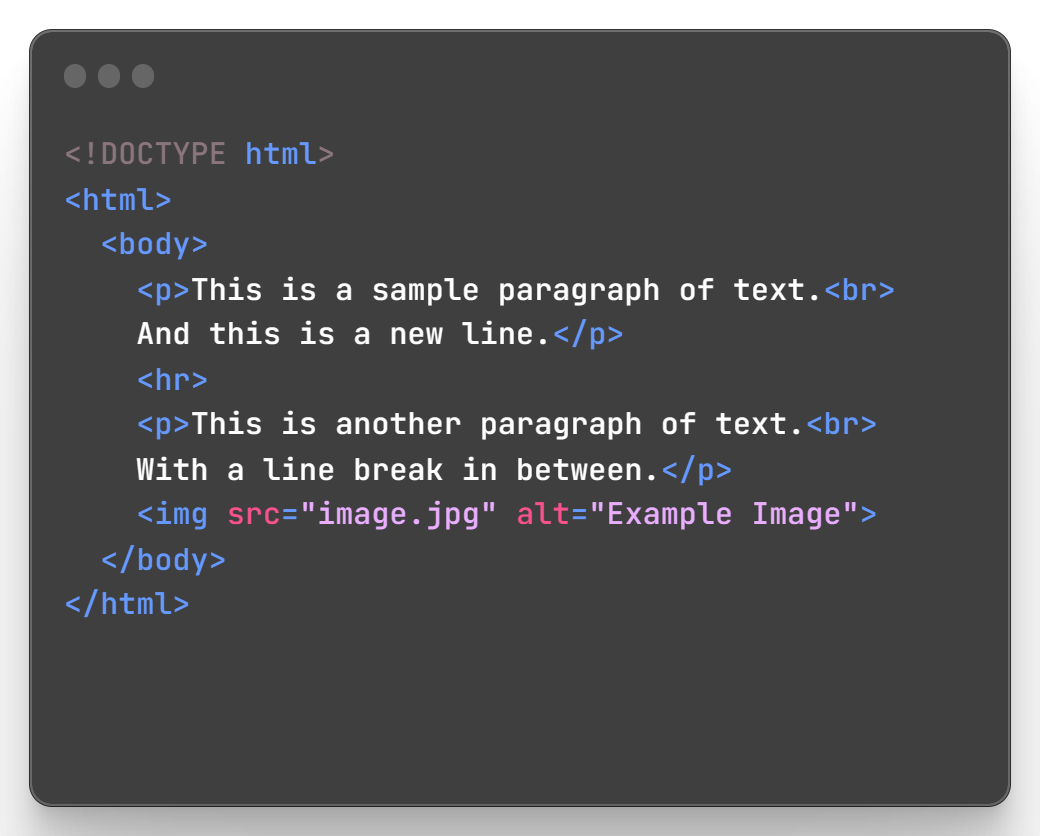
do not have a closing tag
useful for inserting content, do not contain any content themselves
<br> inserts a line break
<hr> inserts a horizontal rule
<img> displays an image
void/un-closed/self-closing elements
-
have a default rendering behavior defined by the browser
-
content is replaced by the a resource specified in the html code
-
<img> elements displays an image
-
<input> elements creates a form control
-
<video> and <audio> display multimedia
replaced elements
-
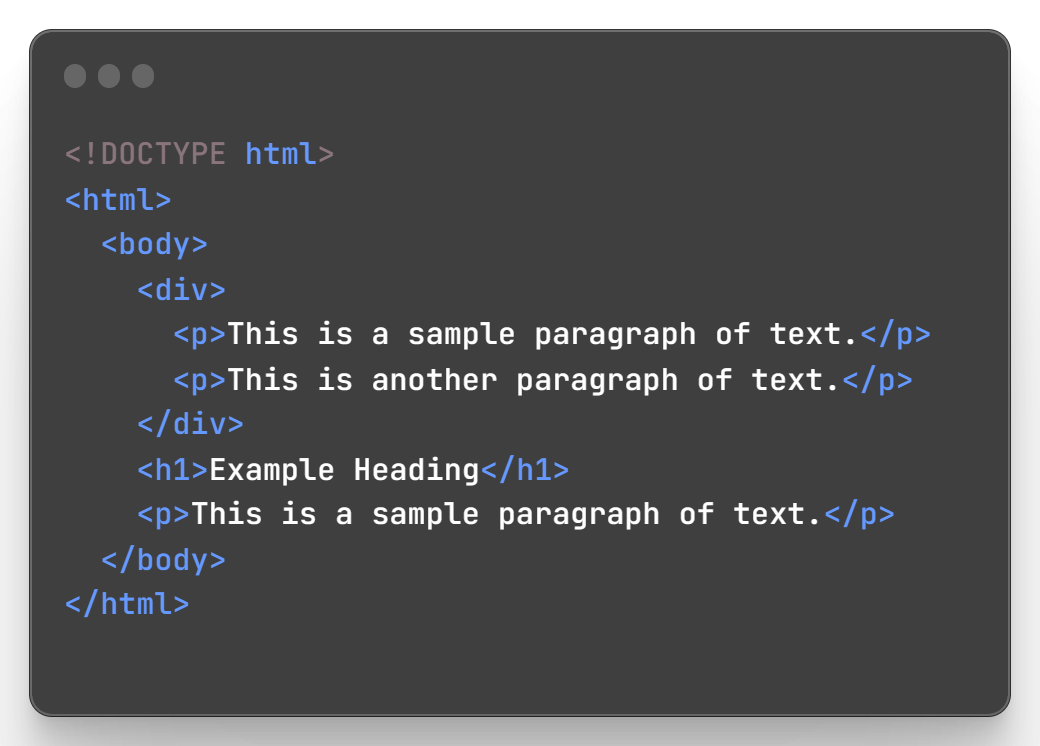
define a structure or layout for the content
-
do not have any default content that is rendered by the browser
-
content is determined by the html code within opening and closing tags
-
<div> is a block level container for content
-
<p> defines a paragraph of text
-
<h1> to <h6> define headings
non-replaced elements
case sensitivity
-
html is not case sensitive, but some attribute values are
-
values defined in specification are not case sensitive
-
value of attributes like id and class are not defined as keywords and are case sensitive
-
case sensitive attributes are case sensitive in CSS, HTML and JavaScript
recommended tips
-
mark up your html using lowercase letter for all element names and attributes names
-
quote all attribute values
-
this and self-closing empty elements with a "/" at the end is called xhtml style markup
types of html tags
-
<html>: Defines the root element of an HTML document.
-
<head>: Contains meta information about the document, such as the title, scripts, and style sheets.
-
<body>: Contains the main content of the document, such as text, images, links, and more.
-
<p>: Defines a paragraph of text.
-
<a>: Defines a hyperlink, which can link to another page or a specific location on the same page.
-
<img>: Embeds an image in the document.
-
<h1>-<h6>: Define headings of different sizes, from largest (<h1>) to smallest (<h6>).
types of html tags
-
<ol>: Defines an ordered list, with items numbered in a specific order.
-
<ul>: Defines an unordered list, with items marked with bullets.
-
<li>: Defines a list item, which is contained within a <ol> or <ul> element.
-
<div>: Defines a section of the document as a block-level element, which can be used to group elements together for styling purposes.
-
<span>: Defines a small section of the document as an inline element, which can be used to apply styles to specific text within a larger block of content.
-
<form>: Defines a form for user input, such as text fields, checkboxes, and buttons.
-
<input>: Defines an input control, such as a text field, checkbox, or button.
-
<label>: Defines a label for a form control, such as a text field or checkbox.


Philosophy
Once all is removed that can be removed, that is how designs are truly in their simplest form.


CFO
George
CEO
Elaine
Advisor
Susan
Meet the Team


3.
Review and Iterate on the designs with testing of ideas, client feedback and prototypes.
5.
Build the project to an MVP to test and evaluate. Iterate using these learnings.
1.
Discovery of requirements for a project.
2.
Research into the project space, competitors and the market.
4.
Creating a Plan that sets the requirements for the design and build phases.
〞
The Summit is what drives us, but the climb itself is what matters.
– Conrad Anker
ACME Offices
| Country | City | Contact |
|---|---|---|
| USA | Los Angeles | +1 555 0194 |
| USA | New York | +1 555 0142 |
| Sweden | Stockholm | +46 555 0077 |
| UK | London | +44 555 0211 |
| South Korea | Seoul | +82 555 0138 |
NextLeap SDF - Class 1
By muskein