EMA: The first choice for first-responders


The Problem
Currently, there is a lack of useful applications for emergency responders. This leads to problems such as making communication between and within agencies difficult whether it be on scene or in office.
Our Solution
We decided that having an efficient and simple to use application would solve some of the bigger pain points for emergency responders on the scene, whether it be for communication or keeping track of personnel.
First-Responder Needs
- View events
- Assign self to events
- Receive notifications through event log
- Send messages to dispatch / chiefs
- Select events to view more information
- Clear notifications / View previously cleared notifications
- Receive emergency alerts (Major event alert)
- View radio channel browser
Dispatcher / Chief Needs
- All first-responder functionality
- Send messages to event log
- Send Emergency alerts
- Modify Personnel info
- Create and modify events
- Create and modify responder accounts
- Receive reports of finished events
- Assign responders to events
Event Management
- Emergencies are classified into 4 categories
- Possible Emergency - Blue
- Emergency in progress - Red
- Emergency resolved, personnel on scene - Yellow
- Emergency resolved, personnel off scene - Green
- Events are tied to locations
Event Management Cont.
-
Reports are generated after the completion of an event and include the following:
- GPS location of event
- Event log
- Potentially chat logs
- Personnel logging (time arrived / left / etc)
- Event stage logging (time of event escalation / creation)
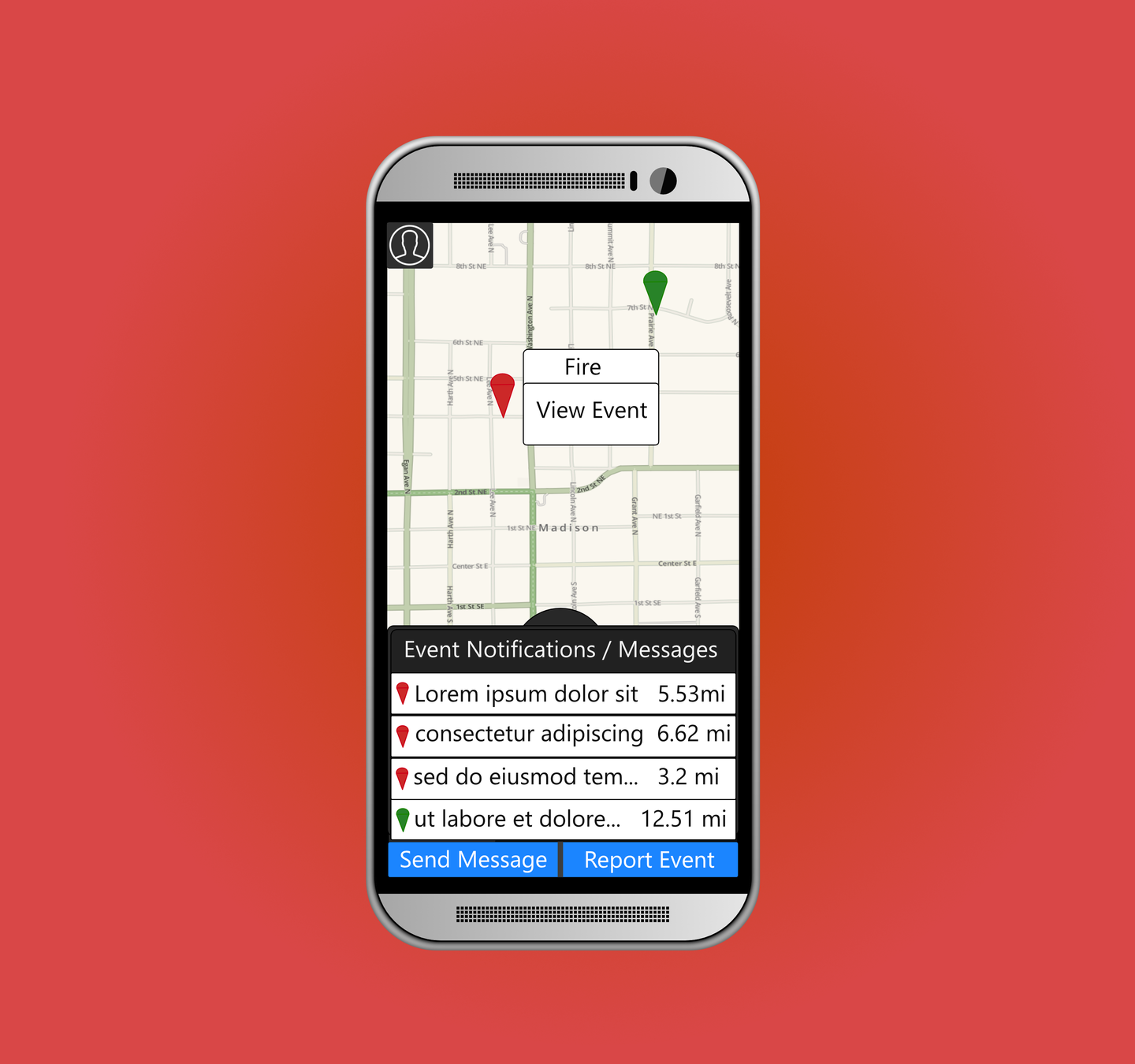
- Main screen
- Allows you to navigate to:
- View event screen
- messaging screen
- event creation screen
- profile info screen
1
2
3
4
- Also allows you to see current events in your area using the map or through event notifications.
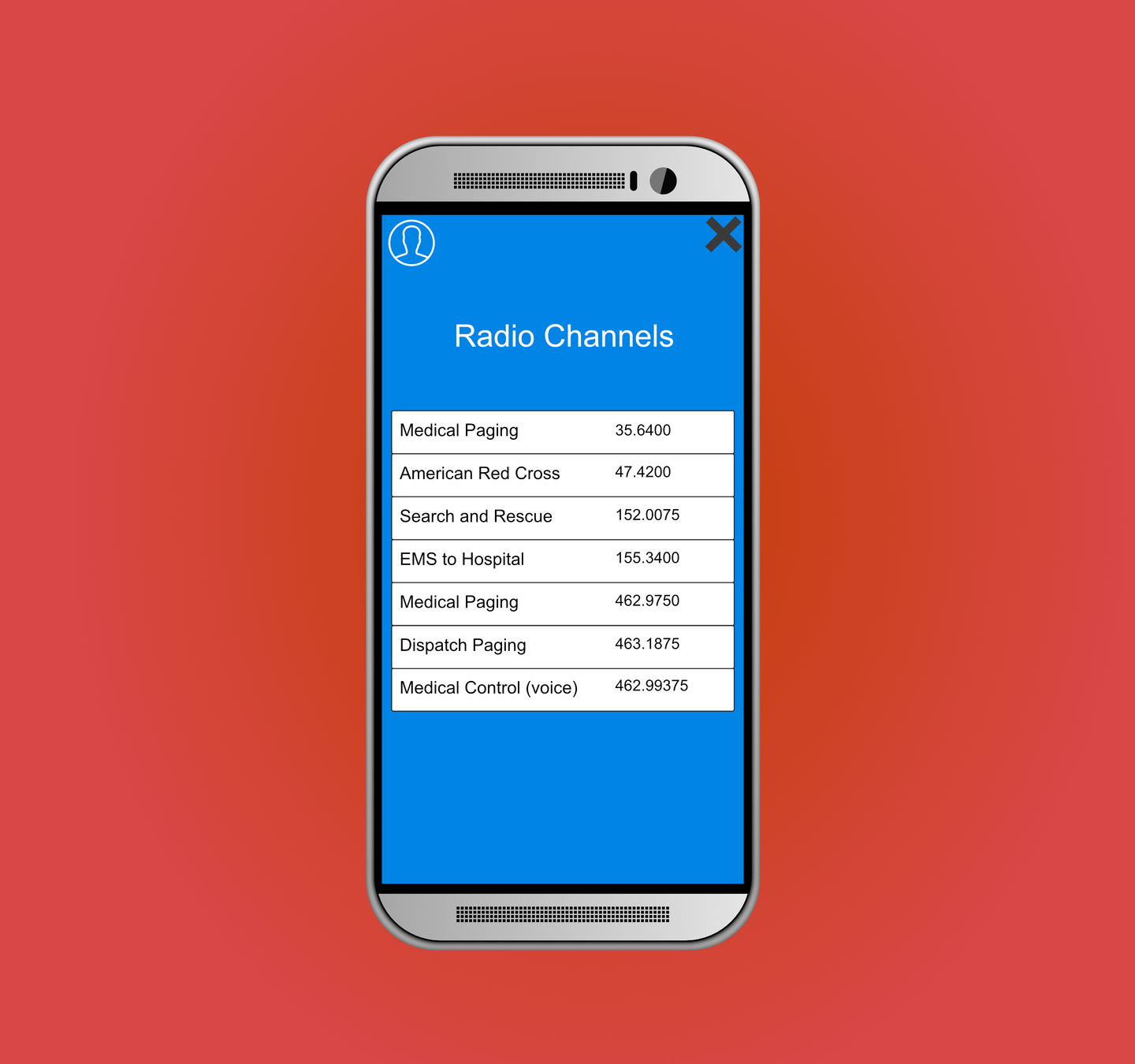
- Radio channels screen
- Here you can view a directory of radio channels posted / updated by chiefs or dispatch.
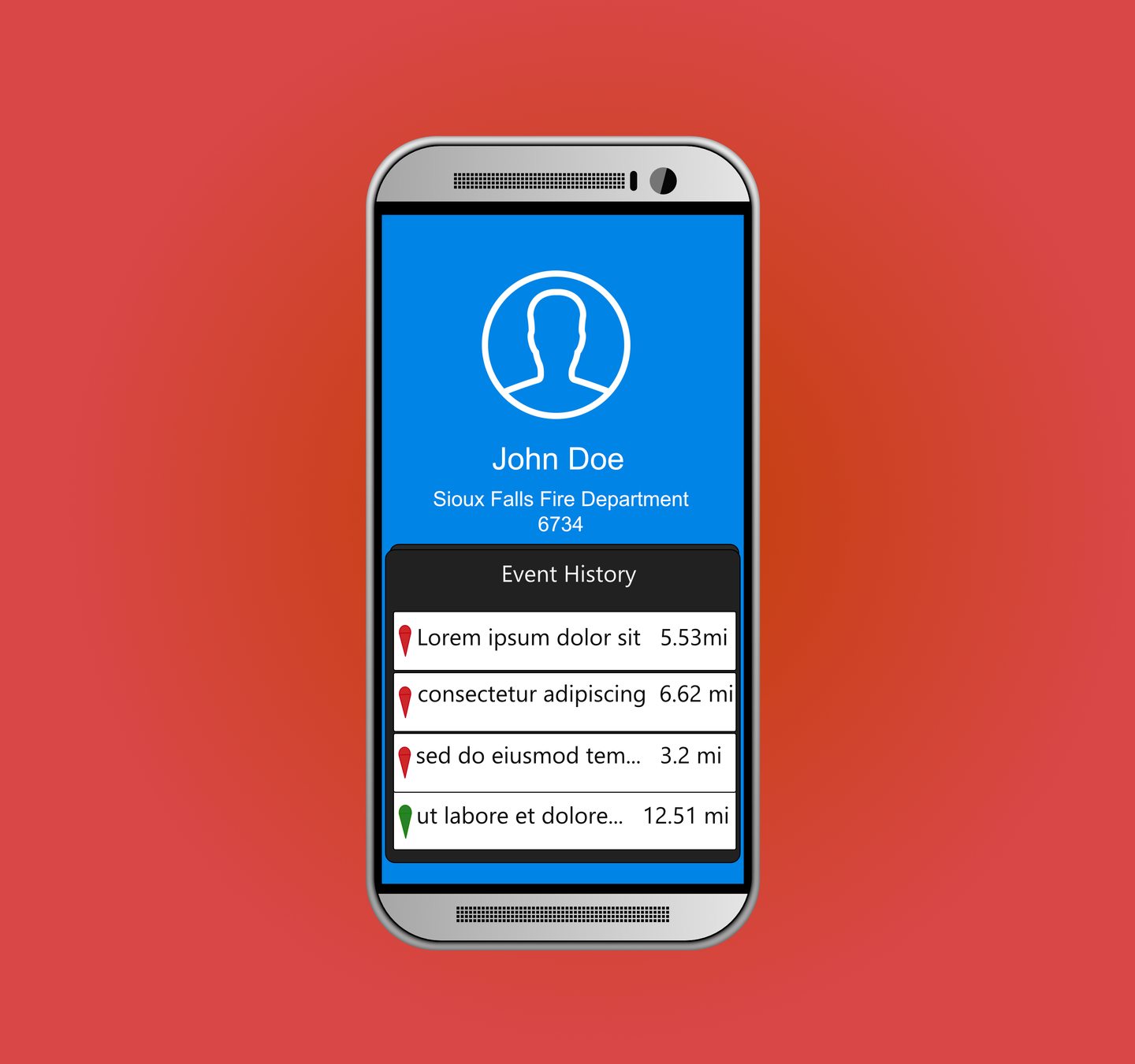
- Profile Screen
- Here you can view basic information about your account and view events you've previously checked into.
- Message Screen
- Here you can search for other first responders and send messages directly to them.
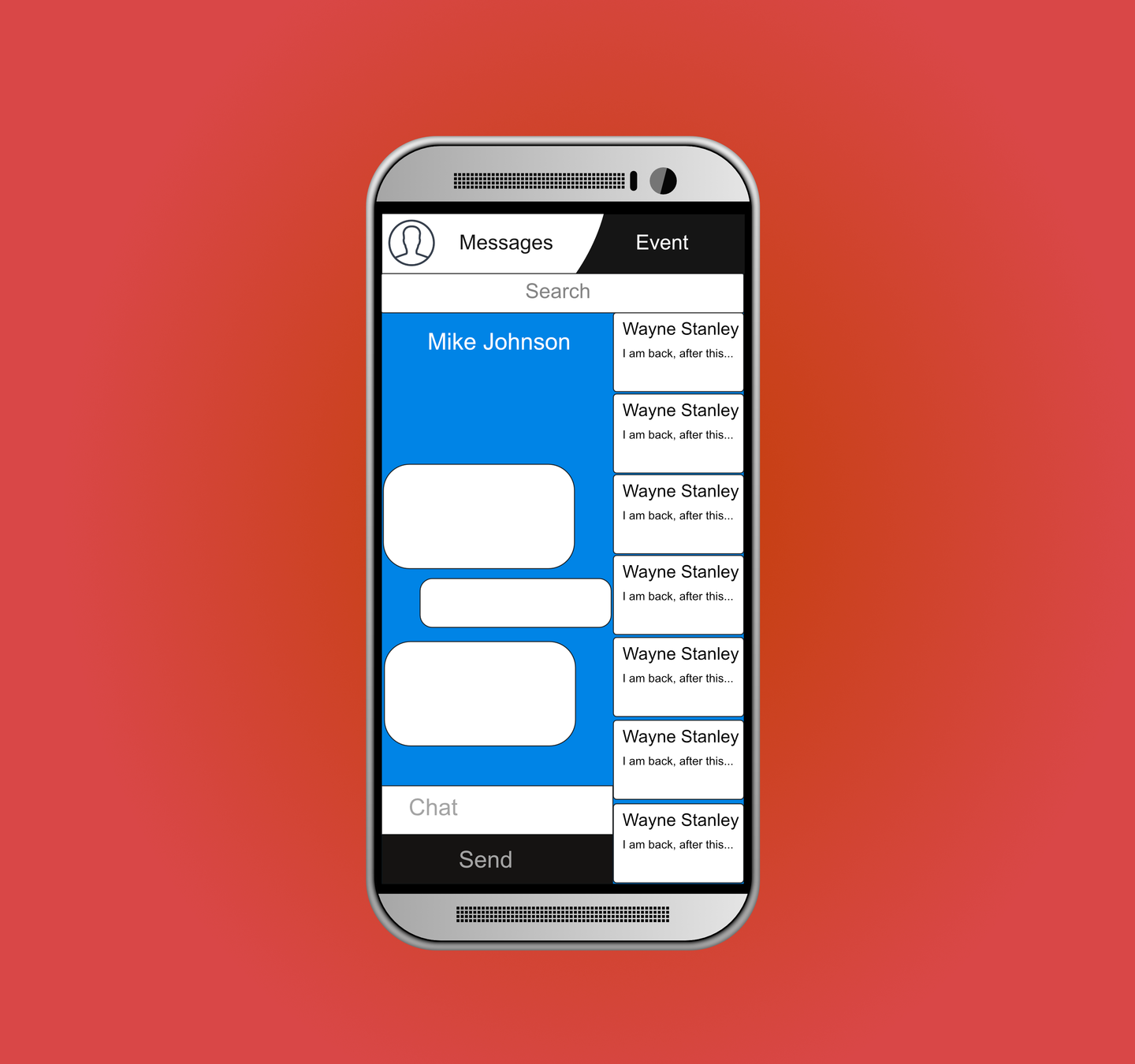
- The boxes on the right are previous conversations that you can return to at your discretion
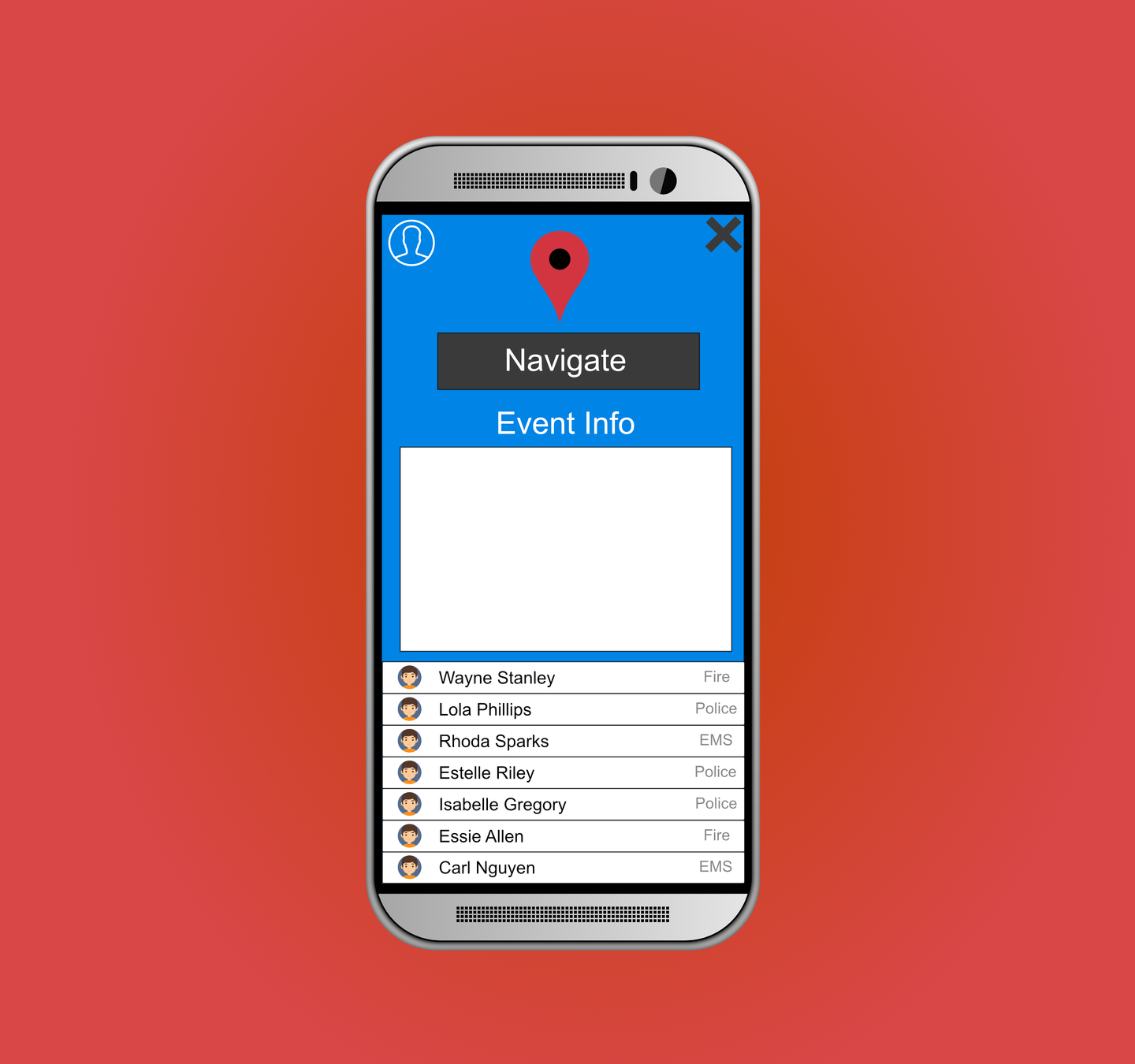
- Event Information Screen
- Here you can view information about the current event.
- The names below are other first responders checked into this event.
- Clicking the navigate button on top will open the google maps application with the location of the currently selected event's location automatically entered so you can get directions to the event.
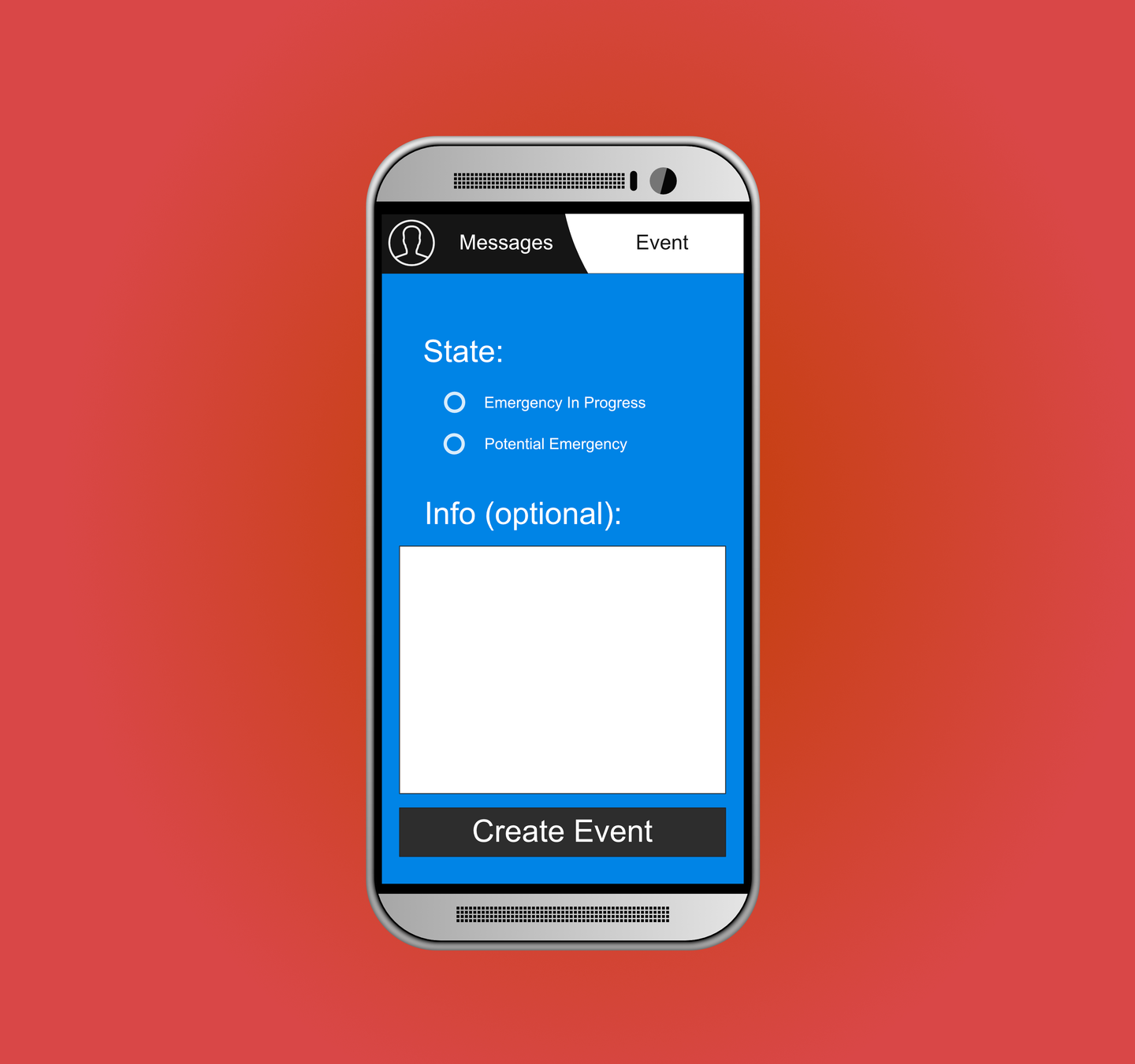
- Event Creation Screen
- To create an event, just click one of the radio buttons to select the state of the new event. Optionally add info, then hit Create Event.
Potential Technologies
Kony
- Pros
- Very simple low code platform that allows quick iteration and development.
- A large amount of documentation in the FirstNet developer site
- Cons
- Lack of flexibility for very more specific applications of the tooling.
- Restricted to their pricing plans by using that tool
- Pros
- Extensive developer documentation created by the Dart team
- Very painless cross-platform development
- No restrictions such as licensing that would impede the project
- Easy to use testing tools built-in
- We have contact with an industrial professional with experience making mobile applications with dart.
- Cons
- Larger development time as the codebase takes longer to develop
- Potential lack of built in widgets compared to Kony
Potential Technologies
Dart & Flutter
- Get an initial response from AT&T
- Figure out method of communication as well as any pertinent details for project
- Begin creating a plan for the overall scope of the application
- Reference policies and restrictions for FirstNet
- Once plan is made begin working towards MVP (minimum viable product of EMA)
- Establish communication in set cycles for sprints
Plan for Development
EMA slides
By nsmattern