React in Typescript
🙋♂️
Frontend engineer
- 9 years FE experience
- AngularJS, Angular, Ember, React
- currently Staff engineer at Productboard
❤️ 📸
❤️ 🛞
Schedule
- 9-12 morning
- recap of the previous day
- 15 minute breaks: 10:00, 11:00
- 12-13 lunch
- 13-17 afternoon
- 15 minutes breaks: 14:00, 15:00, 16:00
Course
- exercises build on top of each other!
- discussions welcomed
Slides
GitHub
Your experience?
Setup IDE
Install
- Google Chrome
- nodejs
- Visual Studio Code
- eslint
- VS Code ➡ extensions ➡ search for eslint
- Quokka plugin
- VS Code ➡ extensions ➡ search for quokka
Javascript & Typescript
Let's talk about React! 💪
React
- library for managing view
- component based
- helps split the app into small pieces
- used to create SPA
Client
Server
Database
HTTP
browser
request
html page
Client
Server
Database
HTTP
React in browser, mobile app...
API
request
data
Single page application
Web server
html, js
Vite
Vite
- tool for scaffolding react app
- replaced create-react-app
npm create vite@latestProject name: … (react-course)
Select a framework: › React
Select a variant: › Typescript
Important parts
package.json
- describes the package
- dependecies list
- npm scripts
tsconfig.json
- settings for typescript compiler
- "target" = build for version of JS
index.html
- HTML
- notice div id="root"
/public folder
- contains assets which are not referenced in the source
main.tsx
- renders React into HTML element
ReactDOM.createRoot(document.getElementById('root')!).render(
  <React.StrictMode>
    <App />
  </React.StrictMode>,
)
App.tsx
- the main component
➡️ Start the React app
npm run dev
JSX
Elements
const label = React.createElement('a', {
  href: 'https://google.com'
}, 'Go to Google.com');
<a href="https://google.com">Go to Google.com</a>children
props
type
What is JSX?
- syntactic sugar around createElement
- almost like HTML
- transpiled to Javascript
- example in App.tsx:
import React from 'react';

function App() {
  return (
    <div className="App">
      Hello
    </div>
  );
}
function App() {
return React.createElement('div', { className: 'App' }, 'Hello');
}Q: Why className?
import React from 'react';

function App() {
  return (
    <div className="App">
      Hello
    </div>
  );
}
function App() {
return React.createElement('div', { className: 'App'}, 'Hello');
}Q: What happens now?
import React from 'react';

function App() {
  return (
    <div>
      Yes
    </div>
    <div>
      No
    </div>
  );
}
function App() {
return ????????
}Solution: React Fragment
- like empty element
- when you want to return multiple elements - wrap them in fragment
import React from 'react';

function App() {
  return (
    <>
      <div>
        Yes
      </div>
      <div>
        No
      </div>
    </>
  );
}
➡️ Before we continue
- remove everything in the body of App.tsx component
- notice the browser reloads
function App() {
  return <h1>Hello</h1>;
}
Print a variable
function App() {
  let something = 'hello';

  return <div>{something}</div>;
}
Print an array
function Array() {
  let array = [1,2,3];

  return <div>
    {array.map((item, index) => <span key={index}>{item}</span>)}
  </div>;
}
‼️ key prop
Components
Component
- reusable unit
- just a function
-
input
- ="props"
-
output
- React element
type Props = {
  name: string;
};

function NameComponent(props: Props) {
  return <h1>Hi, my name is {props.name}!</h1>;
}

ReactDOM.render(
  <NameComponent name="Martin" />,
  document.getElementById('root')
);
Component tree
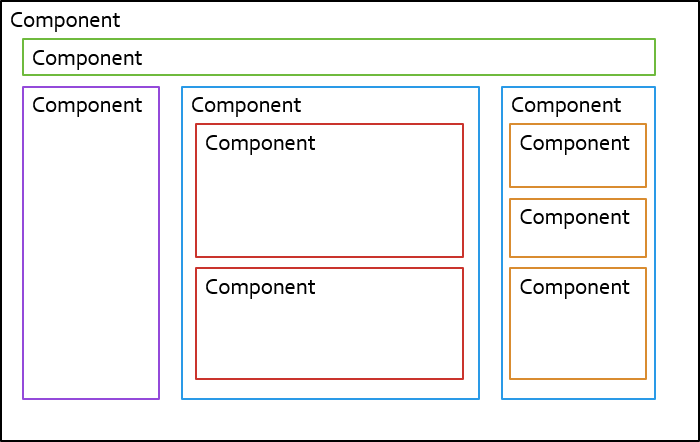
- split big problems to smaller ones
Component tree
Component
Component
Component
Component
Component
Component
Component tree
- Stateful components (smart)
- used to fetch data
- data manipulation
- Stateless components (dumb)
- only display data
- pass data down, emit events up
Component tree
Component
User info
ArticleList
Article
Today Weather
Article
I am smart 💡
Stateless component
- everything to display is received via props
- just a function
- input: props (=properties)
- output: React element
- easy to test
function NameComponent(props) {
  return <h1>{props.name}</h1>;
}
How to use a component?
- pass data down via props
function App() {
  return <NameComponent name="Martin" />
}
Event handling
- React unifies API of events (link)
<button type="button" onClick={() => console.log('Hello')}>
  Hello world
</button>
➡️ Dynamic table [old]
- 1️⃣ create a component that renders an array as a HTML table in a single row
- 2️⃣ create a component that renders an array as a HTML table with a specific number of columns
- receives the array and number of columns in props
| 1 | 2 | 3 |
|---|---|---|
| 4 | 5 | 6 |
| 7 |
const input = [1,2,3,4,5,6,7]

<Table columns={3} array={input} />| 1 | 2 | 3 | 4 | 5 | 6 | 7 |
|---|
1️⃣
const input = [1,2,3,4,5,6,7]

<Table array={input} />
2️⃣
➡️ Vending machine [final]
Tatranka
Fidorka
Mars
Price: 20,-
Coins: 50,-
🪙
Insert coin
3x
5x
0x
out of stock
Buy
➡️ Vending machine
Tatranka
Fidorka
Mars
➡️ N-buttons
- show available items
- click on the button console.logs name
- label all buttons: "1x"
Tatranka
Fidorka
Mars
function VendingMachine() {
  const items = [
	'Tatranka',
    'Fidorka',
	'Mars'
  ];

  return ...
}

function VendingItem() {
  return <button />{name}
}
1x
1x
1x
State
useState
- hook for storing data
- instead of declaring variable
import React, { useState } from 'react';

function Counter() {
  const [name, setName] = useState('nobody');

  function handleGiveName(name: string) {
    setName(name);
  }

  return <div>
    My name is {name}.
    <button onClick={() => handleGiveName('Martin')}>
      Give me name
    </button>
  </div>
}
initial value
➡️ Create counter [old]
- create button with counter as text
- start from 0
- everytime you click the button the counter is increased
➡️ Vending machine
Tatranka
Fidorka
Mars
3x
5x
0x
➡️ Create goods counter
- each vending machine item should show a count of available items
- start with 5x items each
- when clicked, it should decrease the number
- the number cannot be negative
type Props = {
  name: string;
}

function Item({name} : Props) {
  ...
}
Component lifecycle
- mounted
- updated
- triggered by change of state
- triggered by change of props
- ➡️ render
- unmounted
Class components
- rarely used nowadays
- uses a class instead of a function
- this.props
- this.setState() to change state
- life cycle hooks
- componentDidMount
- componentWillUnmount
Counter example
import React from 'react';

type State = {
  counter: number;
}

export class MyComponent extends React.Component<{}, State> {
  state = {
    counter: 0
  };

  increment() {
    this.setState({ counter: this.state.counter + 1 });
  }

  render() {
    const { counter } = this.state;
    return <div>
      Counter: {counter}
      <button type="button" onClick={() => this.increment()}>Increment</button>
    </div>
  }
}
➡️ Rewrite class component as a functional component
type Props = {
  pregeneratedCount: number
}

type State = {
  generatedNumbers: number[];
}

export class NumberGeneratorClass extends React.Component<Props, State> {
  constructor(props: Props) {
    super(props);
    const generatedNumbers = [...Array(props.pregeneratedCount)].map(() => Math.random());
    this.state = {
      generatedNumbers
    };
  }

  generateNew() {
    this.setState({ generatedNumbers: [...this.state.generatedNumbers, Math.random()] });
  }

  render() {
    const { generatedNumbers } = this.state;
    return <div>
      {generatedNumbers.map((num, index) => <div key={index}>{num}</div>)}
      <button type="button" onClick={() => this.generateNew()}>Generate new</button>
    </div>
  }
}
Important things to notice
- setter needs a new reference
- we cannot use .push
- the initial set is generated on every render
Conditions
- use if statement
- use ternary operator
function MyComponent() {
  const random = Math.random();

  if (random < 0.5) {
    return <span>lower</span>
  } else {
    return <span>higher</span>
  }
}
function MyComponent() {
const random = Math.random();
return <span>
{random < 0.5 ? 'lower' : 'higher'}
</span>
}function MyComponent() {
const condition = true;
return <>
{condition && <span>It's true</span>}
</>
}➡️ Vending machine
Tatranka
Fidorka
Mars
3x
5x
0x
out of stock
➡️ Show out of stock
- item with 0 count should show it's out of stock
<div style={{color: 'red'}}>Out of stock</div>Data down, events up
Events up
Component
User info
ArticleList
Article
Today Weather
Article
I am smart, I know what to do 💡
❤️ "User liked an article"
Creating own event
- component emits event up
type Props = {
  article: Article;
  onLike: () => void;
};

function Article(props: Props) {
  return <>
    <h1>{article.title}</h1>
  	<p>{article.shortText}</p>
    <button onClick={props.onLike}>❤️ Like</button>;
  </>
}
<Article article={article} onLike={() => handleLike(article)} />parent component:
child component:
➡️ Vending machine
Tatranka
Fidorka
Mars
3x
5x
0x
out of stock
Price: 20,-
➡️ Move state to the vending machine component
- information about count should be a concern of the Vending machine
- when a user clicks the button, it tells the vending machine to adjust the count
- show total price
Debugging
Main tools
- console.log
- React dev tools
- Chrome debugger
debugger;Chrome dev tools
- Network
- Source
- Performance
- Application
- React dev tools
- Components
- Profiler
Logging
- Sentry.io
- TrackJS
Styling app
Import CSS
- global CSS
- can use preprocessors (SCSS, SASS)
import './App.css';

function Component() {
  return <div className="red">Hello</div>
}
.red {
color: red;
}App.css
App.tsx
CSS modules
- scoped CSS
- can use preprocessors (SCSS, SASS)
- css file must be named .module
import styles from './Component.module.css';

function Component() {
  return <div className={styles.red}>Hello</div>
}
.red {
color: red;
}App.module.css
App.tsx
Conditional styling without CSS modules
- classnames library
- npm i classnames
- key = class to be applied
- value = condition
import cn from 'classnames';

function ValidationState() {
  const [invalid, setInvalid] = useState(false);

  return <div className={cn({ red: invalid })}>
    Status
  </div>
}
Conditional styling with CSS modules
- dynamic keys
import cn from 'classnames';
import styles from './ValidationState.module.css';

function ValidationState() {
  const [invalid, setInvalid] = useState(false);

  return <div className={cn({ [styles.red]: invalid })}>
    Status
  </div>
}
➡️ Vending machine
Tatranka
Fidorka
Mars
3x
5x
0x
out of stock
Price: 20,-
➡️ Out of stock
- when out of stock (count = 0)
- apply a red background on the button
- disable the button
- use CSS modules
useEffect
useEffect
- hook for side effects
- = things not related to render
- second argument say when it runs
- empty - on every render
- [ ] - only at the begining (=on mount)
- [ variable ] - when a variable changes
- should return cleanup function
useEffect example
- tracks mouse position
export const MyMouse = () => {
  const [mousePosition, setMousePosition] = useState({x: 0, y: 0});

  useEffect(() => {
    const onMouseMove = (event: MouseEvent) => {
      setMousePosition({
        x: event.clientX,
        y: event.clientY
      });
    };
    window.addEventListener('mousemove', onMouseMove);

    return () => {
      window.removeEventListener('mousemove', onMouseMove);
    };
  }, []);

  const {x, y} = mousePosition;
  return (
    <div>My mouse x position is {x} and y position is {y}</div>
  );
};
➡️ Create automatic counter [old]
- create a component which increases the counter every second
- in the parent component create a button which shows/hides automatic counter component
➡️ Track where user clicks
- when the user performs a mouse click, save the coordinate
- show clicks history under the vending machine
Children props
Children props
- you might pass HTML as body of element:
<MyBytton onClick={...}>
  <Icon> Click me!
</MyBytton>- Table component receives react element via children prop:
function MyButton(props) {
  return (
    <button className="blue-button" onClick={props.onClick}>
      {props.children}
    </button>
  )
}
➡️ Create a generic dropdown
- What is dropdown?
- button which opens a menu when clicked
- props:
- label = label of the button
- children = the dropdown content
<DropdownComponent label="Open dropdown">
  Hello, this is dropdown!
</DropdownComponent>
➡️ Vending machine
Tatranka
Fidorka
Mars
🪙
Insert coin
3x
5x
0x
out of stock
+10 coins
+20 coins
+50 coins
Coins: 50,-
Price: 20,-
➡️ Add coins
- Show current coins
- Use the generic component to show buttons to insert coins
<DropdownComponent label="Insert coins">
  <button>+ 10 coins</button>
  <button>+ 20 coins</button>
  <button>+ 30 coins</button>
</DropdownComponent>
Controlled input
- use component state as the only source of truth
function Component() {
  const [inputName, setInputName] = useState(name);

  return <>
    {inputName}

    <input
      value={inputName}
      onChange={(e) => setInputName(e.target.value)} />
  </>
}
Synthetic events
- React wraps native events
- ensures same behaviour across browsers
- onClick
- onChange
- onKeyDown - event.key === 'Enter'
➡️ Vending machine
Tatranka
Fidorka
Mars
🪙
Insert coin
3x
5x
0x
out of stock
+10 coins
+20 coins
+50 coins
Any amount
Coins: 50,-
Price: 20,-
➡️ Create input
- input of type number
- how much the counter will increment
- on enter it adds the amount
+10 coins
+20 coins
+50 coins
Any amount
➡️ Vending machine
Tatranka
Fidorka
Mars
Price: 20,-
Coins: 50,-
🪙
Insert coin
3x
5x
0x
out of stock
Strict mode
Strict mode
- checks for common mistakes
- only in dev mode
- runs effects twice
- renders components twice
API request
Axios library
- used to make HTTP requests
- alternative to native fetch
- supports promises
- docs: https://axios-http.com/docs/example
- install: npm install axios
Axios GET usage
import axios from 'axios';

const response = await axios.get('/api/users');
console.log(response);
const response = await fetch('/api/users')
const json = await response.json();- good idea to trigger in useEffect - why?
Axios POST usage
import axios from 'axios';

const payload = { name: 'Martin' };
const response = await axios.post('/api/users', payload);
console.log(response);
import axios from 'axios';

const payload = { name: 'Martin' };
axios.post('/api/users', payload)
  .then(response => console.log(response));
Typed response
type Response = {
  id: number;
  name: string;
  age: number;
}

axios.get<Response>('/api/users/1')
➡️ Let's make http request
- open API request in browser to see structure of response
- 1️⃣ display joke in the component
- 2️⃣ create a button to load another joke
GET https://api.chucknorris.io/jokes/randomCustom hooks
Custom hooks
- separate logic from view
- no render
- named use*
- hooks to component lifecycle
- clear API
useMouseMove
const useMouseMove = () => {
  const [mousePosition, setMousePosition] = useState({ x: 0, y: 0 });

  useEffect(() => {
    const onMouseMove = (event: MouseEvent) => {
      setMousePosition({
        x: event.clientX,
        y: event.clientY,
      });
    };
    window.addEventListener('mousemove', onMouseMove);
    return () => {
      window.removeEventListener('mousemove', onMouseMove);
    };
  }, []);

  return { x: mousePosition.x, y: mousePosition.y };
};- mouse position example
- no input
- outputs x, y of mouse
Fetch joke hook
- 1️⃣ encapsulate fetching joke logic into a custom hook
- think about API first
- 2️⃣ Improvement: remember already fetched jokes, load next adds into the list
React Context
Context
- "global" state for subtree of components
- avoids passing props deep
- Provider + Consumer
type ContextValue = boolean;

const MyContext = React.createContext<ContextValue>(false);

function App() {
  return <MyContext.Provider value={true}>
    <Component />
  </MyContext.Provider>;
}

function Component() {
  const value = useContext(MyContext);

  return <div>{value}</div>;
}
Context
- pass object with value + setter
type ContextValue = {
  value: number;
  setValue: (value: ContextValue['value']) => void
};

const MyContext = React.createContext<ContextValue>({} as unknown as ContextValue);

function App() {
  const [value, setValue) = useState(0);

  return <MyContext.Provider value={{ value, setValue}}>
    <Component />
  </MyContext.Provider>;
}

function Component() {
  const {value, setValue} = useContext(MyContext);

  return <>
    <div>{value}</div>
    <button onClick={() => setValue(value + 1)}>Click</button>
  </>;
}
Project configuration
Configuration
- environment variables
- passes all env variables starting with VITE_
VITE_API_URL=https://simple-vending-api-demo.onrender.com npm run devexport const API_URL = import.meta.env.VITE_API_URL
|| 'http://localhost:3000';Env vars
- .env - loaded always
- .env.development - for npm run dev
- .env.production - for npm run build
User session
➡️ Administration
login: admin
password: passwd123
| 1x | Tatranka | 30,- |
| 5x | Fidorka | 20,- |
| 0x | Mars | 30,- |
➡️ BE API
| Method | Endpoint | Description | Auth Required |
|---|---|---|---|
| POST | /login | Returns JWT token | No |
| GET | /machines | List all machines | Yes |
| GET | /machines/:id | Get specific machine | Yes |
| PUT | /machines/:id/items | Update items array | Yes |
Where to store JWT token?
- React Context - disappears on refresh
- Local storage - readable by malicious scripts
- Cookie - httpOnly
const res = await fetch(`${API_URL}/login`, {
  method: 'POST',
  body: JSON.stringify({ username, password }),
  credentials: 'include' // Important for HttpOnly cookies
});
➡️ Administration
- API: https://simple-vending-api-demo.onrender.com
- context with
- current user
- token
- login
- logout
- Vending administration
- login form + machines page (load using the token)
type User = { username: string }

type UserContext = {
  user: User | null,
  token: string | null;
  login: (login: string, pass: string) => void;
  logout: () => void;
}
function VendingAdministration() {
return <UserContext.Provider ...>
<LoginForm />
<Machines />
</UserContext.Provider ...>
}useRef
useRef
- manipulate with DOM elements
- object with mutable current property
function Component() {
  const inputRef = useRef<HTMLInputElement>(null);

  function handleClick() {
    inputRef.current.focus();
  }

  return <div>
    <input ref={inputRef} />
    <button onClick={handleClick}>Focus the input</button>
  </div>
}
➡️ Autofocus input
- 1️⃣ make the input for coins focused on mount
- 2️⃣ create a custom hook for focusing input
Render props
Render props
Children
<WrapperComponent>
</WrapperComponent>
Render props
- wrapping component renders something
- composition pattern
function Component() {
  return <MousePosition render={
    (x, y) => <p>Position is x={x}, y={y}</p>
  } />
}

type Props = {
  render: (x: number, y: number) => React.ReactNode;
}

function MousePosition({ render }: Props) {
  ...

  return <>{render(position.x, position.y)}</>;
}
Render props using children
export function MyComponent() {
  function setWallet(n: number) { /* ... */ }

  return (
    <DropdownButton label="Menu">
      <button onClick={() => setWallet(10)}>+10</button>
      <button onClick={() => setWallet(30)}>+30</button>
      <button onClick={() => setWallet(50)}>+50</button>
    </DropdownButton>
  );
}
export function DropdownButton({ label, children }: PropsWithChildren<Props>) {
const [isOpen, setIsOpen] = useState(false);
return (
<div style={{ position: "relative" }}>
<button onClick={() => setIsOpen(!isOpen)}>{label}</button>
{isOpen && (
<div
style={{
position: "absolute",
background: "white",
padding: "10px",
border: "1px solid black",
}}
>
{children}
</div>
)}
</div>
);
}
Render props using children
export function MyComponent() {
  function setWallet(n: number) { /* ... */ }

  return (
    <DropdownButton label="Menu">
      {({close}) => <>
        <button onClick={() => setWallet(10)}>+10</button>
        <button onClick={() => setWallet(30)}>+30</button>
        <button onClick={() => setWallet(50)}>+50</button>
        <button onClick={close}>X</button>
      </>}
    </DropdownButton>
  );
}
Render props using children
type DropdownApi = {
  close: () => void;
};
type Props = {
  label: string;
  children: (api: DropdownApi) => React.ReactNode;
};

export function DropdownButton({ label, children }: Props) {
  const [isOpen, setIsOpen] = useState(false);

  function close() {
    setIsOpen(false);
  }

  return (
    <div style={{ position: "relative" }}>
      <button onClick={() => setIsOpen(!isOpen)}>{label}</button>
      {isOpen && (
        <div
          style={{
            position: "absolute",
            background: "white",
            padding: "10px",
            border: "1px solid black",
          }}
        >
          {children({ close })}
        </div>
      )}
    </div>
  );
}
Formik
Formik
npm install formik yupimport { Formik, Field, ErrorMessage } from 'formik';
import * as yup from 'yup';
const schema = yup.object().shape({
email: yup.string().required().email(),
age: yup.number().required().positive().integer()
})
const initialValues = {
email: '',
age: 0
}
export function MyForm() {
return (
<Formik
initialValues={initialValues}
validationSchema={schema}
onSubmit={values => console.log(values)}
>
{({ handleSubmit }) => (
<form onSubmit={handleSubmit}>
<Field type="email" name="email" />
<ErrorMessage name="email" component="div" />
<Field type="number" className="error" name="age" />
<ErrorMessage name="age" className="error" component="div"/>
<button type="submit">
Submit
</button>
</form>
)}
</Formik>
);
}➡️ Create a form
- create login form using Formik
- include validations
- fields
- username
- password (at least 8 chars)
React Advanced
What should we know from basics?
- components, component tree
- props, events
- styling the app
- children props
- controlled input
- useState, useEffect
- making HTTP requests
- custom hooks
- React Context
➡️ Let's make http request [Advanced start only]
- open API request in browser to see structure of response
- display joke in the component
- create a button to load another joke
- disable button when loading the joke
GET https://api.chucknorris.io/jokes/random// create a new project
npx create-react-app react-playground --template typescript
// install axios
npm i axios
npm startLet's do more React! 💪
React hooks
- ✅ useState
- ✅ useEffect
- ✅ useContext
- useRef
- useImperativeHandle
- useCallback
- useMemo
- useReducer
useRef #2
useRef
- manipulate with DOM elements
- object with mutable current property
import { useRef } from 'react';

function Component() {
  const inputRef = useRef<HTMLInputElement>(null);

  function handleClick() {
    inputRef.current?.focus();
  }

  return <div>
    <input ref={inputRef} />
    <button onClick={handleClick}>Focus the input</button>
  </div>
}
Child to parent?
Parent
Child
do something
Control child component?
Parent
Child
do something
Expose element from
a component
- ref cannot be used as prop
- need to wrap component with forwardRef
function Parent() {
  const inputRef = useRef<HTMLInputElement>(null);

  const handleClick = () => inputRef.current?.focus();

  return <>
    <Child ref={inputRef} />
    <button onClick={handleClick}>
      Focus
    </button>
  </>
}

const Child = forwardRef<HTMLInputElement>((props, ref) => {
  return <div>
    <input ref={ref} />
  </div>
})
React 19
- ref as normal prop
- lint rules fire false positives
type Props = {
    ref?: Ref<HTMLInputElement>;
}

const Child = (({ref}: Props) => {
    return <div>
        <input ref={ref} />
    </div>
})
useImperativeHandle
Expose imperative API
- used to expose API of Child component to the Parent
function Parent() {
  const childApiRef = useRef<{ focus: () => void }>(null);
  const handleClick = () => childApiRef.current?.focus();

  return <>
    <Child ref={childApiRef} />
    <button onClick={handleClick}>
      Focus
    </button>
  </>
}

const Child = forwardRef<{ focus: () => void }>((props, ref) => {
  const inputRef = useRef<HTMLInputElement>(null);
  useImperativeHandle(ref, () => ({
    focus: () => inputRef.current?.focus()
  }), [inputRef])

  return <div>
    <input ref={inputRef} />
  </div>
})
React hooks
- ✅ useState
- ✅ useEffect
- ✅ useContext
- ✅ useRef
- ✅ useImperativeHandle
- useCallback
- useMemo
- useReducer
Performance
Problem
- lot of rerenders
- every render creates new function, object etc
- DOM operations are expensive
React Virtual DOM
- virtual representation of DOM = big object
- "reconciliation"
- on trigger (props/state)
- (1) React updates the virtual DOM (=render)
- (2) then creates a diff agains the real DOM
- (3) and applies only necessary changes to the real DOM (=commit)
- since React 16 - "Fiber" - can interrupt rendering
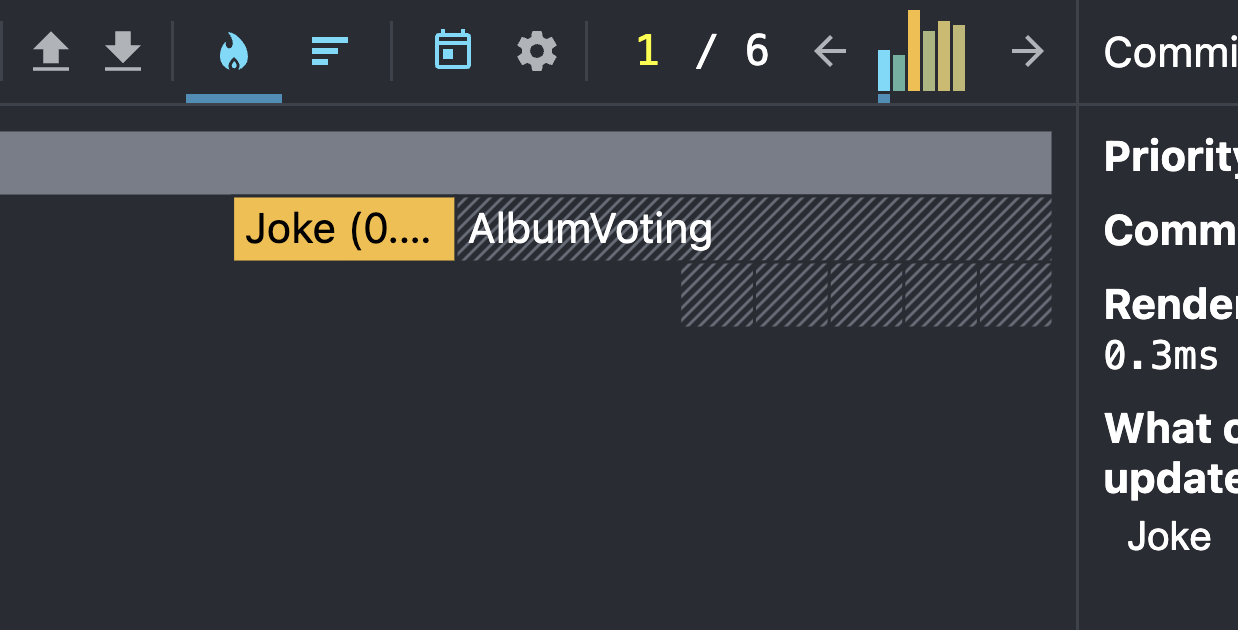
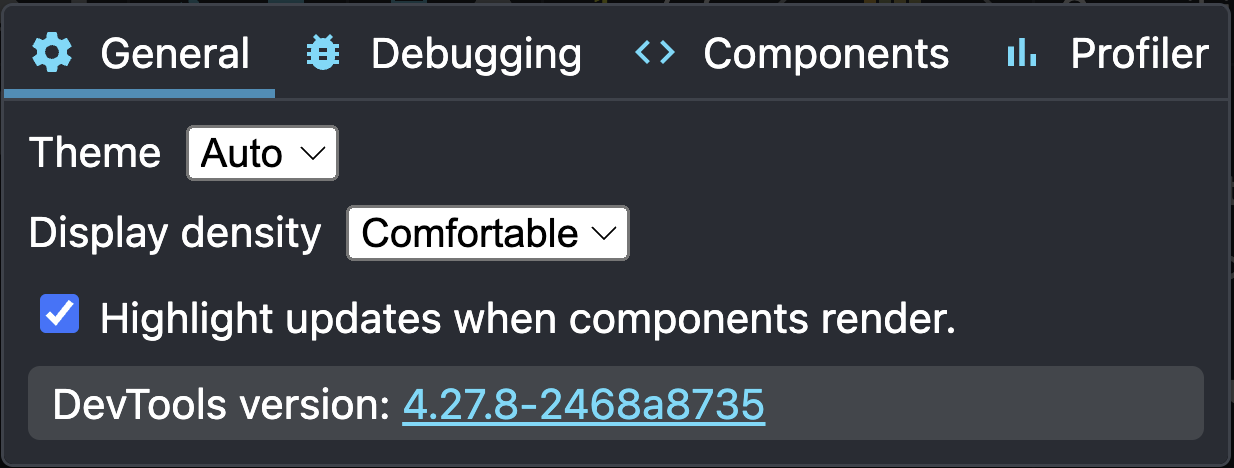
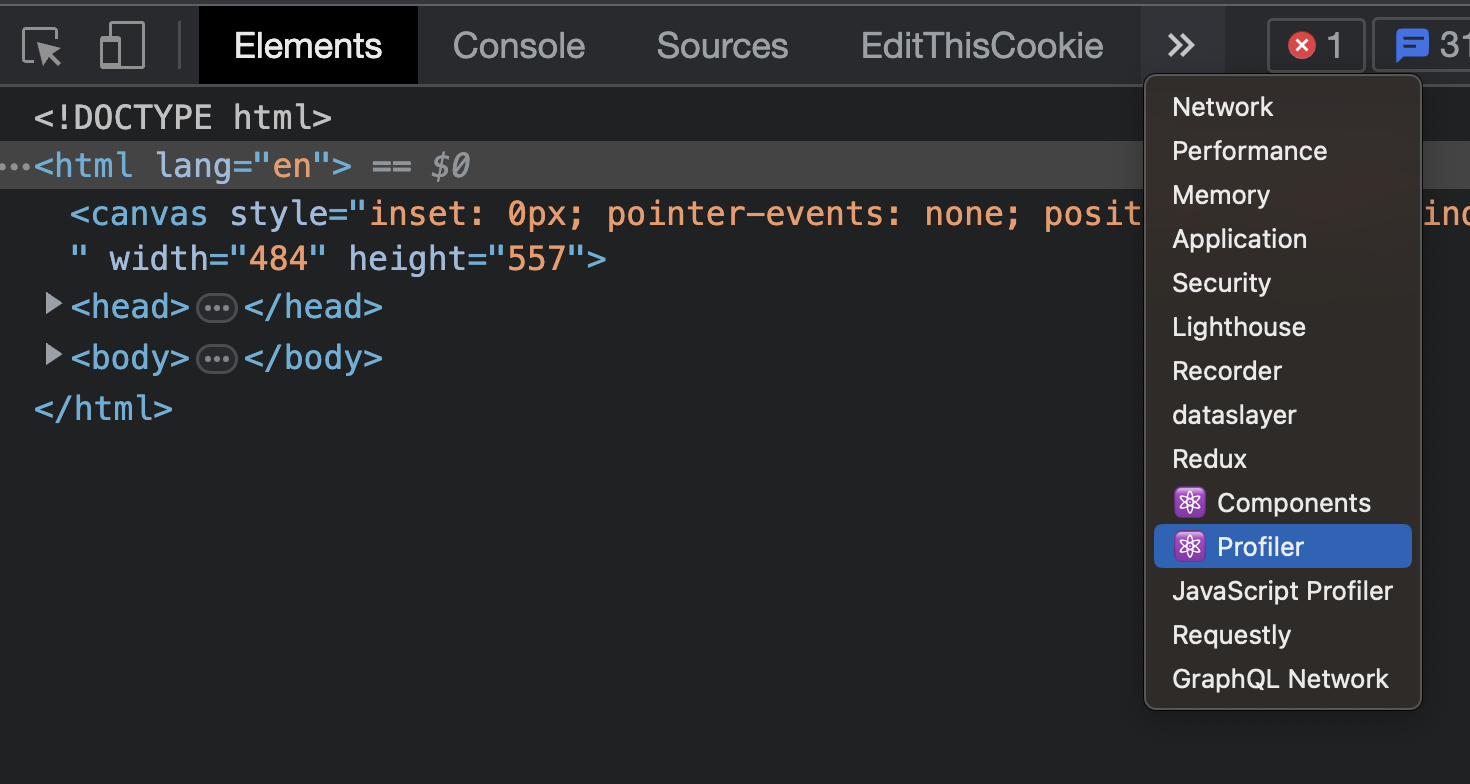
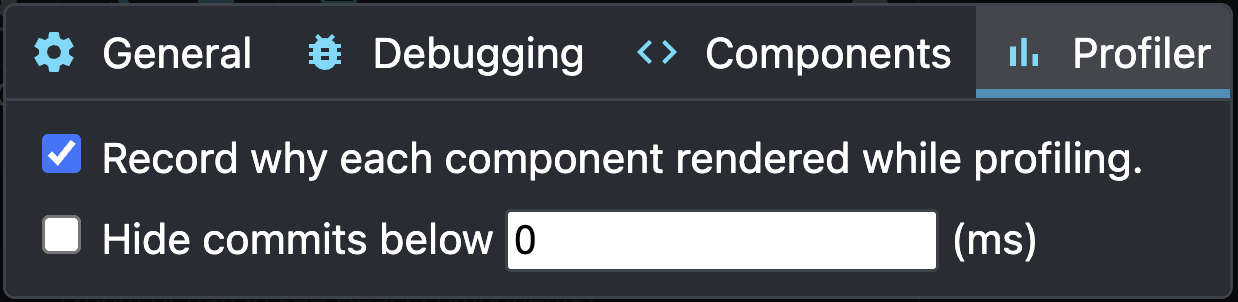
Profiler in dev tools
import { useState } from "react";
import { AlbumItem } from "./AlbumItem";

export type Album = {
  id: number;
  title: string;
  rating: number;
}

export const AlbumVoting = () => {
  const [albums, setAlbums] = useState(new Array(15).fill({
    id: 0,
    title: '',
    rating: 0
  }).map((album, index) => ({ ...album, id: index })));

  function handleChange (updatedAlbum: Album) {
    setAlbums(albums => albums.map(album => album.id === updatedAlbum.id ? updatedAlbum : album));
  };

  return <div>
    {albums.map(album => <AlbumItem key={album.id} album={album} onChange={handleChange} />)}
  </div>
}
import { Album } from "./AlbumVoting";

type Props = {
  album: Album,
  onChange: (updated: Album) => void
}

export const AlbumItem = ({ album, onChange }: Props) => {

  function handleChange(change: Partial<Album>) {
    onChange({
      ...album,
      ...change
    });
  }

  return <p>
    Title:
    <input value={album.title}
      onChange={(e) => handleChange({ title: e.target.value })}
    />

    Rating
    <input type='number'
      value={album.rating}
      onChange={(e) => handleChange({ rating: Number(e.target.value) })}
    />
  </p>
}
AlbumVoting.tsx
AlbumItem.tsx
- shows rerenders
- shows why
React.memo
- rerenders component only on prop change
const ExpensiveComponentMemoized = React.memo(function ExpensiveComponent() {
  ...
});

<ExpensiveComponentMemoized />
useMemo
- precompute value
- for computation-expensive values
- avoids main thread lock
const useFibonacci = (n) => {
  const result = useMemo(() => fibonacci(n), [n]);

  return result;
}

function fibonacci(n) {
  return n < 1 ? 0
       : n <= 2 ? 1
       : fibonacci(n - 1) + fibonacci(n - 2)
}
useCallback
- used to retain a single function reference
- avoids problem with recreating handler every render
type Props = {
  me: string;
}

function Component({me}: Props) {
  const handleClick = useCallback(
    (name) => console.log(`Hello ${name} and ${me}`)
  , [me]);

  return <ExpensiveComponent onClick={handleClick} />;
}
➡️ Optimize album voting
- only row which is updated should rerender
import { useState } from "react";
import { AlbumItem } from "./AlbumItem";

export type Album = {
  id: number;
  title: string;
  rating: number;
}

export const AlbumVoting = () => {
  const [albums, setAlbums] = useState(new Array(15).fill({
    id: 0,
    title: '',
    rating: 0
  }).map((album, index) => ({ ...album, id: index })));

  function handleChange (updatedAlbum: Album) {
    setAlbums(albums => albums.map(album => album.id === updatedAlbum.id ? updatedAlbum : album));
  };

  return <div>
    {albums.map(album => <AlbumItem key={album.id} album={album} onChange={handleChange} />)}
  </div>
}
import { Album } from "./AlbumVoting";

type Props = {
  album: Album,
  onChange: (updated: Album) => void
}

export const AlbumItem = ({ album, onChange }: Props) => {

  function handleChange(change: Partial<Album>) {
    onChange({
      ...album,
      ...change
    });
  }

  return <p>
    Title:
    <input value={album.title}
      onChange={(e) => handleChange({ title: e.target.value })}
    />

    Rating
    <input type='number'
      value={album.rating}
      onChange={(e) => handleChange({ rating: Number(e.target.value) })}
    />
  </p>
}
AlbumVoting.tsx
AlbumItem.tsx
React hooks
- ✅ useState
- ✅ useEffect
- ✅ useContext
- ✅ useRef
- ✅ useImperativeHandle
- ✅ useCallback
- ✅ useMemo
- useReducer
React Context #2
Context
- "global" state for subtree of components
- avoids passing props deep
- Provider + Consumer
type ContextValue = boolean;

const MyContext = React.createContext<ContextValue>(false);

function App() {
  return <MyContext.Provider value={true}>
    <Component />
  </MyContext.Provider>;
}

function Component() {
  const value = useContext(MyContext);

  return <div>{value}</div>;
}
React 19
- Context identificator is a component (provider)
type ContextValue = boolean;

const MyContext = React.createContext<ContextValue>(false);

function App() {
  return <MyContext value={true}>
    <Component />
  </MyContext.Provider>;
}

function Component() {
  const value = useContext(MyContext);

  return <div>{value}</div>;
}
Context
- pass object with value + setter
type ContextValue = {
  value: number;
  setValue: (value: ContextValue['value']) => void
};

const MyContext = React.createContext<ContextValue>({} as unknown as ContextValue);

function App() {
  const [value, setValue) = useState(0);

  return <MyContext.Provider value={{ value, setValue}}>
    <Component />
  </MyContext.Provider>;
}

function Component() {
  const {value, setValue} = useContext(MyContext);

  return <>
    <div>{value}</div>
    <button onClick={() => setValue(value + 1)}>Click</button>
  </>;
}
Encapsulate context
- Provider component instead of App component
type ContextValue = {
  value: number;
  setValue: (value: ContextValue['value']) => void
};

// not exported - private
const MyContext = React.createContext<ContextValue>({} as unknown as ContextValue);

export function MyContextProvider({children}: PropsWithChildren) {
  const [value, setValue) = useState(0);

  return <MyContext.Provider value={{ value, setValue}}>
    {children}
  </MyContext.Provider>;
}
// only way to read the value:
export const useMyContext = () => useContext(MyContext);

// in another file
import {useMyContext} from './my-context';

function Component() {
  const { value, setValue } = useMyContext();

  return <>
    <div>{value}</div>
    <button onClick={() => setValue(value + 1)}>Click</button>
  </>;
}
<MyContextProvider>
   <Component />
</MyContextProvider>
Context initial state
- pass via props
type ContextValue = {
  value: number;
  changeValue: (newValue: ContextValue['value']) => void;
}

const MyContext = React.createContext<ContextValue>({} as unknown as ContextValue);

type Props = {
  initialState: ContextValue['value'];
  children: React.ReactNode
}

export function MyContextProvider({initialState, children}: Props) {
  const [value, setValue] = useState(initialState);

  return <MyContext.Provider value={{value, setValue}}>
    {children}
  </MyContext.Provider>;
}
<MyContextProvider initialState={5}>
   ...
</MyContextProvider>
➡️ UserContext
- encapsulate UserContext
- create login component with login
- create component CurrentUserInfo showing currently logged user & logout button
export function UserInfoPane() {
  const { user } = useUser();

  return <div>
    {user ? <CurrentUserInfo /> : <LoginForm />}
  </div>
}
export function LoginForm() {
const { login } = useUser();
const [username, setUsername] = useState('');
const [email, setEmail] = useState('');
return <div>
<input placeholder="username" value={username} onChange={(e) => setUsername(e.target.value)} />
<input placeholder="email" value={email} onChange={(e) => setEmail(e.target.value)} />
<button onClick={() => login({username, email})}>Login</button>
</div>
}
const useUser = () => useContext(UserContext);➡️ UserContext
export function UserInfoPane() {
  const { user } = useUser();

  return <div>
    {user ? <CurrentUserInfo /> : <LoginForm />}
  </div>
}
UserContextProvider
UserInfoPane
CurrentUserInfo
LoginForm
= missing
= refactor
❗️Impact on performance
- Change of the context triggers rerender
Testing
Testing
- unit/component testing
- integration testing
- e2e testing
Vitest
- testing framework
- documentation
- replaces Jest
- provides assertions, mocks, test runner
import {add} from './add';

it('adds numbers', () => {
  expect(add(1, 3)).toBe(4);
})
import {add} from './add';
test('adding two numbers', () => {
expect(add(1, 3)).toBe(4);
})How to run tests?
- npm install vitest
- just execute vitest
- to run them repeatedly: --watch
- looks for files named *.spec.js / *.test.js
- for Typescript it needs further configuration
- in create-react-app just run ➡️ npm test script
- looks for files named *.spec.ts / *.test.ts
Arrange / Act / Assert
import {add} from './add';

it('adds numbers', () => {
  expect(add(1, 3)).toBe(4);
})
import {add} from './add';
it('adds numbers', () => {
// Arrange
const a = 1;
const b = 3;
// Act
const result = add(a, b);
// Assert
expect(result).toBe(4);
})- arrange = prepare for tests (inputs, mocks...)
- act = run the tested unit
- assert = check the results (output, mocks)
Structuring tests
- describe
- beforeEach
- test
- test
- test
- describe
- beforeEach
- afterEach
- test
- describe
- test
- test
expect(add(1, 3)).toBe(4);subject
matcher
Matchers
Matchers
- .toBe() = exact match (like ===)
- .toEqual() = deep equal
- .toBeNull(), toBeUndefined()
- .toContain() = is the item in an array?
- .toContainEqual()
import {add} from './add';

it('adds numbers', () => {
  expect(add(1, 3)).toBe(4);
})
Negation
- .not.toBe()
- .not.toEqual()
- .not.toBeNull()
- ...
import {add} from './add';

it('adds numbers', () => {
  expect(add(1, 3)).not.toBe(5);
})
Match substring
- toEqual(expect.stringContaining(...))
expect('How are you?').toEqual(expect.stringContaining('How'));Match objects
- .toEqual({...})
- .toEqual(expect.objectContaining({ key: value }))
- .toHaveProperty(key, value)
expect({a: 1, b: 2}).toBe({a: 1, b: 2}); // ❌ DON'T
expect({a: 1, b: 2}).toEqual({a: 1, b: 2}); // ✅ DO

expect({a: 1, b: 2}).toEqual(expect.objectContaining({a: 1}));

expect({a: 1, b: 2}).toHaveProperty('a', 1);
expect({
  one: 1,
  two: {
    nested: 2
  }
}).toHaveProperty('two.nested', 2);
Match arrays
- .toEqual([...])
- .toEqual(expect.arrayContaining([...]))
expect([1,2,3]).toBe([1,2,3]); // ❌
expect([1,2,3]).toEqual([1,2,3]); // ✅

expect([1,2,3]).toEqual(expect.arrayContaining([1,2]));
Match exceptions
- expect( () => {...} ).toThrow()
- expect( () => {...} ).toThrow('Error message')
- expect( () => {...} ).toThrow(MyError)
expect(testedFn()).toThrow(); // ❌ DON'T

expect(() => testedFn()).toThrow(); // ✅ DO
Total number of asserts
- expect.assertions(2)
- used usually for async code
function doNTimes(fn, n) {
  for(let i = 0 ; i < n; i++) {
    fn();
  }
}

// ❌ DON'T - better to use mocks (later)
it('calls the function n times', () => {
  expect.assertions(3);
  function fn() {
    expect(true).toBe(true);
  }

  doNTimes(fn, 3)
})
➡️ Update package.json
{
  "name": "...",
  "jest": {
    "transformIgnorePatterns": [
      "/node_modules/(?!(axios))"
    ]
  },
  ...
}
➡️ Update App.test.tsx
test.skip('renders learn react link', () => {
  render(<App />);
  const linkElement = screen.getByText(/learn react/i);
  expect(linkElement).toBeInTheDocument();
});
➡️ Run tests
npm test➡️ Install vitest
npm install vitest➡️ Test the division
- each test should test only one thing
- test the happy path
- test edge cases
export function divideWithRemainder(a: number, b: number) {
  if (b === 0) {
    throw new Error('Cannot divide by zero.');
  }

  const result = Math.ceil(a / b);
  const remainder = a % b;

  return {
    result,
    remainder
  };
}
Mocks
Mocks
- also called spies
- lets you spy on the behavior
- can also replace existing behavior
- you should mock the boundary of your system
Creating a mock
const fn = vitest.fn(); // empty function

// pass implementation
const fn = vitest.fn(() => {
  return 5;
});

// override implementation
fn.mockImplementation(() => {
  return 6;
});
fn.mockReturnValue(5);
fn.mockResolvedValue(5); // returns promise which resolves in 5

fn.mockReturnValueOnce(1);
fn.mockReturnValueOnce(2);
fn.mockReturnValue(3);
fn() // 1
fn() // 2
fn() // 3
fn() // 3- create mock
- define its behavior
Mock matchers
const fn = vitest.fn(() => 42); // empty function
expect(fn).toHaveBeenCalled(); // fails
fn();
expect(fn).toHaveBeenCalled(); // passes

expect(fn).toHaveBeenCalledTimes(1);

fn(1,2,3)
expect(fn).toHaveBeenLastCalledWith(1,2,3);

expect(fn).toHaveReturnedWith(42); // test output- evaluates if mock has been called
➡️ Test doNTimes
- use mocks
function doNTimes(fn, n) {
  for(let i = 0 ; i < n; i++) {
    fn();
  }
}
Spy on existing
vitest.spyOn(Math, 'random');
Math.random();
expect(Math.random).toHaveBeenCalled();

// change behavior
const randomMock = vitest.spyOn(Math, 'random');
randomMock.mockReturnValue(1);
expect(Math.random()).toBe(1);- possible only on instances of classes or objects
- spyOn(object, methodName)
Mocking modules
- used to mock 3rd party library
- vitest.mock hoists up before all imports
import { vitest, type Mocked} from 'vitest';
import { fetchUser } from './fetch-user';
import axios from 'axios';

vitest.mock('axios');
const mockedAxios = axios as Mocked<typeof axios>;

it('fetches user data', async () => {
  const response = { data: { id: 1, name: 'Martin' } };
  mockedAxios.get.mockResolvedValue(response);

  expect(await fetchUser()).toEqual({ id: 1, name: 'Martin' });
});
import axios from 'axios';

function fetchUser() {
  return axios.get('/url').then((response) => response.data);
}
React testing
Testing React
- testing components, hooks
-
test should be as close as possible to how user will use the component
- test what he sees
- test how he interacts (mouse, keyboard etc)
- mock boundary of the system
- mock HTTP, local storage etc.
- Vitest uses JSDOM to emulate browser
🔨 React testing library
- provides API for:
- querying the DOM
- doing user actions
- matchers
- https://testing-library.com/docs/
1. Queries
Query DOM
- get = 1 match immediately
- query = 0 or 1 match immediately
- find = 1 match, waiting
| Type of Query | 0 Matches | 1 Match | >1 Matches | Retry (Async/Await) |
|---|---|---|---|---|
| Single Element | ||||
| getBy... | Throw error | Return element | Throw error | No |
| queryBy... | Return null | Return element | Throw error | No |
| findBy... | Throw error | Return element | Throw error | Yes |
| Multiple Elements | ||||
| getAllBy... | Throw error | Return array | Return array | No |
| queryAllBy... | Return [ ] | Return array | Return array | No |
| findAllBy... | Throw error | Return array | Return array | Yes |
Query By
- Accessibility
- getByRole - by ARIA role
- getByLabelText = good for forms
- getByPlaceholderText = good for forms without labels
- getByText = what user sees, good outside of forms
- getByDisplayValue = value of an input
- HTML semantic
- getByAltText
- getByTitle
- Test IDs
- getByTestId = for invisible elements or dynamic text
import { screen } from '@testing-library/react';

screen.getByRole('button', {name: /submit/i});
Query by role
- check all ARIA roles
- default roles (W3 ARIA spec)
- button - "button"
- a - "link"
- h1...h6 - "heading"
-
accessible name
- usually what you want :-)
- label for form, alt for image...
getByRole('button', { name: 'Submit' });

// // checked input type checkbox
getByRole('checkbox', { checked: true });

 // usually h2
getByRole('heading', { level: 2 });
Query by text
screen.getByText('Hello World'); // full string match
screen.getByText('llo Worl', {exact: false}); // substring match
screen.getByText('hello world', {exact: false}); // ignore case

screen.getByText(/World/); // regexp

// custom function
screen.getByText((content, element) => content.startsWith('Hello'));- what user sees
Query by test-id
<div class="background red" data-testid="background">
  ...
</div>

const backgroundEl = screen.getByTestId('background');- test by HTML attribute data-testid
- used when the text is dynamic
- used when element has no content
Query within element
- useful when we want to scope query in specific area
import { screen, within } from '@testing-library/react';

const container = screen.getByTestId('container');
const helloMessage = within(container).getByText('hello');
waitFor
- waits for element to appear
- or disappear (
waitForElementToBeRemoved)
- or disappear (
- prefer findBy*
import { screen, waitFor } from '@testing-library/react';

await waitFor(() => {
  expect(screen.getByText('Some text')).toBeInTheDocument();
});
2. User actions
fireEvent
- fires DOM event on an element
- fires only a single event
- fireEvent.click doesn't trigger mouseDown, mouseUp
// click on an element
fireEvent.click(screen.getByText('Login'));

// change input value
fireEvent.change(getByLabelText(/username/i), {target: {value: 'martin'}});
3. Matchers
Matchers
- from jest-dom library
- makes tests easy to read
// check text content
const element = screen.getByTestId('title');
expect(element).toHaveTextContent('This is title');

// check if is in the document
const element = screen.queryByText('Submit');
expect(element).toBeInTheDocument();

// test focus
const input = screen.getByTestId('password');
expect(input).toHaveFocus();

// test checkbox state
const rememberPass = screen.getByRole('checkbox', {name: 'Remember password'});
expect(rememberPass).toBeChecked();
Render component
import { render } from '@testing-library/react';

it('renders', () => {
  render(<App />);
  const element = screen.queryByText('Hello');
  expect(element).toBeInTheDocument();
});
Debugging tests
-
screen.debug() screen.logTestingPlaygroundURL()
import { screen } from '@testing-library/react';➡️ Setup
1️⃣ install
npm install -D @testing-library/react @testing-library/jest-dom jsdom2️⃣ configure vite.config.ts
import { defineConfig } from 'vitest/config'
import react from '@vitejs/plugin-react'

// https://vite.dev/config/
export default defineConfig({
  plugins: [react()],
  test: {
    globals: true,
    environment: 'jsdom',
    setupFiles: './src/setupTests.js'
  }
})
➡️ Setup
3️⃣ src/setupTests.ts
import { expect, afterEach } from 'vitest';
import { cleanup } from '@testing-library/react';
import * as matchers from '@testing-library/jest-dom/matchers';

expect.extend(matchers);

// jsdom cleanup
afterEach(() => {
  cleanup();
});
➡️ Setup
4️⃣ tsconfig.app.json
"scripts": {
  "test": "vitest"
}
5️⃣ npm script
{
  "compilerOptions": {
	"types": [
      "vite/client",
      "vitest/globals",
      "@testing-library/jest-dom"
    ],
    ...
  },
  ...
}
➡️ Test UserInfoPane
- test:
- current user
- login
- logout
➡️ Test Joke component
- mock the server response
- test:
- loading state
- the fetched joke is displayed
- button to load the next joke
- button should be disabled when fetching
Testing hooks
renderHook
- simulates component lifecycle
- prefer testing hook when testing the component
- act() simulates work of React
- wrap when you expect something to change
import { act, renderHook } from "@testing-library/react";
import { useCounter } from "./use-counter";

it('increments', () => {
  const {result} = renderHook(() => useCounter());
  expect(result.current.count).toBe(0);
  act(() => result.current.increment());
  expect(result.current.count).toBe(1);
})
export function useCounter() {
const [count, setCount] = useState(0);
const increment =() => setCount(count + 1);
return { count, increment };
}➡️ Test useCounter hook
export function useCounter(initialValue: number) {
  const [count, setCount] = useState(initialValue);

  const increment = () => setCount(count + 1);
  const randomize = () => setCount(Math.random());

  return { count, increment, randomize };
}
Error Boundary
Error boundary
- catches errors from render/component life cycle
- catches errors in Error Boundary children
- create-able only using the class component
- wrap any part of the app with error boundary
<ErrorBoundary>
  <Joke />
</ErrorBoundary>
Error Boundary
import React, { type PropsWithChildren, type ErrorInfo } from "react";

type Props = PropsWithChildren;

type State = {
  hasError: boolean;
  error?: unknown;
}

export class MyErrorBoundary extends React.Component<Props, State> {
  constructor(props: Props) {
    super(props);
    this.state = { hasError: false };
  }

  static getDerivedStateFromError(error: unknown) {
    return { hasError: true, error };
  }

  // optional
  componentDidCatch(error: unknown, errorInfo: ErrorInfo) {
    console.error(error, errorInfo);
  }

  render() {
    const {error, hasError} = this.state;
    if (hasError) {
      // fallback
      return <div>{String(error)}</div>;
    }

    return this.props.children;
  }
}
➡️ Use ErrorBoundary
- create "error" component (code below)
- create a global error boundary
- when something bad happens it shows
- "Upss, something went wrong"
- + retry button
export function ThrowComponent() {

  if (Math.random() < 0.5) {
    throw 'Something went wrong.'
  };

  return <p>Didn't throw</p>
}
Routing
React router
- used to create multiple pages
- install react-router-dom + type definitions
- npm i react-router-dom
- docs
- three ways (comparison)
- framework mode
- declarative mode
- data mode
Building blocks
- Layout page
- App.tsx
- router
Routable pages
Navbar
Layout.tsx
import { Outlet } from "react-router";

export function Layout() {
  return <div>
    <NavBar />

    <Outlet />
  </div>
}- template for the root component
Here other routes render
Routable pages
<Outlet />
<Navbar />
App.tsx
import { RouterProvider, createBrowserRouter } from 'react-router-dom';

const router = createBrowserRouter([
  ... // (later)
]);

function App() {
  return (
    <RouterProvider router={router} />
  );
}
Router
const router = createBrowserRouter([
  {
    path: '/',
    element: <Layout />,
    children: [
      {
        index: true,
        element: <Home />
      },
      {
        path: 'about',
        element: <About />
      },
      {
        path: 'articles',
        element: <ArticlesContainer />,
        children: [
          {
            path: ':articleId',
            element: <Article />
          }
          {
            path: ':articleId/comments',
            element: <ArticleComments />
          }
        ]
      }
    ]
  }
]);
Must have <Outlet /> inside
Layout component
Nested routes
- components can define subroutes
Routable pages
Navbar
<Outlet>
Routable pages
Navigation using links
<Link to="/">Home</Link>
<Link to="/about">About</Link>
<Link to="/articles">Articles</Link>
<Link to="/articles/{articleId}">Specific article</Link>
Imperative navigation
const navigate = useNavigate();

navigate('/articles');- using useNavigate() hook
Reading url parameters
import { useParams } from "react-router-dom";

function Joke() {
  const params = useParams();

  return (
    {params.category}
  );
}/path-segment/:pathParam/something?query1=one&query2=twouseSearchParams
useParams
➡️ Create multiple pages
- NavBar
- should be always visible
- links to home & categories routes
- UserContextPane should be always visible
- Create routes
- /-> what we had before
- /categories -> categories list
- /categories/:category -> joke from a category
Sources
// joke.tsx
import axios from "axios";
import { useEffect, useState } from "react";
import { useParams } from "react-router-dom";

type JokeResponse = {
  value: string;
};

export function Joke() {
  const [joke, setJoke] = useState<string | null>(null);
  const { category } = useParams();

  useEffect(() => {
    const queryParams = new URLSearchParams();
    if (category) {
      queryParams.set('category', category);
    }
    axios<JokeResponse>(
      `https://api.chucknorris.io/jokes/random?${queryParams.toString()}`
    ).then((response) => setJoke(response.data.value));
  }, [category]);

  return <p>{joke}</p>;
}
// joke-categories.tsx
import axios from "axios";
import { useEffect, useState } from "react";
export function JokeCategories() {
const [categories, setCategories] = useState<string[]>([]);
useEffect(() => {
axios<string[]>("https://api.chucknorris.io/jokes/categories").then(
(response) => setCategories(response.data)
);
}, []);
return <>
{/* TODO */}
</>;
}// navbar.tsx
import { Link } from "react-router-dom"
export const NavBar = () => {
return <ul>
<Link to="/">Home</Link>
<Link to="/categories">Joke categories</Link>
</ul>
}SWR
stale-while-revalidate
SWR
- library for caching HTTP requests
- cache shared across all components
- npm i swr
import useSWR from 'swr'

const fetcher = (...args: Parameters<typeof fetch>) =>
	fetch(...args).then(res => res.json());

function Joke() {
  const { data, isValidating } = useSWR(
    `https://api.chucknorris.io/jokes/random`,
    fetcher
  );

  return (
    <p>{isValidating ? 'Loading...' : data.value}</p>
  );
}
Invalidate SWR cache
import useSWR, {useSWRConfig} from 'swr'

const fetcher = (...args) =>
	fetch(...args).then(res => res.json());

function Joke() {
  const { data, isValidating } = useSWR(
    `https://api.chucknorris.io/jokes/random`,
    fetcher
  );
  const { mutate } = useSWRConfig();

  return <div>
    <button onClick={() => mutate(`https://api.chucknorris.io/jokes/random`)}>
      Load next
    </button>
    <p>{isValidating ? 'Loading...' : data.value}</p>
  </div>;
}
isValidating vs isLoading
- isLoading = fetching & not loaded yet
- isValidating = fetching (can be loaded from the last time)
Suspense
Suspense
- used to wait for something to finish
- usually, we wait for the data to be loaded
- or for JS chunk to load
- Suspense wraps component which gets suspended
function Parent() {
  return (
    <Suspense fallback={<div>Loading...</div>}>
      <ComponentWithLoading />
    </Suspense>
  )
}
How does it work?
- suspendable component must be wrapped with <Suspense>
- suspendable component throws an exception with a Promise in the render
- until the promise is resolved, Suspense shows fallback
- when the promise resolves, Suspense tries to render the component again
➡️ Suspend & SWR
- fetch joke using useSWR
- enable Suspense support for SWR
- wrap Joke component with Suspense showing "Loading with Suspense"
const { data, isValidating } = useSWR(url, fetcher, { suspense: true });const { data, isValidating } = useSWR(url, fetcher);Global error handler
import { SWRConfig } from 'swr';
import { useNavigate } from 'react-router-dom';
import { fetcher } from './fetcher';

function App() {
  const navigate = useNavigate();

  return (
    <SWRConfig
      fetcher,
      value={{
        onError: (error, key) => {
          if (error.status === 401 || error.status === 403) {
            // - Global redirect
            // - Clear token
            // - Show toast notification
            console.log('Session expired, redirecting...');
            navigate('/login');
          }
        }
      }}
    >
      <Components />
    </SWRConfig>
  );
}
Custom fetcher
export class FetchError extends Error {
  constructor(message: string, public status: number, public body: string) {
    super(message);
  }
}

export const fetcher = async <T,>(...args: Parameters<typeof fetch>): Promise<T> => {
  const res = await fetch(...args);

  // If the status is not 200-299
  if (!res.ok) {
    const error = new FetcherError(
      'An error occurred while fetching the data.',
      res.status,
      await res.json()
    );

    throw error;
  }

  return res.json();
};
➡️ Fetch using useSWR
- fetch vending items using useSWR
- when it fails, redirect to login
Protected routes
Protected routes
<BrowserRouter>
  <Routes>
	{/* Public routes */}
    <Route path="/login" element={<LoginPage />} />
    <Route path="/about" element={<AboutPage />} />

    {/* Protected routes */}
    <Route path="/dashboard" element={
      <RequireAuth>
      	<DashboardPage />
      </RequireAuth>
    } />
  </Routes>
</BrowserRouter>- wrapping route which checks the Auth
RequireAuth
function RequireAuth({ children }: { children: React.ReactNode }) {
  const { user } = useAuth();

  if (!user) {
    return <Navigate to="/login" replace />;
  }

  return <>{children}</>;
}- protecting component
Split app into chunks
Chunks
- by default we have only main chunk
- contains the whole app
- better to usually split the app by routes
- user doesn't have to load code he doesn't need
- vendor chunk = for 3rd party libraries
How to create chunk
- combine React.lazy & import()
// default export
const ComponentLazy = React.lazy(
  () => import('./ComponentDefaultExport')
);

// rename named export as default
const ComponentLazy = React.lazy(() =>
  import('./ComponentNamedExport')
    .then(({ComponentNamedExport}) => ({default: ComponentNamedExport}))
);

function Parent() {
  return (
    <Suspense fallback={<div>Loading...</div>}>
      <ComponentLazy prop="value" />
    </Suspense>
  );
}
Support in React Router
- chunk per route
- expects key Component
const router = createBrowserRouter([
  {
    path: '/',
    element: <Layout />,
    children: [      {
        path: 'about',
    	// key must be "Component"
        lazy: () =>
          import("./about").then(({ About }) => ({Component: About}))
      },
    ]
  }
]);
Must be under Component key
➡️ Advanced routes
- create pages for:
- login page
- vending item list page [protected]
- make them lazy loaded
React Portal
Portal
- used to render JSX anywhere in the DOM
- everything works as if the JSX was rendered as normal
- useful for modal dialog (z-index, positioning)
createPortal
- first argument - JSX
- second argument - DOM element
import {createPortal} from 'react-dom';

function Component() {
  return <div>
    {createPortal(<div>Hello</div>, document.body)}
  </div>
}
➡️ Create a modal dialog
- create a component that renders children in a modal window
- position it in the middle of the screen
<Modal>
  <h1>Hello</h1>
  <p>I am modal</p>
</Modal>
➡️ Mystery with Strict mode
➡️ What's wrong?
type Props = {
  children: React.ReactNode[];
}

type ExpandedState = Record<number, boolean>;

export function Accordeon({ children }: Props) {
  const [expandedState, setExpandedState] = useState<ExpandedState>({});

  const toggleExpansionHandler = useCallback(
    (index: number) => {
      setExpandedState(expandedState => {
        if (expandedState[index]) {
          delete expandedState[index];
        } else {
          expandedState[index] = true;
        }

        return {
          ...expandedState,
        };
      });
    },
    [],
  );

  return <>
    {React.Children.map(children, (child, index) => (
      <div>
        <button onClick={() => toggleExpansionHandler(index)}>
          {expandedState[index] ? '➖' : '➕'}
        </button>
        {child && expandedState[index] && child}
      </div>
    ))}
  </>;
}
React hooks
- ✅ useState
- ✅ useEffect
- ✅ useContext
- ✅ useRef
- ✅ useImperativeHandle
- ✅ useCallback
- ✅ useMemo
- useReducer
useReducer
- alternative to useState
- better for complex logic
- good when there are several useState depending on each other
- "simple" redux built-in React
Example: counter
type State = number;

type Increment = { type: 'increment'; payload: number };
type Randomize = { type: 'randomize' };
type Action = Increment | Randomize;

function reducer(state: State, action: Action) {
  switch (action.type) {
    case "increment":
      return state + 1;
    case "randomize":
      return Math.random();
    default:
      return state;
  }
}

export function Counter() {
  const [ state, dispatch ] = useReducer(reducer, 0);

  return <div>
    Counter: {state}
    <button onClick={() => dispatch({ type: 'increment', payload: 1 })}>Increment</button>
    <button onClick={() => dispatch({ type: 'randomize' })}>Randomize</button>
  </div>
}
Initial state
➡️ useReducer in UserContext
- write reducer with following actions
- user login
- user logout
-
session timeout
- 10 seconds after login, the session times out and logs the user out
- show how much time is left
type State = {
  user: User | null;
  timeLeft: number
}

type Action = LOGIN | LOGOUT | SESSION_TICK;
Redux
Redux
- state management library
- one global store
- big object
- actions to modify the state
- browser extension: Redux Devtools
- npm install @reduxjs/toolkit react-redux
Store
Actions
Reducers
Store example
{
  jokeSlice: {
    currentJoke: "Chuck Norris can speak Braille.",
    isLoading: false
  },
  counterSlice: {
    count: 5
  },
  uiSlice: {
    dropdownVisible: false
  }
}
View
Reducer
Store
dispatch an action
update the store
view reads data from the store
increment = (state) => {
  state.count += 1;
}
1. Create slices
// /src/store/counterSlice.ts
import { createSlice } from '@reduxjs/toolkit';
import type { PayloadAction } from '@reduxjs/toolkit';

export type CounterState = {
  count: number;
};

const initialState: CounterState = {
  count: 0,
};

export const counterSlice = createSlice({
  name: 'counter',
  initialState,
  reducers: {
    increment: (state, action) => {
      state.count += 1; // Immer
    }
  },
});

export const { increment } = counterSlice.actions;
export const counterReducer = counterSlice.reducer;
- in old Redux, these were 3 files
2. Create a store
// src/store/store.ts
import { configureStore } from '@reduxjs/toolkit';
import { jokeReducer } from './jokeSlice';
import { counterReducer } from './counterSlice';
import { uiReducer } from './uiSlice';

export const store = configureStore({
  reducer: {
    jokeSlice: jokeReducer,
    counterSlice: counterReducer,
    uiSlice: uiReducer
  },
});

export type RootState = ReturnType<typeof store.getState>;
export type AppDispatch = typeof store.dispatch;
3. Provide the store
// index.tsx
import { store } from './store/store'
import { Provider } from 'react-redux'

root.render(
  <React.StrictMode>
    <Provider store={store}>
      <App />
    </Provider>
  </React.StrictMode>
);
4. Created typed hooks
// src/store/hooks.ts
import { TypedUseSelectorHook, useDispatch, useSelector } from 'react-redux';
import type { RootState, AppDispatch } from './store';

export const useAppDispatch: () => AppDispatch = useDispatch;
export const useAppSelector: TypedUseSelectorHook<RootState> = useSelector;
- avoid using useDispatch & useSelector
- create copies typed by your store
5. Read the state in a component
import { useAppSelector } from '../store/hooks';

function Counter() {
  const count = useAppSelector(state => state.counterSlice.count);

  return <div>Current count: {count}</div>
}- a selector should transform data into a shape for the component
- rerenders only the data when changed (===)
6. Dispatch actions
import { useAppDispatch } from '../store/hooks';
import { increment } from "../store/counterSlice";

function IncrementButton() {
  const dispatch = useAppDispatch();

  return (
    <button onClick={() => dispatch(increment())}>
      Increment
    </button>
  );
}
When to use Redux state?
- global state
- Is it used by multiple components?
- Do you need the state after a component unmounts?
- Do you want it to work with timetravel?
- Do you want to cache it?
➡️ Move state to Redux
- move UserContext state from the local context state into Redux
- leave login API call in the context component
Redux & async operations
- run async => dispatch action when finished
-
createAsyncThunk
- create async function which has access to getState & dispatch
- automatically dispatches actions pending/fulfilled/rejected
// src/store/jokeSlice.js
import { createAsyncThunk } from '@reduxjs/toolkit';

export const fetchJoke = createAsyncThunk('Fetch joke',
  async (category, { getState }) => {
    const { loading } = getState().jokeSlice;
    if (loading !== 'pending') {
      return
    }
    const response = await fetch(`https://api.chucknorris.io/jokes/random?category=${category}`)
    const data = await response.json();
    return data.value
  }
)
What happens when finished?
// src/store/jokeSlice.js

export const jokeSlice = createSlice({
  // ...
  extraReducers: (builder =>
    builder
      .addCase(fetchJoke.pending, (state) => {
        if (state.loading === 'idle') {
          state.loading = 'pending'
        }
      })
      .addCase(fetchJoke.fulfilled, (state, action: PayloadAction<string>) => {
        if (state.loading === 'pending') {
          state.loading = 'idle';
          state.joke = action.payload;
        }
	  })
  )
});
extraReducers = for dealing with actions defined somewhere else (by thunk)
How to call fetchJoke?
const dispatch = useDispatch();

dispatch(fetchJoke(category));
➡️ Use redux for login
- move login API call to redux using createAsyncThunk
- [optional] move Joke to redux state
React antipatterns
Missing dependencies
- always name ALL dependencies in useEffect/useMemo/useCallback
- enable lint rule to check that
function Counter() {
  const [count, setCount] = useState(0);

  useEffect(() => {
    const id = setInterval(() => {
      setCount(count + 1);
    }, 1000);
    return () => clearInterval(id);
  }, []);

  return <h1>{count}</h1>;
}
Solution #1
useEffect(() => {
  const id = setInterval(() => {
    setCount(count + 1);
  }, 1000);
  return () => clearInterval(id);
}, [count]);
Solution #2 ❤️
useEffect(() => {
  const id = setInterval(() => {
    setCount(count => count + 1);
  }, 1000);

  return () => clearInterval(id);
}, []);- anytime state changes based on previous value, use the function
Syncing state using useEffect
function Form() {
  const [firstName, setFirstName] = useState('');
  const [lastName, setLastName] = useState('');
  const [fullName, setFullName] = useState('');

  useEffect(() => {
    setFullName(`${firstName} ${lastName}`);
  }, [firstName, lastName]);

  return <div>
    <input value={firstName} onChange={e => setFirstName(e.target.value)} />
    <input value={lastName} onChange={e => setLastName(e.target.value)} />
	Hello {fullName}
  </div>
}- it is derived state
Too many useState
- related states?
- use useReducer instead
- less rerenders
Fat components
- place logic into hooks
- split into multiple components
Impure components
- components & hooks should be pure
- don't touch anything outside
- when reading from outside, use useSyncExternalStore
- component should yield the same result for given
- props
- state
- context
Don't pass hooks
function ChatInput() {
  return <Button useData={useDataWithLogging} />
}
Using wrong matchers
expect(displayName === name).toBe(true);Nesting components
const Parent = () => {
  const SecondChild = () => {
    return <div> <SecondChild/> </div>
  }

  const Child = () => {
    return <div> <SecondChild/> </div>
  }

  return (
    <div>
     <Child/>
    </div>
  )
}- unpredictable
Circular dependency
// album-item.tsx
import type { Album } from "./album-voting";
...- solution: extract the extra thing
// album-voting.tsx
import { AlbumItem } from "./album-item";
...
Using global CSS
- components should be isolated
React 19
React history
- React 16.8 (2019)
- hooks
- React 17 (2020)
- multiple versions of react running simutaniously
- React 18 (2022)
- concurrent React
- React 19 (2024)
React 19
- ☠️ forwardRef - ref as a normal prop
- context provider
- server components
- server functions
- use
- useOptimistic
- ❓React Compiler (aka React Forget)
- no need for React.memo/useMemo/useCallback
☠️ forwardRef
function MyInput({ ref }: Props) {
  return <input ref={ref} />;
}

<MyInput ref={ref} />;
Context as a provider
const UserContext = React.createContext({});

function UserContextProvider({ children }) {
  return (
  	<UserContext value={...}>
      {children}
    </UserContext>
  );
}
Server components
- rendered on server
- can access database
- cannot have state, effects
- server components cannot be used within client component
- supports hydration
- "use client" for client code
- "use server" for server functions
- components are by default server side
Server components
import {Expandable} from './Expandable';

async function Notes() {
  const notes = await db.notes.getAll();
  return (
    <div>
      {notes.map(note => (
        <ClientComponent key={note.id}>
          <p note={note} />
        </ClientComponent>
      ))}
    </div>
  )
}
Server functions
// Server component
function EmptyNote () {
  async function createNoteAction() {
    // Server Function
    'use server';

    await db.notes.create();
  }

  return <Button onClick={createNoteAction}/>;
}
Using server functions from client
"use server";

export async function createNoteAction() {
  await db.notes.create();
}
"use client";
import {createNote} from './actions';
function EmptyNote() {
return <Button onClick={createNote}/>;
}use
function Joke() {
  const response = use(axios('https://api.chucknorris.io/random'));
  const joke = response.data.value;

  return <p>{joke}</p>
}

function App() {
  return <Suspense fallback="Loading">
    <Joke />
  </Suspense>
}- for promises (currently not for promises from render)
- can be used also for context (useContext)
useOptimistic
function List() {
  const [state, setState] = useState([1, 2, 3]);
  const [optimisticState, addOptimistic] = useOptimistic(
    state,
    (currentState, optimisticValue) => {
      // merge and return new state
      // with optimistic value
      return [...currentState, optimisticValue]
    }
  );

  function handleAddNew(n: number) {
    addOptimistic(n);
    axios.post('/new-value').then((stateFromServer) => setState(stateFromServer));
  }

  return <ul>
  	{optimisticState.map(value => <li>{value}</li>)}
  	<button onClick={() => handleAddNew(Math.random())}>add new</button>
  </ul>
}- optimistic updates
React eco system
How to choose a library?
- measurable metrics
- number of downloads, github stars, github issues, repository activity (opened PRs, merged PRs...)
- stackoverflow questions
- documentation
- migration guide
- how often does it have breaking changes
- Proof of concept
- does it work for us? How easy is to use? How easy is it to learn?
A typical project
- router (react-router)
- state management (redux, MobX, xstate...)
- CSS library, design system framework
- data fetching (axios, React Query)
- form library (Formik,React Hook Form )
- run & build (webpack, vite)
- test (react-testing-library, jest)
- check awesome-react for libraries
Webpack
Webpack
- module bundler
- anything you import
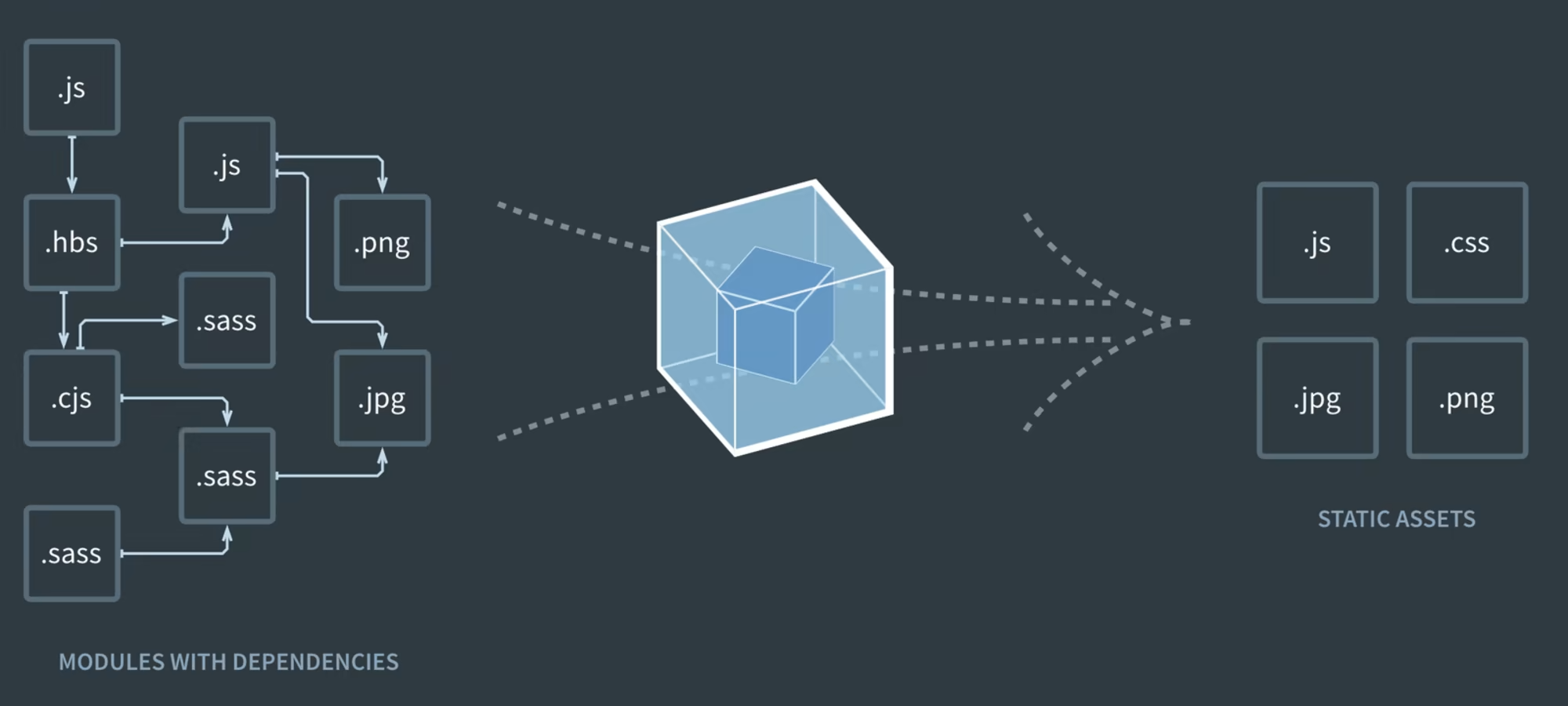
New project
npm init -y

npm i react react-dom
npm i -D typescript \
    webpack webpack-cli webpack-dev-server \
    ts-loader @types/react @types/react-dom \
    html-webpack-plugin

npx tsc --init

// Update tsconfig:
"jsx": "react"
"outDir": "./dist",

webpack.config.js

npx webpack serve // dev server
npx webpack // build
webpack.config.js
const path = require('path');
const HtmlWebpackPlugin = require('html-webpack-plugin');

module.exports = {
    entry: './src/index.tsx',
    module: {
        rules: [
            {
                test: /\.tsx?$/,
                use: 'ts-loader',
                exclude: /node_modules/,
            },
        ],
    },
    resolve: {
        extensions: ['.tsx', '.ts', '.js', '.jsx'],
    },
    output: {
        filename: 'main.bundle.js',
        path: path.resolve(__dirname, 'dist'),
    },
    plugins: [
        new HtmlWebpackPlugin({template: './public/index.html'}),
    ],
};
Chunks example
const path = require('path');
const HtmlWebpackPlugin = require('html-webpack-plugin');
const webpack = require('webpack');

module.exports = {
  entry: './src/index.tsx',
  module: {
    rules: [
      {
        test: /\.tsx?$/,
        use: 'ts-loader',
        exclude: /node_modules/,
      },
    ],
  },
  resolve: {
    extensions: ['.tsx', '.ts', '.js'],
  },
  output: {
    filename: '[name].bundle.js',
    path: path.resolve(__dirname, 'dist'),
  },
  plugins: [
    new webpack.optimize.SplitChunksPlugin({minSize: 1}),
    new HtmlWebpackPlugin({template: './public/index.html'}),
  ]
};
NX
- tooling for monorepo
- apps + libraries
- define tasks for each app/library
- collection of commands
- nx affected - runs task only for changed parts
- plugins for adding storybook, generating e2e tests...
Dependency graph
- npx nx graph
- you can define boundaries of packages
- what can import what
🎉
React course Feb 2026
By Martin Nuc