Visual regression testing for Information Visualizations
BackViz
Ing. Nychol Bazurto Gómez
Ph.D. John Alexis Guerra Gómez
Presented by
Advisor

Schedule
Inspiration
Problem and goals
Related work
Solution strategy
Taxonomy
BackViz design
Implementation detail
Obtained results
Conclusions and future work
Inspiration
Testing is a fundamental process in software development but not all the areas have mechanisms to apply it.
Is hard to test using the domain itself.
Visualization faces this emptiness and works empirically to cover it.

Many benefits for visualizations developers in any field.
Problem and goals
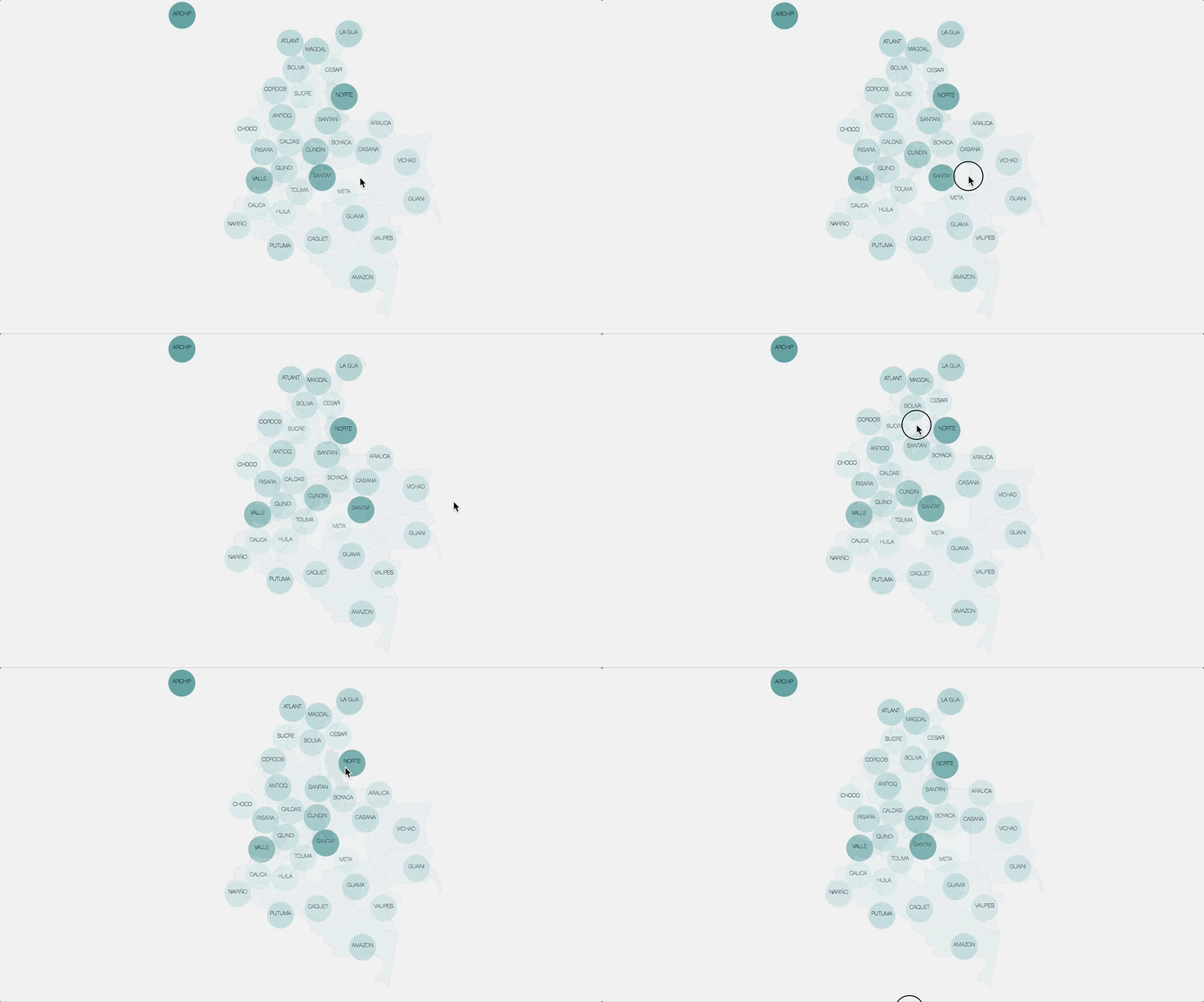
Lack of techniques for testing information visualizations that are able to deal with visualizations complexity.
PROBLEM


Basic interactions





Objectives
To propose a framework based on visual regression testing technique for testing interactive systems and visualizations.
- Analyze the testing techniques related to the interactive systems and applicable to the particular case of visualizations, to identify a good approach or baseline for a new testing type.
- Propose a hierarchy/classification that covers the testing of visualizations within the software testing frame.
- Implement a prototype of the proposed framework for basic testing of visualizations.
Related work

Software testing
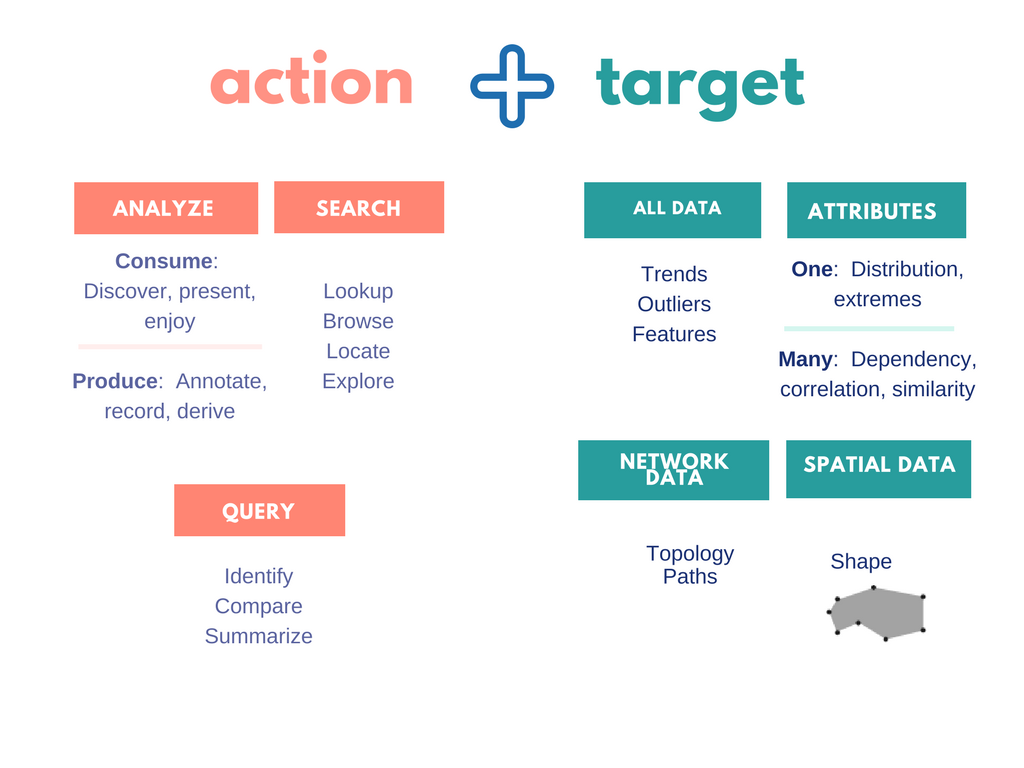
Visual Analytics: Munzer' framework
Visual Analytics: Interactions universe
Behavior Driven Development
Related work: Software testing
How is software tested now?
Is there a technique for VA purpose?
ANS: There are too many techniques, I need to be sure I'm analyzing all them.
Is there a sufficiently robust software testing classification/ taxonomy?
ANS: Software Engineering Institute's Taxonomy
Where could be a technique related to visualizations?
ANS: Graphic user interface testing and related, but there wasn't a similar category in SEI's taxonomy.
Look for those software testing types by my own.
Look for taxonomies!
ANS: NO
But Visual Regression testing could be useful.
WHY?
Related work: Software testing
From personal experience, most errors are incorporated as
"improves" the visualization.
Dog
Cat
It's and effective technique to test CSS in web development.
Widely used now in the industry.
Run some tests on the site.
Take screenshots of interactions/components.
Compare those screenshots against a baseline and report differences.
1
2
3
Related work: Software testing
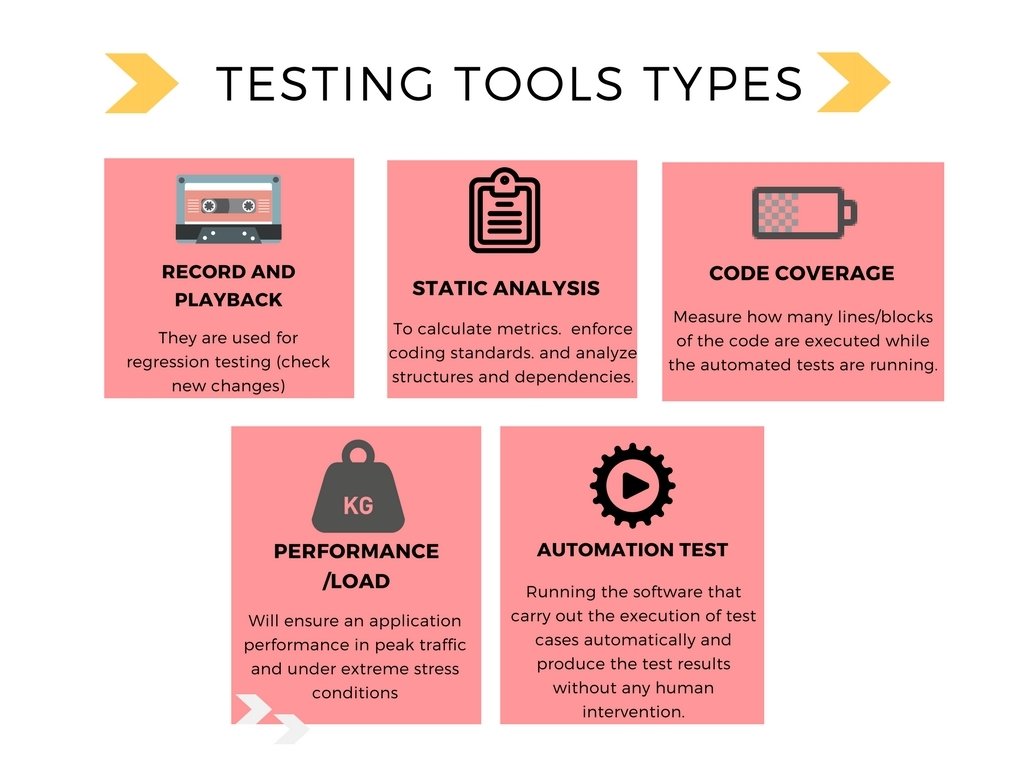
Related work: VA framework

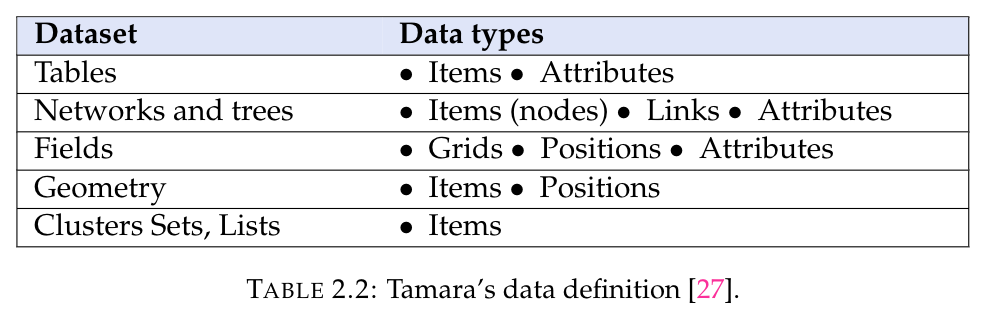
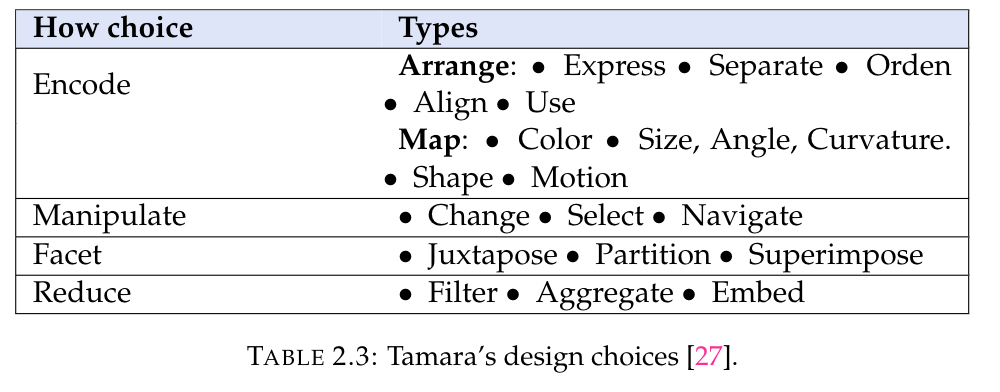
Related work: VA interactions
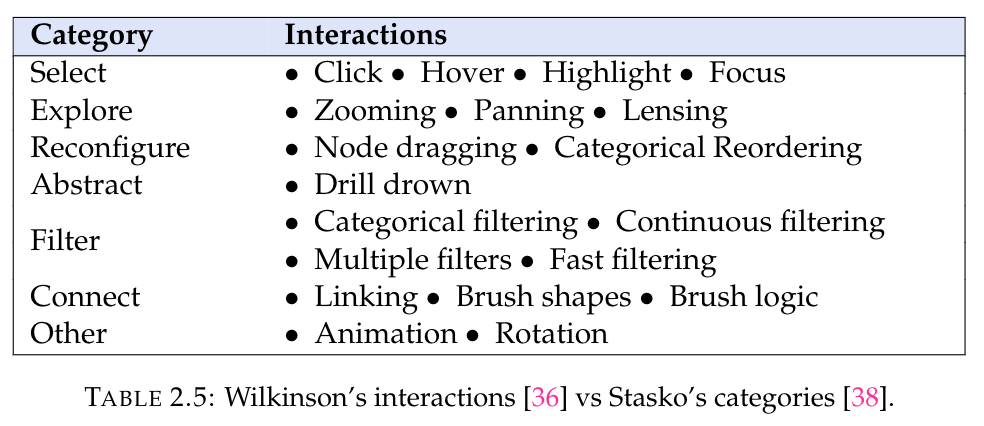
Related work: Discussion
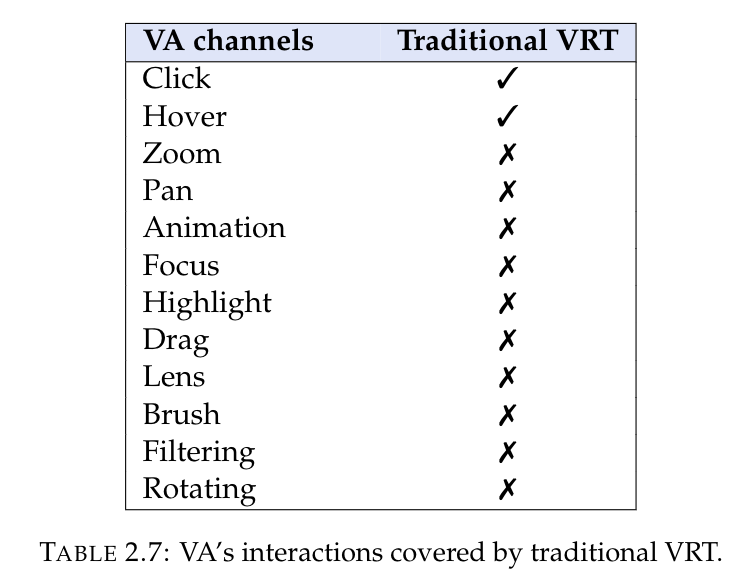
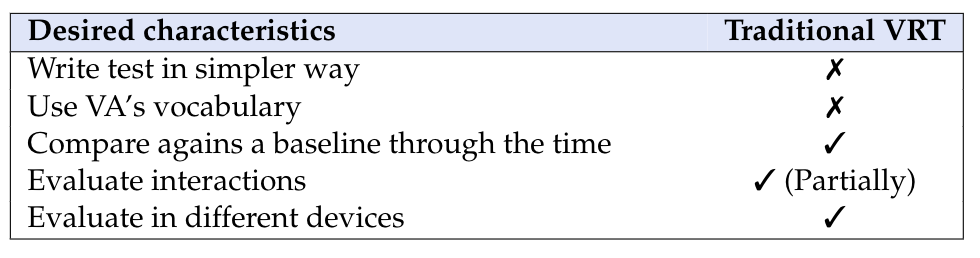


Related work: Behavior Driven Dev
- Ubiquitous Language based on a domain model. Allow user and developers talk in the same language without ambiguity.
- Iterative Decomposition Process: The first step is a roughly one: identification of the expected behaviors of a system. With that starts to decompose in: business outcomes, feature sets, set of abstract features.
- Plain Text Description with User Story and Scenario Templates: A template is used to write how system behavior is when it is in a specific state, and an event happens: Scenario title, Given some context, And some more contexts, When event happen, Then outcome And some more outcomes.
Scenario: Jeff returns a faulty microwave
    Given Jeff has bought a microwave for $100
    And he has a receipt
    When he returns the microwave
    Then Jeff should be refunded $100
Related work: Behavior Driven Development
- Automated Acceptance Testing with Mapping Rules: This kind of testing verifies interactions of the objects.
- Readable Behavior Oriented Specification Code: Code must be readable, it's part of system's documentation.
- Behavior Driven at Different Phases: BDD is supported in phases, since requirements gathering and decomposition, as part of the planning phase. The others two are analysis and implementation.
Solution strategy
Taxonomy strategy
- To summarize evidence concerning a topic.
- To suggest areas for further investigation through identifying any gaps in current research.
- To provide a background to position new research activities.

Systematic review
Taxonomy strategy
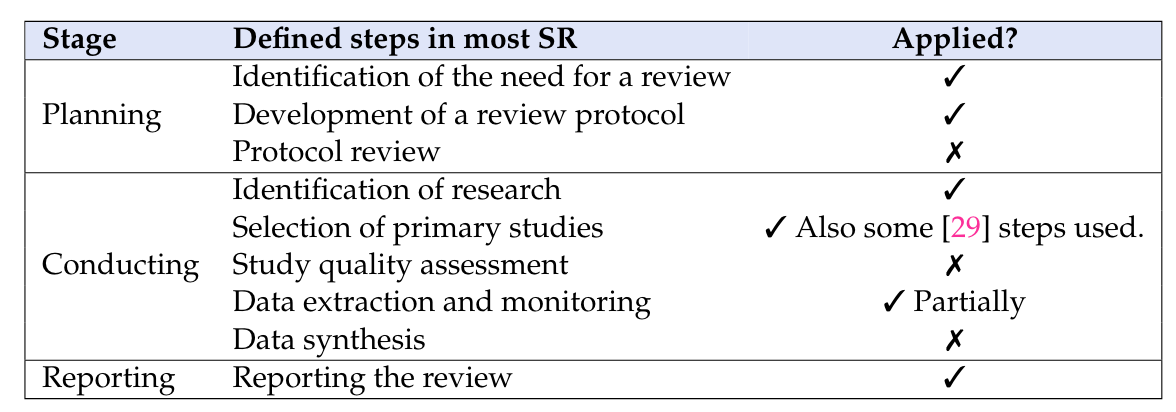
Some steps from a mapping study were used to combine them.
Framework strategy

Desired characteristics
Establish an initial reference of the visualization as a baseline to apply the Visual Regression Testing technique.
Provide a mechanism for comparing the baseline with the current state of the visualization. Taking the baseline as a screenshot which serves to compares against others screenshots those represent possible changes. These are taken after establishing the baseline.

Write the test in a simple way, using a language close to the natural one with key expressions of visual analytics.
Enrich the set of interactions of the base tools:
Report the results of the tests so that the user can identify the variations compare to the reference image, produced in the visualization.
Approaches
Every element it's in the same position, with the same length and if it's working according to the behavior expected in the code.
Detect if ...
Something was change related to essential concepts in visual analytics, like channel and marks linked to an interaction, e.g:
If when the user is hovering over some element and this one is red instead of blue (supposing blue was the style defined at the beginning).
Also, detecting if a filter is failing using the same data, maybe due to a new change, ignoring some datum. This is the strategy with more sense in the project case.


Strategy
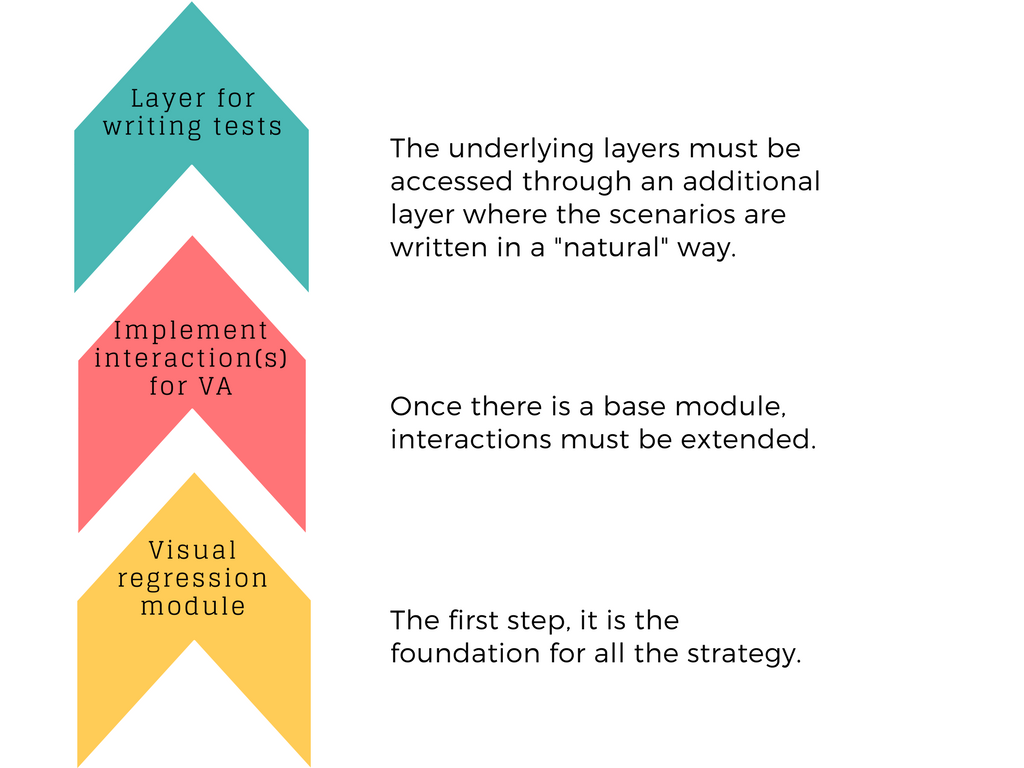
Taxonomy

Systematic review
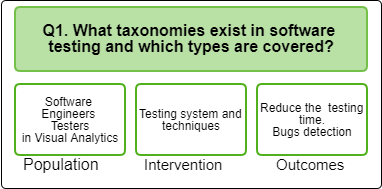





IEEE, Information Visualizations Conferences.
Resources
Systematic review
Inclusion criteria
Exclusion criteria
Studies that propose or extend a taxonomy of Software testing.
Studies related to some techniques of software testing.
Blogs, internet resources where are exposed some techniques
Studies not related to the research questions.
Studies that do not propose or extend ST taxonomy.
Studies that are not written in English.
Those papers which lie outside the software
engineering domain
Search string
- Software testing AND,
- Taxonomy.
- Visualization information testing.
- Interactions testing.
- Visual Analytics testing.
- Visualizers testing techniques.
- Interactive systems testing.
- GUI testing
Documentation process
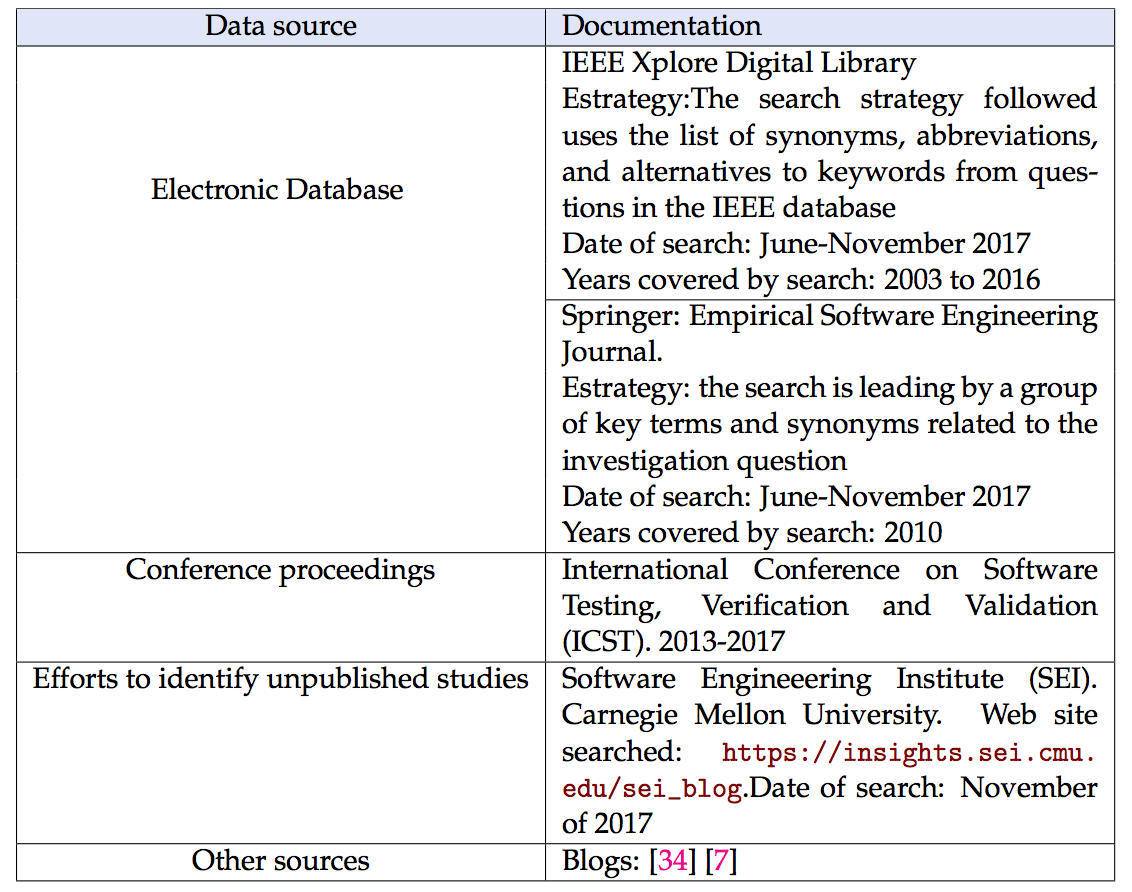
Software testing taxonomy
Visual Analytics testing and
Interaction testing
GUI testing AND interaction testing
Study selection
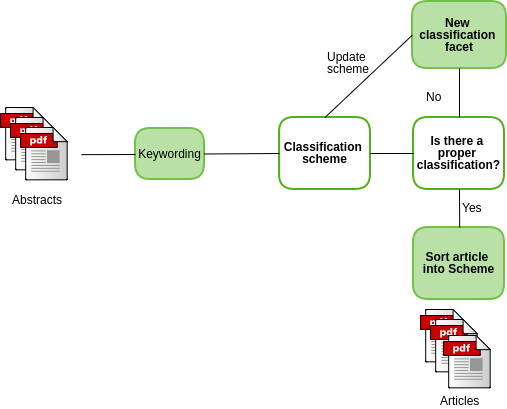
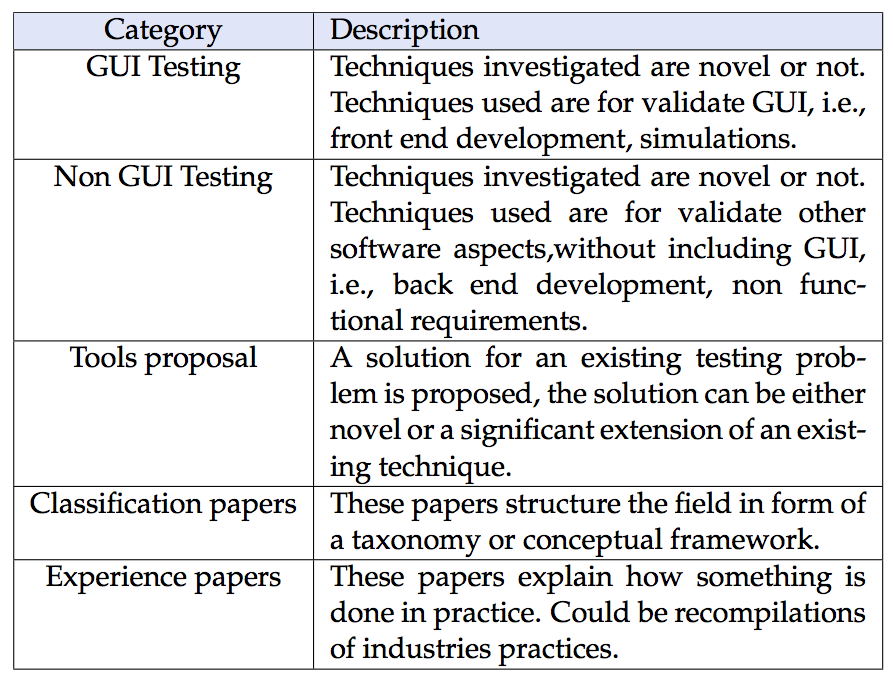
Data Extraction data

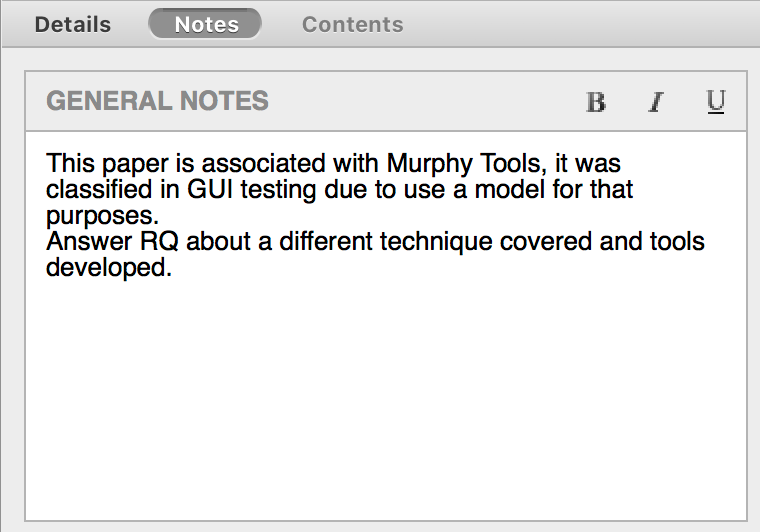
Data Collection Forms
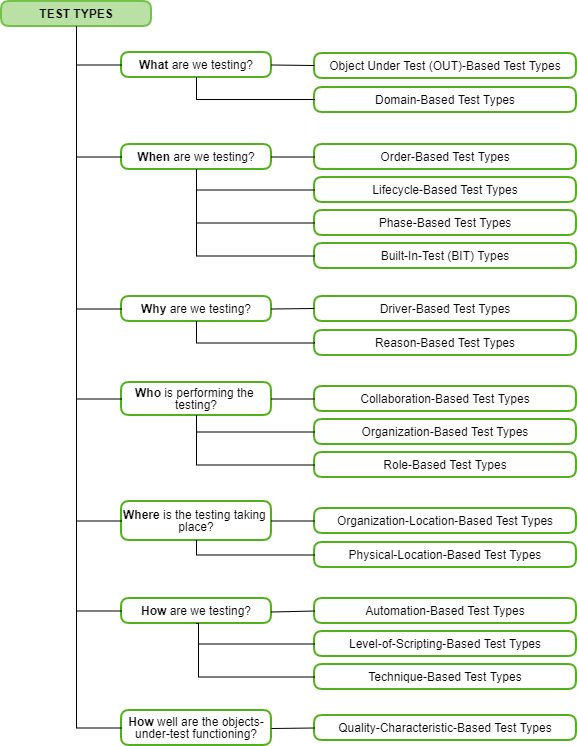
Result
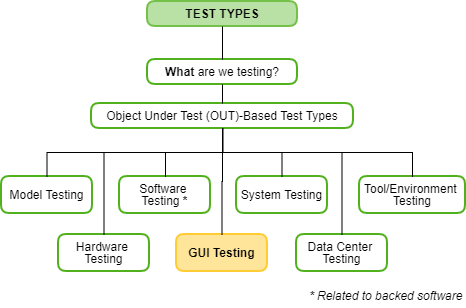
Result
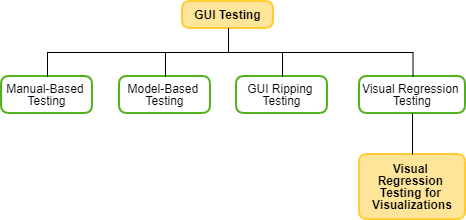
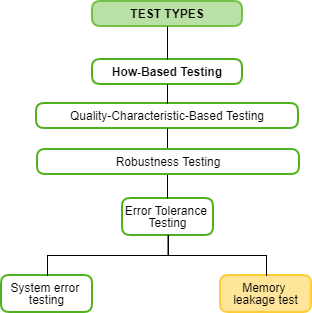
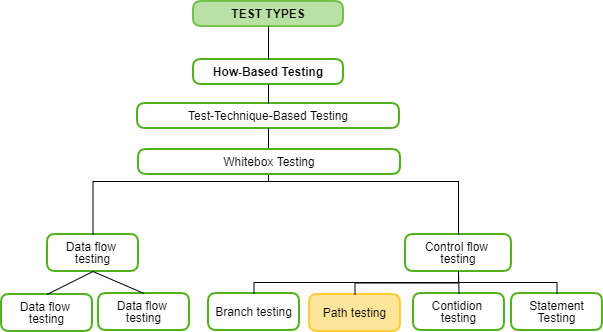
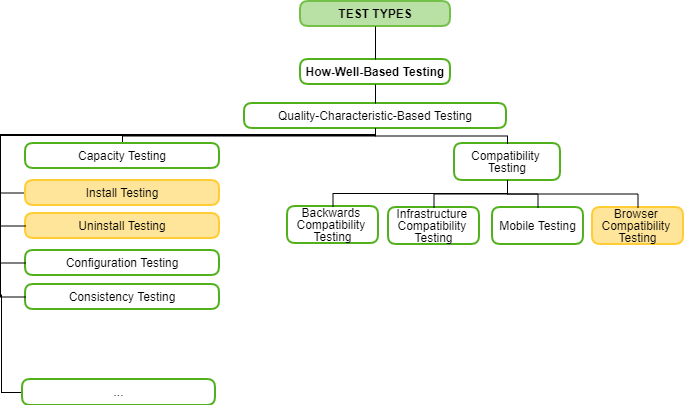
Result
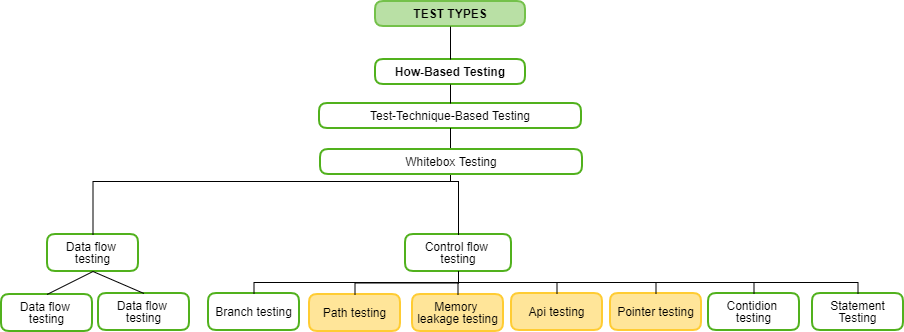

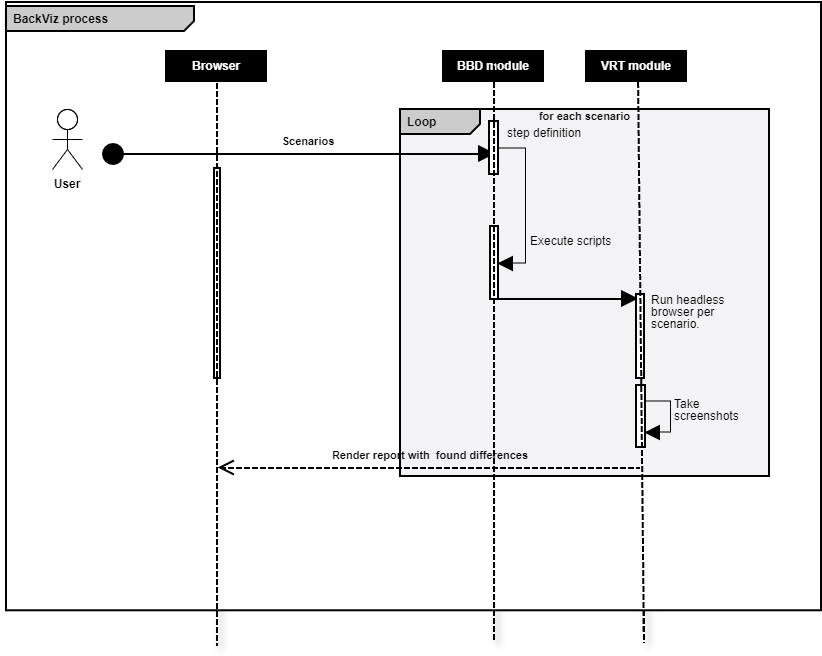
BackViz design
BDD module
VRT module
Writing tests
Interpreter
Execute
Headless Browser (Execute DOM interactions
Image comparator
Report
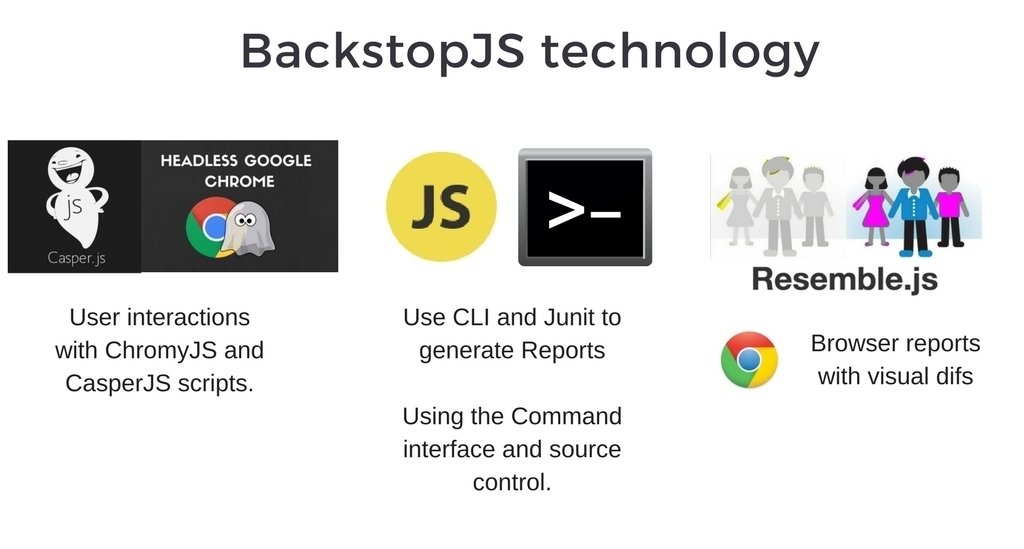
Tools choice
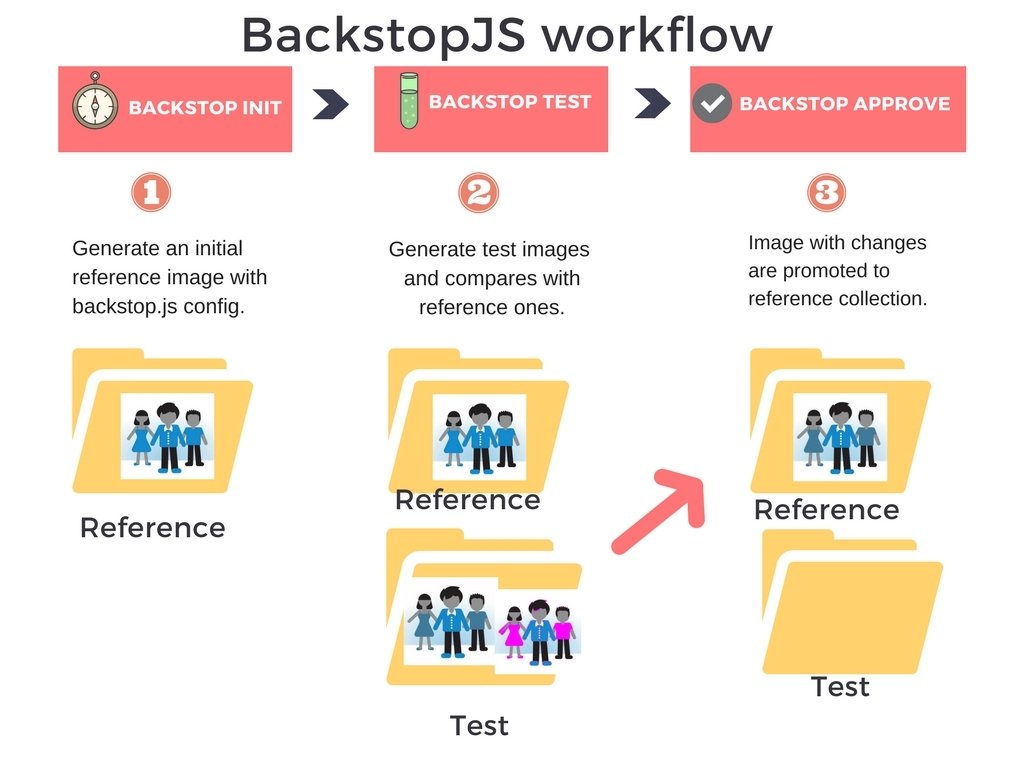

- Open source
- Cover entire flow of VRT

Percy
Tools choice

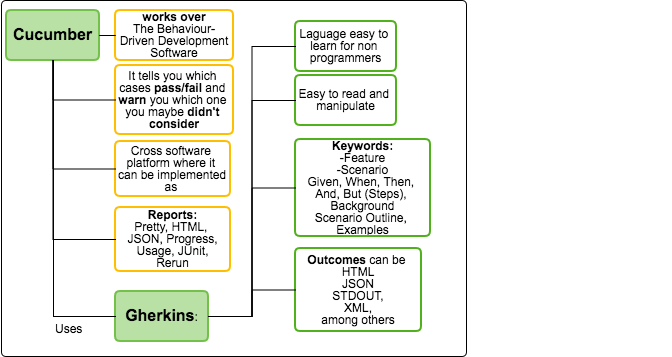
Cucumber understands the language Gherkin. It is a Business Readable, Domain Specific Language that lets you describe software's behavior.
Gherkin serves two purposes — documentation and automated tests.
Obtained results
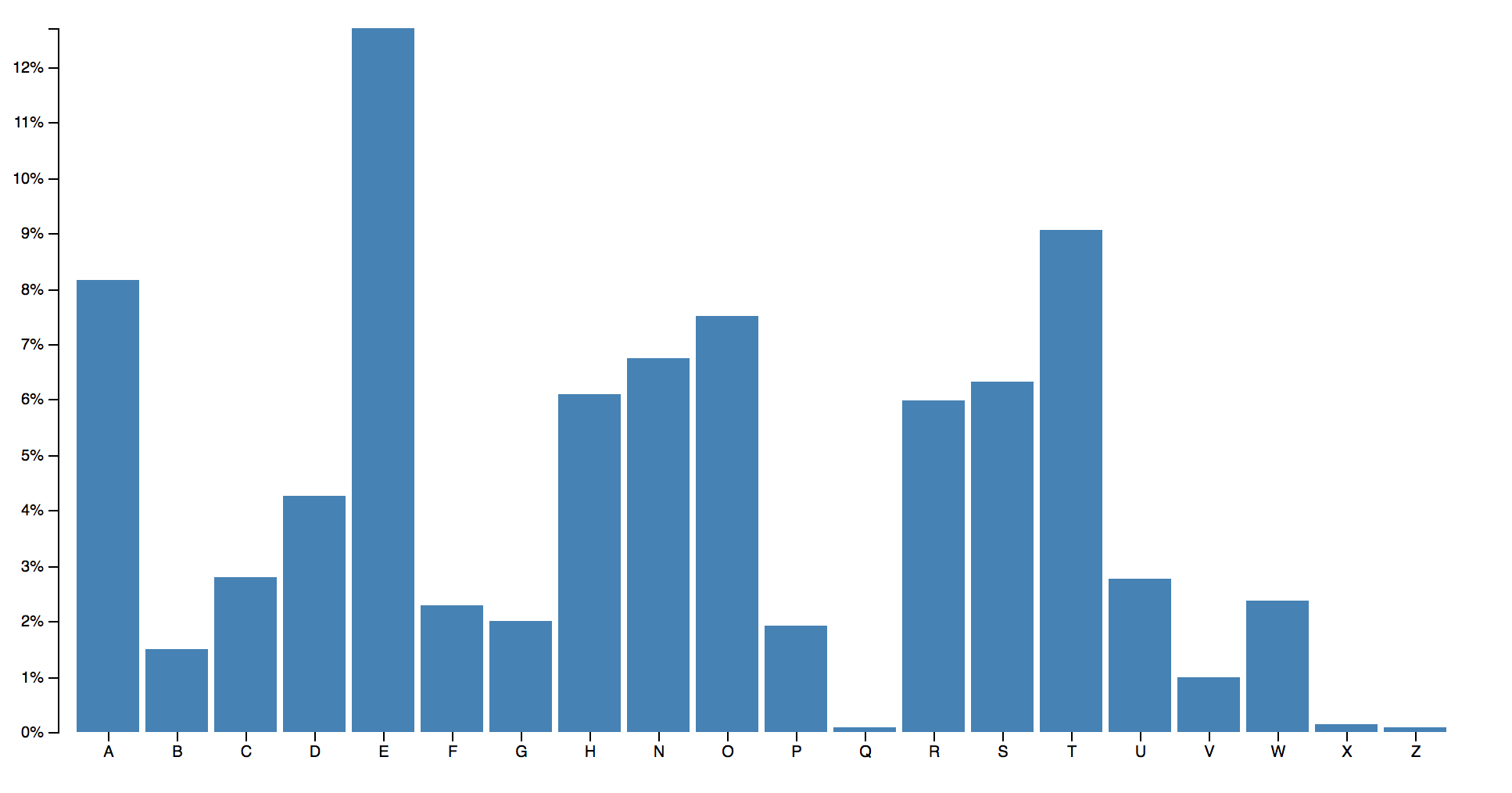
Feature: Barchart

  Scenario: Hover a bar
    Given I have my app "http://localhost:7000/"
    And I have ".bar" class
    And I have some devices
    |   label  | width | height |
    |   phone  | 320   |    480 |
    |   tablet | 1024  |    768 |
    When I "hover"
    Then I check "color"


  Scenario: Check all data
    Given I have my app "http://localhost:7000/"
    And I have some devices
    |   label  | width | height |
    |   phone  | 320   |    480 |
    |   tablet | 1024  |    768 |
    Then I check "all"
- Color hover
- Data
Obtained results
const defineSupportCode = require('cucumber').defineSupportCode;
const assert = require('assert');
const backstop = require('backstopjs');
var mimod = require("./modulo")()

defineSupportCode(function({ Given, Then, When, setDefaultTimeout }) {
  setDefaultTimeout(60 * 100);
  let application = "";
  let interaction = "";
  let tag="";
  let reference=false;
  let devices = [];

  Given('I have my app {string}', function (input)  {
    application = input;
  });

  Given('I have {string} class', function(input){
    tag = input
  });

  Given('I run reference', function(input){
    reference = true
  });

  Given('I have some devices', function(data) {
    var devicesData=data.raw();
    console.log(devicesData.length);
    var device=[]
    for(i = 1; i < devicesData.length; i++){
      device=devicesData[i]
      devices.push({
      "label": device[0],
      "width": device[1],
      "height": device[2]
      })
    }
  });


  When('I {string}', function(interactionI){
    interaction=interactionI
  });

  Then('I check {string}', function (other,callback) {
     backCall(application,tag,devices, interaction).then(function () {
	   callback();
	   console.log("Everything was ok.");
     console.log('There wasnt changes in'
      + other);
    }).catch( function (error){
	     console.log("It was an error with backstopJs.");
        console.log(error);
      }
    );

  });


});
Steps definition
Obtained results
"id": "backstop_default",
  "viewports": devices,
  "onBeforeScript": "chromy/onBefore.js",
  "onReadyScript": "chromy/onReady.js",
  "scenarios": [
    {
      "label": "BackstopJS Homepage",
      "cookiePath": "backstop_data/engine_scripts/cookies.json",
      "url": application,
      "referenceUrl": "",
      "readyEvent": "",
      "readySelector": "",
      "delay": 0,
      "hideSelectors": interactions[1],
      "removeSelectors": interactions[2],
      "hoverSelector": interactions[3],
      "clickSelector": "",
      "dragSelector": "",
      "postInteractionWait": "",
      "selectors": [],
      "selectorExpansion": true,
      "misMatchThreshold" : 0.1,
      "requireSameDimensions": true
    }
  ],
  "paths": {
    "bitmaps_reference": "backstop_data/bitmaps_reference",
    "bitmaps_test": "backstop_data/bitmaps_test",
    "engine_scripts": "backstop_data/engine_scripts",
    "html_report": "backstop_data/html_report",
    "ci_report": "backstop_data/ci_report"
  },
  "ci": {
  "format" :  "junit" ,
  "testReportFileName": "myproject-xunit", // in case if you want to override the default filename (xunit.xml)
  "testSuiteName" :  "backstopJS"
},
  "report": ["browser","CI"],
  "engine": "chrome",
  "engineFlags": [],
  "asyncCaptureLimit": 5,
  "asyncCompareLimit": 50,
  "debug": false,
  "debugWindow": false}});
  }}
Built configuration
Obtained results
var WAIT_TIMEOUT = 5000;

module.exports = function(casper, scenario) {
  var waitFor = require('./waitForHelperHelper')(casper, WAIT_TIMEOUT);
  var hoverSelector = scenario.hoverSelector,
      clickSelector = scenario.clickSelector,
      dragSelector = scenario.dragSelector,
      postInteractionWait = scenario.postInteractionWait;

  if (hoverSelector) {
    console.log("-------Executing a hover -------")
    waitFor(hoverSelector);
    casper.then(function () {
      casper.mouse.move(hoverSelector);
    });
  }

  if (clickSelector) {
    console.log("-------Executing a click -------")
    waitFor(clickSelector);
    casper.then(function () {
      casper.click(clickSelector);
      casper.wait(1000);
    });
  }

  if (dragSelector) {
    console.log("-------Executing a drag and drop -------")
    waitFor(dragSelector);
    casper.then(function() {
    this.mouse.down(x, y);
    this.mouse.move(x, y);
});

  }

  // TODO: if postInteractionWait === integer then do ==> wait(postInteractionWait) || elsevvv
  waitFor(postInteractionWait);
};
Browser engine
Result
Result
Obtained results
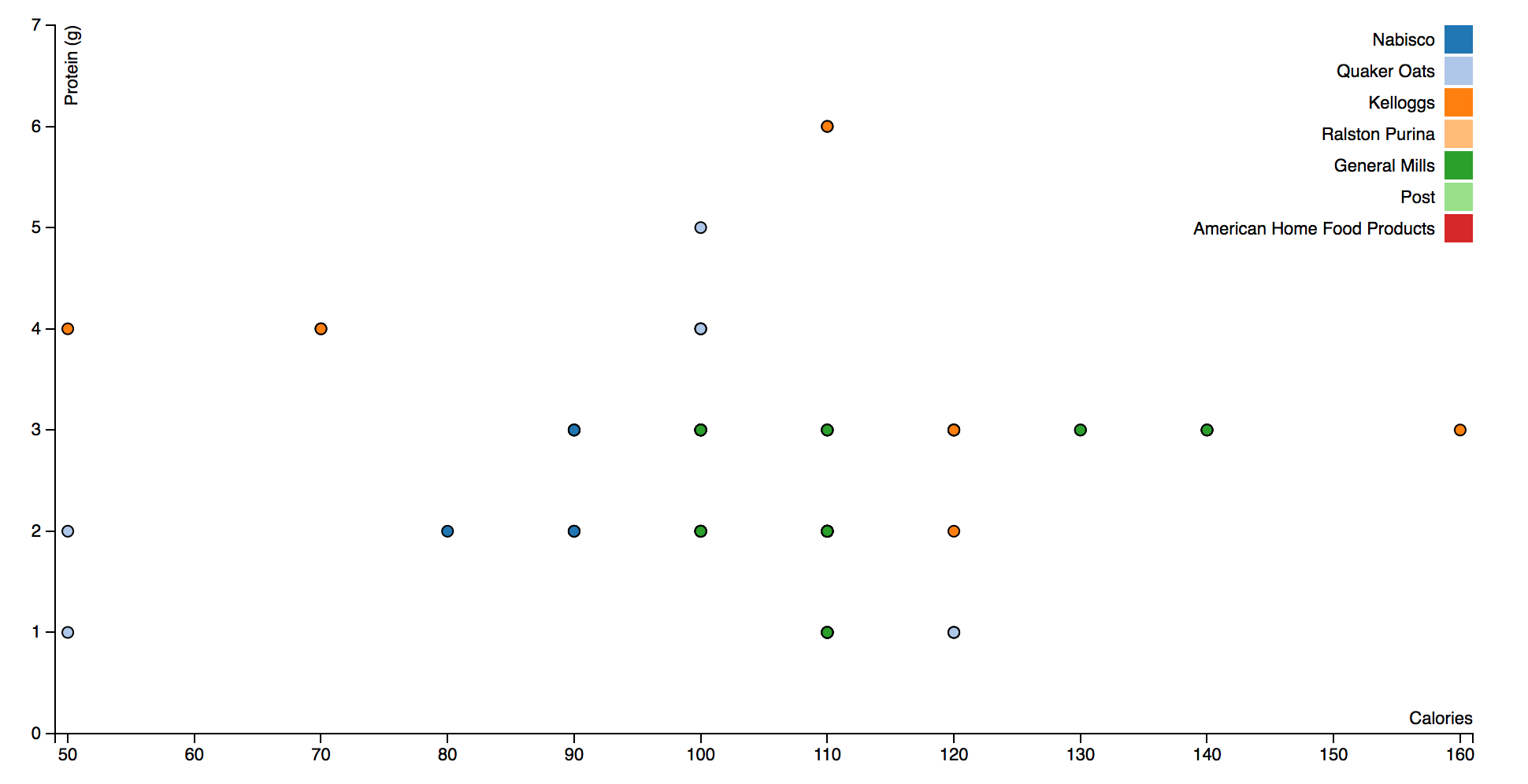
Feature: Scatterplot

  Scenario: Click a dot
    Given I have my app "http://localhost:8000/"
    And I have ".dot" class
    And I have some devices
    |   label  | width | height |
    |   phone  | 320   |    480 |
    |   tablet | 1024  |    768 |
    When I "hover"
    Then I check "embeded"

  Scenario: Check all data
    Given I have my app "http://localhost:8000/"
    And I have some devices
    |   label  | width | height |
    |   phone  | 320   |    480 |
    |   tablet | 1024  |    768 |
Then I check "all"- Color
- Shape
- Data
Obtained results
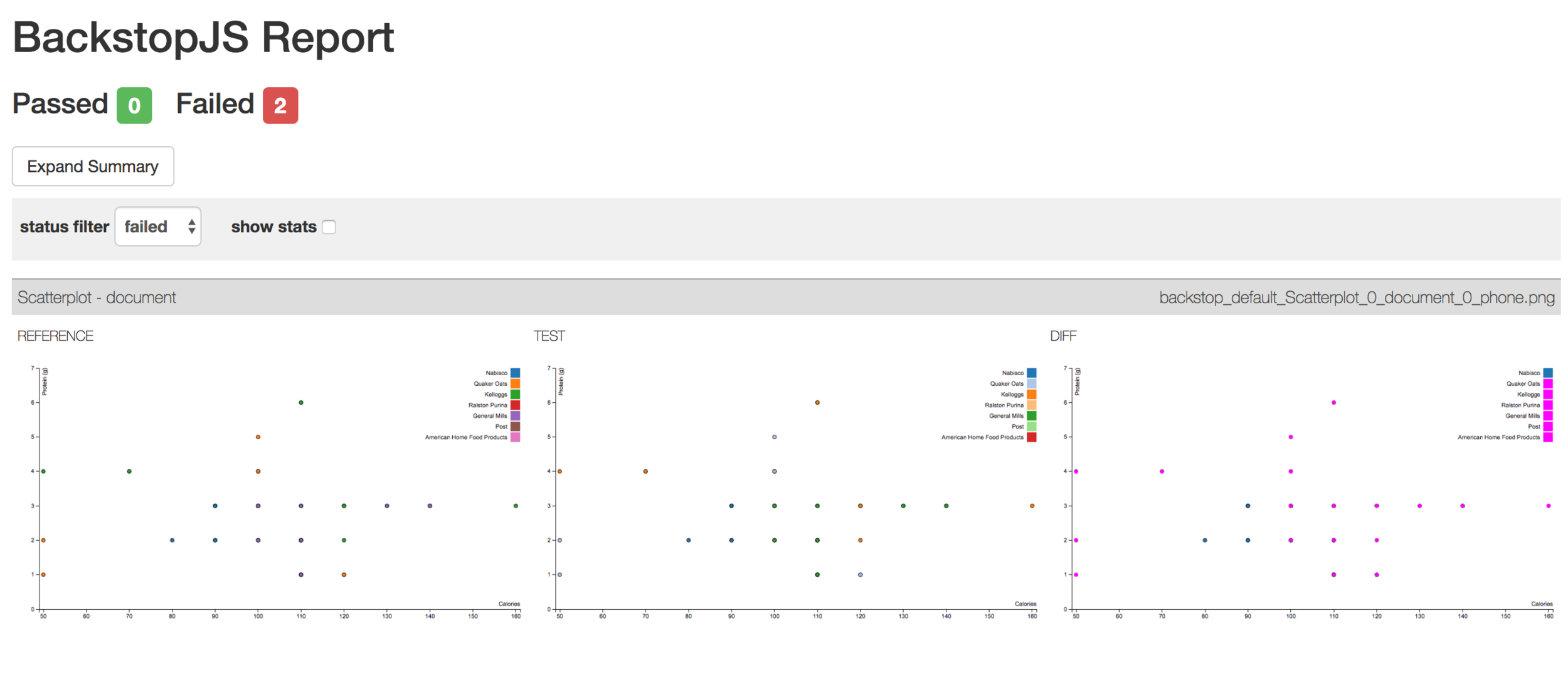
Without changes
Obtained results
Color changes
// setup fill color
var cValue = function(d) { return d.Manufacturer;},
    color = d3.scale.category20();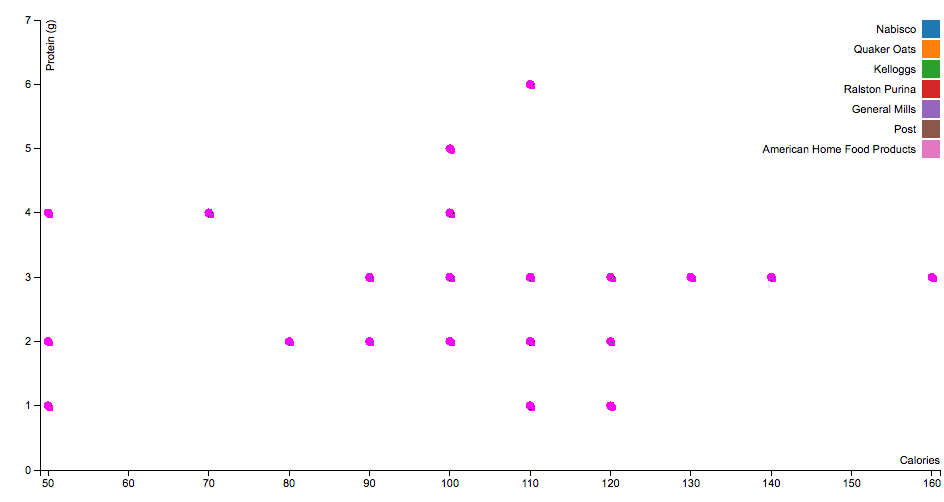
Shape changes
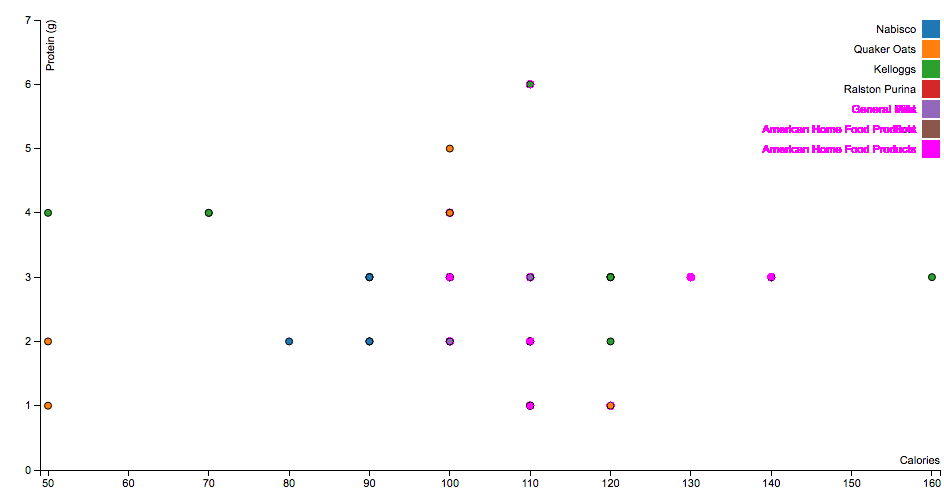
      "misMatchThreshold" : 0.1,
      "requireSameDimensions": true
Less data
Obtained results
Feature: Tree

  Scenario: Drag a node
    Given I have my app "http://localhost:8000/"
    And I have ".nodeCircle" class
    And I have some devices
    |   label  | width | height |
    |   phone  | 320   |    480 |
    |   tablet | 1024  |    768 |
    When I "drag"
    Then I check "position"

  Scenario: Click a node
    Given I have my app "http://localhost:8000/"
    And I have ".nodeCircle" class
    And I have some devices
    |   label  | width | height |
    |   phone  | 320   |    480 |
    |   tablet | 1024  |    768 |
    When I "click"
Then I check "expand"- Click
- Drag
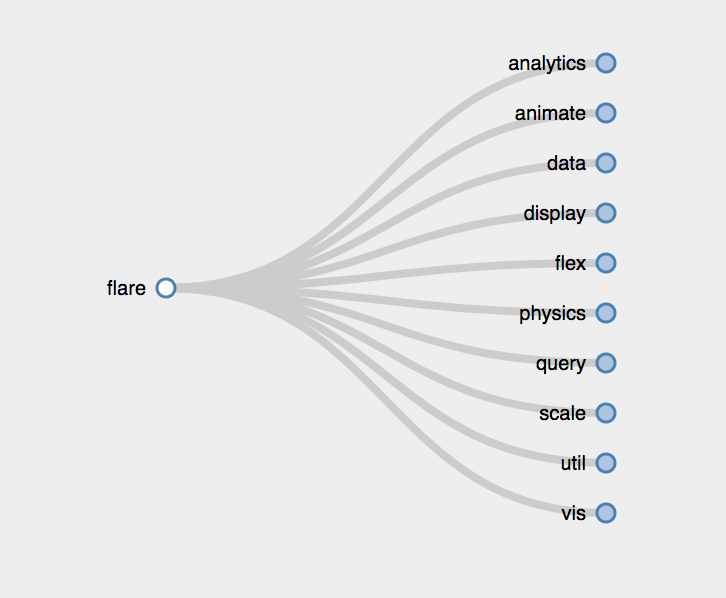
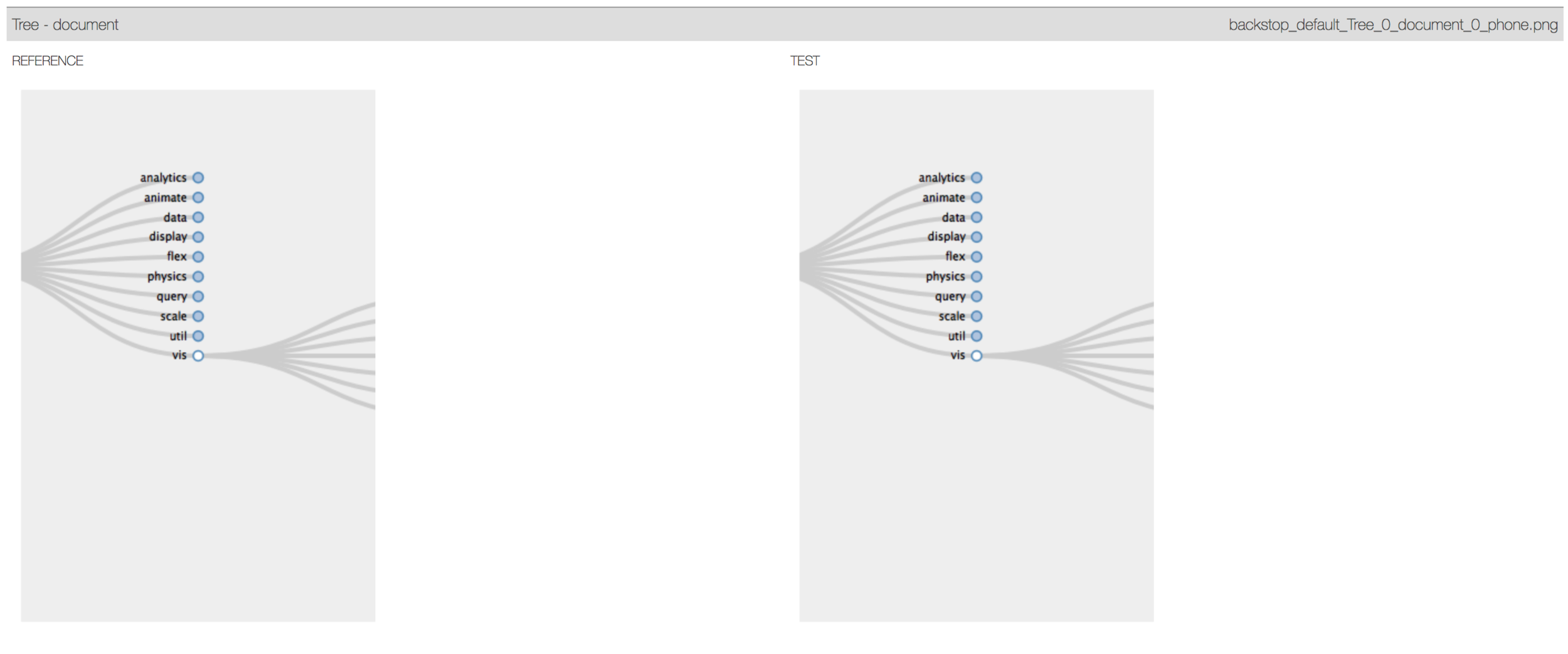
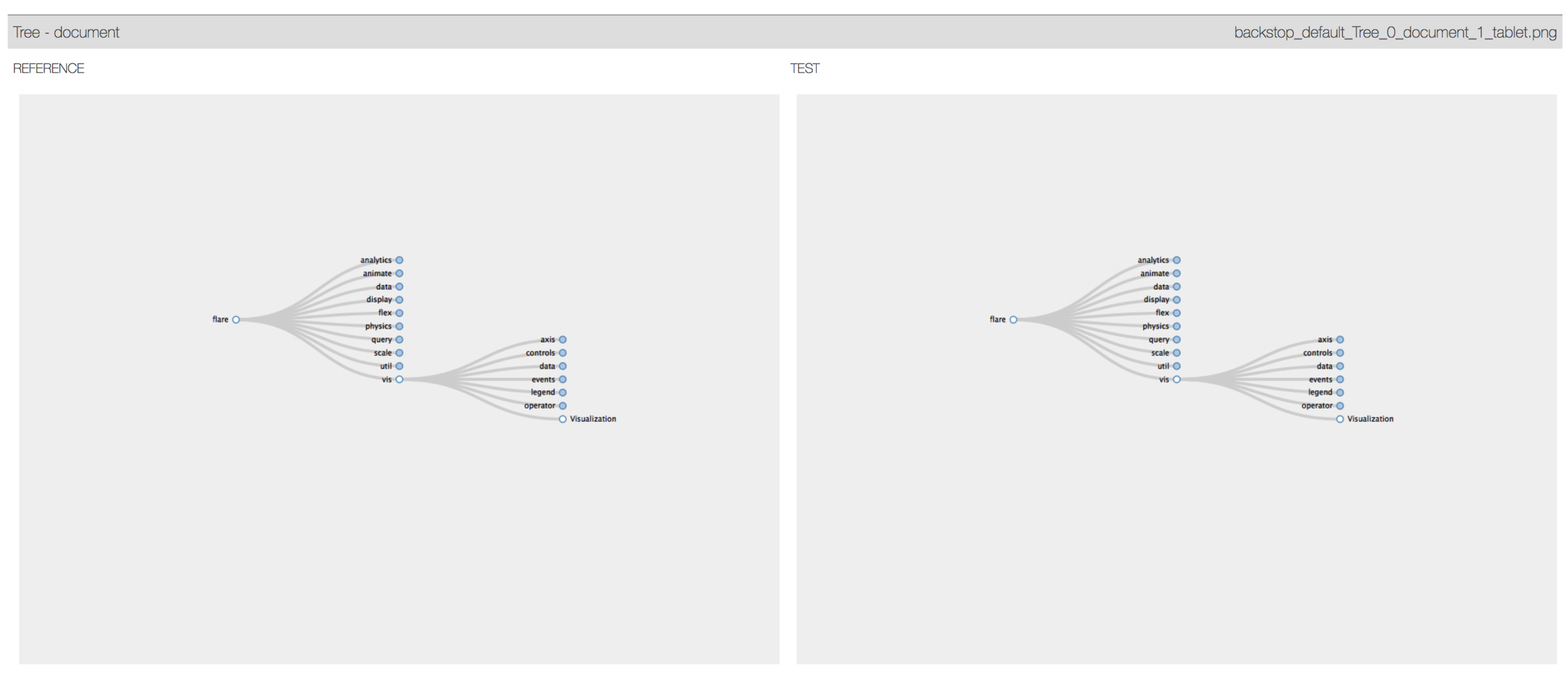
Click
Obtained results
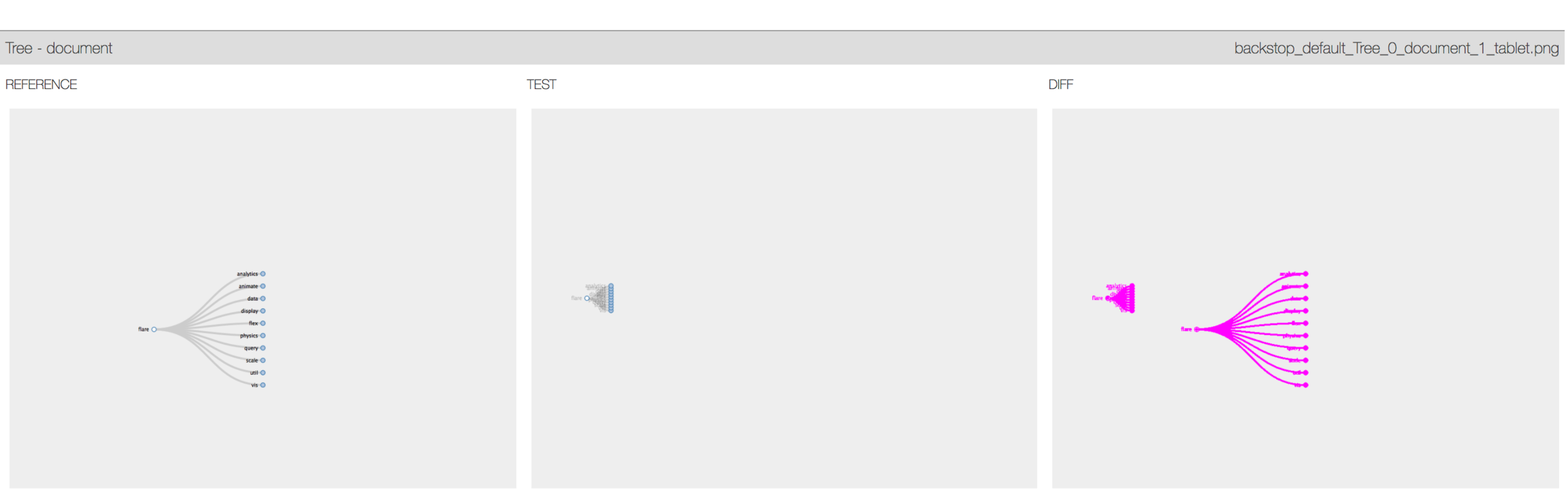
Drag and drop
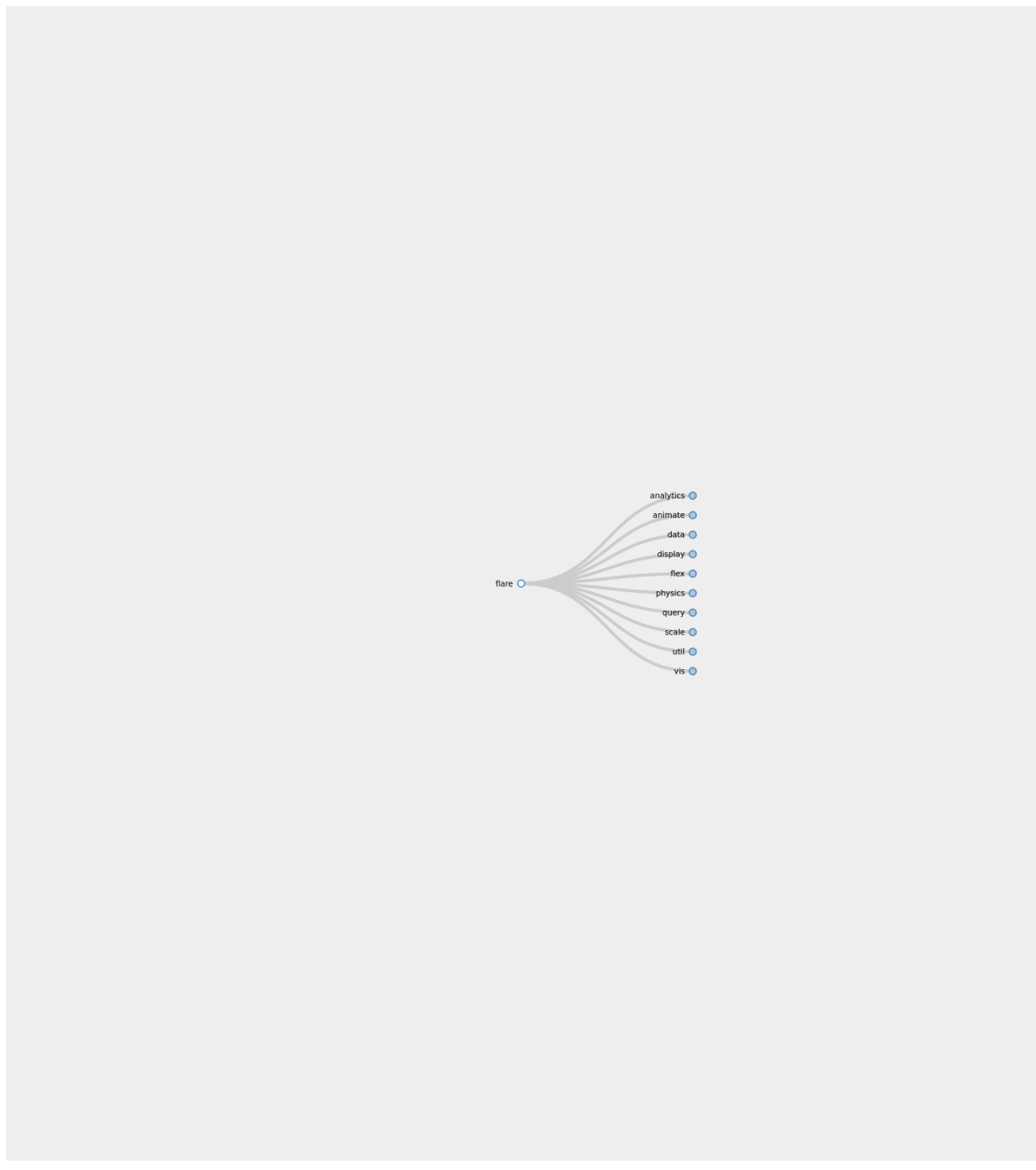
Some issues
Drag and drop implementation
//Llamamos a la libreria de casper
var casper = require("casper").create({
    viewportSize: {
        width: 1024,
        height: 768
    }
});

casper.start('http://localhost:9000', function() {
    this.wait(2000);
    this.capture('before.png');
    this.mouse.down(400, 550);

       this.mouse.move(850, 650);
}).then(function() {
    this.mouse.up(910, 700);
}).then(function() {
    this.capture('after.png');
    });

casper.run();
Slimer


before
after
Discussion
- Initial solution that supports the testing work of the visualizer.
- The enrichment of the prototype maximizes the possibility of adequately representing a higher number of visualizations.
- There is a need to implement other combinations of technologies, given particular difficulties in the accuracy of the headless browsers.
- The model of architecture presented is adequate given that it encapsulates, within a series of layers, the interactions inherent to the activities fundamental to VA.
BackViz!
Conclusions
- Design and implementation of a prototype framework to perform testing on visualizations, BackViz. It enriches the development process (particularly testing) of the visualizers.
- Propose a taxonomy of testing types, which establishes a notion of the existing techniques and the gap to test systems of the nature of visualizations.
- Letting them establish their tests and applied along the time, detecting bugs or undesired changes incorporated through new releases.
- The dynamism of the idioms in VA, demands an update of the possible steps and interactions.
Future work
The complexity of possible test scenarios for visualizations, keeping in mind the universe of interactions and the possibility of combining different idioms, maximizes the importance of the existence of a testing mechanism. For this reason, it is necessary to fully implement the framework that is not part of the scope of this project.

Other possible testing techniques could be applied as would be the static code analysis, to narrow the visualizer scenarios and guarantee that their tests are defined explicitly within what is possible according to the code.
A validation process of the entire library for a diverse set of visualizations is necessary.
Complete Systematic Review could be done, in order to cover all steps and produces a taxonomy more strict in software engineering sense.
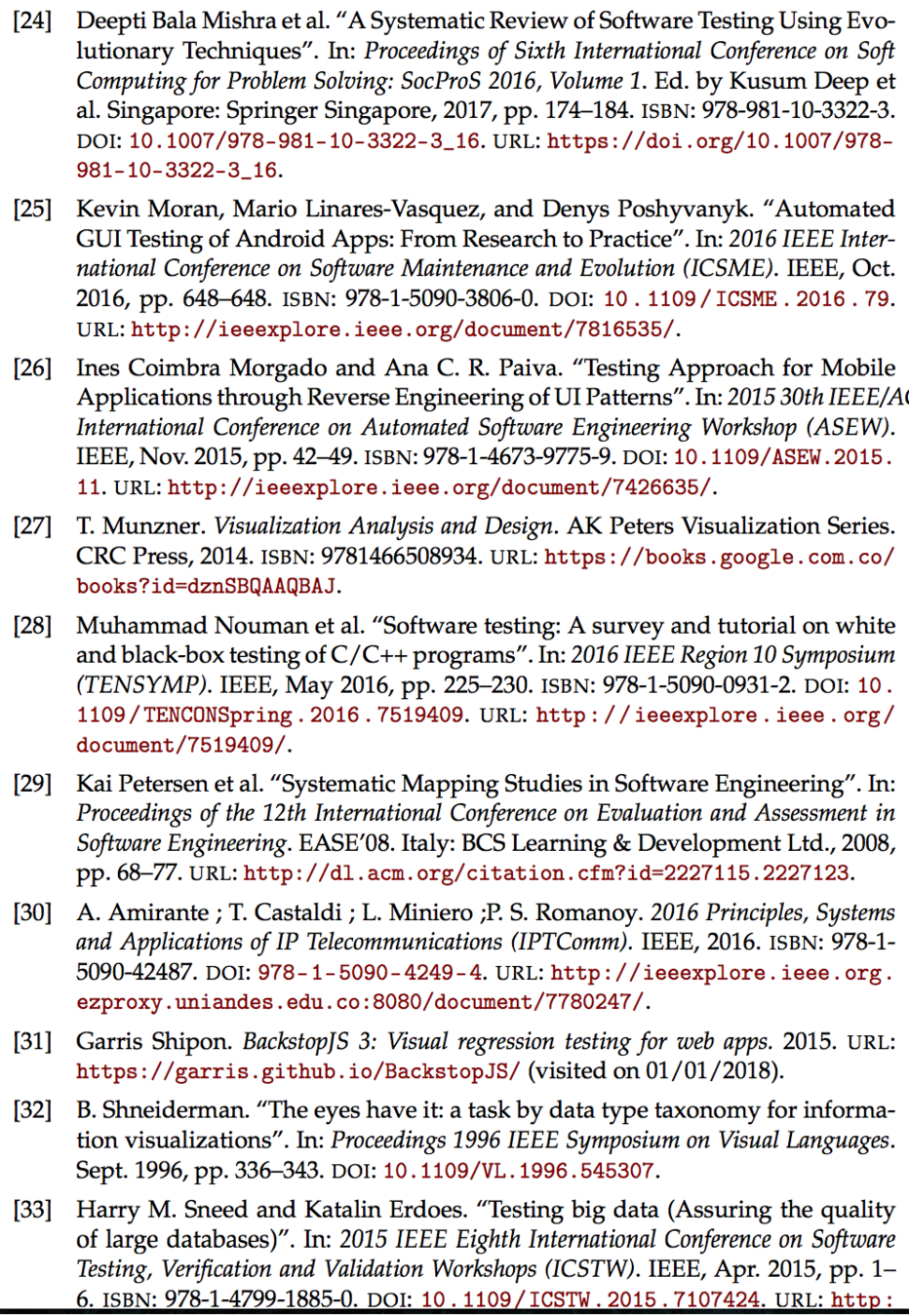
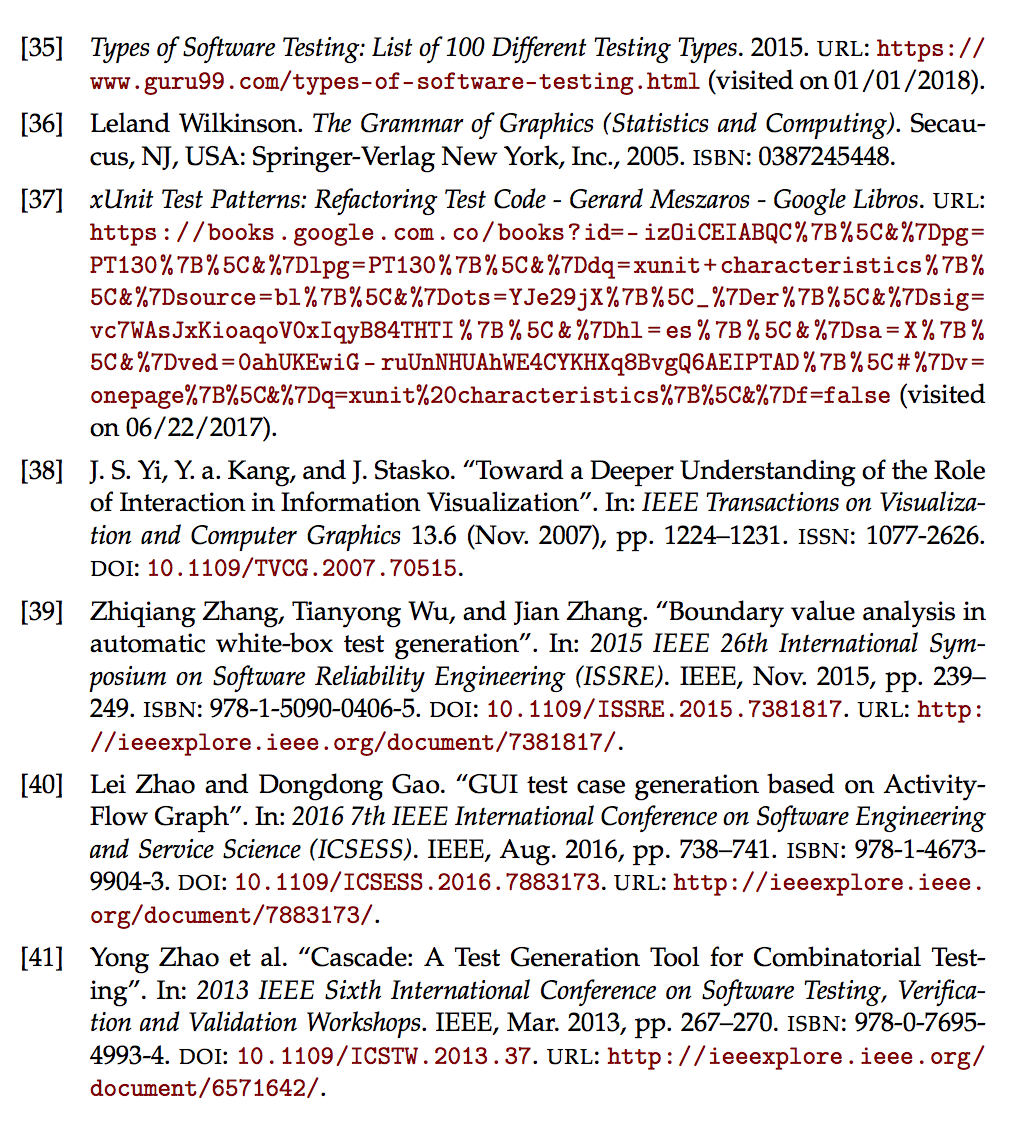
Bibliography
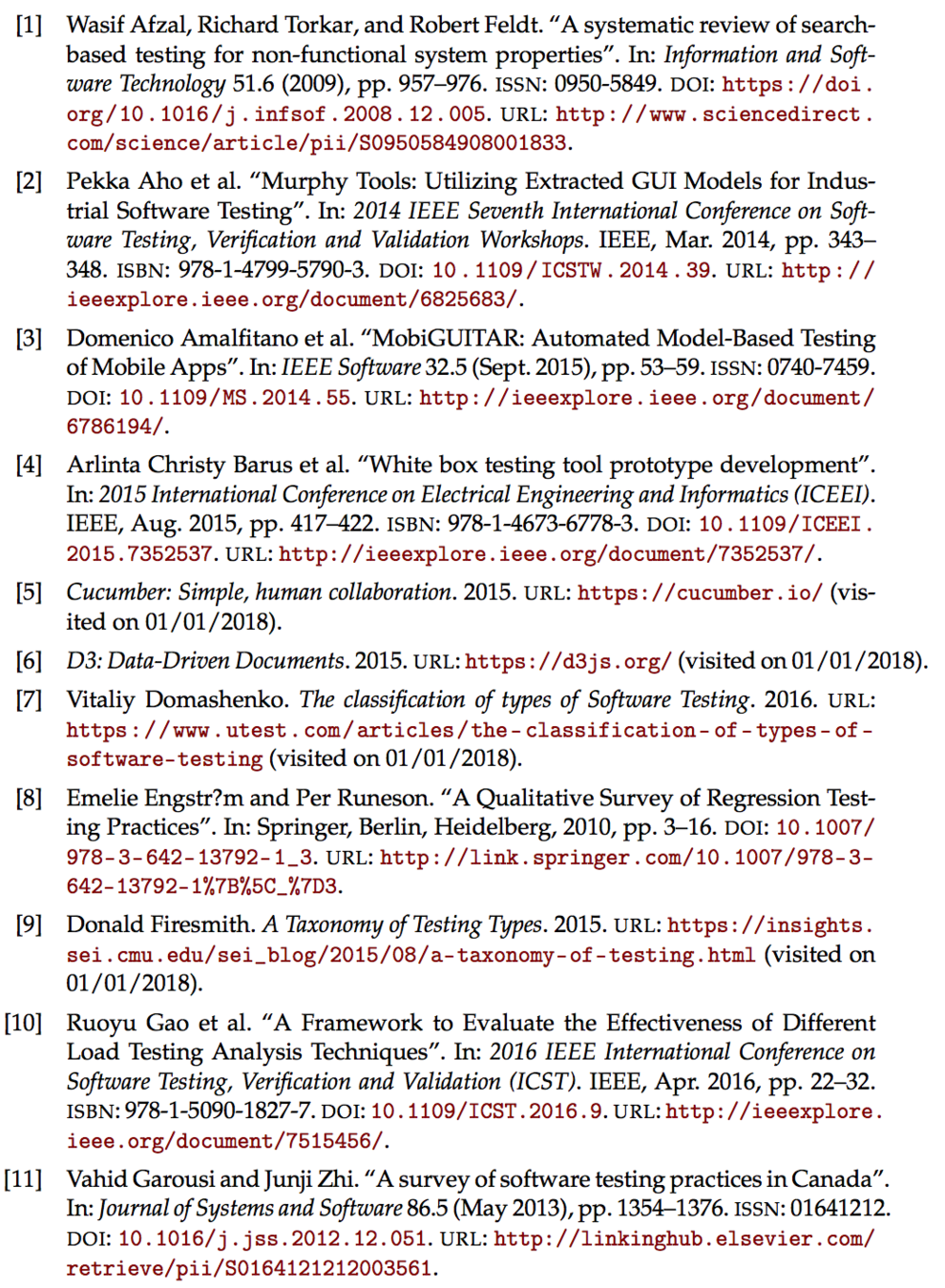
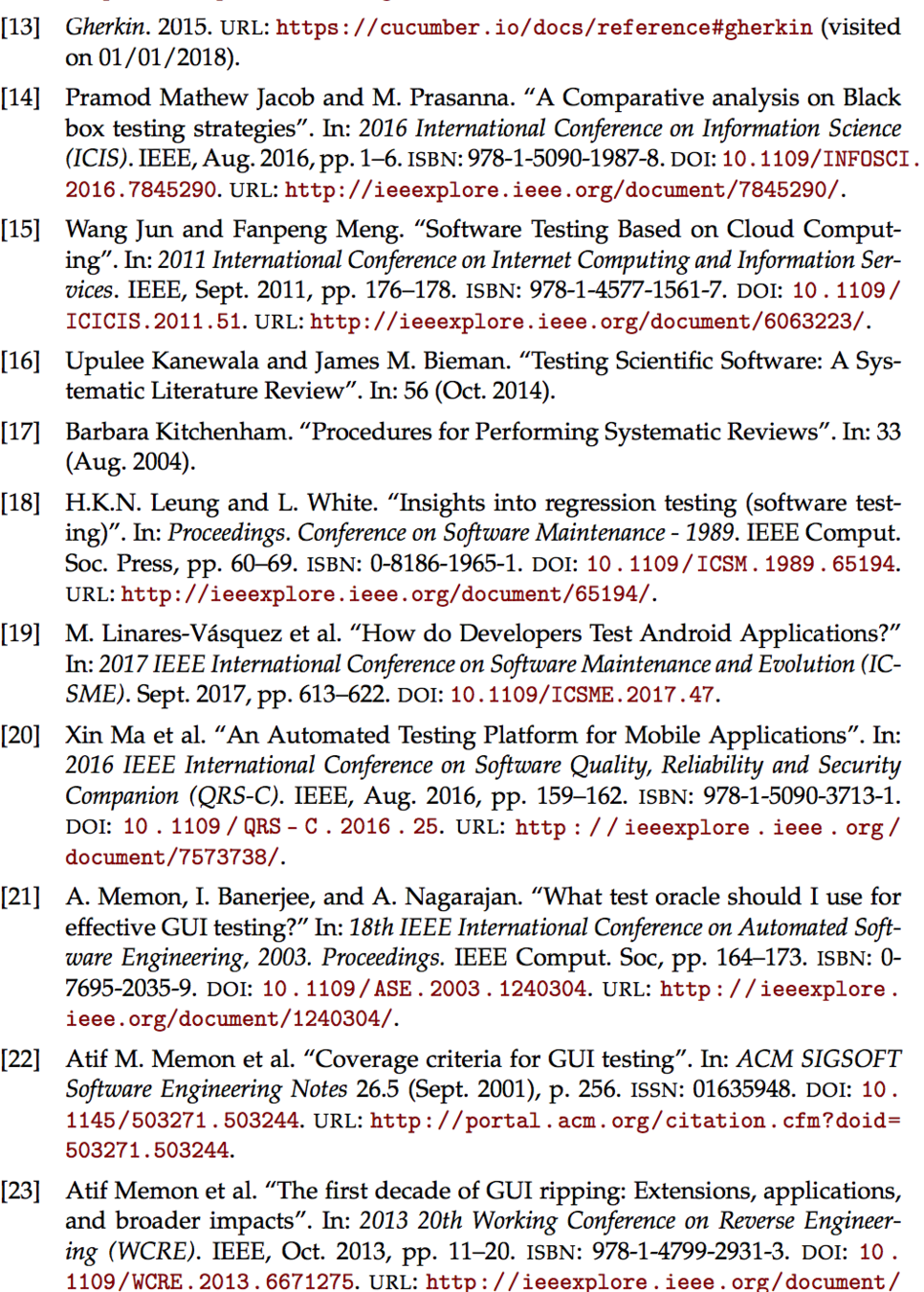
Bibliography
Thank you!
Thesis
By nychi713
Thesis
Thesis