


Introduction to Python

CIPPUS_Python   1st week

Yuanzheng Ci, Screw Studio @ DUT,

2017-11-5

签到

Applications

  • web app
  • data scraping
  • GUI programming
  • scientific computation & plotting
  • data science & deep learning
  • script

Python Philosophy

Python Philosophy

The Zen of Python, by Tim Peters

Beautiful is better than ugly.
Explicit is better than implicit.
Simple is better than complex.
Complex is better than complicated.
Flat is better than nested.
Sparse is better than dense.
Readability counts.
Special cases aren't special enough to break the rules.
Although practicality beats purity.
Errors should never pass silently.
Unless explicitly silenced.
In the face of ambiguity, refuse the temptation to guess.
There should be one-- and preferably only one --obvious way to do it.
Although that way may not be obvious at first unless you're Dutch.
Now is better than never.
Although never is often better than *right* now.
If the implementation is hard to explain, it's a bad idea.
If the implementation is easy to explain, it may be a good idea.
Namespaces are one honking great idea -- let's do more of those!

Python Philosophy

Here is the plan: when someone uses a feature you don't understand, simply shoot them.

This is easier than learning something new, and too long the only living coders will be writing in an easily understood, tiny subset of Python 0.9.6

---Tim Peters

Python:

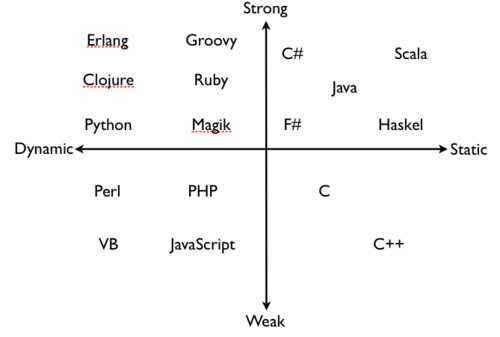
Dynamic&Strong Typing

Python:

Dynamic&Strong Typing

Interpreter

Develop Environment

IDE

Shell

  • Python Shell
  • Jupyter Notebook
  • Ipython
  • ptpython
  • ...

Distribution

pip

REPL

Read-Eval-Print Loop

Python2? Python3?

  • <> to !=
  • 5/2 = 2 to 5/2 = 2.5 & 5//2 = 2
  • print statement to print() function
  • unicode str u“str”  as default
  • unicode variable name allowed
  • new features...

What's in there?

Literals

  • 233, '233‘, True, 2.0                           

Identifiers

  • names(variables/function names)
  • False class finally is return None continue for lambda try True def from nonlocal while and del global not with as elif if or yield assert else import pass break except in raise

Operators&Delimiters

  • Operators: +       -       *       **      /       //      %      @   <<      >>      &       |       ^       ~   <       >       <=      >=      ==      !=
  • Delimiters: (       )       [       ]       {       }   ,       :       .       ;       @       =       ->   +=      -=      *=      /=      //=     %=      @=   &=      |=      ^=      >>=     <<=     **=    '       "       #       \

What's in there?

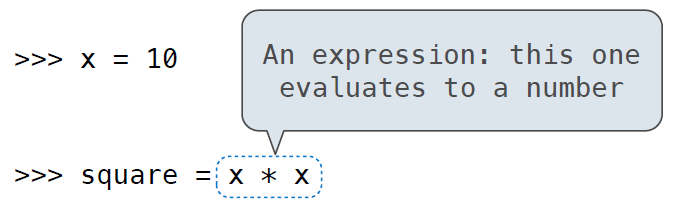
Expression

  • Primitive expressions:   233, '233‘, True, add
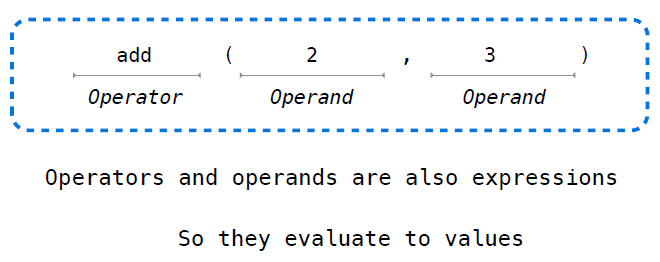
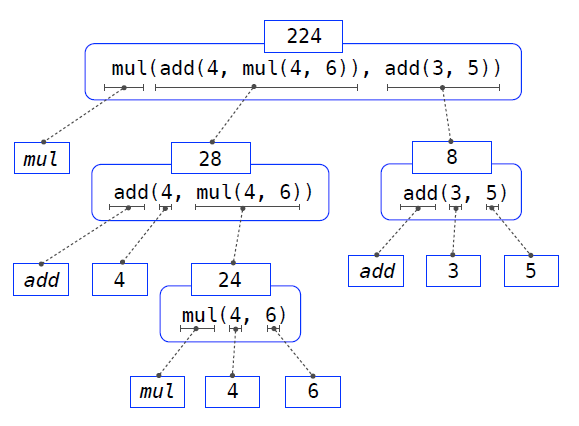
  • Call expressions:   operator(operands)
  • Subscriptions:   a[2]
  • Nested expressions: 2 + 3, a + pow(2, 5)
  • ...

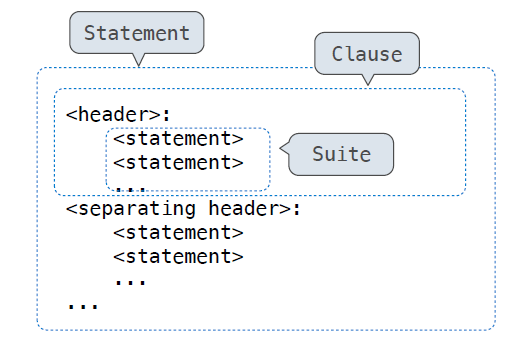
Statement  

  • Simple statements: import, return, break, continue, =,...
  • Compound statements: if:, while:, for:, ...

A statement is executed by the interpreter to perform an action

Anatomy of a Call Expression

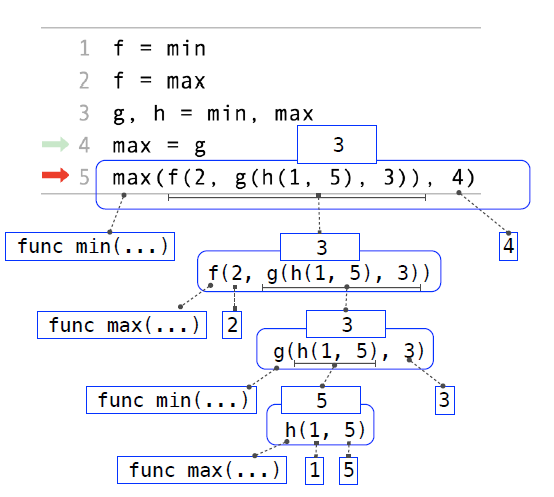
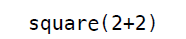
  1. Evaluate the operator and then the operand subexpressions
  2. Apply the function that is the value of the operator subexpression to the arguments that are the values of the operand subexpression

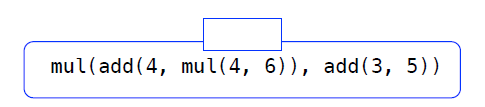
Evaluating Nested Expressions

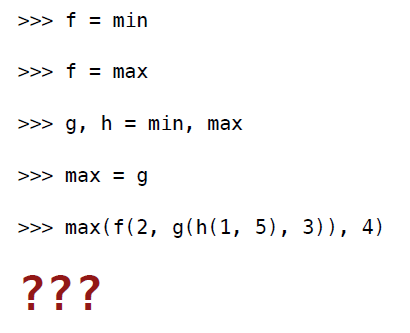
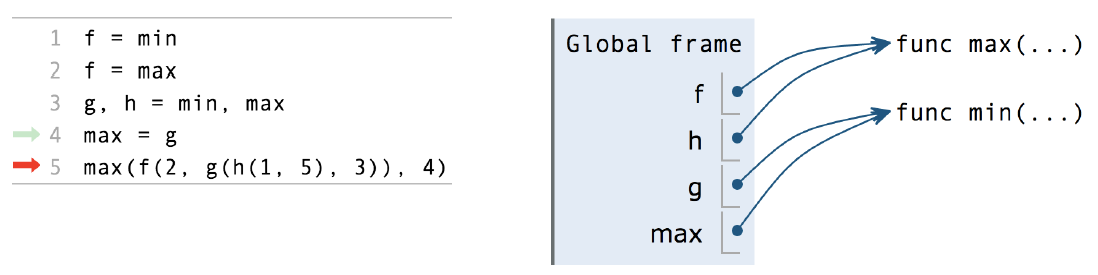
Question

What is the value of the final expression in this sequence?

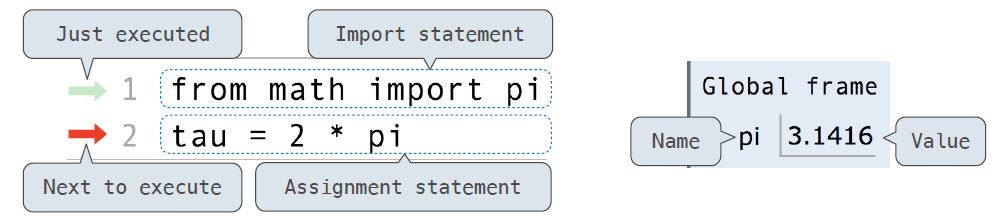
NameSpace

Arrows indicate evaluation order

Each name is bound to a value

Within a frame, a name cannot be repeated

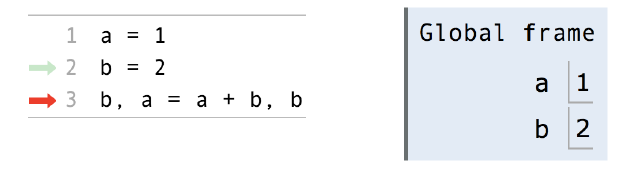
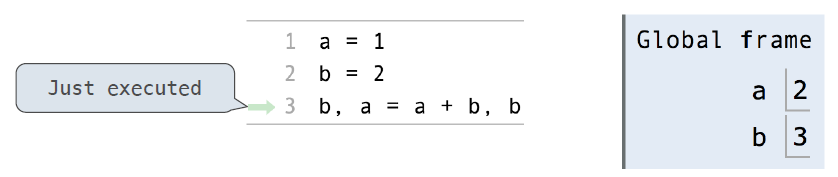
Assignment Statements

  1. Evaluate all expressions to the right of = from left to right.
  2. Bind all names to the left of = to those resulting values in the current frame.

Solution

3

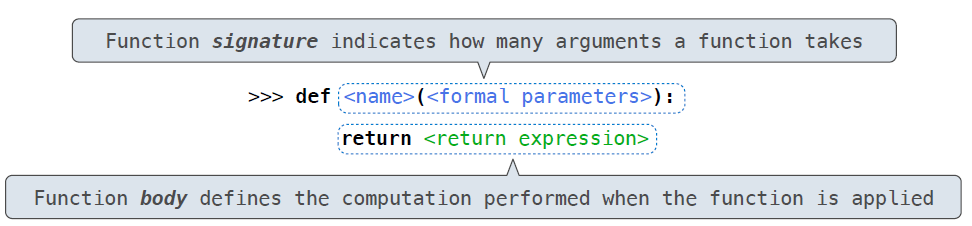
Defining Functions

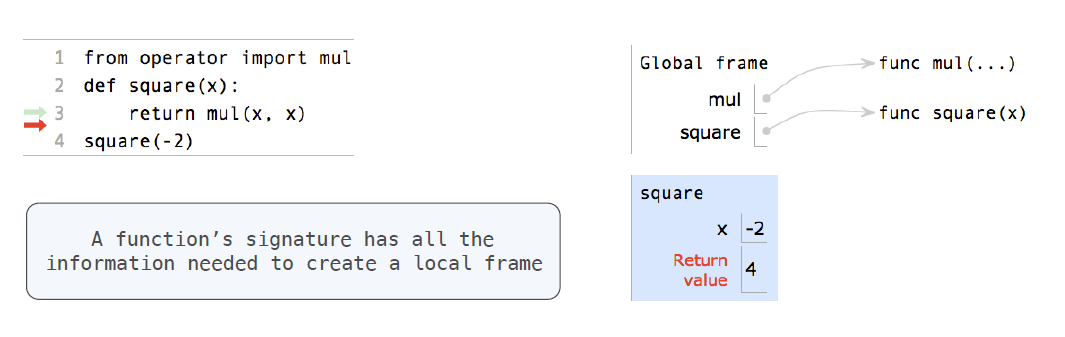
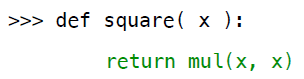
  1. Create a function with signature <name>(<formal parameters>)
  2. Set the body of that function to be everything indented after the first line
  3. Bind <name> to that function in the current frame

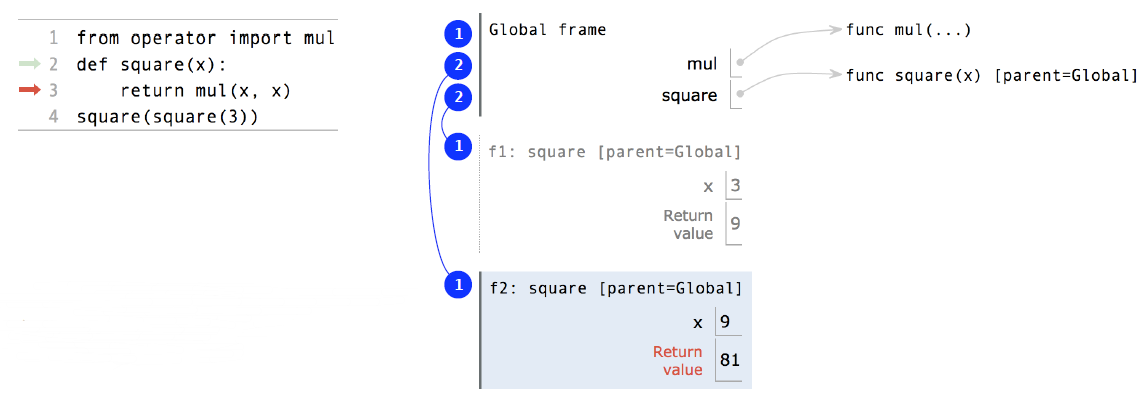
Calling User-Defined Functions

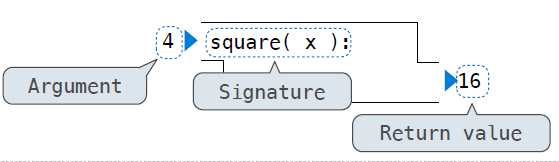
  1. Add a local frame, forming a new environment
  2. Bind the function's formal parameters to its arguments in that frame
  3. Execute the body of the function in that new environment

NameSpace/Environment

To look up some name in the body of the square function

  1. Bind the function's formal parameters to its arguments in that frame
  2. Execute the body of the function in that new environment

Every expression is evaluated in the context of an environment.

Most important two things

  1. An environment is a sequence of frames
  2. A name evaluates to the value bound to that name in the earliest frame of the current environment in which that name is found

Life Cycle of a User-Defined Function

Def statement:

A new function is created!

Name bound to that function
in the current frame

Call expression:

Operator & operands evaluated

Function(value of operator) called on arguements

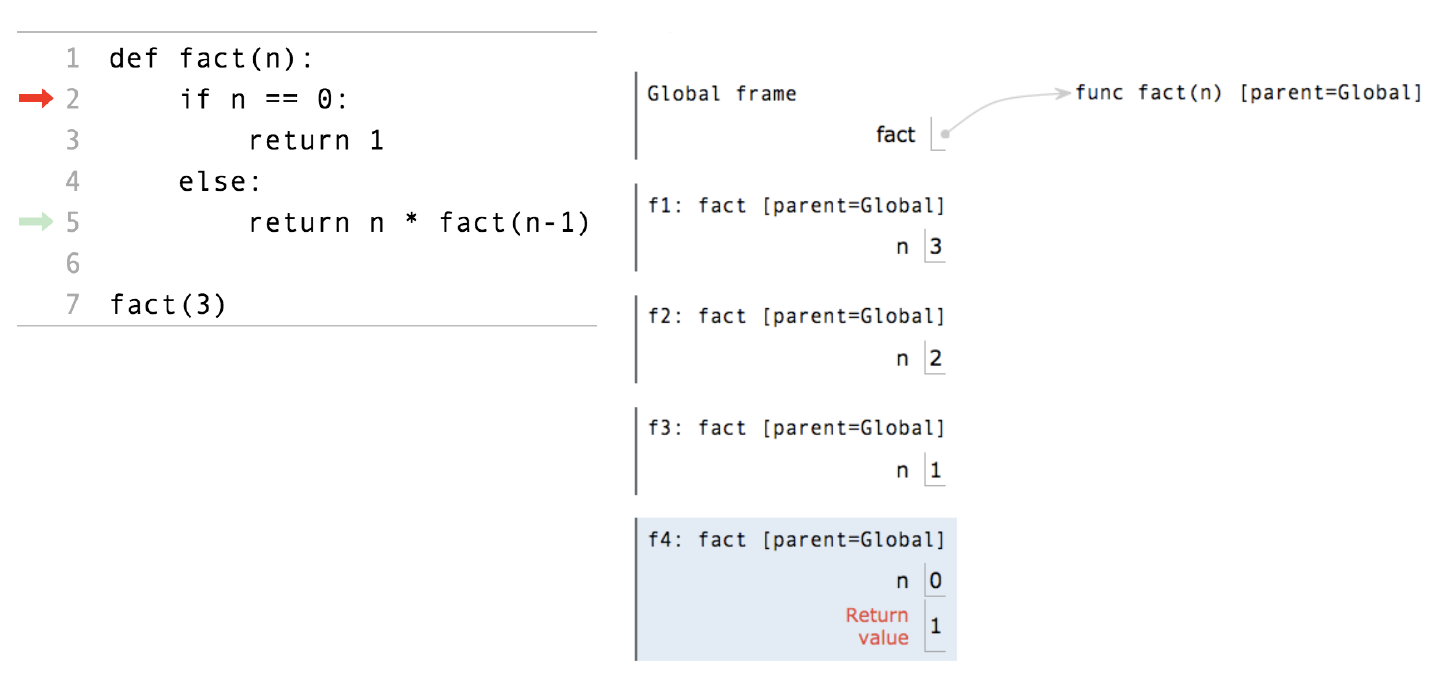
Calling/Applying:

A new frame is created!

Parameters bound to arguments

Body is executed in that new environment

and...

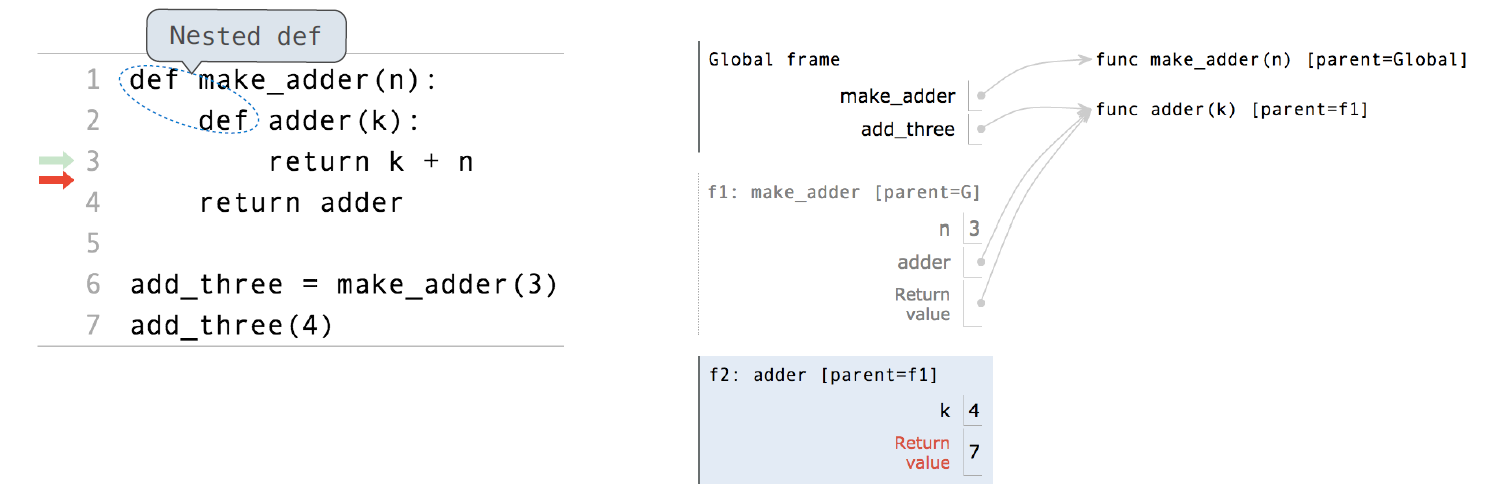
Calling User-Defined Functions

  1. Add a local frame, forming a new environment
  2. Copy the parent of the function to the local frame: [parent=<label>]
  3. Bind the function's formal parameters to its arguments in local frame
  4. Execute the body of the function in that new environment

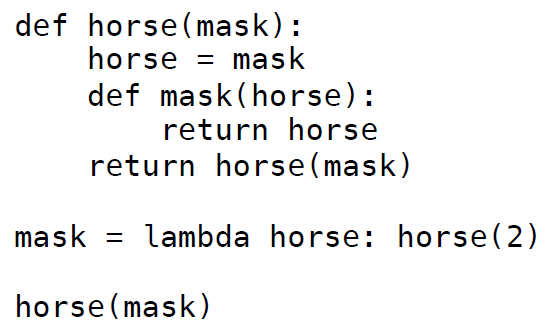
Environment for Nested Def Statements

Environment for Nested Def Statements

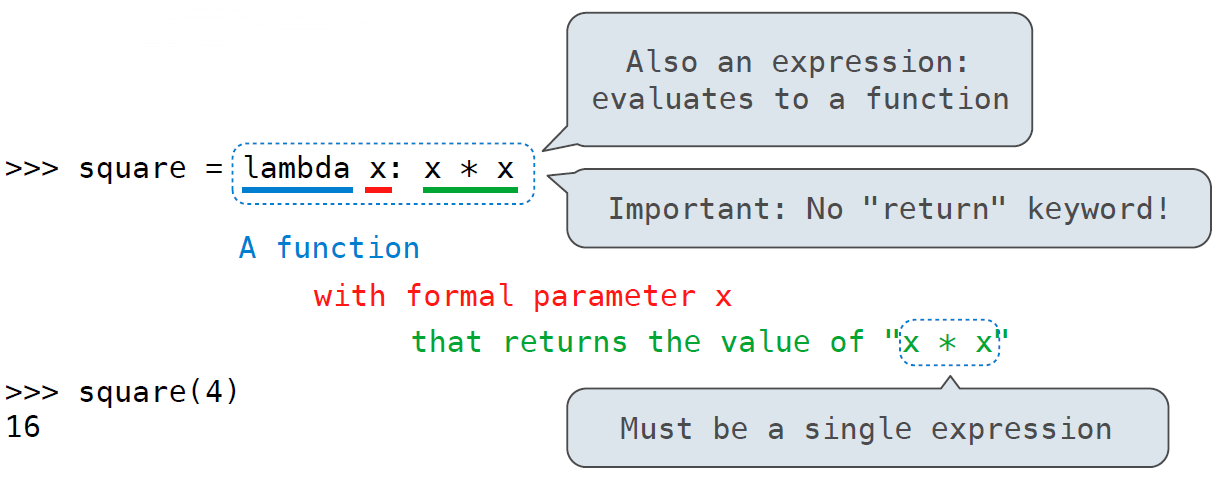
Lambda Expressions

Lambda Expressions

square = lambda x: x * x

def square(x):
    return x * x

Both create a function with the same behavior.

Both functions have as their parent the frame in which they were defined

Both bind that function to the name square

Only the def statement gives the function an intrinsic name

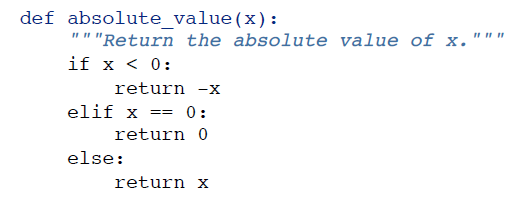
Conditional Statements

False values in Python:
True values in Python: 

False, 0, '', None, ......
 Anything else (True)

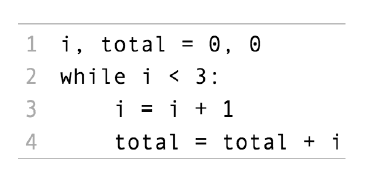
While Statements

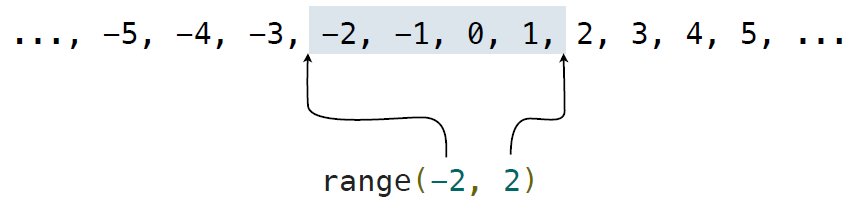
For Statement Execution Procedure

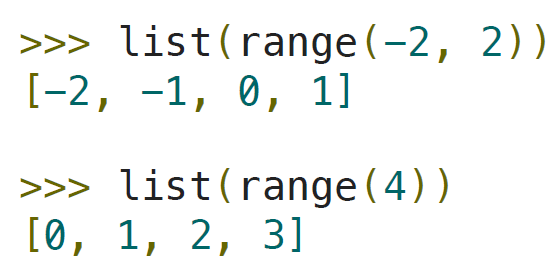
A range is a sequence of consecutive integers

Question

And

Best Materials

baidu

google

doc

CS61A

Introduction to Python

By orashi

Introduction to Python

cippus first week python meetup

  • 289