鏡面夾角反射之模擬
建國中學一年二十三班
江昱勳、賴嵩霖、翁證騏
研究動機
於2010年上映的美國科幻動作驚悚片《全面啟動》,探討著夢境與現實的關聯,藉由分享夢境空間探索人的想法-進入夢境且分享夢。在進入他人的潛意識後進而竊取他人的思想、機密,甚至是從外部植入想法。
而在夢境中,任何的想像都不無可能,在電影中也有出現造夢者試著讓夢的場景違反物理定律的橋段。令我最印象深刻的是利用鏡子造出無限長廊的那一幕,兩面互相平行的鏡子,光線遵從反射定律而產生無限多個像,在鏡子被破壞後,原本有限的空間瞬間延展成為無限,十分震撼。
對於平行的鏡面,我產生了疑問,如果並非互相平行呢?如果鏡面成夾角,像的數量是否仍為無限多個?角度的大小和光源的位置會不會影響像的數量?成像的位置是否能預測?一個看似簡單的國中課程是否還能衍生出更深層的討論與結果?
研究目的
- 應用反射定律,探討鏡面夾角大小與成像數量和成像位置的關係。
- 應用反射定律,探討物體位置與成像數量和成像位置的關係。
研究方法
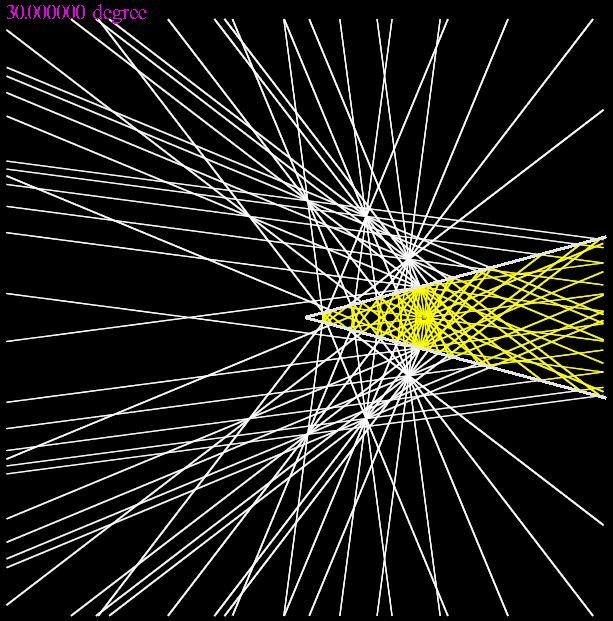
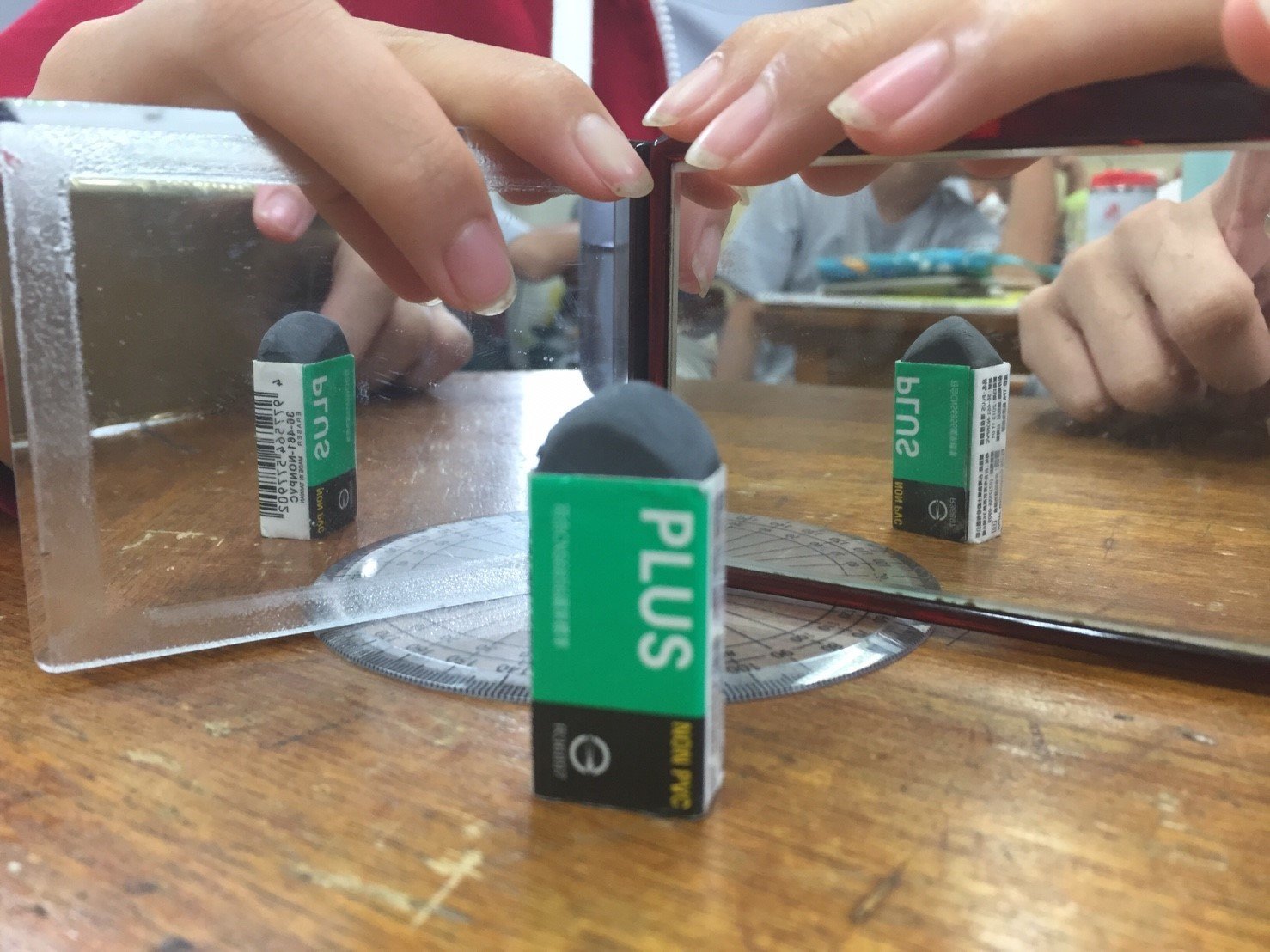
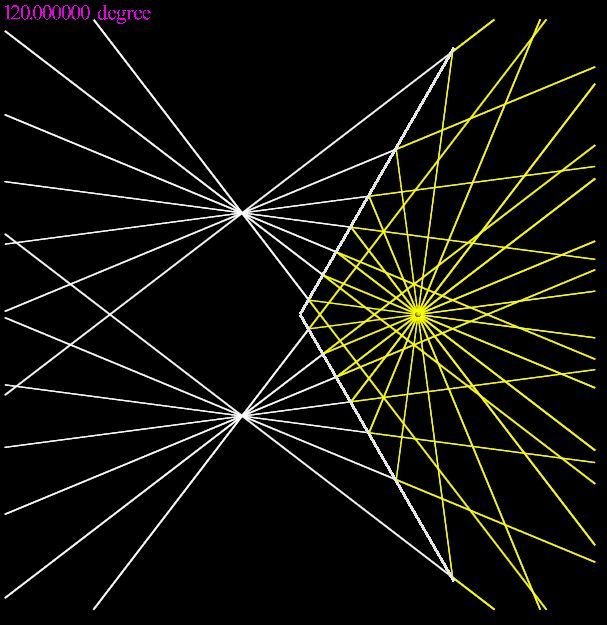
運用Python程式語言搭配方便使用的Vpython套件,在輕易繪製出3D物件的同時,也搭配上物理定律的使用,讓Vpython也可以拿來模擬物理實驗。此外,因為使用程式模擬,我們不再需要大量的手動運算以得知物體在各個時刻的狀態,對於沒有完善公式的鏡面反射實驗有了很大的益處,因為我們可以在不借助實驗的情況下瞭解在各種角度各個位置的成像(因為有時角度太小實驗起來看不太到)
模擬與實驗
30度
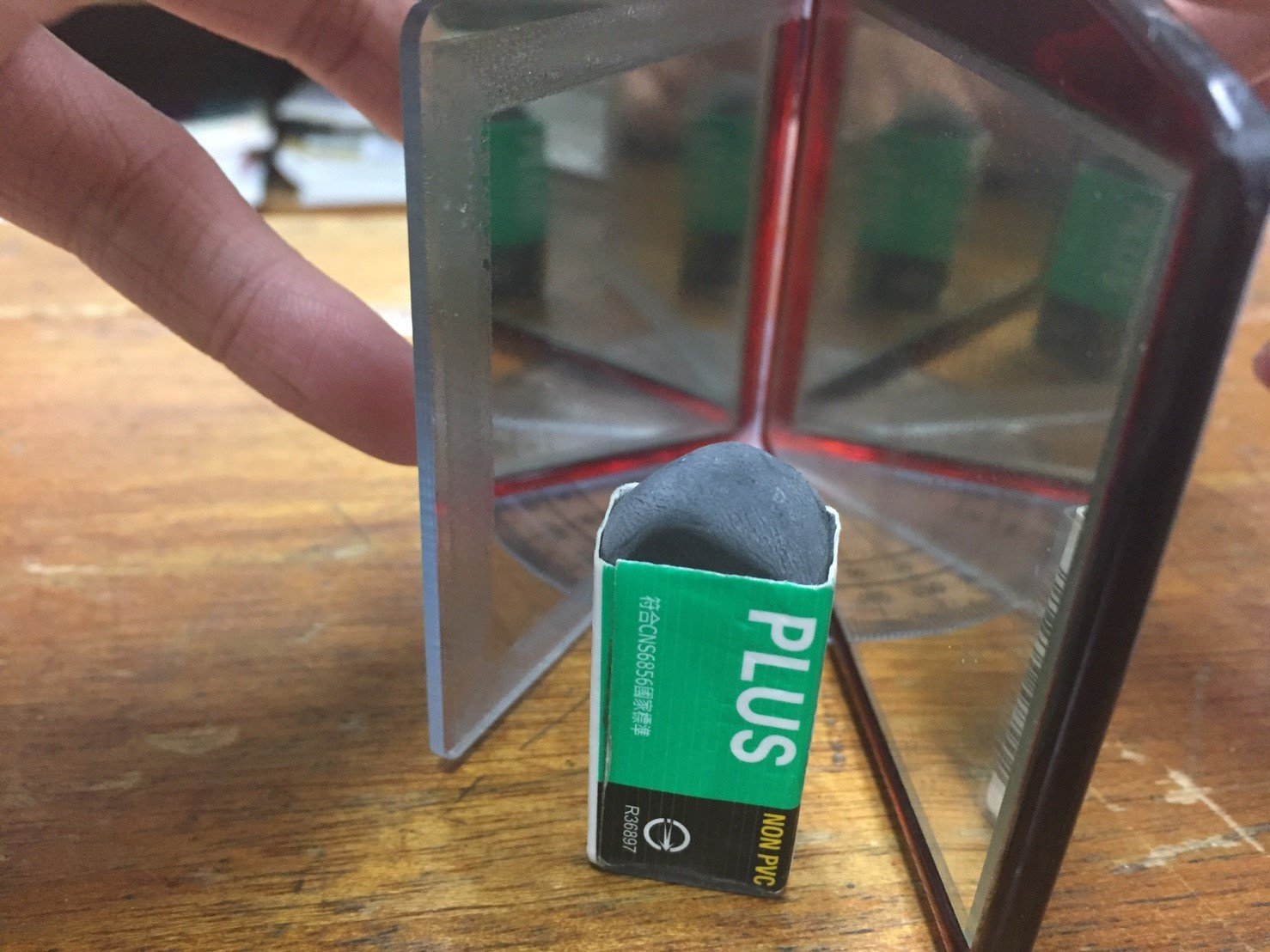
60度
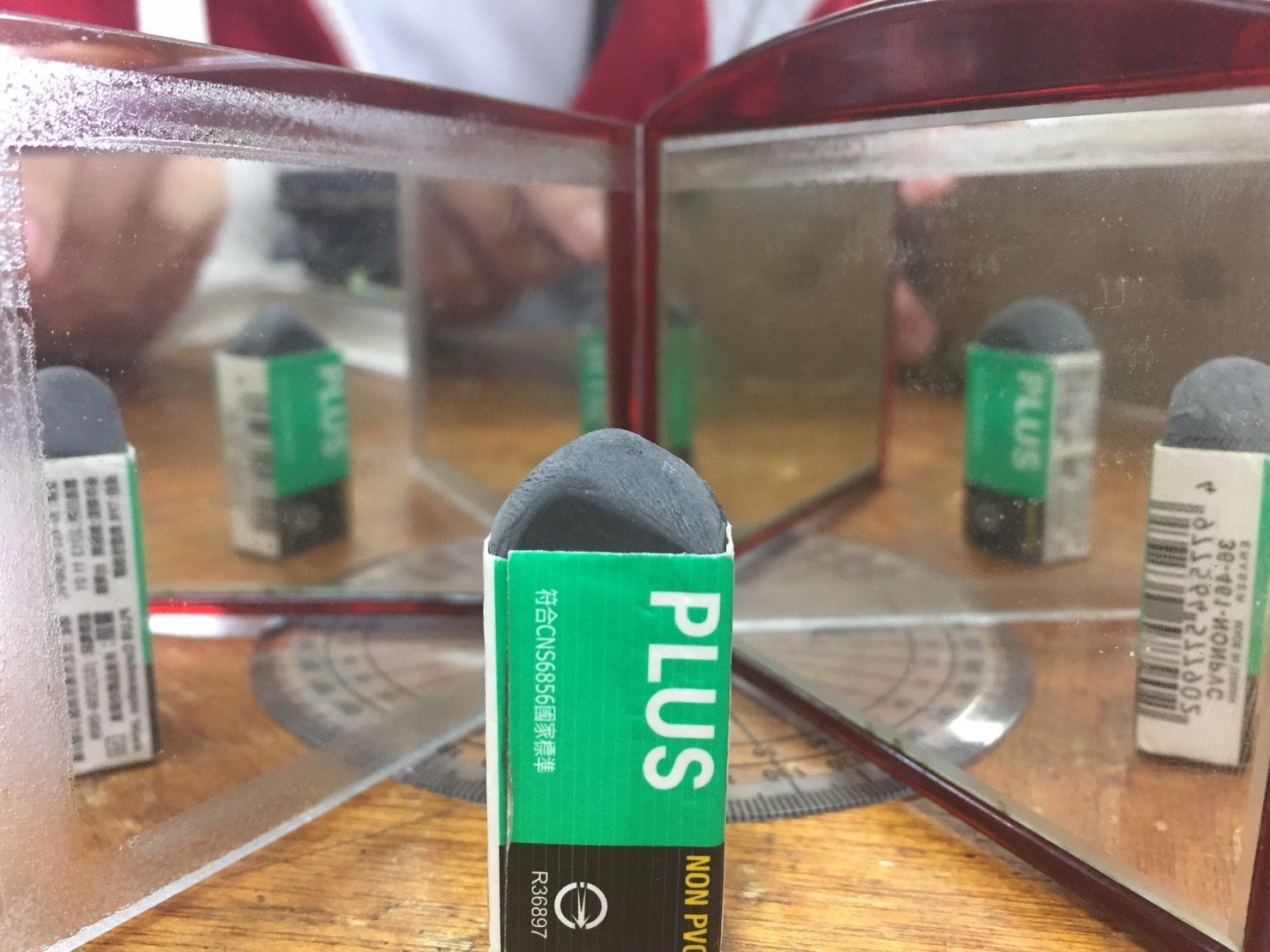
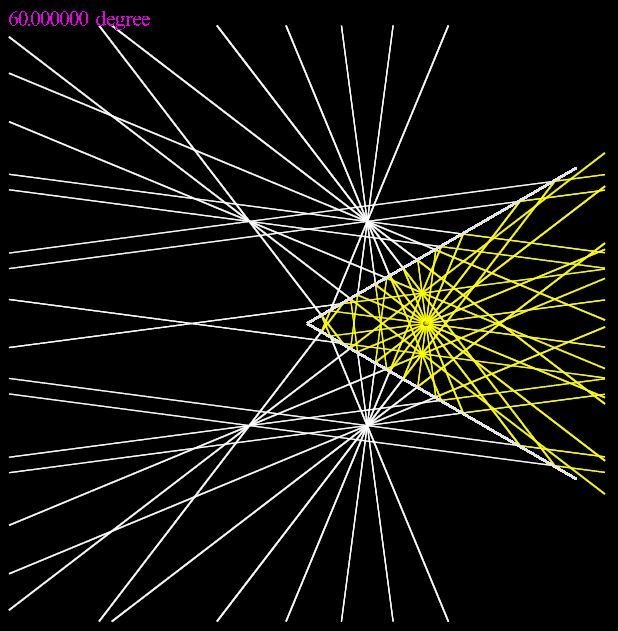
90度
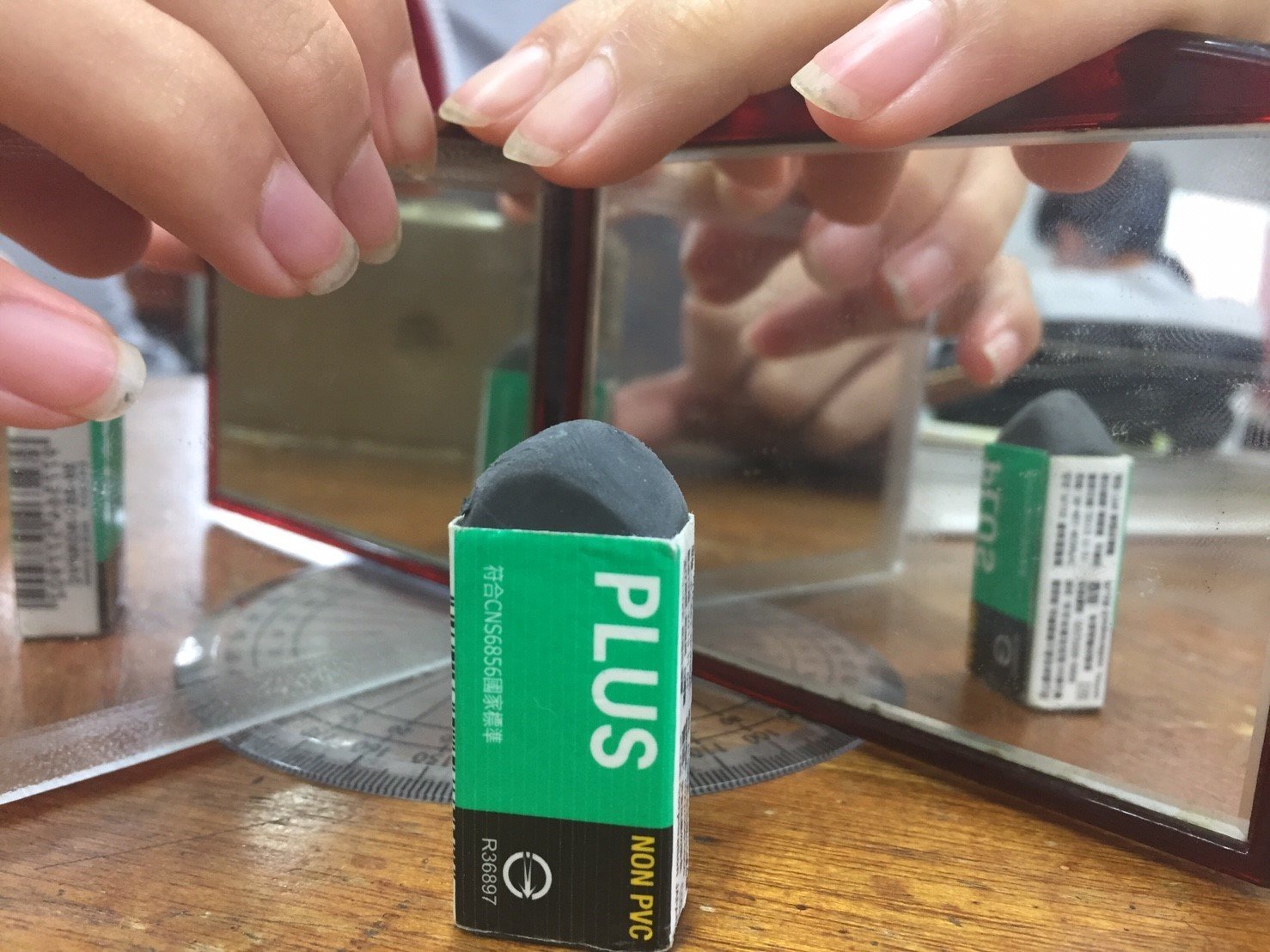
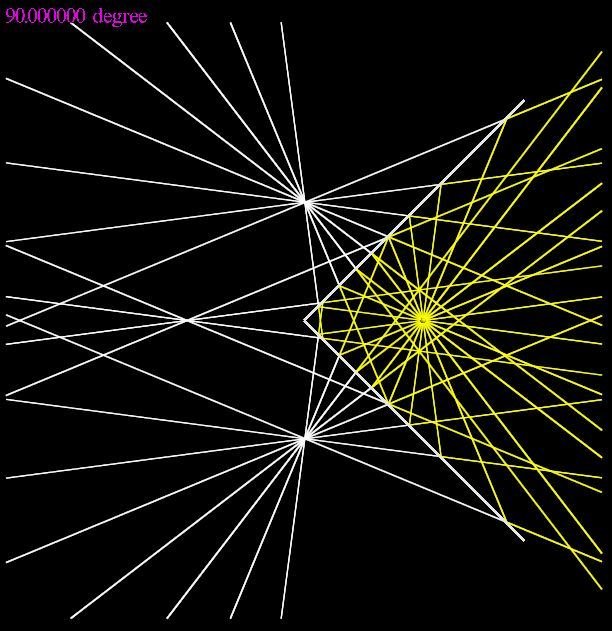
120度
如何模擬
自訂函數
def getColor(a, b, c):
	return (a/255, b/255, c/255)
def deg2rad(a):
	return acos(-1)*a/180
scene = display(x=0, y=0, width=800, height=800, background=(0,0,0), center=(0,0,0))
BOARD_theta = 60
BOARD_Theta = deg2rad(BOARD_theta)
BOARD_Length = 5
#board config
BOXES = [box(pos=(BOARD_Length*cos(BOARD_Theta/2), BOARD_Length*sin(BOARD_Theta/2),0),
length=BOARD_Length*2, height=0.1, width=2, axis=(1, 1*tan(BOARD_Theta/2), 0)),
box(pos=(BOARD_Length*cos(BOARD_Theta/2),-1*BOARD_Length*sin(BOARD_Theta/2),0),
length=BOARD_Length*2, height=0.1, width=2, axis=(1, -1*tan(BOARD_Theta/2), 0))]
#make two boards with BOARD_theta and position at (0,0,0)
ddg = text(text="%f degree"%BOARD_theta, pos=(-10,10,0), color=getColor(255.,0.,255.),
height=0.5, depth=0.01)
#show current degree基礎設置
Lights_N = 24
Lights_pos = vector(4,0,0)
#Lights config

Lights = [sphere(pos=Lights_pos, radius=0.01, color=getColor(255.,255.,0.),
        theta=deg2rad(360/Lights_N*(_+0.5)), make_trail=True) for _ in range(Lights_N)]
#show Lights_N lights using sphere with trail

Reflects = []
#the reflection of lights will be insert into Reflects

BALL = sphere(pos=Lights_pos, radius=0.1, color=getColor(255.,255.,0.))
#show the thing that will be reflected
光源設置
for Light in Reflects:
   Light.pos -= vector(cos(Light.theta), sin(Light.theta), 0)*dt
for Light in Lights:
   Light.pos -= vector(cos(Light.theta), sin(Light.theta), 0)*dt
   for BOX in BOXES:
      a = BOX.axis.y/BOX.axis.x
      b = -1
      c =  BOX.pos.y-(BOX.axis.y/BOX.axis.x)*BOX.pos.x
      dis = abs(a*Light.x+b*Light.y+c) / sqrt(a*a+b*b)
      if dis <= Light.radius*2.5:
         BOX_theta = atan2(BOX.axis.y, BOX.axis.x)
         Light.theta = 2*(BOX_theta + acos(-1)) - Light.theta
         Reflects.append(sphere(pos=Light.pos, radius=0.01, color=getColor(255.,255.,255.),
                           theta=Light.theta+acos(-1), make_trail=True))
         Reflects[-1].pos.x-=cos(Light.theta)*dt*2
         Reflects[-1].pos.y-=sin(Light.theta)*dt*2
反射核心
def changeLight(evt):
	global Lights_pos, pause, Reflects, Lights, BALL, paused
	if evt.key=='left':
		Lights_pos.x-=0.1
	elif evt.key=='right':
		Lights_pos.x+=0.1
	elif evt.key=='up':
		Lights_pos.y+=0.1
	elif evt.key=='down':
		Lights_pos.y-=0.1
	elif evt.key=='p':
		paused=not paused
		return;
	else:
		return
	if not pause:
		for _ in Reflects:
			_.trail_object.visible=False
			_.visible=False
		Reflects=[]
		for _ in Lights:
			_.trail_object.visible=False
			_.visible=False
		pause=True
	BALL.visible=False
	BALL = sphere(pos=Lights_pos, radius=0.1, color=getColor(255.,255.,0))
#handle keydown event and change the thing's position
鍵盤操作光源
def renderLight(evt):
   global Lights, Lights_N, Reflects, pause, paused
   if pause:
      pause=False
      Lights = [sphere(pos=Lights_pos, radius=0.01, color=getColor(255.,255.,0.),
           theta=deg2rad(360/Lights_N*(_+0.5)), make_trail=True) for _ in range(Lights_N)]
#reperform the experiment

scene.bind('keydown', changeLight)
scene.bind('keyup', renderLight)
鍵盤操作光源
def DOWN(evt):
	global down, pre, pause
	down=True
	pre=evt.pos.y
	pause = True
#handle the mousedown event
滑鼠控制夾角
def CHANGE(evt):
   global pre, BOARD_theta, BOARD_Theta, BOXES, ddg
      if down:
         BOARD_theta+= (evt.pos.y-pre)*10
      if BOARD_theta < 0:
            BOARD_theta=0
      elif BOARD_theta > 180:
            BOARD_theta=180
      ddg.visible=False
      for _ in BOXES:
         _.visible=False
         BOARD_Theta = deg2rad(BOARD_theta)
         BOXES=[box(pos=(BOARD_Length*cos(BOARD_Theta/2),BOARD_Length*sin(BOARD_Theta/2),0),
                length=BOARD_Length*2, height=0.1, width=2, axis=(1, 1*tan(BOARD_Theta/2), 0)),

                box(pos=(BOARD_Length*cos(BOARD_Theta/2),-1*BOARD_Length*sin(BOARD_Theta/2),0),
                length=BOARD_Length*2, height=0.1, width=2, axis=(1, -1*tan(BOARD_Theta/2), 0))]
         ddg = text(text="%f degree"%BOARD_theta, pos=(-10,10,0),
                     color=getColor(255.,0.,255.), height=0.5)
         pre=evt.pos.y
#change the board's theta while mousemove
滑鼠控制夾角
def UP():
   global down, pre, pause, Lights, Lights_N, Reflects, Lights_pos
   down=False
   pause=False
   for _ in Reflects:
      _.trail_object.visible=False
      _.visible=False
   Reflects=[]
   for _ in Lights:
      _.trail_object.visible=False
      _.visible=False
   Lights = [sphere(pos=Lights_pos, radius=0.01, color=getColor(255.,255.,0.),
            theta=deg2rad(360/Lights_N*(_+0.5)), make_trail=True) for _ in range(Lights_N)]
#reperform the reflect experiment

scene.bind('mousedown', DOWN)
scene.bind('mousemove', CHANGE)
scene.bind('mouseup', UP)
滑鼠控制夾角
完整程式碼
結論
透過模擬,我們並不需要實體上的實驗,僅需使用Python就可以看到與真實相符的結果,對於一些不方便實驗的現象如這次的實驗就有很大的幫助,而且也不需要過於複雜的計算,對於沒有太多物理知識背景的人來說真的很輕鬆。
VpythonReflection
By Tommy Chiang
VpythonReflection
Simulating Reflection with Vpython