Between the frames
How 3d graphic works (Low level)
by Patrick Drotleff
@patrickd_de
http://patrickd.de/
What we want
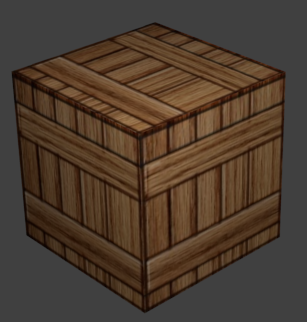
WHAT WE HAVE
8 VERTICES
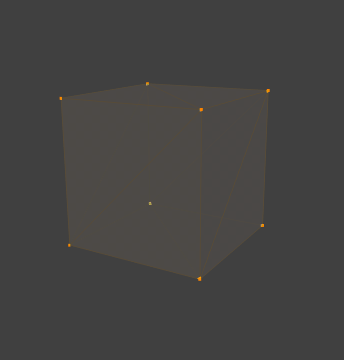
WHAT WE HAVE
specifying a vertex
[ X, Y, Z, // PositionR, G, B, A // ColorU, V, // TexCoord// Normals, ...]
WHAT WE HAVE
EDGES & FACES
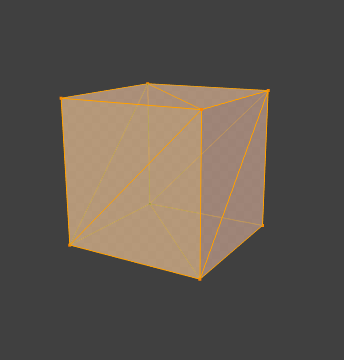
WHAT WE HAVE
specifying EDGES & FACES
By vertex order, eg.: TRIANGLE_STRIP
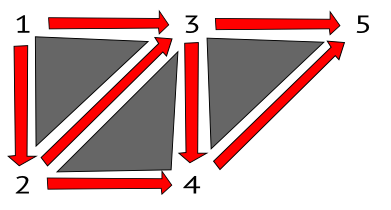
other "primitives":
TRIANGLES, LINES, LINE_STRIP, POINTS, ...
WHAT WE HAVE
SPECIFYING EDGES & FACES
By vertex indices
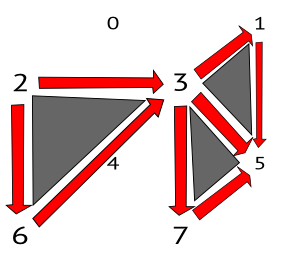
[ ... 2, 3, 6, // Front top triangle3, 5, 7, // Right side bottom triangle3, 1, 5, // Right side top triangle... ] // ⟾ Index Buffer
WHAT WE HAVE
MIPMAP Texture
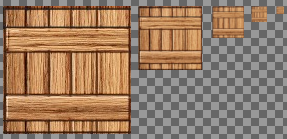
Pre-computed, optimized texture
+ Improves quality and performance of rendering
- Costs about 33% more memory
WHAT WE HAVE
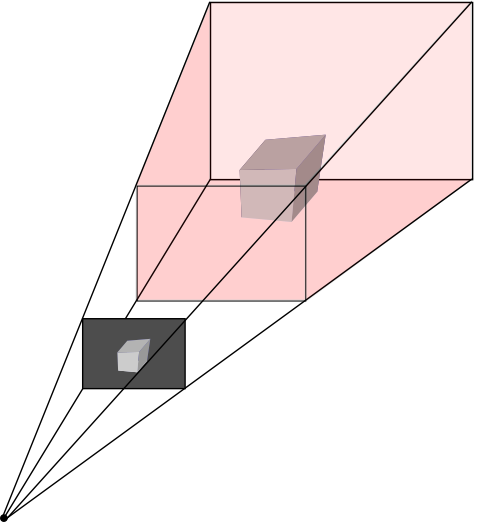
Virtual camera
WHAT WE HAVE
Specifying a VIRTUAL CAMERA
by using a 4×4 projection matrix
to perform Euclidean Transformations
     [ YZX, Z,   Y,   0.0,
       Z,   ZY,  X,   0.0,
       Y,   X,   XYZ, 0.0,
       X,   Y,   Z,   W    ]
Complicated math, highly unpractical to use
⟾ Generated by API helper methods
WHAT WE HAVE
Shaders
A realtime Shader is a program executed on a GPU instead of the CPU to concurrently process streams of data.
Put it into
''The rendering pipeline''
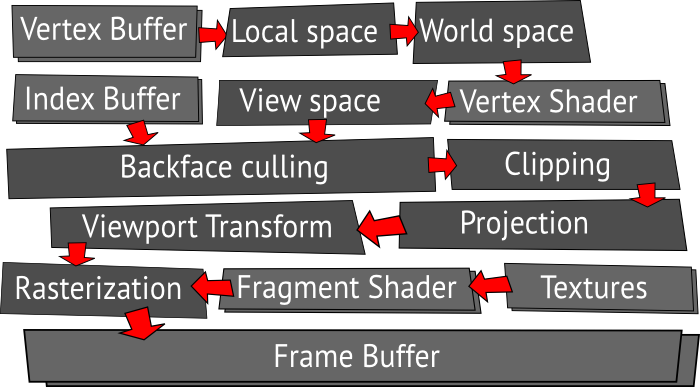
Rendering pipeline
Local space ⟾ WORLD SPACE
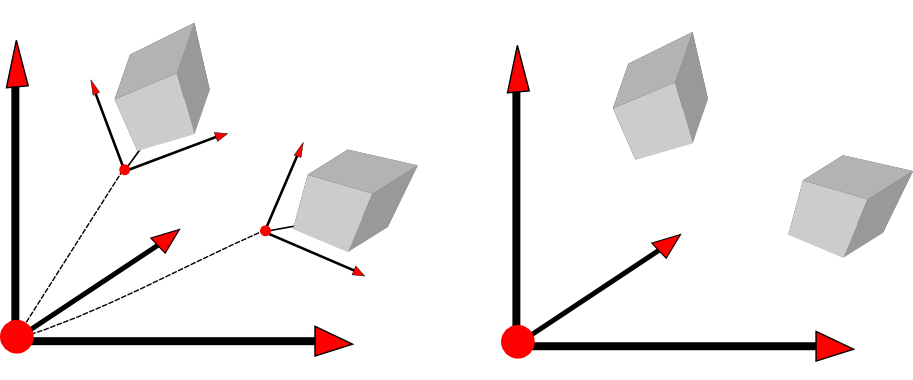
Transforming the origin point of a model's vertices to the world origin point while applying rotation and scaling.
RENDERING PIPELINE
World space ⟾ View Space
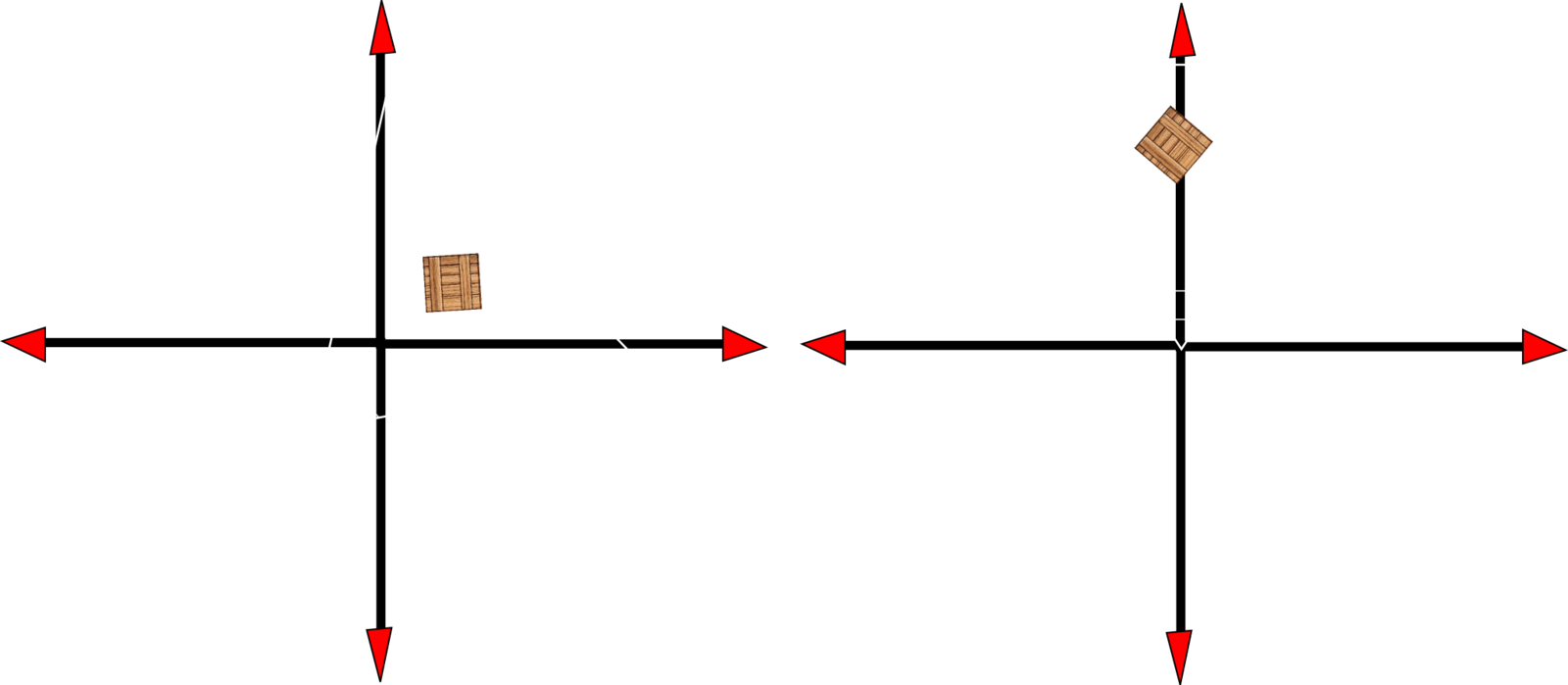
Transforming the the worlds origin point to the origin of the virtual camera aligned to the Z axis.
RENDERING PIPELINE
WORLD SPACE ⟾ VIEW SPACE
Vertex Shader
// A vertex shader is executed for every vertex in the Scene. // This is written in "CG" a high-level shading language by NVIDIA.void vertexShader( in float3 InPosition : POSITION, in float3 InNormal : NORMAL, in float2 InTexCoord : TEXCOORD1, out float4 OutPosition : POSITION, out float3 OutNormal : TEXCOORD0, out float2 OutTexCoord : TEXCOORD1) { // Execute view space transformation. float3 position = TransformPoint(InPosition, CameraProjectionMatrix); // Return vertex data. OutPosition = transformedPosition; OutTexCoord = InTexCoord; OutNormal = normalize(InNormal); }
RENDERING PIPELINE
Backface culling
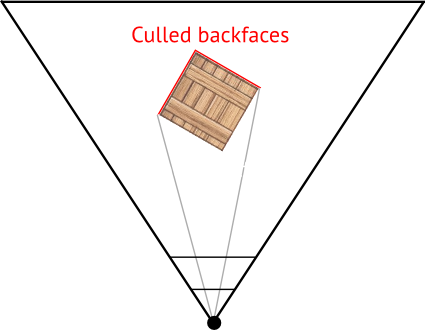
Eliminating not visible faces before continue rendering.
RENDERING PIPELINE
BACKFACE CULLING
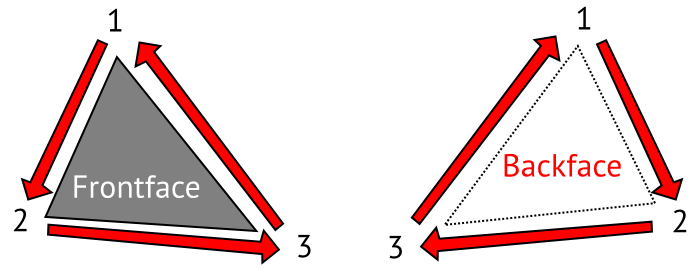
The front face of a triangle is the face in which the order of vertices is counter clockwise from the current perspective.
RENDERING PIPELINE
Clipping
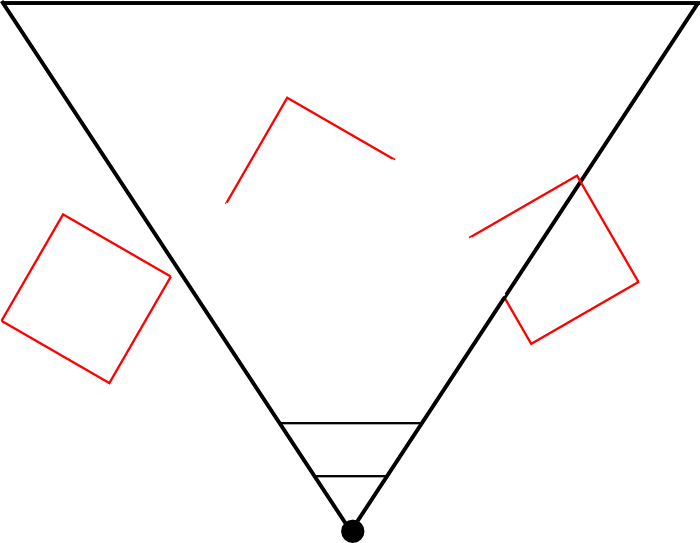
Culling of triangles completely or partially outside the frustum.
RENDERING PIPELINE
Projection
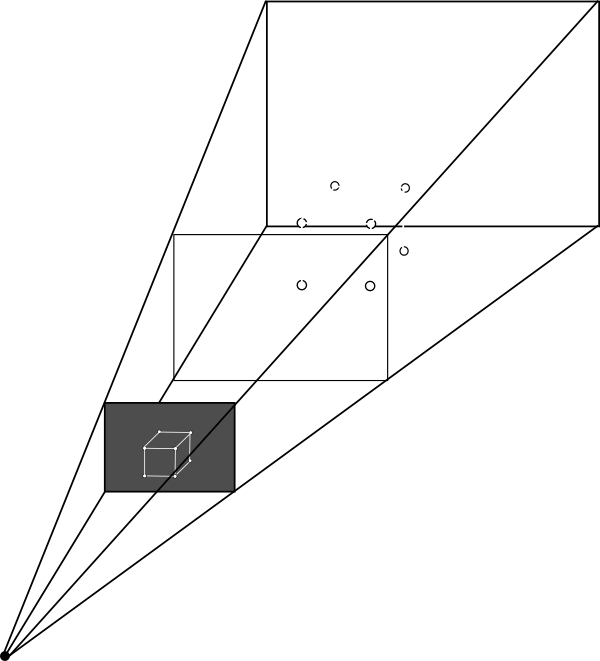
Projecting 3D vertex shapes onto the 2D projection window.
RENDERING PIPELINE
Viewport transform
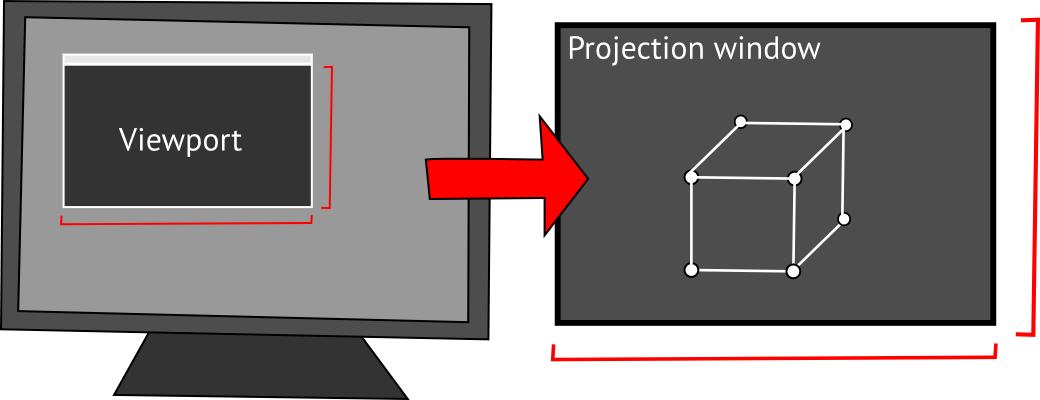
Transforming coordinates on the projection window according to a destination view port on the screen.
RENDERING PIPELINE
Rasterization
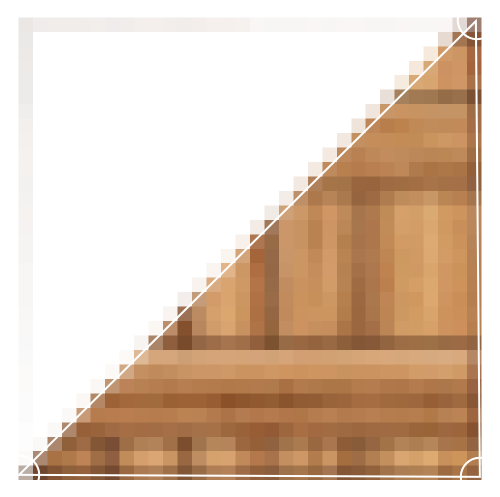
Converting vector shapes into a raster image.
RENDERING PIPELINE
RASTERIZATION
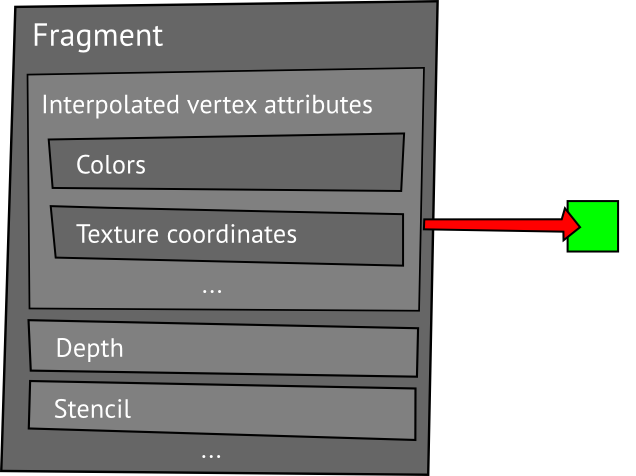
Fragments ⟾ Pixels
RENDERING PIPELINE
RASTERIZATION
Fragment Shader
// A fragment shader is executed for every fragment of a triangle,
// calculating the color of its pixel based on texture and light.
float4 fragmentShader( float3 InNormal    : TEXCOORD0,
                       float2 InTexCoord  : TEXCOORD1) : COLOR {

    // Texture sampling by interpolated texture coordinate.
    float4 texel = tex2D(texture, InTexCoord);

    // Calculate light color: Ambient light.
    float3 light = ambientLightColor;
    // Add directional light based on interpolated normal.
    light += (max(dot(-lightDirection, InNormal), 0.0) * lightColor);

    // Add light to texture color.
    return texel * float4(light, 1.0);
}
End of the PIPELINE
Render to screen
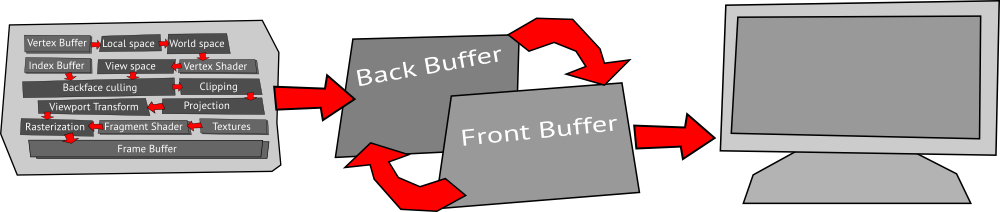
The back buffer is a memory rendered to, while the front buffer is currently being displayed by the screen.
Depending on the graphic settings front and back buffers are interchanged when ready.
END OF THE PIPELINE
RENDER TO Texture
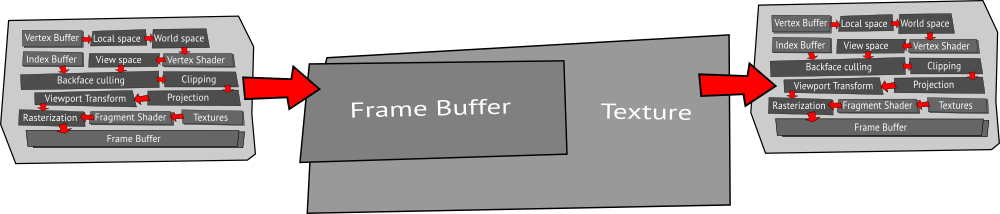
It is possible to render into an FBO (Frame Buffer Object) which is reused as texture in the main scene.
Congratulations
You now have a Frame
That will be outdated within
The next several milliseconds
Thanks for listening though!
Between the frames
By Patrick Drotleff