
Who am I?
- PhD. candidate at URJC & freelancer
- @piranna at Github & Medium
- @el_piranna at Twitter
- PirannaFS
- ShareIt!
- NodeOS
- Wasmachine
What's NodeOS?
- Minimal operating system build on top of Linux , Node.js & npm
- Created by Jacob Groundwater
- Currently, I'm the project main developer


What makes it special?
- Minimal design
- kernel Linux + Node.js
- Highly customizable
- Secure
- virtual machine = isolated from underlying system
- File permissions (too much) restrictive
- Users isolated between them and the system
- There's no priviledged users
What's its target?
- Cloud computing
- Less resources = more instances
- Easy administration (npm)
- Systems only with the barely needed apps
- Education & "Homebrew"
- Full code is directly accesible
- Easy to learn, understand and program
- Hightly customizable & "hacker friendly"
NodeOS Architecture
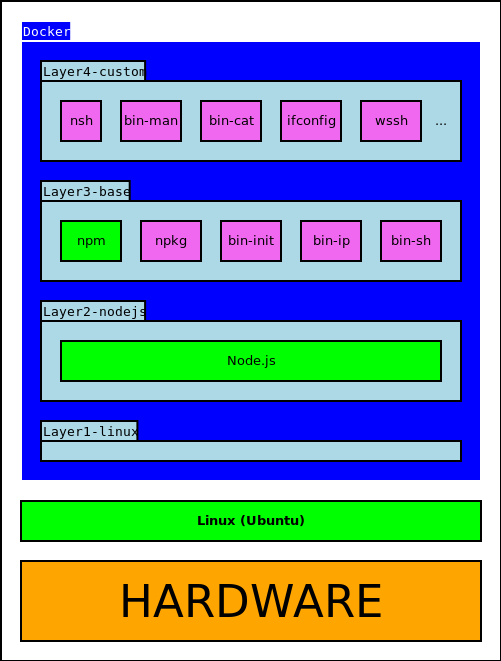
Layer 0: cross-toolchain
- Based on Cross Linux from Scratch
- use musl instead of glibc
- less memory & more performance
- Fully automated
- Download, patch and compile the Linux headers, GCC and musl
- It's only needed to define the target platform (default -> the host one)
- Integrated as a npm package
- usable by other modules
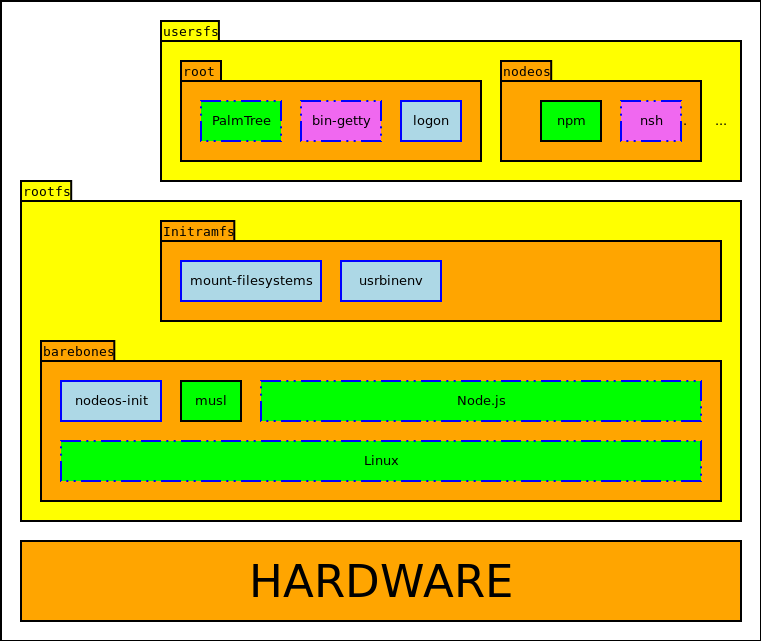
Layer 1: barebones
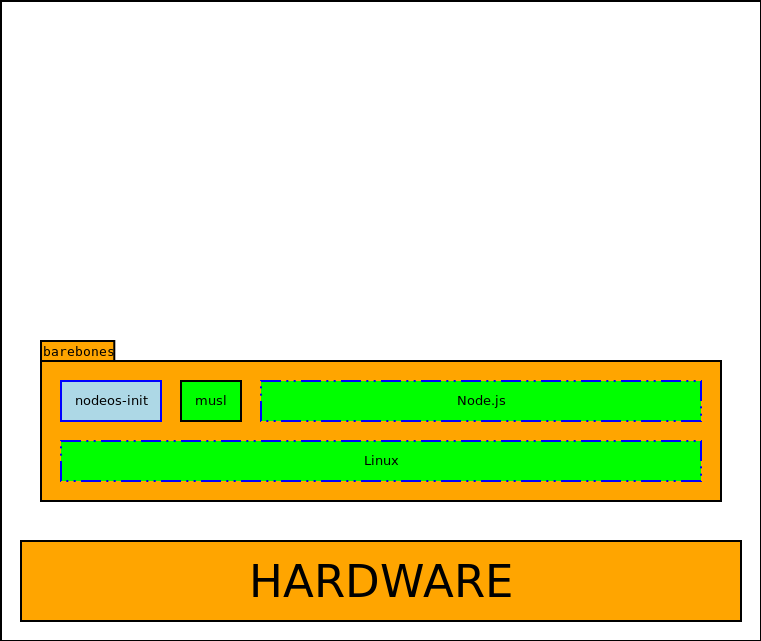
Layer 1: barebones
- Linux 4.8.5
- Statically compiled (no modules)
- Default config for each plataform
- Removed superfluos components
- Old filesystems (minixfs, amiga...)
- debug, profiling...
- Added FUSE, CUSE & OverlayFS
- CJKTTY patch
- Node.js v6.9.5 LTS
- Added NodeOS version
Layer 1: barebones
-
nodeos-init
- minimal /init process
- "safe net" against orfand processes
- mount /dev (needed by Node.js)
- cleanly shutdown the system when there's no more running processes
- Boots directly to a Node.js REPL
Layer 2: initramfs
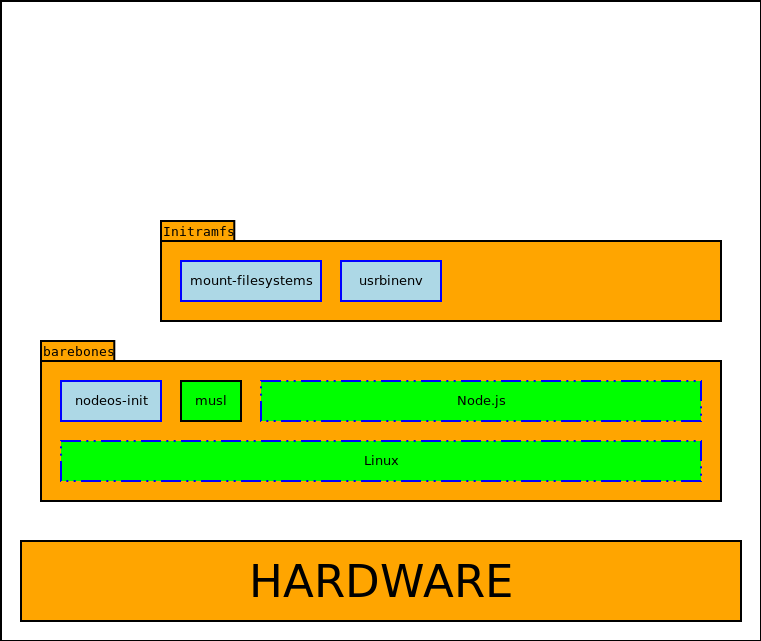
Layer 2: initramfs
- Prepare a basic execution environment and mount the users' folders partition
- Run the users' init executables
- /usr/bin/env is written in Javascript
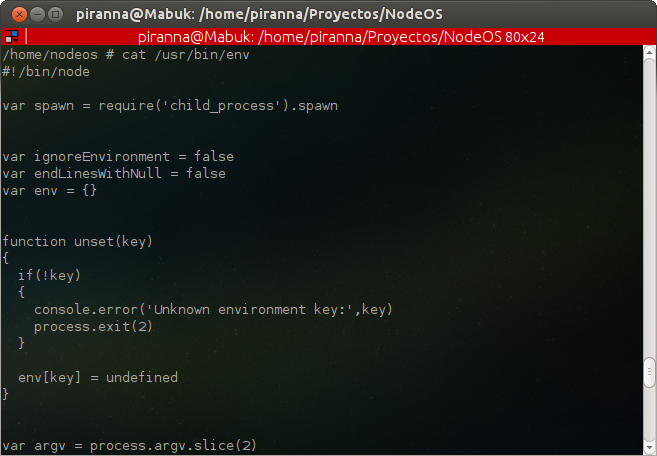
Layer 3: usersfs
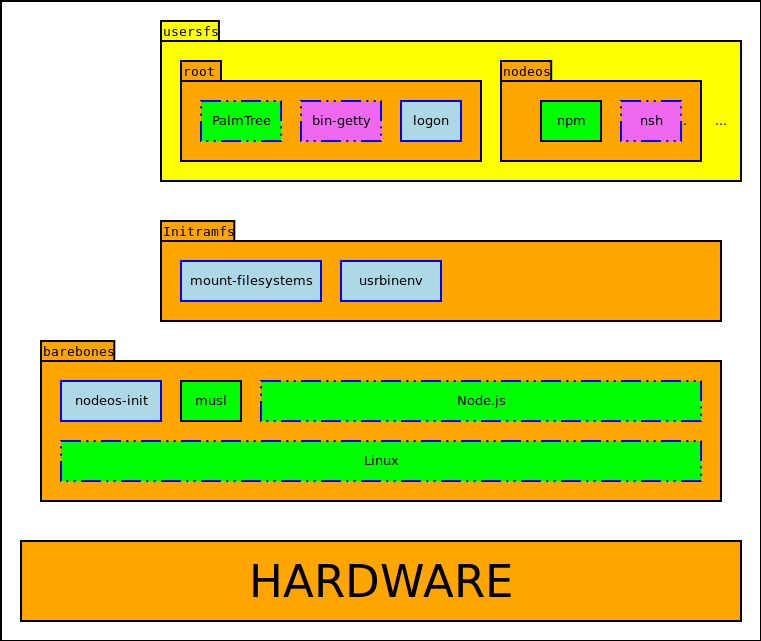
Layer 3: usersfs
- Generate a users demo partition (read-write)
- Allow data persistence in a USB pendrive
- Easily interchangeable with a network-based system
- Dropbox, Google Drive, Amazon S3...
- Two example users: root & nodeos
root
- Optional, just only used to init global services
- bin-getty: pseudo-terminals controler
- ExclFS: exclusive access and ownership of /dev devices, one user each time
-
logon: administration of users' access
- credentials stored in the user directory
- anybody can access, file-level protection
- could be changed for an external system like Facebook Connect, Google Account...
- Only user with access to other users' directories
- needed by logon & system administration
- only accesible booting in administrator mode
- fully disable other users while we are on it
nodeos
- Plain user
- Shell, basic comands, system checks & demos
- Similar environment to what's found on other regular operating systems
- Cleaner and simpler, it's not POSIX
- Optimized for Node.js applications
- Inspired on Plan9
Bonus: bootfs
Bonus: bootfs
- Generate a read-only boot partition hosting barebonesfs customized Linux kernel and initramfs
- VFAT for Raspberry Pi (genfatfs)
- ISO9660 for CD & USB (IsoHybrid)
- Can be combined with users' partition to build a persistent system
- USB pendrive
- hard disk
- External tool, integrated on the global build system
Own proyects
- NodeOS
- nodeos-cross-toolchain
- nodeos-mount-filesystems
- nodeos-reverse-proxy
- Davius
- ExclFS
- logon
- nodeos-init
- oneshoot
- usrbinenv
- jocker
- nodeos-media
- nodeos-console-font
- nodeos-mount-utils
- coverdeeps
- download-checksum
- download-manager
- coreutils.js
- cpio2tar
- DebugFS
- pstree
- recv
- buho
- easy-coverage
- blessed
- noGUI
- cpio-stream
- prompt
- node-kexec
- decompress-tar
- download
- jsdiff
- node-scanf
- tar-fs
- tar-stream
- cjktty-patch
- fuse-bindings
- GitBlog
- ifconfig
- node-canvas
Contributions
- node-bin-getty
- node-dhcpjs
- nodeos.github.com
- nodeos-mount
- sockios
- vinyl-fs
- node
- node-lib-pathsearch
- npm-remote-ls
- npm-path
- nsh
- prebuild
- publish-release
- serve-static
- node-byline
- node-suppose
NodeOS in 5 steps
- Download source code from GitHub
- Install system dependencies
bin/install-dependencies
- Install NodeOS build dependencies
npm install
- Generate image
npm run build
- Execute image
npm start
Prebuild images
- QEmu
- CD ISOs / USB disk images
- Future
- Docker (experimental)
- WSL ("Bash on Windows")
- USB "thumbs"
Conclusions
- 4652 stargazers on GitHub... and raising
- 13 team members
- contributions from 28 developers only on main repo
- External contributions, independent projects, articles published on several tech websites...
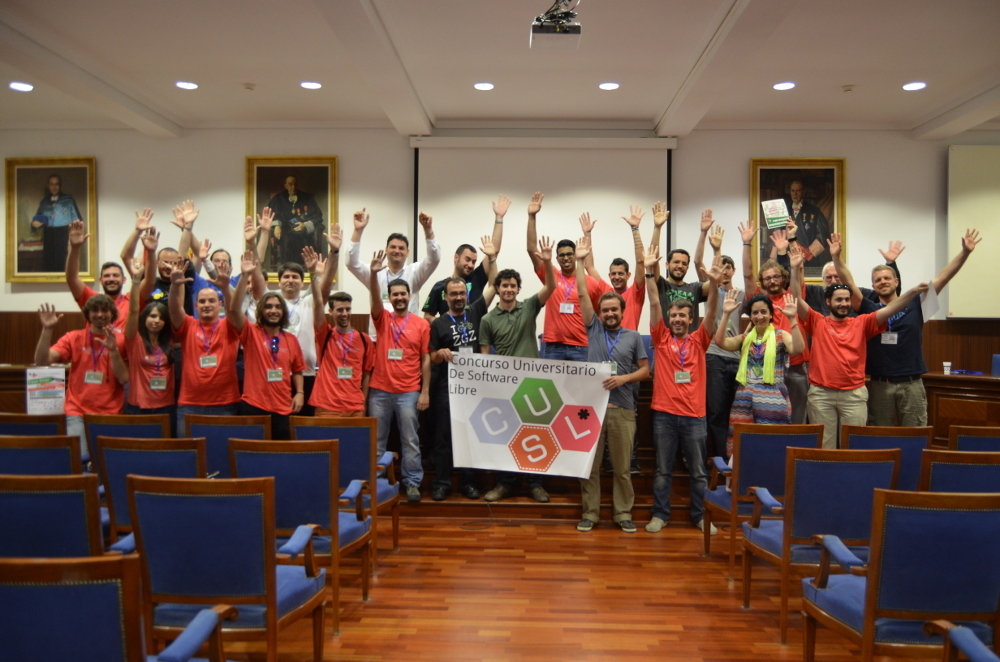
Final of 9º Universitary Free Software Championship
Future
- Graphic interface build on HTML5
- Compile on Mac & Windows (wip)
- LXC containers for each user
- "Flavors" : mainframe & workstation
- Terminal Unicode support
- Reduce memory consumption
- Several Linux framebuffers
- or migrate to KMS
- Use alternative kernels
- ARM & MIPS ports
+ info
NodeOS - english
By Jesús Leganés-Combarro