How to choose a plan
For your Corporate Learning Program

1. The givens
-
All plans come with unlimited poll questions.
-
All plans allow poll chart branding and customization.
-
All plans include integration with PowerPoint, Keynote, and Google Slides.
-
All paid plans include grading and reporting.
2. How many responses per poll?
Estimate your responses per poll like this:
- How many learners are in one live session? (Count both remote and on-site learners if they'll respond simultaneously.)
- How many times (max) will one learner be allowed to answer one question?
- Multiply.
For example:
- I have 50 learners in each instructor-led session.
- For one of my questions– "What topics should we review today?"– I will allow learners to give two answers.
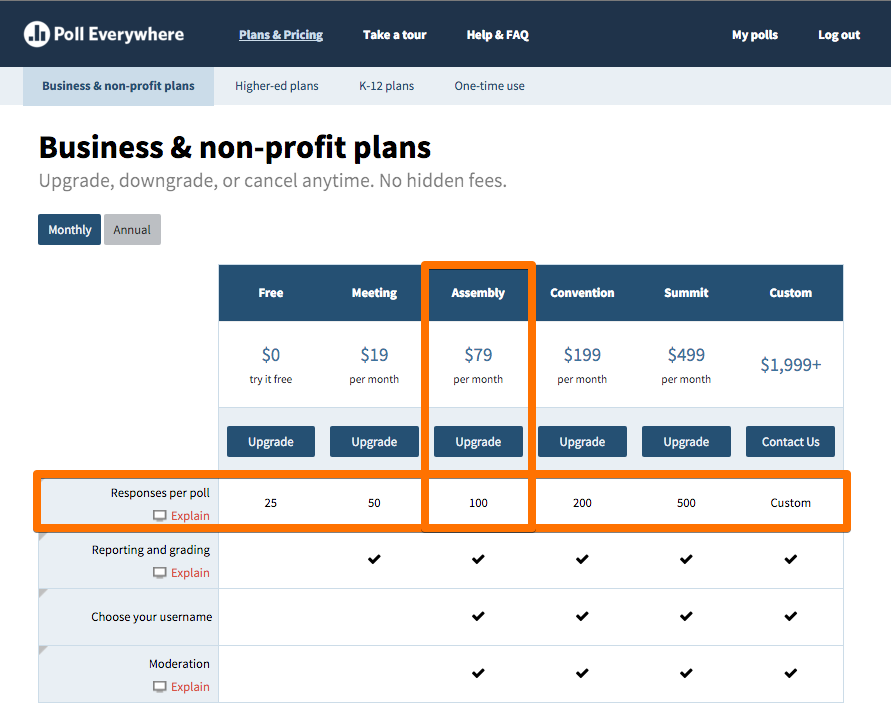
That means I need a plan that includes 100+ responses per poll.
How to spot it on the Plans table:
Special note:
If concurrent sessions will be using the same poll questions on the same account, you should include all of those learners in your responses per poll. OR you can add sub-user accounts to your plan.
3. Do you need to enroll any sub-users?
The benefits of adding sub-users:
-
Sub-users can share questions and registrants, while enjoying their own, separate response pages.
-
Sub-users can poll learners simultaneously with other users on the account. This helps to avoid poll activation mix-ups that occur on shared accounts without sub-users.
-
Sub-users can share participant data and polling results, for easier registration, reporting, and program assessment.
Sub-users on the Plans table:
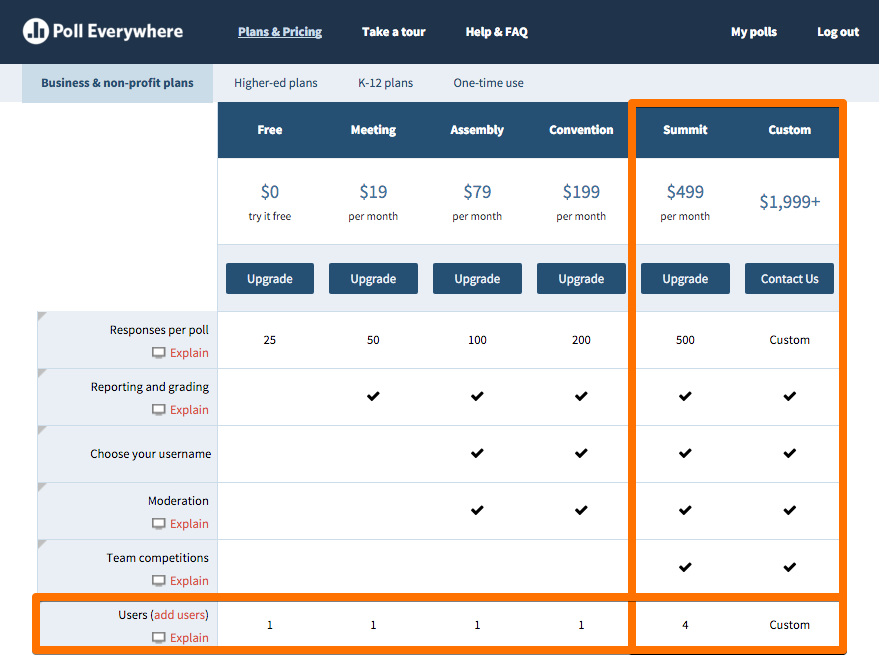
Special note:
You can add sub-users to any Poll Everywhere plan, not just Summit or Custom plans. Simply contact support@polleverywhere.com.
4. What premium features do you need?
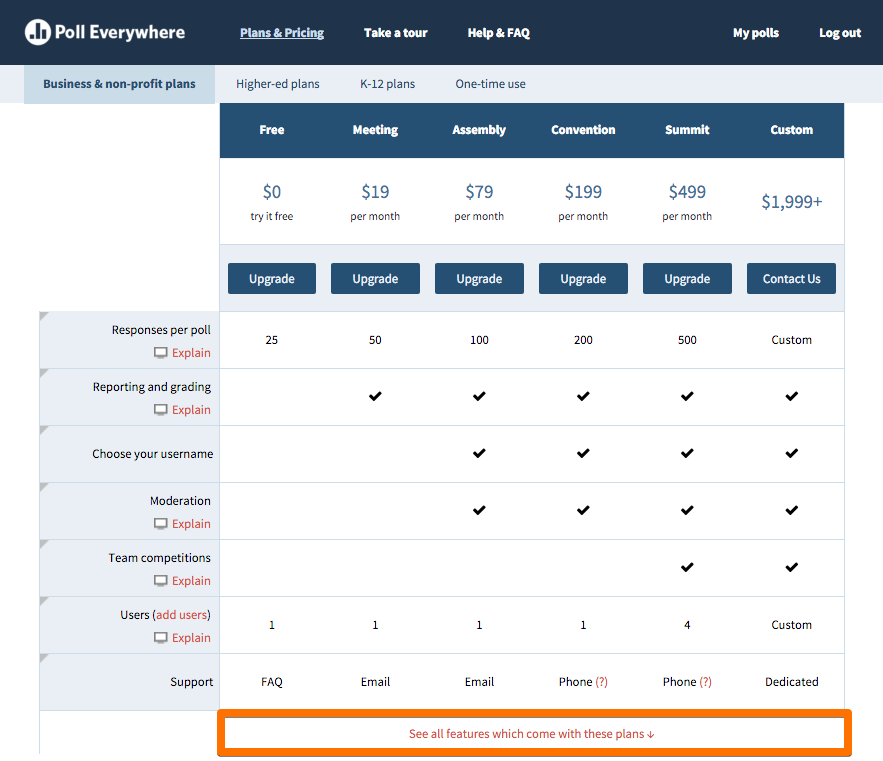
Many corporate learning pros find these essential:
- Custom username, i.e. Pollev.com/Safety101
- Moderation, to control the flow of responses to an open-ended question
- Custom reply messages, i.e. "Thank you for responding to the attendance poll. Your attendance has been noted."
- Team competition, which allows you to automatically divide learners into groups and let them compete for correctness and speed
Find all available features here:
5. Do you need an Enterprise plan?
Enterprise plans allow for department-wide Poll Everywhere deployment.
They also include special security features and custom integrations, such as:
- Single Sign-on
- Private cloud
- LMS integration
If you think you may need an Enterprise plan, please contact sales@polleverywhere.com for assistance.
Still not sure?
We can help.
Email support@polleverywhere.com
Or call: (800) 388-2039
International: +1 (773) 382-0377
How to choose a plan for corporate training
By polleverywhere