COMP2511 Week 7
Agenda
- Admin Stuff
- Concurrency
- Singleton Pattern
- Decorator Pattern
Admin Stuff
- Feedback and marks for Assignment 1 coming soon
- Compilation results have been released
- Can submit a rerun request at 20% off automark
- Assignment 2 should be underway!
- Incorporate feedback from Assignment 1
- Please note, lab09 is an attendance lab
Assignment 2 Tips
Assignment 2 Tips
Blog Posts
- Follow the template in the spec and attach the merge request to the correct task
- Tutors will not have enough time to look through your entire codebase for things not mentioned in the blogs
- Make sure your merge requests are as clear as possible in completing a single task / implementation
- Make it easy for us to award you marks
Assignment 2 Tips
Task 1 Part d)
- Address all 3 problems mentioned in the spec
- Find and resolve more problems for higher marks
- Do not intentionally write bad code in earlier parts and refactor them in this section
- Do not refactor to resolve a problem that does not exist yet
Design Smells
- If you think you have found a smell, make sure to double check here: Code Smells (refactoring.guru)
Assignment 2 Tips
Part 2
Part 2 is purely software architecture
- Contains no coding
- Mostly blogging and designing architecture through drawing diagrams
Concurrency
Concurrency
Concurrency is the ability of a program to execute different sections of code simultaneously.
It basis behind all of modern computing and is how the operating system on your computer is allows multiple programs to actively coexist.
This is how your computer is able to watch Youtube while the clock on your desktop ticks.
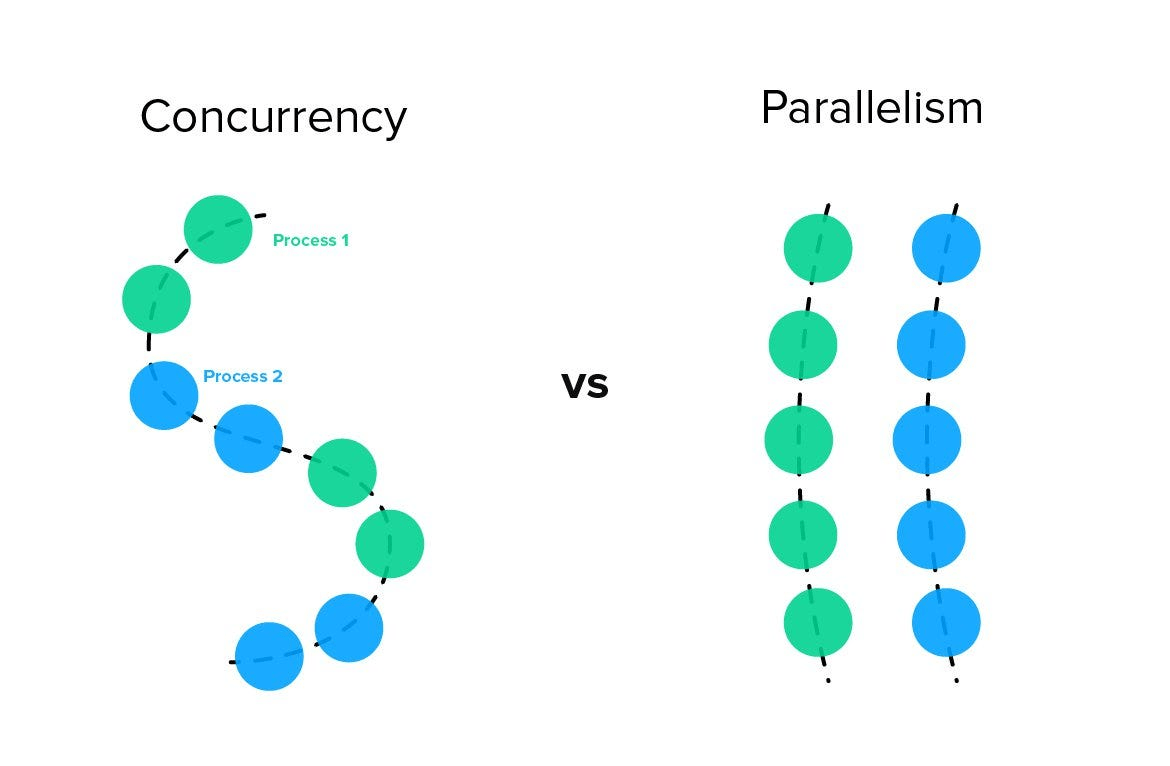
Concurrency
For this course, concurrency is important in understanding other concepts we will cover like the singleton pattern and microservice / event-driven architecture.
There are multiple ways of achieving concurrency:
Single-threading
Up until now, most of the code you have written is single-threaded; it executes line after line, without interruption.
Tasks are processed one after another, if one task is very slow or "blocks" the thread, all other tasks must wait.
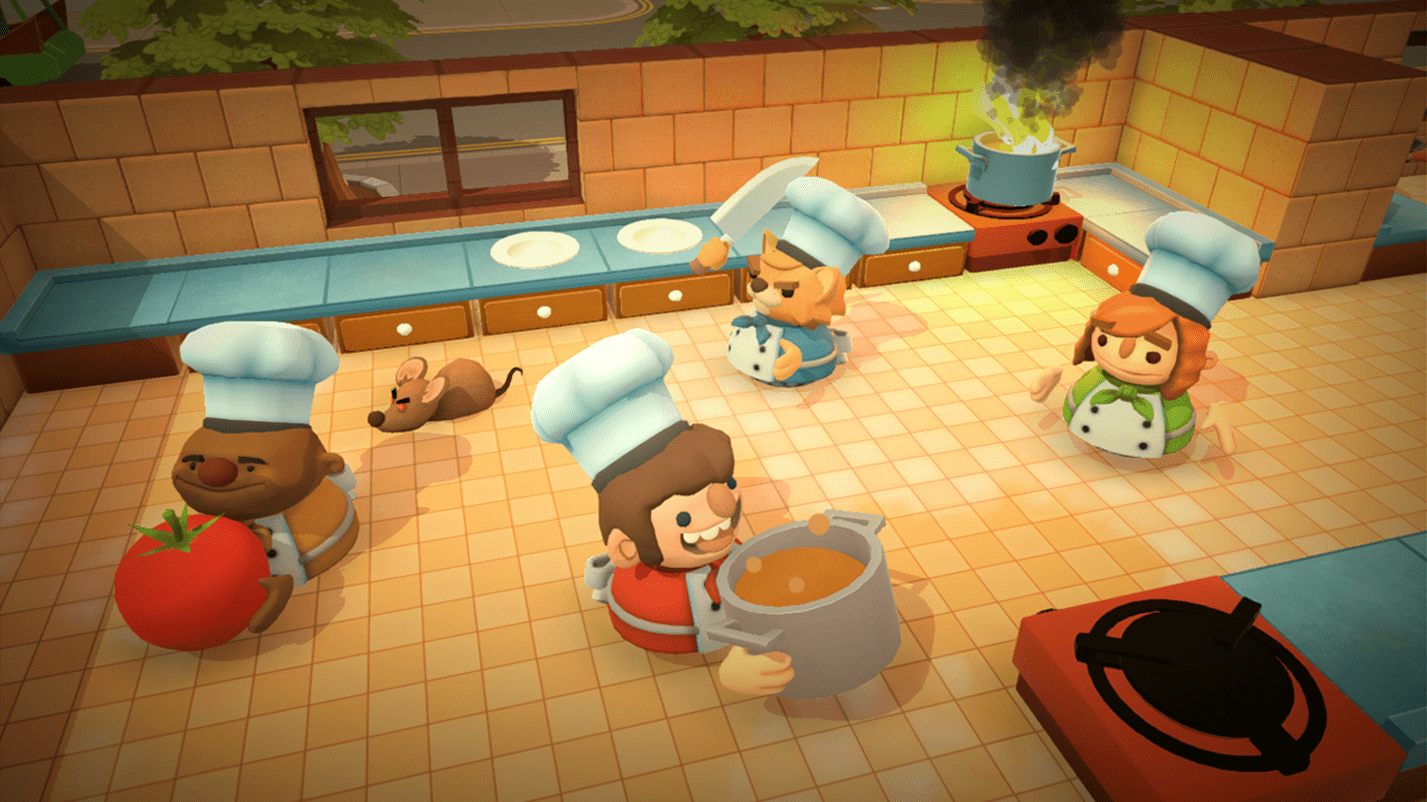
Think of this like having one chef in a kitchen, who cooks a steak, and waits for it to be finished before moving onto the potatoes, then the veggies.
At the end, only the veggies are warm and we wasted time sitting around, as we waited for each prior dish to be finished before continuing.
Multi-threading
This is where different threads run different parts of your code.
Creating multiple threads in your programs allows you to execute lines simultaneously, instead of one after the other.
Think of this like having multiple chefs to prepare different dishes at the same time. One can prepare the steak, another the potatoes, and another the veggies.
The benefit, is all the food can come out warm and in a timely manner.
Asynchronous
Instead of spawning multiple threads to run code at the same time, we have one thread that manages tasks.
The thread manages it's tasks by having them yield control when they are busy doing something else. Once the task is ready to run again, we continue.
Think of this like having one chef, that starts cooking the steak, then, while it's on the grill, moves on to boiling the potatoes.
While the potatoes boil, the chef can start preparing the veggies. The chef then moves around the kitchen to the different tasks as they require attention.
The benefit is we make better use of our time, and the dish comes out warm and timely.
Concurrency
It's important to know that, under the hood, the operating system delegates execution time to your program as it sees fit. It chooses which programs should run, and when, at the millisecond scale.
As such, this "context-switching" makes it seem like programs are executing code at the same time, when in reality the OS is alternating who gets to run their code very, very quickly.
COMP3231 (OS) teaches this in more detail!
Singleton Pattern

Singleton Pattern
What is this?
Creational design pattern that specifies that a class can only have one instance. Accessing the instance must be via a global access point.
Why use it?
- Control access to some shared resource. i.e. a file.
- Need global variables that would not be overwritten
Singleton Pattern
The instance is only created when the getInstance method is first called.
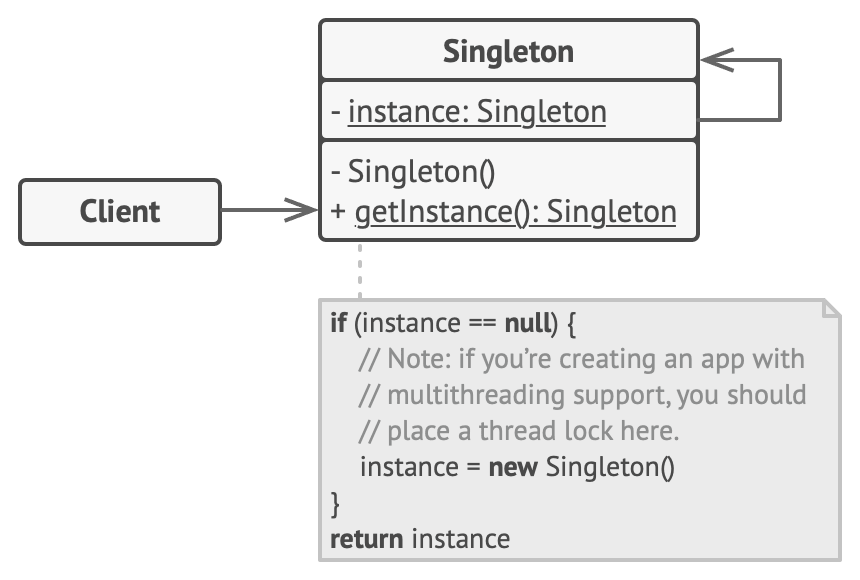
Singleton Pattern
Singleton Pattern
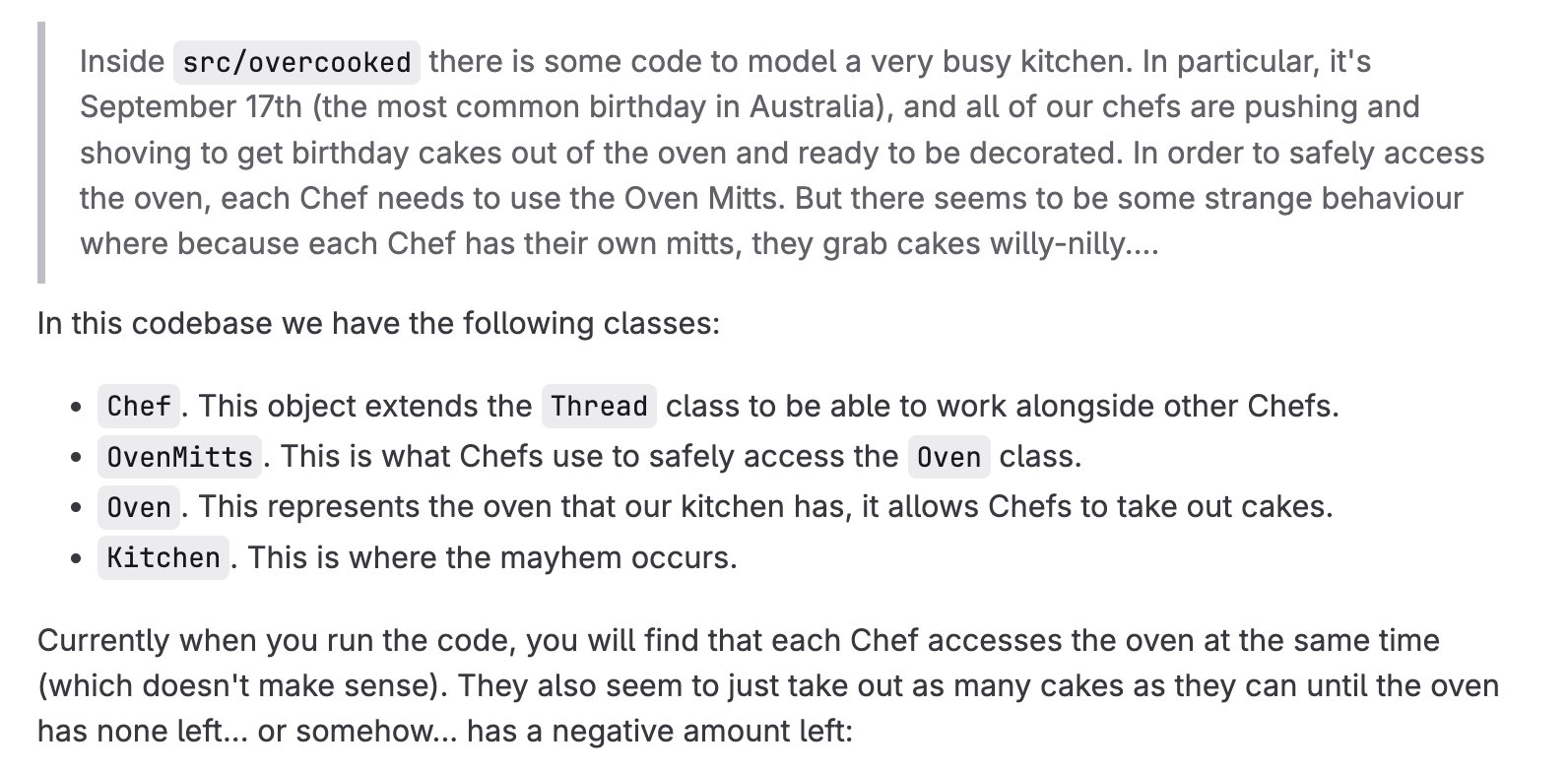
Currently, the threads can all access the oven at the same time. This can lead to undesirable behaviour like
Preheating oven to 180°C...
Loaded the oven with 10 cakes...

---

Jamie puts on the oven mitts and opens the oven...
Julia puts on the oven mitts and opens the oven...
Gordon puts on the oven mitts and opens the oven...
Jamie took a cake out! (9 left)
Julia took a cake out! (8 left)
Gordon took a cake out! (7 left)
Julia took a cake out! (6 left)
Gordon took a cake out! (4 left)
Jamie took a cake out! (5 left)
Julia took a cake out! (3 left)
Jamie took a cake out! (1 left)
Gordon took a cake out! (2 left)
Gordon closes the oven and takes off the mitts.
Jamie took a cake out! (-1 left)
Julia took a cake out! (0 left)
Julia closes the oven and takes off the mitts.
Jamie found the oven empty!
Jamie closes the oven and takes off the mitts.

---

Cakes left in oven: -1
Oven only has 10 cakes, but 11 were taken out!
Singleton Pattern
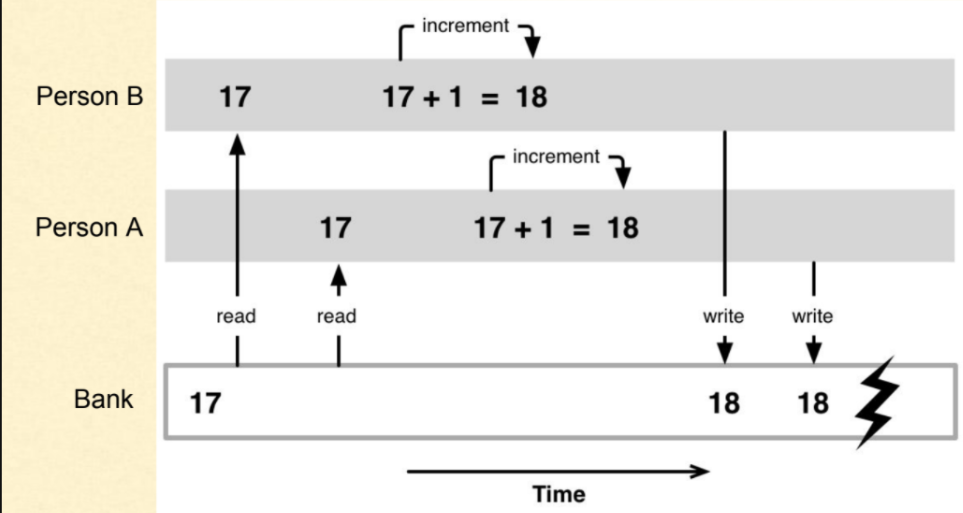
The undesired behaviour is caused by race conditions
This is when two or more threads can access shared data and they try to change it at the same time.
Because the thread scheduling can swap between threads at any time, you don't know the order the threads will access the shared data
Singleton Pattern
How does Singleton Pattern fix this?
Refactor using the Singleton Pattern to ensure only one chef can access the oven at a time!
- Ensure class has just a single instance to control access to the shared resource.
- Make a global access point to that instance

If we control the amount of Mitts in the kitchen, we can control when Chefs access the oven.
Decorator Pattern
Decorator Pattern
What is it?
Structural design pattern that allows the behaviour of objects to be enhanced placing them into special wrapper objects

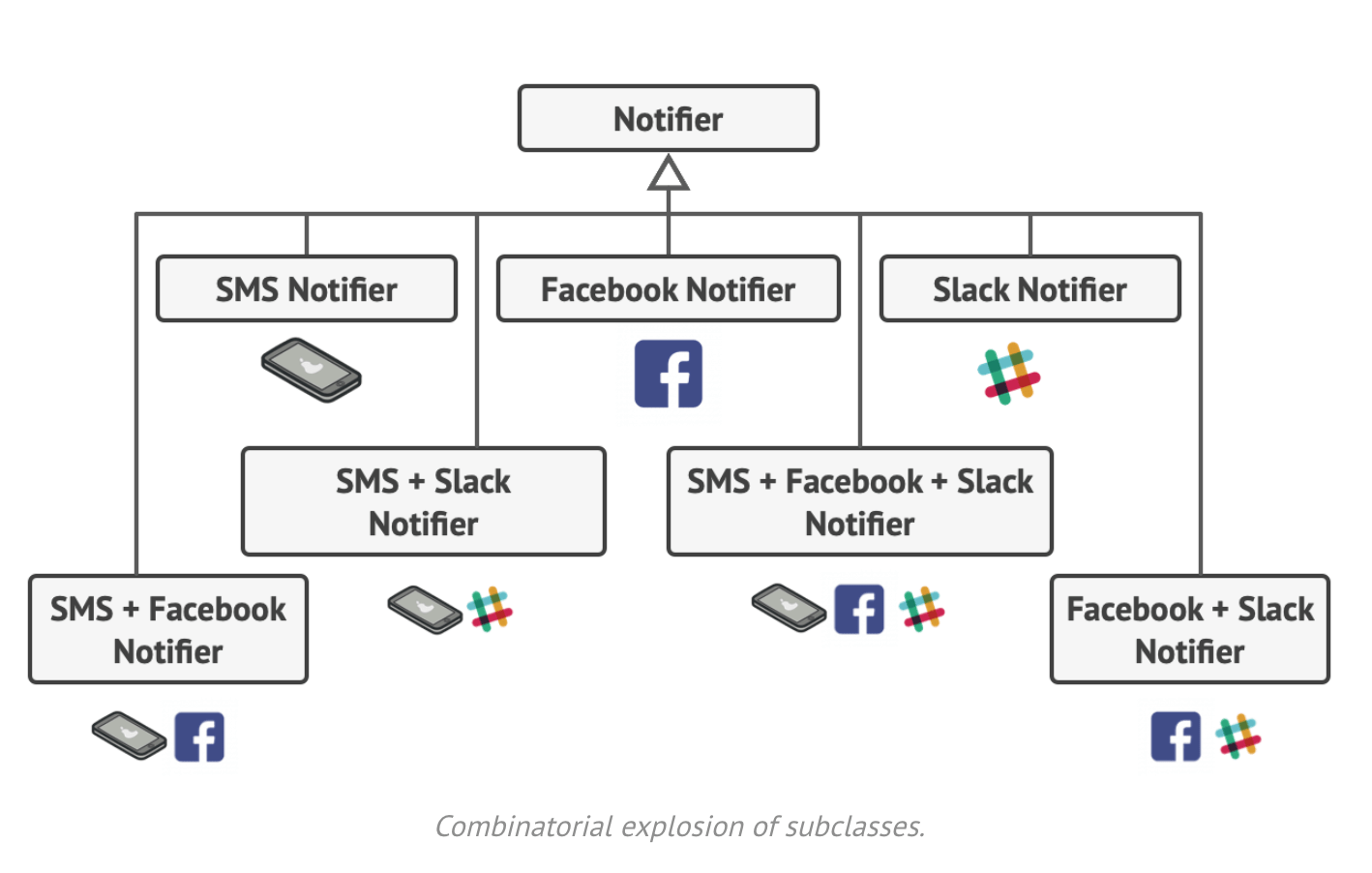
What problems does it solve?
Directly subclassing to combine different behaviours can lead to a large number of subclasses.
Decorator Pattern
Why not just use inheritance?
- Inheritance can only occur at compile time
- Most languages only allow single inheritance
Decorator Pattern
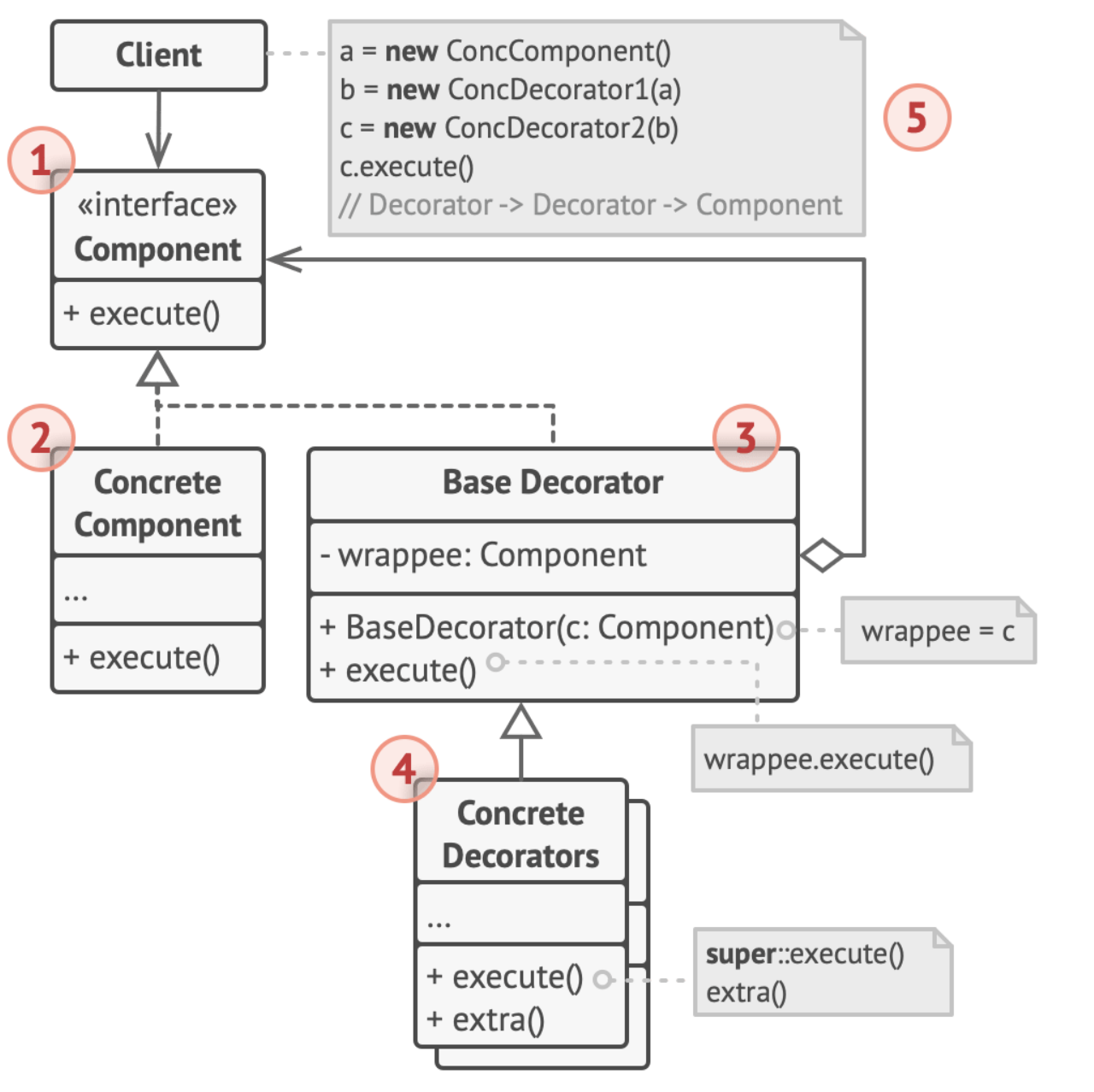
-
Componentis common interface for both wrapper and wrapped objects -
BaseDecoratorhas-a (composition) withComponent. It then delegates operations to wrappee object
wrappee
wrapper
public void execute() {
	wrappee.execute();
}
Decorator Pattern
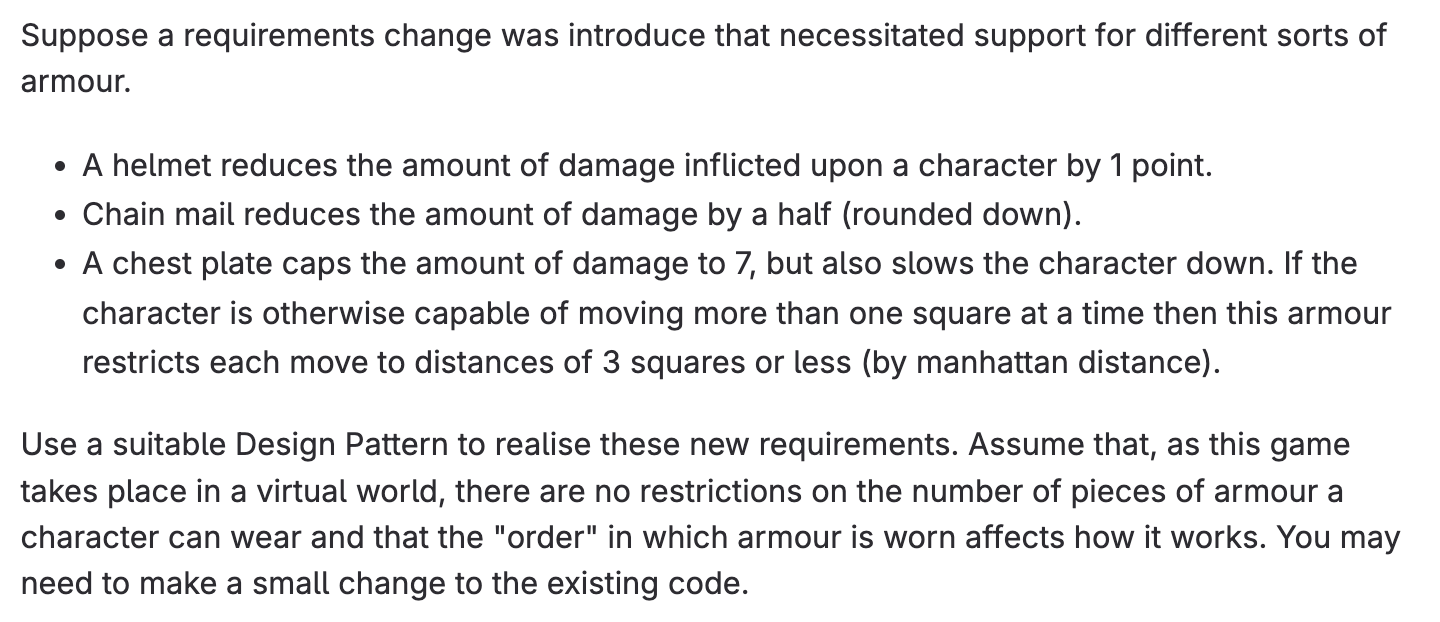
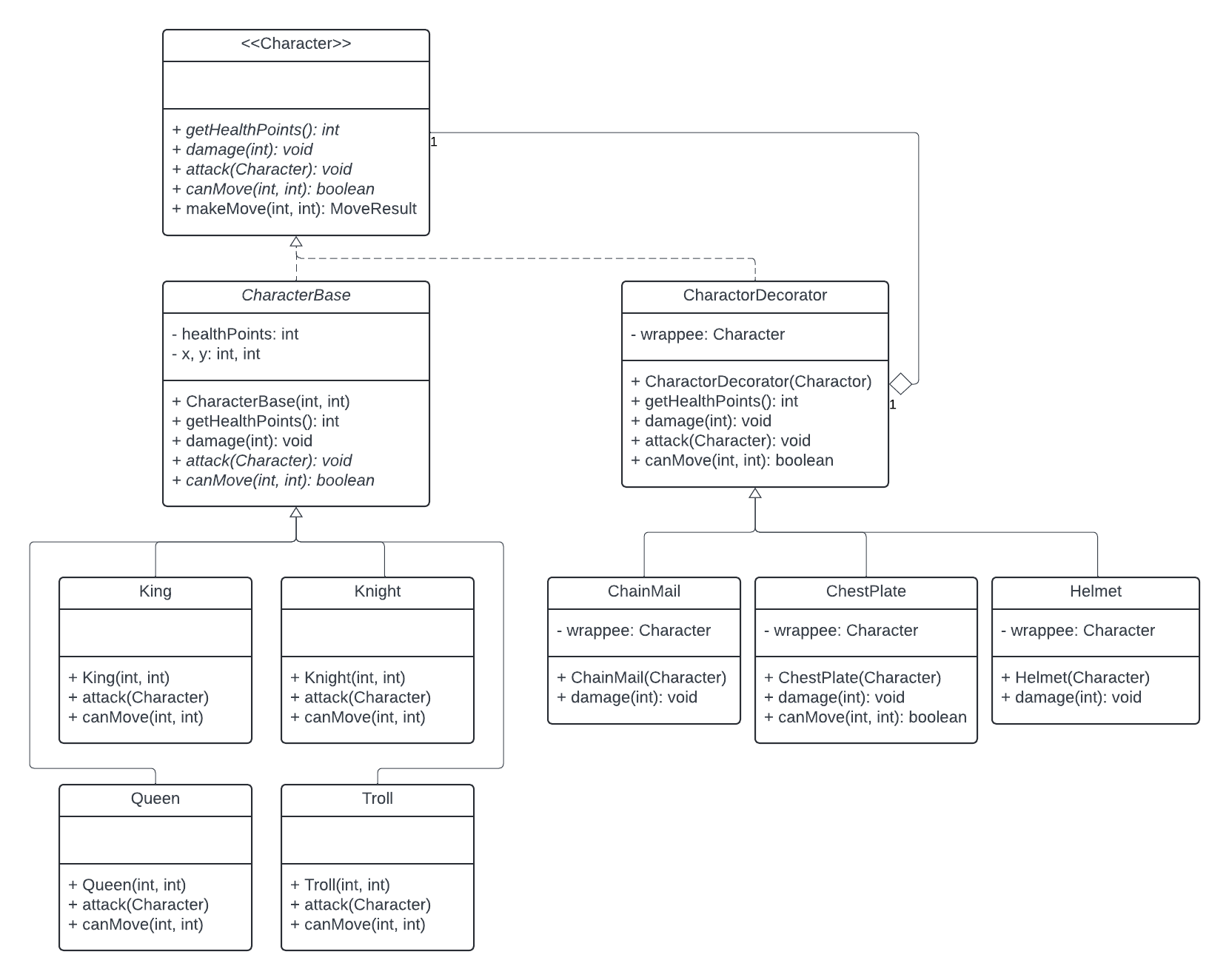
Updated Requirements:
Decorator Pattern
Component Interface (Character)
- Defines the contract that all kinds of characters (and their decorators) must have the specified basic behaviour (e.g.
damage(),canMove())
Concrete Component (CharacterBase)
- Holds the actual implementation for the most basic Character/Entity
Character
CharacterBase
CharacterDecorator
Helmet
COMP2511 Tute07
By rebeccahsu