PySide
Comment produire des applications bureaux simplement et rapidement
1
QT : qu'est ce que c'est et ça sert à quoi ?
2
Une brève histoire des bindings QT : de C++ vers Python
3
Comment designer de manière simple son application ?
5
Exemple d'une application simple en PySide
4
Comment ajouter des fonctionnalités à son design ?
6
Comment finaliser le déploiement de son application ?
Sommaire
Qt
Qu'est ce que c'est & ça sert à quoi ?
à feur
Qu'est ce que QT ?
Design
1.
2.
Develop
3.
Test
# QT Philosophy


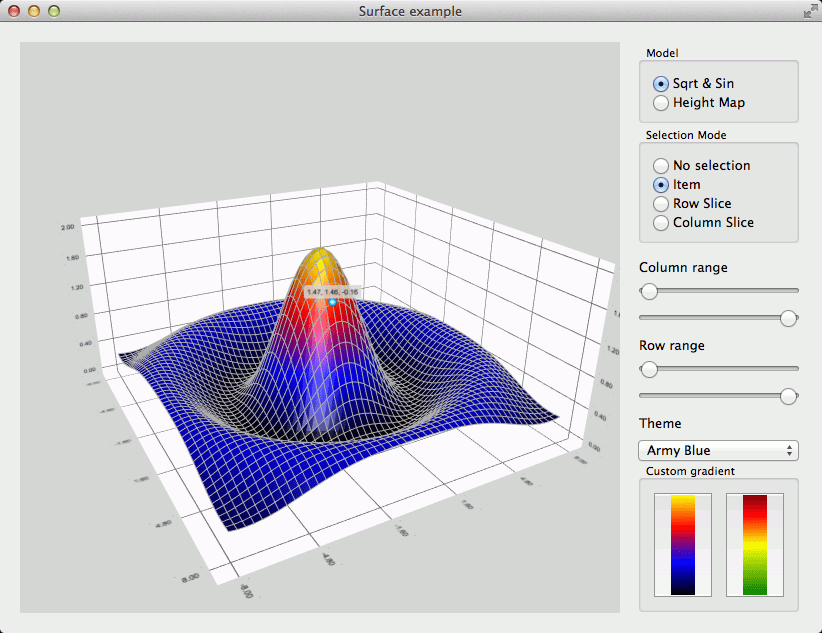
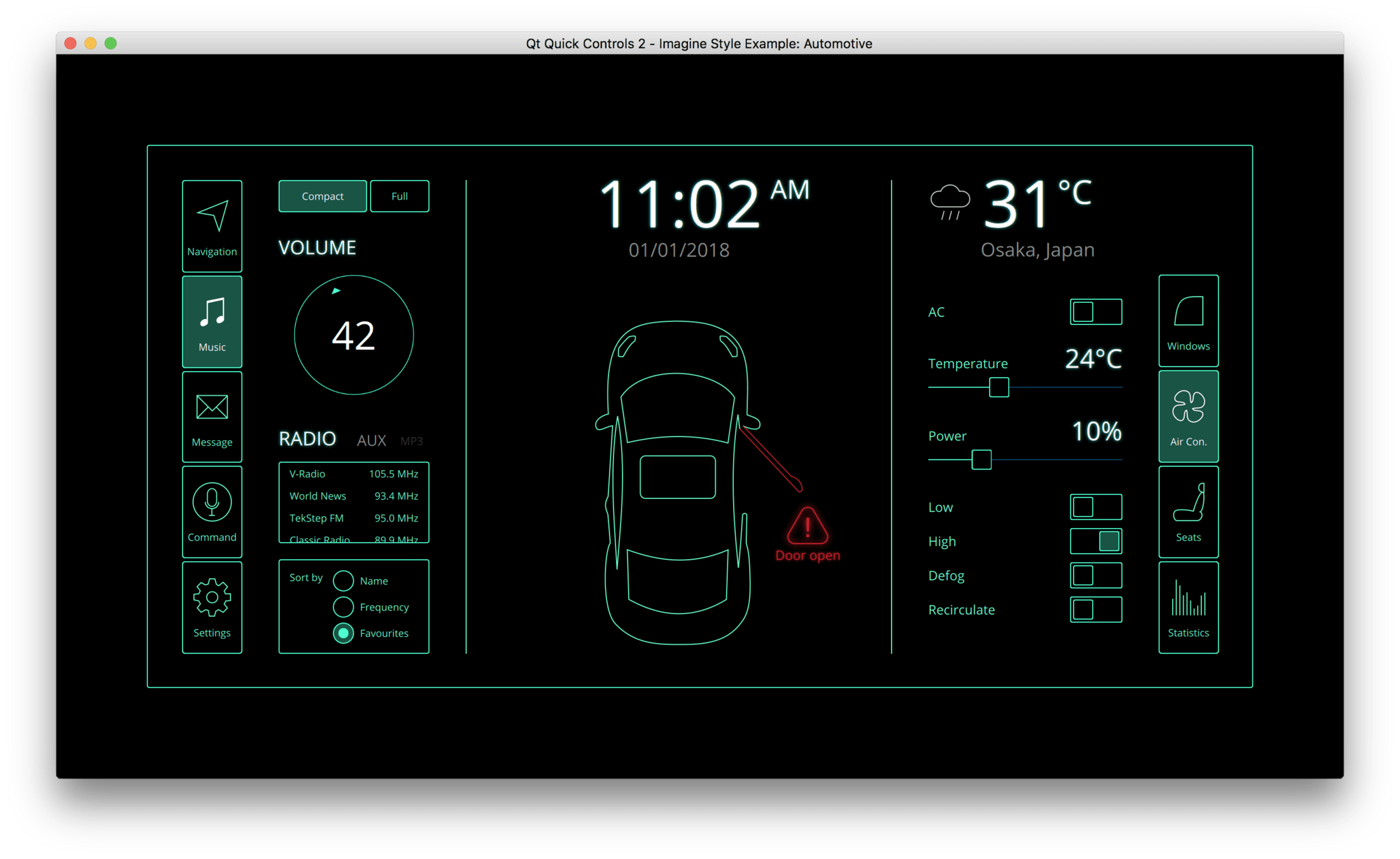
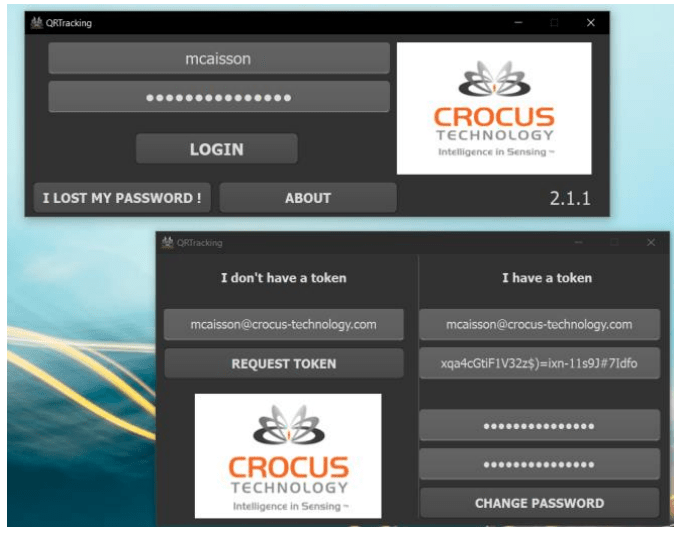
QT : Un SDK basé sur C++
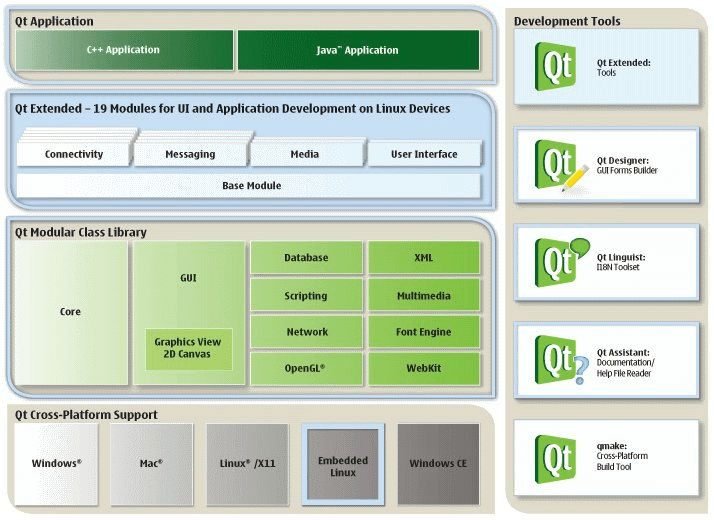
Pourquoi choisir QT ?
Pourquoi ne pas choisir QT ?
- Simple d'utilisation
- Cross platform
- Open Source
- Grande communauté
- Beaucoup d'outils
- Rapidité de conception
- Documentation
- Exécution lente
- Complexe pour certaines taches
- Consommation mémoire importante
Documentation QT
# Documentation QT
Environnement QT
# Environnement QT
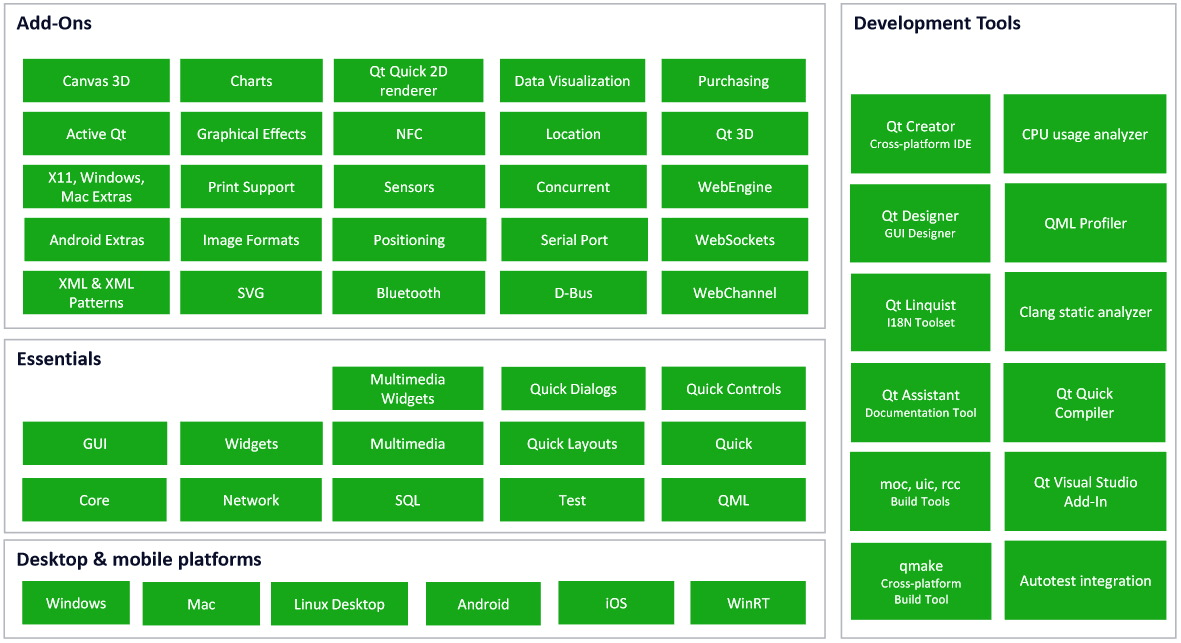
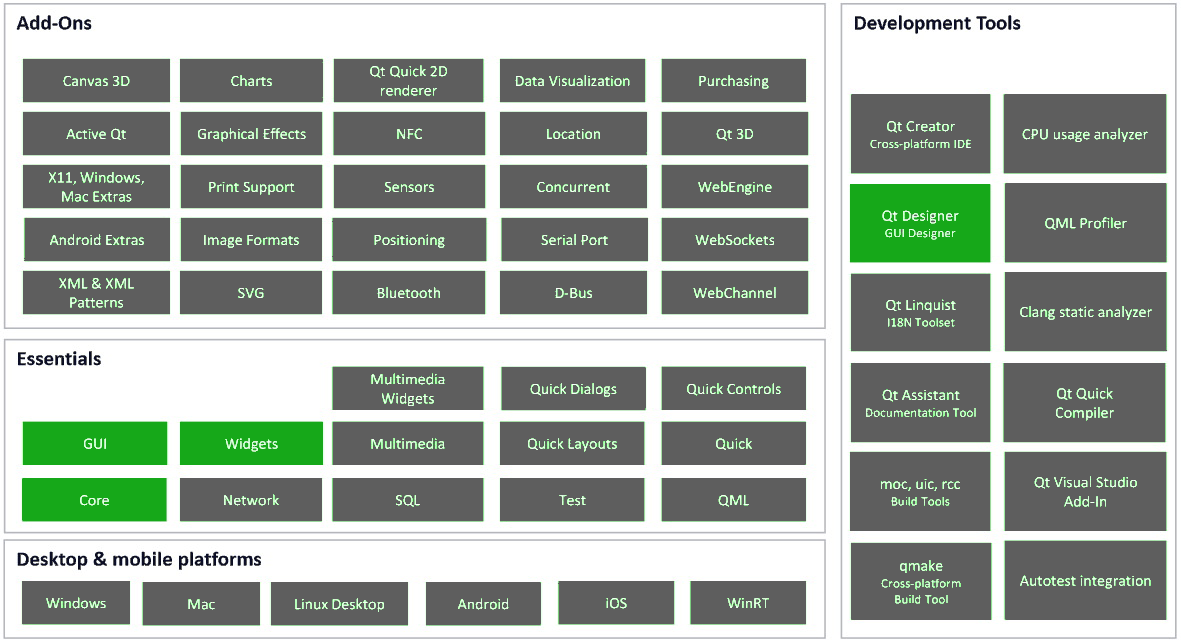
De C++ vers Python
# de C++ vers Python
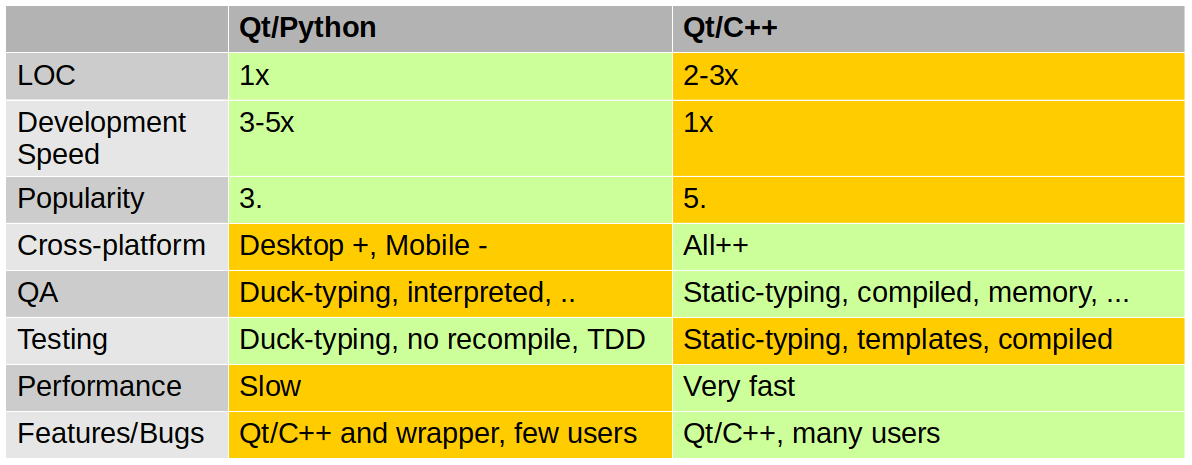
Simple d'utilisation & Rapide de conception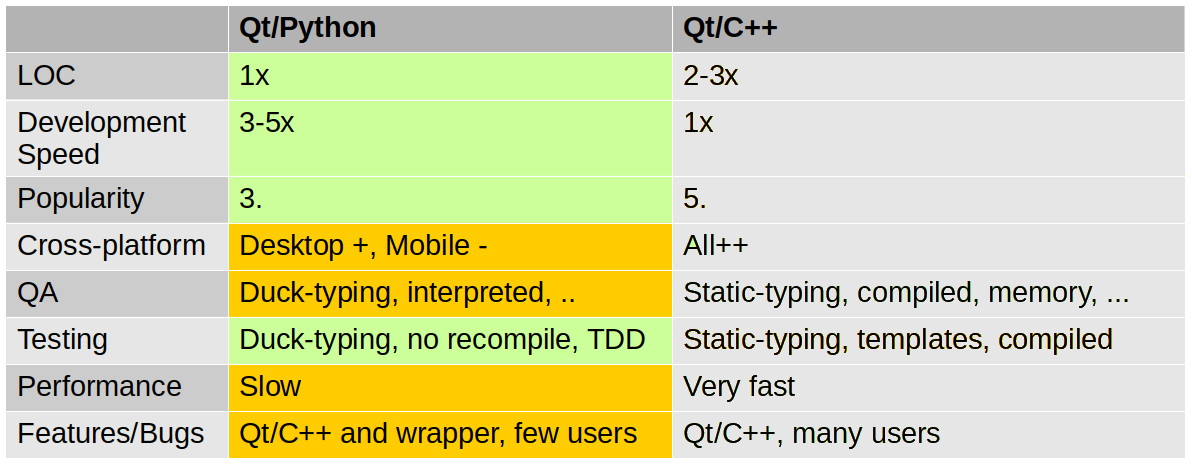
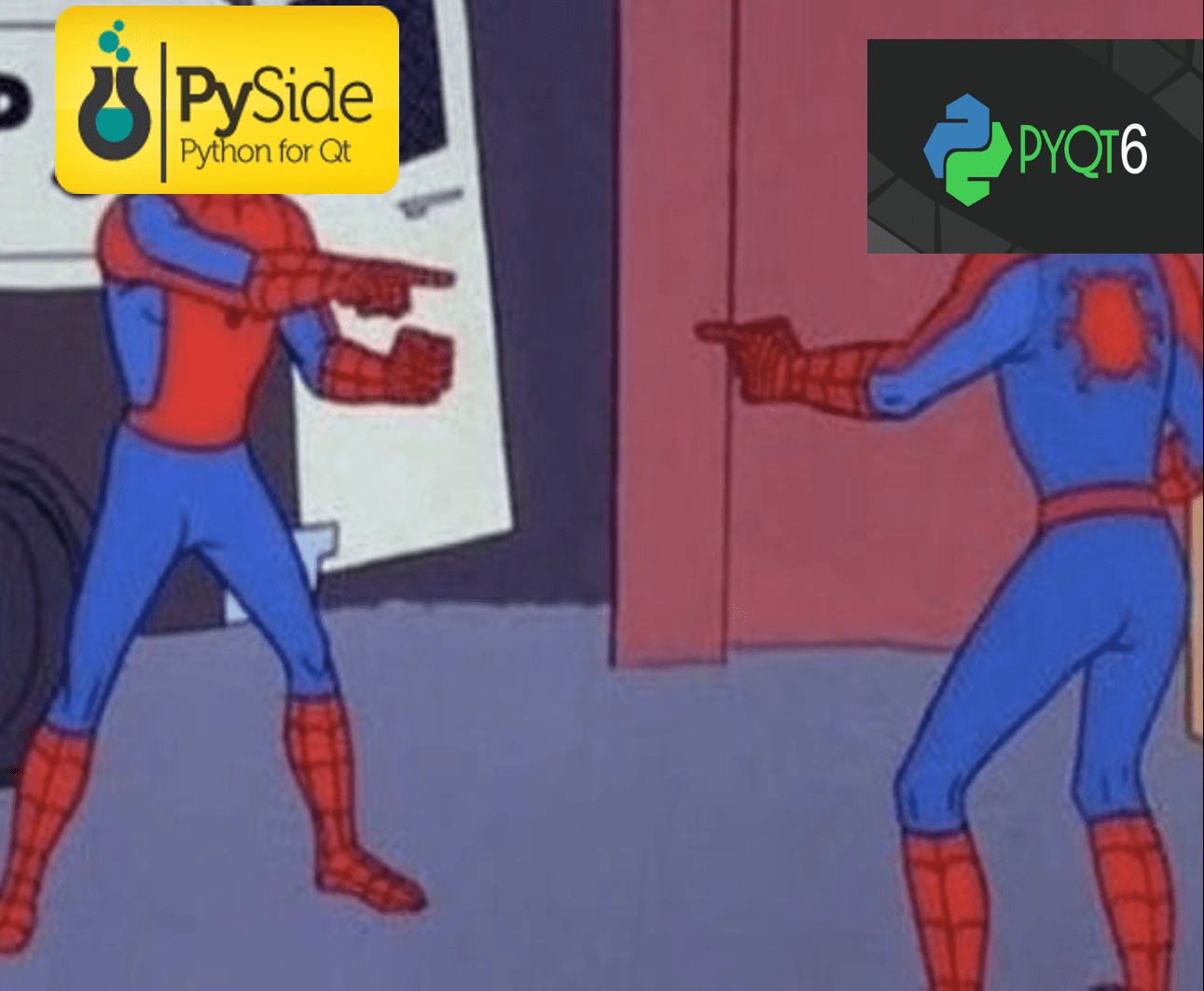
PySide VS PyQT
Une brève histoire des bindings QT
de C++ vers Python
# Bindings QT
C'est quoi un Binding ?
En informatique, un "binding" est une interface de programmation d'application (API) qui permet d'executer du Code d'un langage
étranger depuis un autre langage


# Bindings QT
Pourquoi utiliser un Binding ?
import sys
from PyQt5.QtWidgets import (QApplication, QWidget, QPushButton, QLabel, QLineEdit, QGridLayout, QMessageBox)

class LoginForm(QWidget):
	def __init__(self):
		super().__init__()
		self.setWindowTitle('Login Form')
		self.resize(500, 120)

		layout = QGridLayout()

		label_name = QLabel('<font size="4"> Username </font>')
		self.lineEdit_username = QLineEdit()
		self.lineEdit_username.setPlaceholderText('Please enter your username')
		layout.addWidget(label_name, 0, 0)
		layout.addWidget(self.lineEdit_username, 0, 1)

		label_password = QLabel('<font size="4"> Password </font>')
		self.lineEdit_password = QLineEdit()
		self.lineEdit_password.setPlaceholderText('Please enter your password')
		layout.addWidget(label_password, 1, 0)
		layout.addWidget(self.lineEdit_password, 1, 1)

		button_login = QPushButton('Login')
		button_login.clicked.connect(self.check_password)
		layout.addWidget(button_login, 2, 0, 1, 2)
		layout.setRowMinimumHeight(2, 75)

		self.setLayout(layout)

	def check_password(self):
		msg = QMessageBox()

		if self.lineEdit_username.text() == 'Usernmae' and self.lineEdit_password.text() == '000':
			msg.setText('Success')
			msg.exec_()
			app.quit()
		else:
			msg.setText('Incorrect Password')
			msg.exec_()

if __name__ == '__main__':
	app = QApplication(sys.argv)

	form = LoginForm()
	form.show()

	sys.exit(app.exec_())
#ifndef _LoginForm_CPP
#define _LoginForm_CPP
#include "LoginForm.h"
#include "MySQL.cpp"
LoginForm::LoginForm()
{
setupUi(this);
connect(loginbtn, SIGNAL(clicked()), this, SLOT(loginclick()));
connect(quitbtn, SIGNAL(clicked()), this, SLOT(close()));
}
void LoginForm::setupUi(QDialog *LoginForm)
{
if (LoginForm->objectName().isEmpty())
LoginForm->setObjectName(QString::fromUtf8("LoginForm"));
LoginForm->setWindowModality(Qt::NonModal);
LoginForm->resize(627, 414);
loginbtn = new QPushButton(LoginForm);
loginbtn->setObjectName(QString::fromUtf8("loginbtn"));
loginbtn->setGeometry(QRect(140, 250, 114, 32));
quitbtn = new QPushButton(LoginForm);
quitbtn->setObjectName(QString::fromUtf8("quitbtn"));
quitbtn->setGeometry(QRect(300, 250, 114, 32));
usernametext = new QLineEdit(LoginForm);
usernametext->setObjectName(QString::fromUtf8("usernametext"));
usernametext->setGeometry(QRect(240, 140, 113, 22));
passtext = new QLineEdit(LoginForm);
passtext->setObjectName(QString::fromUtf8("passtext"));
passtext->setGeometry(QRect(240, 190, 113, 22));
passtext->setInputMask(QString::fromUtf8(""));
passtext->setMaxLength(32767);
passtext->setEchoMode(QLineEdit::Password);
password = new QLabel(LoginForm);
password->setObjectName(QString::fromUtf8("password"));
password->setGeometry(QRect(130, 190, 62, 16));
username = new QLabel(LoginForm);
username->setObjectName(QString::fromUtf8("username"));
username->setGeometry(QRect(130, 140, 62, 16));
retranslateUi(LoginForm);
QMetaObject::connectSlotsByName(LoginForm);
} // setupUi
void LoginForm::retranslateUi(QDialog *LoginForm)
{
LoginForm->setWindowTitle(QApplication::translate("LoginForm", "User System Login", 0, QApplication::UnicodeUTF8));
loginbtn->setText(QApplication::translate("LoginForm", "Login", 0, QApplication::UnicodeUTF8));
quitbtn->setText(QApplication::translate("LoginForm", "Quit", 0, QApplication::UnicodeUTF8));
#ifndef QT_NO_TOOLTIP
usernametext->setToolTip(QApplication::translate("LoginForm", "Enter Username", 0, QApplication::UnicodeUTF8));
#endif // QT_NO_TOOLTIP
#ifndef QT_NO_TOOLTIP
passtext->setToolTip(QApplication::translate("LoginForm", "Enter Password", 0, QApplication::UnicodeUTF8));
#endif // QT_NO_TOOLTIP
passtext->setText(QString());
passtext->setPlaceholderText(QString());
password->setText(QApplication::translate("LoginForm", "Password", 0, QApplication::UnicodeUTF8));
username->setText(QApplication::translate("LoginForm", "Username", 0, QApplication::UnicodeUTF8));
} // retranslateUi
LoginForm::~LoginForm()
{
}
void LoginForm::loginclick()
{
MySQL* conn = new MySQL();
bool ret = conn->query(usernametext->text(), passtext->text());
if (ret)//(usernametext->text() == "Admin" && passtext->text() == "123456")
{
QMessageBox::information(this, "Success", "Password Correct");
}
else
{
QMessageBox::information(this, "Failure", "Password Incorrect");
}
}
#endif



PyQT
PySide
- Premier binding QT pour Python
- Créer par Riverbank Computing
- Open Source
- Licenses Commerciales & GPL
- Binding officiel de QT pour Python
- Créer en open source et intégré par QT Company
- Open Source
- License LGPL
# Installer Pyside
Comment installer Pyside ?
1. Installer Python
------
2. Installer Pyside
#> python -m pip install PySide2
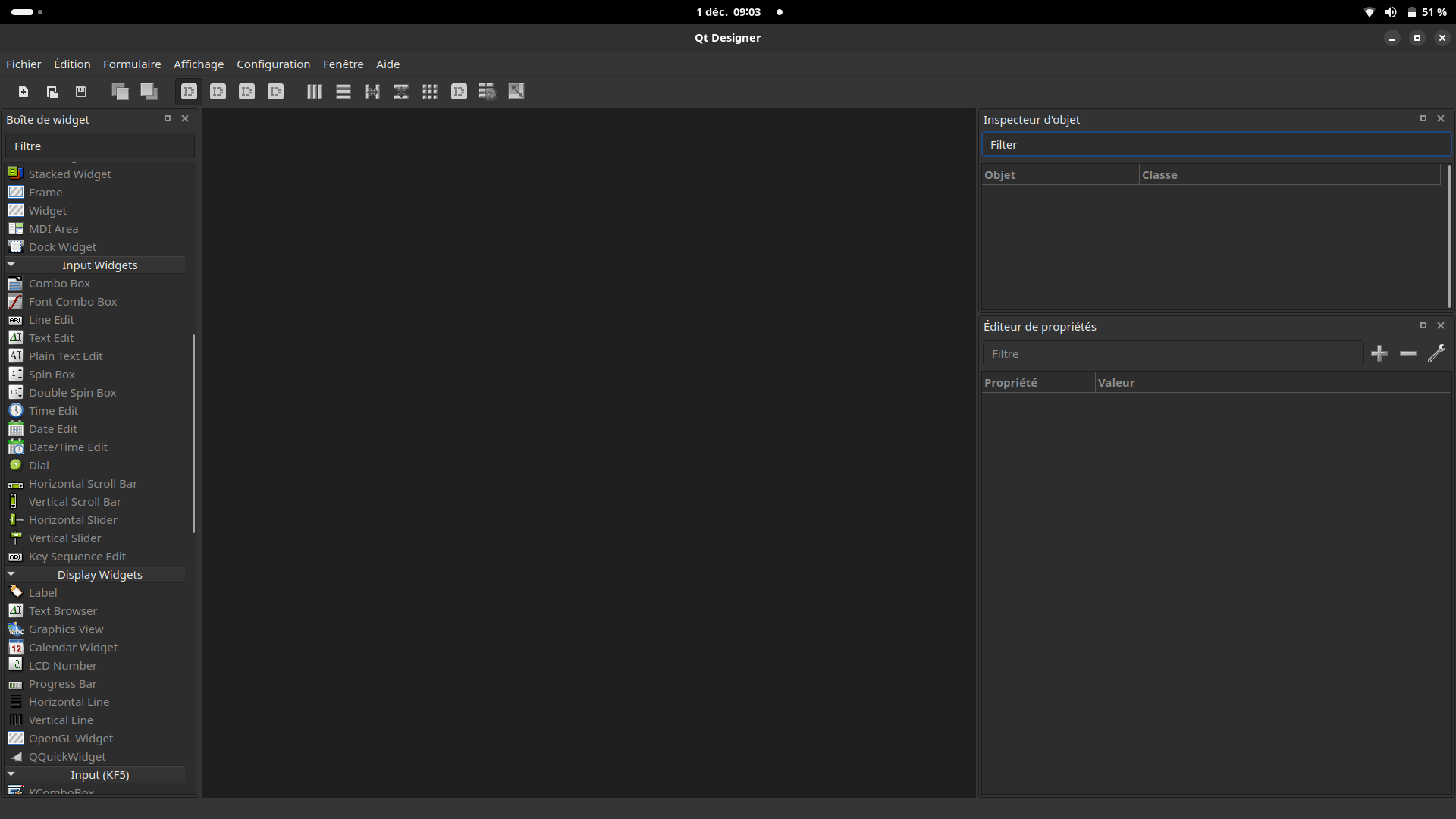
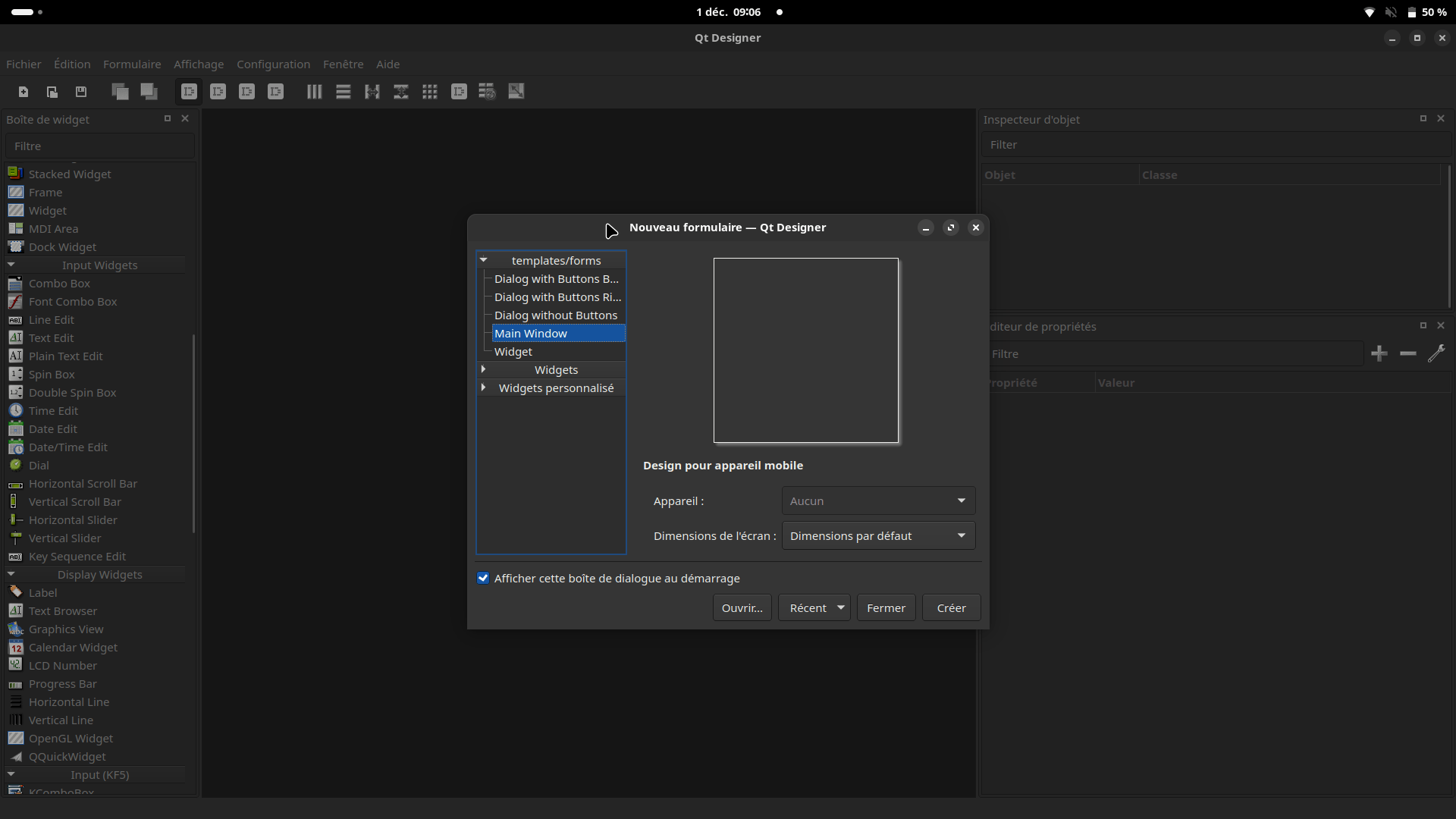
QTDesigner
Comment designer l'interface de votre application bureau ?
QTDesigner
# QtDesigner
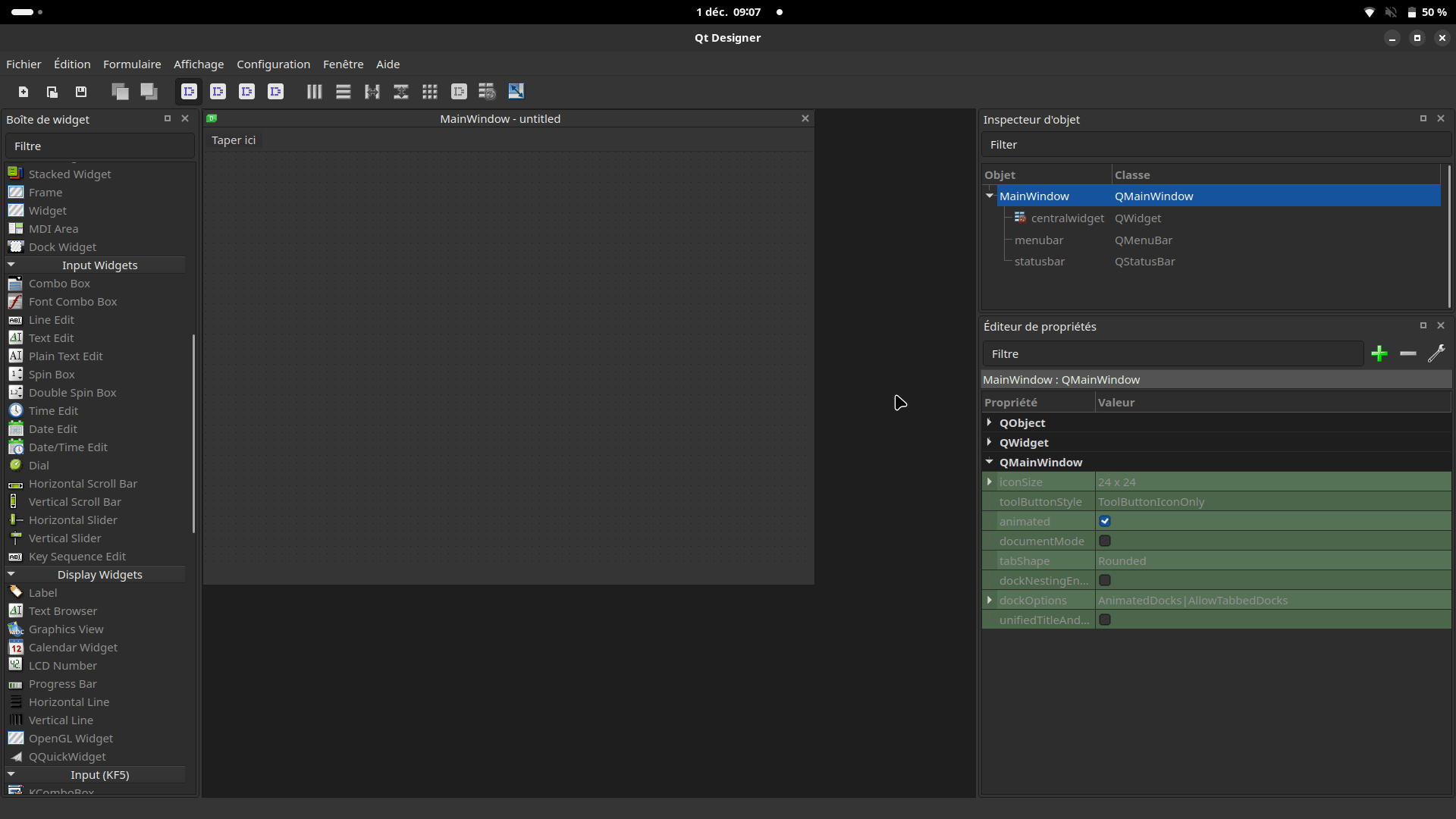
QTDesigner
# QtDesigner
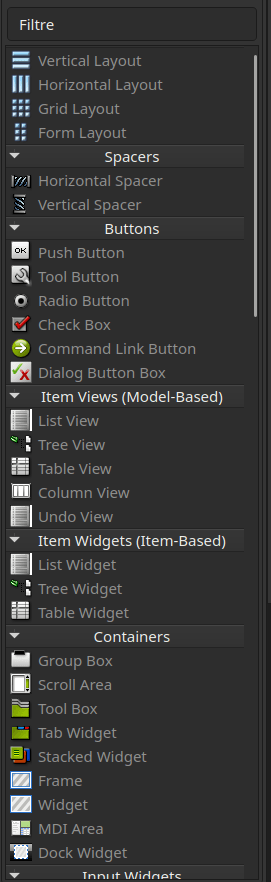
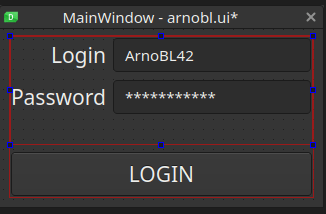
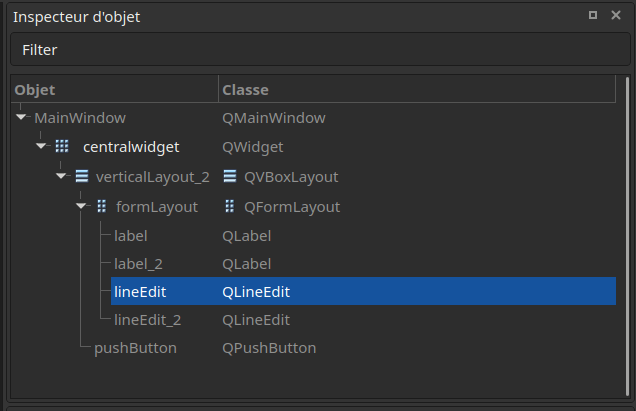
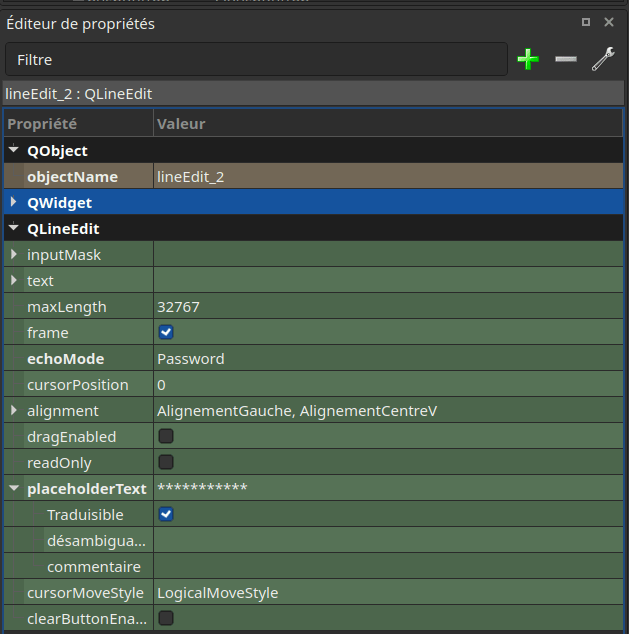
QTDesigner
# QtDesigner
<?xml version="1.0" encoding="UTF-8"?>
<ui version="4.0">
 <class>MainWindow</class>
 <widget class="QMainWindow" name="MainWindow">
  <property name="geometry">
   <rect>
    <x>0</x>
    <y>0</y>
    <width>317</width>
    <height>175</height>
   </rect>
  </property>
  <property name="windowTitle">
   <string>MainWindow</string>
  </property>
  <property name="autoFillBackground">
   <bool>false</bool>
  </property>
  <widget class="QWidget" name="centralwidget">
   <property name="autoFillBackground">
    <bool>false</bool>
   </property>
   <layout class="QGridLayout" name="gridLayout">
    <item row="0" column="0">
     <layout class="QVBoxLayout" name="verticalLayout_2" stretch="1,1">
      <property name="sizeConstraint">
       <enum>QLayout::SetDefaultConstraint</enum>
      </property>
      <item>
       <layout class="QFormLayout" name="formLayout">
        <item row="0" column="0">
         <widget class="QLabel" name="label">
          <property name="font">
           <font>
            <pointsize>16</pointsize>
           </font>
          </property>
          <property name="text">
           <string>Login</string>
          </property>
         </widget>
        </item>
        <item row="0" column="1">
         <widget class="QLineEdit" name="lineEdit">
          <property name="placeholderText">
           <string>ArnoBL42</string>
          </property>
         </widget>
        </item>
        <item row="1" column="0">
         <widget class="QLabel" name="label_2">
          <property name="font">
           <font>
            <pointsize>16</pointsize>
           </font>
          </property>
          <property name="text">
           <string>Password</string>
          </property>
         </widget>
        </item>
        <item row="1" column="1">
         <widget class="QLineEdit" name="lineEdit_2">
          <property name="focusPolicy">
           <enum>Qt::WheelFocus</enum>
          </property>
          <property name="echoMode">
           <enum>QLineEdit::Password</enum>
          </property>
          <property name="placeholderText">
           <string>***********</string>
          </property>
         </widget>
        </item>
       </layout>
      </item>
      <item>
       <widget class="QPushButton" name="pushButton">
        <property name="font">
         <font>
          <pointsize>16</pointsize>
         </font>
        </property>
        <property name="text">
         <string>LOGIN</string>
        </property>
       </widget>
      </item>
     </layout>
    </item>
   </layout>
  </widget>
 </widget>
 <resources/>
 <connections/>
</ui>
QTDesigner
# QtDesigner
Formulaire > Prévisualisation
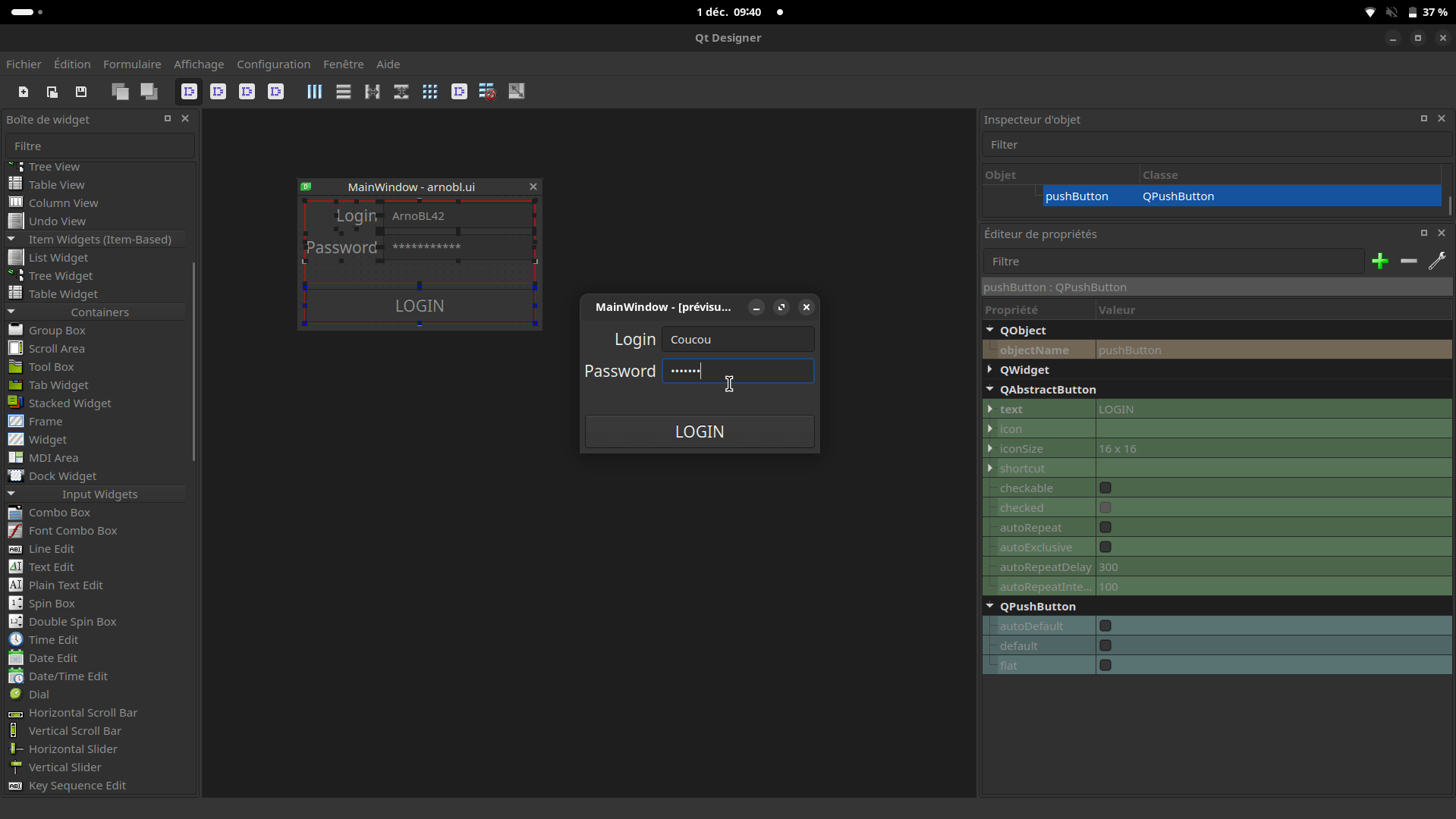
QTDesigner
# QtDesigner
Formulaire > View C++ Code ...
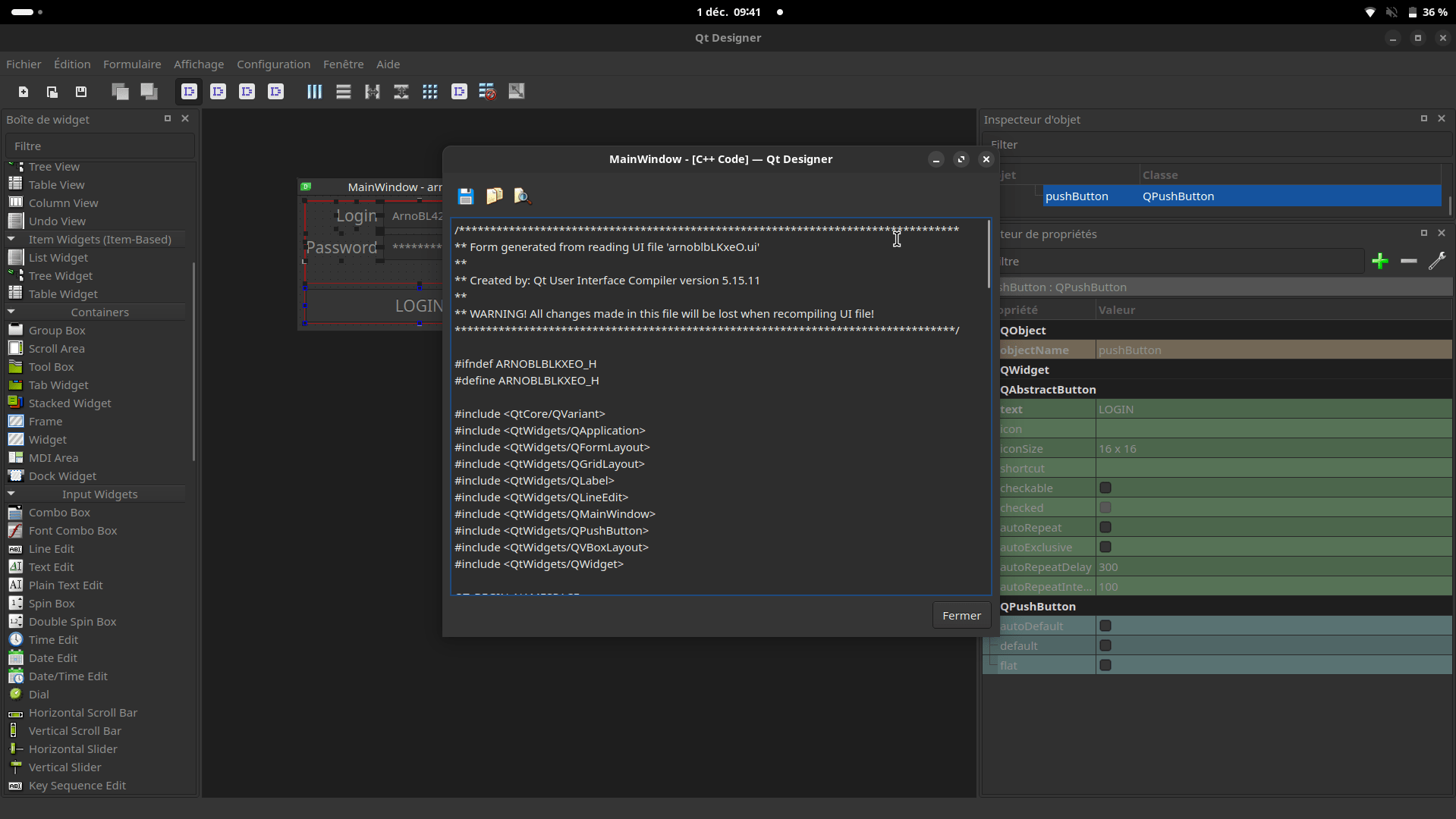
/********************************************************************************
** Form generated from reading UI file 'arnoblbLKxeO.ui'
**
** Created by: Qt User Interface Compiler version 5.15.11
**
** WARNING! All changes made in this file will be lost when recompiling UI file!
********************************************************************************/

#ifndef ARNOBLBLKXEO_H
#define ARNOBLBLKXEO_H

#include <QtCore/QVariant>
#include <QtWidgets/QApplication>
#include <QtWidgets/QFormLayout>
#include <QtWidgets/QGridLayout>
#include <QtWidgets/QLabel>
#include <QtWidgets/QLineEdit>
#include <QtWidgets/QMainWindow>
#include <QtWidgets/QPushButton>
#include <QtWidgets/QVBoxLayout>
#include <QtWidgets/QWidget>

QT_BEGIN_NAMESPACE

class Ui_MainWindow
{
public:
    QWidget *centralwidget;
    QGridLayout *gridLayout;
    QVBoxLayout *verticalLayout_2;
    QFormLayout *formLayout;
    QLabel *label;
    QLineEdit *lineEdit;
    QLabel *label_2;
    QLineEdit *lineEdit_2;
    QPushButton *pushButton;

    void setupUi(QMainWindow *MainWindow)
    {
        if (MainWindow->objectName().isEmpty())
            MainWindow->setObjectName(QString::fromUtf8("MainWindow"));
        MainWindow->resize(317, 175);
        MainWindow->setAutoFillBackground(false);
        centralwidget = new QWidget(MainWindow);
        centralwidget->setObjectName(QString::fromUtf8("centralwidget"));
        centralwidget->setAutoFillBackground(false);
        gridLayout = new QGridLayout(centralwidget);
        gridLayout->setObjectName(QString::fromUtf8("gridLayout"));
        verticalLayout_2 = new QVBoxLayout();
        verticalLayout_2->setObjectName(QString::fromUtf8("verticalLayout_2"));
        verticalLayout_2->setSizeConstraint(QLayout::SetDefaultConstraint);
        formLayout = new QFormLayout();
        formLayout->setObjectName(QString::fromUtf8("formLayout"));
        label = new QLabel(centralwidget);
        label->setObjectName(QString::fromUtf8("label"));
        QFont font;
        font.setPointSize(16);
        label->setFont(font);

        formLayout->setWidget(0, QFormLayout::LabelRole, label);

        lineEdit = new QLineEdit(centralwidget);
        lineEdit->setObjectName(QString::fromUtf8("lineEdit"));

        formLayout->setWidget(0, QFormLayout::FieldRole, lineEdit);

        label_2 = new QLabel(centralwidget);
        label_2->setObjectName(QString::fromUtf8("label_2"));
        label_2->setFont(font);

        formLayout->setWidget(1, QFormLayout::LabelRole, label_2);

        lineEdit_2 = new QLineEdit(centralwidget);
        lineEdit_2->setObjectName(QString::fromUtf8("lineEdit_2"));
        lineEdit_2->setFocusPolicy(Qt::WheelFocus);
        lineEdit_2->setEchoMode(QLineEdit::Password);

        formLayout->setWidget(1, QFormLayout::FieldRole, lineEdit_2);


        verticalLayout_2->addLayout(formLayout);

        pushButton = new QPushButton(centralwidget);
        pushButton->setObjectName(QString::fromUtf8("pushButton"));
        pushButton->setFont(font);

        verticalLayout_2->addWidget(pushButton);

        verticalLayout_2->setStretch(0, 1);
        verticalLayout_2->setStretch(1, 1);

        gridLayout->addLayout(verticalLayout_2, 0, 0, 1, 1);

        MainWindow->setCentralWidget(centralwidget);

        retranslateUi(MainWindow);

        QMetaObject::connectSlotsByName(MainWindow);
    } // setupUi

    void retranslateUi(QMainWindow *MainWindow)
    {
        MainWindow->setWindowTitle(QCoreApplication::translate("MainWindow", "MainWindow", nullptr));
        label->setText(QCoreApplication::translate("MainWindow", "Login", nullptr));
        lineEdit->setPlaceholderText(QCoreApplication::translate("MainWindow", "ArnoBL42", nullptr));
        label_2->setText(QCoreApplication::translate("MainWindow", "Password", nullptr));
        lineEdit_2->setPlaceholderText(QCoreApplication::translate("MainWindow", "***********", nullptr));
        pushButton->setText(QCoreApplication::translate("MainWindow", "LOGIN", nullptr));
    } // retranslateUi

};

namespace Ui {
    class MainWindow: public Ui_MainWindow {};
} // namespace Ui

QT_END_NAMESPACE

#endif // ARNOBLBLKXEO_H
QTDesigner
# QtDesigner
Formulaire > View Python Code ...
# -*- coding: utf-8 -*-

################################################################################
## Form generated from reading UI file 'arnoblMxNCkI.ui'
##
## Created by: Qt User Interface Compiler version 5.15.11
##
## WARNING! All changes made in this file will be lost when recompiling UI file!
################################################################################

from PySide2.QtCore import *  # type: ignore
from PySide2.QtGui import *  # type: ignore
from PySide2.QtWidgets import *  # type: ignore


class Ui_MainWindow(object):
    def setupUi(self, MainWindow):
        if not MainWindow.objectName():
            MainWindow.setObjectName(u"MainWindow")
        MainWindow.resize(317, 175)
        MainWindow.setAutoFillBackground(False)
        self.centralwidget = QWidget(MainWindow)
        self.centralwidget.setObjectName(u"centralwidget")
        self.centralwidget.setAutoFillBackground(False)
        self.gridLayout = QGridLayout(self.centralwidget)
        self.gridLayout.setObjectName(u"gridLayout")
        self.verticalLayout_2 = QVBoxLayout()
        self.verticalLayout_2.setObjectName(u"verticalLayout_2")
        self.verticalLayout_2.setSizeConstraint(QLayout.SetDefaultConstraint)
        self.formLayout = QFormLayout()
        self.formLayout.setObjectName(u"formLayout")
        self.label = QLabel(self.centralwidget)
        self.label.setObjectName(u"label")
        font = QFont()
        font.setPointSize(16)
        self.label.setFont(font)

        self.formLayout.setWidget(0, QFormLayout.LabelRole, self.label)

        self.lineEdit = QLineEdit(self.centralwidget)
        self.lineEdit.setObjectName(u"lineEdit")

        self.formLayout.setWidget(0, QFormLayout.FieldRole, self.lineEdit)

        self.label_2 = QLabel(self.centralwidget)
        self.label_2.setObjectName(u"label_2")
        self.label_2.setFont(font)

        self.formLayout.setWidget(1, QFormLayout.LabelRole, self.label_2)

        self.lineEdit_2 = QLineEdit(self.centralwidget)
        self.lineEdit_2.setObjectName(u"lineEdit_2")
        self.lineEdit_2.setFocusPolicy(Qt.WheelFocus)
        self.lineEdit_2.setEchoMode(QLineEdit.Password)

        self.formLayout.setWidget(1, QFormLayout.FieldRole, self.lineEdit_2)


        self.verticalLayout_2.addLayout(self.formLayout)

        self.pushButton = QPushButton(self.centralwidget)
        self.pushButton.setObjectName(u"pushButton")
        self.pushButton.setFont(font)

        self.verticalLayout_2.addWidget(self.pushButton)

        self.verticalLayout_2.setStretch(0, 1)
        self.verticalLayout_2.setStretch(1, 1)

        self.gridLayout.addLayout(self.verticalLayout_2, 0, 0, 1, 1)

        MainWindow.setCentralWidget(self.centralwidget)

        self.retranslateUi(MainWindow)

        QMetaObject.connectSlotsByName(MainWindow)
    # setupUi

    def retranslateUi(self, MainWindow):
        MainWindow.setWindowTitle(QCoreApplication.translate("MainWindow", u"MainWindow", None))
        self.label.setText(QCoreApplication.translate("MainWindow", u"Login", None))
        self.lineEdit.setPlaceholderText(QCoreApplication.translate("MainWindow", u"ArnoBL42", None))
        self.label_2.setText(QCoreApplication.translate("MainWindow", u"Password", None))
        self.lineEdit_2.setPlaceholderText(QCoreApplication.translate("MainWindow", u"***********", None))
        self.pushButton.setText(QCoreApplication.translate("MainWindow", u"LOGIN", None))
    # retranslateUi
QTDesigner
# QtDesigner
Une démonstration vaut milles diapositives
QT Objects
Comment coder la logique de votre application bureau ?
Les Objets QT : Architecture
# Fonctionnement PySide
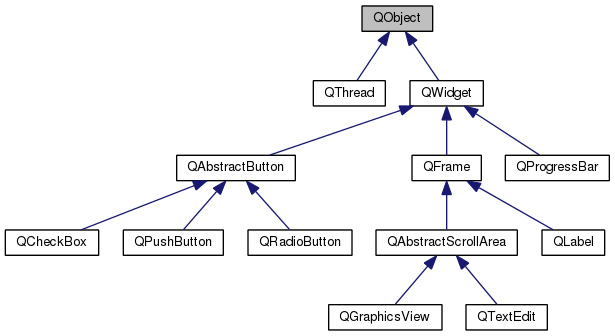
Les Objets QT : Noms des objets
# Fonctionnement PySide
Les Objets QT : Créer un objet
import sys
from PySide2.QtWidgets import QApplication, QMainWindow, QLabel, QLineEdit

if __name__ == "__main__":
    app = QApplication(sys.argv)

    window = QMainWindow()
    window.setWindowTitle("Example simple")
    window.setGeometry(100, 100, 300, 200)

    line_edit = QLineEdit(window)
    line_edit.setPlaceholderText("ArnoBL42")
    line_edit.setGeometry(10, 10, 280, 30)


    window.show()

    sys.exit(app.exec_())
# Fonctionnement PySide
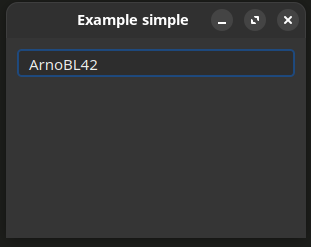
Les Objets QT : Documentation
# Fonctionnement PySide
Les Objets QT : Signaux et Slots
# Fonctionnement PySide
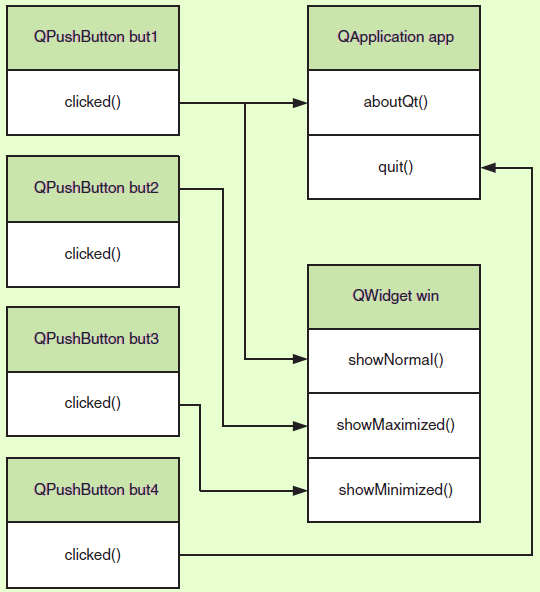
Les Objets QT
# Fonctionnement PySide
import sys
from PySide2.QtWidgets import QApplication, QMainWindow, QLabel, QLineEdit
from PySide2.QtCore import Slot

@Slot()
def print_text(text):
    print(text)

if __name__ == "__main__":
    app = QApplication(sys.argv)

    window = QMainWindow()
    window.setWindowTitle("Example simple")
    window.setGeometry(100, 100, 300, 200)

    line_edit = QLineEdit(window)
    line_edit.setPlaceholderText("ArnoBL42")
    line_edit.setGeometry(10, 10, 280, 30)

    //Link signal to slot
	line_edit.textChanged.connect(print_text)


    window.show()

    sys.exit(app.exec_())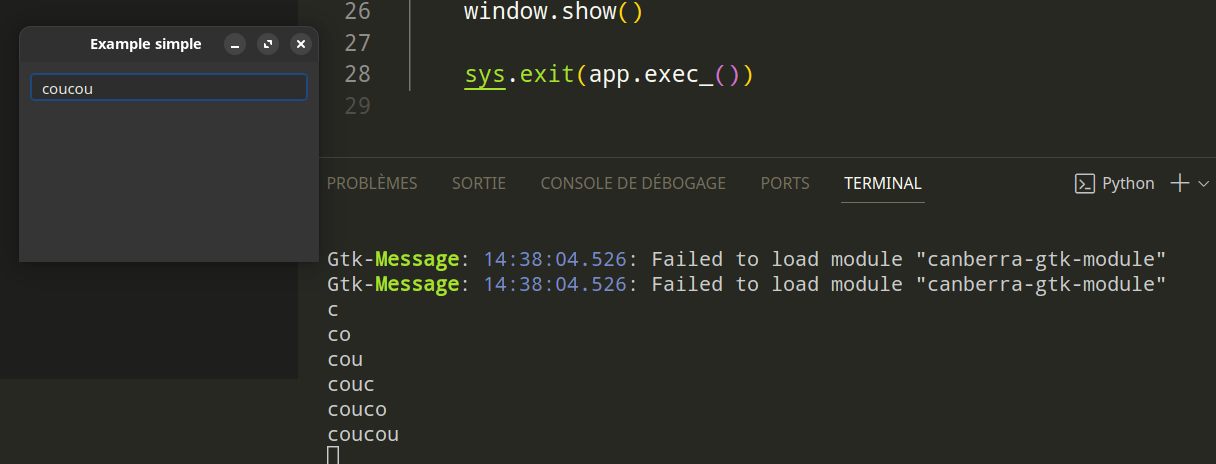

Explication du code généré
# -*- coding: utf-8 -*-

################################################################################
## Form generated from reading UI file 'arnoblMxNCkI.ui'
##
## Created by: Qt User Interface Compiler version 5.15.11
##
## WARNING! All changes made in this file will be lost when recompiling UI file!
################################################################################

from PySide2.QtCore import *  # type: ignore
from PySide2.QtGui import *  # type: ignore
from PySide2.QtWidgets import *  # type: ignore


class Ui_MainWindow(object):
    def setupUi(self, MainWindow):
        if not MainWindow.objectName():
            MainWindow.setObjectName(u"MainWindow")
        MainWindow.resize(317, 175)
        MainWindow.setAutoFillBackground(False)
        self.centralwidget = QWidget(MainWindow)
        self.centralwidget.setObjectName(u"centralwidget")
        self.centralwidget.setAutoFillBackground(False)
        self.gridLayout = QGridLayout(self.centralwidget)
        self.gridLayout.setObjectName(u"gridLayout")
        self.verticalLayout_2 = QVBoxLayout()
        self.verticalLayout_2.setObjectName(u"verticalLayout_2")
        self.verticalLayout_2.setSizeConstraint(QLayout.SetDefaultConstraint)
        self.formLayout = QFormLayout()
        self.formLayout.setObjectName(u"formLayout")
        self.label = QLabel(self.centralwidget)
        self.label.setObjectName(u"label")
        font = QFont()
        font.setPointSize(16)
        self.label.setFont(font)

        self.formLayout.setWidget(0, QFormLayout.LabelRole, self.label)

        self.lineEdit = QLineEdit(self.centralwidget)
        self.lineEdit.setObjectName(u"lineEdit")

        self.formLayout.setWidget(0, QFormLayout.FieldRole, self.lineEdit)

        self.label_2 = QLabel(self.centralwidget)
        self.label_2.setObjectName(u"label_2")
        self.label_2.setFont(font)

        self.formLayout.setWidget(1, QFormLayout.LabelRole, self.label_2)

        self.lineEdit_2 = QLineEdit(self.centralwidget)
        self.lineEdit_2.setObjectName(u"lineEdit_2")
        self.lineEdit_2.setFocusPolicy(Qt.WheelFocus)
        self.lineEdit_2.setEchoMode(QLineEdit.Password)

        self.formLayout.setWidget(1, QFormLayout.FieldRole, self.lineEdit_2)


        self.verticalLayout_2.addLayout(self.formLayout)

        self.pushButton = QPushButton(self.centralwidget)
        self.pushButton.setObjectName(u"pushButton")
        self.pushButton.setFont(font)

        self.verticalLayout_2.addWidget(self.pushButton)

        self.verticalLayout_2.setStretch(0, 1)
        self.verticalLayout_2.setStretch(1, 1)

        self.gridLayout.addLayout(self.verticalLayout_2, 0, 0, 1, 1)

        MainWindow.setCentralWidget(self.centralwidget)

        self.retranslateUi(MainWindow)

        QMetaObject.connectSlotsByName(MainWindow)
    # setupUi

    def retranslateUi(self, MainWindow):
        MainWindow.setWindowTitle(QCoreApplication.translate("MainWindow", u"MainWindow", None))
        self.label.setText(QCoreApplication.translate("MainWindow", u"Login", None))
        self.lineEdit.setPlaceholderText(QCoreApplication.translate("MainWindow", u"ArnoBL42", None))
        self.label_2.setText(QCoreApplication.translate("MainWindow", u"Password", None))
        self.lineEdit_2.setPlaceholderText(QCoreApplication.translate("MainWindow", u"***********", None))
        self.pushButton.setText(QCoreApplication.translate("MainWindow", u"LOGIN", None))
    # retranslateUi
# Fonctionnement PySide
Intégration du code généré
# Fonctionnement PySide


Application.ui
Application.py
Main.py
import
copy
Intégration du code généré
# Fonctionnement PySide
import sys
from PySide2.QtWidgets import QApplication, QMainWindow, QLabel, QLineEdit
from PySide2.QtCore import Slot
from Ui_MainWindow import Ui_MainWindow


class MainWindow(QMainWindow, Ui_MainWindow):
    def __init__(self):
        super().__init__()
        self.setupUi(self)
        self.pushButton.clicked.connect(self.button_clicked)


    @Slot()
    def button_clicked(self):
        if self == window:
            window2.show()
        else:
            window.show()
        self.hide()


App = QApplication(sys.argv)

window = MainWindow()
window2 = MainWindow()

window.show()
App.exec_()
Exemple Simple
Assembler la partie design et code pour obtenir votre application
Application
(en live)

Déploiement
Comment déployer et distribuer votre application grâce à PyInstaller
# Principe PyInstaller
Main.py

PyInstaller

Main.exe
#> pip install pyinstaller
# Principe PyInstaller
# Principe PyInstaller
#> sudo pyinstaller main.py

build
dist
main
main.exe
# Principe PyInstaller
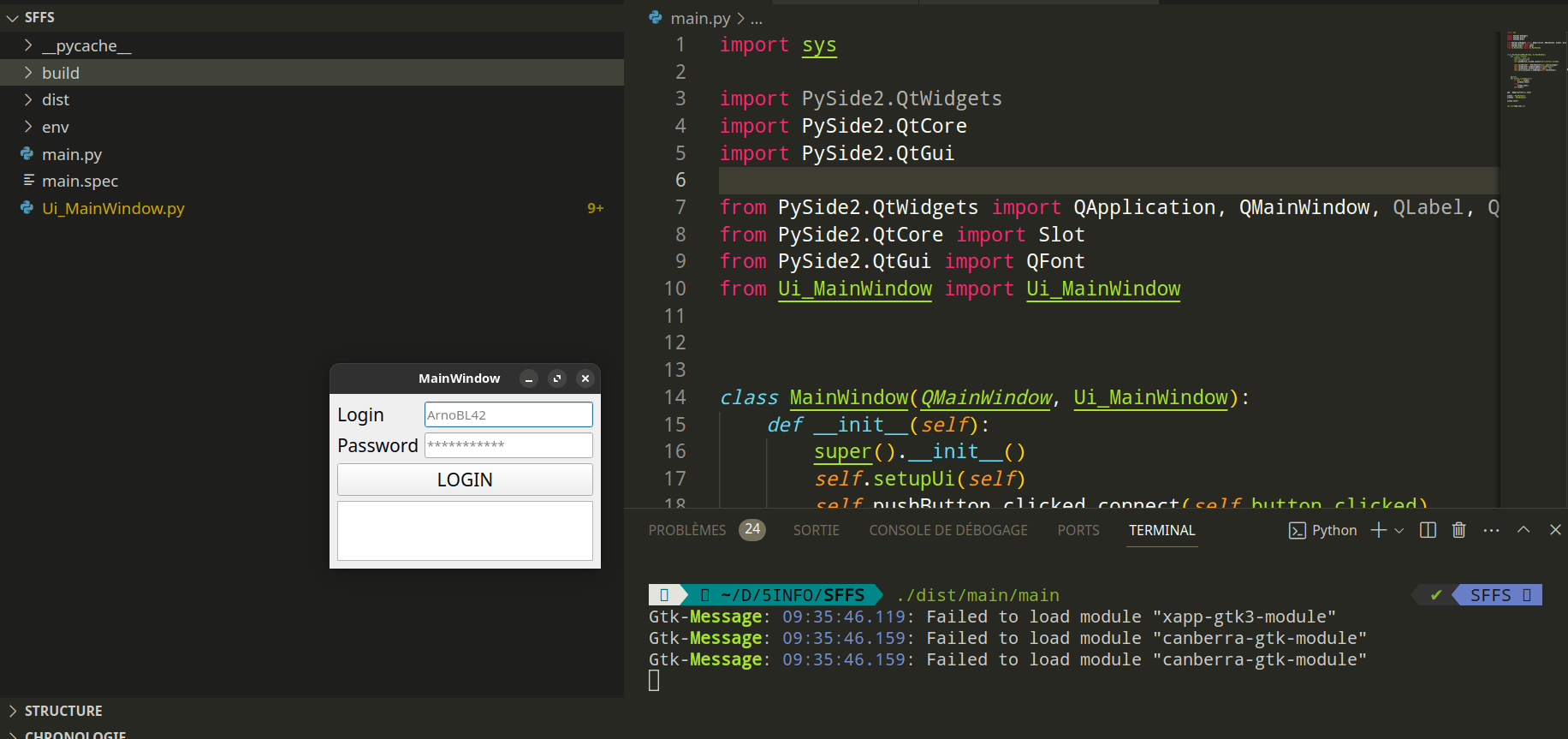
# Principe PyInstaller
Main.py

PHOTO.png

main.exe
PHOTO.png

# Principe PyInstaller
#> sudo pyinstaller --add-data "PHOTO.png:." main.py
def resource_path(relative_path):
  try:
    base_path = sys._MEIPASS
  except Exception:
    base_path = os.path.dirname(__file__)
    return os.path.join(base_path, relative_path)
main.exe
PHOTO.png
MEIPASS_#RUN
Bonus
Ajouter du style à votre application
PySide Course
By red4game
PySide Course
Cours sur Pyside : comment développer une application bureau simplement et rapidement.
