Headless UI testing with Puppeteer
Richard Wilde @rippo
Why test the UI?
What have I tried?
Selenium, Web Driver, Coypu, ProtractorJs, DalekJs
Headless: PhantomJs + CasperJs, (Chromeless, Navalia)
and now puppeteer....
Chromium
Chromium is an open-source browser project that aims to build a safer, faster, and more stable way for all users to experience the web.
Chrome is based on Chromium!
Puppeteer
Puppeteer is a Node library which provides a high-level API to control headless Chrome (AKA Chromium) over the DevTools Protocol. It can also be configured to use (non-headless) Chrome.
Wouldn't it be nice...
to be able to UI test your code changes before you check into source!
Agenda
- Getting setup
- Grab demos
- Testing scenarios
- Page object pattern
Getting setup
$ npm install -g yarn  #I recommend this as a replacement for npm
$ yarn init
$ yarn add --dev puppeteer mocha chai
$ yarn add --dev yargs looks-same
Optional (used during this demo)
Tech giants like facebook and google decided to team up and make a better package management tool, they called it Yarn.
You will need node! https://nodejs.org
Demo 1:
Smash and Grab
$ cd D:\Projects\Presentations\puppeteer
$ node grabs/grab01.js --show
Note: its is possible to change the viewport size
await page.setViewport({ width:1024, height:800});But we are here to learn about testing!
Mocha
is a feature-rich JavaScript test framework running on Node.js and in the browser.
Chai
is a BDD / TDD assertion library for node and the browser that can be delightfully paired withany javascript testing framework.
To run my tests
Source: Blog Post https://goo.gl/FSHWBL
Create the following files:-
- browser.js
- Creates a browser singleton for puppeteer
- Creates a browser singleton for puppeteer
- runner.js
- Before/After events for each test run, basically sets up the browser for us (used by Mocha)
- Before/After events for each test run, basically sets up the browser for us (used by Mocha)
- options.js
- Set up defaults or allows me to pass in defaults via the CLI
Test 1:
Title test!
$ mocha --timeout 10000 ./runner.js tests/test01.js --showNOTE: The actual HTML page is sandboxed. To get access to the page DOM we use evaluate.
Test 2:
Counter click!
$ mocha --timeout 10000 ./runner.js tests/test02.js --show

$ mocha --timeout 10000 ./runner.js tests/test02.js --show --slowmo=200
Test 3:
Remote Calls
$ mocha --timeout 10000 ./runner.js tests/test03.jsWhats the weather like today?
Remember remote calls takes time to get the data and to render!
Test 4:
Filling in a form
$ mocha --timeout 1000 ./runner.js tests/test04.jsTest 5:
Image comparisons
$ mocha --timeout 10000 ./runner.js tests/test05.jsVisual regression testing, is it a good idea?
For a good overview see
Test 6:
Testing performance
$ mocha --timeout 10000 ./runner.js tests/metrics/test06.jsWhats the weather like today?
Remember remote calls takes time to get the data and to render!
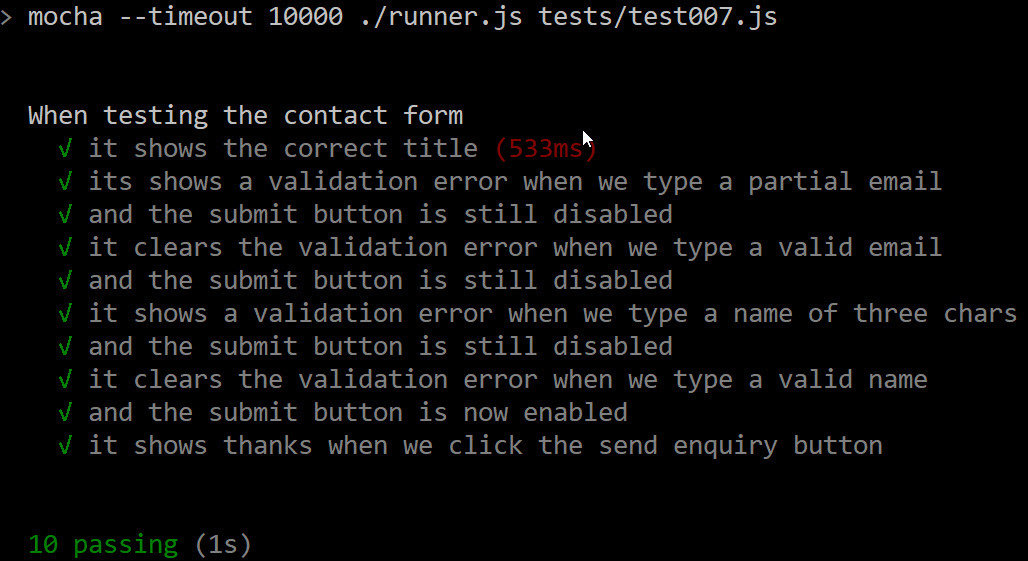
Test 7:
Page metrics
$ mocha --timeout 10000 ./runner.js tests/metrics/test07.jsPage object pattern
Login
Page
Search
Page
Page Objects
login.as.test1.user.js
Login Test Pages
login.as.test2.user.js
login.as.unknown.user.js
invalid.search.js
Search Test Pages
valid.search.js
empty.results.search.js
QUESTIONS?
- run all tests in dir e.g.
-
tests/test0?.js
-
tests/**/test0?.js
-
- can plumb mocha into TeamCity etc
-
mocha --reporter mocha-teamcity-reporter
-
Thanks!
Git Hub repository:
https://github.com/rippo/puppeteer.presentation
Page object pattern
http://martinfowler.com/bliki/PageObject.html
Hit me on twitter @rippo
Headless testing with Puppeteer
By rippo
Headless testing with Puppeteer
Presentation given at local user groups