Housekeeping
Accounts
robustack.com
You can orchestrate EC2 resources for multiple AWS accounts together in robustack.
You should register the AWS access key and AWS secret key for each account. The key privilege should include all EC2 resources and Elastic LB.
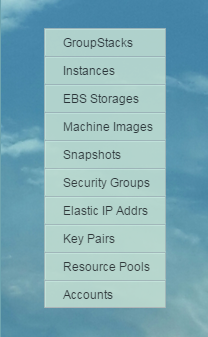
(1) Click "Accounts" in main menu.
Register New AWS Account
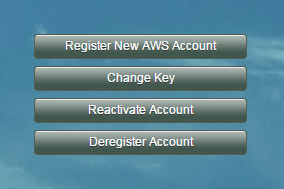
(2) Click "Register New AWS Account".
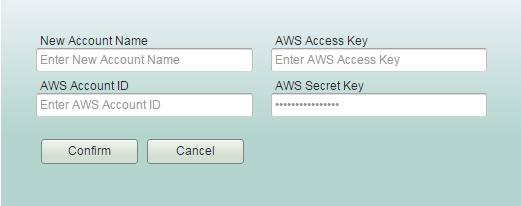
Enter new 'Account Name'.
The default resource pools will automatically be created and be named based on the account name once you finish registering a new account. So it will be useful if you set it to which you can easily distinguish one from others.
kong
Enter 'AWS Account ID' and 'AWS Keys'.
The access keys must have permission to create/manage/delete EC2 resources of the account.
kong
kong
(3) Click "Confirm" button, then new account will be created.
14166866
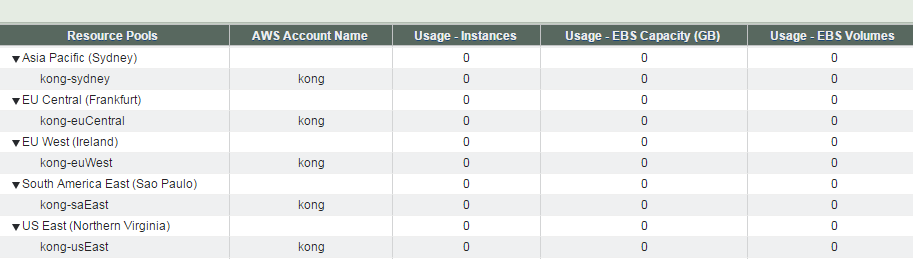
Resource Pools Management View
Default resource pools will have been created and the name format is
<Account Name>-<AWS region>.
Change Key
You can change registered access keys to new ones.
(2) Click "Change Key" button.
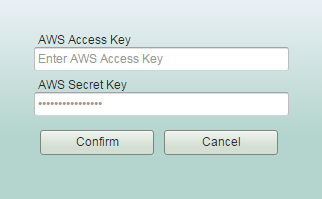
Enter new access key values. The keys' resource permission should cover all EC2 resources.
Housekeeping - Accounts
By robustack.com
Housekeeping - Accounts
Housekeeping - Accounts. Robustack is an Amazon EC2 Orchestration Platform. This slides explains how you can manage accounts.