Managing Security Group and Rule
robustack.com
Block Security Rules
'Block Rule' actually will delete security rule but will keep its configuration at the groupstack. And then you can re-apply the security rule easily if you 'Unblock' it later.
(1) Click "Security Groups" tab in groupstack sub table view. And select security rules you want to block.

(2) Click "Block Security Rules"
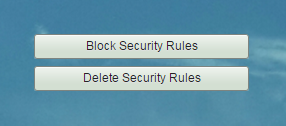
(3) Read confirmation content and click "Confirm".
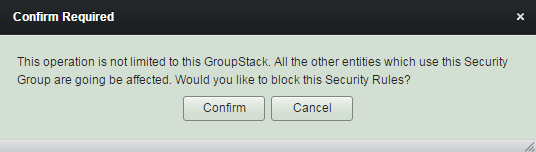
Security Group in groupstack is shared resource and can exist in the other groupstack at the same time. So 'block' rules in a groupstack should handled with care.
(4) 'Block Security Rules' completed.
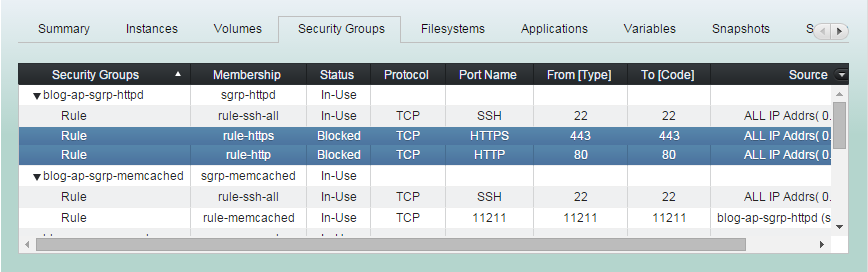
Unblock Security Rules
' Unblock Rule' will actually add the security rule again which was deleted
by 'Block Rule' before.
(1) Click "Security Groups" tab in groupstack sub table view. And select 'Blocked' security rules you want to unblock.
(2) Click "Unblock Security Rules"
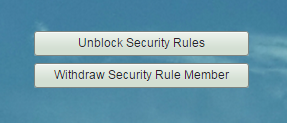
(3) Read confirmation content and click "Confirm".
Security Group in groupstack is shared resource and can exist in the other groupstack at the same time. So 'unblock' rules in a groupstack should handled with care.
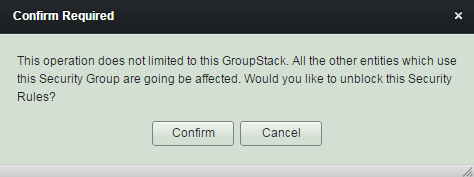
(4) 'Unblock Security Rules' completed.
Add User Security Rule
Adding a security rule here is exactly the same as adding a rule to security group in EC2 console or adding it through main menu bar "Security Groups". This menu is just for ease of operation.
(1) Click "Security Groups" tab in groupstack sub table view. And select a security group you want to add rules.
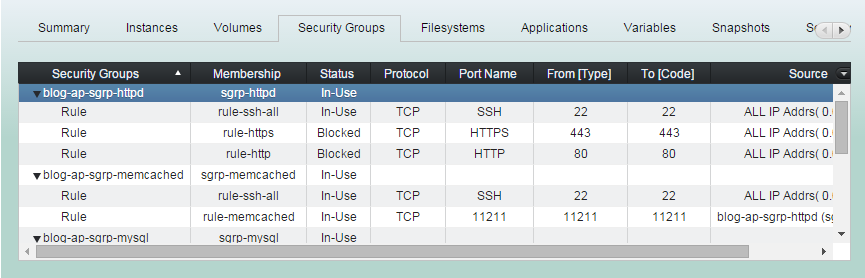
(2) Click "Add User Security Rule"
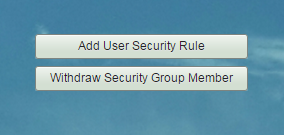
(3) Add protocol and port range as needed.
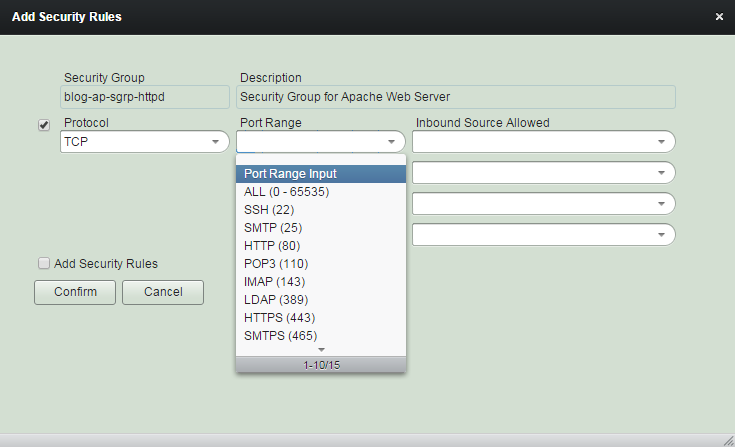
(4) Add inbound source as needed.
And click "Confirm" button.
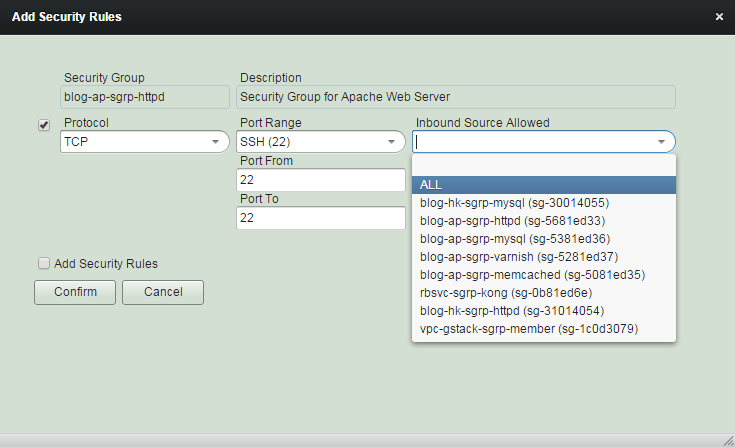
(5) 'Add User Security Rule' completed.
The rule added here is not a member of groupstack yet. You should register the rule to groupstack in order to use the additional features of groupstack security rule.
Security Group in groupstack is shared resource and can exist in the other groupstack at the same time. So 'add' rules in a groupstack security group should handled with care.
Register as Security Rule Member
Security rules which are not groupstack members may exist depending on how the rule created.
In order to get membership benefits, you should register them as members.
The expression 'register to groupstack' means 'giving membership to a resource which is outside the groupstack' and 'withdraw from groupstack' means 'taking the membership back from a resource which is inside the groupstack'.
(1) Click "Security Groups" tab. And select 'none' membership security rule you want to register.
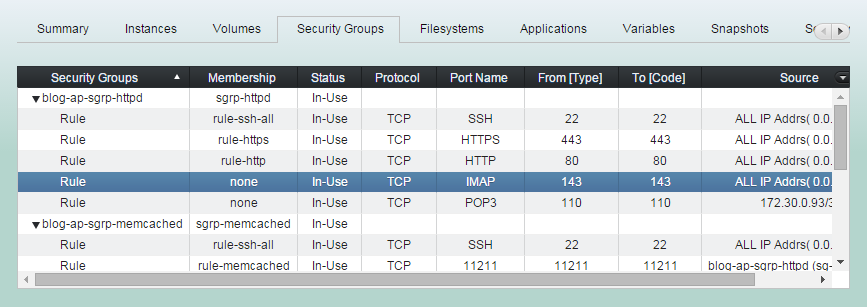
(2) Click "Register as Security Rule Member"
Delete Security Rule
Deleting a security rule here will delete a rule from the security group and withdraw the rule membership from groupstack at the same time .
(1) Click "Security Groups" tab in groupstack sub table view. And select security rules you want to remove.
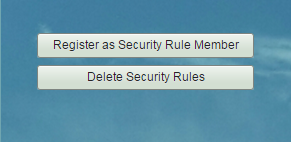
(2) Click "Delete Security Rules"
(3) 'Delete Security Rules' completed.
Security Group in groupstack is shared resource and can exist in the other groupstack at the same time. So 'delete' rules in a groupstack security group should handled with care.
Define Permission Source Variable
You can define a variable for an IP address type source. And then whenever the source IP address changes, such as instance restart, you can make the source variable get updated and apply it to the security rule.
(1) Click "Security Groups" tab in groupstack sub table view. And select an IP address type security rule you want its permission source to be defined as a variable.
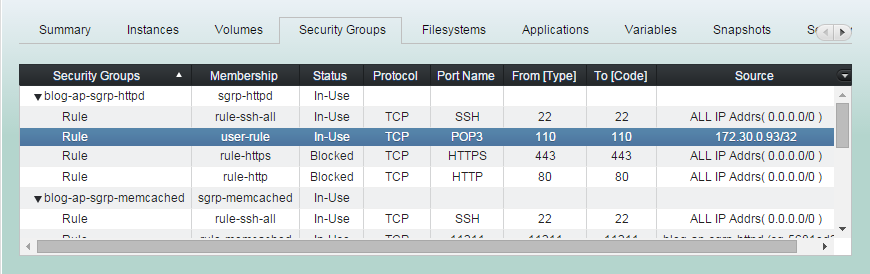
(2) Click "Define Permission Source Variable".
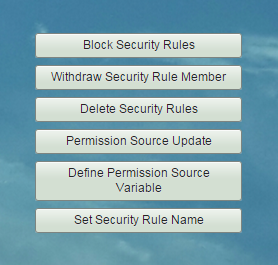
(3) Enter source IP address CIDR notation with robustack variable as needed.
And click "Confirm".
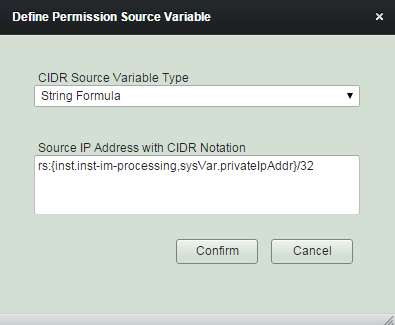
In this example, system variable on private IP address of instance 'inst-im-processing' has been entered - <private IP address>/32.
Now, you can change the permission source of the rule by clicking "Permission Source Update" button or by assigning it to any 'Job Actions'.
(5) 'Define Permission Source Variable' completed.
Check the rule source field '**' appended.
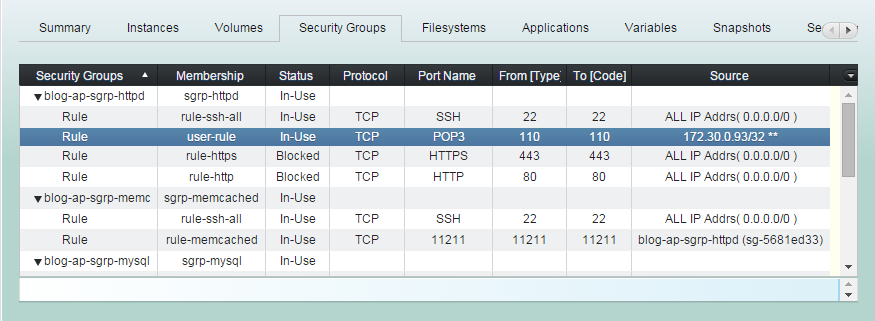
Permission Source Update
Any groupstack security rules which access permission source are defined as variables can be re-applied by clicking the button here.
(1) Click "Security Groups" tab in groupstack sub table view. And select security rules which sources are defined as variables.
(2) Click "Permission Source Update".
(3) 'Permission Source Update' workflow
1. Evaluates the current variable values of the rule sources.
2. Deletes old security rules from the security groups.
3. Adds new security rules which sources are the variable values evaluated.
(4) 'Permission Source Update' completed.
You can use this functionality to any 'Job Actions' of Triggers, Schedules, Sequences.
It will be useful if you set this on Trigger 'After instance started' as an action.
Set Security Rule Name
You can set name for any groupstack security rule member.
Naming security rule is for ease of reference.
(1) Click "Security Groups" tab in groupstack sub table view. And select a member rule you want to give a name.
(2) Click "Set Security Rule Name".
(3) Enter security rule name to use.
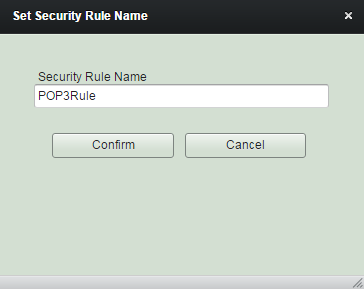
(4) 'Set Security Rule Name' completed.
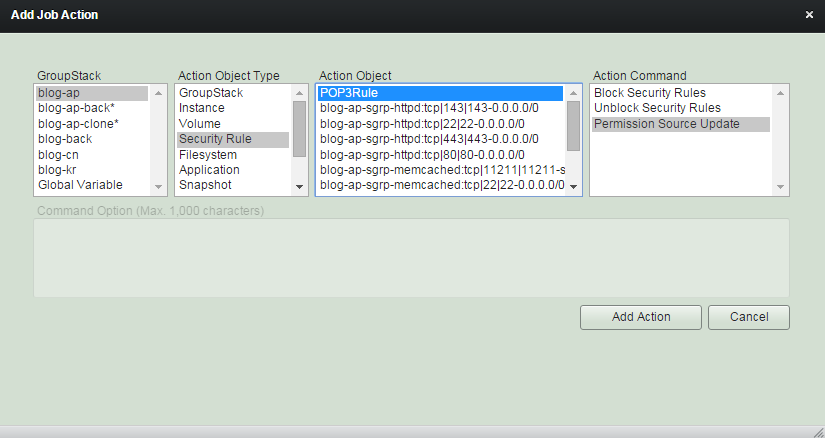
You can now refer the rule with its name.
Withdraw Security Group Member
Security group is usually registered when an instance bound is created or registered into a groupstack. In case of withdrawing, you can withdraw it if instances bound don't exist any longer.
The expression 'register to groupstack' means 'giving membership to a resource which is outside the groupstack' and 'withdraw from groupstack' means 'taking the membership back from a resource which is inside the groupstack'.
Withdraw Security Rule Member
You can withdraw a security rule member if its membership is not manadatory. Security rule without groupstack membership still be shown as membership 'none' rule but you cannot assign any value-added function on it.
The expression 'register to groupstack' means 'giving membership to a resource which is outside the groupstack' and 'withdraw from groupstack' means 'taking the membership back from a resource which is inside the groupstack'.
Managing Security Group - Group and Rule
By robustack.com
Managing Security Group - Group and Rule
Managing Security Group - Group and Rule. Robustack is an Amazon EC2 Orchestration Platform. This slides shows how to manage security groups and rules.