Managing
Stopped Instance
Spot Instance Specific
robustack.com
'Stopped Spot Instance' in robustack is the emulated representation of "EC2 Spot instance which is terminated but ready to launch with latest root volume preserved".
As robustack uses detached root volume when it creates new AMI for a spot instance, all root volume option for requesting spot instance in robustack is
'Delete On Termination=Off"
Start Spot SingleStack
(1) Click "Instances" tab in groupstack sub table view. And select one or more (CTRL^) spot instances you'd like to start those singlestacks.
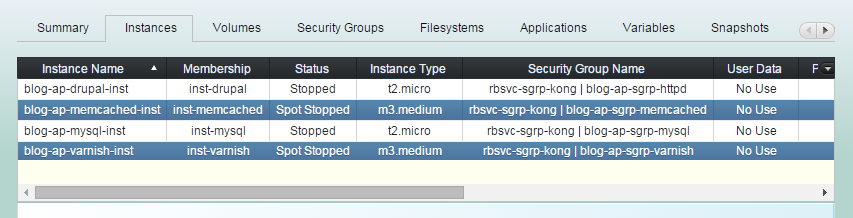
(2) Click "Start Spot SingleStack" button.
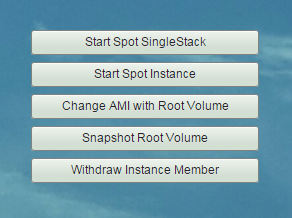
(3) Start Spot SingleStack workflow
1. Requests spot instances
with latest preserved AMIs.
2. Waits until all spot instances are
active and running.
(3) Start Spot SingleStack workflow
3. Associates Elastic IPs to'EIP auto-associate' instances. And waits until those public DNS names resolved.
4. Attaches bound EBS volumes to instances.
(3) Start Spot SingleStack workflow
5. Checks if robustack agents are operating.
6. Updates /etc/hosts entries for
currently running all groupstack instances.
<Private IP address> <instance name>
...
(3) Start Spot SingleStack workflow
7. Mounts all singlestack bound filesystems.
8. Runs 'Post Bash Scripts' assigned to each instances.
(3) Start Spot SingleStack workflow
8. Starts bound applications according to those
'Start Orders' and 'Start App Dependencies'.
(3) Start Spot SingleStack workflow
9. Register 'ELB auto-register' instances to Elastic Load Balancers.
(4) Start Spot SingleStack completed.
Now the status of instances will be
"Spot Running"
and those of bound volumes will be "In Use",
and filesystems will be "Mounted",
and applications will be "Running"
Start Spot Instance
(1) Click "Instances" tab in groupstack sub table view. And select one or more ( CTRL^) spot instances you'd like to start.
(2) Click "Start Spot Instance" button.
(3) Start Spot Instance workflow
1. Requests spot instances
with latest preserved AMIs.
2. Waits until all spot instances are
active and running.
(3) Start Spot Instance workflow
3. Associates Elastic IPs to'EIP auto-associate' instances. And waits until those public DNS names resolved.
(3) Start Spot Instance workflow
4. Checks if robustack agents are operating.
5. Updates /etc/hosts entries for
currently running all groupstack instances.
<Private IP address> <instance name>
...
(4) Start Spot Instance completed.
Now the status of instances will be
"Spot Running".
The status of the bound resources
will still be the same.
Change AMI with Root Volume
You may have spot root volume left by whatever reasons, such as Amazon EC2 spot interruption. You can build new AMI for the spot instance from the root volume here.
(1) Click "Instances" tab in groupstack sub table view. And select spot instances you'd like to change those AMIs from root volumes.
(2) Click "Change AMI with Root Volume"
(3) Spot Change AMI workflow
1. Snapshots root volumes.
2. Waits until all root volume snapshots done.
3. Creates new AMIs based on newly created snapshots.
4. Changes AMIs for next spot requests.
(4) Change AMI with Root Volume completed.
You can verify the AMIs changed
by clicking "Modify Spot Instance" button.
Modify Spot Instance
As 'spot instance stopped' is actually it is terminated and to be newly requested, modifying its parameters is relatively flexible.
(1) Click "Instances" tab in groupstack sub table view. And select a spot instance you'd like to modify.
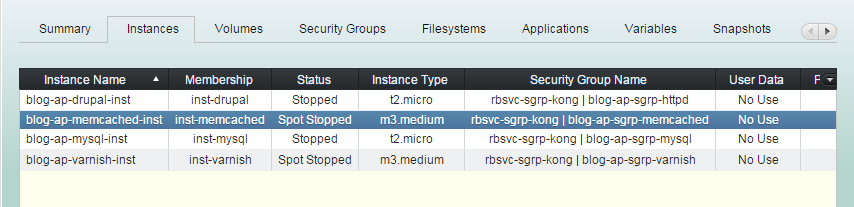
(2) Click "Modify Spot Instance" button.
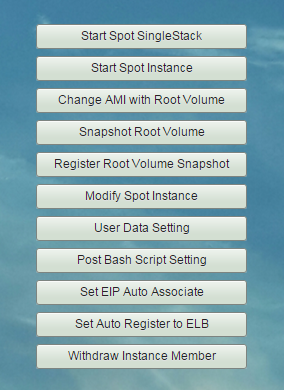
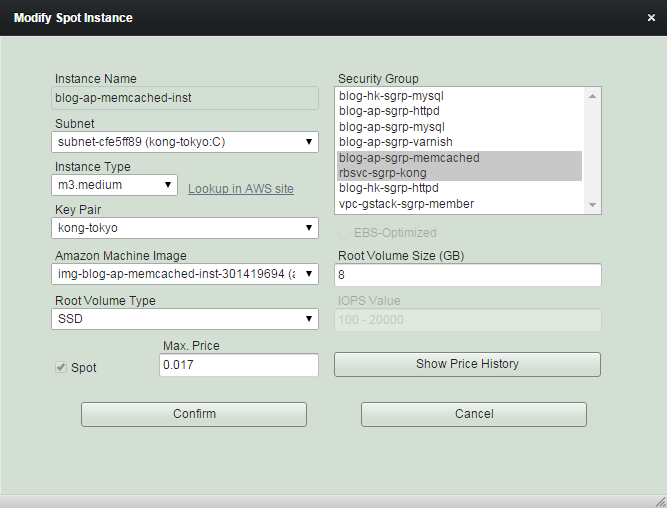
(3) Modify values as needed.
Don't forget to modify 'Max. Price'
if you want to change instance type.
Managing Instance - Stopped Spot Instance
By robustack.com
Managing Instance - Stopped Spot Instance
Managing Instance - Stopped Instance. Robustack is an Amazon EC2 Orchestration Platform. This slides shows what you can do for stopped spot instance or singlestack ( a unit for an AWS EC2 instance and its bound volumes, security groups and filesystems, applications) and how to do it.